Week 4 – Displaying text

Concept

For this assignment I wanted to create something that generates an answer for the user rather than just displaying random pieces of text. I knew that I wanted to make some type of interactive answer giving experience for the user so I thought of making an affirmation box, or some type of fortuneteller and this eventually led me to the idea of a magic 8 ball, since its whole purpose is to answer questions with random responses. My assignment allows the user to think of a yes or no question and then after they click the magic 8 ball, it would give them an answer. The responses are stored in a CSV file and can either be positive, negative, or an unsure answer. I wanted this assignment to feel more alive and playful so I added a moving star background.

Highlight code

// generating answer
  function generateAnswer() {

  let singleRow = [];

  // choose one random row
  singleRow =
  splitTokens(strings[int(random(strings.length))], ",");

  // get the 3 parts from the SAME row
  let start = singleRow[START];
  let middle = singleRow[MIDDLE];
  let end = singleRow[END];

  // put sentence together
  answer = start + "\n" + middle + "\n" + end;
}

// CLICK THE BALL
function mouseClicked() {
  generateAnswer();
}

CSV:

definitely,yes,go for it
most likely,yes,signs look good
without a doubt,yes,you can count on it
probably,yes,things look promising
maybe,yes,but give it time
honestly,no,don't count on it
probably,no,try again later
definitely,no,not this time
unclear,maybe,ask again later
hard to tell,maybe,wait and see

The part of my code that I’m proud of the most has to be the generating answers. I especially enjoyed understanding how random() and splitTokens() work together, with the help of the professors presentations and p5’s reference pages. The program first randomly chooses one row from my CSV filed. SplitTokens() then separates that row wherever there is a comma, allowing me to access each part individually. I learned that this feature is a way to split strings into pieces. One thing I changed from the class example was how the randomness worked. In the poetry example, different rows could be randomly selected, and mixing unrelated words was part of the generation of the poem. But for my magic 8 ball, I didn’t really want to create answers that didn’t make sense and contradicted itself. For example, if I didn’t use split tokens, I could end up with a result saying

Definitely

No

You can count on it

And that wouldn’t have made sense. Instead, I randomly select one row and keep all three parts of that row. This allows the result to be random but still making sense as an answer. I think this was the part where I understood the purpose of the CSV and arrays the most.

Embedded sketch

How this was made

I started by drawing the magic eight ball using the basic P5.JS shapes. I used a reference photo from online to try to mimic the colors and shapes included. I also added a custom font from Google fonts for the title. At first, the font was not working and I wasn’t really sure why. I realized that the name I was using in P5 did not match the actual name of the font file I uploaded. So all I had to do was change the name to make sure both uploads are the same. Once I fix the file name, it worked. I also learned that after using textFont() for the title, P5 continued using that font for the other texts. I only wanted that font for the title so I had to change the font back to Ariel before displaying the magic 8 balls answer.

I wanted the background to have some movement and motion instead of being completely still, so I used everything that I learned last week about classes and raise to create the stars. Each star object has its own x and y position and speed and I stored the stars inside in array and used a loop to move and display all of them. It’s similar to my last assignment, where when it reaches the end of the canvas it returns to the bottom so the movement continues.

For the main text generation, I used loadStrings() to load the responses from a CSV file. Each rule contains three parts of one answer separated by commas and when the user clicks, random() selects a row and splitTokens() separates it into three parts. I then combine these parts with \n so they appear on separate lines inside the triangle. I used P5.JS and the code examples from class as references for the code structure, Google fonts for the title, and ChatGPT to clean up silly mistakes I made when it came to writing the code.

https://p5js.org/reference/p5/splitTokens/

https://p5js.org/reference/p5/push/

https://p5js.org/reference/p5/loadStrings/

https://p5js.org/reference/p5/loadStrings/

https://p5js.org/reference/p5/int/

https://fonts.google.com/selection?lang=en_Latn&categoryFilters=Feeling:%2FExpressive%2FFuturistic&preview.script=Latn&preview.lang=en_Latn
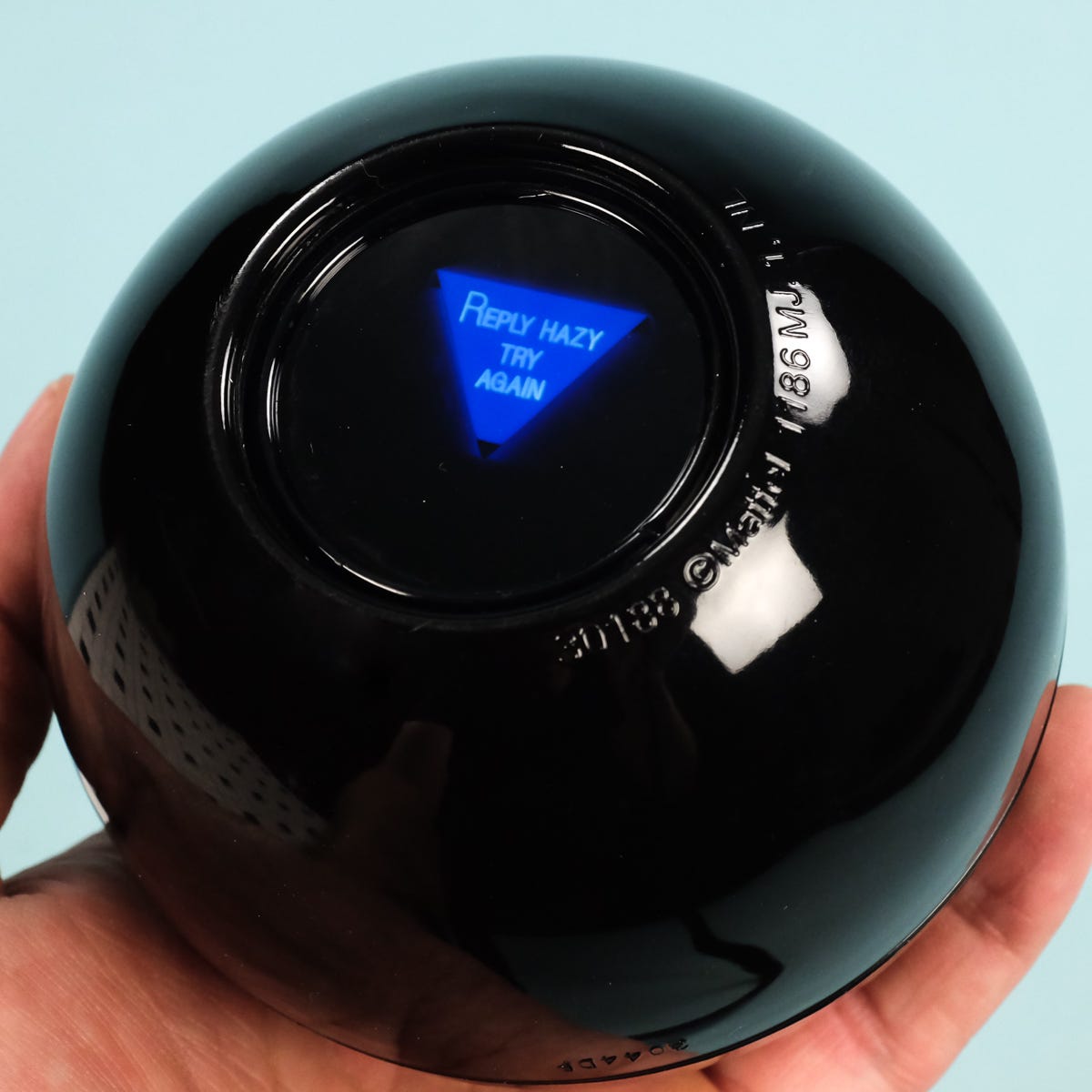
The Magic 8 Ball: What I learned from it | by Two Guys Who Blog | Medium

Reflection 

I enjoyed this assignment because I initially thought generating text would mostly just be putting random words together, but this assignment showed me that text is organized in its own way, depending on how you decide to use it. One challenge was making sure the random answers actually made sense. At first I was selecting each section from a different random row, but that created contradicting answers. If I continue working on this project I would like to make the magic 8 ball to be more interactive. For example I could make it shake for a few seconds before reviewing the answer. Overall I’m very proud of how it turned out and how I use my creativity when it came to displaying text.


Week 4 – Reading

While reading the chapter I really enjoyed how conversational it felt. Instead of overwhelming me with a bunch of theories, the author used stories about everyday things that included confusing doors, and the hotel sink that he couldn’t figure out how to drain. I felt like those examples were funny and lighthearted but at the same time they made his ideas much easier to understand. Before reading this, I honestly thought that if I could not understand how to use something, it was probably just my fault. Something that drives me crazy is when I click a button on a website, and nothing happens, so I don’t know if my click actually worked or not. This could be improved by giving immediate feedback, like changing the button or showing a loading symbol. Norman made me realise that sometimes the design itself is failing to communicate with the user. The quote that really stuck with me was, “profound ideas are always obvious once they are understood.” This really emphasised how good design can feel obvious even though a lot of thought goes into making it that way. The whole point is for it to look effortless and feel like it’s easy to apply, in the users point of view. 

I wanted to connect this to my assignments that I’ve been doing on P5, I realise that I usually focus a lot on aesthetics, like colors, fonts, and how the layout looks like overall. Now I am thinking more about whether someone opening my project for the first time would actually know what to do. Norman explains that good designs should communicate what actions are possible and how to perform them. That made me really focus on how I want my assignment this week (and the rest of the weeks) to be shown. I want my instructions and interactive elements to feel natural instead of making the user guess. This reading changed how I think about design because now I see that the visual part isn’t always the most important part, even though it’s the first thing you see, it’s still needs to be understandable in order for the experience to be clear.

Assignment 3 – One Piece Map

One Piece Map

Concept:

I’m a really big one piece fan and have been watching it for many years and I think its one of the shows and Anime in general that’s stuck with me out of anything I’ve watched so when we got this assignment I knew that I needed to do something to do with One Piece.

Straw Hats - Wikipedia
Reference: One Piece. Eiichiro Oda, Toei Animation.

So I thought about what the series actually about underneath it all, and its a sea that nobodys really mapped. Thats the entire premise, theres islands that nobody have been to and a route that nobody has really like made, and one of Luffy’s Crew, Nami, is literally a navigator who’s entire purpose is to draw maps of places they go and make a map of the entire world which at the time did not exist.

And it turned out to fit this assignment pretty well, because a map essentially has a set of rules if you kind of think about it. Like land goes in some places and water goes in others and a line joins one places to another. So if I can just get those rules set up, I can keep making a new map everytime.

I think what I liked most about this is how it turned out to be honest, its that there isnt one coordinate thats in my code that says where an Island goes, its all just rules for how an Island should work and what its made out of and that makes the picture itself.

Highlighted Code:

for (let i = 0; i < 12; i++) {
  let thisWidth = random(islandSize * 0.55, islandSize * 1.25);
  this.lumpX.push(random(-islandSize * 0.7, islandSize * 0.7));
  this.lumpY.push(random(-islandSize * 0.5, islandSize * 0.5));
  this.lumpWidth.push(thisWidth);
  this.lumpHeight.push(thisWidth * random(0.55, 0.95));
}

This is how an island gets the shape it needs to look like an Island and I think out of all the code I’ve done so far, I think I’m really proud of this one. Theres no function no nothing for drawing like a blob like thing, so an Island cant just be a circle or else it looks pretty stupid, so what I did instead make each island out of a pile of about twelve elipses and they are all different sizes and nudged off centre from eachother. If you overlap enough of the circles as well you can also make a kind of like coastline and I didn’t expect this to work as well as I did.

Then the same pile of those like small lumps get drawn around four times over, and each bit of its pass a little bit smaller than the last one and in a different color, and thats what makes the rings of thes shallow water and then the deeper insides of the island like the beach, then the grass andthen the forest.

Stuff we didn’t do here in class:

So in class what we learned from the ball and the bubble examples that we got was that they can only ever hold single number like this.x or this.xspeed but mine so while I was trying to figure out how to actually get this idea across, I used AI to help me figure out how to make the classes hold whole arrays, teach me the whole process of arrays because I still needed to figure it out and explain to me the commands and from there I stated working. So in this code, this.lumpX is an array thats inside an object. I also used them as something called parallel arrays which is essentially several seperate arrays where like the same position in each and every one is talking about the exact same thing. So there’s an array of like X positions, an array of Y positions, an array of widths and an array of heights. Its like columns in a table, atleast thats how I understood it, where the columns and the index number is the row.

How was this made?

So the way I made this and organized it is that theres four files. So sketch has all the arrays, the draw and the three classes are of course in their own files. The island draws itself everytime its called upon, the Route works out the curved path but doesnt’ draw anything directly and ship is the only one that does anything over the course of time.

For placing the islands I used dist() from class but I used it backwards so it picks like a random spot and measures how far it is from every island thats already there, and throws it out if anythings too close to that spot.

In terms of references, I kind of just went for like an old like map kind of vibe kind of like the one from one piece, like the hand drawn ones.

In terms of AI, I did use AI alot to help me make this dream come to fruition but mostly in terms of explaining concepts and how I can get to my goal, they didnt input code for me directly. Code is all mine.

Reflection

The main thing I took away from this is that a class is the way I guess of thinking about the problem before that its a way of writing code, I love problem solving and when I saw it that way it made me enjoy it alot more. So once I could see it as like three kinds of a thing, the land, the path and something travelling the path, I could see the structure like all come together.

If I kept going honestly I think Id’ ‘want more things in the sea, like maybe whirlpools or sea monsters even that would cause the ship to crash and restart or maybe find a different path? Who knows, theres always room for more.

Reading Reflection 02

What do you consider to be the characteristics of a strongly interactive system? 

When the both parties are considered when making the interactive system.

What ideas do you have for improving the degree of user interaction in your p5 sketches?

Integrating more functions related to the mouse.

Are rugs interactive? Explain in your own words why or why not.

No, because they don’t answer to your actions nor do they listen.

Come up with your own damn definition of interactivity.

When two or more entities continously analyze and receive feedback between each other.

Reading Reflection 2

Reflection:

I think the biggest thing I took from Crawford’s reading is that I shouldn’t just make my sketches react to an input I think I want them to feel alive. Like, he kind of talked about interactivity and that it was almost like a conversation and he said that one side thinks and responds and that the other side does the same thing back. I think this idea meant a lot to me especially because I used to make games on roblox and other things is that it kind of changed what a strong interactive system actually is.

To me now, interactive systems or interactivity in general are ones where the user feels actually noticed not just oh I clicked the circle so the circle moved but more like the system understood what the player or the user or anyone waas doing and gave something meaningful right back at you. So I think a strong interraction needs alot of responsiveness, alot of variety and a feeling that your choices like actually matters like Telltale games with their story games and wide variety of choices you can do and how those choices actually affect the endings you get and you actually feel like you made your own path, your apart of your own story not just a pre-set thing, even if these choices do lead to a pre-set thing, it does not feel that way to me.

W3 – OOP

Concept

It’s really hot outside, and I can’t help but think about relaxing in a pool, resting on a floatie with a popsicle in my hand. That, and my love for ducks, inspired the rubber ducky floaties popping around, with the background color representing a swimming pool.

Highlighted code

// beak
fill(255, 115, 25);
triangle((this.x - 195), (this.y - 140), (this.x - 130), (this.y - 180), (this.x - 105), (this.y - 140));
triangle((this.x - 195), (this.y - 140), (this.x - 130), (this.y - 125), (this.x - 105), (this.y - 140));

While the shape of the duck looks simple, there are actually a lot of different shapes that make up the object. When it comes to creating a shape that moves, it becomes difficult to make sure all the shapes have the correct coordinates so that they look like they are “stuck” together instead of floating around, because then it would no longer look like a duck. That is why I am most proud of this part of the code. It required a lot of time to figure out what to add or subtract from the x and y variables in order to keep the whole object together as it moves.


How this was made

I used what we learnt in class and the p5.js reference to create this project. I first started off with creating shape of the rubber duck floatie and then proceeded to add the shadows to add some more depth to it.

I also made sure to picks specific colors to add another layer of realism, that background color was picked to simulate a pool and I used this color guide to pick it.

Reflection

I am happy with what I was able to achieve. However, in the future I would like to learn how to create an actual hole in the shape rather than filling it in with the background color, so I can create a more realistic floatie.

However, I faced a small step back when I realized that the floatie was too big and one floatie took up the whole canvas. Instead of going back and trying to scale down every coordinate manually, I used the reference to learn how to use the scale()function. It was a bit challenging to understand at first, but once I experimented with different values and learned how to stop the function from repeating with the use of the resestMatrix() function, I was able to scale the floatie down only once.


Reading Reflection

I found it very interesting when Crawford talked about how in a conversation you need to apply all three steps (listening, thinking, and speaking) in order to have a successful interaction. What stood out to me was the idea that if one of these is missing, doing well in the other two does not really make up for it. As Crawford explains it “is like a weak link in a chain. The chain breaks regardless of the strength of the rest of the links.” I liked this comparison because it makes the idea very simple and easy to understand.

I also really liked the way he describes the difference between interaction and reaction. He uses the idioms “apples and oranges, horses of different colors, tigers of different stripes,” which I thought was a very interesting and memorable way of showing that the two are completely different things.

Week 3 Reading Assignment – M7md

Before reading Crawford’s The Art of Interactive Design, I already thought of interaction as some form of two-way communication, where both sides depend on each other for the interaction to continue. Because of this, his idea of interaction as a process of listening, thinking and speaking felt somewhat self-explanatory to me rather than completely changing how I understood it. However, I agree with his argument that interaction can exist at different degrees. Two systems might both respond to a user, but one can offer much more interaction depending on how it processes and responds to what the user does. I don’t think every interaction has to necessarily be meaningful either. Some interactions can feel pointless, even if they technically involve communication. What interests me more is whether the interaction actually contributes to what the creator is trying to achieve.

This made me think differently about the sketches I have created so far in this class. I haven’t really designed them around the people interacting with them. Most of my decisions have been based on my own interests and what I wanted the sketch to show. For future sketches, I would like to experiment more with interactions that can produce unexpected results rather than having every user action lead to the exact same response. For example, the program could respond differently depending on what the user does or how they interact with it. If I’m creating something specifically for another person to interact with, I think I would want their actions to lead to something that encourages them to continue experimenting with the sketch or even makes them think about what is happening. This makes me question whether an interaction can be considered successful even if it works, but fails to get further response from the user.

Week 3 Production Assignment – M7md

Concept

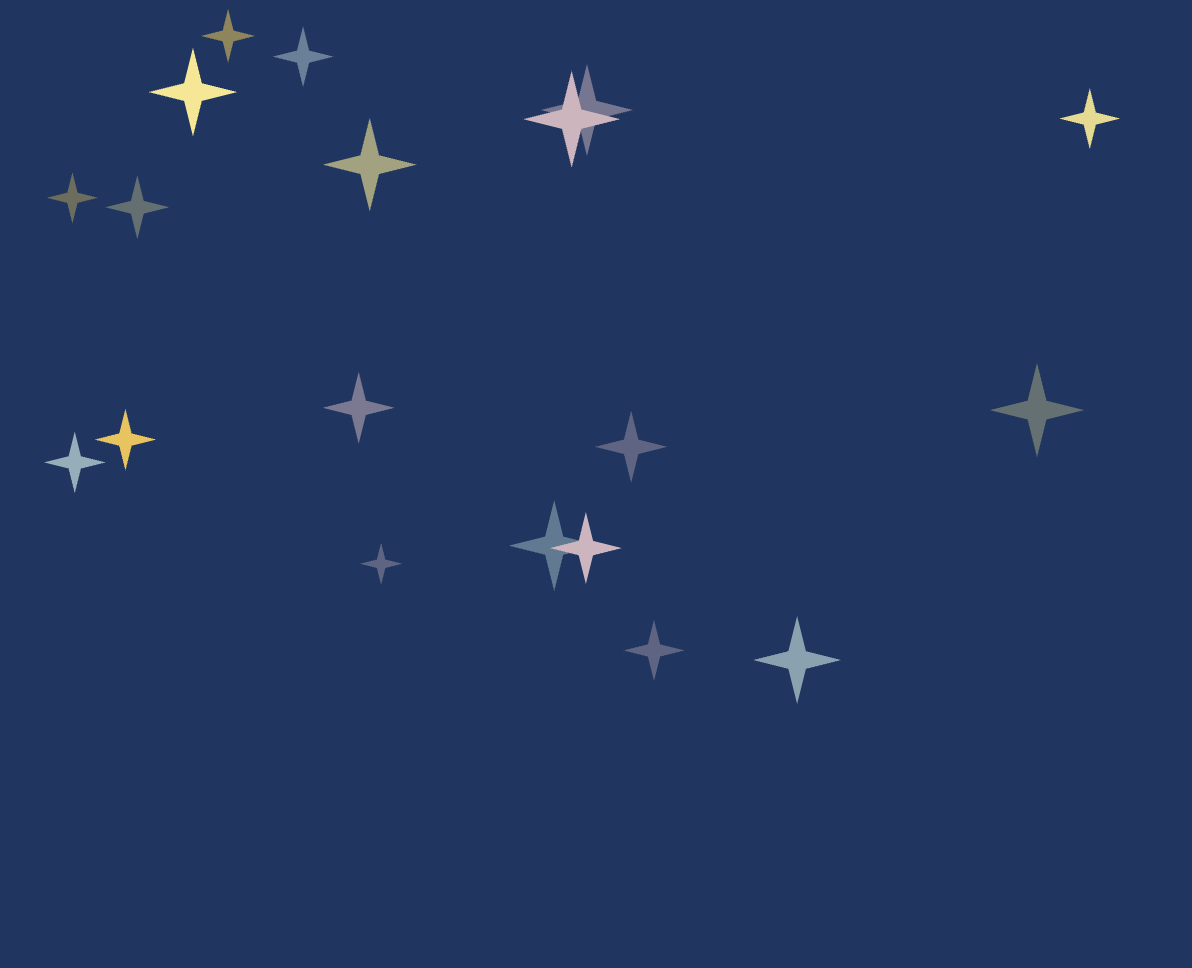
For this assignment, I wanted to create a generative night sky using objects and arrays. My main inspiration was Rosalina’s Storybook from Super Mario Galaxy. I liked the soft, hand-drawn look of the scenes, especially the textured blue backgrounds and glowing stars. I was not trying to recreate the image itself, but I wanted my sketch to have a similar storybook feeling. The bigger stars are created using a Star class. Each star has its own position, size, color, glistening speed, and texture. I also added smaller stars and small colored points in the background so the sky would not feel too flat or empty.

Every 10 seconds, the main stars move to new random positions, so the composition keeps changing while the sketch is running.

Rosalina’s Storybook from Super Mario Galaxy. image taken from a fan-compiled PDF shared on Reddit.


Code I Like

glisten() {
    // Move through the glistening animation at this star's own speed
    this.sparkleTime += this.sparkleSpeed;

    // Turn the sine value into a transparency value from 80 to 255
    this.brightness = map(sin(this.sparkleTime), -1, 1, 80, 255);
  }

How Was This Made?

For the main part of the assignment, I created a Star class that acts as a blueprint for the stars. Each object stores information such as its position, size, color, and glistening speed. I then created 30 different Star objects and stored them inside an array:

let stars = []; 
for (let i = 0; i < 30; i++) {
 let star = new Star( random(20, width - 20),
 random(20, 350),
 random(6, 28),
 random(starColors) ); 

stars.push(star);

This array lets me go through all of the objects using one loop:

for (let i = 0; i < stars.length; i++) {
    stars[i].glisten();
    stars[i].display();
  }

This made it easier to control many stars without writing separate code for each one.

Functions I Used

I used a few functions that we have not really covered in class yet.

I used sin() together with map() to create the glistening effect. sin() gives a value that smoothly moves back and forth, while map() converts that into the transparency range I wanted.

I used color() and setAlpha() so I could keep the original color of each star while changing its transparency.

To make the custom four-point star, I used beginShape(), vertex(), and endShape(CLOSE). These let me create my own shape by choosing where each point should be.

I also used push(), pop(), and translate(). I had used .push() and .pop() before with arrays, but these versions are different. push() saves the current drawing settings and transformations, while pop() restores them. I used them with translate() so each star could be moved to its own position without affecting the other stars.

For the glow, I reused:

drawingContext.shadowColor

drawingContext.shadowBlur

I had used these before in my previous assignment. shadowColor controls the color of the glow, while shadowBlur controls how soft and spread out it is.

For the background, I used randomSeed(). The background uses random points for texture, but without randomSeed() they would move every frame. Using randomSeed(5) makes the same random pattern repeat, so the texture stays still.

I later used randomSeed(millis()) when changing the star positions. Since millis() keeps changing, this gives the stars a new random arrangement instead of repeating the same one.

I also reused millis() from a previous assignment. This time I used it to check when 10 seconds had passed, and then I called a function that gives all of the stars new random positions.

Reflection

The visual side of this assignment changed quite a bit while I was working on it.

At first, I tried using lines and many small marks to make the background look more like crayon, but some versions looked more like digital scanlines or like I had scribbled over the whole background.

I eventually changed the texture to smaller points and reduced how many there were. This kept some texture without making it too distracting.

I also made a simple mistake at one point where I forgot to redraw the background inside draw(). Since the stars were animated, their old frames stayed on the screen and created trails.

After fixing that, I had another problem where the randomly generated texture changed every frame. I solved this using randomSeed() so the same random texture would be redrawn each time.

Later, I noticed that the stars changed position after the first 10 seconds but then seemed to keep returning to the same arrangement. This happened because the fixed randomSeed() used for the background was also affecting later uses of random(). I fixed this by using randomSeed(millis()) before generating new star positions, which gives it a different seed each time.

The sky also felt too empty at first. I increased the number of main stars from 20 to 30, gave them a wider range of sizes, and added smaller stars in the background instead of filling the screen with even more large stars.

For future improvements, I would probably try to make the stars themselves look even more hand-drawn so they match the Storybook inspiration more closely. I also think sound or some kind of interaction could be interesting, but I wanted to keep this version focused on the visual side.

Assignment 3 – The Tunnel

Concept 

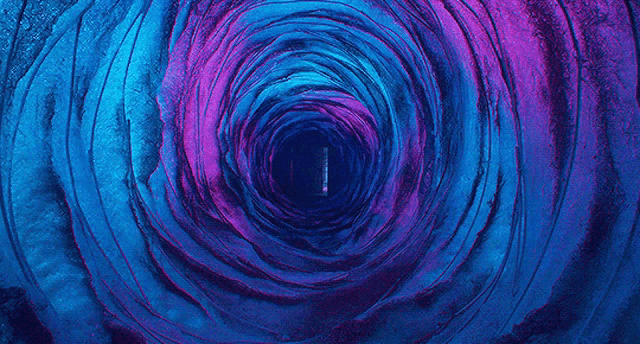
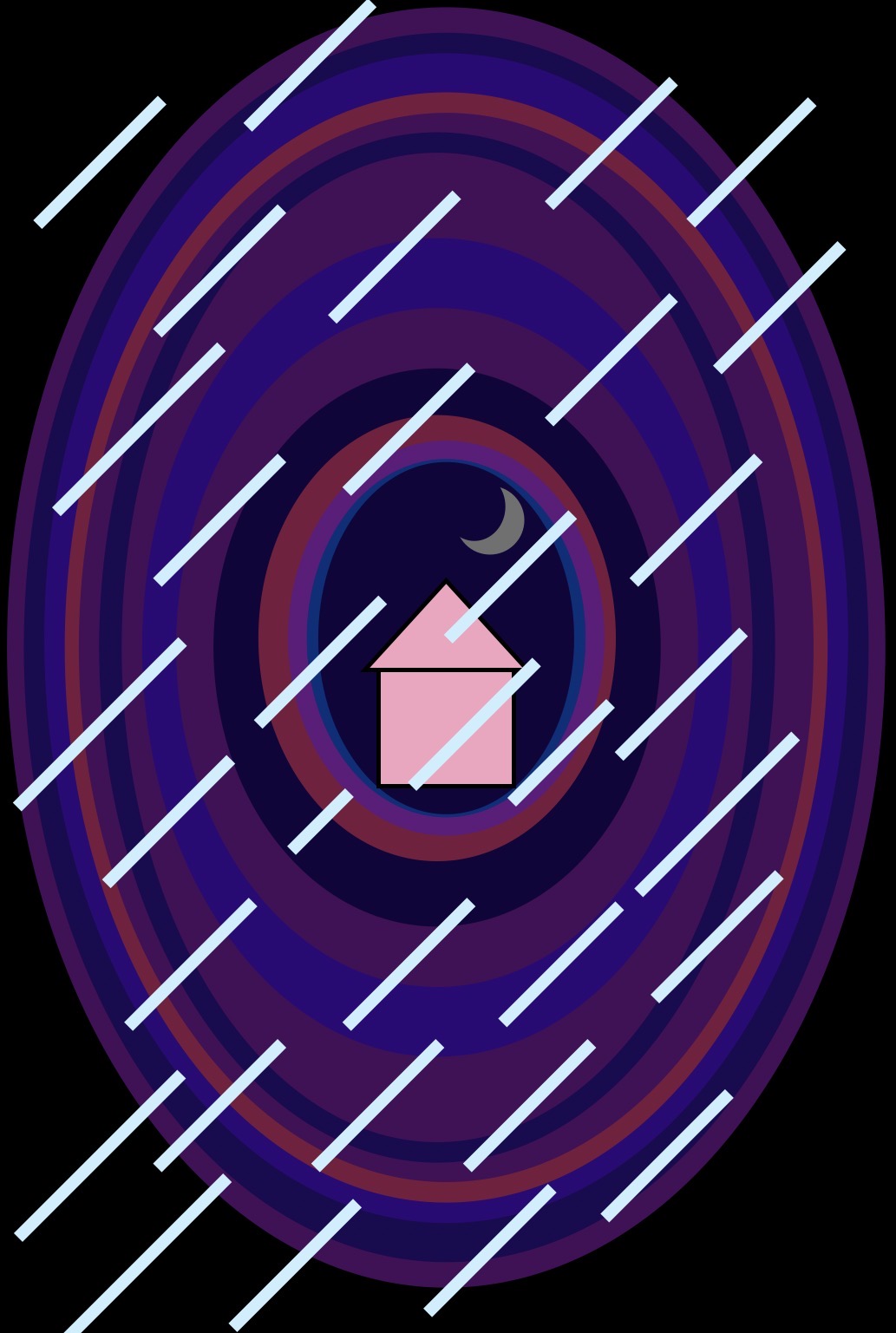
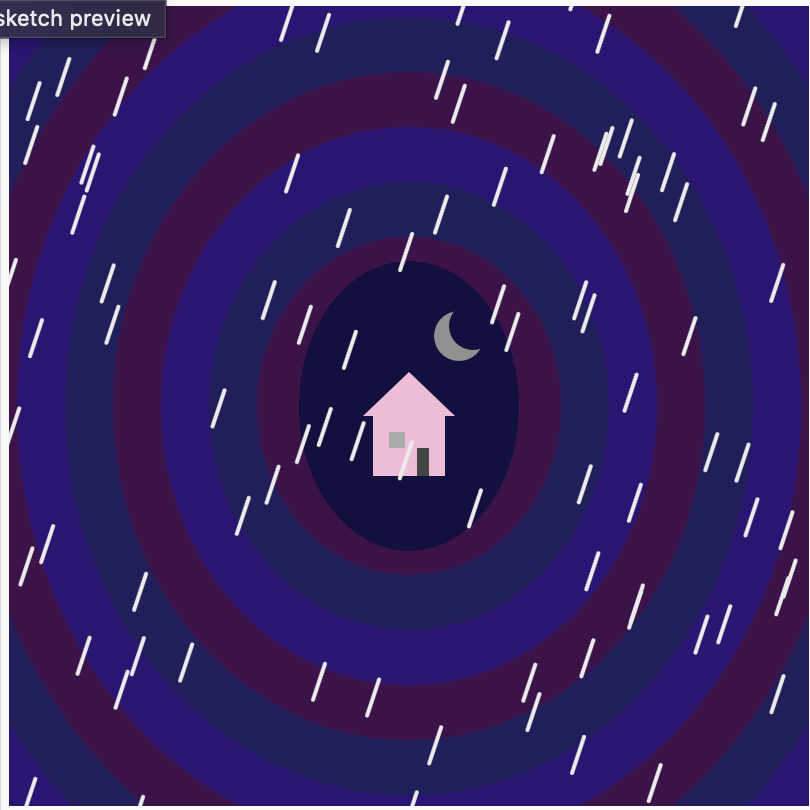
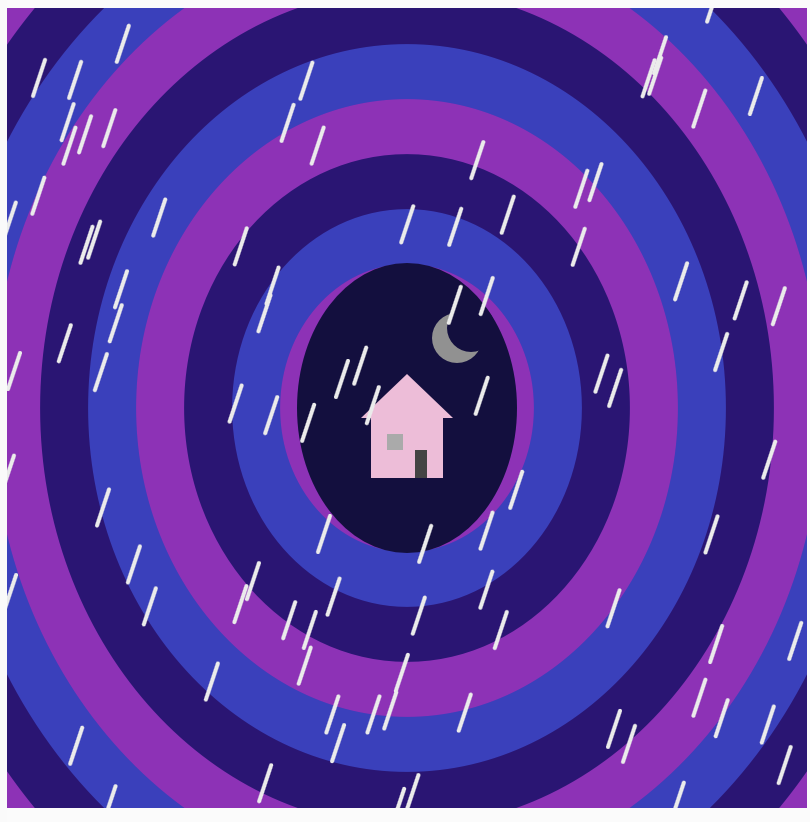
The movie ‘Coraline’ was my inspiration behind this project. Particularly the tunnel that leads from Coraline’s real house to the other world. I liked the dark and mysterious vibe of the tunnel in the movie, so I wanted to get that in my sketch. I used dark purple and blue colors to match the mood of the movie, and I added rain to make the scene feel more eerie. I added the small pink house at the end of the tunnel, because it is such an important and recognizable piece of Coraline. I also made the tunnel expand and contract. So it feels as if you are being pulled deeper into the other world.

Inspiration for my tunnel:
Image from: https://tenor.com/view/coraline-blue-gif-21532661

*idea of how I wanted it to look like

Final Sketch:


Code I’m Proud Of:

The part of the code I am most proud of is the rain as it helped me use Object Oriented Programming in a way that made sense with my idea. I created a RainDrop class:

class RainDrop {

  constructor(x, y) {
    this.x = x;
    this.y = y;
  }

  move() {
    this.y = this.y + 5;

    if (this.y > height) {
      this.y = random(-100, 0);
      this.x = random(0, width);
    }
  }

  display() {
    stroke("#ebebeb");
    strokeWeight(2);

    line(
      this.x,
      this.y,
      this.x - 6,
      this.y + 18
    );
  }
}

In this part every raindrop becomes its own object. Each has its own x and y position, and methods that tell it how to move and how to look. Then I put all the raindrops in an array and used a loop to move and display them.

Another code I am proud of is the tunnel since I used an array of colors and loop instead of just drawing every layer separately.

for (let i = 0; i < 11; i++) {

  let w = 540 - i * 48 + tunnelSize;
  let h = 620 - i * 55 + tunnelSize;

  fill(tunnelColors[i % 3]);

  ellipse(200, 200, w, h);
}

This made the code shorter and let the tunnel animate as one whole shape.

Reflection:

Problems I ran into

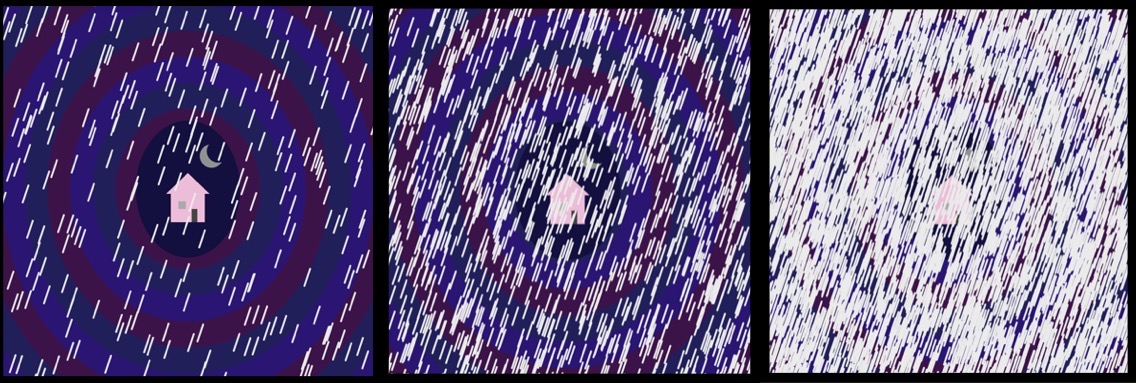
I had trouble with the rain, since I was creating a new raindrop every frame, after a while there were way too many raindrops on the screen. I fixed this by limiting the number of objects added to the rainDrops array.

How it used to be:

if (doorOpen == true) {
  rainDrops.push(
    new RainDrop(
      random(0, width),
      random(-100, 0)
    )
  );
}
how it started and how it ended up looking like

How it is now:

if (doorOpen == true && rainDrops.length < 100) { 
  rainDrops.push( 
   new RainDrop( 
    random(0, width), 
    random(-100, 0) ) ); }

Changing this basically meant that it should only add another raindrop if the door is open and if there’s fewer than 100 raindrops.

Another problem was getting used to object-oriented programming. Initially I understood how to draw rain with simple lines, but making each raindrop an object with a constructor, move() method and display() method was a little confusing. When I realized that the class was pretty much a template for every raindrop it all made much more sense.

As well as little mistakes with capitalization. I kept getting mixed up between uppercase and lowercase letters in my variable and class names and this meant parts of the code stopped working so I had to keep going back and checking that the names matched exactly.

Another change I did, I changed the colors of the tunnel so that the movement is more visible:

How it was:

How it is now:

Improvement:

Through trial and error I learned how useful loops and arrays are to organize code in this project. I could have repeated the same idea again and again, and kept the code more organized, instead of drawing each tunnel layer, each raindrop. I’m also happy with the interaction, as opening the door makes the sketch feel more like a connected piece to my Coraline inspiration, rather than just a static image.

If I continued working on it I would probably add different versions of the scene, like daytime, sunset or even a darker night scene so every time the door opens it could reveal different atmosphere, and adding more interaction to my sketches.

References:

https://p5js.org/reference/p5/mousePressed/

https://p5js.org/examples/Animation-And-Variables-Conditions/

8.1 class and objects – p5.js Tutorial

13: Basics of Arrays in p5.js: How to Code Generative Art

For Loop – Creative Coding with p5.js

Assignment 03 – Object

Birds on the Beach

CODE

The following code is for the bird’s wings and body, I had to use the custom shape in order to make the wings. I really like how it ended up looking, but I did have a hard time making it symmetrical.

 //Body
 fill("#3f3737");
 ellipse(200,200,60,100,10);
// Left Wing
 beginShape();
 vertex(176,215);
 vertex(140,225);
 vertex(125,245);
 vertex(120,200);
 vertex(125,180);
 vertex(140,170);
 vertex(155,160);
 vertex(183,160);
 endShape();
 //Right Wing
 beginShape();
 vertex(222,215);
 vertex(260,225);
 vertex(270,245);
 vertex(275,200);
 vertex(265,180);
 vertex(260,170);
 vertex(230,160);
 vertex(214,160);
 endShape();

For the code that makes it move, I had a bit of a harder time…

class Bird{
    constructor(x,y,yspeed) {
    let nums = [1,2,3,5,10,25,50];
    this.x = x;
    this.y = y;
    this.yspeed = random(nums);
    }

    move() {
  this.y -= this.yspeed;
  }
    show() {
push();
 translate(this.x,this.y);

As it can be seen, I only wanted it to move in the “y” axis, so there’s no “xspeed”. For the movement speed, I used an array of numbers, so it can go quite slow or super fast. Now, the most complicated thing was moving the whole bird, since when I first tried it, all the shapes that made up the bird simply merged. I spent no less than an hour trying to make it work, but I wasn’t successful. So I just googled “how to move shapes together in p5” and it led me to “translate”, and when I looked it up on the p5 guide, it gave me all the answers that I needed (kinda). I’m not really sure how it worked, I was just trying different combinations until I added the “this.x” and “this.y” values and it suddenly worked.

INSPIRATION

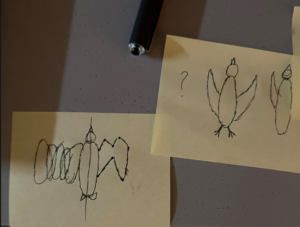
It isn’t based on anything specific, I just made the background look like a regular beach and tried my best to do a regular bird, although for this, I did have to sketch with a pen and paper how I could do the wings:

WHAT WOULD I IMPROVE?

For the next time, if I had more time, I´d like to be able to implement the pop function, as well as more randomness (maybe the bird’s color) into it, and I’d also add more detail to everything.

REFERENCES I USED

https://p5js.org/examples/Transformation-Translate/

https://p5js.org/reference/p5/beginShape/