Reading Reflection

The readings made me rethink what interaction design is and what it could become. Bret Victor’s main idea that computers should help people think, not just react stood out to me the most. It made me realize that many of my own projects focus on simple interactions, like clicking or triggering events, rather than supporting deeper understanding. This distinction between reactive systems and thinking tools feels important, especially for someone studying interactive media.

Another key idea is visibility in design. Victor argues that systems should show how they work instead of hiding their processes. I strongly relate to this from a learning perspective when I can see changes happen in real time, I understand concepts much faster. This connects interaction design with education, suggesting that good design is not just about usability, but also about helping users learn and explore. At the same time, I found myself questioning some of Victor’s ideas, especially about using the full human body in interaction. While designing for human capabilities is powerful, it can also exclude people who are not able-bodied. I agree with my peer’s point that accessibility should be central to design. Technology exists to expand access, not limit it. For example, devices like the Meta Quest offer adjustable and inclusive features, showing that immersive design and accessibility can coexist.

I was also interested in discussions about touch and sensory interaction. Technologies like haptic feedback and VR controllers show how physical sensation can enhance digital experiences. The example of devices that simulate textures or resistance demonstrates how interaction can go beyond screens and become more embodied. However, these ideas still feel experimental, and it is unclear how widely they can be applied in daily life.

Week 10 – Reading Response

Reading “Physical Computing’s Greatest Hits (and Misses)” made me feel exposed in a funny way, because I recognized so many of my own “original” project ideas in his list. I have thought about wearable sensors, glowing LEDs that react to touch, and emotional “helper” objects as if they were fresh directions, and seeing them framed as patterns that show up every semester forces me to admit how predictable I am as a beginner. At the same time, I agree with Igoe that giving up once you discover a similar project is a weak response, because what matters is the specific gesture, the context, and the meaning you build around a pattern, not the bare pattern itself. I think he is a bit biased toward downplaying the emotional impact of “shallow” projects like video mirrors or remote hugs, because for someone encountering them for the first time those can still feel meaningful, even if the interaction structure is simple. Still, his critique of projects that start and end at “wave your hand and watch something blink” matches what I have seen in exhibitions and online: I often remember the visual trick but not what I was supposed to feel or think. The reading pushes me to treat “greatest hits” gestures as starting points instead of endpoints, and to ask earlier in my own process what kind of bodily action I am inviting and why that action fits the idea, not only whether the sensor–actuator chain works.

“Making Interactive Art: Set the Stage, Then Shut Up and Listen” challenged a habit I have of over‑explaining my work to classmates. I go into detail about the concept, the symbolism, and the “correct” way to interact, because I am afraid people will miss what I intended, but Igoe argues that this kind of control kills the interaction and turns the piece into a lecture. I find his rule “do not interpret your own work” a bit extreme, and I do think he is biased toward audience freedom over author intention, yet his comparison to directing an actor makes sense to me. I have seen how different people behave in front of the same sketch or installation, and their “wrong” uses often reveal more interesting possibilities than my original script. This reading changes my view of success: instead of asking whether people understood my planned narrative, I want to pay more attention to the patterns of behavior that appear around my work, and treat those as data that should inform the next version rather than mistakes to correct. It also raises practical questions for me: how much ambiguity is productive before people give up, and when is a short label useful support rather than an unwanted explanation.

Week 9 – Reading Response

Her Code Got Humans On The Moon

This reading changed how I think about the Moon landing. I used to focus on rockets and hardware. The text shows software played a central role. At first, NASA did not even include software in the plan or budget. Later, engineers understood software controlled critical operations during the mission. What stood out most was Hamilton’s thinking about human error. NASA assumed astronauts would not make mistakes. Hamilton assumed the opposite. She designed systems to handle failure. During the Apollo 11 landing, the computer became overloaded and produced errors. Her software focused on the highest priority tasks and allowed the landing to continue.

This idea still applies to programming today. Systems must handle incorrect inputs and unexpected actions. At the same time, the reading focuses strongly on Hamilton. The project involved hundreds of engineers. Her role was critical, but the mission depended on teamwork.

Attractive Things Work Better

This reading made me think about how design affects behavior. The author explains that positive emotions improve thinking. People become more flexible and open to solutions. Negative emotions narrow attention and reduce creativity. I see this in daily use of apps and devices. When a design looks clean and organized, I spend more time using it. I feel more patient with small issues. The reading explains this effect. People tolerate minor problems when they feel comfortable. The teapot example shows how people choose based on context. Some designs look appealing but are less practical. People still use them depending on mood.

At the same time, the idea has limits. I think design must also focus on clarity. For example emergency tools use simple and direct layouts. Users need fast understanding, not only visual appeal. Both readings focus on human behavior. Hamilton accounts for human error in systems. Norman explains how emotion shapes interaction with design. Together, they show that good design must consider how people think and act.

Midterm Project – Strawberry Yurt Cafè

Concept

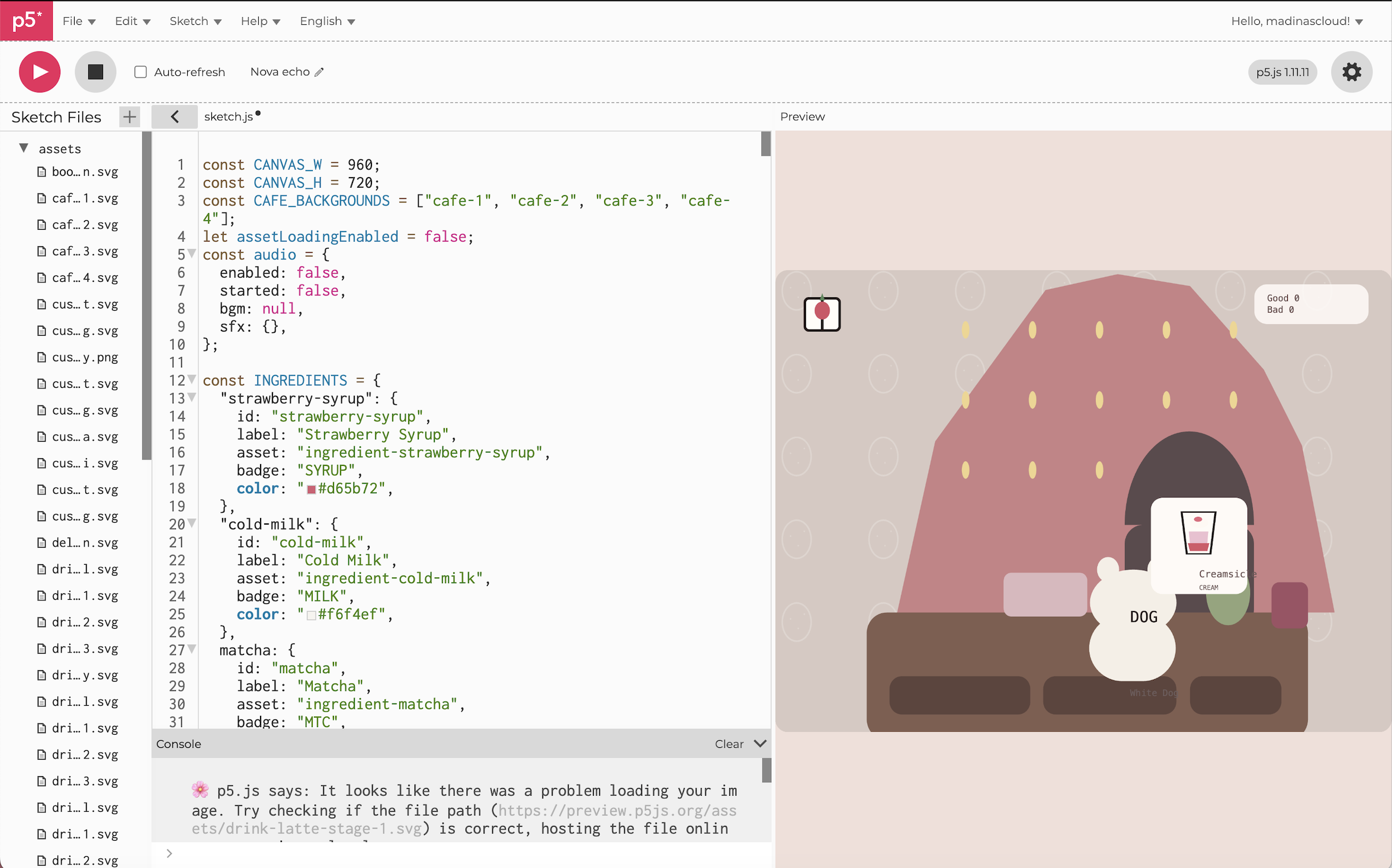
For my midterm, I created Strawberry Yurt Cafè, a cozy cafe game. I was inspired by a vlog by Gazi (https://youtu.be/eBt0nV0Y1Y0?si=4Hjy9PetN7n4hHwU) where she coded a game in one night, and that made me want to create a game for my own project too. I did not make mine in one night, but that idea encouraged me to build atmospheric game. I was also inspired by lo-fi playlists, and I wanted the game to feel soft and calm.

This project ended up being very different from what I originally thought I was going to do when I first posted my midterm ideas. My direction changed a lot during the process, but I think that actually helped me find a project that I enjoyed. Since I have been studying in cafes a lot recently, I liked the idea of making a cafe game ran by someone who loves strawberries.

Process

I started by outlining the main parts of the game that I would need to make:

  1. The cafe environment
  2. The kitchen area,
  3. The drinks,
  4. The recipe book, the ingredients
  5. The customers

After planning those pieces, I moved into sketching.

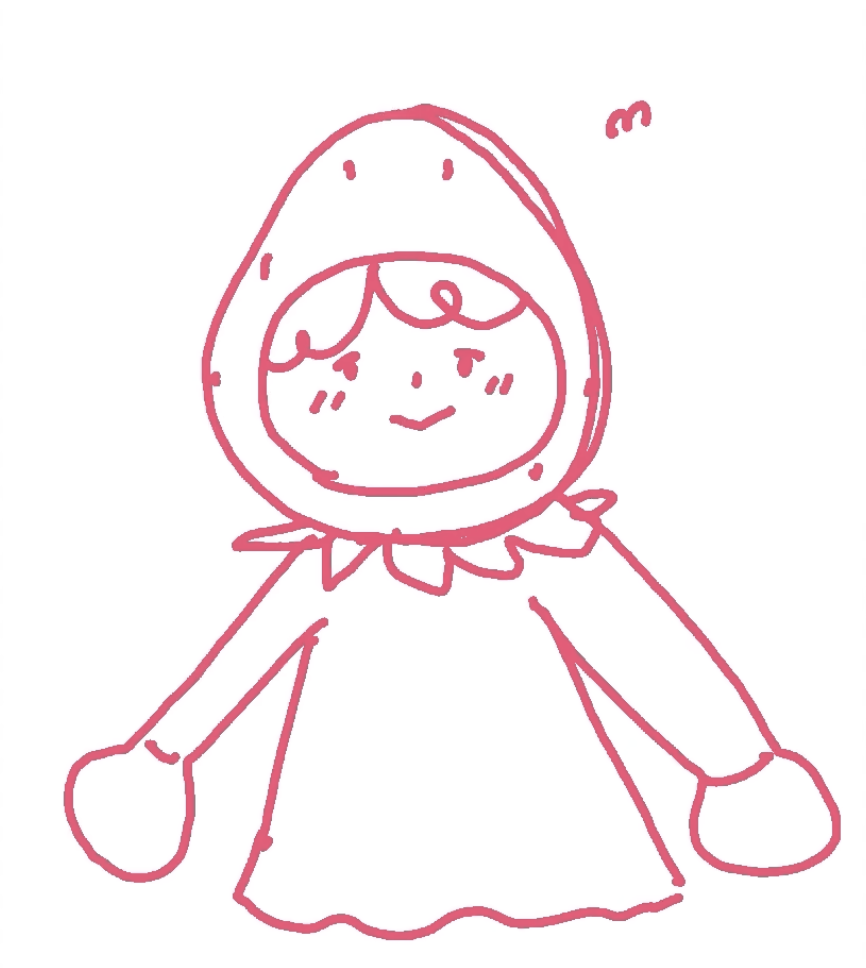
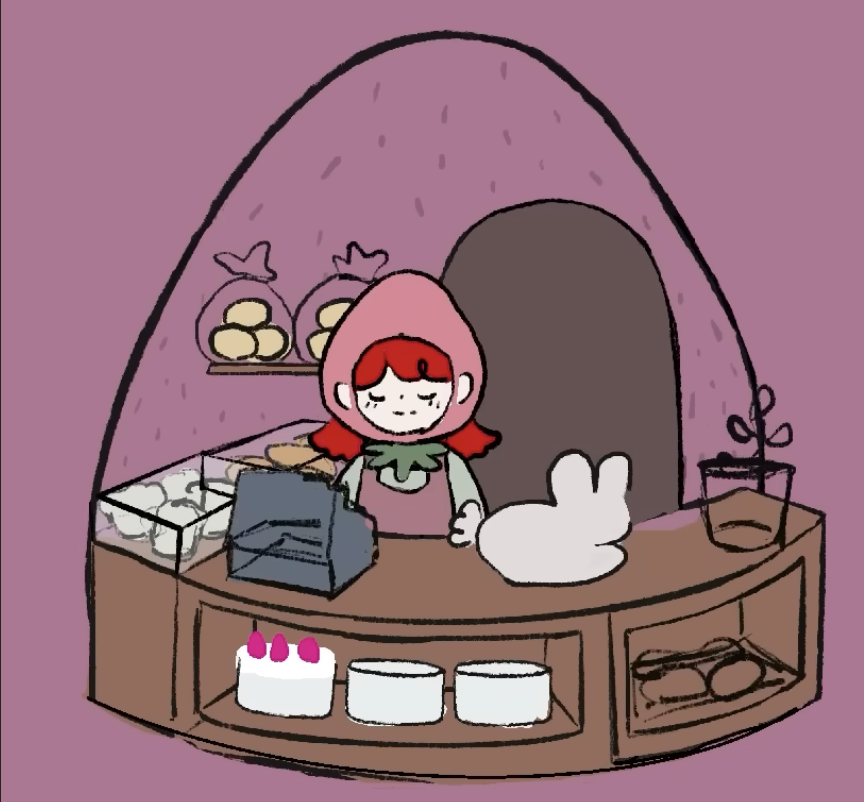
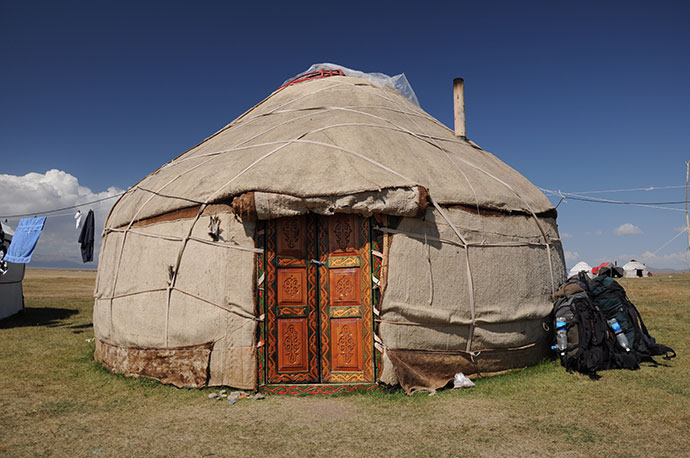
I first drew the strawberry-themed cafe, the seller. I decided that the cafe would sell cakes and drinks, but the player would be the barista helping the seller prepare drinks for customers. Since the cafe has a dome-like shape, it reminded me of a yurt from my home country, Kazakhstan, which is a traditional home that my ancestors used to live in, so that is why I decided to call the game Strawberry Yurt Cafè.


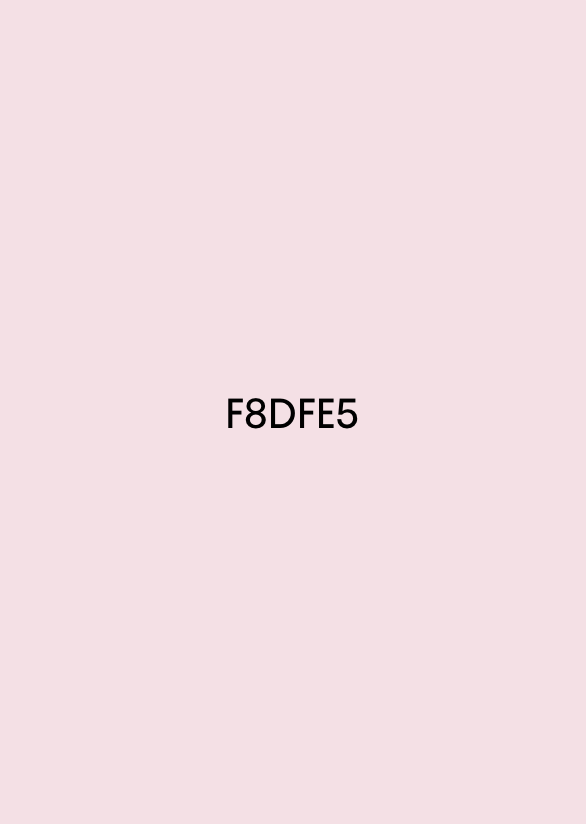
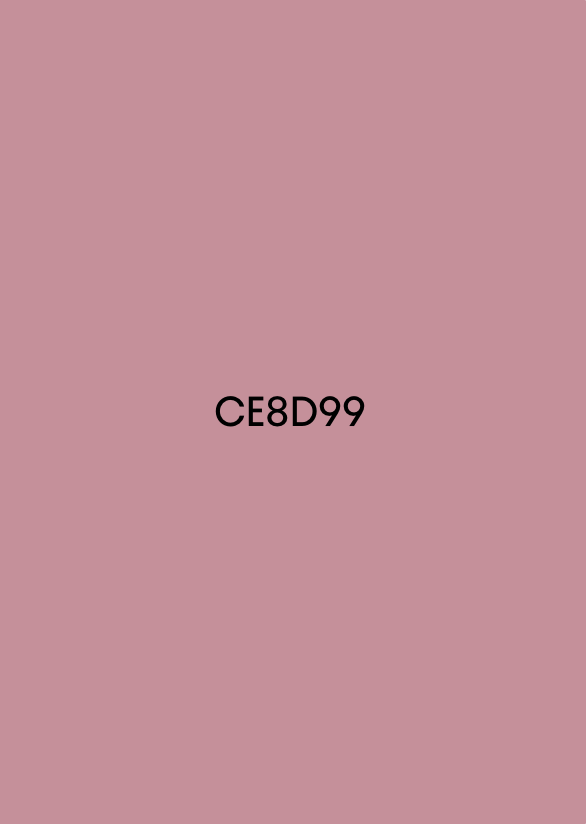
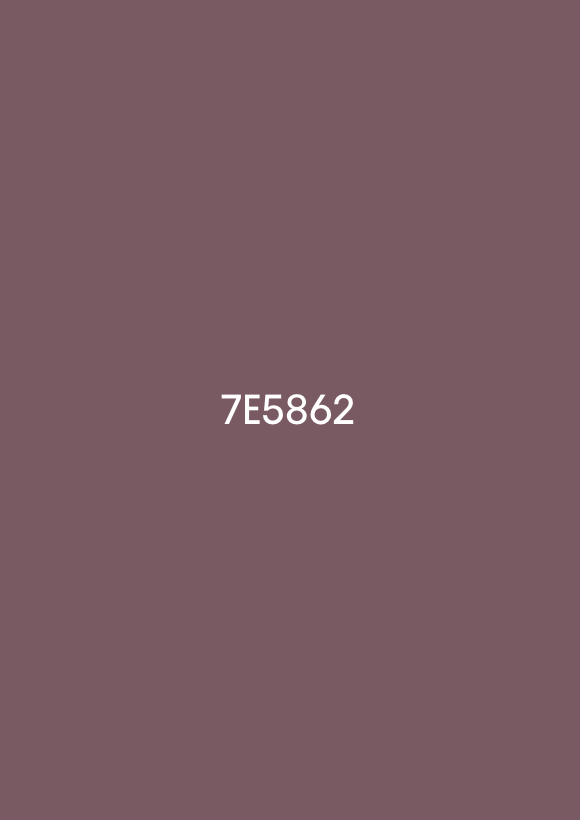
After that, I chose the main color palette of the project. I focused mostly on pink, brown, and beige tones because I wanted the game to look warm and cozy.


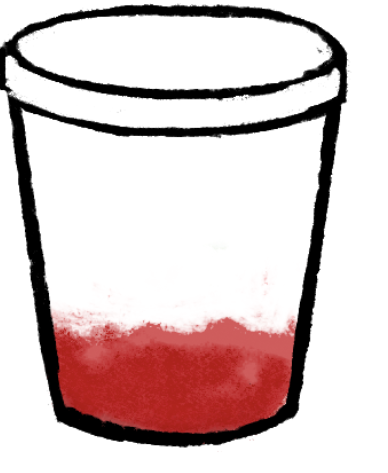
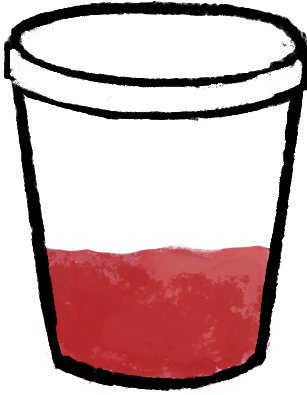
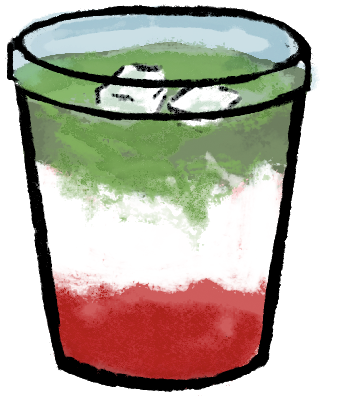
Then I started drawing the individual assets so the drinks, ingredients, and customers. I also sketched the different stages of making drinks, so the player could visually see the process step by step.


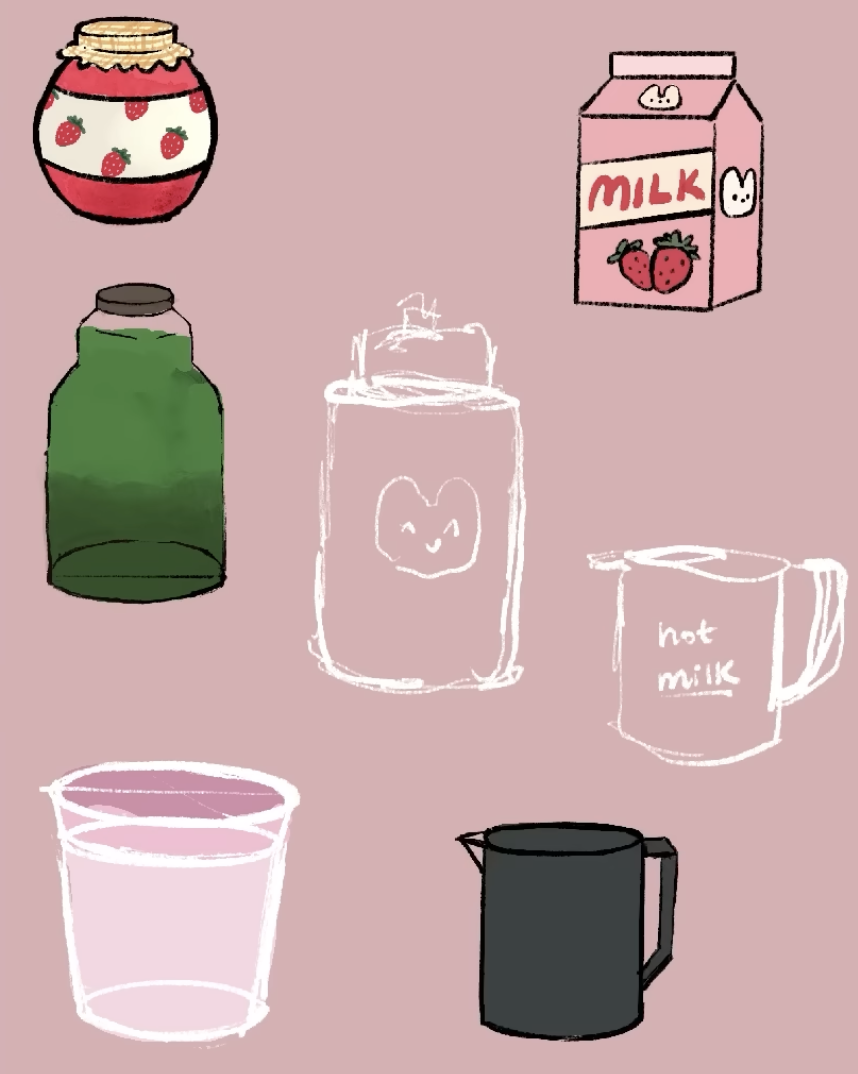
I sketched the ingredients for the drinks like strawberry jam, matcha, milk, ice cream, strawberries, tea, whipped cream.


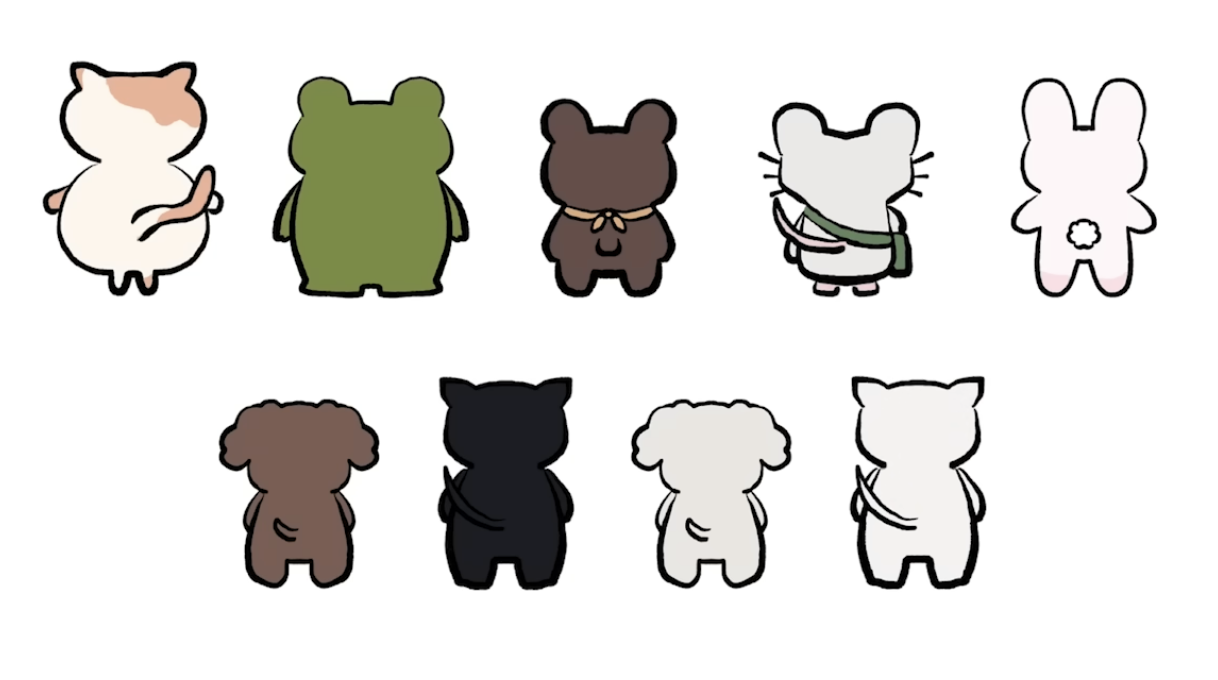
After I designed a variety of animal customers and ended up making nine different versions. I also created the recipe book logo in Adobe, which helped give the interface a more finished look.

How the Project Works

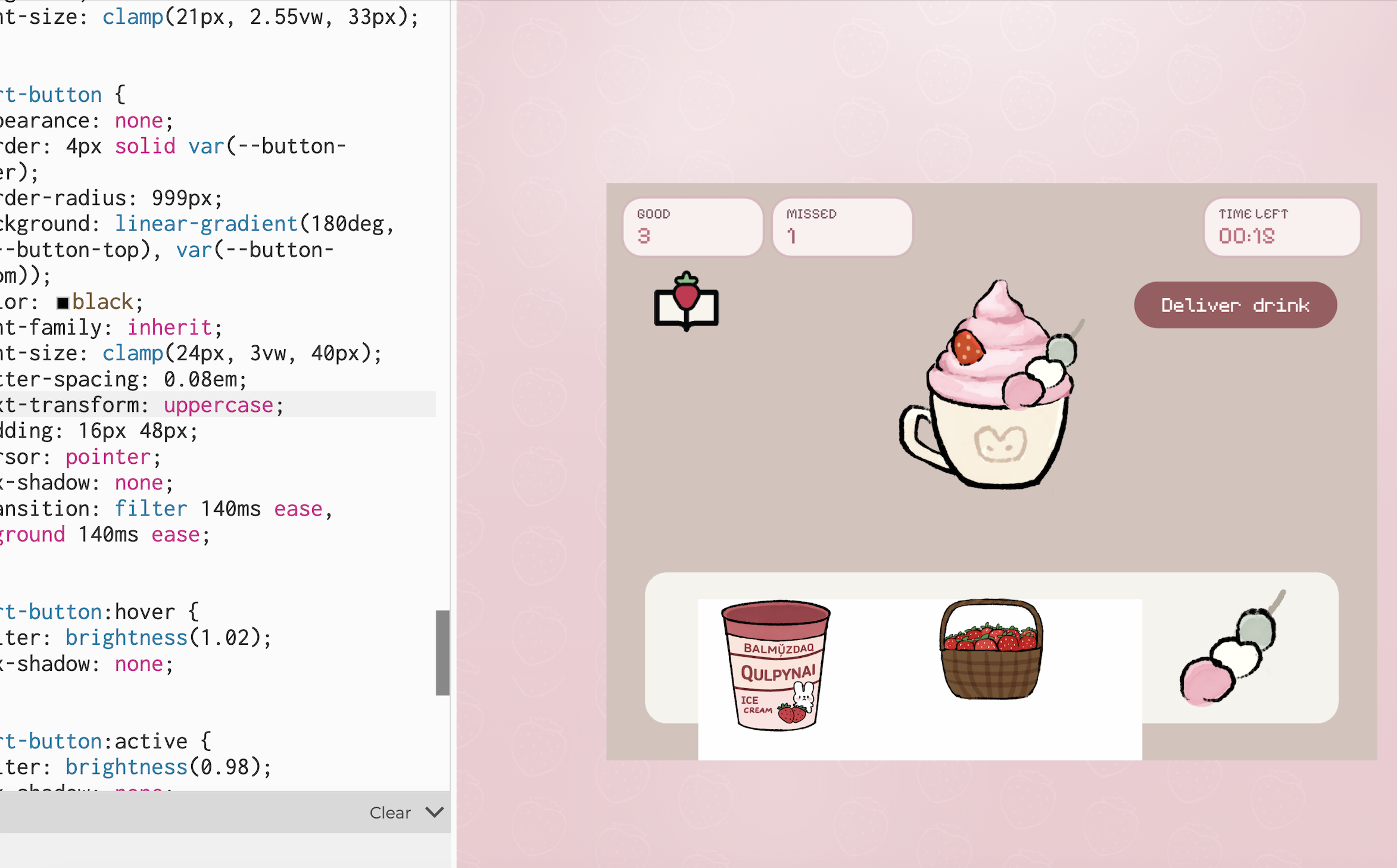
The game begins on an intro screen with instructions. After the player clicks Start Shift, the game moves into the cafe scene, where a customer appears with an order bubble. The player can open the recipe book, choose a drink, and then move into the kitchen scene. In the kitchen, the player has to click the ingredients in the correct order to prepare the drink before the timer runs out. If the correct recipe is followed, the customer reacts happily; if the wrong ingredient is added or time runs out, the customer reacts negatively.

One part I am proud of is how the game combines visuals, interaction, and sound to create a full atmosphere. I used my drawings to build the aesthetic of the game, and I also found sound effects for the ingredients, recipe book interactions, and customer mood changes. The game includes cozy background music when it starts, which helps support the feeling I wanted the player to have. Even though the gameplay is simple, I think it succeeds in giving the user a cute and relaxing experience.

Code Snippets

I structured data for the drinks so each one could have its own recipe and ingredient positions:

const DRINKS = {
  "strawberry latte": {
    steps: ["tea", "strawberry milk", "cold milk"],
    ingredients: [
      { target: "strawberry milk", ingredient: "strawberry milk", x: -155, y: -110 },
      { target: "cold milk", ingredient: "cold milk", x: -4, y: -107 },
      { target: "tea", ingredient: "tea", x: 139, y: -109 },
    ],
  },
};

By I creating a DRINKS object where each drink stores its ingredient order and the positions of the ingredient icons in the kitchen scene. Each drink has a recipe, and the game checks whether the player clicks the ingredients in the same order as the steps array. The ingredients array also tells the game where to place each ingredient on the screen. Because of this, I could add multiple drinks without rewriting the whole game logic every time.

Another code section I found important is the function that handles what happens after the player delivers a drink.

function finishDrink(deliveredCorrectDrink) {
  state.scene = "cafe";
  state.recipeBookOpen = false;
  state.ingredientsVisible = false;

  if (deliveredCorrectDrink) {
    state.goodDrinksMade += 1;
    state.reactCostume = "love";
    playEffect("sound-effect-twinklesparkle-115095", 1);
  } else {
    state.badDrinksMade += 1;
    state.reactCostume = "mad";
    playEffect("551543__philracoindie__8-bit-denyerror-sound", 1);
  }

  clearCurrentDrink();
  scheduleNextCustomer();
}

This function basically controls the result of the player’s action. After the player delivers a drink, the game goes back to the cafe scene. Then it checks if the drink was correct or not. If it was correct, the game adds one point to the good drinks counter, changes the customer reaction to happy, and plays a positive sound. If the drink was wrong, it adds one point to the missed drinks counter, changes the reaction to mad, and plays a different sound.

Reflection and improvements

One of the main problems I ran into was with the visual side of the project. At first, I wanted to create and draw some of the assets directly with code, but the results looked off and did not match the soft, cozy style I imagined. Because of that, I decided to draw the assets myself instead. After that, I also had some issues with image transparency, since some files showed unwanted white backgrounds or did not blend well into the game at first. Fixing those problems took time, but it helped me understand that sometimes hand-drawn assets and image cleanup work better for a project like this than trying to build everything only through code.

There are still many things I would like to improve in the future. I would like to add more drinks, more customer reactions, and more animations in the environment. I also think the game could cooler if I added more interactions in the cafe itself. Still, I am very proud of this project because it gives the exact kind of cozy experience I wanted to give to the user.


Week 5 – Midterm Progress

For midterm project, I am currently working on an interactive artwork called “Space Mood Garden”. The basic idea is to have a space‑themed screen where the user’s voice plants glowing orbs in a starry background, so their sound gradually turns into a kind of visual garden. Right now I am exploring how different levels of voice loudness can map to the size and color of these orbs, with quieter sounds creating smaller, cooler orbs and louder sounds creating larger, warmer ones. I like that the main input is the voice rather than the mouse, because it feels more personal and connects to the idea of mood, but I am still experimenting with how strong or subtle the visual changes should be.

The interaction design is starting to take shape using a three‑screen structure. The sketch begins with a start screen that shows a space background image and some simple instructions, and it waits for the user to press S and allow microphone access before moving on. In the main state, the sketch listens to the microphone using p5.sound and reads the current sound level, and whenever the volume goes above a threshold it creates a new “mood orb” at a random position on the canvas. At the moment I am mapping the volume at that moment to the orb’s size and color, and I have added a gentle pulsing animation so they look like they are breathing.

On the coding side, I have already set up the basic structure in p5.js using a state variable to switch between the start and play.. I also created a star class for the small moving stars in the background. The microphone input is working using p5.AudioIn and getLevel when the user gives access to microphone, and I am mapping the raw volume values to the visual parameters with map. The overall system is running, but I still want to tune the timing, the cooldown between orb spawns, and the visual style so it feels more like a coherent “garden” and less like scattered dots.

For this project, the most uncertain part for me is actually how the artwork will look and feel when someone really uses it, not just the technical side of the microphone. I know in theory that the sketch will create orbs based on the user’s voice, but I am still unsure whether the final garden will feel coherent and expressive, or just like random circles scattered on a space background. Because the orbs appear at random positions and their size and color depend on sound levels that I cannot fully predict, it is hard to imagine in advance what kind of compositions people will end up with and whether those compositions will really communicate a sense of “mood”. Overall I am still actively working on the project, trying different parameter values and small design tweaks, but I feel more confident now that the core idea is solid and that with a bit more tuning the project will turn out well.

Week 5 – Reading Reflection

The reading shows computer vision as a set of simple tricks for finding motion, color, and change in an image, not as a rich way of seeing like humans have. We can still recognize a friend if the light changes or the background is messy, but a computer vision system often fails unless we control the scene and use tools like frame differencing, background subtraction, and blob tracking. How literal and fragile machine vision really is: it does not “understand” what it sees, it just reacts to pixel changes and thresholds. As designers, we then adjust our projects around these limits, asking people to stand in certain places or wear certain colors so the system can pick them up, which can make the computer seem smarter than it is. The reading also made me realize that even these basic choices what to track, what to ignore already decide which movements and bodies are visible in an artwork and which are not.

The author sounds very hopeful about giving artists and beginners easy tools for using computer vision, and this focus on access feels positive but also a bit one-sided now. The text treats these methods mainly as creative building blocks, but today we know similar techniques are used in security cameras, public-space monitoring, and commercial tracking. Because of that, the cheerful tone around “playful” tracking feels incomplete to me since it does not fully address how normal it can make constant watching feel. The reading did not change my view that computer vision is tied to power and control, but it did sharpen it by showing how quickly simple tools in art and education can be connected to serious surveillance uses. I finished feeling that if we use these techniques in interactive art now, we should make engaging, responsive pieces and try to reveal and question the act of tracking itself.

Week 4 – Generative Text

For this assignment I created a kinematic typography sketch using the word “MADINA.” I wanted the word to feel like it is in motion. My main inspiration was Patt Vira’s kinetic typography work, where letters shift in rhythm. I liked how those examples use simple motion to give a word a stronger presence, so I focused on one word and explored movement across time.

I used p5.js together with opentype.js and geomerative. First I loaded the font “BebasNeue-Regular.ttf” and converted the word “MA D I NA” into a vector path. Then I resampled the outlines into many points. In draw, I repeated those points multiple times in vertical layers. I applied a sine function to the x position and a gradual offset to the y position, so each layer moves like a wave. I kept the color palette minimal with a dark blue background, white strokes, and semi transparent blue fills. Patt Vira’s kinetic typography guided my decisions about rhythm and repetition.

I wrote the sketch in p5.js geomerative to work with vector text. In setup, I created the canvas, set angle mode to degrees, and loaded the font file “BebasNeue-Regular.ttf” with opentype.load. After the font loaded, I called font.getPath on the string “MA D I NA” with a large font size, then wrapped the commands in a geomerative Path object. I resampled this path by length so the letters turned into a dense list of points. I looped through the commands and, whenever I encountered a move command “M,” I started a new sub array in points. For each drawing command that was not “Z,” I pushed the x and y coordinates into the current sub array as p5 vectors.

In draw, I cleared the background to a dark blue color, set stroke weight and stroke color, and translated the origin so the word appears centered on the canvas. I used a nested loop. The outer loop moves through the number of layers, from num down to zero. The inner loop moves through each group of points for each letter. For some letter indices I used noFill to keep only outlines, and for others I used a semi transparent blue fill. Inside beginShape and endShape, I looped over the points and applied a sine based offset to the x coordinate with r * sin(angle + k * 20), and a vertical offset of k * 10 to the y coordinate. This creates layered copies of the word that shift in x and y as angle increases. At the end of draw, I incremented angle by 3 so the sine function changes over time and the typography keeps moving.

let font;
let msg = "MA D I NA"; let fontSize = 200; 
let fontPath; let path; let points = [];

let num = 20; let r = 30; let angle = 0;

function setup() {
  createCanvas(700, 400);
  angleMode(DEGREES);
  opentype.load("BebasNeue-Regular.ttf", function(err, f){
    if (err) {
      console.log(err);
    } else {
      font = f;
    }
    
    fontPath = font.getPath(msg, 0, 0, fontSize);
    path = new g.Path(fontPath.commands);
    path = g.resampleByLength(path, 1);
    
    for (let i=0; i<path.commands.length; i++) {
      if (path.commands[i].type == "M") {
        points.push([]);
      }
      
      if (path.commands[i].type != "Z") {
        points[points.length - 1].push(createVector(path.commands[i].x, path.commands[i].y));
      }
    }
    
    
  });
  
}

function draw() {
  background(0, 0, 139);
  strokeWeight(3);
  stroke(255);
  translate(40, 170);
  
  for (let k=num; k>0; k--) {
    for (let i=0; i<points.length; i++) {
      if(i == 1) {
        noFill();
      } else if (i == 3) {
        noFill();
      } else {
        fill(0, 0, 255, 100);
      }
    beginShape();
      for (let j=0; j<points[i].length; j++)      {
        vertex(points[i][j].x + r*sin(angle + k*20), points[i][j].y + k*10);
      }
      endShape(CLOSE);
    } 
  }
  angle +=3;
}


Week 4 – Reading Reflection

Thinking after Norman’s ideas, as a student two objects that annoy me is the the AC system in the Baraha common rooms and the tiny sinks. In Baraha, the AC is set around 21°C, and when I press the buttons to increase the temperature, the system promises a gradual change, but you have to wait for a long time and I do not feel that the temperature is increasing (and sometimes it is indeed is not), so the interface gives me an illusion of control instead of real control. The tiny sinks have the same problem in a physical way: For me the sinks we have in the dorms are small. The faucet sits so close to the basin that there is almost no space for my hands, and water splashes everywhere, even though the sink looks normal. Both cases show broken mapping: what I do and what actually happens do not match my expectations, and the design never clearly tells me what is really possible. To improve them, the AC interface should not take so long for temperature change and should show honest information about how the centralized system works, and the sinks should be redesigned with more vertical space for more comfortable hand-washing.

For interactive media, I apply Norman’s principles by treating mapping, and conceptual models as the core of how I design my p5 sketches. As an interactive media student, I know that users understand a piece through the system image in front of them, not through my code, so I need clear signifiers on the screen that show what can be clicked, spoken, or dragged. I design interactions so the layout of elements matches their effects, and I give immediate feedback when the user does something, instead of delaying them, like the AC does. When I build a sketch, I test whether someone new can guess what to do in the first few seconds and form a simple model of how the piece behaves, because for a user that understanding is key for deeper, more emotional experience rather than leaving them stuck in trial .

Week 3 – Flower Garden

My project is an interactive generative artwork featuring a digital garden where flowers bloom and fade over time while butterflies move toward them. The user can interact by clicking anywhere on the canvas to plant new flowers.

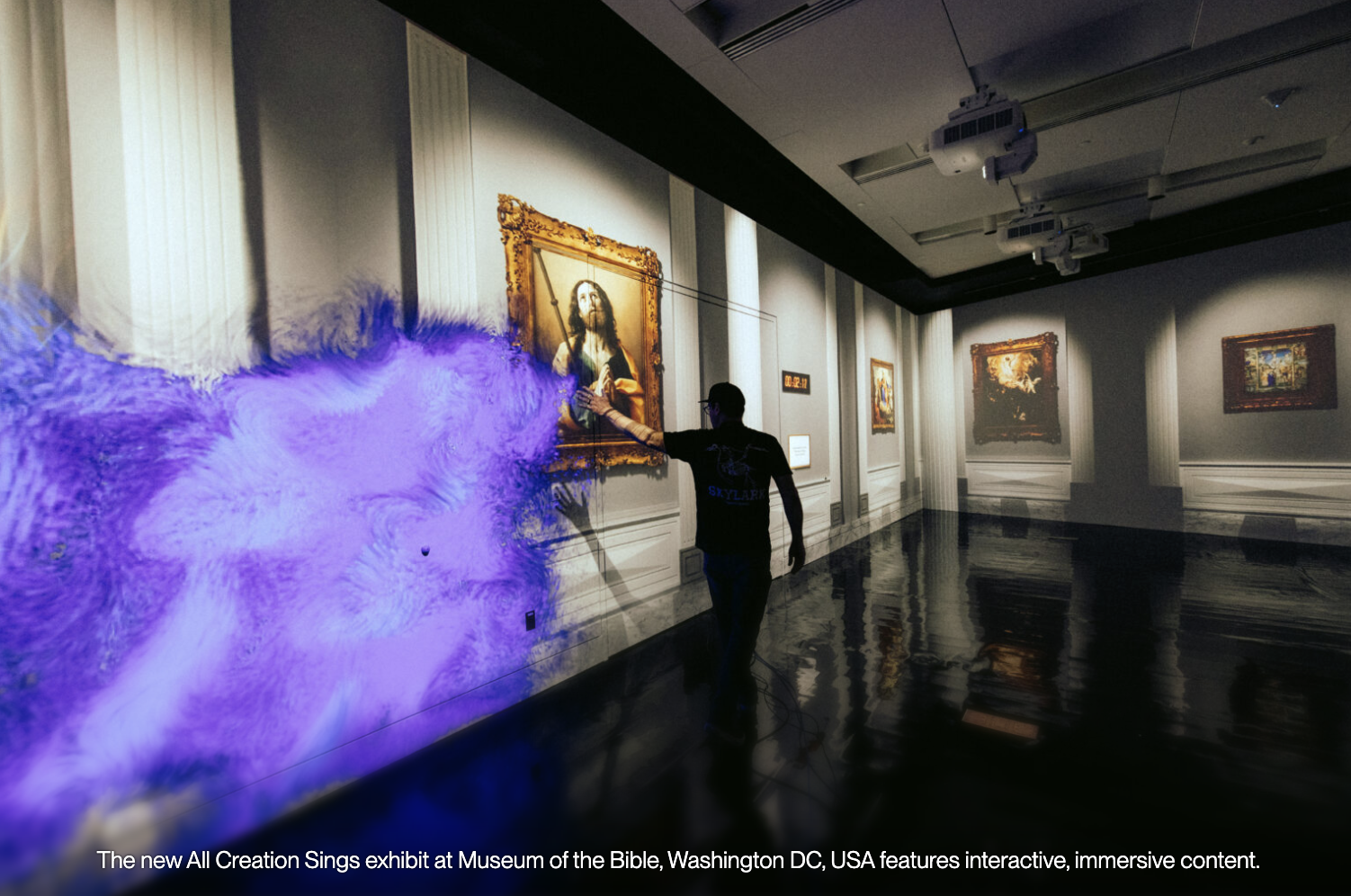
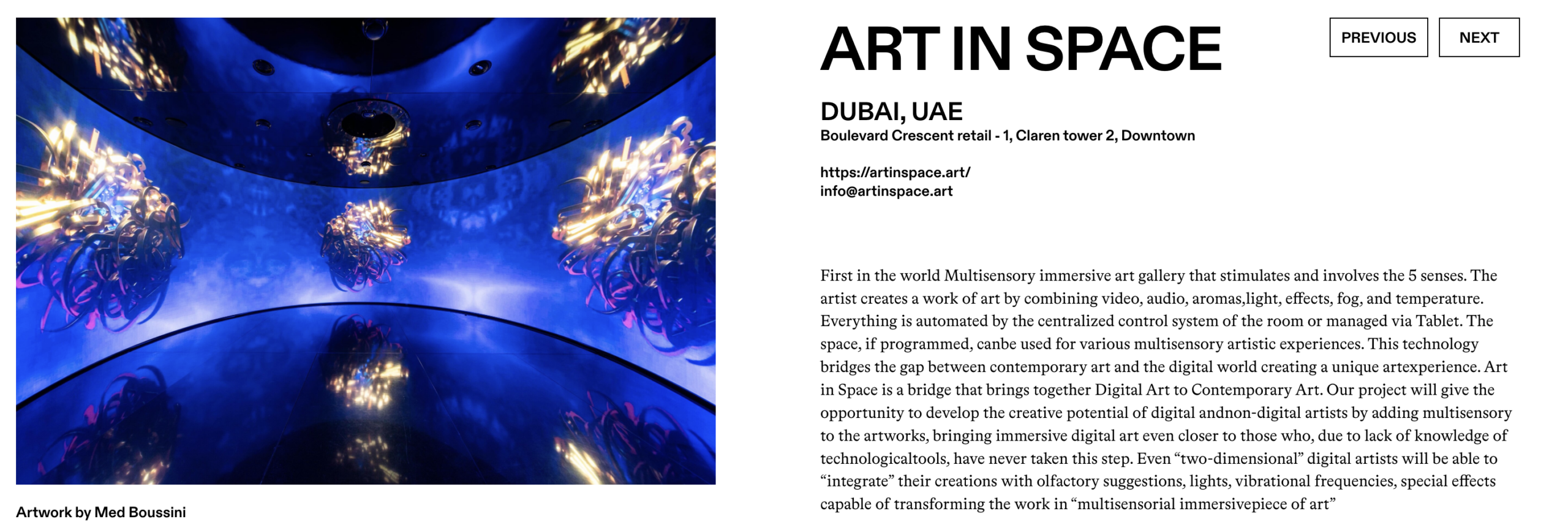
My inspiration came from teamLab Phenomena in Abu Dhabi I visited, where there was an immersive environment allowing people to draw butterflies, snakes, and other animals that then came to life in a shared space. That experience brought me back to childhood memories of imagination, and I wanted to capture a similar feeling through code. In future versions, I plan to expand this project by adding sound elements for the atmosphere to be richer and more immersive. I also hope to introduce more types of creatures and possibly explore touch or motion-based interaction.

Inside teamLab Phenomena Abu Dhabi | Condé Nast Traveller Middle East

Explore TeamLab Phenomena General Admission for Adults and Youths - Pt Tourism | Groupon

The program begins in the setup() function, which creates the canvas and spawns an initial set of flowers and butterflies in random positions across the screen. The draw() loop serves as the heartbeat of the sketch. It first draws a smooth vertical gradient sky using the lerpColor() function, transitioning from soft blue at the top to gentle green near the bottom. Then, it updates all active flowers, allowing each one to grow and eventually fade as time passes. Meanwhile, the butterflies search for nearby flowers, moving toward them. The sketch also displays basic information such as the number of flowers and user instructions on planting new ones.

// Arrays to store objects
let flowers = [];
let butterflies = [];

function setup() {
  createCanvas(700, 600);
  
  // start flowers
  for (let i = 0; i < 8; i++) {
    flowers.push(new Flower(random(width), random(height)));
  }
  
  // start butterflies
  for (let i = 0; i < 6; i++) {
    butterflies.push(new Butterfly(random(width), random(height)));
  }
}


function draw() {
  // Draw gradient sky background
  for (let y = 0; y < height; y++) {
    let c = lerpColor(color(135, 206, 235), color(180, 220, 160), y / height);
    stroke(c);
    line(0, y, width, y);
  }
  
  // Update and draw flowers
  for (let i = flowers.length - 1; i >= 0; i--) {
    flowers[i].grow();
    flowers[i].display();
    
    // Remove old flowers
    if (flowers[i].age > flowers[i].lifespan) {
      flowers.splice(i, 1);
    }
  }
  
  // Update and draw butterflies
  for (let butterfly of butterflies) {
    butterfly.moveTowardFlowers();
    butterfly.display();
  }
  
  // Instructions
  fill(255, 200);
  noStroke();
  fill(60);
  textSize(14);
  text("Click to plant flowers", 20, 30);
  text(`Flowers: ${flowers.length}`, 20, 45);
}

// mouse interaction

function mousePressed() {
  flowers.push(new Flower(mouseX, mouseY));
}

// flower class

class Flower {
  constructor(x, y) {
    // Position
    this.x = x;
    this.y = y;
    
    // Size (starts small, grows)
    this.size = 0;
    this.maxSize = random(30, 60);
    
    // colors (random pastels)
    this.petalColor = color(random(200, 255), random(100, 200), random(200, 255));
    this.centerColor = color(random(200, 255), random(180, 220), random(50, 100));
    
    // Life
    this.age = 0;
    this.lifespan = random(600, 1000);
    
    // Look
    this.petalCount = floor(random(5, 9));
    this.angle = random(TWO_PI);
  }
  
  // make flower grow each frame
  grow() {
    this.age++;
    if (this.size < this.maxSize) {
      this.size += 0.5;
    }
    this.angle += 0.005; // Slow rotation
  }
  
  // draw the flower
  display() {
    push();
    translate(this.x, this.y);
    rotate(this.angle);
    
    // Fade out when old
    let alpha = 255;
    if (this.age > this.lifespan * 0.7) {
      alpha = map(this.age, this.lifespan * 0.7, this.lifespan, 255, 0);
    }
    
    // draw petals
    fill(red(this.petalColor), green(this.petalColor), blue(this.petalColor), alpha);
    noStroke();
    for (let i = 0; i < this.petalCount; i++) {
      let angle = (TWO_PI / this.petalCount) * i;
      let px = cos(angle) * this.size * 0.4;
      let py = sin(angle) * this.size * 0.4;
      push();
      translate(px, py);
      rotate(angle);
      ellipse(0, 0, this.size * 0.6, this.size * 0.3);
      pop();
    }
    
    // draw center
    fill(red(this.centerColor), green(this.centerColor), blue(this.centerColor), alpha);
    ellipse(0, 0, this.size * 0.4);
    pop();
  }
}

// butterfly class

class Butterfly {
  constructor(x, y) {
    // Position
    this.x = x;
    this.y = y;
    
    // movement
    this.vx = random(-1, 1);
    this.vy = random(-1, 1);
    this.speed = 1.5;
    
    // wings
    this.wingAngle = 0;
    this.wingSize = random(15, 25);
    
    // colors (random)
    this.wingColor = color(random(150, 255), random(100, 200), random(150, 255));
  }
  
  // move toward nearest flower
  moveTowardFlowers() {
    // Find closest flower
    let closestFlower = null;
    let closestDist = 999999;
    
    for (let flower of flowers) {
      let d = dist(this.x, this.y, flower.x, flower.y);
      if (d < closestDist && flower.size > 20) {
        closestDist = d;
        closestFlower = flower;
      }
    }
    
    // move toward it if close enough
    if (closestFlower && closestDist < 200) {
      let dx = closestFlower.x - this.x;
      let dy = closestFlower.y - this.y;
      this.vx += dx * 0.0002;
      this.vy += dy * 0.0002;
    }
    
    // randomness
    this.vx += random(-0.1, 0.1);
    this.vy += random(-0.1, 0.1);
    
    // limit speed
    let currentSpeed = sqrt(this.vx * this.vx + this.vy * this.vy);
    if (currentSpeed > this.speed) {
      this.vx = (this.vx / currentSpeed) * this.speed;
      this.vy = (this.vy / currentSpeed) * this.speed;
    }
    
    // update position
    this.x += this.vx;
    this.y += this.vy;
    
    // wrap around edges
    if (this.x < 0) this.x = width;
    if (this.x > width) this.x = 0;
    if (this.y < 0) this.y = height;
    if (this.y > height) this.y = 0;
    
    // flap wings
    this.wingAngle += 0.2;
  }
  
  // draw the butterfly
  display() {
    push();
    translate(this.x, this.y);
    
    // point in direction of movement
    let angle = atan2(this.vy, this.vx);
    rotate(angle);
    
    // wing flapping (0 to 1)
    let flap = sin(this.wingAngle) * 0.5 + 0.5;
    let wingHeight = this.wingSize * (0.5 + flap * 0.5);
    
    // wings
    fill(this.wingColor);
    noStroke();
    ellipse(-5, -wingHeight, 12, wingHeight * 1.5);
    ellipse(-5, wingHeight, 12, wingHeight * 1.5);
    
    // body
    fill(40);
    ellipse(0, 0, 8, 15);
    
    pop();
  }
}


Every flower is represented by an instance of the Flower class. Each flower starts small and increases in size frame by frame until it reaches its maximum. Colors are chosen randomly from pastel ranges to keep the palette gentle. Each flower contains several petals arranged uniformly in a circle and slowly rotates over time. The petals fade as the flower ages. The Butterfly class handles behavior for each butterfly’s movement, which combines randomness with directed motion toward flowers.

One of the challenges I encountered was controlling butterfly motion. At first, they moved too chaotically. By adjusting acceleration toward flowers and capping their speed, I achieved a more graceful flying style. I also experimented with the fading  for flowers to make the transition from bright color to transparency appear gradual and organic.

Visually, the project is calm and immersive as I wanted it to be. The background gradient,  flower and butterflies all work together to create an environment that feels alive yet peaceful.

Week 3- Reading Response

A strongly interactive system listens carefully, thinks with some complexity, and responds in a clear way that affects what the user does next. It feels more like a back and forth conversation. I agree with Crawford that calling a shampoo bottle or a basic light switch “interactive” weakens the word, because those things only react in one fixed way. At the same time, his strict rejection of books, films, and performances as non interactive feels narrow to me, because people often respond to media through comments, edits, or shared viewing, which shapes the experience indirectly. Crawford seems biased toward systems that resemble one on one dialogue and software with explicit input and output, and less interested in social or cultural interaction around media. That bias is useful for learning to design, but it also raises concerns about how we value hybrid experiences like interactive films.

When I look at my p5 sketches through this lens, I see that they often stop at reaction instead of interaction. For example, a sketch that draws the same circle on every mouse press listens, thinks in a fixed way, and speaks with a single repeated output. I want to move toward voice based interaction, where the computer listens to the user’s voice through the microphone and transforms volume and rhythm into evolving line drawings, so the user’s sound shapes the image in a continuous back and forth. Practically, this means using microphone input, mapping volume to line thickness, length, and color based on the tone of the user, and storing recent sound levels so the drawing reflects how the voice changes over time. I am also interested in adding simple rules, such as a quiet period that slowly fades the image and bursts of loud sound that produce sharp strokes, because these choices ask the user to experiment with their voice instead of repeating a single gesture.