THE Concept
The Pearl Dive was inspired by my love for the ocean and my interest in Emirati culture and history. I wanted to create a playful, game-like experience that would also teach players about the UAE’s economy before the discovery of oil, when pearl diving was an important source of income for many families. The game begins with a welcome screen featuring an Arabic greeting, followed by an instructions screen that explains how to play. The main game shows a traditional boat above the ocean, with a nahham (the traditional ship singer) represented on the boat. Ocean sounds and traditional chants play during the game to create a more immersive experience and reflect the cultural role of music in motivating divers and sailors. The player controls an underwater diver using the arrow keys to move around the ocean and collect clams. The diver and clam images, animated waves, sun, clouds and seabed make my underwater environment. Three clams appear in random positions and regenerate every two to three seconds. Each time the diver touches a clam, the score increases and after collecting six clams, the game transitions to the pearl screen. Here, the player clicks on each of the six clams to reveal a randomly generated pearl with a specific colour, size and value. I created five possible pearl colours including blue, purple, pink, green and white each with a different base value. The size of the pearl also affects its value with larger pearls receiving more points. The values are then added together to calculate the total value of all six pearls in millions of AED. This makes the pearl auction interactive because the player does not know what each clam contains until they open it. My goal was to combine game mechanics to make a traditional pearl-diving industry while highlighting its importance in Emirati history and culture.
How the Game Works
The game consists of three main screens: the start screen, the instructions screen and the main game, followed by the pearl screen.
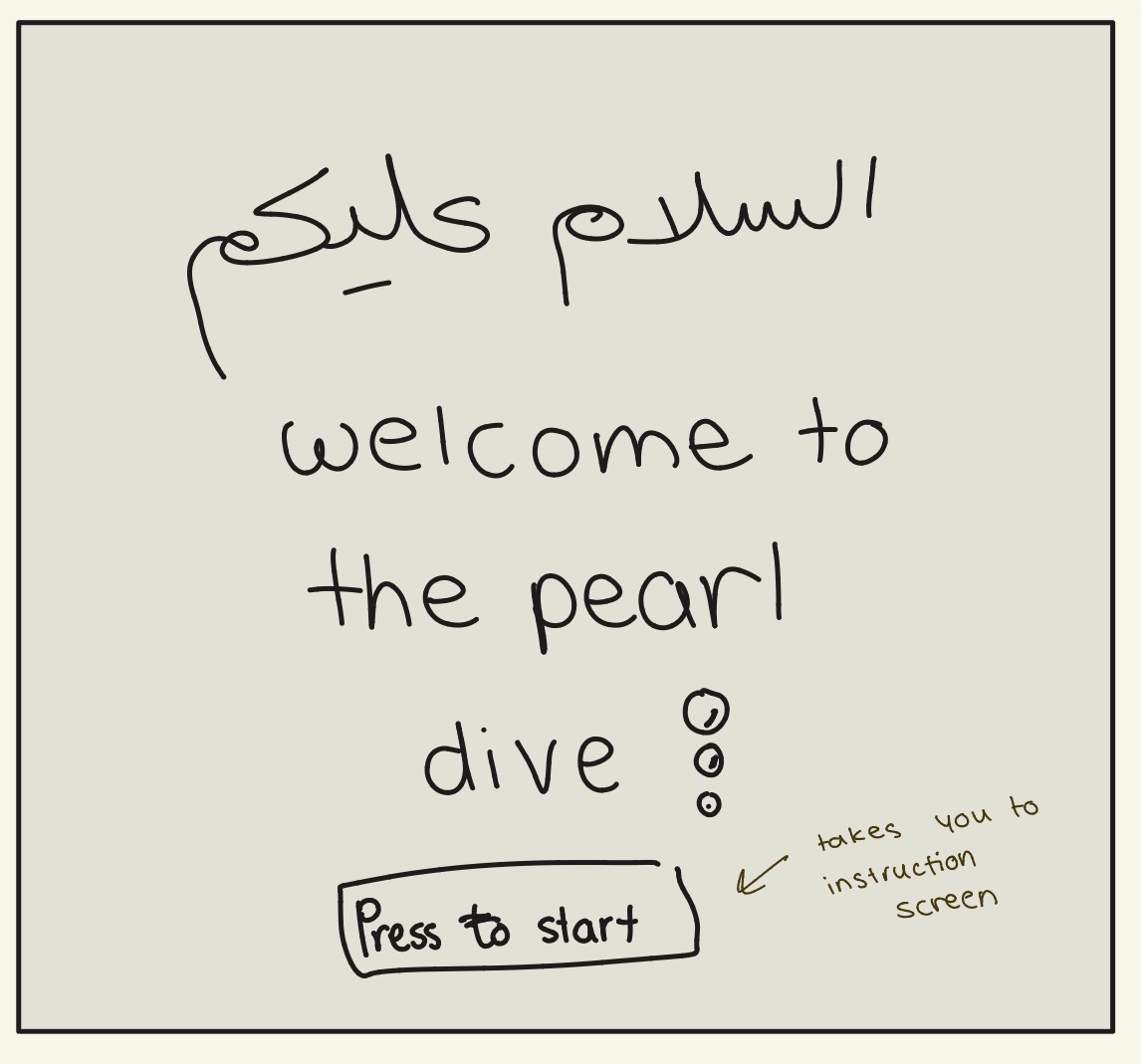
Start Screen: The game begins with a welcome screen displaying “السلام عليكم” and “Welcome to The Pearl Dive.” The player clicks the yellow “Press to start” button to move to the instructions screen.
Instructions Screen: This screen explains how to play the game. The player reads the instructions and clicks the button to begin diving. Once the game starts, the ocean sounds and traditional chants begin playing.
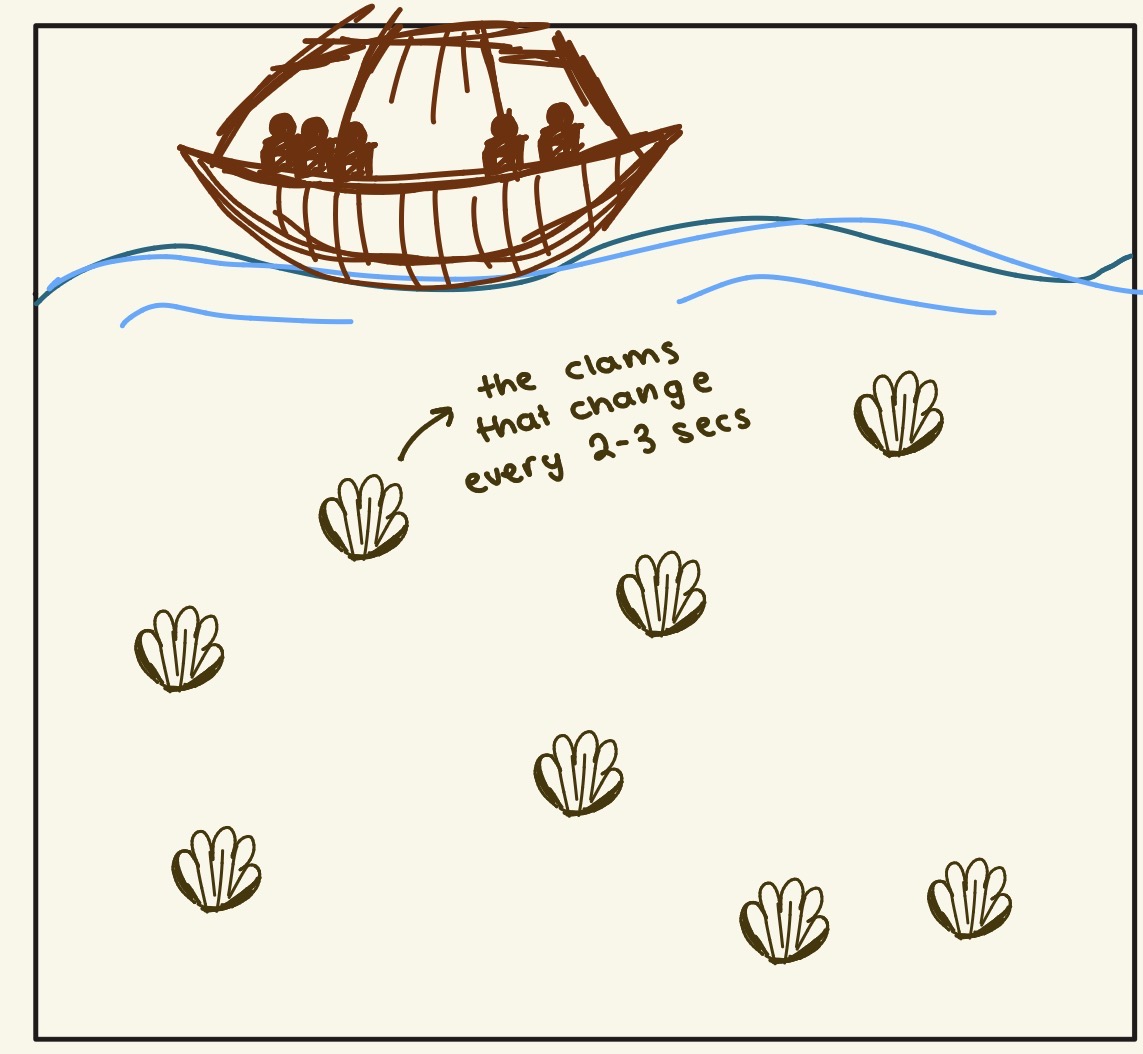
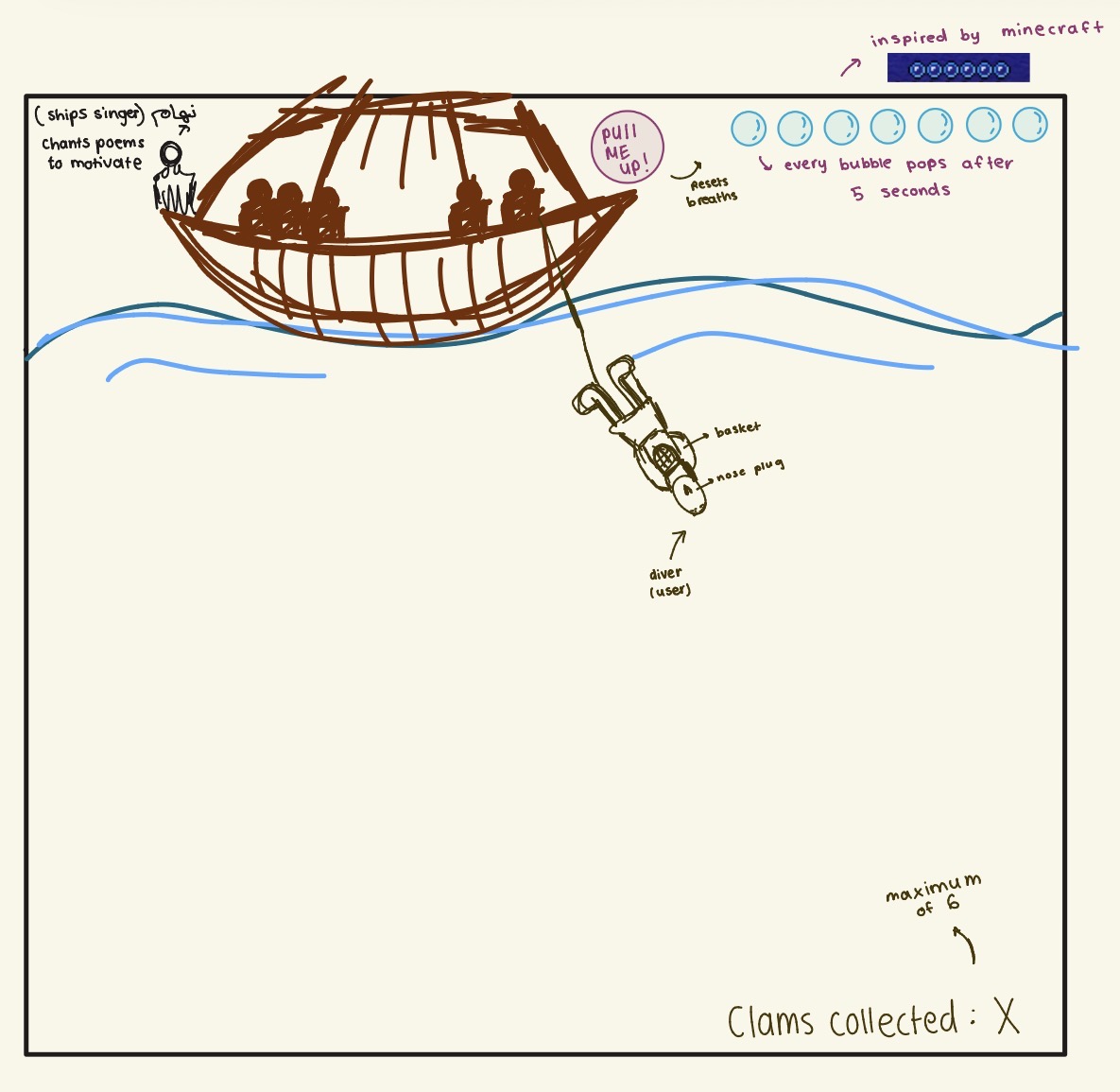
Main Game Screen: The player controls the diver using the arrow keys to move left, right, up and down underwater. The objective is to collect six clams by moving the diver into them. Three clams appear at a time in random positions and regenerate every two to three seconds. The score at the top left increases whenever the diver collects a clam. The background features a traditional dhow boat, animated ocean waves, a sun, clouds and the seabed. A nahham, the traditional ship singer, is also shown on the boat, accompanied by music notes and traditional chants. Once the player collects six clams, the game automatically moves to the pearl screen.
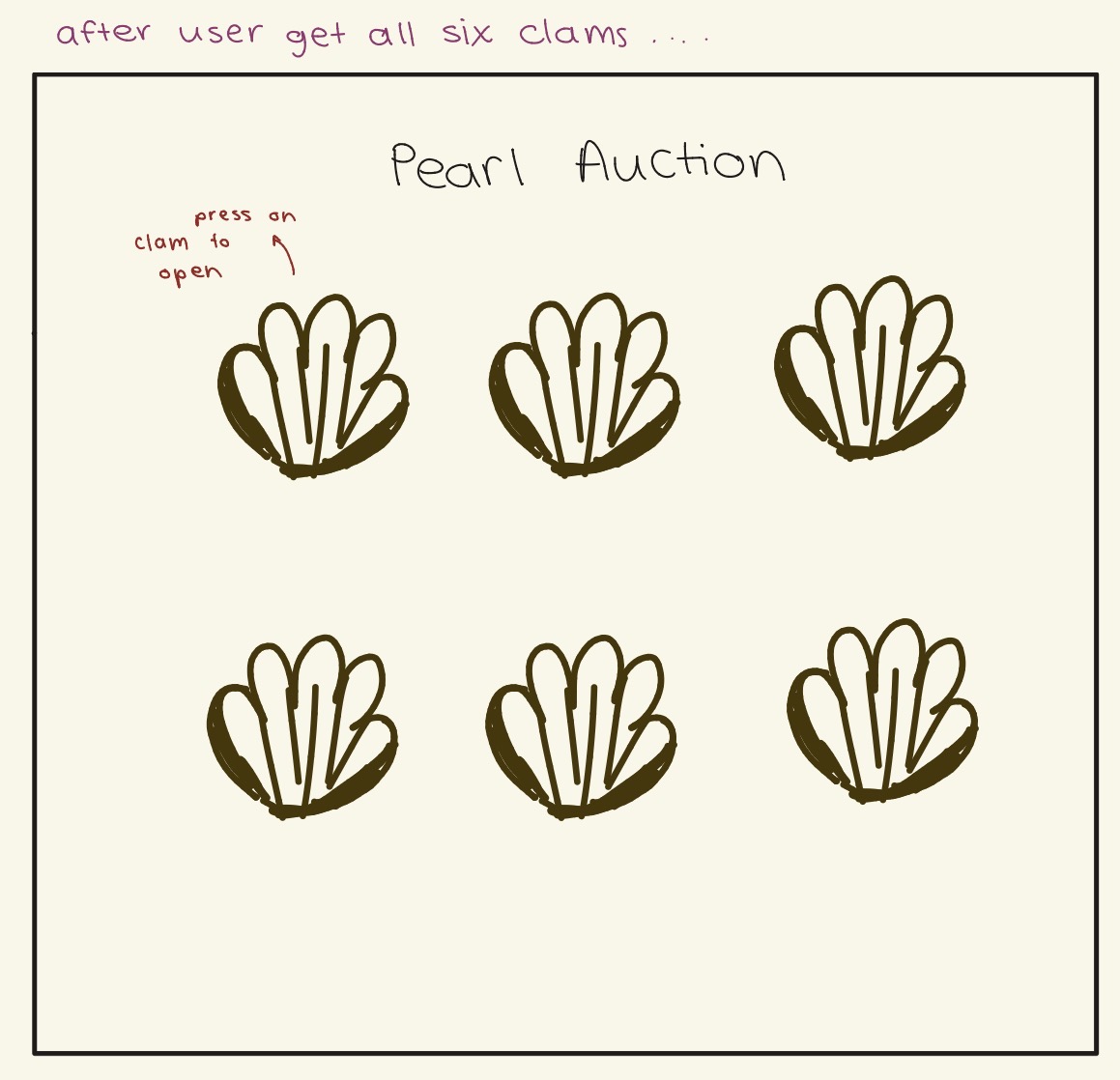
Pearl Screen: The six collected clams appear in two rows of three. The player clicks each clam to reveal a randomly generated pearl. Each pearl has a colour, size and value. There are five possible colours: blue, purple, pink, green and white, each with a different base value. The pearl’s size also affects its value, with larger pearls receiving more points. The colour points and size points are added together to calculate the pearl’s value in millions of AED. Each clam can only be opened once, and the player can see the value of each pearl underneath it. After all six clams have been opened, the total value of all the pearls is displayed at the bottom of the screen. The player can then click the “Return” button to return to the start screen and play again.
PLAY GAME!!
Code I Am Proud Of
There were quite a few aspects of the game that I found difficult to implement, but with the help of references and experimentation, I managed to bring my ideas to life and create a game that I am proud of. The three parts I am most proud of are the moving waves, the collision detection and the random pearl generation.
1.Moving Waves and the Animated Ocean
function drawWave(offset, speed, phase, amp, c) {
  // sin() makes the smooth up and down, t makes it move
  const waveY = (x) =>
    surfaceY + offset + sin(x * 0.02 + t * speed + phase) * amp;

  stroke(30, 80, 130);
  strokeWeight(3);
  fill(c);

  // go along the top of the wave, then down and back to close the shape
  beginShape();
  vertex(0, floorY);

  for (let x = 0; x <= width; x += 6) {
    vertex(x, waveY(x));
  }

  vertex(width, floorY);
  endShape(CLOSE);
}
I did not want the ocean to stay still so I wanted to mimic how waves move in the ocean. I used mathematical functions to create waves that move up and down instead of using a video or a moving image. The sin() function creates the wave shape while the variable t changes over time to animate it. I also used different speeds, offsets and phases to create layers of waves. This was challenging because I had to understand how the sine function works and how to connect points to create a filled shape rather than just a line.
2. Detecting Collisions Between the Diver and the Clams
function checkClamCollisions() {
  // if the diver is closer than this to a clam, it counts as a touch
  const hitDist = diverH / 2.5 + clamH / 2;

  // we go backwards so removing a clam does not mess up the loop
  for (let i = clams.length - 1; i >= 0; i--) {
    if (dist(diverX, diverY, clams[i].x, clams[i].y) < hitDist) {
      clams.splice(i, 1);
      score++;

      // 6 clams means it is time to open them
      if (score >= 6) {
        startPearlScreen();
        return;
      }
    }
  }
}
I am proud of how I made the diver collect clams by moving into them, which made my project an actual game rather than just an animation. The dist() function calculates the distance between the diver and each clam. When the diver gets close enough, the clam disappears and the score increases. Once the player collects six clams the game moves onto the pearl screen. This was challenging because I had to remove clams from a list while looping through it. I solved this by counting backwards in the loop so that removing an item would not cause the code to skip another clam.
3. Random Pearl Generation and Calculating Pearl Values
function openPearl(i) {
  const c = pearlClams[i];

  // a clam can only be opened once
  if (c.opened) return;
  c.opened = true;

  // pick a random colour and a random size
  const shade = random(pearlColors);
  const size = Math.floor(random(15, 201));

  // bigger pearls give more points
  const sizePoints = size >= 150 ? 5 : size >= 100 ? 4 : size >= 50 ? 3 : 2;
  const value = shade.points + sizePoints;

  collectedPearls[i] = {
    size: size,
    color: shade.name,
    rgb: shade.color,
    value: value
  };
I am proud of this feature because it adds an element of surprise to the game and connects it to the historical importance of pearl diving in the UAE. When the player clicks a clam, the game randomly generates a pearl with a colour and size. Each colour has a different point value, and the pearl’s size adds more points depending on its range. The values are then added together to calculate the total value of the collected pearls. This was the most challenging part because I had to combine random values, arrays, objects, conditional statements and calculations. I also had to ensure that each clam could only be opened once to prevent the player from repeatedly increasing the total by clicking the same clam.
Development Process and Challenges
One of my biggest challenges was deciding how to end the game and make the user feel accomplished after collecting all six clams. At first, I wanted to create a pearl auction with all the pearls the user collected but as I developed the game I realised that my code was already too long with all the aesthetic features I wanted to include. I then came up with the idea of randomly generating pearls with different colours, sizes and values, allowing the user to open each clam and discover how much their pearls were worth. I decided that showing the total value would be a simpler and more satisfying ending. This helped me keep the game interactive while giving the user a clear sense of achievement without adding too many extra features.
I also had a hard time finding a audio recording of a traditional UAE chant that had enough volume and clear sound to work well in the game. I wanted the audio to fit the UAE pearl diving theme and make the experience feel more authentic. Finding the right sound took some time but it was important to me because I wanted the game to feel connected to the culture and history I was representing.
Reflection and Future Improvements
This project took a really long time to complete because I wanted to include many details and aesthetic features to make the game more interesting. Looking back I could have shown Emirati traditions in many other ways if I had more time. I could have explored more creative ideas and added features that gave the user a deeper understanding of the history and culture of pearl diving in the UAE. For future improvements, I would like to make the game more interactive and include more creative ways to represent traditional life, such as adding more activities, stories or cultural details.
References and AI Usage
Sine Function and Moving Waves
I used the p5.js reference for the sin() function to help create the moving waves in the ocean.
Code! Programming with p5.js for Beginners by The Coding Train
I frequently referred back to this series, especially the videos about while loops, for loops, conditionals and classes. These videos were extremely helpful when understanding the concepts and retracing errors in my code.
Random Pearl Generation: I used the p5.js reference for the random() function to help generate random pearl colours and sizes. https://p5js.org/reference/p5/random/
Audio: For the audio features, I used the class notes available on GitHub to help implement the ocean sounds and traditional chant.
Mouse Interaction: I referred to The Coding Train’s tutorial on mouse interaction to help implement clicking on buttons and opening the clams. https://thecodingtrain.com/tracks/code-programming-with-p5-js/code/7-arrays/4-mouse-interaction
Waves and Other Visual Features:I used this tutorial as a reference for creating the waves and other visual elements in the game. https://youtu.be/Fbzqfsy5GnM?si=Tc5C07y_HyG6XCOR
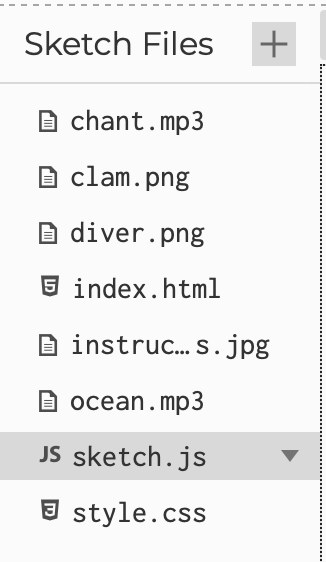
AI Usage: I used ChatGPT a little to help me understand and fix errors in my code. It was also useful for creating the moving waves using the sin() function and helping me generate a list of pearl colours with different point values then apply them randomly when the player opens each clam. It also suggested adding a helper function at the end of my code to check whether the mouse is inside a button or rectangle which made the mouse interaction easier to manage.
I also used Google Gemini to help generate the diver and instructions-page graphics based on my sketches. Since the graphics were AI-generated, some details may not be completely accurate or finished.