Reading Reflection – Week#2

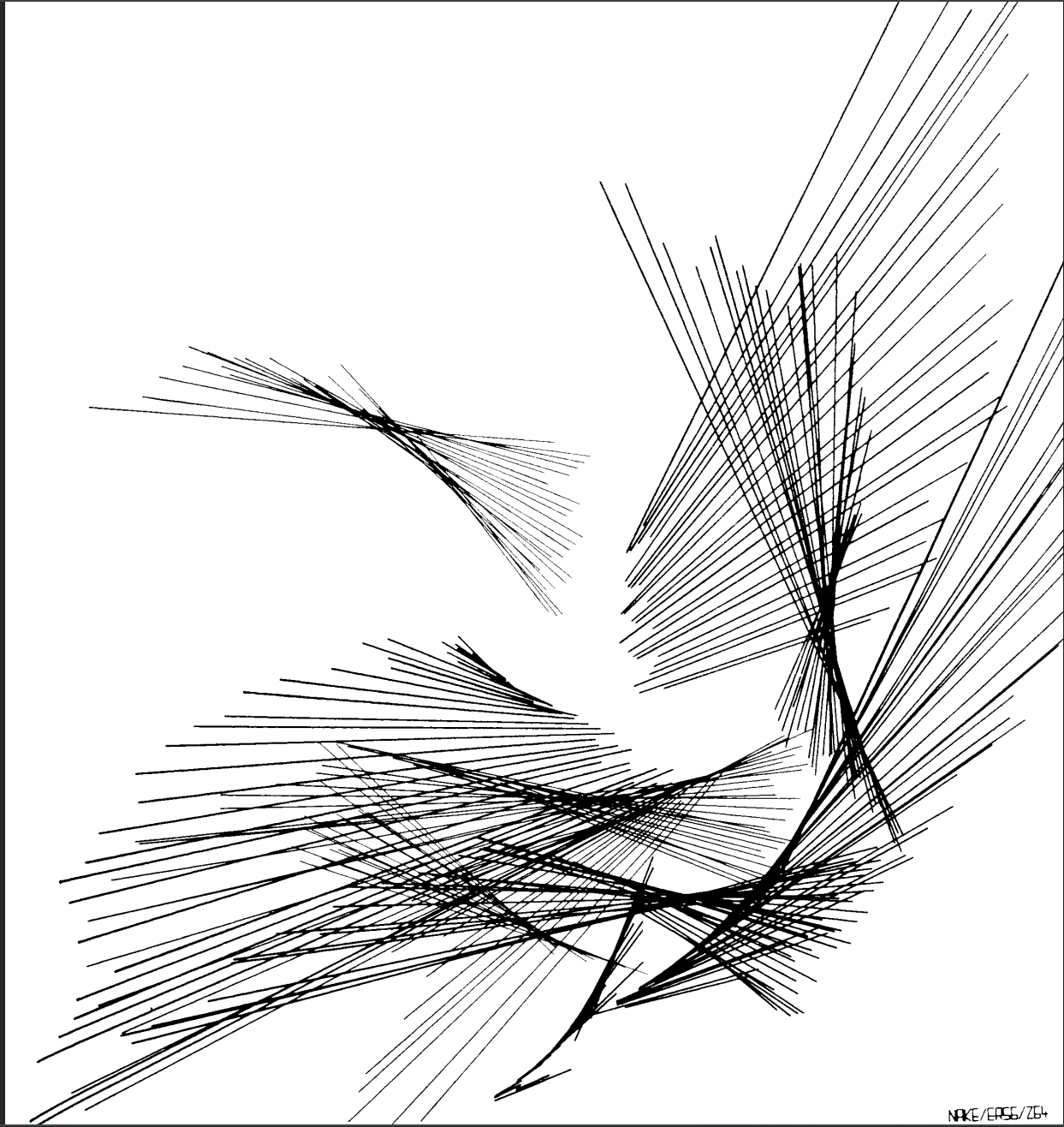
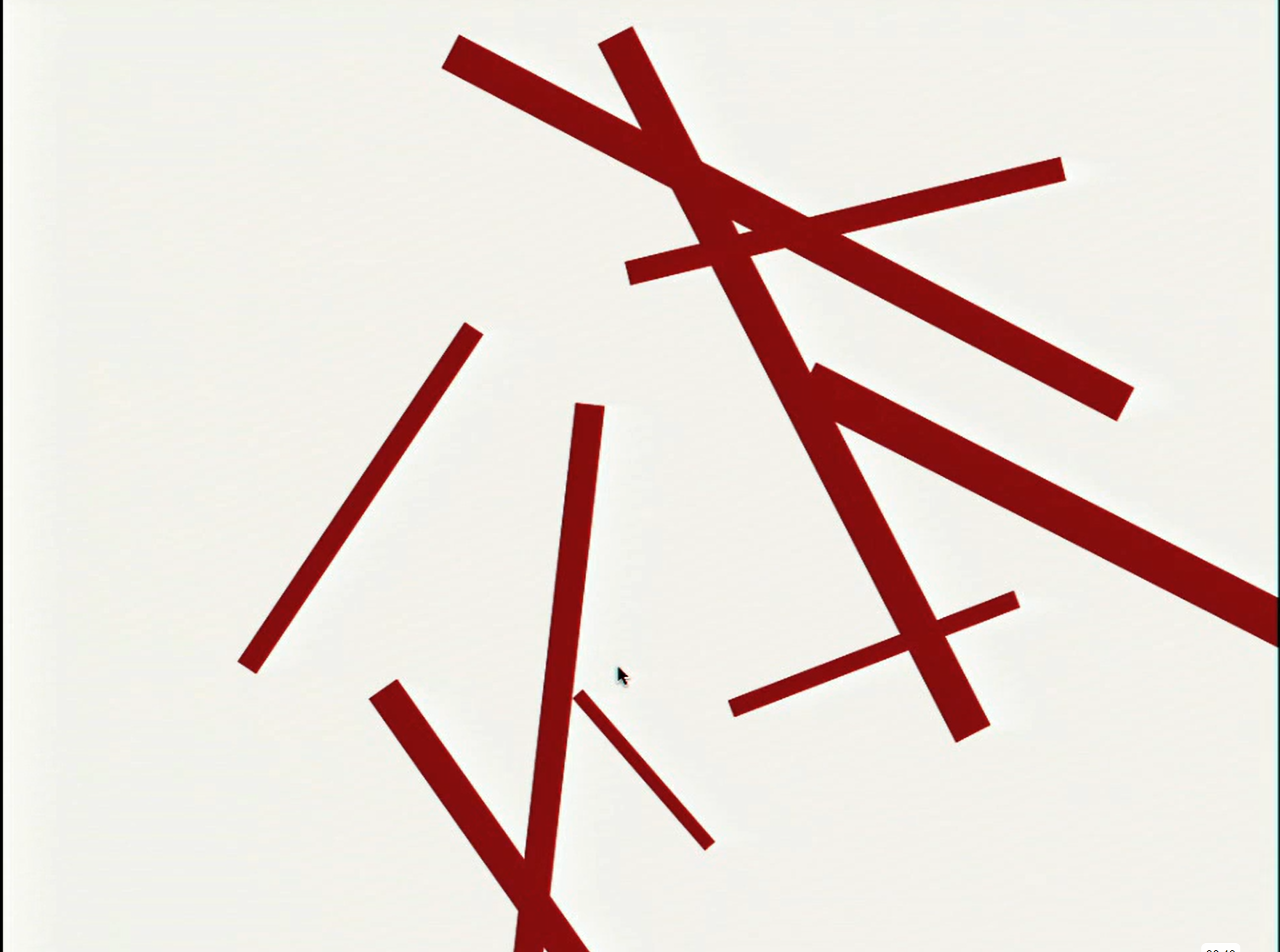
Before watching Casey Reas’ talk, I only ever recognized randomness in things like code (random() function), dice, throwing a coin, etc. Even when looking at abstract art, I always felt there was still some form of structure and order despite attempting to look random. However, after watching the video, I was surprised to see that not only can code be used to create random art, but how simple it can be.  The pieces that particularly stood out to me were Process 18 and the “Tissue” work. Process 18 describes a set of instructions related to an element. This element consisted of a couple lines resulting in random movement. As for Tissue, it was made up of many different types of vehicles that also had random movement. However after watching both artworks, we notice that both elements eventually tend towards a certain pattern or behavior. As a result, I started to question how truly “random” these artworks were as Reas still defined a set of rules and instructions. Although the outcome is unpredictable, the boundaries of what can happen are still controlled by the artist. I believe this reflects how no matter how “random” we try to be, we subconsciously always try to find order even in the chaos.  

This is something I will particularly struggle with in the assignment as I tend to enjoy things that have more structure and control. I believe that in order for me to create a bit of chaos in my work, I must find a middle ground between randomness and control. I believe the best way to do this is by having a strong concept or set of rules for my work, while allowing the random elements to influence the final outcome rather than controlling every detail. Reas’ talk has made me realize that randomness does not necessarily mean giving up all control, but instead it can mean controlling the rules while allowing the outcome to develop on its own.

Assignment 2 – Animation, Conditionals, Loops

Concept:

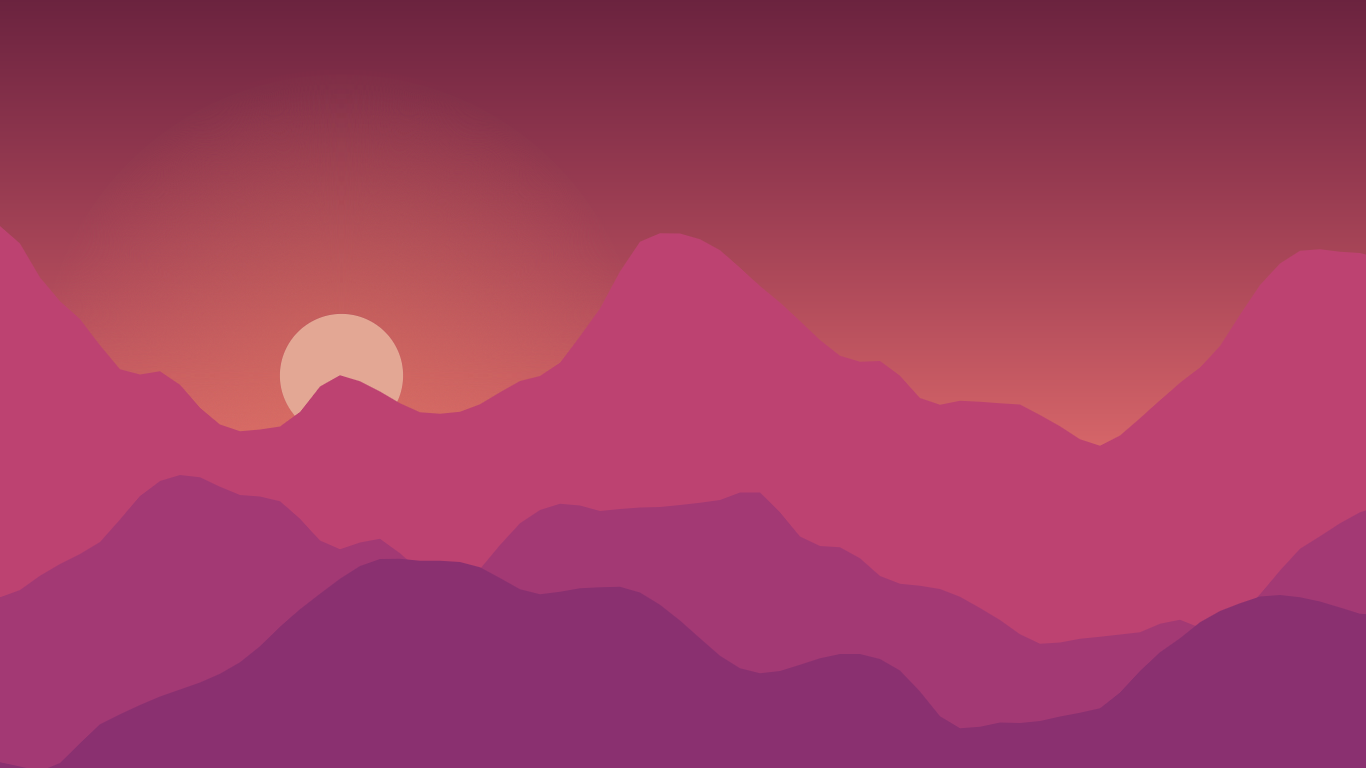
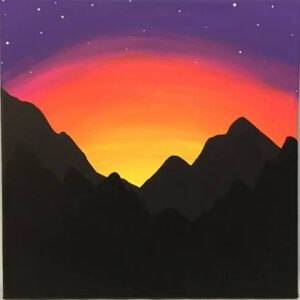
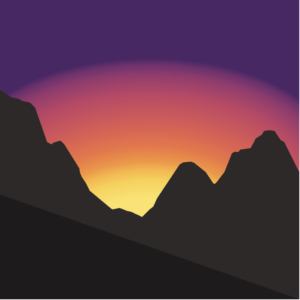
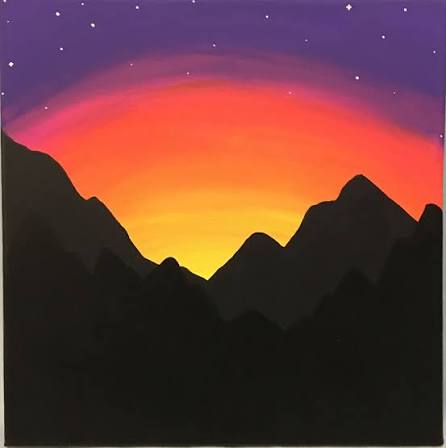
For my concept, I wanted to create a backdrop of a sunset whilst also incorporating animations and loops. For this, I started by looking for inspiration pictures and landed on this. I used this image as my reference.
How this was made:

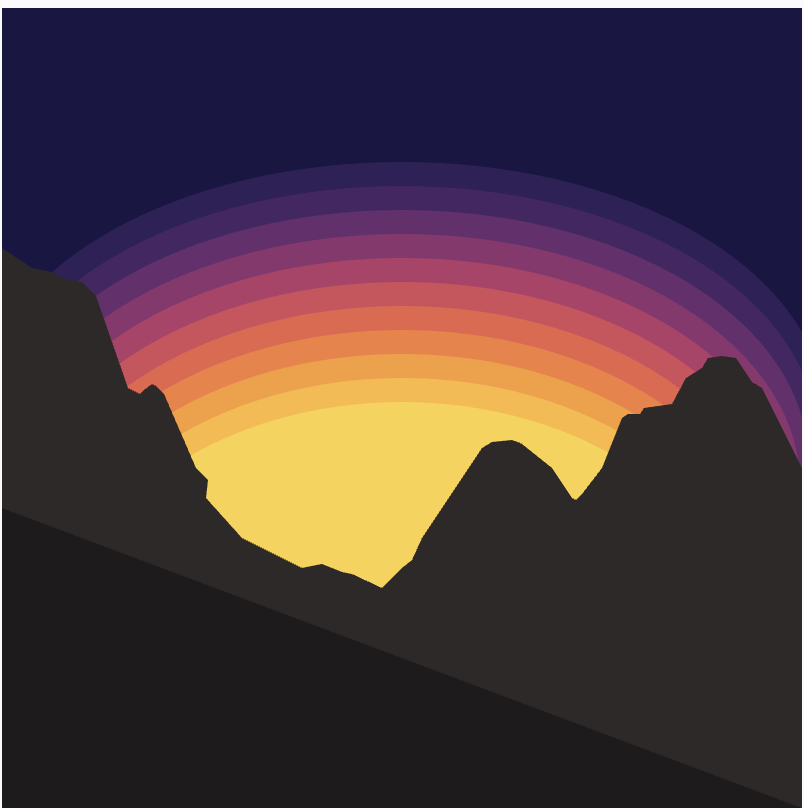
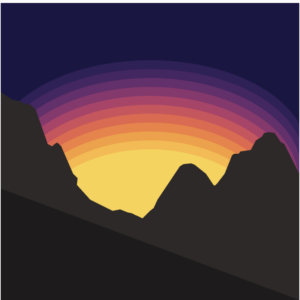
I initially started with finding colors for the sunset. I created an array of 15 colors – these colors were found by searching: hex colors for sunset gradient 15 colors. I then used these colors in a for loop to draw 15 circles that slightly overlap and have varying opacities to create a gradient. I will be honest, I was not happy with the result as you can see below.

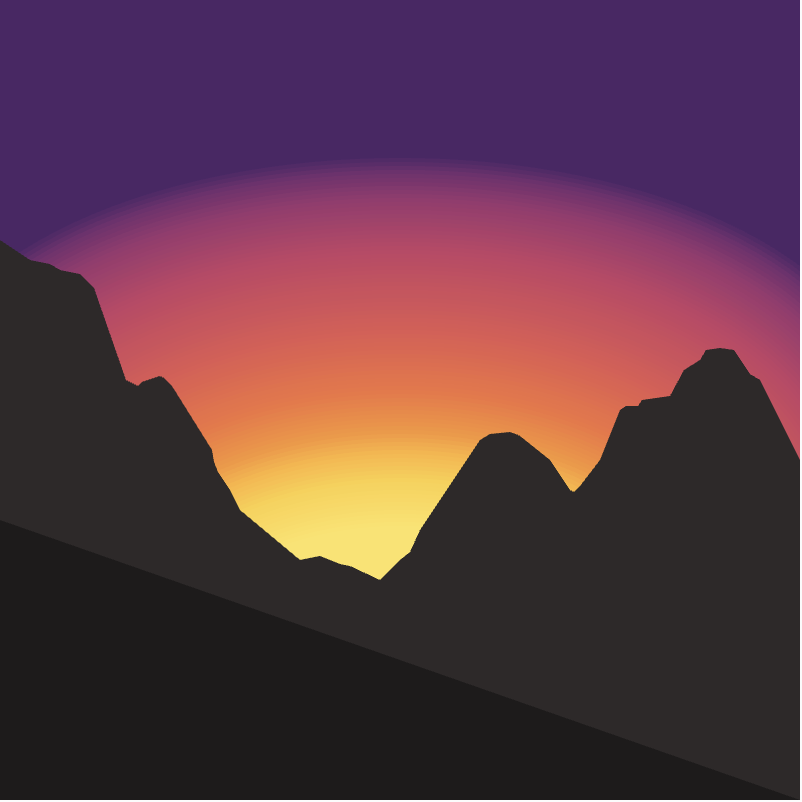
So, I looked on p5 reference and found a function called ‘paletteLerp’ which blends multiple colors to find a color between them. So i created another array called palette with each index containing an array with two elements. The first is the color, and the second is position of that color along the gradient -> usually in a gradient the positions are equal, however I wanted certain colors to take up more of the gradient compared to the others (in the end I had 10 colors). Next in my loop, instead of drawing 15 circles, I drew 100 and used paletteLerp to blend the colors.

Here is the resultAs you can see, the gradient is much more seamless.
As for the code:

//colors for sunset
let colors = [ '#4d2667', '#742e6f', '#9c366f', '#c44265', '#e25852', '#f2733f', '#f89535', '#fdb338', '#fccf43', '#fee464'];

//palette to blend colors
let palette = [[colors[0],0.06],[colors[1],0.10],[colors[2],0.17],[colors[3],0.30],[colors[4],0.50],[colors[5],0.65],[colors[6],0.75],[colors[7],0.80],[colors[8],0.87],[colors[9],1]];

 //drawing sunset

let diameter = 500;
let y = 190;
for (let i = 0; i < 100; i++){
noStroke()
fill(paletteLerp(palette, i / 100));
ellipse(200, y, diameter, 250);
y += random(4);
diameter -= 2;
}

Next, I moved onto the mountains. This also took some trial and error. At first, I tried using the primitive shapes discussed in class (lines, arcs, triangles, etc) however I was very unhappy with the result, and filling it in would be difficult this way. So I searched online ‘mountains p5.js’ to see how other people made mountains and I came across this.
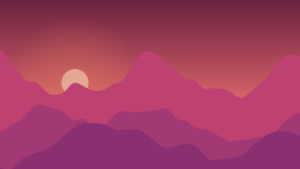

Since I was unsure of how this was made, I pasted the image into ChatGPT and was told that they used: beginShape(), vertex(), endShape(). So thats what I did. This was very time consuming since I had to dictate every vertex, the mouseX and mouseY made this easier, but I would say the end result was worth it!

I then made the stars, I did this by creating a similar for loop to the sunset to draw each star and used random() for the x position, y position and size, as well as for opacity to mimic twinkling (this was only feasible since I had reduced the frameRate to 4, otherwise the twinkling would be too quick).

Finally, I wanted more movement in the diagram, so I also varied the movement of the circles to create the illusion that the sunset is moving (this is why frameRate is 4, so that the movement is slower and more animated).

Randomness was used in two places: the stars were assigned random positions, sizes, and opacities to create twinkling, while the sunset circles used random vertical offsets to create subtle movement.

Final result

Reflection

Overall, I am quite happy with the result, much more so than the first assignment. Although it took a lot of trial and error as well as extra research, I now have a stronger foundation and appreciation for p5. In the future I would want to add more animations like shooting stars for example as well as interactivity for the user. In addition, although I added my own features and animations to the reference image, I would want to challenge myself in the future to create something completely from scratch, rather than basing it on a specific reference image. I would still use other artwork as inspiration, however.

References:

https://p5js.org/reference/p5/paletteLerp/

https://www.google.com/search?q=hex+colors+for+sunset+gradient+15+colors&sca_esv=424538866ee42d06&sxsrf=APpeQnssm4SWbFMRWSRBGqA4Tr2fGDoWYA%3A1788940216991&ei=uA-haq-APN3k7_UPi-_y8QE&biw=1512&bih=857&ved=2ahUKEwivvKHRgeGWAxVd8rsIHYu3PB4Q4dUDegQIBhAM&uact=5&oq=hex+colors+for+sunset+gradient+15+colors&gs_lp=Egxnd3Mtd2l6LXNlcnAiKGhleCBjb2xvcnMgZm9yIHN1bnNldCBncmFkaWVudCAxNSBjb2xvcnMyBRAhGKABMgUQIRigATIFECEYoAFIzyFQqApY0CBwAXgBkAEAmAGoAqAB4hKqAQMyLTm4AQPIAQD4AQGYAgagAoIKwgIKEAAYRxjWBBiwA8ICBxAhGAoYoAGYAwCIBgGQBgiSBwUxLjAuNaAHrxGyBwMyLTW4B_sJwgcFMS40LjHIBwyACAE&sclient=gws-wiz-serp

 

Week 2 – Reading Assignment

After watching Casey Reas’s Eyeo take on chance operations and the idea of randomness in generative code, I was highly drawn to his idea of the co-existence between control and randomness. His talk particularly reminded me of a moment that I experienced when creating my generative artwork as a new coder. At first, I highly intended to create a piece that sparks a sense of realism to the audience. However, my perspective quickly changed when I typed a piece of code wrong and my entire artwork was changed for the better. The artwork now had more life and interactivity to it, which I believed was the better direction as it opened doors for varied interpretations and understandings. Reas’s particular argument that having a balance between order and chaos definitely illustrated the idea that unexpected results can spark interest and curiosity as opposed to a fully ordered and precise piece. 

Moving forward in the Interactive Media course this semester, I was highly inspired by Reas’s approach to randomness and therefore I plan on incorporating random elements into my work by looking at code as a space for experimentation and play, rather than a set of rules that must be strictly followed. This perspective challenges my previous perception of coding as something restrictive and inflexible. I already began incorporating randomness and chance into my pieces through elements such as color, speed, and space. 

After watching the video and understanding Reas’s perspective on control and randomness, I believe that the optimum balance between total randomness and total control lies in the artist’s intentions for their artwork. A big part of art is how the audience perceives it; therefore, by incorporating randomness through interactivity, artists enable the audience to approach the artwork from their own perspective. This creates and illustrates new meanings and understandings, whereas total control can limit the accessibility/opportunity to discover unexpected possibilities within an artwork. I personally believe that the percentage of randomness should be slightly higher than the percentage of control in generative art as this approach allows for more unexpected outcomes and gives the artwork a greater sense of creative meaning.

Week 2 Generative Art

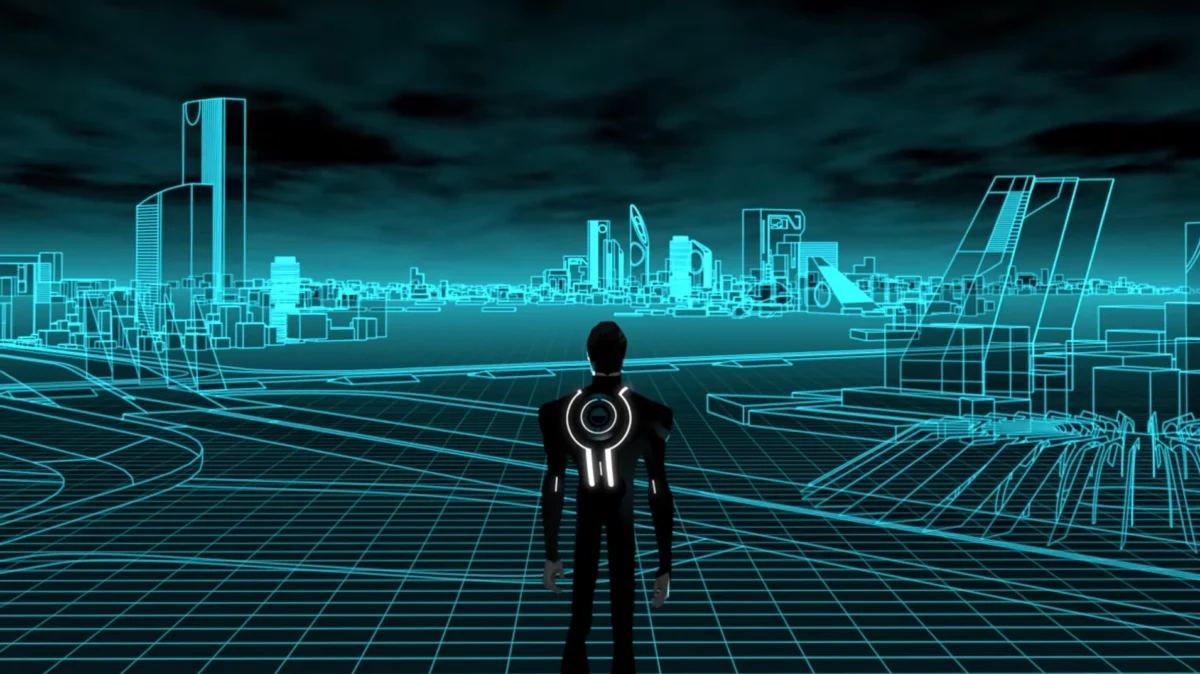
For this assignment, I decided to create a Tron-inspired piece that is a digital environment resembling the Grid in the movie. At first, the sketch starts out with cyan perspective lines, which, when the user clicks, change to an orange color scheme inspired by Clu, who is the villain of the movie. I also added random particles to the top of the grid, which are supposed to give that computer-bit aspect. I wanted to experiment with what I heard in the Casey Reas talk and used randomness in my piece while still being in control.


The part which I am most proud of in my code is the color-changing toggle. Originally, I wanted to use only the mouseIsPressed function, but that wouldn’t work because it would only appear when the mouse is held down. This is why I created a boolean variable called cluMode, which solves that issue.

function mousePressed() {
cluMode = !cluMode;
}
if (cluMode === true) {
fill(255, 165, 0);
} else {
fill(176, 224, 230);


I started by creating a 700×700 canvas, then used two for() loops to crate the vertical and horizontal lines. After that, I used a global variable called gridMove to animate them by increasing its value inside draw(). This value is added to the y position of the horizontal lines, making them move down the screen but stopped by a conditional to make them repeat.

I used another for() loop to create the randomized particles by using random() in the coordinates of my circle code. Finally, I added the cluMode boolean and mousePressed() function so clicking the canvas cycles from cyan to orange.

My main references were the Grid and its color schemes from Tron. I also referenced the p5js concepts covered in class. Including loops, conditionals, animation, mouse interaction, and random()

I am happpy with how my final sketch turned out by using moving objects rather than static ones like last time. In the future, I would like to experiment more with arrays to give particles positions and try to make the animations smoother.


Week 2 – Reading Response

One idea from Casey Reas’s talk that stood out to me was the relationship between randomness and control when creating art with code. Since I am still new to coding, I try to make my code as neat as and understandable as possible. The ability to visually comprehend my code is something I find important, such as where an object appears, what size it is, and how it should look. However, Reas made me think differently about randomness. Instead of seeing it as something that makes a piece messy or unorganized, I think randomness can make digital art feel more alive and less predictable. Reas touched on the topic of emotion and how something as simple as randomness can evoke emotion when used with direction and intention. This idea resonated with me because I like looking for deeper meanings behind things that may not initially seem meaningful. Randomness, for example, can easily seem meaningless or accidental, but Reas made me realize that when it is used intentionally, it can contribute to the emotion or message behind a piece of art. If I were to incorporate randomness into my own work, I would probably use it on smaller elements rather than the entire piece. For example, I could slightly change the position, size, or movement of certain shapes each time the program runs. This would allow every version to look slightly different while still keeping the original idea recognizable. I especially like the idea of using randomness to create imperfections or “jitter,” because those imperfections add a human touch, and add more meaning to the artwork.

While watching the video, I came to realize that I do not think there is one perfect balance between randomness and complete control. I think it depends on what the artist is trying to communicate and how they want the artwork to feel. Personally, I would lean more toward control because I still want the message I am trying to convey to be clear. However, Reas examples made me realize that adding elements of randomness does not mean that the meaning of the image would be erased. The artist is still the one deciding what specific code, elements, shapes and amount of randomness in the artwork. This made me question whether randomness in coded art can ever actually be considered completely random if the artist is still the one setting the boundaries for it.

Going forward, I would want to use random elements in my work to add details, “jitter”, colour and animation, however I would still like to control the main composition of the image. I would incorporate randomness in smaller details instead of making it the main subject as to not take away from the main message I want to give or emotion I want to evoke with my artwork. That being said, I feel like randomness is an important quality, as imperfections and unpredictability can add a human touch to the image. If the artwork was perfectly aligned in a grid, it would feel too artificial. The optimum balance for me personally mainly lean towards control, and still incorporate randomness without overshadowing the main idea.

Week 2 – Generative Art

Concept

Before I started any part of this weeks homework, I already had a small idea for what I wanted to create. As I began going through the work, I still intented to go through with my original design. While going through the examples provided with the assignment instructions, I came across a work that was similar to what I had in mind, this ended up being my source of inspiration for the assignment.

I ended up creating a code where a random number of lines with varying colors and sizes would extend from the center of the screan, creating a kind of splatter effect. However, when I was about done with the code, I wanted to try making it so that the origin of the splatter would change with each itteration. This ended up resulting in me making it so that the code just put all the lines randomly on the screen. At first, I was annoyed but as I kept looking at it, the design began to grow on me. Additionally, it reminded me of some of the work I saw while watching the Casey Reas talk. At this point, I decided to change my porject and embrace the happy accident that occured.

Code I’m Proud Of

A section of code I’m really proud of is the while loop I created which is responsible for generating the lines. It takes the randomly selected number of lines when the code is run and for each line a eight random featues of that line are generated. These inclide two random x and y coordinates to create the line and where its positioned, three random r,g,b values allowing each line to be a different color,  and a random stoke weight from one to ten changing the thickness of each line.

while (lineCount > 0) {
  let randX = random(width);
  let randY = random(height);
  let randX2 = random(width);
  let randY2 = random(height);
  //randomize the r,g,b values, thickness, and position of each line
  let r=random(0,255);
  let g=random(0,255);
  let b=random(0,255);
  strokeWeight(random(1,15))
  stroke (r,g,b);
  line(randX, randY, randX2, randY2);
  line(randX, randY, randX2, randY2);
  lineCount = lineCount - 1;//decrease the lineCount till it hitsw zero to control the while loop
}


Sketch

  • ‘How Was This Made’ section including references

I started by creating the while loop which would create the randomly chosen number of lines. To do this I watched The Coding Train’s video titled “4.1: while and for Loops – p5.js tutorial” to review how the while loops functioned in p5. When I began, I had some issues with the line count variable I added to control the loop, as I kept getting errors about it. To solve this I tried moving the variable to a few different locations, as I had a similar issue in the previous homework and moving the code was what helped resolved it then and also helped with this issue. I later changed this to randmoize both the start and end postions. Once I was able to get the lines generating properly, I started adding in the elements of the lines that I wanted to be randomizes. I started by impletening randomized colors for each line and then randomized stroke weights. After I did this, I had the idea to randomize the origin position of the lines which accidently resulted in the line positons being completely randomized, which I decided to keep in the end.

Reflection and ideas for future work or improvements

I think working on this assignment taught me to embrace the unexpected because my final project ended up being very different from what I had in mind when starting. Not this but I think my final project reflected my intention for this assignment in a clearer manner than what I had created at first. Those intention were to kind of find the right balance between the randomness and control. The way I wanted to do that was by making it so that each different interation of the generated work had elements that allowed you to tell they were connected while also having each design look unique and distict from the others.

In terms of future work, I would like to get more practice using the loops to fully grasp the capabilies they have for creating art. When it comes to improvements to this assignment, I think I would add more elements thay could change such as addition shapes as well as a implementing a feature to let users change the design by clicking.


Week 2 – Reading Response

In his Eyeo talk, Casey Reas argues that code needs a bit of “noise” for it to stay visually interesting and prevent it from becoming homgoneous.  From that part of his talk, I understood that he meant adding some kind of elements or means to differentiate different iteration of the code/art work. Reas outlook on this is similar to my plans for how I’ll make use of randomness withing my art. I intent top incorporate a few different elements within my work that will be randomized each time the code is rerun. My goal in doing this is to achieve some sort of similarity between each unique iteration while also having it so each one a some kind of distinction from the rest. 

I think there may not be one definitive answer for the optimum balance between total randomnens and complete control. Rather, it depends on each individual case and the type of art the artists is trying to make, as well as what their goals for that artwork is. However If an artist leans too heavily into either direction they could risk their art being too random to the point where there is no clear idea behind the art and the “noise”, as Reas would call it has no real meaning, or it could be too controlled where the result may be too predicable. However, this does raise a question for me, how would we as viewers be able to distinguish between these? For example, at what point does the randomness or noise become too much or lose its meaning?

Week 2 – Reading reflection

From the introduction, I had the following thoughts. Reas mentions of how chaos in major events in history like prevalence of quantum mechanics and world war 1  led to shifts in art. This made me question of whether chaos around AI will lead to shifts on how art is formed and viewed. Reas then continues talking about how software art is effected by noise while I understand what noise he is referring to; I think about how noise doesn’t allow me to focus while making art and how the same word could have such different impacts and meanings.

He then mentions Valentino Braitenberg as a neuro-atomist and his work about an imaginary robot to study about cognition. I really liked the crossover between art, math, and science. I read more into these robots and found how one robot’s motion was effected by temperature actually akined to the brownian motion. I really agree with the analogy here since the motion seemed so random when Reas modeled it; it links all back to nature even the randomness.

In the Order of Art, he also talks about making art of your own and I think that is what gives art life: individualism. I really found Mondrian’s evolution in artwork very humane too since we think about life or careers in something very linear or restricted, but seeing how his style emerged along with music in NewYork is a helpful in supporting that we can change paths, decisions, and expression and that is okay.

When Reas explores Computer Graphics, he varies the randomness which changes the art pattern and then shows examples of graphics which vary with different factors. For me, I worked with noise() particularly which brings in slight order in comparison to random(). If we were to talk quantitively, I still would lean into less randomness and more structure since an increased amount of disorder takes away what I want to communicate through artwork. I don’t really think there is an optimum balance as that would keep changing from project to project, here I really resonate with Mondrian’s view of art.

Week2–Generative art

My concept

After watching the video, I wanted to experiment with randomness in my artwork and discover what visual possibilities it could create.
I realised that the effect of chance would not be very clear within just one static image. For this reason, I used ‘mousePressed’ as an interactive feature: every click reruns all the random values and generates a brand‑new composition. This allows the viewer to see the wide variety of outcomes produced by one single system.
I chose two simple forms: bezier curves and circles of varying sizes. I defined their general shape, boundaries and direction, while letting random() decide their exact position, size and colour. Rather than placing each curve and circle by hand, I let the code produce unexpected arrangements. My aim is to observe the balances and relationships between curves and circles.

How this was made?

for (let i = 0; i < 10; i++) {
    let circleX = random(30, width - 30);
    let circleY = random(30, height - 30);
    let diameter = random(15, 90);
    noStroke();
    fill(random(255), random(255), random(255));
    circle(circleX, circleY, diameter);
  }

For the random circles I used a for‑loop. I wanted ten circles in total. Their coordinates are random, and so are their diameters. However, I set rough limits for these values: a range for their size and another for their position. Their colours are also random.

for (let m = 0; m < 8; m++) {
    drawCurve();
  }
function drawCurve() {
  let x1 = random(-20, width + 20);
  let y1 = random(-20, 0);
  for(let i = 0; i < 8; i++){
    let cx1 = x1 + random(-75,75);
    let cy1 = y1 + random(-65,65);
    let cx2 = x1 + random(-75,75);
    let cy2 = y1 + random(35,95);
    let x2 = x1 + random(-55,55);
    let y2 = y1 + random(65,115);

    bezier(x1, y1, cx1, cy1, cx2, cy2, x2, y2);
    x1 = x2;
    y1 = y2;
  }
}

For the lines, I was not sure at first which shape to use. After checking the p5.js reference page, I found that the bezier curve worked best for my idea. I then briefly learned how its coordinates function and how to control them, and started to build my curves.
I discovered that without startX = endX and startY = endY, all the segments would cluster near the top of the canvas and would not connect together. This created a problem. Once I noticed this issue, I adjusted my code and asked AI to help me understand why it was happening.

Reflection

I have realised that creating artwork with random() saves a lot of time. Unlike my self‑portrait project, where I had to carefully refine every single detail, randomness can unexpectedly produce really appealing patterns. I feel I could use randomness more often in my future artworks. I really enjoyed this creative process and kept experimenting throughout. Right now I have only used curves and circles, which are still quite basic and simple. I hope in the future I can use randomness to generate more complex forms.

Week 2 Loop assignment

function setup() {
  createCanvas(600, 600);
  background(30);

  // Star outline via circles
  fill(255); 
  noStroke();

  for(let x = 50; x < 600; x = x + 80){
    for(let y = 50; y < 600; y = y + 80){
      circle (x, y, 15);
    }
  }
  // Moon in the center
  fill(255);
  circle(300, 300, 120);
}

Due to barely being familiar with loops within coding, I had to somehow remind myself of what a loop is like via analyzing the reference sheet from the coding website. Once I understood a little bit of what it was like, this is when I explained to myself that perhaps the artwork I should at least try making with this loop knowledge is an artwork that must feel kind of… organized? But in a modern fashion of course. Not just that but also… an artwork that resembles something that is in relation to what I myself tend to adore very much. Eventually, I’ve settled in with the concept of creating this artwork where the main stars are well… literal mini stars, along with the addition of the moon somewhere in the center. The reason is because of how this is based on the fact that as a young adult, I kind of identify as a night-owl, or someone who seems to like the nighttime. Thus, i just wish to pay a mini tribute to this oldie but a goodie trait of mine via this artwork.

What i’ve done is basically sent the background to a low number that has the background be as dark as the night. Then I had to set up the endoskeleton of the circle stars, starting with making sure they are filled through a number that’ll color them white; then this is where the loops come into play. With the loops, this is where I had to look back at the notes from the previous class, in order to get an idea of how they should be set up at least. Remember that this is all for the sake of trying to figure out how to have each circle star lined up in rows that’ll set themselves up to be a modernized version of the night sky. Most importantly, I had to make sure that the parameters for each circle star in a row/column would be centralized in their rightful spots. Lastly, I had to bring the moon to life via simply creating a bigger circle in the middle that, from my head, would make itself look like the big boss of the night alongside his star minions.

One more thing to mention is that before I could see if my code was right, I did have to check in with Ai to see if my code was indeed correct or if changes were necessary to be made. Sure enough, some of my code was on the right track, but some changes were requested to be made to ensure functionality at its finest. Based on these changes that were successfully implemented, it simply convinced me to try familiarizing myself more with the workings of proper repeat methods, such as the loop, so that if I were to ever need acts of repeat shapes/colors within my works, the loop() command would indeed assist me otherwise.