Week 3 – Reading and OOP exercise

Reading reflection

The part of interactivity that I really agree with is that it is a scale and not a binary. I believe interactivity is a huge aspect of how technology is perceived, and I am really interested in how it shapes the relationship between the user and the technology.  I believe interactivity doesn’t needs to be physical in its nature where a user has to press a button or a widget, but it is really about how involved they feel with the technology/or any other medium of interaction. The author then speaks about how they feel that reading is not interactive. I disagree with this part, and I believe that reading is highly interactive. In an era where there is so much online material/posts/apps/games to interact with I find reading to be highly interactive and not rushed. The author also speaks about how opening a fridge door is interactive, which is an interesting approach. I believe small everyday tasks have an interesting nuance to them and how their design matters I think it is in these tasks that we actually slow down. I don’t want to be philosophical about this, but I genuinely resonate with how interaction is people based like when communicating and dancing. As a sustained dialogue ambassador, I really agree with Crawford’s stance on how communication is interactive. Like as an ambassador, I have been trained to like communicate with participants and co-facilitators without the need of speaking, and letting silence set in and genuinely listening to everyone, including listening on different levels like their body language. This is also what interactivity looks like to me, so I think it does have different aspects to it, but it all comes down to how seen the user/person feels whether it is technical or not.

Coding Exercise

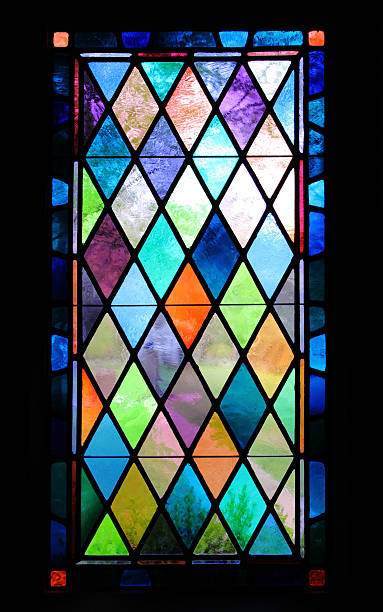
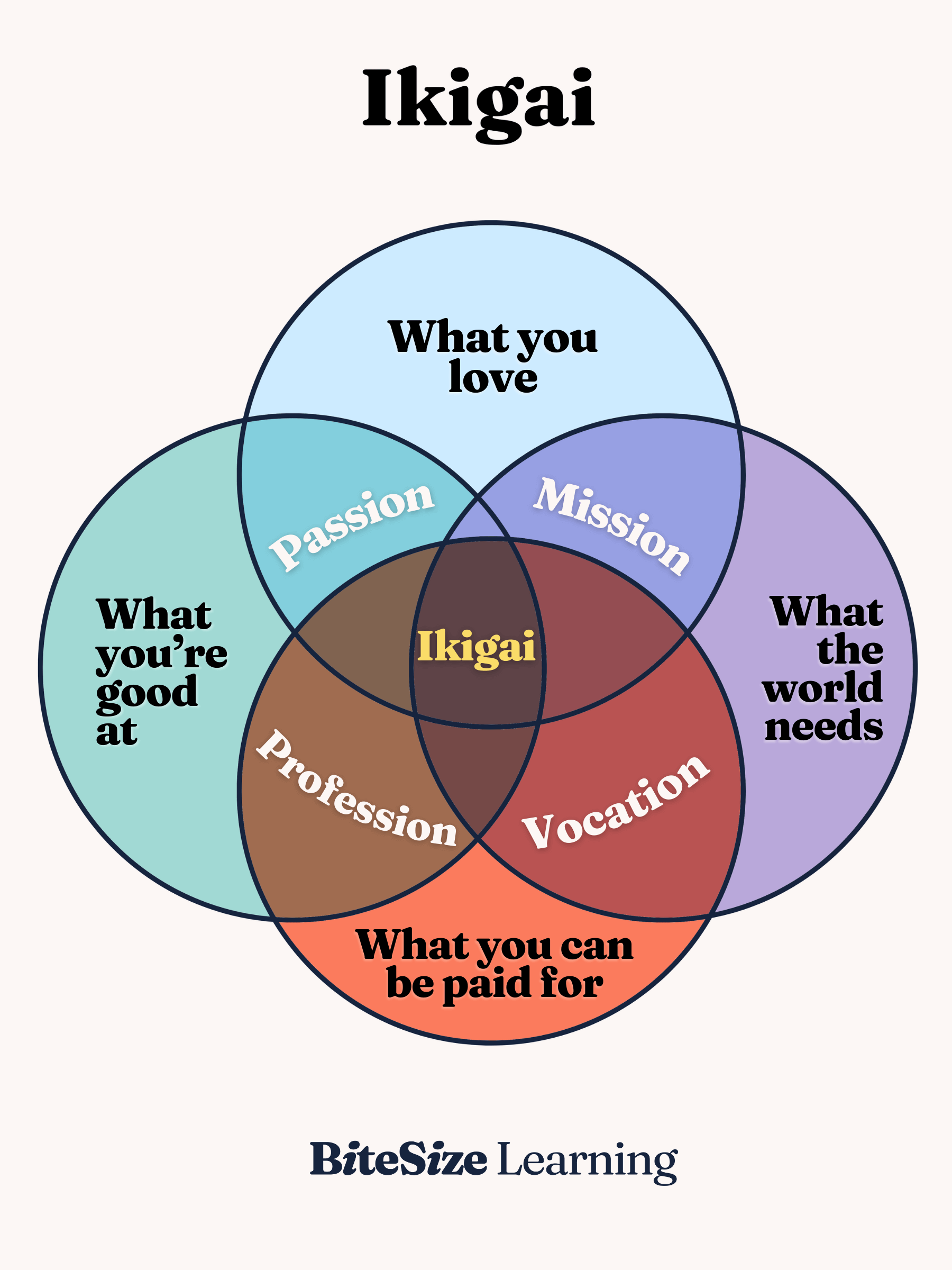
My inspiration for this code was the Ikigai concept in Japanese, where it means what you pursue in life has to be at the intersection of what you like and what you the world will need. I also really like the translucent aspect of this as well, and to me it appears to be like tainted glass.

Sources for images: https://www.istockphoto.com/photos/vertical-stained-glass-window
My Program

My code

I build this through the ikigai class I defined. The part of the code, I am proud of is how I integrated the translucency.

class IkigaiCircle {
  //it runs when a new circle is made
  constructor(x, y, col, appearAt) {
    //The centre of the circle
    this.x = x;
    this.y = y;
    //Colour name into a p5 colour
    this.col = color(col);
    //  a crucial part in helping us set the color to translucent
    this.col.setAlpha(100);
    // count value when this circle appears
    this.appearAt = appearAt;
  }

I started by drawing a single circle in the middle of the canvas, then added three more to build the ikigai diagram, using see-through colours so the overlaps would blend. To make it animate, I added a counter that goes up every frame and made each circle appear only after the counter reached a certain number. Once I noticed the four circles used almost the same code, I turned them into an IkigaiCircle class and moved the colours and positions into arrays, so a loop could create all four circles for me. Finally, I changed the background from grey to cream because the grey made the colours look dull.

Week 3 – Reading Response

In my opinion, I would classify the characteristics of a strongly interactive system as one that requires “two actors,” as Crawford mentioned. Interaction is not something as surface level as a book or a movie that you watch or listen to, but something that reacts to you and requires a back and forth interaction between the user and the system. What surprised me while reading was finding out that things I thought were interactive, such as dancing, opening a fridge door, and watching a play, were actually either not interactive or had a very low degree of interactivity. A strongly interactive system should be able to listen to the user’s actions, process them, and respond accordingly. I also agree with Crawford’s idea that interactivity exists on a scale, as simply responding to an action does not necessarily make something highly interactive.

Looking back at my p5 sketches, I think I could improve their level of interactivity by making the user’s actions have more of an effect on what happens within the sketch. For example, in my generative desert night sky, clicking currently generates a new arrangement of stars with different positions, sizes, speeds, and colors. Although the sketch responds to the user, the response is still quite limited because clicking always produces a similar result. To make it more interactive, I could allow different user actions to affect different parts of the artwork, such as having the movement of the mouse change the direction of the stars or allowing the user to affect the appearance of the sky. I think this would create more of the conversation Crawford describes. I would want to improve the degree of user interaction by not only implementing interactive functions and concepts where the user would be able to interact with the artwork or code, but also working harder on the function and form of the design. As I learned while reading, interactive design isn’t only about making an interface look good or function correctly, but considering both aspects to design the entire experience of interacting with something.


Reading Response – Week 3


This book chapter really opened my eyes in terms of how deep the idea of interactivity can really go. Before reading it, I think my definition of interactivity would simply include anything that reacts or changes based on an input from a user. However, now I think looking at interactivity through a scale makes much more sense. Aside from properly incorporating the listening, thinking, and speaking principles addressed by Chris Crawford, I think a strongly interactive system should respond to the different inputs provided by the user and be able to take them into consideration for future interactions, making the interactivity less of a ‘call and response’ and more of a continuous ‘conversation’. This changes the user’s role to an active participant in the interaction rather than just a passive presence giving commands. Ultimately, making it more of a live feedback loop.

For improving the degree of interaction for future p5 sketches, I think I’d want to focus on moving past merely having mouse-clicked interaction or having the sketch change with each interaction. I’d want to incorporate different ways for the user to interact with the sketch, like moving the mouse around the screen to change the color or speed of something. Additionally,  I’ve seen a video of a ball that has some kind of gravity on it, so when the user clicks, the ball drops and bounces under the effect of gravity, eventually stopping. I’m not sure how advanced that would be to create or if it’s something we’ll cover eventually in class, but I think having a work where maybe the user can kind of physics system that allows the ball to react differently depending on how it was tossed. Overall, making the work more interactive.
 

Week 3 – Functions, Arrays, and Object-Oriented Programming

Concept

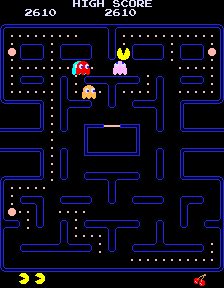
While I was reviewing The Coding Train videos on the topics we took in class this week, I was thinking about what to do for my assignment and how to implement OOP. I was specifically trying to figure out an object I could create multiple of. Then suddenly, the ghosts from the game Pac-Man popped into my head. I’m a huge fan of video games, so I immediately decided to use Pac-Man as inspiration for the assignment. I based my project on the design elements of the game, like the way the ghosts look, and had it so that when they’re moving around, they create a dotted line along their path, with the design being inspired by the dots Pac-Man eats around the map.


My Code


Process

I started my code by creating the ‘Ghost’ class, as that would be the main part of the project. Before starting any of the code, I watched ‘6.2: Classes in JavaScript with ES6 – p5.js Tutorial’ from The Coding Train as a refresher, and worked through creating the class myself.

Next, I began working on randomly spawning in the Ghosts when the program is run. To do this, I used a combination of the p5 reference site, searching on Google, and again the video ‘6.2: Classes in JavaScript with ES6 – p5.js Tutorial’ from The Coding Train.

Once I was able to get the ghost to spawn in properly, I began to work on getting them to move. I wasn’t sure where to start with this, so I looked for help on YouTube and came across a video titled “p5.js Coding Tutorial | Array of Bouncing Balls (OOP / mousePressed)” by Patt Vira. With the help of the video, I implemented the ‘moveGhost’ function and ‘checkBoundaries’ function, allowing the ghosts to move around the screen without going off of it. Additionally, I changed the dx and dy speed variable in the constructor allowing for variation in the speed between different ghosts.

Next, I decided to work on adding color to the ghosts, so I added an array holding a few colors for the ghosts. To give them a color, I added an argument to the constructor that would select a random color from the array when the ghost is created.

The next section of code ended up taking the longest to figure out. At first I tried to implement it by myself, but it wasn’t working out, so I looked through some of The Coding Train’s videos and found ‘9.7: Drawing Object Trails – p5.js Tutorial’. I used their help to implement an array that holds the vector location of each ghost and creates a point for each one.

Code I’m Proud Of

//creates vectors of the ghost position
    let v = createVector(this.x,this.y);
    this.history.push(v);   

    if (this.history.length > 500) {
      this.history.splice(0,1);
trail(){
  stroke(this.color);
  
  for (var i = 0; i<this.history.length; i=i+1) {
    var pos = this.history[i];
    ellipse(pos.x,pos.y,1,1)

The part of the code that allowed the ghosts to draw a path while they were moving was a completely new concept to me, so being able to learn how to do it was really exciting, and therefore it is also the code I am most proud of. I definitely plan to implement this in future projects as well.

Problems I Ran Into

The biggest problem I had during this assignment was definitely getting the ghosts to draw a path as they moved. Before, I looked for a video to help me; I ended up making it so that there were just lines connecting each of the ghosts, rather than them creating a line as they moved.

Additionally, when I added the colors to the ghosts, my first attempt resulted in them flickering between the color options rather than having one. This was because I put the color randomization in the ‘Show’ function, so every time the ghost was drawn, the color changed. I was able to fix this tho by moving the color selection into the constructor.

Reflection

Overall, I’m happy with what I was able to create for the assignment, and it helped me a lot with practicing the latest concepts we’ve learned during class. I was especially happy, I could inccorparte my love for videos games to some extent. Although figuring out how to get the ghosts to draw a trail along their path was a bit challenging at first, learning to implement the array capturing the positions of the ghosts was a really interesting and I hope to explore it’s capabilities further in future assignments and projects. In terms of improvements, I think adding a way for the eyes of the ghosts to change direction based on which way they’re moving would add another fun element to the work and make their behaviours more similar to the actual game.

Assignment 3 – Week 3 Functions, Arrays, and Object-Oriented Programming

Concept

For my concept, I wanted to make an interactive artwork using objects and functions. I decided to make a simple game where the user has to catch apples that randomly fall into a basket that they control using their mouse.

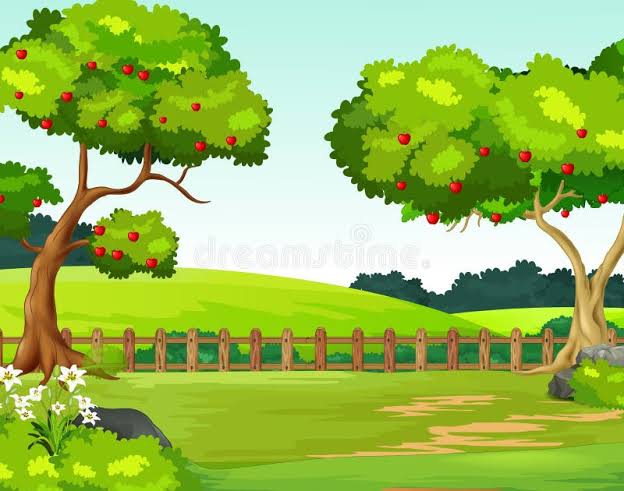
I wanted the artwork to have a simple, colorful, and playful appearance because I wanted it to feel more like an interactive cartoon than a realistic scene. I used a light blue sky and different shades of green for the trees and grass to create a bright outdoor environment. I also used multiple layers of leaves on the trees to give them more depth instead of making them a single flat shape.

I chose to give the apples faces because I wanted the objects the user interacts with to feel more playful and expressive. I also placed the trees toward the sides of the canvas, leaving an open area in the middle where the apples can fall and where the basket can move. This makes the gameplay easier to see while also creating a clear visual composition.

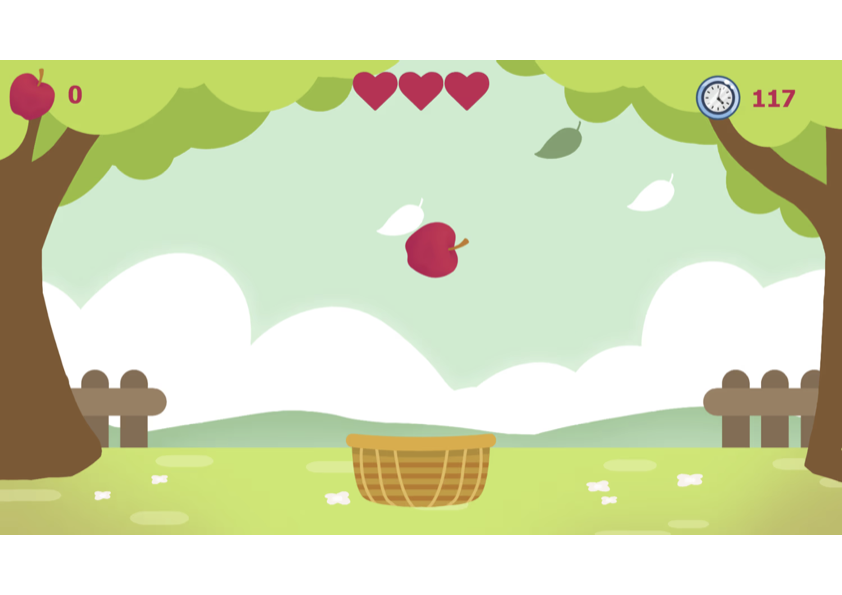
Here are my inspiration and references pictures

How this was made

I first started by creating the sky and grass (this was very simple, just rectangles and background). Next, I made the two trees, I made the trunks and branches using beginShape(), vertex(), and endShape(). For the leaves, I used ellipses of varying shapes and sizes. In order to add more dimension, I had a set of leaves behind and in front of the trees. This code was initially in my draw function, but once I had my desired trees, I moved both trees into separate functions treeL() and treeR().  Next I used loops to create the fences out of rectangles and lines. This was also moved to their own function fence() that was later called in the draw function.

Now that the backdrop was complete, I started with creating the apples. First in the draw function I drew the apple using primitive shapes. Once I was happy with that, I made a separate file called apple.js. I made the class with the constructor that contained the following variables: this.x, this.y and this.speed. For the x and y positions, these are random and the apple will appear anywhere along the x axis and as for the y, it will appear above the upper bound of the diagram.  I then moved the apple drawing to a function and allowed for varying positions. I also created a fall() function which increases the apple’s y position downwards unless it hits the floor or the user catches it with their basket. In both cases, the apple’s x and y coordinates are back to the random starting points.

For the basket it was quite simple, I created a basket() function which takes the user’s mouse positions and draws a basket in that area.

I also created another class for the clouds, this follows the same logic as the Apple class. It has the same variables and functions. The only difference is that the clouds spawn on the leftmost side and move to the right, hence instead of the y position changing, it is the x position which is decreasing. The cloud disappears once it reaches the leftmost side and will respawn back on the right.

For both the apples and clouds, I made arrays to be able to store and display multiple objects from each class. I had 4 apples and 3 clouds.

Code I am proud of

I am most proud of the trees and apples. Here is the function for the tree on the left that use the vertices and ellipses:

function treeL(){
  // leaves behind tree L
  noStroke()
  fill('#91bd42');
  ellipse(30, 55, 150);
  ellipse(275, 25, 70);
  ellipse(120, 40, 140, 100);
  ellipse(130, 80, 60, 50);
  ellipse(190, 40, 80, 70);

  // trunk L
  stroke();
  fill('#865830');
 beginShape();
 vertex(0, 90);
 vertex(48, 90);
 vertex(58, 98);
 vertex(38, 180);
 vertex(38, 220);
 vertex(45, 250);
 vertex(55, 285);
 vertex(65, 315);
 vertex(72, 327);
 vertex(78, 345);
 vertex(0, 345);
 vertex(0, 90);
 endShape();
 arc(0, 345, 156, 40, 0, PI);

 //branches
 beginShape();
 vertex(0, 35);
 vertex(35, 35);
 vertex(25, 90);
 vertex(0, 90);
 vertex(0, 35);
 endShape();

 beginShape();
 vertex(25, 90);
 vertex(30, 86);
 vertex(35, 81);
 vertex(40, 74);
 vertex(45, 68);
 vertex(50, 60);
 vertex(55, 58);
 vertex(60, 58);
 vertex(80, 58);
 vertex(58, 98);
 vertex(25, 90);
 endShape();

 //leaves in front of tree L
 fill('#b8dc58');
 ellipse(0,0, 48, 175);
 ellipse(80, 25, 130, 90);
 ellipse(145, 13, 50, 33);
 ellipse(210, 10, 100, 80);
 ellipse(290, 0, 90, 60);
 }

Here is the apple class as explained above:

class Apple{
constructor(){
 this.x = random(50, 650);
 this.y = random(-400, 0);
 this.speed = random(1, 1.2);
}
 draw(){
 // apple base
  strokeWeight(3);
  stroke('#390102');
  noFill();
  arc(this.x + 20.5, this.y - 25, 15, 40, PI, PI + 1.55);
  fill("#ea5973");
  arc(this.x, this.y, 50, 60, HALF_PI - 0.5, HALF_PI + PI + 0.5);
  arc(this.x + 27, this.y, 50, 60, HALF_PI + PI - 0.5, HALF_PI + 0.5);
  noStroke();
  quad(this.x + 13.5, this.y - 25, this.x + 28, this.y, this.x + 13.5, this.y + 25,   this.x - 2, this.y);
  stroke('#390102');
  fill('#9ad76e');
  arc(this.x + 10.5, this.y - 44, 23, 28, HALF_PI - 0.05, HALF_PI + 2);
  arc(this.x + 0.5, this.y - 36, 23, 28, -HALF_PI + 0.05, -HALF_PI + 2);

  // apple face
  fill('#390102');
  ellipse(this.x - 2, this.y, 10);
  ellipse(this.x + 29, this.y, 10);
  noFill();
  arc(this.x + 13.5, this.y + 3, 8, 7, 0, PI);
  }

  fall() {
  this.y += this.speed;
  this.x += random(-0.5,0.5);
  let centerX = this.x + 63.5;
  let centerY = this.y + 50;
  //checking to see if it reached the ground
  if (this.y > 420) {
    this.y = random(-400, 0);
    this.x = random(30, 650);
  }
  //checking to see if user has caught an apple
  if (dist(centerX, centerY, mouseX, mouseY) <= 40){
   this.y = random(-400, 0);
   this.x = random(30, 650);
   }
 }
}

Problems I ran into

One problem I ran into was the collision detection between the apples and the basket. This was because I passed  the wrong apple coordinates to the dist() function, therefore the apples were either not being “caught” or were only sometimes being caught. I realized that the x positions of the apple was not from the center but from the left side. I had to add a constant factor (used in drawing the apple) to the x position in order to fix the problem.

Another challenge was creating the trees using beginshape(), vertex(), and endshape(). I had to experiment with the coordinates and proportions several times to get the trees to look the way I wanted them to.

Final result:

Reflection

Overall, I am quite happy with how it turned out. I believe I am getting better at executing my concepts as well as honing my creativity. In the future I would maybe add more complexity to the game. For example, the user would only have 3 lives and would lose a life for each apple missed, as well as a tally in the corner which counts how many apples the user has caught.

Reading reflection – #3

After completing the reading I have realized that I too have been misusing the word “interactivity”. I only ever saw it from the user’s side, eg: how can the user interact with the webpage/game/interface, but not how the computer/system responds to the user’s actions. Upon reading some of Crawford’s examples of interactivity being used incorrectly, I initially found myself disagreeing with his points. This is especially the case with the refrigerator, since I believed that the refrigerator is interacting since it is responding to your actions by turning the light on or off. However, as I continued reading I understood that interactivity is not a discrete thing, but is more continuous. A system can be highly interactive, not as interactive (like with the refrigerator), in the middle, etc.

This has got me thinking about what a highly interactive system would entail. I think it would be something that allows many actions from the user, hence responses from the system after analyzing said actions. For example, in this week’s assignment I made a simple apple catching game. The game consists of falling apples where the user can catch them in a basket. I think there is a medium level of interaction. This comes from the fact that the system has to check if the user has caught/collided with an apple using their basket, if so, the system will remove the apple and spawn it again. I think to further improve interactivity, I could add a lives system. So if the user fails to catch the apple, their lack of action will result in the system reducing a life. However, I believe that interactivity doesn’t just mean more possible actions from the user and system, but more meaningful and complex actions. This makes me think that simply adding more features to my game would not necessarily make it more interactive. Instead, the way the game responds to the user’s actions should also become more meaningful and complex.

Week 3 – Generative Art OOP

Concept:

The desert is a big part of the UAE’s landscape, and one thing I would always notice during desert trips was how bright the night sky was compared to in the city. I was also inspired by the nightsky timelapses where it showed the movement of the Earth and the various stars. I wanted to mimic that in my artwork, by randomizing the stars shape, size, speed and the positioning of stars with every click.

My Artwork:


Code that I am proud of:

// Move the stars across the sky
  update() {
    this.posX = this.posX + this.speed;

    // Move star back to the left when it leaves the canvas
    if (this.posX > width) {
      this.posX = 0;

The reason as to why I am proud of this code is because I used the update() function to make each star across the sky move not simultaneously, but across the sky with each having its own random speed. I also added an if statement that checks when a star would go past the edge of the canvas and moves it back to the beginning/left. I liked this as it helped solve the problem of how the stars would reappear as the sky would move.


Debugging/Issues:

My main struggle in the beginning was how the class, objects, and array all worked together because OOP is still a new concept to me. At first, I understood how to create one star, but I was confused about how I could use the same class to create multiple stars that each had their own position, size, speed, and color. I also had some issues with organizing my functions and understanding how drawSelf() and update() worked together to create the animation. I personally drew a lot of inspiration in the code from the Car class example we worked on in class, especially when creating the Star class and making the stars move. Using the same general structure helped me understand that I could take what we did with the cars and apply it in a completely different way for my own artwork. I also frequented The Coding Trains videos to fully understand the concepts and how they could be applied to my own code. I am still getting used to working with classes and objects, but building the artwork step by step definitely made the concept make more sense to me.
Reflection:

Interactive system reflection Week 3 by DG

When it comes to a strong interactive system, I like to consider the characteristics to be nothing more but representations of the system’s ability to LISTEN to a user. This is because if the interactive system is said to be involved in the “interactive” category of the arts, then it has to be the system’s obligation to stay true to its name via making sure that the communication between itself and the user is one-hundred-percent inline with each other. This includes the computer receiving the message depending on what the user manually activates on their own physical interface end and then actually ACTING upon whatever command it must have received. For example, let’s say that you were to be playing Five Nights at Freddy’s and you see an enemy outside your location in the game; your instinct would be to close the door right away to protect yourself. Only way to do that, however, is to have your hands interact with the hardware of the computer via moving the mouse so that your cursor would hover over the door button in the game, followed by left clicking your mouse so that the computer would respond to your action of left clicking your mouse by having the door in the game close under your command. Thus, this is an example of how an interactive system is supposed to work, with the computer giving you access to whatever it has to offer while also making it be your obligation to activate a certain command from your end that will reach into the computer system’s understanding and conduct a performance that will keep the interactive conversion strong as result of the computer “listening” to your inputs

With this understanding in mind, there are only a few ideas I can think of as of now. One idea that I wish to possibly figure out is how to create a series of coding that will let users control the position of certain objects/shapes from my sketches. Let’s say, for example, that if someone were to want to click on a triangle that could hypothetically be available in a sketch of mine, I would have to take it upon myself to write some coding instructions that would allow the user to either rotate the shape through simple clicks or, if possible, move the triangle to a different spot via holding and dragging with the mouse. Another idea I wish to figure out is how to hide certain phrases in my work.. only for them to reveal themselves upon being activated by the user interacting with my sketches. For instance, a user may be reveal a sketch of mine that would have them click on a random empty spot, only for the spot to show a transition of the words, “HHN”, fading into existence right before their eyes; this will be due to the hypothetical doing of me adding some coding instructions into my sketch that would allow said-words to fade into existence upon the user clicking on the designated empty spot with the mouse. After all, the concept of interactive art from my eyes should be known as art pieces where the observer him/herself is in control of what shall change within the sketch.

The main idea of interactive, from what I like to believe, is giving the art watcher their own mini controller that will let them change what is displayed within an art piece depending on a physical command from their end. Whether it be behind pressing a specific key on a keyboard or left clicking on a mouse that is connected to the computer display of the sketch, what matters most is if the user can communicate with the computer to change something in their favor. It must almost be like a conversation in real life, where one asks another a favor for something and the one who has been is obligated to fulfill said-favor. If it was the other-way around, where the sketch does nothing no matter what an observer touches to release a certain command, then it would simply be a normal artwork that may look stunning, but is missing something to give life to it. If you take it from me, a normal artwork may be good, but one can suppose that nothing is better than encountering artwork that just feels almost “alive” towards you and your presence.

Week 3 Generative Art by DG

let head;
let leftEar;
let rightEar;
let hat;

class BearObject{

  constructor(type, x, y, stopY, size){
    this.type = type;
    this.x = x;
    this.y = y;
    this.stopY = stopY;
    this.size = size;
    this.speed = 3;
    
  }

  update(){

    if (this.y < this.stopY){
       this.y = this.y + this.speed;
    } 
    
  }

  drawSelf(){

    // Head of Bear
    if (this.type == "head"){
      fill(255, 200, 0);
      circle(this.x, this.y, this.size);
    }

    // Bear Ear
    if (this.type == "ear"){
      fill(255, 200, 0);
      circle(this.x, this.y, this.size);

    }

    // Bear Hat
    if (this.type == "hat"){
      fill(0);
      rect(this.x, this.y, 80, 110);
    }
    
  }
  
}

function setup() {
  
  createCanvas(600, 600);

  // positioning of each object =
  
  head = new BearObject("head", 300, 0, 300, 250);

  leftEar = new BearObject("ear", 200, 0, 210, 70);

  rightEar = new BearObject("ear", 400, 0, 210, 70);

  hat = new BearObject("hat", 260, 0, 70, 100)
  
}

function draw() {
  
  background(220);

  console.log(head.type);
  console.log(head.size);

  head.update();
  head.drawSelf();

  leftEar.update();
  leftEar.drawSelf();

  rightEar.update();
  rightEar.drawSelf();

  hat.update();
  hat.drawSelf();

  
}

My goodness, this assignment was an absolute festival of stressful thinking. Firstly it requires not only looking back into some of our class notes, but as well as the example that was posted on the course website! It is simply because of the fact that generative digital art is not really my tempo and/or within my league. Nevertheless, I had to use the examples to the best of my ability to create this artwork inspired by this video-game franchise that I had always adored with all my heart. The franchise, in question, goes by the name of Five Nights at Freddy’s.


This franchise is a video-game series that I remember from my elementary school times, which has also resurfaced back into the present time period of my life! Since it has often brought a smile to my face upon interacting with it, i figured that i could maybe try generating a simple yet lovely art sketch based on the main Bear Mascot of the series; however, I went with the choice of coloring the sketch yellow as a way to pretend that it’s golden, because my memories with the series can be described as.. Golden.


Now, I was able to kind of familiarize with the concept of setting up the “class” of the objects in relation to the bear sketch and setting the rules within the class; however, my problem was figuring out how to get the circles actually moving down the sketch, which will almost make it look as if it is generating itself to life via visual movement from top to bottom. After some looking back into the reference sheet, as well as proofreading my mistakes with Ai, I realized that what I had to do was connect each object of the bear to the draw function; equivalent to connecting some cables together so that they would get a TV up and running without issue. In addition, I had to learn to connect the class to the draw function in a way that also required me to install an update command in my sketch, where it was responsible for making sure that the movement of the objects into their respective spots was possible. Right up there with the command of “drawSelf” that would assist in helping keep track of how the objects traveled down the X and Y coordinates until reaching the designated spot that the “setup” has advised them to stop at. It has been about setting the transitions up at the right time and right spots in order to ensure smooth transitions of the sketch coming into place to form the sketch of the bear mascot (but yellow) from Five Nights at Freddy’s. All in all, this still made me hope that I can look back into this sketch for reference if I ever need to work with more artworks that deal with transitional elements that when combined, will be able to form the artwork into one whole picture for all to see.

Week 3 – Object-Oriented Programming

My Concept:
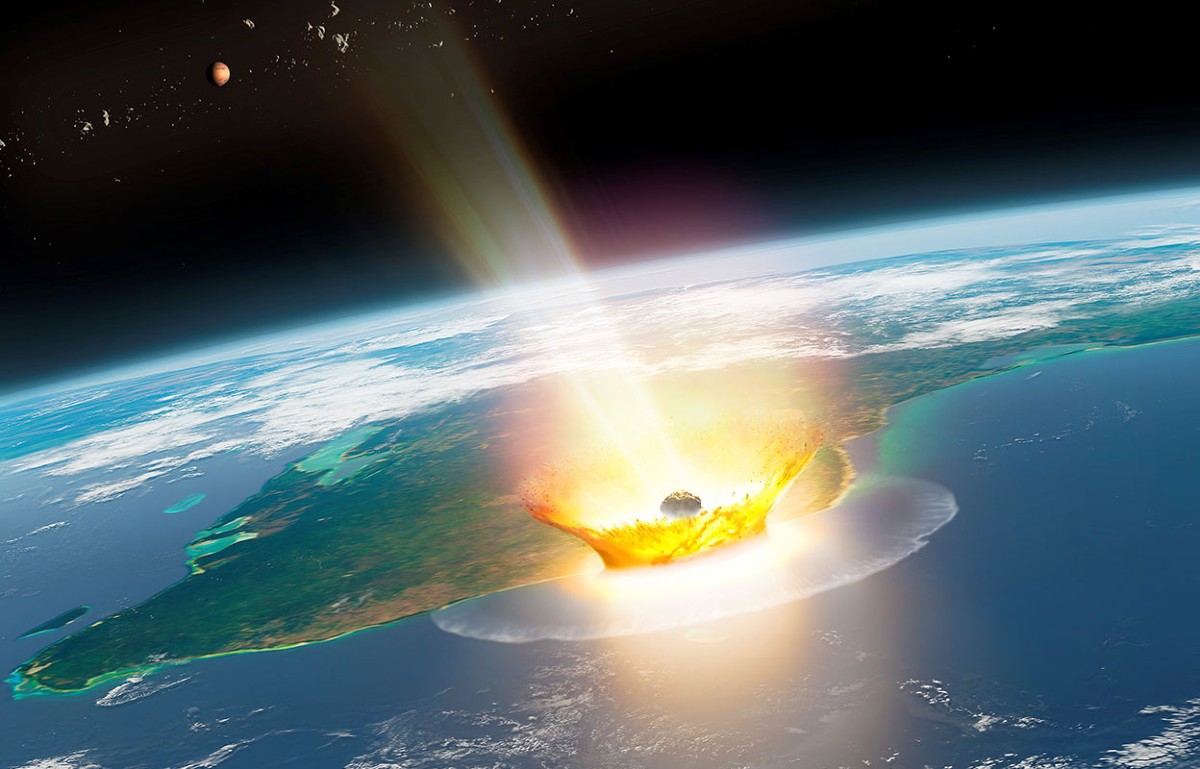
For some reason, the one thing in my head when I was making the code was the meteor that killed the dinosaurs, so I knew I  wanted to make something with that concept. I tried to stack the circles on top of each other and really liked how they looked when they were put together, and wanted to see what would happen if they started out from the same place but separated as part of the animation. Thus, my little art piece was born. And as I was playing around with the radius size, I managed to figure out the bursting effect.

Of course, the warm sun-like colors of the animation is meant to depict the fiery meteor, and the burst effect is the explosion when it reached earth.

Code I’m proud of

for (let i = 0; i< 100; i++){
  sun[i].move();
  sun[i].show();
  frameRate(25);
}
//second circle is smaller, is the inner layer
for (let i = 0; i< 90; i++){
  sun[i].move();
  sun[i].show();
  frameRate(15);
}

I was honestly really happy when I figured out how to do the bursting animation, and then adding to it by making a second loop so the impact feels bigger. Even if this isn’t the main part of the code, I was still happy with how it made the animation look.

Embedded Sketch

How this was made:
All of it was done by watching the Coding Train’s video. I watched the entirety of his lessons from 6.1 to 7.3. Anything that wasn’t explained in those videos I came up with myself (like the warm coloring and the explosion effect)

Reflection:
I wish I could’ve made the background a lot more fun! I was so focused on the animation itself that I couldn’t think of what the background should look like, so it is unfortunately just plain black.

I also wanted to add in a mouse clicked feature that would reset the animation, but I couldn’t figure out how to do it, and am very frustrated with my lack of progress with that specific function. Hopefully I’ll be able to add it into the next assignment.