
Concept:
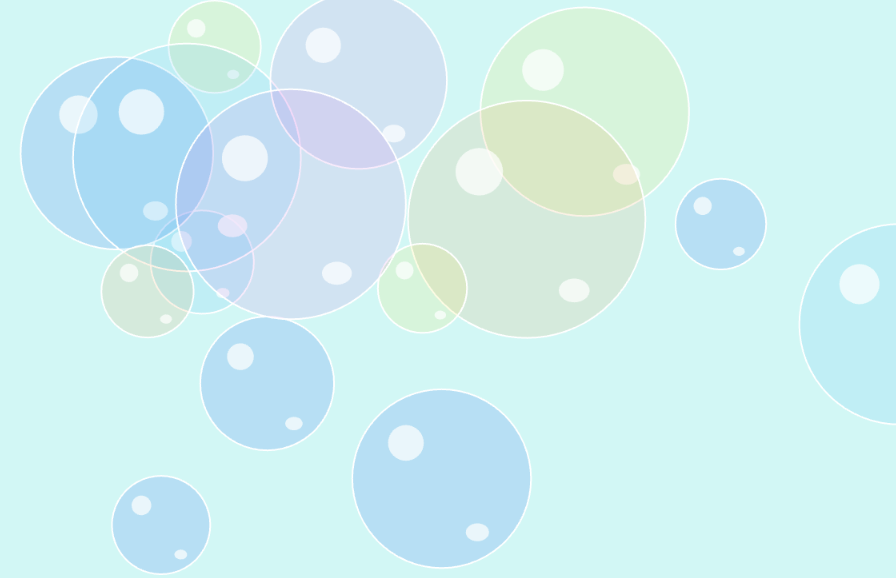
For this artwork, I wanted to capture the childhood memory and experience of when we would go outside to play with bubbles. My aim is to be able to relay that nostalgic, hazy, dreamy feeling using soft colors and a gradient background of the sky and grass but in a blur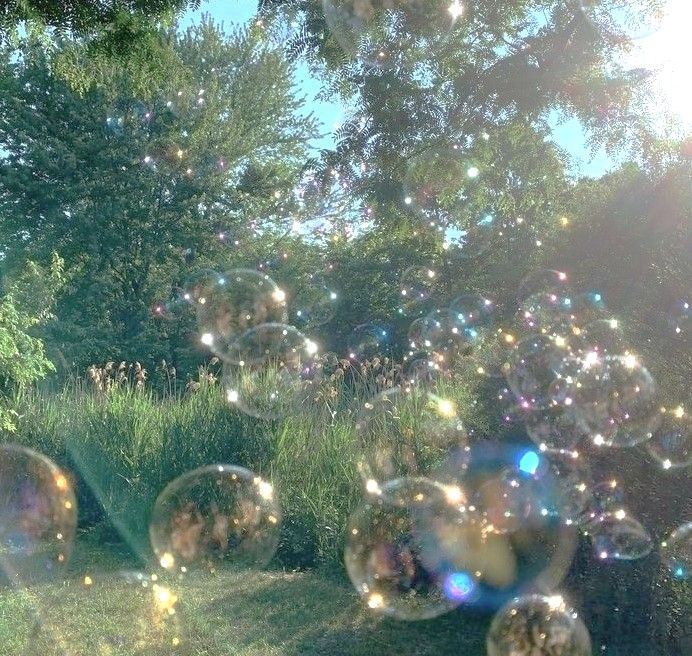 just like the memories. I did not want it to be too complex but simple, carefree, and fun instead because that is how life was, where popping bubbles was the highlight of our day and running out of the bubble soap was our low.
If you press a key, bubbles spawn. If you mouse click, a bubble pops. I intentionally did it this way because the press of a key reminded me of when we would press on a bubble machine to blow out more bubbles, and the click of the mouse reminded me of how we would run, jump, and reach out with our hands to pop the bubbles as fast as we can before it flies too high or pops on its own.
Highlighted Code:
// "pops" the bubble
function mousePressed(){
  for (let i = bubbles.length - 1; i >= 0; i--){
    let distance = dist(mouseX, mouseY, bubbles[i].x, bubbles[i].y);
    if (distance < bubbles[i].size / 2){
      bubbles.splice(i, 1);
    }
  }
}
I am proud of this function because it creates the main interactive feature: popping the bubbles. I had to do some research in order to figure out how to get it to pop but also used previous dist() knowledge from Week 2 to calculate the distance between the mouse and the center of the bubble. The code splice() was used to remove the bubble from the array when clicked. I think I am most proud of it because it wasthe code that had the most trial and error, which I explain more in depth in the “How This Was Made?” section.
How This Was Made?
The majority of the code was made using what we learned in class. In the Bubble class, I added this.size in order to produce many different sizes of bubbles to match realistically how it is. To add to that, I also created an arra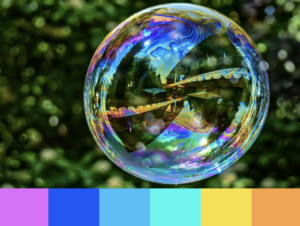 y of different colors that picks between them randomly using this.color for that very same reason. I searched for a bubble color palette on Google and scrolled till I found the one that matched the vision in my head and used those colors.
For the bubbles it is just one perfect ellipse based on this.size, which is a random number between 50 and 150. The two small reflection spots are also ellipses but multiplied by + or – 0.1-0.3 to make it smaller. Though small, this is what adds dimensions and makes the bubble look like a bubble.
I let keyPressed() create a new bubble instead and mousePressed() to pop it. For keyPressed() I ran into an issue where the bubbles would almost disappear because they would go out of the canvas, so I had to subtract the radius (this.size / 2) from the width and height in order for it to bounce off immediately as it touches the canvas borders.
For the bubble popping part, I knew I needed dist() as wherever mouseX, mouseY, and the x and y values of the certain bubble[i] in the array is, but I was unsure how to have it “pop” because when I actually used bubbles.pop() it deleted the last bubble that was made regardless of where I clicked. I noticed that the previous student’s example used splice(), but she also had other variables and codes that made it confusing to understand. So, a simpler way was just searching up “bubbles popping p5.js” on google. I ended up finding an example made by someone and noticed they used splice() as well. I asked Gemini to explain how their code works and then I implemented it on my own. Their code had the distance in a separate function, so I just combined it in the same mousePressed() function because it felt unnecessary and simpler.
 I did the gradient background last because initially I was just going to leave it as a plain light blue; however, I did not think it encapsulated the nostalgic, hazy, childhood memory feeling, so I thought a gradient from light blue to green would be better. It matched my bubble reference image where you see the sky above then the greenery below it. I searched for “gradient background p5.js” and found a simple example. I recognized lerpColor from a classmate’s palleteLerp() code but wanted to know more about how map works, so I looked for the reference. It learned that it converts the coordinates to numbers between 0-1 as a the percent lerpColor needs to blend c1 and c2.
Reflection:
Overall, I am pretty happy with how it turned out because I think that I achieved that nostalgic, childhood feeling I was going for. I feel like this assignment definitely helped me understand classes more and allowed me to explore new things that we have not learned. In the future, I could maybe do more with the background like having the gradient flow and move around from top to bottom like an actual hazy memory. For improvements, I also found a p5.js example where they actually installed a bubble pop sound that plays when the user “pops” a bubble, which I thought could have been a fun interaction and addition to complete the experience.
References:
Bubble reference image: https://www.pinterest.com/pin/112027111108718506/
WK13 Bouncing ball example: https://editor.p5js.org/Aya_Riad/sketches/Wky6-ythQ
Previous student example: https://editor.p5js.org/AyshaSalma/sketches/09cZh8SDk
Bubble pop example: https://editor.p5js.org/haydencarey/sketches/4Jksy0Odg
map(): https://www.geeksforgeeks.org/javascript/p5-js-map-function/
Gradient background example: https://editor.p5js.org/evebdn/sketches/O9G35ueZv
Bubble color palette: https://www.schemecolor.com/colors-of-a-soap-bubble.php