
Concept:
When I first thought of art works based on class and object oriented programming, I thought of algorithmic drawings of trees, which I found very interesting and pretty, thus, I decided to base my work on nature, and specifically trees. I made the work to be interactive where the user can “build” a forest with trees of varied heights depending on where they press their mouse and also random colors of green so the forest doesn’t look like one whole block of green, and has more depth and layers.
Highlight of codes I’m proud of:
I’m really proud of the tree class, especially the specific values of the circles, where each shifts a little based on the trunk’s center. I’m also very happy about the height manipulation where mouseY is used to determine the height of the tree!
class Tree{

  /* using the same x, and different y for the trunk
  and the size for the tree bush and colors so i can change colors */
  constructor(x, startY, endY, size, colors){
    this.x = x;
    this.startY = startY;
    this.endY = endY;
    this.size = size;
    this.colors = colors;
  }
  /* using the variables and slight value changes to
  draw the trunk and circles */
  show(){
    strokeWeight(40);
    stroke('#804242');
  line(this.x,this.startY,this.x,this.endY);
    noStroke();
    fill(this.colors);
    circle(this.x+30,this.endY, this.size);
    circle(this.x+30, this.endY+50, this.size);
    circle(this.x-30, this.endY+50, this.size);
    circle(this.x-20, this.endY-10, this.size);
  }

}
Embedded sketch
How Was This Made
I first gained my momentum by laying out the bush class because it was relatively easier in shapes and positioning. I first created the class and all the parameters that’s needed and then tested out the show() method by giving them values on the sketch page and after tweaking the coordinates and it all, I translated the value relationship (the coordinates between each shape) back into variables in the class.
With that experience, I did the same with the trees class where I laid out possible parameters first and then tested them out in the sketch and refined them after testing. For instance, during the testing, I realized that there wasn’t a need to include an endX parameter because the x coordinate for the tree doesn’t move; the trunk’s x coordinate stays the same and the leaf clusters are based on the trunk’s coordinates. Therefore, I removed that parameter and updated the class. Then I started working on the responsive height feature where when the user presses on the screen, the coordinate of the mouse will be used as the height for the tree. To implement this, I relied on the p5js reference library to check on the mousePressed() function. After I placed in all the values, I tried to run it but ran into some confusing problems, which turns out is because of the parameter editing I did previously; I forgot there were only 4 parameters and I entered 5, which then caused the following error where leafs got way too big:
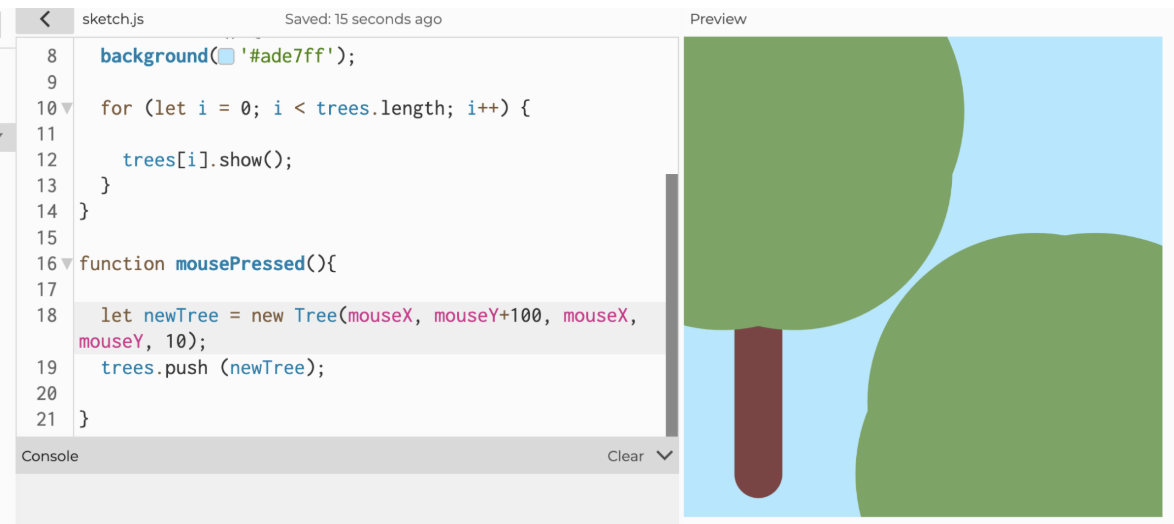 Entered mouseX as a parameter twice because I forgot I removed the “endX” from parameter, therefore mouseX got entered as the “size” value.
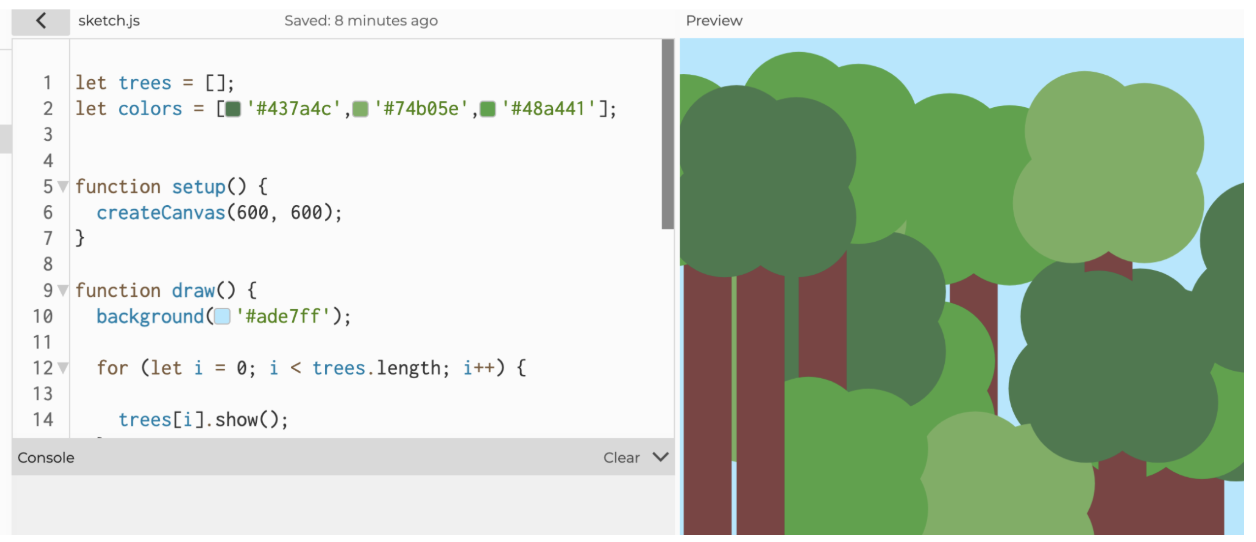
After fixing that I was pretty done with the technical aspects, but as I furthered my “experiment”, I realized that as the user grow more and more trees, the trees start blending into one another because of the lack of borders and same colors. To solve that I tried adding back the strokes, but they didn’t look good, so instead I decided to give the trees random colors by using an array.
Before: Trees blended with each other because too many overlapping of same color
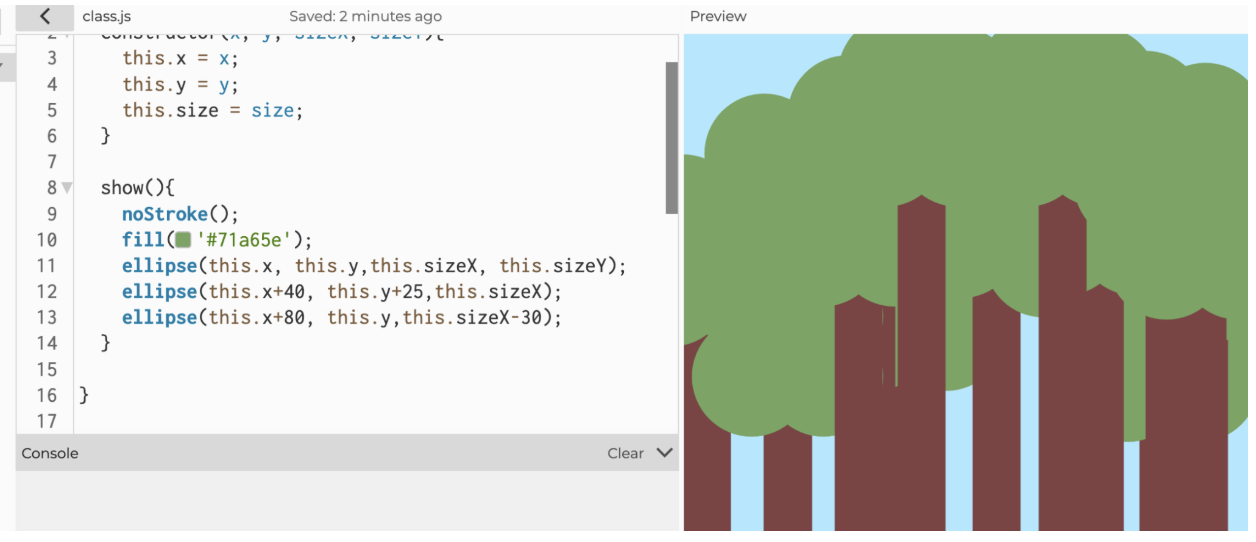
After:
Lastly, I instantiated the bush class and switched the order of drawing so that the bushes are drawn after the trees and stays on top of them.
Reflection for future work/ improvements:
I hope to learn more complex features that allow me to expand the forest and allow me to play with more “details”. Also, I should keep track of the classes and their parameters so I don’t make the same mistakes when the parameters increase.