Week 2_ Reading Response

After watching the video, I realized that I tend to focus on precise lines and shapes in my drawings. You could say I’m a perfectionist. When you’re holding a brush, you’re the one controlling its movement. Every stroke is intentional, and every move is calculated. I think that’s how I’ve always understood order in art: everything is controlled and deliberately placed.

But what fascinated me was his take on order and chaos, and how they coexist in every art piece. It actually changed my perspective on what order is in art. It’s not necessarily about perfection, but about control. You can “guide” the lines in a certain way to shape a meaning without having to control every single detail. For example, when mixing a colour palette using acrylic, you might not always get the exact colour you wished to achieve, and that’s the beauty of it.

I agree with his view on control, and how you decide how far you push it and how far you constrain it. I think it all comes down to knowing and choosing which elements to alter and which to keep unpredictable. And just like he also mentioned, you might get a little inspiration from things you never would have thought of.

Week 2 – Generative Artwork

Concept

For this assignment, I wanted to create something that moves and looks alive using the programming concepts and techniques that I know and have learned so far. The idea that came to me was to create a weather scene showing a house during rainy weather. This idea was inspired by the difference between the weather in my home country, Fiji, where it is currently the rainy season, and Abu Dhabi, where the weather is generally very sunny. I decided to represent these two different environments in the same artwork. I used concepts like arrays, loops, Boolean variables, functions, conditionals, randomness, and animation to create a lively artwork.

Click on it!

Code I am Proud of

function draw() {
  // To draw and move the raindrops
  if (raining == true) {

    // Goes through all 100 raindrops 
    for (let i = 0; i < 100; i++) {
      // To draw the current raindrop 
      drawRainDrop(i);

      // To move the current raindrop
      moveRainDrop(i);
    }
}
// Function for drawing individual raindrop
function drawRainDrop(i) {
  fill(50, 100, 255);
  noStroke();

  // For making each raindrop
  ellipse(rainDropX[i], rainDropY[i], 5, 10);
}

// Function for moving an individual raindrop
function moveRainDrop(i) {
  rainDropY[i] += 5;

  /* If the raindrop reaches the ground, Its moved back randomly to the top with a random x position also */
  if (rainDropY[i] > 500) {
    rainDropY[i] = random(-50,0);
    rainDropX[i] = random(0, width);
  }
}

The part of the code I am most proud of is the falling rain effect. It took me several attempts and a lot of thinking to figure out how I wanted the raindrops to behave. At first, I was thinking about how I could continuously generate new raindrops while older ones were still falling. I eventually realized that I did not actually need to create completely new raindrops every time. Instead, I could create 100 raindrops and continuously reuse them by changing their positions after they reached the ground.

The arrays were important for this because they allow the program to store the position of every raindrop. The for loop then goes through all 100 raindrops and updates each one. I particularly like this approach because there are only 100 raindrops being managed, but they can continue falling and respawning throughout the entire animation. This creates the impression of continuous rain without needing to continuously create more and more objects. I am also proud of use of randomness when the raindrops respawn. If every raindrop started at exactly the same x and y position, the rain would look artificial and repetitive. Randomizing the positions makes the scene look more natural. I was able to connect this programming technique to Casey Reas’ idea of Chance Operation. Rather than using randomness just because it was useful for the animation, I was able to think about randomness as part of the artistic design of the project.

Implementation

I created arrays called rainDropX and rainDropY to store the x and y positions of the 100 raindrops. These arrays allow the program to keep track of every raindrop individually. In the setup() function, I used a for loop to create 100 raindrops and give each one a random starting position. The x-position is randomly generated across the width of the canvas, while the y-position is randomly generated across the canvas. This means that when the program starts, the raindrops are already distributed throughout the scene.

The main animation happens inside the draw() function. I used a Boolean variable called raining to determine which weather condition should be displayed. When the program starts, it shows a rainy scene, and when the mouse is clicked, the rain stops and the scene changes to a sunny one. Clicking again brings the rain back. I used a for loop to go through all 100 raindrops every frame. For each raindrop, the program calls drawRainDrop(i) to draw it and moveRainDrop(i) to move it downward. The movement of each raindrop is relatively simple. Every frame, its y-position increases by 5.

Reflection

The most challenging part was creating the falling rain, but working through it helped me better understand how arrays and loops can be used to manage multiple objects at the same time. In the future, I would like to improve the project by making the transition between rainy and sunny weather smoother, perhaps adding moving clouds and lightning, and possibly adding sound effects. I would also like to experiment more with randomness and explore how I can use programming to create more interactive and visually interesting artwork. Overall, I am happy with the project because I was able to use the programming concepts I have learned to create something animated, interactive and personal.


Week 2 – Animation, Conditionals, Loops

My Concept

Computer vision showed me that you can have order and chaos at the same time using the random() function. I found this task a bit harder than the self-portrait because I had to explore a new idea with loops. I have only used loops for simple tasks in my other computer classes but I had never used them to draw or create random things. They were always very fixed. I took inspiration from the Casey Reas talk and really wanted to use lines. He showed a lot of examples of lines and how they can have the freedom to do whatever they want, so I wanted to see the intricate things these lines could create by themselves through the computer. I started with the idea that I wanted the lines to have control over where they start, where they can and cannot go their speed and their movement. For my first draft, I used a 500 x 500 canvas with a circle in the middle with a circumference of 100. Using the random() function, a line could be drawn within that space and move at a random speed. However, I also gave it boundaries so it could not go outside the circle. I then wanted to make it more personalized, so I remembered the four colors of the UAE flag. I scaled it down and made four boxes in two rows and two columns. I calculated the centre point of each box and made the lines spawn from there at their own random speeds. I really enjoyed the fact that I could have so much control while the output still looked very chaotic. I can explain how I made it, why I made it and what rules I gave it, but the computer created the final result through those rules and randomness.

Embedded Sketch

A highlight of some code that you’re particularly proud of

One part of my code that I am particularly proud of is the mouse interaction. I used dist() to calculate the distance between the mouse and each moving line. When the mouse gets within 50 pixels of a line; the line changes color depending on which box it belongs to. This makes the artwork interactive because the colors respond to where the viewer moves their mouse. I also like that I used the same code to create different reactions in all four boxes instead of having to write completely separate code for each one.

let distanceFromMouse = dist(mouseX, mouseY, x[i], y[i]);

if (distanceFromMouse < 50) {

  if (boxNumber == 0) {
    stroke(200, 50, 50);       // red
  }

  if (boxNumber == 1) {
    stroke(50, 170, 80);       // green
  }

  if (boxNumber == 2) {
    stroke(235, 235, 235);     // white
  }

  if (boxNumber == 3) {
    stroke(40, 40, 40);       // black
  }

} else {
  stroke(30, 80, 180);        // Blue when mouse is far away
}


How Was This Made

I got the initial idea for this project from the Casey Reas videos, as I explained in my concept paragraph. I also watched The Coding Train video on the random() function to understand how I could use randomness in my code LINK. For the other parts of the code, such as the for loops, I used the class content and notes. The only part I searched for separately was how to create the specific interaction I wanted, which led me to the p5.js dist() reference page LINK. I used this to help write the code for the lines reacting to the mouse. I also used CSS RGB to choose the colors for the project especially using the scrolling function where I could pick my own color LINK.

Reflection and ideas for future work or improvements

For this project, I learned a lot about computer vision, but I also learned about controlling something while giving it the freedom to do whatever it wants. At first this was a little off-putting because I was not fully in control of what the lines were doing. I liked how the random() function can randomize objects in ways that I would not have thought of myself. For improvements, I would want the lines to be more flowy because I felt like they were very rigid when they bounced off the walls. I wish they could curve and move more naturally but I did not fully understand how to create that effect yet. Overall, I really liked working with the topic of computer vision and would like to explore it more.

Week 2 – Simple Work of Art

Concept

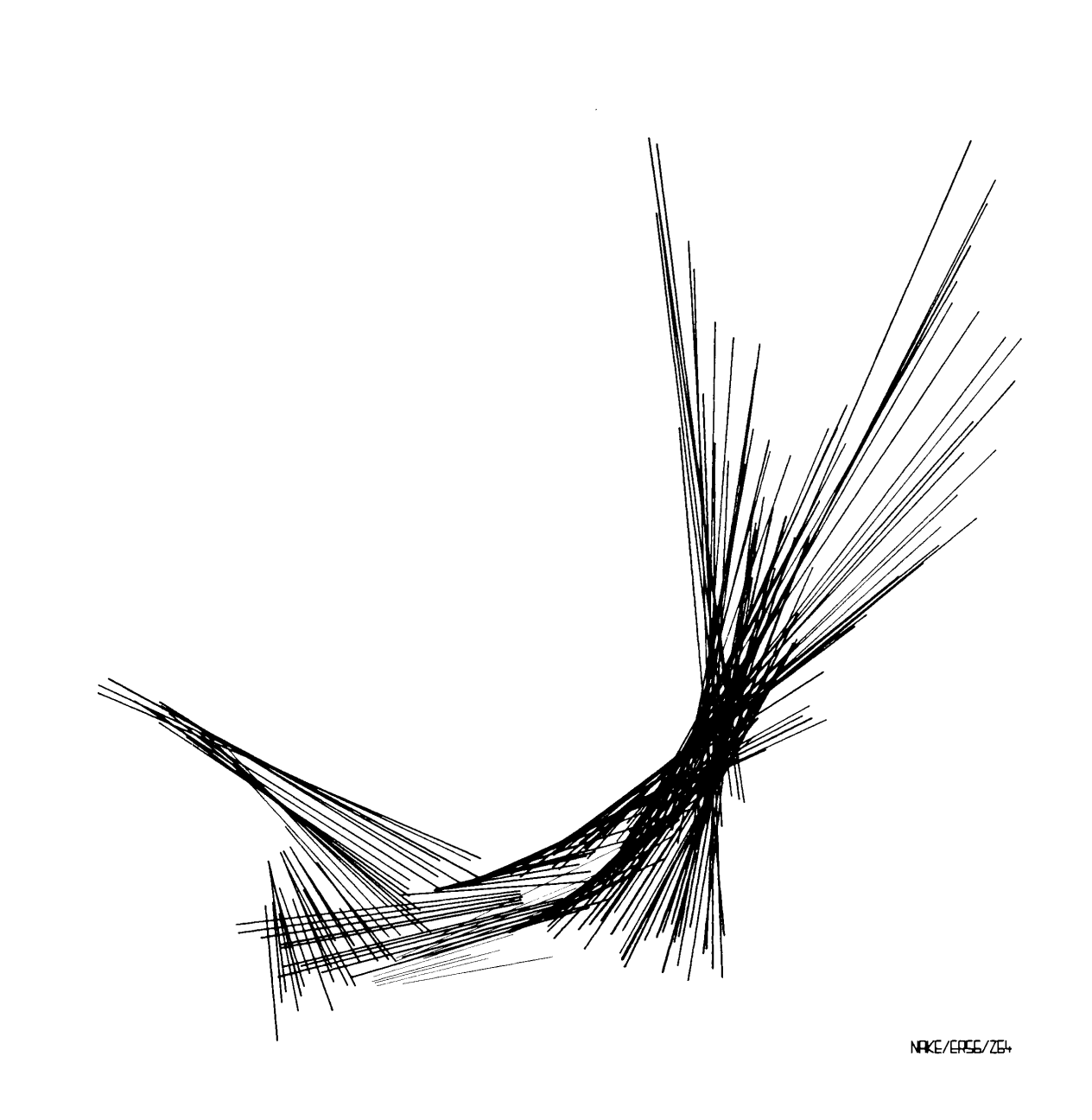
For this artwork, I was inspired by one of the art pieces from our reading. When I looked at the work, I noticed all the thin lines coming from different central points and spreading out in different directions. It reminded me of laser beams that I have seen at TeamLab. I liked how the lines overlap and create a kind of chaotic but interesting pattern. I wanted to recreate that feeling in p5.js, but instead of using black and white, I used bright colors to make it feel more like the laser lights I remember from TeamLab. I also used random() so the lines change and move each time the artwork runs.

My Artwork!

Code I Am Proud Of

// blue lasers
for (let i = 0; i < 40; i++) {
  stroke(0, 255, 255);
  line(250, 250, random(50, 230), random(100, 400));
}

The part of my code that I am most proud of is the for loop because it helped me create many lines without having to write every single line myself and it was essentially muplitple loops for each color. Its my first time creating a loop so I was very proud of myself. The loop repeats the “laser beam” 40 times. I also used random () so that each line goes to a different place. I think this is cool because I learned how a small amount of code can create a lot of different results.

How This Was Made

I started with a 500×500 canvas with a black background because I wanted the colored lines to look like lasers in a dark space. To create a laser beam artwork meant that I had to use for loops to create multiple laser lines without having to write the same line() code over and over again (I wish I knew this in my first p5 art piece!). This was one of the parts I struggled with because I was still getting used to understanding how loops repeat code and how changing the numbers inside the loop affects the artwork.

I used stroke() to give the lasers different colors and line() to create the actual laser beams. I also used random() for the ending points of the lines so that each laser would go in a slightly different direction. I found random() confusing at first because I had to understand that the numbers I put inside it control the range of possible positions. Even changing the numbers a little could make the lasers look different. I also used ellipse() to make the small white light in the center where all the lasers start. Getting the lines to start from the same point was another part where I had to pay attention to the coordinates. I had to think about the x and y positions and how changing them would change the direction and length of the lasers.

I used the p5.js examples and what we learned in class to understand how to use for loops. I also used the p5.js reference to look up line(), stroke(), random(), and ellipse() when I was unsure about how the coordinates worked. I mostly learned by changing the numbers and seeing what happened, which helped me understand the code better than reading about it.

Reflections & Future Work

I found the process of this art piece a little frustrating at first because I had to keep changing the code and testing it to understand what each number was actually doing. I realized that coding an artwork is a lot of experimenting and making small changes until something works the way I want, especially because at first I wasn’t feeling inspired by anything. It also made me more comfortable with using loops and coordinates, which I was not very confident with before.

For my future works I want to experiment more with movement and interaction instead of only making something that stays on the screen. I think adding mouse interaction would be a good next step for me because it would make the viewer part of the artwork and it would definitely be more fun to interact with.

Week 2 – Generative Art

Concept

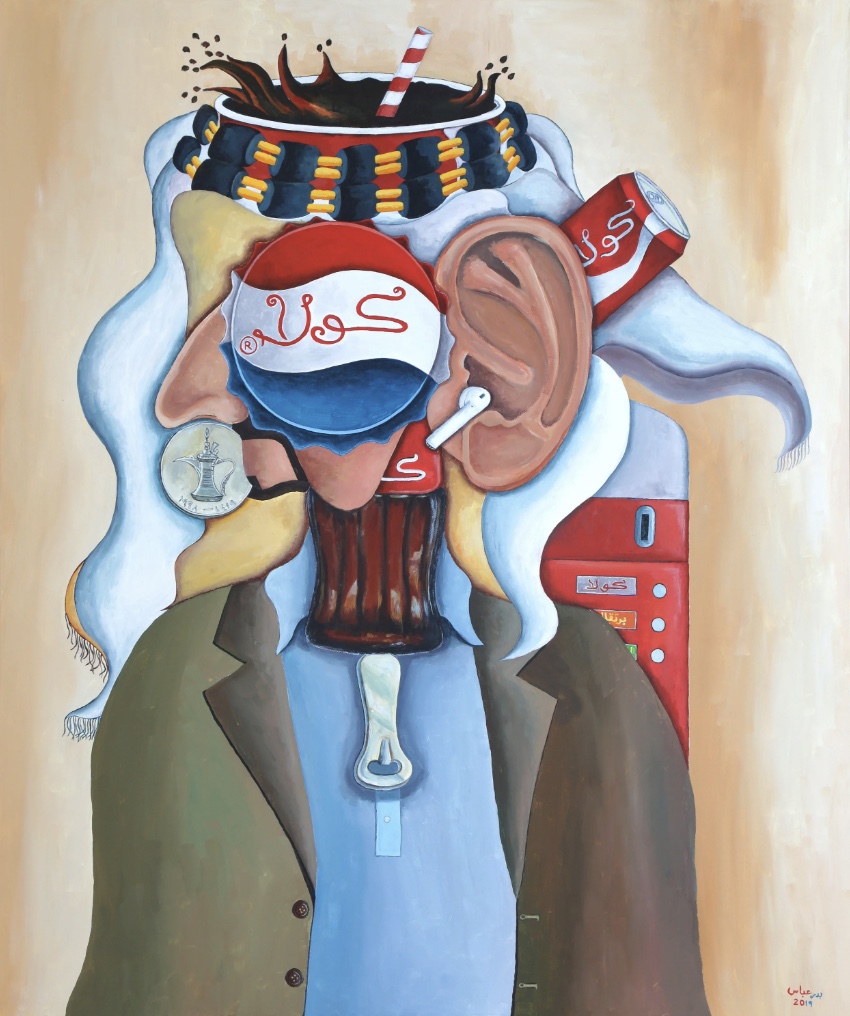
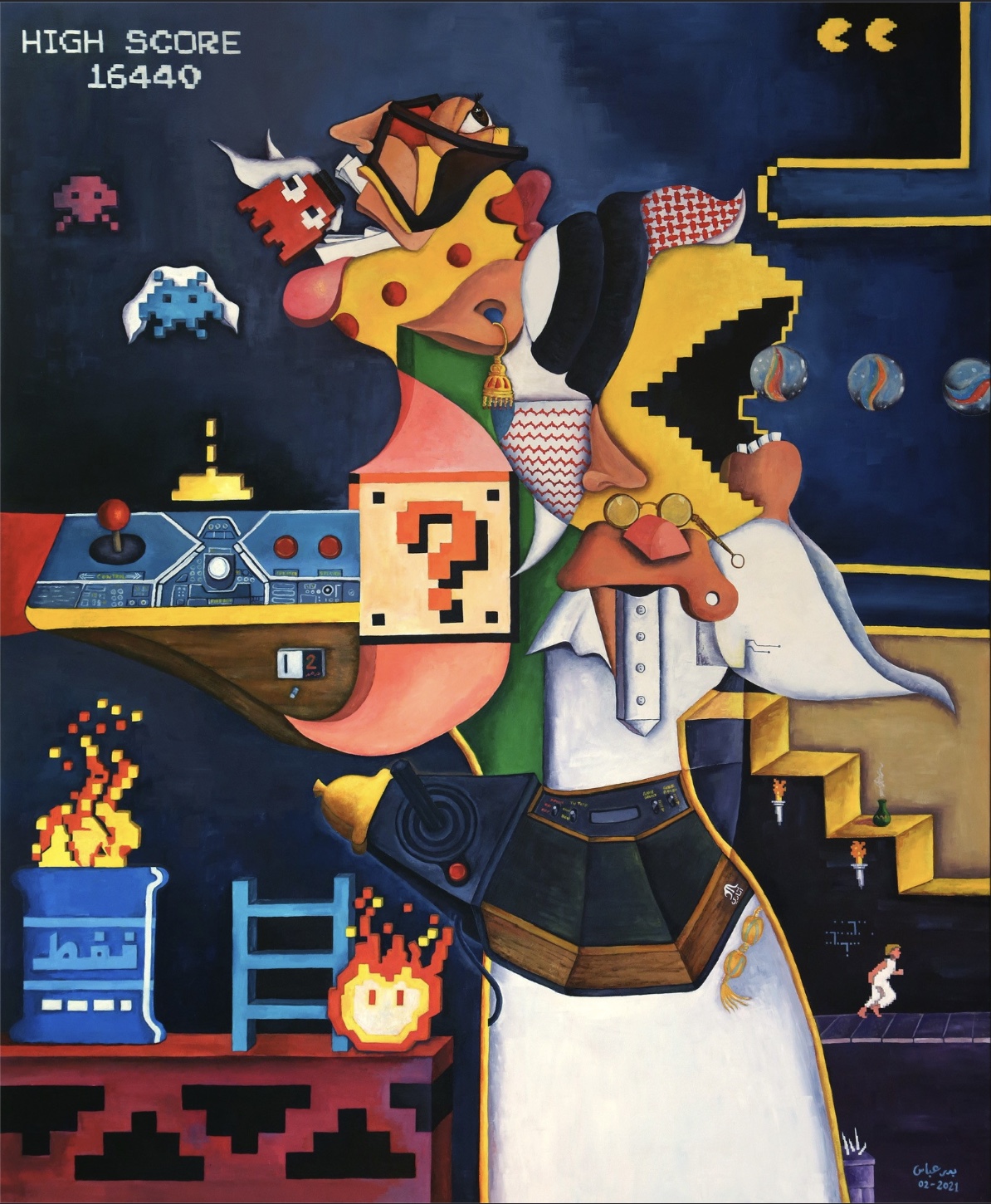
I grew up around my father’s paintings, he is a cubist, so when this assignment asked for a work of art made out of loops, my first instinct was to try and get something of his work into it.

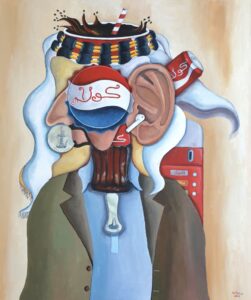
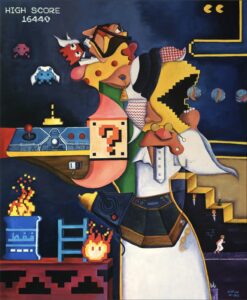
His paintings have a similar touch. An Emirati figure in traditional clothing, but the face is never a face. In one it is a Pepsi cap and a cola glass. In another it is a Jumeira Road sign with a traffic light on top. In a third the whole scene is an arcade cabinet, Pac-Man and Space Invaders. The body stays traditional and the head is always something imported. That contrast is the thing I wanted to borrow.
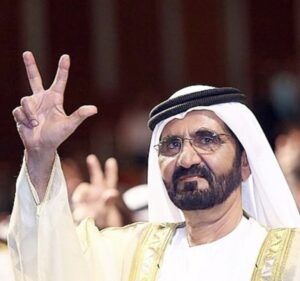
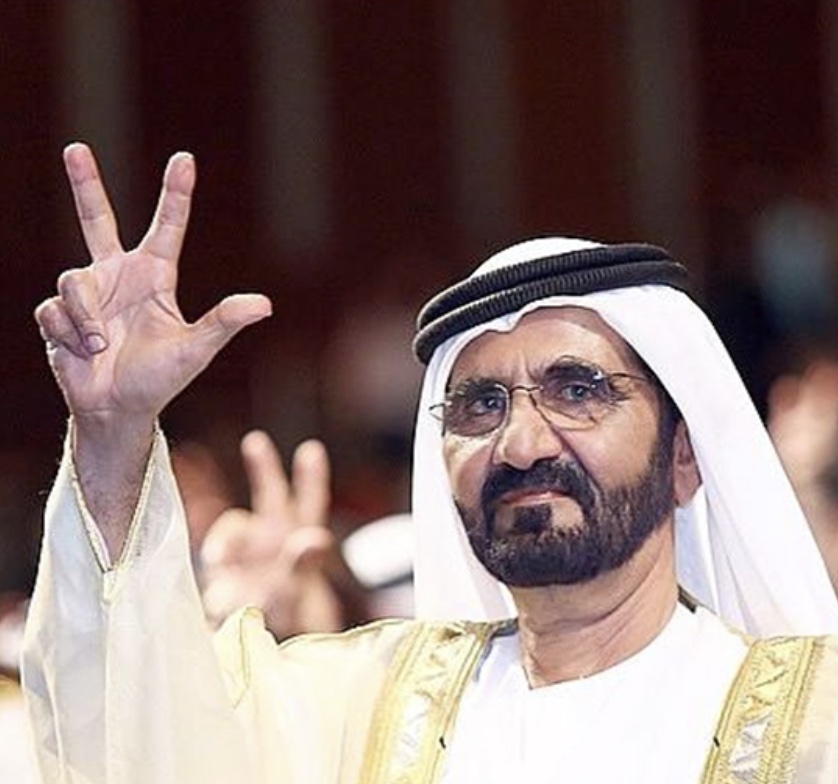
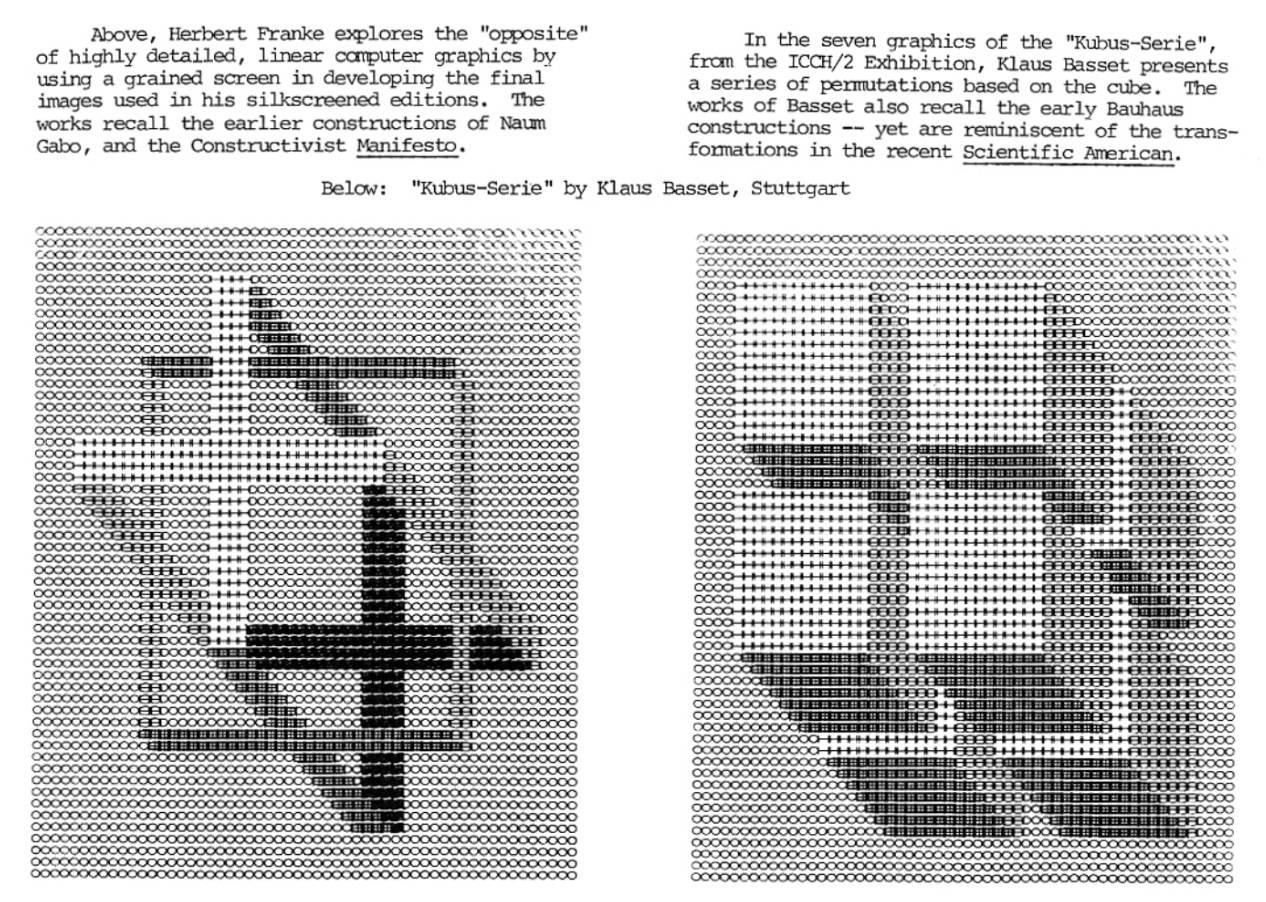
What I ended up making is a hand doing the three fingers salute that H.H Sheikh Mohammed bin Rashid does three fingers up for win, victory and love. The whole canvas is broken into irregular shapes that slide up and down against each other, the way a cubist face is broken into planes that do not line up. The hand is made of exactly the same shapes as the background, so most of the time you cannot see it at all, I also got inspiration from one of the sources to create an illusion effect with the hand and implemented it.
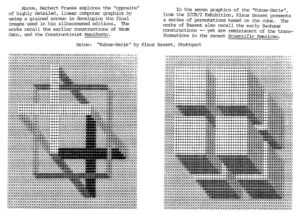
Then it comes out. And as it appears, it also stops moving. Everything around it keeps sliding but the hand holds completely still. It is the one fixed thing in a field that never settles. Then it fades back in and rejoins, and comes back in the next color of the flag; red, then green, then white, then black.

Code Snippet

quad(
       x + random(-j, j), y + random(-j, j) + d,
       x + s + random(-j, j), y + random(-j, j) + d,
       x + s + random(-j, j), y + s + random(-j, j) + d,
       x + random(-j, j), y + s + random(-j, j) + d
     );

This part of the code is where I was most proud of, creating those irregular shapes and making that motion of sliding against each other with the slide function, it took time and effort searching through references and working with the p5.js tutorials but I was finally able to get it. The quad() is what makes the shapes look shattered instead of like a grid. If you take out all four random() calls you are left with the plain corners of a square: x, y then x+s, y then x+s, y+s then x, y+s. Adding a small random nudge to each corner is the entire difference between a pixel grid and something that looks like a broken plane. That was the closest I could get in code to how my dad breaks a face into flat angled pieces.

Embedded Sketch


How This Was Made

This was made with a lot of references that were new to me. Most of them came from the p5.js reference site, where I found quad(), noise(), randomSeed(), lerpColor(), constrain(), and abs(). Each one ended up doing a specific job.

. quad() is what let me draw a four sided shape with corners anywhere I wanted, instead of rect() which is always a right angled box. Without it there is no fractured look at all.

. noise() gave me smooth randomness rather than the jumpy kind, so neighbouring facets get similar colours and the background reads as planes instead of static.

. randomSeed() solved a problem I did not see coming. The shapes flickered violently until I understood that random() runs fresh every frame, and resetting the seed at the top of draw() makes every facet keep the shape it had.

. lerpColor() mixes two colours by a proportion, which is what lets the hand fade out of the background rather than being switched on and off.

. constrain() clamps a number between two limits. I used it to flatten the top and bottom of the sine wave so the hand holds still at each end instead of permanently mid fade.

Reflection and Future Work

The thing I did not expect is how much of the piece is decided by numbers rather than by drawing. I never drew a hand. I wrote six conditions and tuned numbers until the silhouette matched a photo. That felt strange at first and then it felt like the point.

It also lined up with the Reas talk more than I thought it would. The shapes are random, but I chose the palette, the grid size, how far a corner can wander and how fast the fade runs. The randomness does the part I could not be bothered to do by hand, and it produces small irregularities I would never have thought to draw. That is the balance he was talking about.

For the future, I would use the mouseX to control how far the shapes wander, so the viewer decides how broken the image is, make the hand disappear in a better fade look than just fade without a proper effect.

 

Week 2 – Reading/video Response

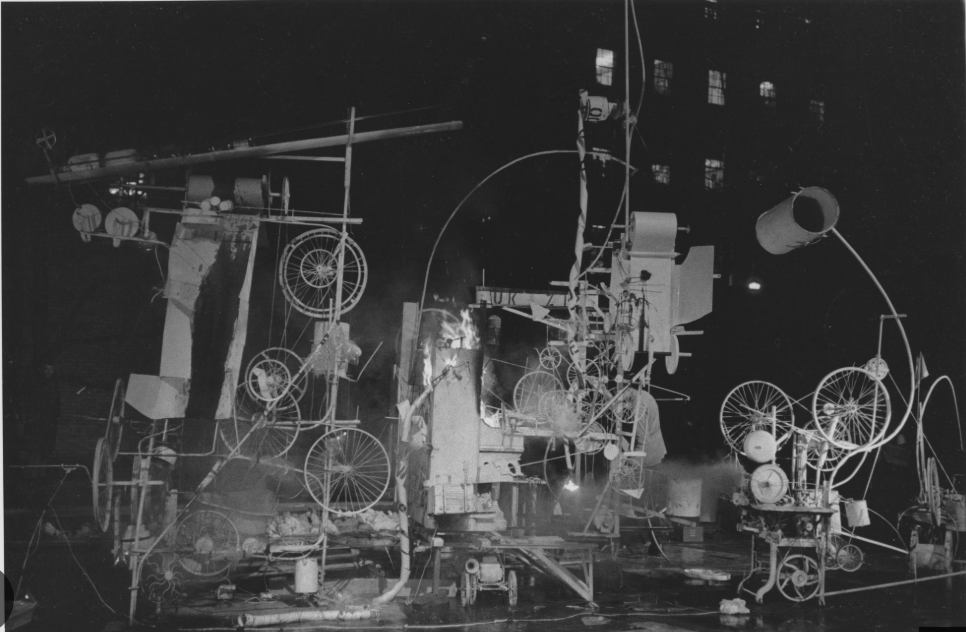
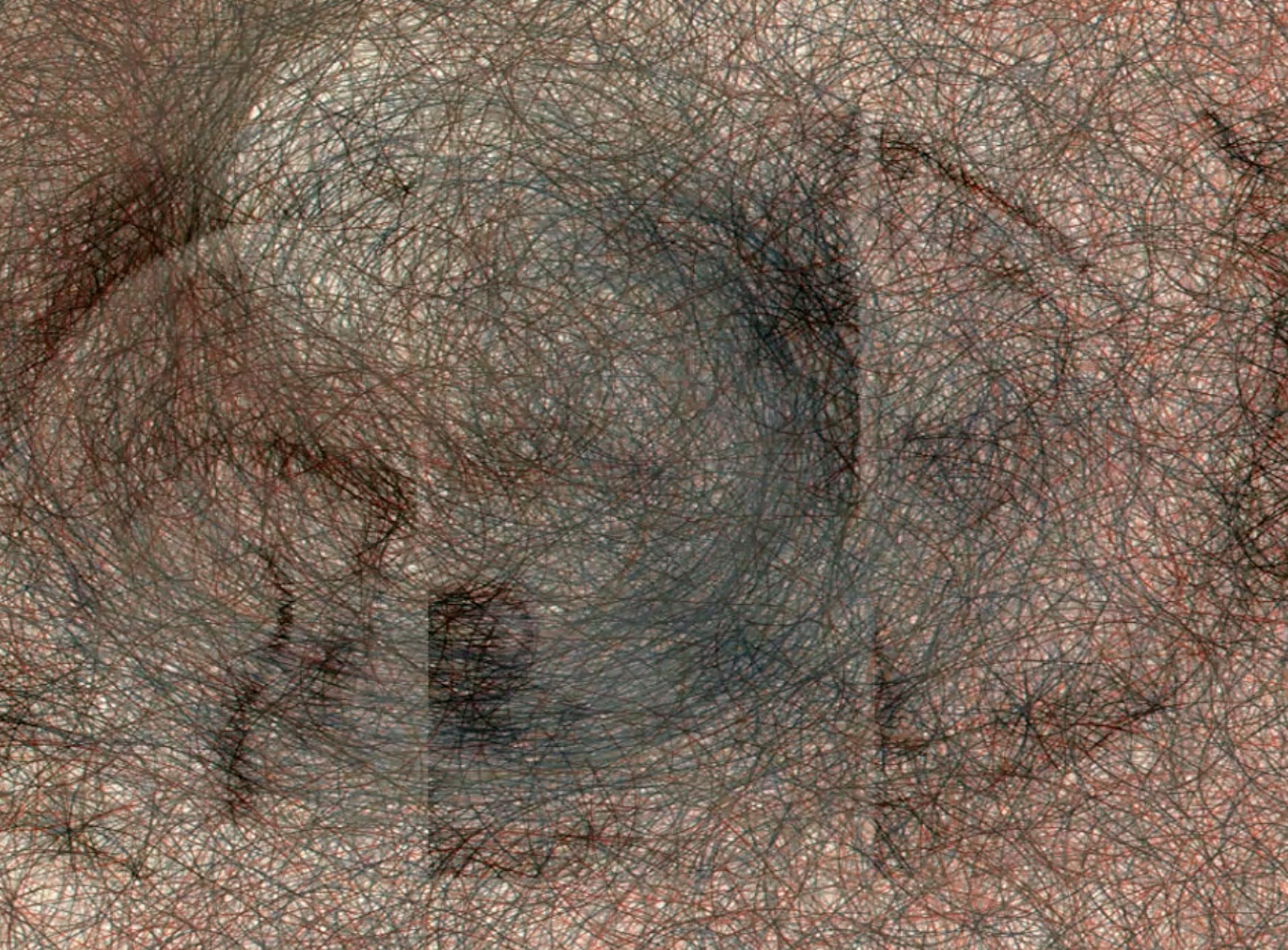
Casey Reas’ talk about chance operations made me think about the relationship between control and power. One example that stood out to me was the massive structure he talks about called “Homage to New York” that was designed to destroy itself through a performance. The structure ended up catching on fire, which was not completely expected, but I found this interesting because the idea behind the work came from the Atomic Age and the huge amount of power that machines and technology can have. It made me think about how we react to things that we create but cannot completely control.

(Homage to New York by Jean Tinguely)

He also mentioned the mistrust of machines and systems of power which i found interesting. Machines are usually made to create order and follow specific rules, but they can also create chaos when something unexpected happens. There’s also a difference between the person creating the system and the machine following through with it. We can give machines instructions but we can’t always predict exactly what will happen. This makes me question how much control we should give machines (especially Ai nowadays), especially when they are connected to systems of power that can affect people.

I also liked the contrast between drawing by hand and making art through a computer. When I draw something myself, it feels more personal because I am controlling every line and decision. With a computer, I can create the rules but then allow chance to take over some of the decisions. For my updated p5.js self-portrait , for example, I learned how to create a set palette of colors and let the computer randomly choose a color whenever I click. I would still control the choices and the overall design, but I would not completely control the final result.

For me, the best balance is somewhere between complete control and complete randomness. I still want my work to feel intentional and personal, but I think adding chance can make it less predictable and more interesting. Reas’ talk changed how I think about randomness because I used to see unexpected results as mistakes. Now I see that they can become part of the artwork itself. It also leaves me wondering how much control an artist should give up and whether a machine can become part of the creative process without taking away the personal side of making art.

Week 2 – Reading Reflection

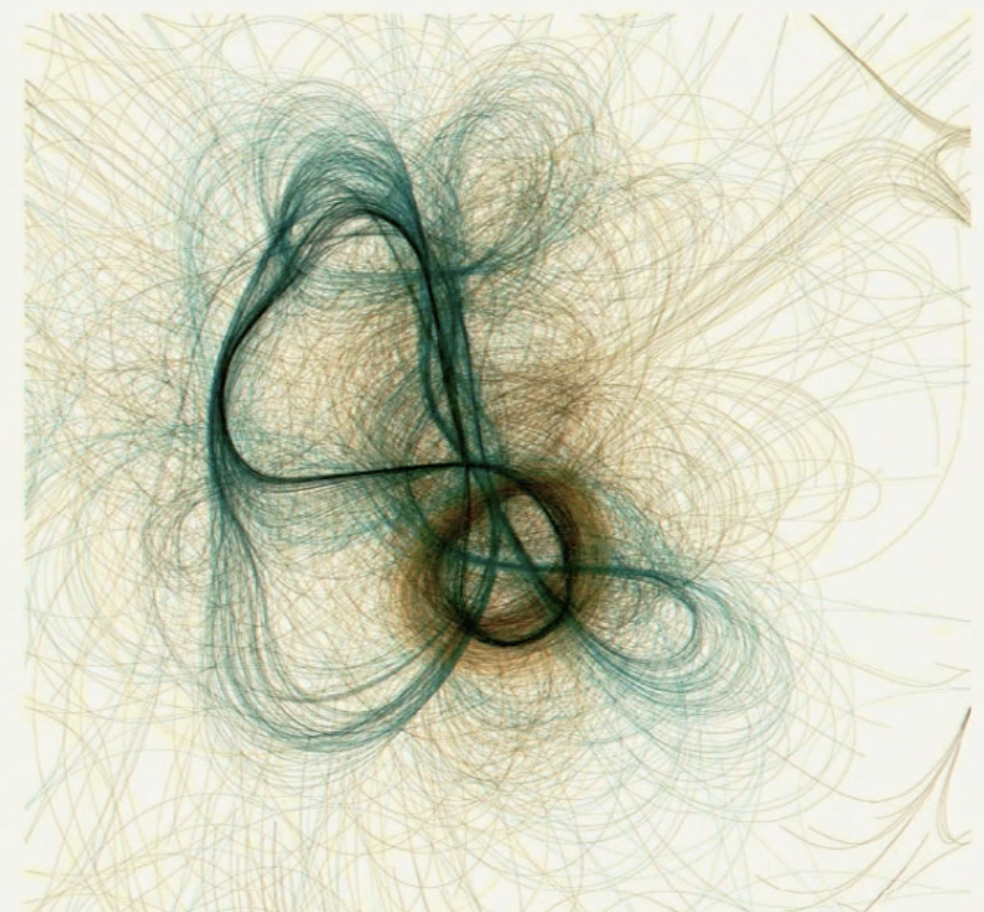
Casey Reas’s talk really changed the way I think about randomness in art. Before watching it I mostly thought of randomness as something that takes away the artist’s control and gives freedom to the computer  but I now see that randomness can still be intentional when the artist creates the rules and limits first. What interested me most was how Reas showed that order and chaos can exist together. The biological pieces especially stood out to me such as the representations of proteins, cancer cells and tissue. Computer vision was being used to visualize things that would normally be strange or difficult to represent visually but the results became these beautiful organic forms. I was particularly drawn to the pieces made from long lines that curve and build into cirI was also interested in how the same idea of randomness could be used in completely different fields, from biological structures to fashion, vehicles, music and movement. It made me think of how something that looks chaotic can still convey a certain feeling or idea if the artist has created an underlying structure.

The talk also made me question where I personally want the balance between randomness and control to be. I do not think that more randomness automatically makes a piece more interesting. If everything is random, I feel that the work can become visual noise and lose the artist’s intention. For me, the most interesting point is when the artist controls the concept, structure and limits, while the computer controls smaller decisions within those boundaries. I never thought such a simple coding function could create art at a technical level. I now see code more like an artistic medium similar to paints where the artist can set the rules and allow the system to produce something unexpected. Reas’ examples of random numbers and the idea of making small changes that create chaos in an ordered way also made me think about how even very small variations can completely change an outcome.

For my production project, I think I want to explore this idea through the biological-inspired visual art. The pieces with the long, flowing lines that formed these organic structures were probably what interested me the most because they reminded me of something alive and gave me this feeling of freedom and flow. I want to try creating something similar where I have control over the overall structure, but I don’t control every little detail. For example, I could use randomness to decide the direction, length, color or movement of the lines. I think that would make the process more interesting because I would still have an idea of what I want the piece to feel like but I would also be able to see what the computer comes up with on its own.

Week 2 – Reading Reflection

Reflection

Casey Reas talk reframed how I think about the role of randomness in creative work. He talks about “controlled randomness,” where the artist doesn’t control every outcome, but does control the rules that the randomness has to follow. So chance is not a lack of decisions, it is just a different kind of decision.

For my own work, I plan to use randomness with some control to make things feel more realistic. I think that too much randomness can make a piece feel meaningless, since it can look like nothing was actually decided or planned before the project. But too much control isn’t great either because it only leaves room for what I’ve already imagined and nothing more.

I don’t think there’s one fixed balance between randomness and control because it really depends on the piece someone is working on. Some ideas need more structure with just a little randomness added in, while others can handle a lot more chance. For me, I would aim to keep the overall rules consistent, but let the small details  like position or timing  be randomized enough to surprise me.

Reading Reflection – Week #2

I like to think of art as a trained lion: tamed enough to be obedient to commands, but still carrying that uncertainty of when it can pounce on you. This is why I was initially skeptical when I first heard about having to create a digital artwork. I thought that involving a computer would strip away the humanness, the emotional weight, that art is supposed to carry. Casey Reas’ talk challenged that assumption of mine. At the beginning of the video, he explains, “The goal…was to make things that are artificial and still had an organic quality to it and try to spot the difference in between” (03:36). This was when I got a glimpse of what this meant. Involving a computer does not necessarily trivialize the thought process of an artist, but can instead act as a medium for creating randomness (or, in the language of my metaphor, the fear of the lion’s pounce). It is indeed that very balance of the artist navigating chance to decide how something should feel that makes coded art legitimate art. I believe Cage would agree, considering his critique as highlighted by Reas: “Those involved in the composition of experimental music find ways and means to remove themselves from the activity of the sounds they make” (16:27).

Even work built on chance still demands that the artist make consequential decisions that shape its direction. For instance, Reas himself claimed to have spent months developing a composition before writing a single line of code. This is what mainly convinced me to move past my preconception and actually appreciate the artistic possibility and the hard work behind coded artworks. Reas’ point near the end about symmetry, about how it taps into the “basic pattern recognition we have in our heads” (28:21), struck me. I did not think that there would be room for imagination in a coded output. Therefore, I am convinced by Reas that the play of structure and randomness is at the core of digital art. However, I still wonder what that balance should actually look like. What level of order and how much chance are to be employed remains very subjective. I do not think this is a flaw in his argument, but rather that it encapsulates what makes an artwork original.

Reading Reflection Week 2

One way that I would like to incorporate randomness into my work is by allowing some visuals to change independently while keeping the main elements under my control. What interested me most about Reas’ talk was how some aspects of the composition can be left to the computer to randomly generate, resulting in the creation of distinctively unique artwork. For example, I could control the main shapes and structures while leaving other aspects like color and size to the computer. This would allow different versions of the artwork to emerge while keeping my original intentions.


For me, I believe that there needs to be an equal mix of artist input and randomness. Total randomness could produce interesting results but would tarnish the original intent of the artist and make it less meaningful. Complete control could also feel bland, as the human imagination can only go so far. Randomness can create new ideas and maybe set some new trends in the digital art world, though keeping it at bay is also important. I think the best balance is giving the computer enough freedom to create something unexpected while still allowing the creator to shape the general direction of the piece.