
Overview
To be honest, I was really worried about this assignment because I remember when I was studying C# I struggled a lot, especially with the for loop. I went over the practice exercises that we did during the week a lot and also looked at the books uploaded to search for some inspiration. I didn’t even start the code until I saw the Casey Reas video and went through the given books to look over for some inspiration, because I felt a little lost regarding what I am expected to do. But in the end, of course, I managed to make something that I actually quite like and am proud of.
Process
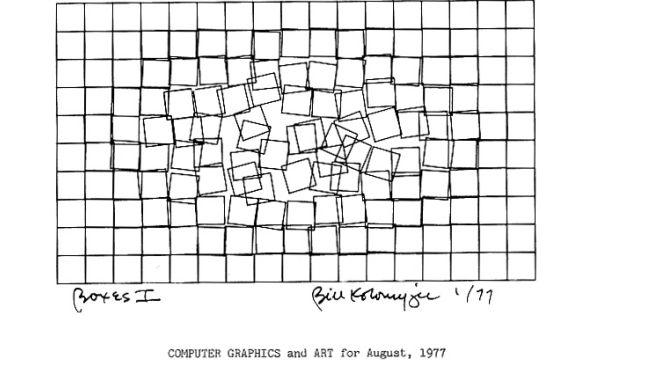
At first I wanted to make it just a grid of rectangles as seen in the image, which was my first inspiration photo that I picked out, and when a user would click somewhere, those rectangles would move to a random spot. I started working on that code, but I found it a little too complex for me right now, so I decided to look for another inspiration image. From the very beginning, this image of rectangles has stood out to me a lot, and I found this one with just a lot of random lines across the screen, and I thought, “What if I combined the two?”
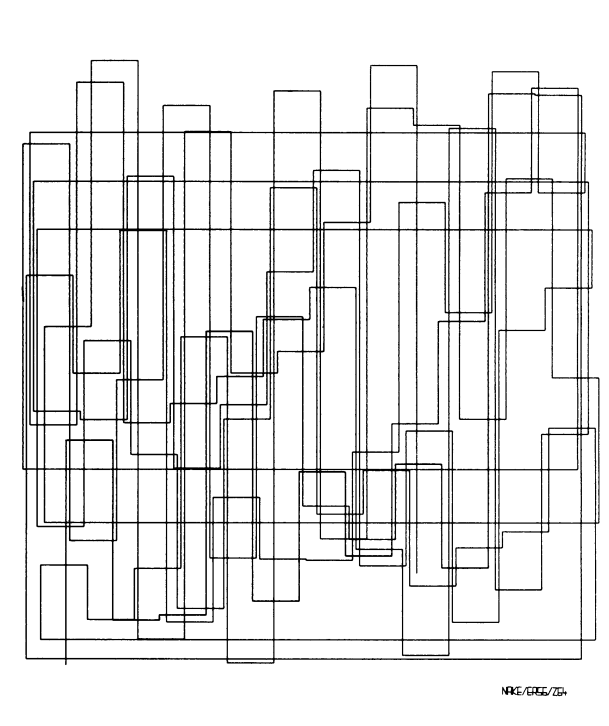
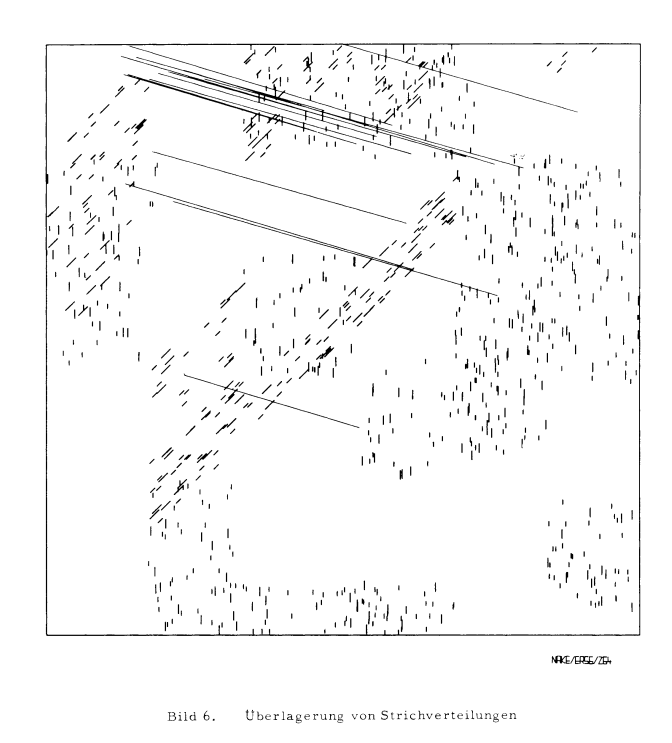
I was very sure at this point that I wanted to work with lines and rectangles, but also, that I wanted to incorporate colours in some way. At first I had the idea of filling in the rectangles each time with a different colour, but when I tried it out it basically filled in the whole screen, so later I decided on just colouring the strokes. I also decided on that, because halfway through the code I realised that lines can’t have a fill, only a stroke.
It was also a very small fragment of the job, but I really loved picking out the colours that appear.
The Code
let colourPalette = ["#4B0082", "#FFF0F5", "#ADD8E6", "#808000", "#DB7093", "#FFFAFA", "#F0E68C", "#DAA520", "#FF1493", "#8B0000"]; //the array containing

function setup() {
  createCanvas(500, 500);
}

function draw() {
  background("grey");
  frameRate(2); //how many frames are drawn per second


let numLines = random(30); //randomising how many lines are drawn on each frame
let num = 0; //how many I start with


while (num < numLines) {
  //randomising where each line starts and where they end
  let firstPointX = random(width);
  let firstPointY = random(height);
  let secondPointX = random(width);
  let secondPointY = random(height);

  //drawing the line itself
  stroke(random(colourPalette)); //chooses a random colour for the lines each time from the array
  line(firstPointX, firstPointY, secondPointX, secondPointY);
  num++; //increase the num variable so the loop eventually stops
  }
console.log('hellooo');

let numRects = random(15); //giving how many rectangles I wanted to draw

for (let num2 = 0; num2 < 15; num2++){ //same structure but with a for loop nos so I can see both kindsat the same time
  let xCoord = random(width);
  let yCoord = random(height);
  let widthRect = random(width);
  let heightRect = random(height);
  noFill();
  rect(xCoord, yCoord, widthRect, heightRect);
}
  console.log ('went through');

}
The code is not too long or complicated, but it still took me a little to figure out. I am particularly proud of the way I realised that I can change the framerate of the code so I can control how many images get generated each second. At the start it was going very fast, but now I really like the pacing of it. I also feel proud of just the fact that I managed to incorporate both a while and a for loop, just so I am able to practice both a little. Like in the previous code, I also tried to make everything quite organised, and give the variables names that I would be able to recognise later.
I really enjoyed experimenting with the random variable. I used it for the colours and the drawing of the shapes, and honestly I didn’t expect it to work so well. There are also some console.log’s because in some previous codes I was practicing on they came in very handy.
Reflection and Ideas
As a reflection, I actually feel really proud of this exercise, not necessarily because I managed to write a long and complicated code but because I was finally able to understand the for and while loops. I had a really bad CS teacher back in high school, and I didn’t really learn anything from him, which made me really stressed to start this course. I thought I would be again just very confused about these loops, but I actually understand both of them now. I also quite like how the end result looks.
For the future, I think I will try to challenge myself a little more with both the code and the creative part. For this I had to use some reference images, but I would love to just think of something on my own.
References
For the colours:
https://www.w3schools.com/cssref/css_colors.php