
Potion Perfect!
Here’s a link to my midterm project: https://editor.p5js.org/Maithaalshamsi/full/dWxeimKZc
Concept:
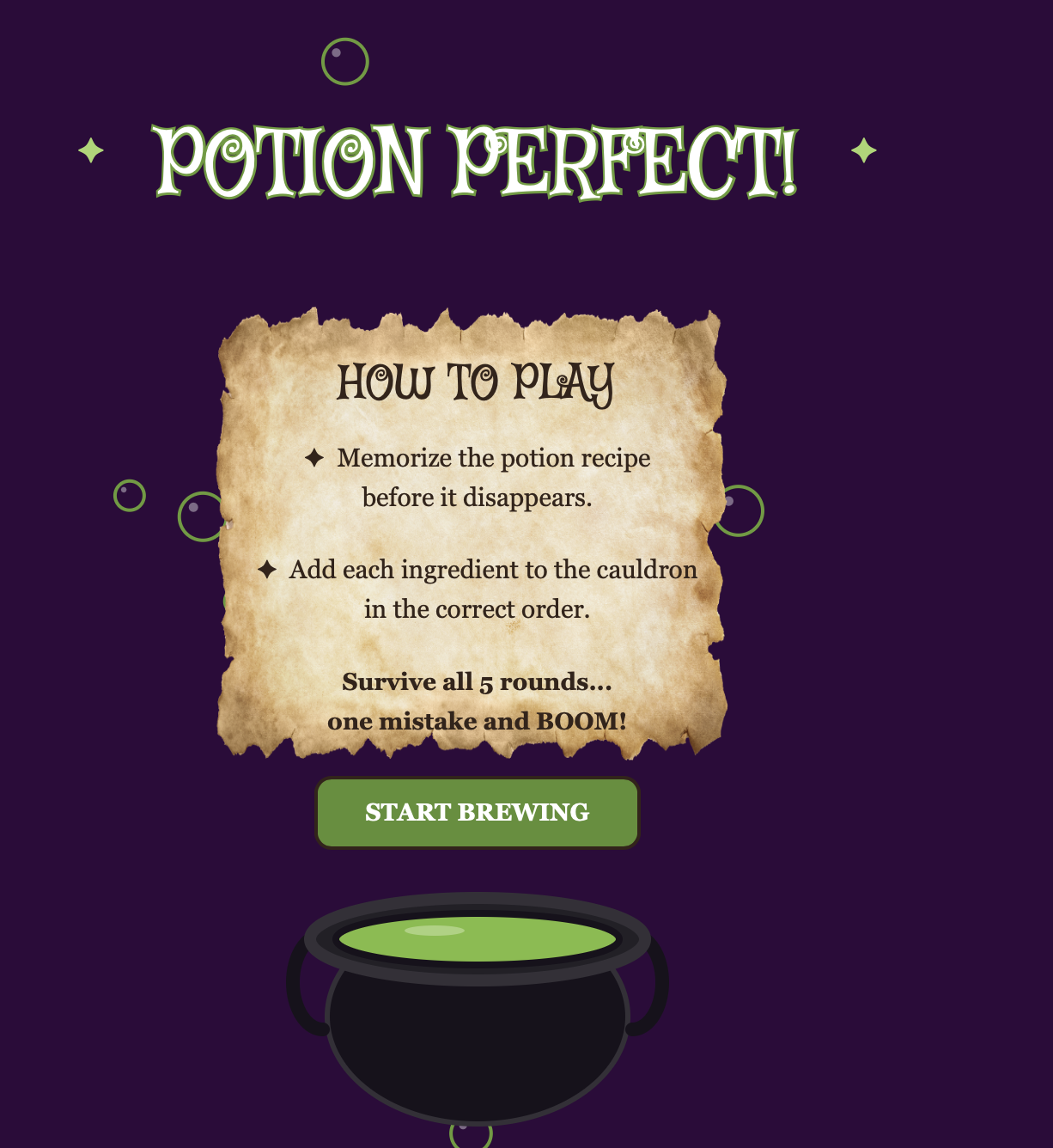
My idea for this project was to make a potion memory game. The user enters the witches room and will have to make a potion according to what ingredients they are assigned. They will be given a list of ingredients but the catch is that they only see it for a few seconds and then it disappears BUT that’s not all, each round gets harder. The user has to see if they memorize the ingredients and click the correct potion in order to pass the game, but every round adds a new ingredient. If the user clicks the wrong ingredient, they lose and have to start over!
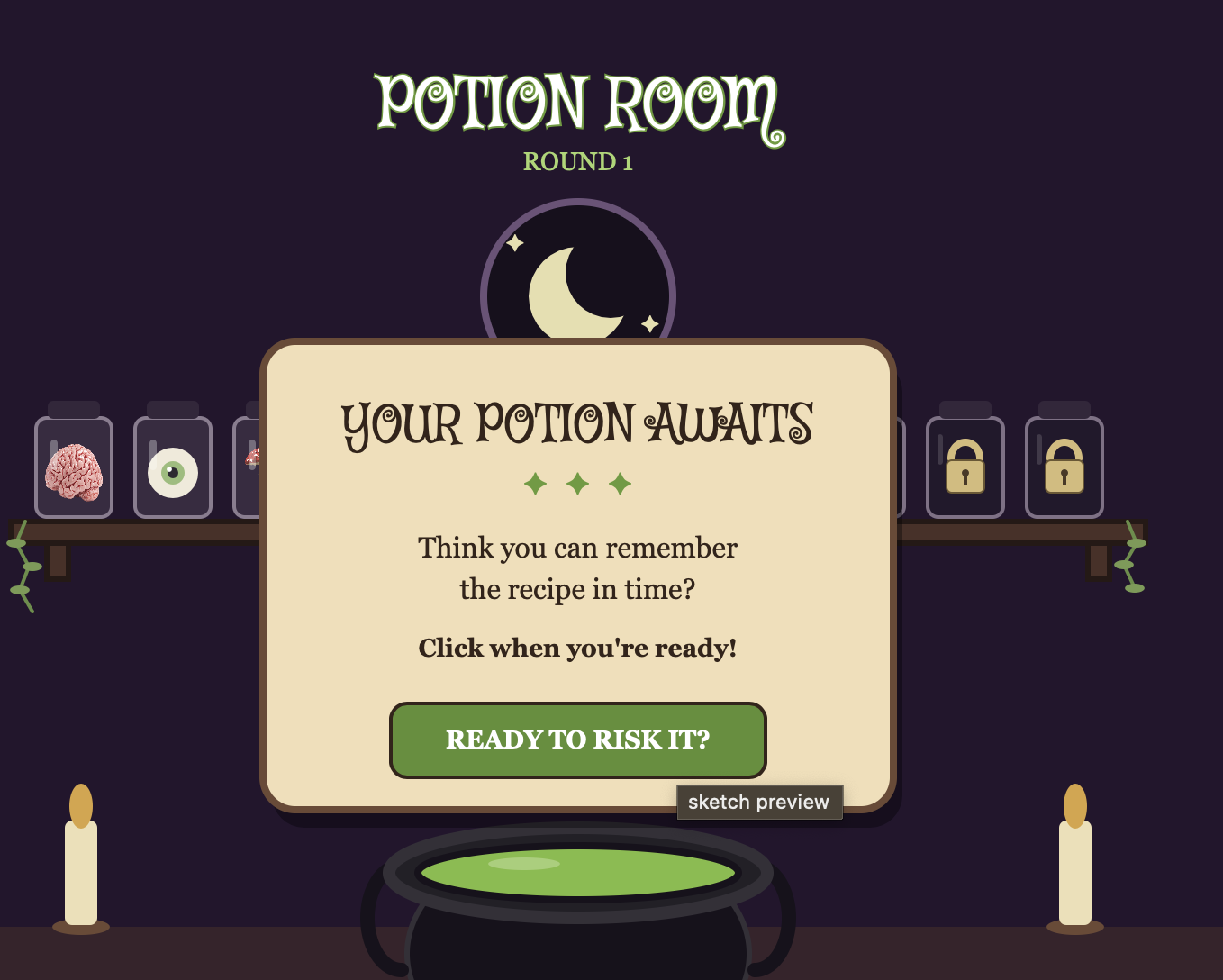
I want the game to feel fun but also challenging, so I decided to make each round harder than the previous one. Each round has a new ingredient added to the recipe. As they progress through the game the player has to pay attention and remember more ingredients as they try to win the game. I also wanted the game to feel like the player was actually inside a witchy room, rather than it just being a regular memory game. In the room I included potion drawers, sound effects, and make sure the color combination fits the theme.
How my project works:
Once you enter my game, there will a welcome screen that will explain how to play. When the player clicks the start button, they’ll enter a spooky, witchy room where there will be shelves filled with ingriendents. Before each round, you’ll get a recipe card showing you the ingredients. The trick is, you’ll get to see it for a few seconds only. After that the player will have to pick the ingredients by memory. If they click the wrong ingredient, boom, you lost and will have to start all over again. Every round more ingredients will be added to the recipe card, making it harder to memorize.
My code:
When it came to coding, I used different game states to switch between the start screen, recipe card, gameplay, and ending screens. I also used a CSV file to store the potion recipes, which allows the game to randomly choose a recipe for each round. I used arrays to store the ingredients in the recipe and a variable to keep track of which ingredient the player needs to click next.
One part of my code that I’m proud of is making the recipe disappear after a few seconds. I used mills() to check how much time had passed since the recipe appeared (recipeStartTime). Once the time was up, the game would switch from the recipe screen to the game screen, where the player had to remember the ingredients on their own. I’m proud of this because it was one of the most important parts of making my memory game actually work.
if (gameState == "recipe") {
  gameScreen();
  drawRecipeCard();

  // Hides the recipe when the time runs out
  if (millis() - recipeStartTime >= recipeTime) {
    gameState = "game";
  }
}
I also think an important aspect to my code is the visuals. The reason why is because it makes the user enjoy the experience even more. I spent a lot of time designing the witch’s room and adding small details like the candles, moon, shelves, and potion jars to make it feel like an actual potion room. I also added animations, such as the eyeballs following the mouse and the flies moving when the user hovers over them.
function drawEyeballJar(x, y) {

  // Checks if the mouse is hovering over the jar
  let hover = jarHover(x, y);
  let eyeY = y + 3;

  noStroke();
  fill("#eee8d5");
  ellipse(x, eyeY, 28, 28);

  // Sets the pupil's starting position in the center
  let pupilX = x;
  let pupilY = eyeY;

  let mx = mouseX - width / 2 + 350;
  let my = mouseY - height / 2 + 325;

  // Makes the pupil follow the mouse when hovering
  if (hover) {

  // Moves the pupil left or right
    if (mx < x) {
      pupilX = x - 5;
    } else {
      pupilX = x + 5;
    }

  // Moves the pupil up or down
    if (my < eyeY) {
      pupilY = eyeY - 5;
    } else {
      pupilY = eyeY + 5;
    }
  }

  fill("#8db66a");
  ellipse(pupilX, pupilY, 13, 13);

  fill("#17121c");
  ellipse(pupilX, pupilY, 6, 6);

  fill(255);
  ellipse(pupilX - 2, pupilY - 2, 3, 3);

  drawGlassJar(x, y);
}
I made the eyeball using ellipses, and then I used mouseX and mouseY to find the mouse position. I used if statements to check which direction the mouse was in and then I changed the pupil’s X and Y positions by 5 pixels so it looks like the eyeball is following the mouse. I also used a hover function so it only happens when the mouse is over the jar. I did the same for the flies, but I used frameCount as my built in variable and sin() to make the flies move around.
if (gameRound >= 2) {
  drawFrogJar(565, 255);
} else {
  drawLockedJar(565, 255);
}
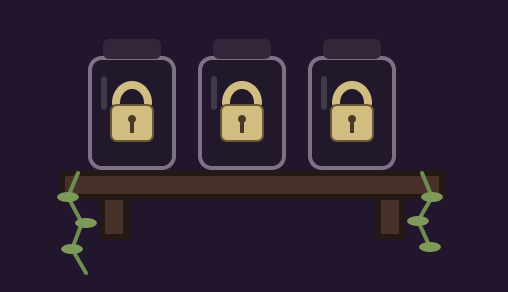
A part of my project I’m actually really found of are my locked ingredients feature. I thought this feature would add more of a game feel. How it works is an if else statement basically asking, has the player reached round 2 yet?” If yes, Show the frog ingredient. If no, Show the locked jar. As you proceed in rounds, 3 new ingredients will be unlocked.
Problems I ran into :
A challenge I surprisingly faced was making sure the game wasn’t too difficult or too easy. I made my friends try out my game, and I got similar feedback. The last round was too hard. I struggled with deciding how long the recipe should appear before disappearing. I decided the best solution was making the timer shorter for the shorter list of ingredients, while making the longer lists have a longer time limit. One thing I would still like to improve is adding more variety to the game, such as different potion recipes, more ingredients, and maybe even more animations. I think this would make the game more interesting and encourage players to keep playing.
One of the biggest challenges I faced while making my game was adjusting it to different screen sizes. This is because at first, I created my game using a fixed canvas size, but I realized that it didn’t fit properly when I opened it on a bigger screen. When I tried making it fullscreen, some of the elements, like the shelves, floor, and buttons, were not in their right positions. To fix this, I used windoWidth, windowHeight and resizecanvas to make the canvas adjust to the browser window. I used the professors example from class as well as AI to debug silly mistakes I made with the spelling. I also had to change how I positioned some of the elements to make sure everything stayed aligned. This took a lot of trial and error, but I eventually managed to make the game look better on different screen sizes.
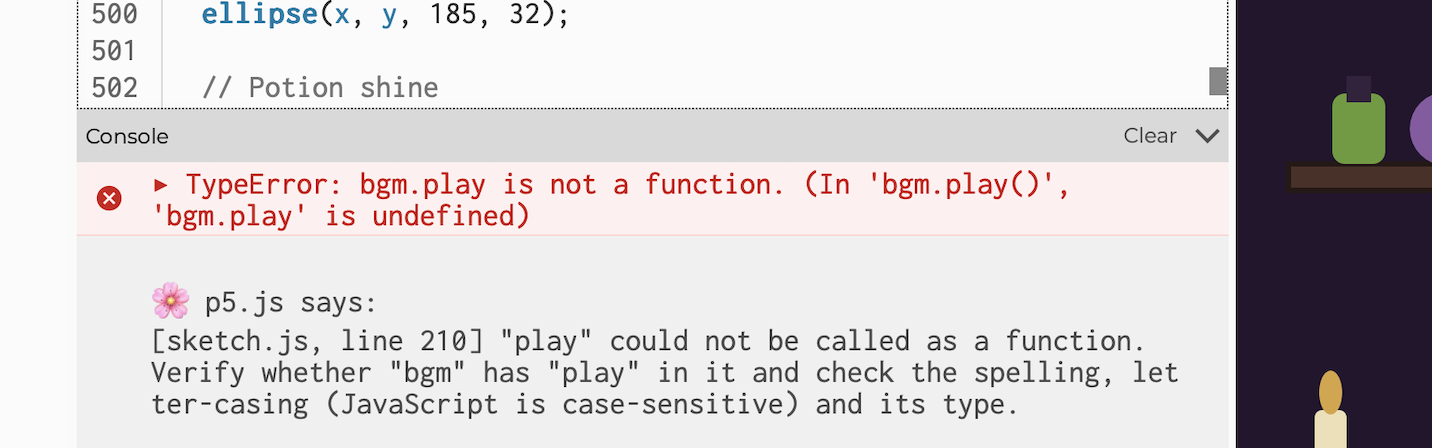
The last major problem was with the background music in my game. At first, I wanted the music to play throughout the game, but I had some issues with it restarting and looping. I experimented with the audio functions and eventually decided that I didn’t want the music to loop continuously. Instead, I used bgm.play() to play the music once when the player starts the game and bgm.stop() to stop it when needed. I thought this was a clever way to fix my problem and create a better fitting system when it came to the bgm. I made sure the music would restart from the beginning if the player went back to the start screen and started playing again. This helped me understand how to control audio in p5.js and how important sound is to the overall experience of the game.
Another thing that bugged me was how long my code got because of all the elements I shaped myself. The whole witch room, the jars, the candles, locks, flies, slime. I also decided to use vertex for the vine leaves on the shelves instead of creating just normal straight line, so it added more lines of code. So next time I’d definitely go around creating my code in a more efficient way.
If I had more time to work on my game, I would love to add more features to make it even more fun and interactive. One thing I would add is more ingredients and potion recipes so that the player has more combinations to memorize. I would also like to add different difficulty levels, where the player can choose between easy, medium, and hard depending on how challenging they want the game to be. Another idea I had was to add more animations, such as making the cauldron bubble when ingredients are added or having the potion explode when the player chooses the wrong ingredient. I think these additions would make the game feel more alive and give the player more reasons to keep playing.
Overall, I’m really proud of my project! I had a lot of trial and error, but at the end, I love how the outcome looked and I also learned many new features to coding.
Here’s a video on how it works:
I made sure to show the outcome of losing and winning!
Refrences:
Inspo : Friv, a game website I used to play on as a child, as long with everyone else in my generation. I wanted this game to feel like it would be in this website.
https://p5js.org/examples/Transformation-Translate/
https://p5js.org/reference/p5/vertex/
https://developer.mozilla.org/en-US/docs/Web/CSS/Reference/Properties/cursor
https://p5js.org/reference/p5/frameCount/
https://developer.mozilla.org/en-US/docs/Web/JavaScript/Reference/Operators/Multiplication
https://pixabay.com/sound-effects/search/cheering/
https://www.youtube.com/watch?v=76fiD5DvzeQ..
https://developer.mozilla.org/en-US/docs/Web/JavaScript/Reference/Operators/Logical_NOT
I got help from my sister who is majoring in IM for some feedback. When I got confused about how I could make features in my code hover, she gave me a lot of suggestions like using sin() and creating frameCounts.
I used AI to debug some codes and explain to me why my loop wasn’t working. It helped find my silly mistakes when it came to window width and height, and also helped me understand how I can do the game counts (rounds).