
Concept
As I scrolled through the Computer Graphics and Art magazine one image stood out right away. The geometric patterns looked familiar. They reminded me of the rugs I had seen during my trip to Morocco. The repeated diamonds, the shapes, all of it reminded me exactly of that. That moment became the starting point for my project. I wanted to bring the clean repeated designs of early computer art with the rich patterns and colors of Moroccan rugs. Making it feel random but still clean and organized.
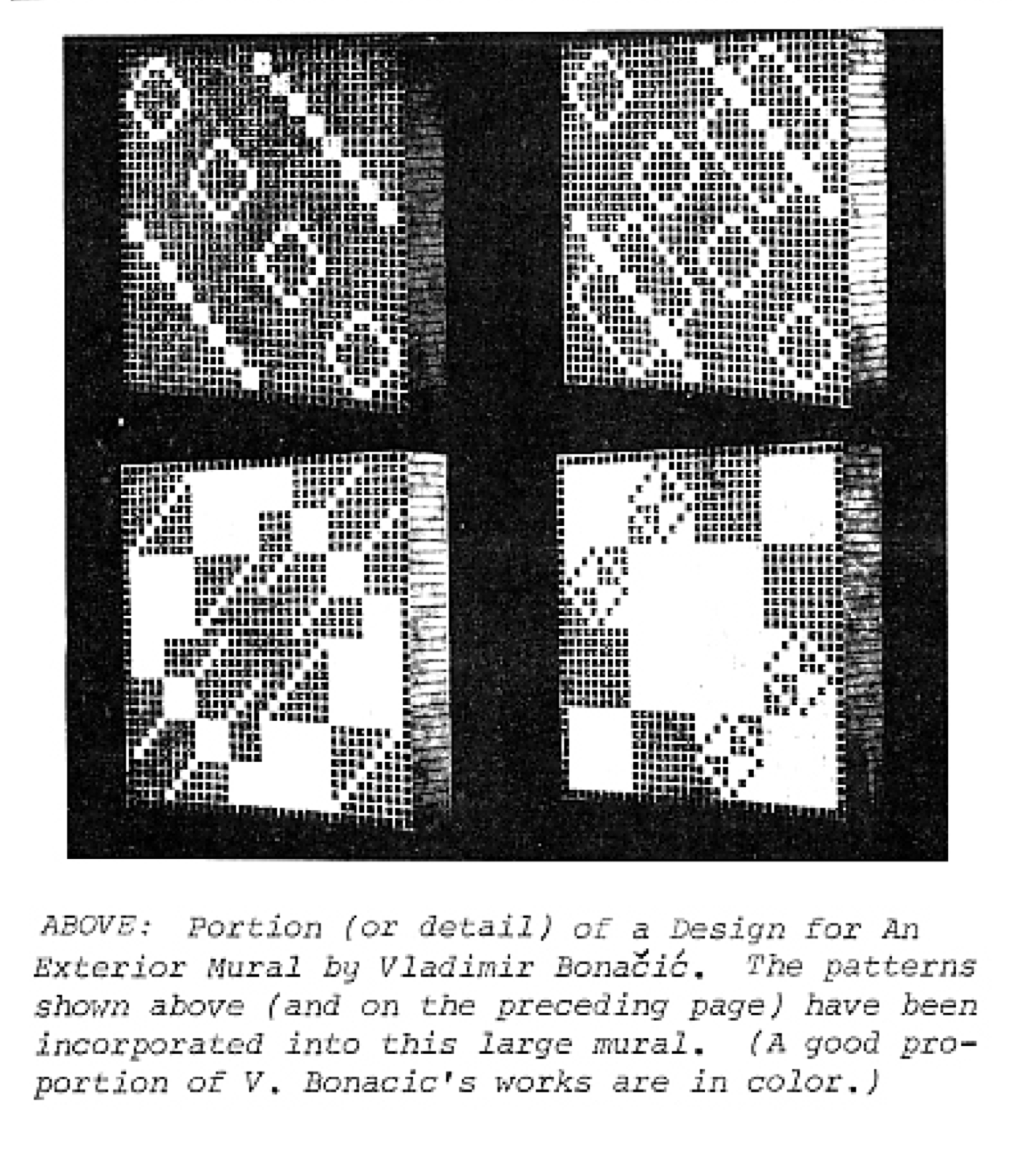
*from COMPUTER_GRAPHICS_AND_ART_Aug1977
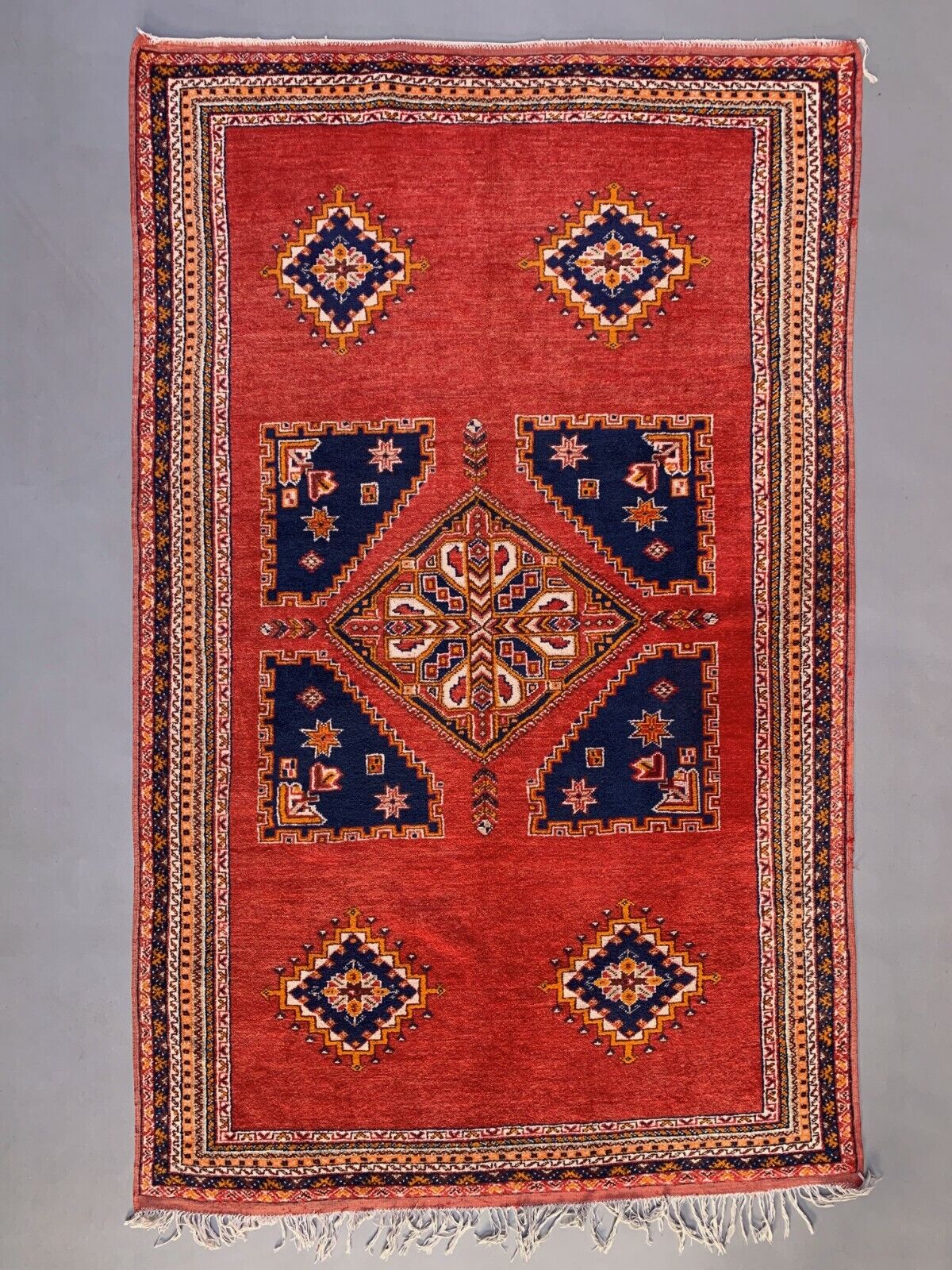
*Image of a Moroccan rug
Final Sketch
Code I’m Proud Of
One part of my code that I am particularly proud of is using the mouse position to change between two different color palettes:
// LEFT SIDE = COOL COLORS
if (mouseX < width / 2) {
  background(180, 220, 245); // light blue

  outerColor = color(40, 70, 160);   // blue
  innerColor = color(100, 180, 220); // cyan
  diamondColor = color(120, 90, 200); // purple
}

// RIGHT SIDE = WARM COLORS
else {
  background(245, 210, 160); // warm beige

  outerColor = color(180, 50, 40);   // red
  innerColor = color(240, 120, 60);  // orange
  diamondColor = color(245, 180, 60); // yellow
}
I specifically liked this part of my code as it makes my artwork interactive but without changing the structure of the design. mouseX tells the progress where the mouse is horizontally. Width / 2 represents the middle of the canvas, so if the mouse it on the left side of the canvas which is behind the middle then the cool colors appear but if its ‘else’ which is basically after the middle of the canvas it will show the warm colors.
How Was This Made?
I used rect() to build the borders and small parts of diamond patterns then I used for() loops to repeat the shapes instead of putting each one manually. I also created my own diamond() function so I could reuse the same shape in different places, which was the diamond shape diagonally across. For the interactive part I used mouseX with an if/else statement to split the canvas into two sides. When the mouse is on the left the sketch changes to cool colors and when the mouse moves to the right the sketch changes, to warm colors.
Reflection and Ideas for Future Work
I really enjoyed how this project let me bring together something I saw while I was traveling in Morocco with computer generated art. It made me understand that even though these two things are from different places they can still have similar ideas, like repetition, geometry, symmetry and pattern. I also found out that simple shapes can become much more interesting when they are repeated and arranged in a certain way.
If I kept working on this project I would add movement and randomness to the shapes. I would like some of the diamonds or small rectangles to move or change a little. Adding some sort of movement could elevate it more and make it even more interesting as it would feel like it’s alive but without getting too messy. As well as if I were to add different geometric patters or more color combinations that remind me of Moroccan rugs.
Resources:
COMPUTER_GRAPHICS_AND_ART_Aug1977
YouTube videos: Patt Vira-for loop creative coding with p5.js, The Coding Train-2.1: Variables in p5.js (mouseX, mouseY) – p5.js Tutorial