
Your concept
I was scrolling through the provided old computer art magazines for inspiration, and I ended up liking the work Random Squares by Bill Kolomyjec from COMPUTER_GRAPHICS_AND_ART_Aug1977. I wanted to add my own touch to it, so I had two main goals, adding color and adding some kind of interaction with the cursor. 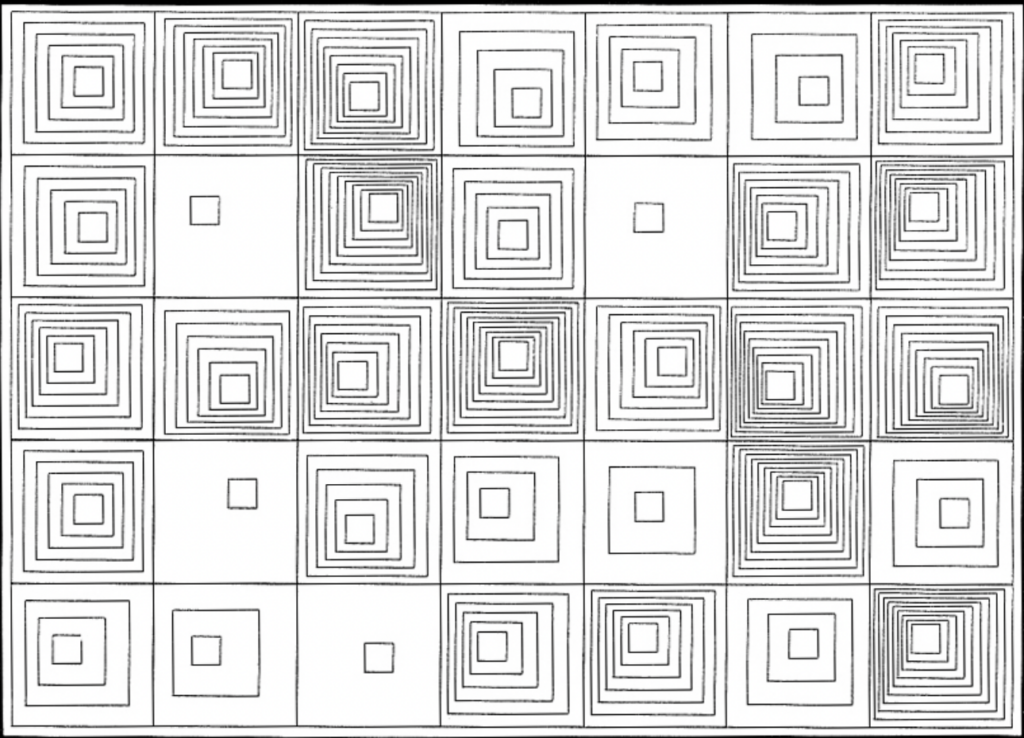
A highlight of some code that you’re particularly proud of
// this function makes a box dissapear when the cursor hovers over it.
function squareDissapear(xPos, yPos, size, offset) {

  let cellX = xPos - offset;
  let cellY = yPos - offset;

  // only active when mouse is within the canvas
  let mouseInside = (mouseX >= 0 && mouseX < width && mouseY >= 0 && mouseY < height)

  // true / false
  let hover = mouseInside && mouseX > cellX && mouseX < cellX + squareSize && mouseY > cellY && mouseY < cellY + squareSize;

  if (!hover) {
    square (xPos, yPos, size);
    return;
  }

  push();

  fill (220);
  noStroke();
  square(xPos, yPos, size)

  pop();
}
This is the interaction I ended up adding. When the cursor moves over a box, the box dissapears! I initally wanted to do some type of rotation but I wasn’t able to really understand how to use the functions correctly so as a comprimise, I landed on just doing dissapearing boxes as it was a bit simpler. Due to the way I did the loops to draw the boxes, it was still not very straightforward, so I did have to do some mental gymnastics to get it to work. However, I’m happy I was able to add this interaction, and it looks especially cool if you move the cursor over the preview screen quickly.
I did also add another interaction with the color changing. When the user clicks the mouse, the colors of all the boxes change!
Embedded Sketch
Click your cursor to change the color!
Reflection and ideas for future work or improvements
I enjoyed getting more creative for this work and taking inspiration from the works in the magazines provided. I would love to continue exploring generative art in my work and try to add more elements of interactivity. I definitely want to work on understanding the rotations and angles on p5.js so I can add that to my code.