
Concept
I made a snake type game in which you have to eat the ‘food’. In this case however, instead of growing bigger and having to avoid hitting yourself, in my game, the background is constantly changing, making it so that food moves its place every time.
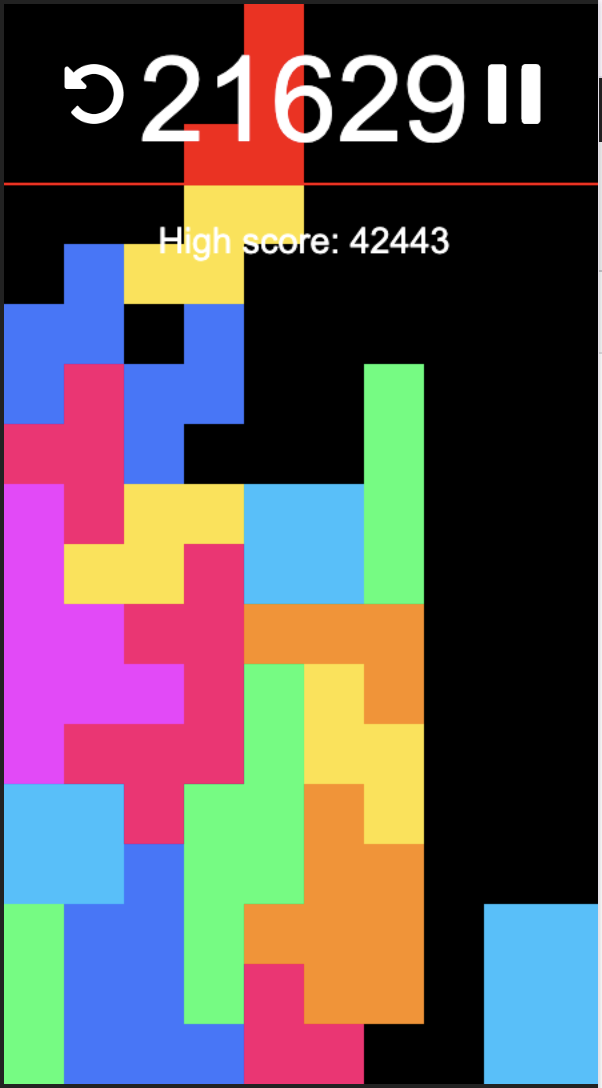
I was inspired by retro-style games. I have an extension to play tetris on my chrome, and it is a pretty simple (but fun) game to play. It’s also a somewhat difficult game, and the more you play it the more you end up improving on the game. I wanted this game to be similar to my little tetris game. Just something quick and fun to play.
Image of the tetris game I have on my computer:
- Describe how your project works and what parts you’re proud of (e.g. good technical decisions, good game design) 2-3 paragraphs
How my Project Works
The white ‘food’ is set on a random function. Anytime the song hits two seconds, the background changes. I put the food in the background function so that it changes its position during the song.
The code detects when the purple touches the white, and increases the score based on that. I was really happy that the input of the purple color to the white was instantaneous! Additionally, since the score adds up so fast, it’s pretty clear anytime the player ends up scoring points. I originally had a sound attached when the player touched it, but I think the score works well on its own.
I also really liked that the background changed color, I think it added a bit of an extra flair. And it also allowed me to show the player that when it gets to orange, the game will end. The actual time it ends is 30 seconds, but I think the color is a better indicator than an actual timer on the screen.
Code I’m Happy With
I’m really happy with how much of my work was my own. I understand fully how my code works and what I can change to change a single part of it.
I’m especially happy with how I figured out the loop! I didn’t have a proper tutorial for it, so its all my code.
function songBackground() {
  //added a cue so that in every 2 secs, the background changes color
  for (let i = 0; i < 32.5; i += 2) {
    song.addCue(i, changeBackground, "orchid");
  }
  song.addCue(32.5, endGame);
}
I’m also really happy with the wall boundaries I have set up. There were so difficult to do but I knew I had to because of the amount of people who’d get themselves out of canvas.
checkBoundaries() {
    if (this.x < 0) {
      this.x = this.x * 0;
    } else if (this.x > width) {
      this.x = this.x - 10;
    }
    if (this.y < 40) {
      this.y = this.y + 10;
    } else if (this.y > height) {
      this.y = this.y - 10;
    }
Problems and Areas of Improvement
I ran into a ton of problems during this project! The code consistently messed me up and refused to work out. I was happy with just how much of the end result was actually planned. There were so many moments where I spent hours trying to code something specific, and the fact that it ended up working made me really happy.
The one thing that wouldn’t work for some reason is the image. I originally had a paintbrush I spent a while drawing to add to my code, but for some reason, it wouldn’t appear. Loading images (as well as sound) is already finicky with p5js, and I just couldn’t get it to work despite following instructions perfectly. I’m still frustrated I couldn’t! I spent an hour on that brush!
References
I used a ton of tutorials! So much so that I don’t think I could post them all here.
I watched Jason Erdreich’s videos on programming a retro-style game and the space invaders programming.
I watched the coding train’s videos on if, else statements. Sounds, image, the snake game, and also rewatched a ton of stuff I have already seen just to refresh myself (including object oriented programming!)
I also watched Patt Vira’s videos on collision, she was a massive help in that aspect.
I regularly checked references and searched up on p5js to see things to add to my code.
I very rarely used AI, and it was only when I had to search something on google and the ai overview popped up. I hate using it so I made sure to avoid it.