
Concept
So for the midterm, I wanted to create an interactive artwork of my desk. I have a very very crowded desk if I can describe it like that, I have a lot of things on it from a lot f different parts of my life, and I thought it would be interesting to create an artwork about it. A lot of people who have seen my desk or my room said that this is exactly how they see me, so I also thought it would be a great way to get to know me, or just to have a little glipse of my life!
Design & Interactivity
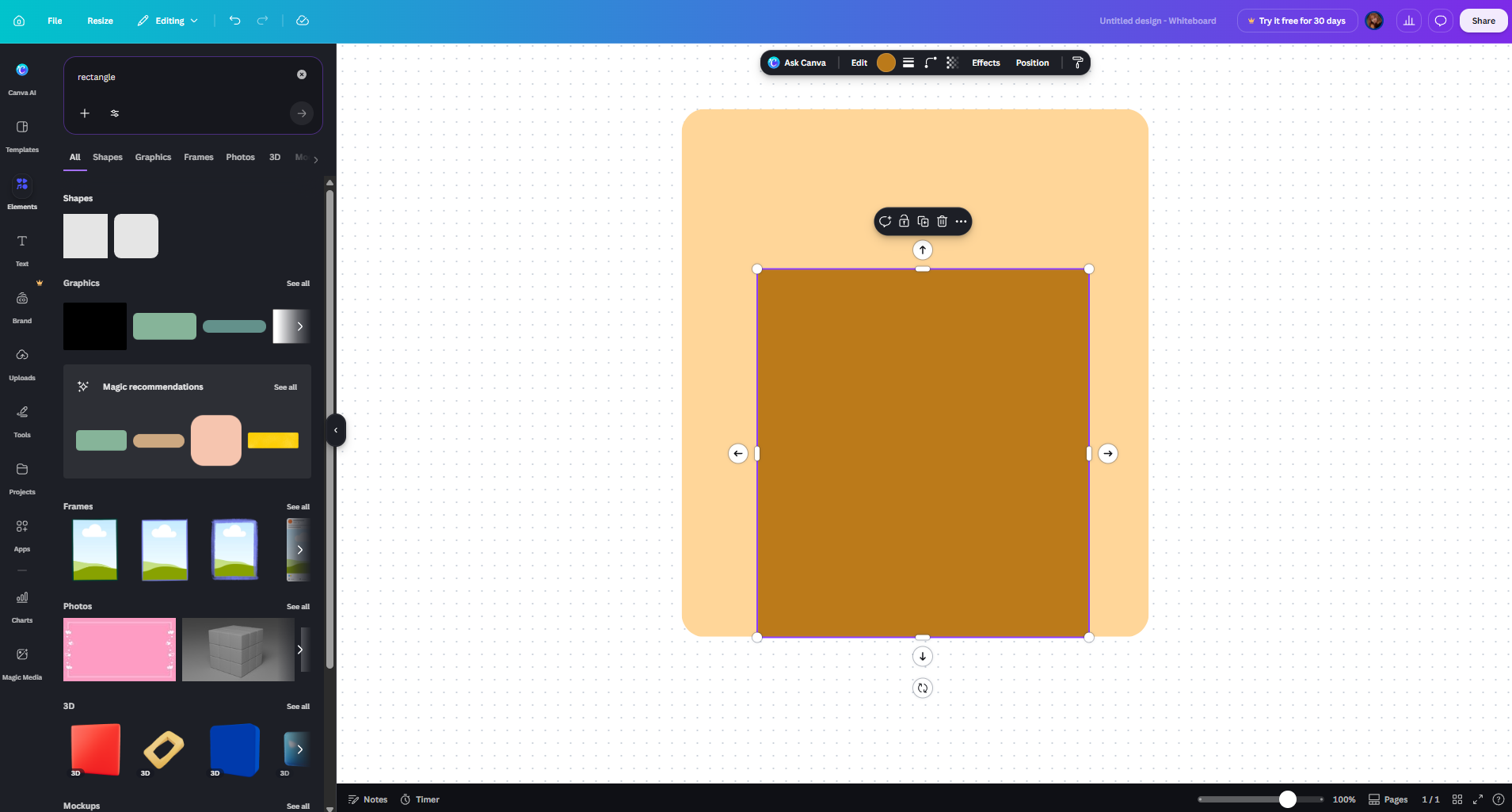
So far, I have created the design with AI, meaning that I asked ChatGPT to generate me some images based on the reference I gave it (Figures 1-2). It is important, that I only intend to use the AI generated one until I am able to make one myself, but I didn’t have time so far to make one that I could use to test my code and my vision, so I decided to make one with AI as a stand-in. At first I started making the images with Canva (Figure 3) but I realised how LONG that would take, and as I am perfectionist I would not have been able to work onthe code becuase I would have been too focused on how unfinished the background looks.
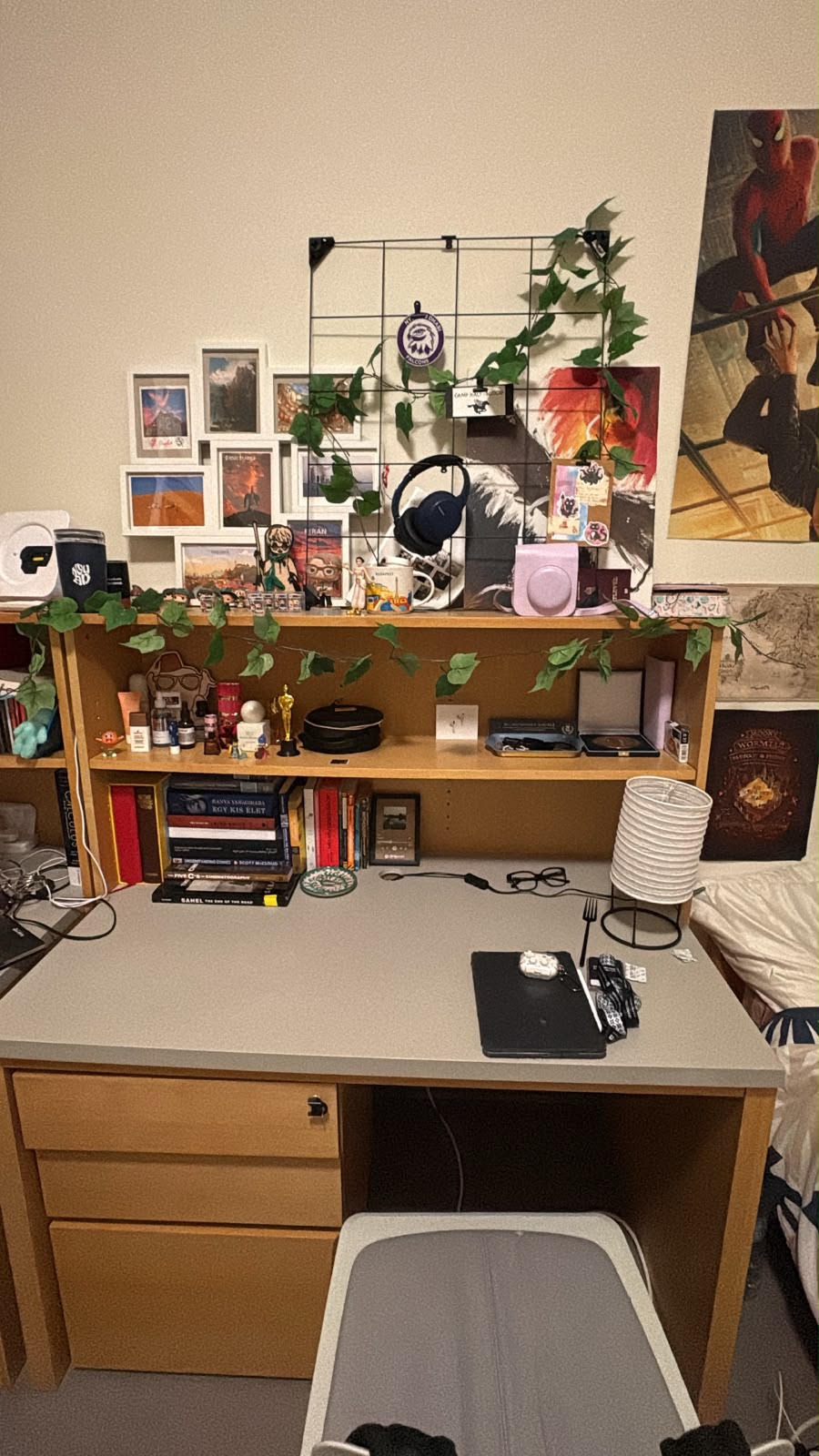
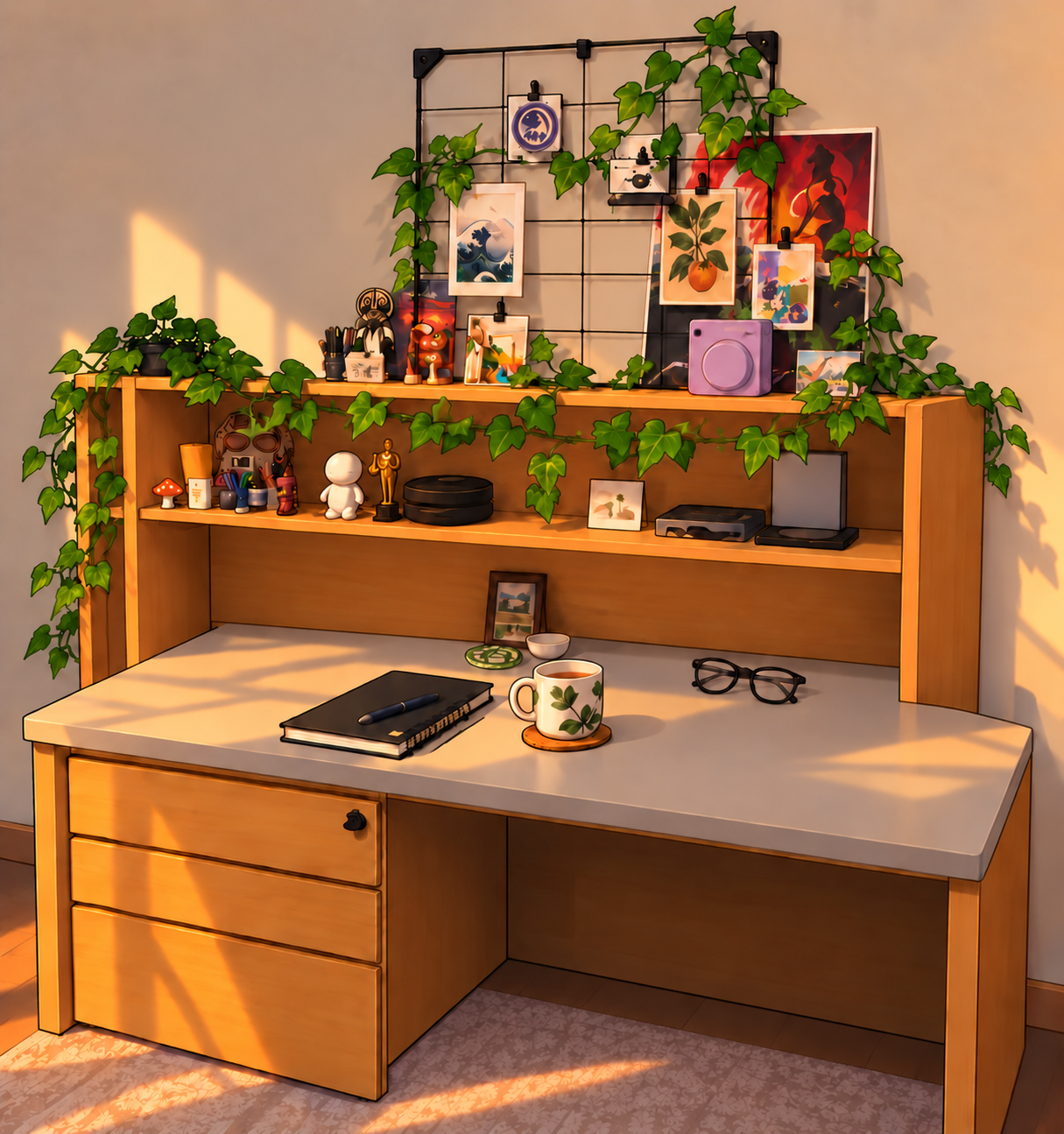
I also wanted to not have a 2D look to it. I imagined it in a comic-kind of style, and gahve this image to ChatGPT as well to match the style to this. I actually really liked it. I am determined to change it to something handmade, but I really do like the result.

More about desgin, I was imagining that the different items on my desk would be the interactable parts, such as the lamp, my headphones, the postcards, the books and maybe even the coffee. The lamp would be just a fun little touch, but the others would all present something through their interactivity that is very close to me. Like the postcards would show pictures of me and my family, my actual postcards, the headphones my favourite songs, etc. They are not on the AI image, because they are used as separate icons later.
When the person would click on each item it would bring up a new window, or like a new canvas. For the headphones I want to turn it into an Ipod, or an mp3 player or something, and I want the music to be able to be played through that. The postcards I want to put into either a big pile and each can be looked individually OR I would make like a ‘carousel’ of them, but I feel like that would be a little boring. With the books I want to include some of my favourite books, I am entirely sure how yet.
And just jumping back to the very beginning, before the user could see my desk, I would want a screen telling them something like hi, welcome to my desk, feel free to look around! And of course also soemthing about to use your mouse to interact with my stuff as well. I want to use a purple background for that because that is my favourite colour (yes, it was my favourite even before I knew what NYU was).
Excluding the lamp, the icons would bring up different pages basically. The lamp is just a little fun, that the people could turn on and off. I am a HUGE fan of using only small lamps in my room, so I think that also resonates with me.
Code + The most frightening part of it
I started working on my code as well, hence why I needed the images. I knew for a fact, that I needed to start with the OOP part, or at least with defining as many classes as possible. I knew where I wanted to add the shapes, the sound, the text, everything, and I knew that the base of all would be how I organise my code and my classes, so I started with that. And thank everyone that I did, because it took an awful lot of time. Just to figure out to load the background image took 2 hours, because I realised that I probably need a class for that too, if later I want to add more icons. I had a lot of trouble with the image not showing in the right way, but in the end I got it:
//Defining the main class, which is also the background
class Desk {
    constructor(backgroundImg) {
    //Adding all the interactable images, so that they are also part of the background, giving them their attributes, how big they are, where they are, etc
      this.backgroundImg = backgroundImg;
      this.lamp = new Lamp(385, 320, 95, 110, lampImgOff, lampImgOn);
      this.headphones = new Headphones(235, 100, 80, 80, headphonesImg);
      this.books = new Books(75, 290, 150, 70, booksImg);
      this.postcard = new Postcard(50, 20, 150, 150, postcardImg);
    }

  //Actually displaying them on the screen
    show() {
        image(this.backgroundImg, 0, 0, width, height);
        this.lamp.show();
        this.headphones.show();
        this.books.show();
        this.postcard.show();


    }

  //When mouse is pressed, it calls the mousePressed part of the lamp class
    mousePressed() {
        this.lamp.mousePressed();
    }

  //IF cursor hovers over the image, call the corresponding part of each individual class + change the cursor look so it is even more obvious that that object is interactable
    checkHover() {

       cursor(ARROW);

       if (this.lamp.isHovered()) {
            cursor(HAND);
        }

        if (this.headphones.isHovered()) {
            cursor(HAND);
        }

        if (this.books.isHovered()) {
            cursor(HAND);
        }

       if (this.postcard.isHovered()) {
            cursor(HAND);
        }
    }
}
Creating the first class after the main Desk one also took another 2 hours to figure out. I made the backgrund without the lamp, so I could later add it as a separate icon, as mentioned before. The Lamp class (as all other classes linked to icons, as they were all based on this Lamp class) have a show and isHovered part. Both contain elements that make it easier to notice that the item is interactable, such as the gold glow and the cursor changing, or the image zooming in. After out last OOP project, when I made the balls bouncing off the wall, it was much easier to write the isHovered, because that basically check the borders of the image.
I also wanted to start with the lamo because it was the only one that had a function which didn’t require a new page or a new look, as it was only a matter of switching the images once the mouse is pressed. I wanted to make that first, and I did so by giving the Lamp class two images not only one, and giving it a boolean to determine which one is showing. (I explain it in the code way better I think).
In the end I managed to make a class for the lamp with all the instructions I wanted for it, because that was the easiest and I just wanted to see if it would work:
class Lamp {
    constructor(lx, ly, lwidth, lheight, lampImgOff, lampImgOn) {
        this.x = lx;
        this.y = ly;
        this.width = lwidth;
        this.height = lheight;
        this.imgOff = lampImgOff;
        this.imgOn = lampImgOn;
        this.isOn = false;  //first the constructor loads the image where the lamp is off, and I am storing this information in a boolean
    }


    show() {
      let img = this.isOn ? this.imgOn : this.imgOff; //checks if the boolean is true, if it is it loads the image where the lamp is on, if not the one where it is off
    //If checks if the cursor is hovered over the selected territory defined in isHovered below, which is the image itself
      if (this.isHovered()) {

      //the glowing area around the images when hovered over them
        drawingContext.shadowBlur = 50;
        drawingContext.shadowColor = color(255, 220, 100);
      //Zooming in on the image, so it pops out more
        image(img, this.x - 5, this.y - 5, this.width + 10, this.height + 10);
      //Resets the shadow blur to zero
        drawingContext.shadowBlur = 0;

        } else {
      //Else loads the image without the shadow blur and the zoom in, if the cursor is not on the territory defined by isHovered
          image(img, this.x, this.y, this.width, this.height);

      }
   }
  //Defines the territory of the image, the boundaries of the image
    isHovered() {

        return (
            mouseX >= this.x &&
            mouseX <= this.x + this.width &&
            mouseY >= this.y &&
            mouseY <= this.y + this.height
        );
    }

  //If mouse is pressed while the cursor is on the image, the boolean changes its value from true to false, or false to true -> turns the lamp on/off
    mousePressed() {
        if (this.isHovered()) {
            this.isOn = !this.isOn;
        }
    }
}
The most frightening thing about all this, besides everything, that in the beginning the images just wouldn’t load, because I think I wanted to load too much with the await, one by one. I got scared that it would take too long to load, or wouldn’t at all. So, as a solution, I searched a little and found so called promises, which I found out is perfect for when I want to execute many asynchronous parts before my code begins:
async function setup() {
    createCanvas(500, 600);
  //loading all the images
    [
      backgroundImg,
      lampImgOff,
      lampImgOn,
      headphonesImg,
      booksImg,
      postcardImg
    ] = await Promise.all([
        loadImage("desk.png"),
        loadImage('lampOff.png'),
        loadImage('lampOn.png'),
        loadImage('headphones.png'),
        loadImage('books.png'),
        loadImage('postcard.png'),

    ]);
Full code so far (with the sketch. click on the lamp, and hover over some objects):
All instructions will be added later as well. I will make a starting screen where it will all be displayed.
//Variables to store the images
let desk;
let backgroundImg;
let lampImgOff;
let lampImgOn;
let headphones;
let books;
let postcard;


async function setup() {
    createCanvas(500, 600);
  //loading all the images
    [
      backgroundImg,
      lampImgOff,
      lampImgOn,
      headphonesImg,
      booksImg,
      postcardImg
    ] = await Promise.all([
        loadImage("desk.png"),
        loadImage('lampOff.png'),
        loadImage('lampOn.png'),
        loadImage('headphones.png'),
        loadImage('books.png'),
        loadImage('postcard.png'),

    ]);


  //load background music on loop
    bgMusic = await loadSound('backgroundMusic.mp3');

  //Creating the desk so the main background
    desk = new Desk(backgroundImg);

}

function draw() {
    desk.show();
    desk.checkHover();
}


function mousePressed() {
    desk.mousePressed();
    redraw();
}

//Defining the main class, which is also the background
class Desk {
    constructor(backgroundImg) {
    //Adding all the interactable images, so that they are also part of the background, giving them their attributes, how big they are, where they are, etc
      this.backgroundImg = backgroundImg;
      this.lamp = new Lamp(385, 320, 95, 110, lampImgOff, lampImgOn);
      this.headphones = new Headphones(235, 100, 80, 80, headphonesImg);
      this.books = new Books(75, 290, 150, 70, booksImg);
      this.postcard = new Postcard(50, 20, 150, 150, postcardImg);
    }

  //Actually displaying them on the screen
    show() {
        image(this.backgroundImg, 0, 0, width, height);
        this.lamp.show();
        this.headphones.show();
        this.books.show();
        this.postcard.show();


    }

  //When mouse is pressed, it calls the mousePressed part of the lamp class
    mousePressed() {
        this.lamp.mousePressed();
    }

  //IF cursor hovers over the image, call the corresponding part of each individual class + change the cursor look so it is even more obvious that that object is interactable
    checkHover() {

       cursor(ARROW);

       if (this.lamp.isHovered()) {
            cursor(HAND);
        }

        if (this.headphones.isHovered()) {
            cursor(HAND);
        }

        if (this.books.isHovered()) {
            cursor(HAND);
        }

       if (this.postcard.isHovered()) {
            cursor(HAND);
        }
    }
}

//the Lamp class

class Lamp {
    constructor(lx, ly, lwidth, lheight, lampImgOff, lampImgOn) {
        this.x = lx;
        this.y = ly;
        this.width = lwidth;
        this.height = lheight;
        this.imgOff = lampImgOff;
        this.imgOn = lampImgOn;
        this.isOn = false;  //first the constructor loads the image where the lamp is off, and I am storing this information in a boolean
    }


    show() {
      let img = this.isOn ? this.imgOn : this.imgOff; //checks if the boolean is true, if it is it loads the image where the lamp is on, if not the one where it is off
    //If checks if the cursor is hovered over the selected territory defined in isHovered below, which is the image itself
      if (this.isHovered()) {

      //the glowing area around the images when hovered over them
        drawingContext.shadowBlur = 50;
        drawingContext.shadowColor = color(255, 220, 100);
      //Zooming in on the image, so it pops out more
        image(img, this.x - 5, this.y - 5, this.width + 10, this.height + 10);
      //Resets the shadow blur to zero
        drawingContext.shadowBlur = 0;

        } else {
      //Else loads the image without the shadow blur and the zoom in, if the cursor is not on the territory defined by isHovered
          image(img, this.x, this.y, this.width, this.height);

      }
   }
  //Defines the territory of the image, the boundaries of the image
    isHovered() {

        return (
            mouseX >= this.x &&
            mouseX <= this.x + this.width &&
            mouseY >= this.y &&
            mouseY <= this.y + this.height
        );
    }

  //If mouse is pressed while the cursor is on the image, the boolean changes its value from true to false, or false to true -> turns the lamp on/off
    mousePressed() {
        if (this.isHovered()) {
            this.isOn = !this.isOn;
        }
    }
}

//the Headphones class

class Headphones {
  constructor (hx, hy, hwidth, hheight, headphonesImg) {
    this.hx = hx;
    this.hy = hy;
    this.hwidth = hwidth;
    this.hheight = hheight;
    this.hImg = headphonesImg;
  }

  show (){
  //If to check if cursor is over image
    if (this.isHovered()) {
      //Blur effect around the image
        drawingContext.shadowBlur = 50;
        drawingContext.shadowColor = color(255, 220, 100);
      //Change cursor
        cursor(HAND);
      //Draw zoomed-in image
        image(this.hImg, this.hx - 5, this.hy - 5, this.hwidth + 10, this.hheight + 10);
        drawingContext.shadowBlur = 0;
        } else {
      //Draw normal (not zoomed in) image
        image(this.hImg, this.hx, this.hy, this.hwidth, this.hheight);
      }
  }

//Define the territory of the image, the boundaries of the image
  isHovered() {

        return (
            mouseX >= this.hx &&
            mouseX <= this.hx + this.hwidth &&
            mouseY >= this.hy &&
            mouseY <= this.hy + this.hheight
        );
    }
}

//The books class

  class Books {
    constructor (bx, by, bwidth, bheight, booksImg) {
      this.bx = bx;
      this.by = by;
      this.bwidth = bwidth;
      this.bheight = bheight;
      this.bImg = booksImg;
    }
    show (){
    //If to check if cursor is over image
      if (this.isHovered()) {
      //Blur effect around the image
        drawingContext.shadowBlur = 50;
        drawingContext.shadowColor = color(255, 220, 100);
      //Change cursor
        cursor(HAND);
      //Draw zoomed-in image
        image(this.bImg, this.bx - 5, this.by - 5, this.bwidth + 10, this.bheight + 10);
        drawingContext.shadowBlur = 0;
      } else {
      //Draw normal (not zoomed in) image
        image(this.bImg, this.bx, this.by, this.bwidth, this.bheight);

        }
    }

//Define the territory of the image, the boundaries of the image
  isHovered() {
    return (
        mouseX >= this.bx &&
        mouseX <= this.bx + this.bwidth &&
        mouseY >= this.by &&
        mouseY <= this.by + this.bheight
    );
  }
}


class Postcard {
   constructor (px, py, pwidth, pheight, postcardImg) {
      this.px = px;
      this.py = py;
      this.pwidth = pwidth;
      this.pheight = pheight;
      this.pImg = postcardImg;
    }

    show (){
    //If to check if cursor is over image
      if (this.isHovered()) {
      //Blur effect around the image
        drawingContext.shadowBlur = 50;
        drawingContext.shadowColor = color(255, 220, 100);
      //Change cursor
        cursor(HAND);
      //Draw zoomed-in image
        image(this.pImg, this.px - 5, this.py - 5, this.pwidth + 10, this.pheight + 10);
        drawingContext.shadowBlur = 0;
      } else {
      //Draw normal (not zoomed in) image
        image(this.pImg, this.px, this.py, this.pwidth, this.pheight);

        }
    }

//Define boundaries of image
  isHovered() {
    return (
        mouseX >= this.px &&
        mouseX <= this.px + this.pwidth &&
        mouseY >= this.py &&
        mouseY <= this.py + this.pheight
    );
  }
}
References
Promise:
https://developer.mozilla.org/en-US/docs/Web/JavaScript/Reference/Global_Objects/Promise/all
The fancy blurry gold glow:
https://p5js.org/reference/p5/drawingContext/
I also used ChatGPT to generate the placeholder images for now. I however gave it my real photo of my desk, so it had a real reference. I will most likely change the AI generated images for the final version.