
Concept:
For this assignment, I initially thought of doing the Super Mario lucky block and have it display random text like “+3 Coins!” everytime it was clicked, but I could not brainstorm anything more after that and I felt stuck. I also thought of doing something with a Marvel characters dataset I found on Kaggle like pick 4 superheroes, display their logos, and showcase their information on the side from the data when the user clicks it, but I felt that it was too simple and I also could not visualize it. Ultimately I was stuck at this point, so I went back to our classwork to see if that could spark something, and it d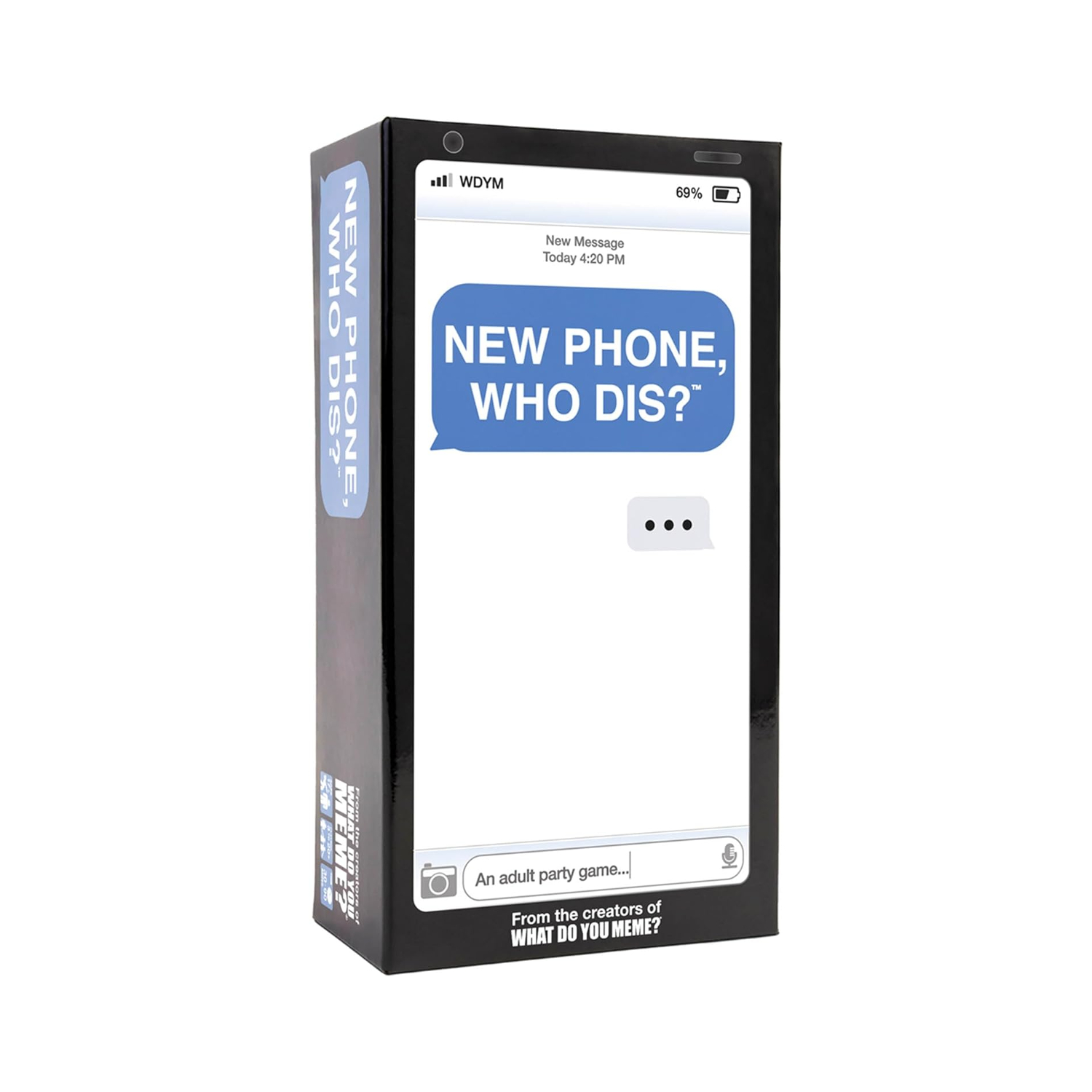 id! I was playing around with the generative poem and it reminded me of the New Phone, Who Dis? card game because the responses are always random and sometimes funny. The way the game works is you have an inbox card or prompt and the players compete by placing the funniest reply card to it.
I used that same concept but instead of players choosing the card, the system randomly generates the prompt, reply, response, and ending from the CSV file I created. I wrote down 9 points for each of the 4 categories that are random yet still work together seamlessly so each combination is unexpected and funny, but not confusing either. That was the one thing I did not like about the classwork we did, so I made sure all the points worked with each other but still provided funny outcomes that could mean multiple different things and stories. 9 to the power of 4 is 6,561, so that is how many different combinations of conversations there are!
hello???,who is this?????,you know what you did,i’m going back to sleep
are you awake,why are you texting me?,i thought you knew,i regret texting back
don't panic but,leave me alone bruh,your mom knows..,see you in court stalker
we need to talk,i don’t care.,LET ME EXPLAIN,goodbye forever!!!
i’ve got bad news…,can you send me 50dhs?,that's not important,i'll deal with this tomorrow
DID YOU HEAR?,oh-oh are you mad at me?,please stay calm,DON’T TELL ANYONE.
you owe me 1000dhs btw,WHATTTT?!!,i’m outside,this conversation never happened
you forgot my birthday,i’m scared…,it’s over.,abcdefg i have to go
WHERE ARE YOU? YOU’RE LATE,i will block you btw,you’re in biggg trouble,one sec i just need to block you
The interaction works when the user clicks the screen and then it generates a different conversation combination. It is supposed to look like the actual Messages app just like the cards in the game. I put the contact information up top, including the service bars and battery percentage that is usually seen there. Below that is the actual message chain with grey as the recipient and blue as the sender. I also made sure to include the text box and send button so that it is more realistic.
Highlighted Code:
let INBOX = 0;
let REPLY = 1;
let RESPONSE = 2;
let END = 3;


function draw() {
  background(245);

  let singleRow = [];

  // random first grey text
  singleRow = splitTokens(strings[int(random(strings.length))], ",");
  let greeting = singleRow[INBOX];

  // random first blue reply
  singleRow = splitTokens(strings[int(random(strings.length))], ",");
  let reply = singleRow[REPLY];

  // random second grey response
  singleRow = splitTokens(strings[int(random(strings.length))], ",");
  let response = singleRow[RESPONSE];

  // random second blue end
  singleRow = splitTokens(strings[int(random(strings.length))], ",");
  let ending = singleRow[END];
I am proud of this code that creates the different text conversation combinations because I understood the work we did in class and was able to implement it easily because of that. It was a satisfying feeling. I first assigned INBOX, REPLY, RESPONSE, and END the right column indexes because in each line in the CSV file, it is separated by first a prompt/inbox then a reply then a response to that and finally an ending. Then, I have the empty array, singleRow, that temporarily holds the strings. These strings are chosen by random(strings.length) that picks a random row from the file by making sure to put int so that it is not a float number or else it would not work. Then it takes those strings in that row and using splitTokens, it splits the row into separate strings from the comma and places them all in singleRow. Then, for example, singleRow[INBOX] would be assigned to greeting, where it would be the first string since we previously said that we assigned them each the column index they would be in. This process is repeated 3 more times for the 3 other texts. These are the core codes that make the whole project work.
How This Was Made?
The majority of the code was made using what we learned in class. I relied on the Week 4 Generative Poem example whenever I needed to go back and check if I used splitTokens correctly.
I came up with the phrases for each message and put them in a CSV file. I had to ask ChatGPT for help with this because Google Sheets was not functioning for me. It told me to open up TextEdit, format it to plain text, paste my messages, and save/name the file messages.csv.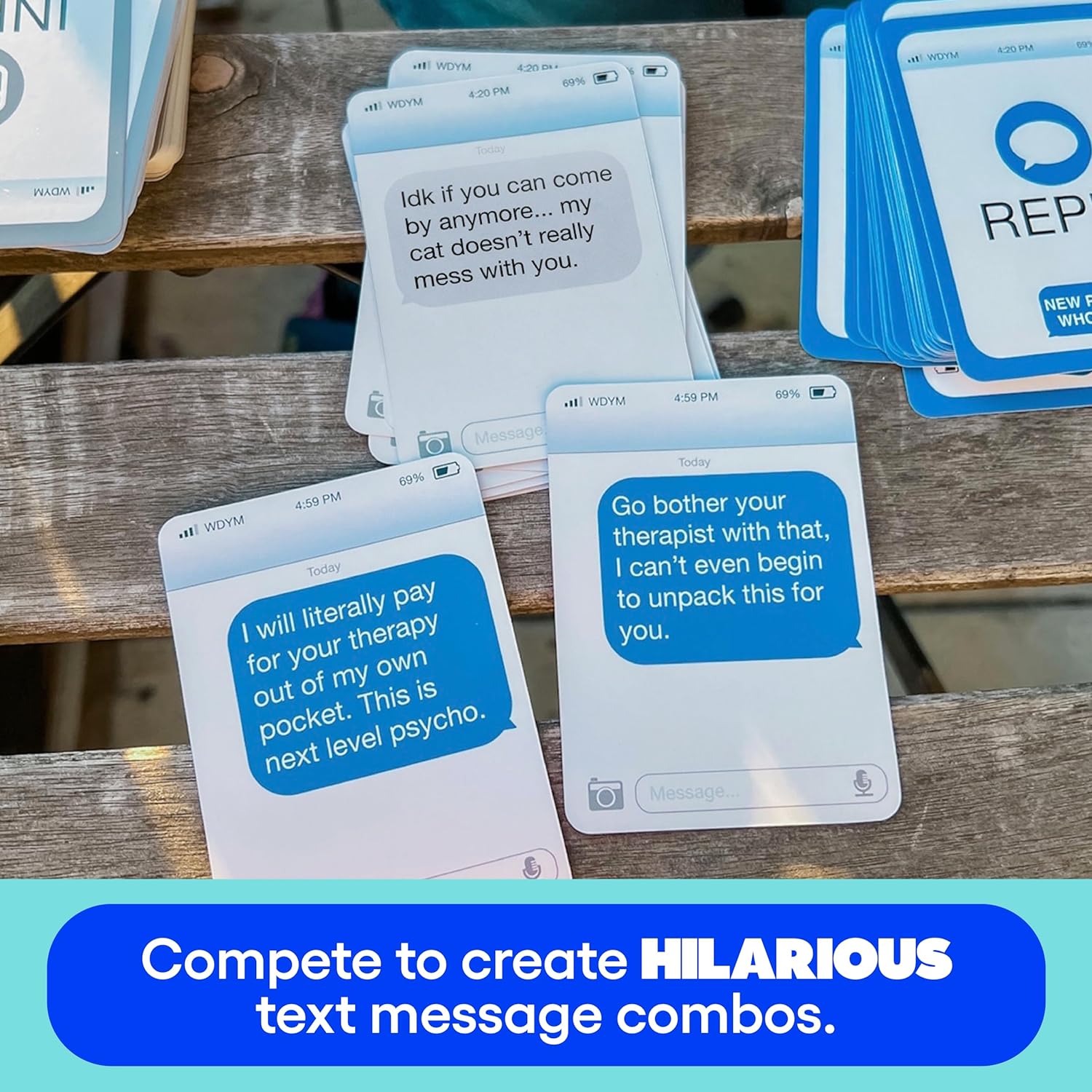
As for the basic layout, I searched up “New Phone, Who Dis?” on Google and used the image of the cards as a reference to try to imitate. For example, I included the service bars, which are just small rectangles, and a text that says “WDYM” like the cards right next to it. I also did the same for the battery on the top right side.
For the contact icon, I went into my phone’s Messages app and cop ied the design of the icon which is simply one big grey circle for the background, one small white circle for the head, and finally an ellipse for the body that blended with the background even though it is outside of the circumference of the big grey circle.

The text messages and text boxes are just rounded rectangles by 15. I also put tiny ellipses in the bottom corner to copy that text bubble look. The text box initially said “iMessage” just like how it actually is on Messages, but after reading this week’s creative reading, I changed it to “ Click for new messages” because the author was highlighting how interactive elements should clearly show what actions can be done, where, and how. By indicating exactly how to make the code function without sacrificing the visual appearance, it makes the project well-designed and avoids user error due to bad design.
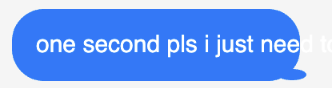
One issue I had was the fact that sometimes some messages would be much longer than others, so it would go out of the canvas. I had to keep playing around with it to make sure each text was contained within the message box, and I would widen the rectangle and reposition the text until it fit all the possible inputs.
For final touches, I wanted to make the ending look as close as a real text message chain, so I searched for the font that Apple uses for messages, which is SF Pro, but I could not find it. So, I searched Google what the closest font is to SF pro and Reddit recommended Inter, which I found on Google Fonts and installed in my assignment using the Week 4 example as a guide. I also searched for a text messages color palette to get the blues and greys as close as possible to the real thing.
Reflection:
Overall, I am pretty happy with how it turned out because I think that I achieved what I had in mind. I really like how the visual design ended up looking like because it is so similar to how the actual Messages app does, so I am proud of that. The small details like the rounded text bubbles, the typing box, the contact, the service bars, and battery all made it look more like the actual interface.
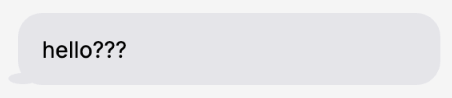
In the future, I could make the text bubbles size change based on the random message length selected just because some of the text messages had big gaps. If I had more time I would definitely have added an if statement that checks the length of each string and in accordance gives the text bubble the right width. Another thing I could have done was add more messages to the CSV so that there are more fun combinations. I also thought of having the message notification sound effect play every time the user clicks so it feels like the user is actually texting. I am excited to learn how to do that next week!
References:
Card game reference images: https://corners.ge/eng/product/new-phone-who-dis/
WK4 Generative text class example: https://editor.p5js.org/Aya_Riad/sketches/fIy61R_jf
WK4 Font class example: https://editor.p5js.org/Aya_Riad/sketches/Y28fO79o4
“Inter” font: https://fonts.google.com/specimen/Inter?query=inter + Reddit post: https://www.reddit.com/r/AfterEffects/comments/12mz22f/commercial_usable_font_that_looks_like_apples_sf/
Text messages color palette: https://www.color-hex.com/color-palette/13071