
Concept
For this assignment, I wanted to create something that looked like a glitched screen using simple shapes and randomness. I started with the idea of having a grid of shapes that would constantly change, with their colors, sizes and the speed of the screen changing randomly.
At first, the colors were completely random, but I felt like the result was too chaotic and wasn’t very visually appealing, at least to me. I decided to limit the colors to a smaller palette inspired by two images I liked. I mainly took inspiration from the deep blues in one image and the warm yellow and gold colors in the other.
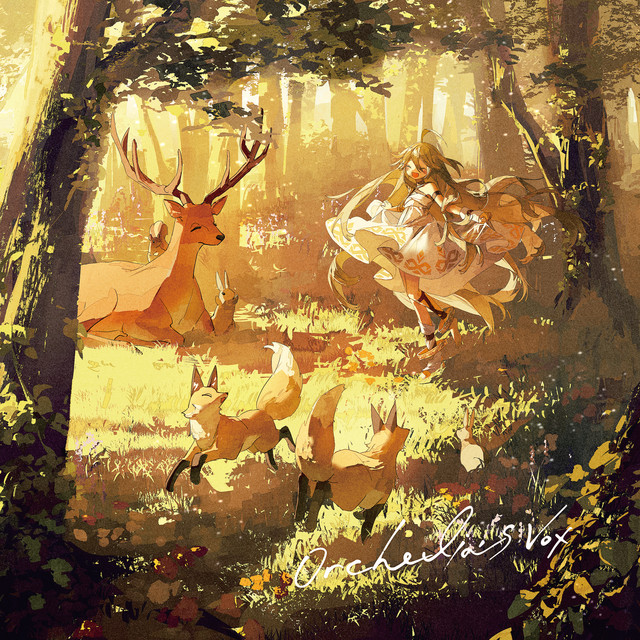
color reference 1: Illustration from Yuvi’s Longing. I liked the warm gold and yellow lighting in this image.

Color reference 2: cyberpunk cityscape with darker and futuristic colors.
Code I Like
//move down the screen
for (let y = 25; y < height; y += 50) {
  //move across the screen
  for (let x = 25; x < width; x += 50) {

    if (random() < 0.5) {
      rect(x, y, ShapeWidth, ShapeHeight);
    } else {
      ellipse(x, y, ShapeWidth, ShapeHeight);
    }
  }
}
The part I like most is this one, where I used two loops, mainly for how simple it is. The first loop moves down the canvas while the second moves across.
What I liked more was what I could do inside those loops. I was able to randomly decide what shape appears, and both its color and size. Even though the code itself is quite short and simple, it creates something that constantly changes and looks different every time.
How Was This Made?
I started by making a simple grid using two for() loops and then placed a shape at each position. I used an if statement with random() to give each position a 50% chance of being a rectangle or ellipse.
After getting the basic grid working, I started adding randomness to different parts of it. The width and height of each shape are randomized. I also randomized frame rate so the screen changes at an inconsistent speed, which helped give it the glitched feeling I wanted.
Originally, I used completely random RGB values for the colors, but I wasn’t happy with how it looked. I created two arrays containing a smaller selection of colors instead, one for the shapes and another for the dark background. The program still chooses the colors randomly, but only from the colors I selected.
Towards the end, I removed the outlines, made the shapes slightly transparent and allowed them to overlap. I also used drawingContext.shadowColor and drawingContext.shadowBlur to add a warm glow around the shapes. I kept the glow color the same but randomized the amount of blur so that some shapes glow more than others.
Reflection
For this assignment, I liked seeing how much could be done with something as simple as loops and basic shapes. The first version worked, but it mostly looked like random colorful shapes changing on the screen. I wasn’t completely happy with it even though it technically did what I wanted.
Most of the changes I made afterwards were actually quite small. Limiting the colors, increasing the size of the shapes, removing their outlines, adding transparency and eventually adding the glow changed the way it looked without making the code much more complicated.
I also liked having some control over the randomness this time. Instead of allowing the program to choose any possible color, I gave it a smaller palette and let it choose randomly from that. The final result is still unpredictable and changes constantly, but I have more control over what those random results can look like.
Some improvements or changes I could do are adding more shapes and have different patterns instead of only two. I could also have different kinds of effects such as having only certain parts of the screen change while others don’t. I feel like doing that would make the work feel more glitched compared to how it is at the moment.