Week 9 Reading

I really liked the second reading, because I am always curious about movies that leave things to the audience to interpret and also poetry; how everyone have their own meaning of the same couplet. The fear of not being able to convey what I am trying to convey is something I notice everyday everywhere. The author touched on the opposite where we ignite a thought and let other people drive anywhere. Thou this is a scary idea at the beginning, it uncover so many new possibilities which I might to have never thought about before. I wonder if I can in corporate in the Arduino assignments.  In the P5, it was easy to let the audience contemplate but with this I think there it harder but can be done. And if done properly, it can have a far greater impact as we can have all the sensory inputs here.

On the other hand, the first reading highlighted something which I feel during every assignment, even thou room for creativity is infinite, one often feels limited with when working with primitive shapes or two LEDs. I understand it possible to create a mural out of primitive shapes but that also requires mastery in it. My take away from that reading is a quote by Martin Scorsese that is “The most creative is the most personal”

Lighting Loop or Disco

Github

Concept

I was initially thinking of making a a lamp which turns on in dark and can be manually turned on. But that seemed very boring. Then I thought that why don’t I use a light from one LED and use it as an input to for the LDR which can ultimately effect a second LED. While thinking about this, I thought that I can just create a switch like that using code. Along the lines, It came to me what I can do is make the light light fluctuating by making it fade in and out. So the LDR reading will change within a range and I can make the second LED a blink. This reminded me a party or disco lights where  different lights turn on and off at different rates.

Work

Both circuits were relatively simple as we did in the class, and the connection between them was through the code. To add more to it I used INPUT_PULLUP instead of a resistor. I had a conversation with GPT about this. It took me some time to get a grasp of regarding how it work. The next was putting the led close to the LDR. Now this was a bit tiring because the LDR was also detecting the room light. So I couldn’t have a fixed range, and the code needs to be updated if the location changes and new light in the room is introduced. I would regard this as the most challenging part.

On the other hand the part I am most proud of is dealing with multiple kinds of input. I was indeed relieving when my design did not require mapping of analog inputs and outputs. Initially I thought that I had to deal with all these multiple inputs but with just few lines of code, I was able to accomplish what I had in mind without nest if and loop blocks.

Sketch


Working Demo


WEEK 9 HAPPY BIRTHDAY CONCEPT

https://github.com/da3755-ui/intro-to-im/blob/904200aaa8c70e0606c6851ffc5c46abe5d63b96/BirthdayConcept_IntroToIM_Week9.ino


The Concept

For this week’s assignment, I decided to incorporate the concept of birthday candles (lighting them up and blowing them out). My LEDs act as my candles, my button acts as a lighter, and the LDR/photocell senses my blowing (will explain).

I used a button (digital input) to be able to control my 3 LEDs. Once I hit the button, the LEDs turn on one after the other. The blowing concept works through my photocell. When you put your face closer to the photocell and the LEDs to blow, the light from the LEDs reflects on your face; this light reflection is further read by the photocell, and the reading increases. Once my photocell takes in that higher reading, the candles/LEDs turn off one after the other as well.

Process and Challenges

To do my led set-up, I followed a diagram I found online, but I altered some of it to how I wanted it to fit my set-up.

I first started by setting up my LED system before adding in my photocell, just to make sure the base part is working. I built the system successfully and moved on to add my photocell.

Adding in the photocell and getting its readings was the most challenging part of the process. I set up my photocell and connected it to a 10k resistor and an analog pin. However, the readings were not accurate at all. For example, covering the photocell would not decrease the reading. At that point, I decided that maybe because I’m testing it during the day, there is no dramatic shift in lighting for the photocell to read (that was wrong).

After a while had passed, I was thinking about my project, and I realized I had forgotten to attach a 5V pin to my photocell, and I forgot to attach my photocell to ground. That explained a lot of why the readings were inaccurate.

Once I plugged in the wires correctly, the readings were still inconsistent and inaccurate. Thats when I decided to fully take down the entire system and start with the photocell first.

I watched a YouTube video to ensure I have the right connectivity and rebuilt my voltage distributor and photocell system. The readings then became accurate. I added in my LED system that I removed and it worked.

I originally wanted each LED to light up after each singular clip so it would be:

  • first button press = turn on first led
  • second button press = keep first led on and turn on second led
  • third button press = keep first and second leds on and turn on the third

but that would have required me to use specific array functions which were difficult for me to implement.

Code Highlight:

I’m happy with the way I let the led lights light up one after the other after hitting the button

if (state == LOW) {   // if the button is pressed, the leds/candles will light up one after the other
  digitalWrite(led1Pin, HIGH);
  delay(2000);
  digitalWrite(led2Pin, HIGH);
  delay(2000);
  digitalWrite(led3Pin, HIGH);
  delay(2000);
}


Circuit Schematic

Circuit look

References

Because my photocell readings would only keep decreasing no matter what, I used Gemini AI to explain to me whether the reading from my photocell should increase or decrease when the area gets brighter. It also told me to check my connectivity, because if my photocell’s resistor was connected to one of the wires, the readings would be flipped, but that was not the case for me.

Arduino Push Button with Multiple LEDs [Tutorial]


Week_9 Reading Response

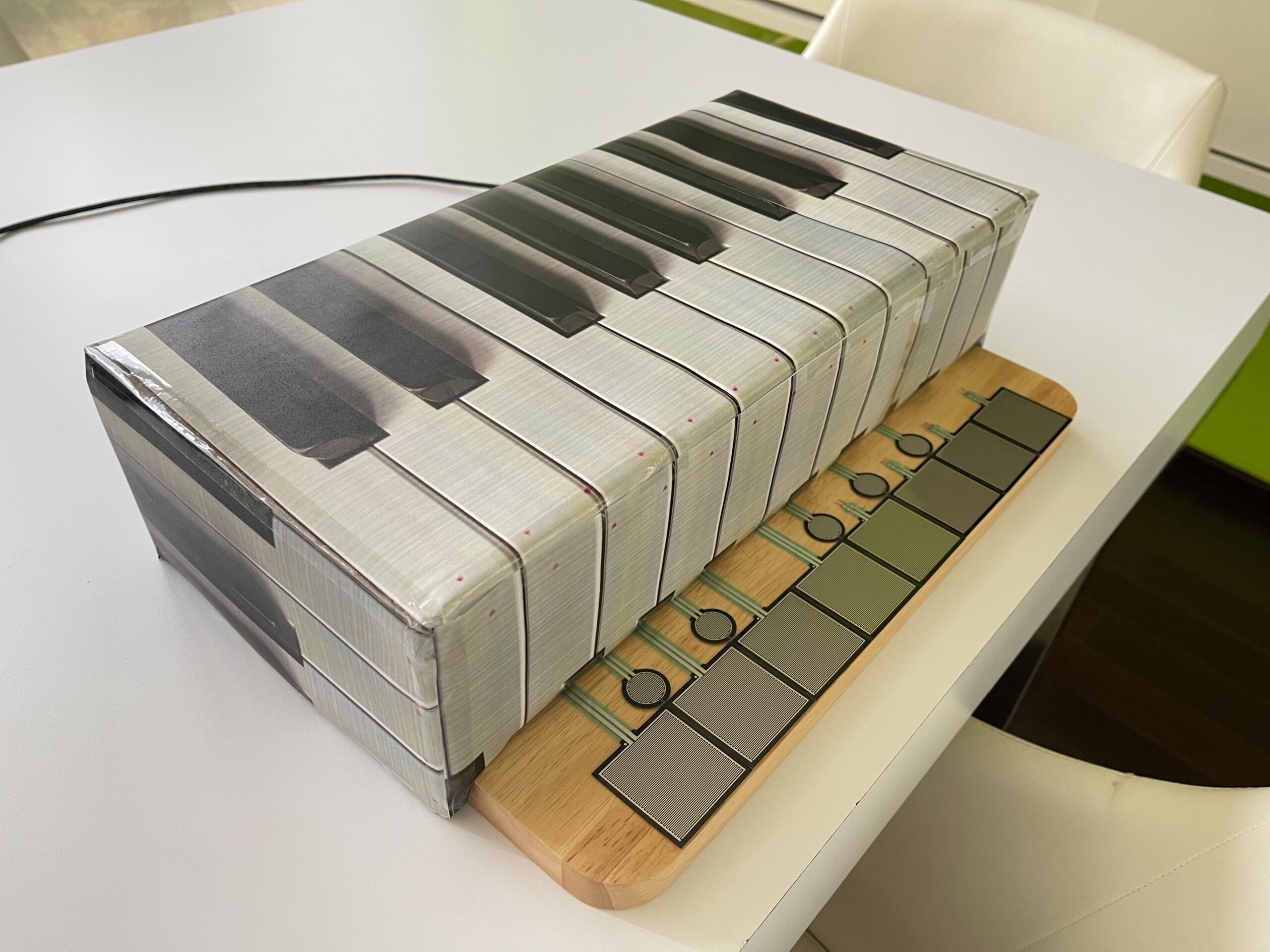
The two articles give insights into how to design as well as present interactive media. For the content of a design, the author states that beginners shouldn’t fearideas just because they are not completely original and “have been done before”. These common projects recur year after year, indicating that they are classic setups that give much room for modifications and more original design. Things like musical interfacersm floor pads, mirrors and body cursors are representations of such “common” projects. They have been made and displayed in so many projects, yet each in a differnet way and seving a new experience.

The other article is about the presentation of interactive meda. The key is “Dont interupt your own work.” Art is a communication, the meaning of the art and the thoughts behind it should be conveyed through the interaction between the art and the user. Any hint or required action should be convey ed by the design itself like putting a handle when something should be touched. The designer of the art should be like the dictor, providing the necceseties of the interaction and then stepping back and observing what happens. The designer should not interfere with the work when an interaction is happening, because the audience is “completing” the work through their own unique interactrions.

Week 9: Analog and Digital Sensors

Concept:

For this Arduino assignment, I wanted to combine an analog sensor that works according to the surrounding environment in a smooth, fading way, and a digital sensor that works with the user’s input in an immediate way. When thinking about this assignment, the idea of airplane cabin lights came to mind, where there are dim blue lights lit throughout the plane when it’s dark, along with separate small seat lights that we can turn on and off.

I created an analog system using a photoresistor, where a blue LED lights up in the dark when the surrounding lights are off, in a slow and calm fading manner. I also integrated a digital system using a pushbutton, where a yellow LED turns on and off when it is pressed. The blue light then slowly fades off again when the surrounding environment becomes bright.

Link to Code:

Arduino File on GitHub

Demonstration:

analog&digital sensors

Setup:

Here is an image of my Arduino setup. I have my 5-volt wire connected to the + bus and my ground connected to the – bus. I also have the photoresistor and pushbutton connected to 5 volts, with their 10kΩ resistors connected to ground. Each LED is placed under its sensor, with one leg connected to ground and the other leg connected to a 330Ω resistor, which then connects to the assigned Arduino pin.

Digital Circuit:

Drawn Schematic:

Code:

Since I have two types of sensors, I organized my code so that under each section (components, setup, loop), the analog part is labeled first, followed by the digital part, also labeled. All explanations are included directly in the code itself.

A particular part of the code I am proud of is the use of the if-else statement for the analog sensor, which allows the blue LED to turn on and off really smoothly and slowly. I wanted to do this to give it a more realistic behavior based on my concept goal. At first, the LED would turn on and off immediately and rapidly, but using this if-else statement along with the brightness calculation allowed it to work the way I wanted by making it gradually increase and decrease. I acknowledge that this function works differently when turning the light off compared to turning it on, and that is because the light sensor values change at different rates when the environment becomes dark or bright, causing the LED to reach its target brightness at different speeds.

if (brightness < targetBrightness) { // gradually adjust brightness according to state
  brightness++;  // increase brightness slowly
} else if (brightness > targetBrightness) {
  brightness--;  // decrease brightness slowly
}

I also used an if statement for the digital sensor to make the yellow LED turn on and off with the push of the button. When I followed what we had done in class and what I already knew, the light would only stay on while holding the button. Again, I wanted to achieve a more realistic behavior for my concept. Using the if statement with the && function allowed me to achieve this toggle effect.

if (buttonState == HIGH && lastButtonState == LOW) { // detect button press and allow transitioning
    ledState = !ledState;  // toggle yellow LED
  }

Reflection:

I found this assignment really interesting, as I felt like I was learning a lot while using two different devices at once. I was initially worried about creating one code that works with two different sensors at the same time, but after planning my process, I was able to manage it. I started off by focusing only on the analog sensor since it is more complex, and then integrated the digital sensor code into each part. I also feel like the organization of my code played a big role in this success.

On the Arduino itself, the setup first looked complicated to me as I was planning, but once I really looked at each part and understood what was happening, it all made sense. However, looking at it now, I feel like I could have organized it in a better way to make the LEDs clearer, since there are so many wires connected all over. That is, to me, an area for improvement and something I will definitely focus on next time, and even try to improve on this same project.

I also feel like this analog and digital sensor assignment could have so many more different approaches, and I would like to think about and explore more creative ideas in the future.

References:

In this assignment, I mostly referred back to our previous lecture recordings and slides, particularly 8.2 and 9.2, to recap what we had learned, and then adjusted and integrated my own ideas to match the concept.

For the pushbutton functionality, I needed to use the bool function to toggle the yellow LED using an if statement, so I referred to the Arduino official documentation for a better understanding:

https://docs.arduino.cc/language-reference/en/variables/data-types/bool/ 

I also asked ChatGPT about one particular thing, when I wanted to make the brightness of the blue LED fade in and out much slower than it did by default. I knew I had to use an if-else statement, so I explained my goal, and it suggested using brightness++ and brightness– to adjust the speed of the fading effect by gradually increasing and decreasing the brightness until it reaches the target.

Week_9_Assignment

Concept

Since the assgnment requireed analog and digital input to be used on two LEDs, I thought it would make sense that the digital input change the effect of the analog input. The potentialmeter would control either the brightness of the LED or the speed of its blinking, and the push button can swich between these two states.

Demonstration:

Schematics:


The potentialmeter input is plugged into analog pin 2, anolog output is connected to the yellow LED2 through digital pin 11, digital output is connected to red LED1 though digital pin 13. A 10k resister was not used with the push button because I tried the INPUT_PULLUP, which utalized the resistors default inside the arduino chip.

Code Snippet

https://github.com/JingyiChen-jc12771/Intro-to-IM/blob/35e184a707590f804979dca4b80f30b7e12bd01d/Week_9_assignment.ino

if (buttonState==LOW){
  //turn off yellow LED
  analogWrite(analogLed,0);
  //Bling red LED
  digitalWrite(digitalLed,HIGH);
  delay(sensorValue);        
  digitalWrite(digitalLed, LOW);          
  delay(sensorValue);
}else{
  //Turn off red LED
  digitalWrite(digitalLed,LOW);
  //control yellow LED brightness
  analogWrite(analogLed, sensorValue/4);
  delay(30);
}

This is the if-else loop that is responsible for the logic of the circuit. When the button is pressed it turns off the yellow LED and make the red LED blink with a delay od the potentialmeter reading. Since the reaidng is betwenn 0 and 1023 the longest delay is about 1s which is a resonable wait. When the button is pressed, the red LED turns off and the makes the brightness of the yellow LED 1/4 of the analog reading, mapping it to 0-255.

Some space forimprovement is that a regular switch can easily replace the function of the push button, even allowing the user to keep the circuit in whichever state they prefer, though it would bea bit less fun. It would be better if I find a way to display the uniqueness of the push button as a digital input.

AI was not used in this assignment.

Week 9 Assignment – Analog Input and Output

Concept

For this week’s assignment, I used an ultrasonic sensor as my analog input source to control the brightness of two LED lights, and then used a slide switch as my digital input source to toggle between the two LED lights.

The ultrasonic sensor works like a sonar and measures distance by emitting high-frequency sound waves and calculating the time it takes for the echo to return. I programmed the device so that as any object gets closer to the sensor, the LED light’s brightness decreases, and as the object moved further, the light’s brightness increases.

The switch is used to toggle between the two LED lights. So, when the switch is in the HIGH state, the sensor controls the red LED light, while the other light is completely off and vice-versa.

Final Design, Demo, and Schematic

Implementation

I began by creating my circuit and connecting everything together:

For the code, I used an online blog post giving a tutorial on using the ultrasonic sensor. I followed the tutorial to get the sensor initially running: sending a wave, receiving it, and converting it into distance.

void loop(){
//sends a 10 microsecond pulse
  digitalWrite(trigPin, HIGH);
  delayMicroseconds(10);
  digitalWrite(trigPin, LOW);

  //waits until the echo comes back and measures how long it took
  duration = pulseIn(echoPin, HIGH);

  //Sound travels at 0.034 cm per microsecond
  //Divide by 2 for the go and return trip = 0.017
  distanceCm = 0.017 * duration;

//rest of the code
}

Then I used what we learned in class last week to constrain the distance values. After testing, I found that the closest distance it can detect is ~3cm, and the furthest is ~210cm, so I set these as the constrain values. Then, I mapped them to the values 0-255, representing the brightness of the LED.

The next part was simple. First, I read the state of my slide switch. Then I wrote an if-else statement so when the switch is ON, the red light is controlled by the sensor readings, and when the switch is OFF, the green light is controlled.

void loop(){
//earlier code...

//if the switch is ON
  if (slideSwitchState == HIGH) {
    digitalWrite(greenLED, LOW);      //turn off the green LED
    analogWrite(redLED, brightness);  //control red LED's brightness
  } else {
    digitalWrite(redLED, LOW);          //turn off the red LED
    analogWrite(greenLED, brightness);  //control green LED's brightness
  }

//rest of the code...
}

Initially, I forgot to add the statements turning off the LED light not currently in use. Therefore, when I switched from one light to the other, the previous light remained stuck in the brightness that it was last at before switching control to the other LED. So, if the red light was on, and I switch to the green light, the red light will remain on until I switch back to it and dim it using the sensor until it turns off.

Reflection

I am extremely happy with my work overall. I felt like this project was one of the most that helped me deeply understand how to use Arduino as I felt I was still a little confused on how things connect and work.

For the future, I would like to expand the project by adding more LEDs of each color and aligning them in a straight line. As an object comes closer to the sensor, more LED’s light up, and the further away it is, the less the LED’s light up. So, it would look like a gradually lighting up strip of light.

References

Week 9 – Readings Responses

Reflection 1: On “Physical Computing’s Greatest Hits (and Misses)”

This reading really challenged how I think about originality in my projects. It is easy to feel discouraged when you realize a project you are excited about has already been done thousands of times. This is something I have experienced in my past assignments too, where it often felt like I was just making a copy of something else. However, as Tigoe points out, these classics are repeated because they tap into fundamental human expressions like movement and gesture.

This made me rethink my own approach to class projects. I realized that a project does not have to be a world-first to be successful. The value lies in the twist you add, how you refine the design, change the interaction, or make it feel unique to your own creative voice. I feel like this is something we all do unintentionally because we each have different styles and tastes.

Reflection 2: Making Interactive Art

The second reading shifted my perspective on the role of the designer in interactive art. I used to think that as a creator, I needed to explain exactly what my project was supposed to do so that people would not get confused. However, Tigoe suggests the opposite: build the environment, provide the context, and then shut up.

The idea that the audience completes the work through their own actions is powerful, but I think it is situational. Some projects are meant to do exactly what the creator intended, and there is not really anything else for the user to add. While I agree with Tigoe’s take for certain artistic pieces, I do not think it is universally true for every single project. Sometimes a clear, guided experience is exactly what is needed.

Week 9- Analog and Digital

Github link

https://github.com/MouzaAlMheiri/Intro-to-IM/blob/main/Week%209-%20Digital%20and%20Analog

Concept:

For this project, I knew I wanted to combine what we learned in class with something I could build on myself. I decided to use a light sensor to control one of the LEDs and a switch to control the other LED. This allowed me to explore both types of input in one system.

The interaction is split into two parts. One LED is controlled digitally using the switch, meaning it turns fully on or off. The second LED is controlled using the light sensor, where its brightness changes depending on the amount of light detected. This means one LED is controlled digitally, while the other is controlled in an analog way.

By combining both digital and analog inputs in the same project, I was able to create a system that shows the difference between these two types of control

Code Im proud of:

 // if statment so that the LED can be controlled digitally by switch
 if (switchState == LOW) {
   digitalWrite(digitalLED, HIGH);
 } else {
   digitalWrite(digitalLED, LOW);
 }

 // read light sensor
 sensorValue = analogRead(ldrPin);
 Serial.println(sensorValue);

 // keep readings in my range
 sensorValue = constrain(sensorValue, 330, 650);

//when its reads the light if its dark the LED will be bright and light the LED will be dimmer 
 brightness = map(sensorValue, 330, 650, 255, 0);

 // sets the analog LED brightness
 analogWrite(analogLED, brightness);

The part of the code I am most proud of is the section where I used the if statement together with the light sensor readings to control the LEDs. In this part, I was able to combine both digital and analog inputs in one system.

I used the if statement to control the digital LED based on the switch input, which helped me understand how conditional logic works in Arduino. At the same time, I used analogRead () to read values from the light sensor and store them in a variable. I then applied constrain () to keep the readings within a specific range, and used map () to convert those values into brightness levels for the LED.

This allowed me to control the second LED in an analog way, where its brightness changes depending on the light in the environment. This part of the code reflects what we learned in class, but I was able to apply it on my own and integrate it into a larger system. I am proud of this because I was able to understand how the sensor values translate into output and use that to create a smooth and responsive interaction.

Process :

I first began by deciding what I wanted to include, which I knew was a light sensor and a switch. I wanted to make sure I was using both types of inputs that we learned in class.

I then started by setting up my breadboard and making sure it had power. I connected 5V from the Arduino to the positive rail on the breadboard, and then connected a black wire from GND to the negative rail to complete the circuit.

After that, I began building the circuit itself. I started with the light sensor, making sure it was connected to the analog pin AO.I added a 10k resistor to create the voltage divider, and then added a wire to connect it to power.

Next, I connected the switch. I made sure it was connected to a digital pin on the Arduino, and I added a black wire from the switch to ground so that it could complete the circuit when activated.

Finally, I added the two LEDs. Each LED was connected with a 330 resistor to protect it. At this point, the full circuit was complete, with the light sensor controlling one LED and the switch controlling the other.

Reflection/ Future:

This project helped me better understand how to use different parts of the Arduino Uno board, especially the difference between digital and analog pins. I was able to use both types in one system, which is something I think will be very useful in future work. It made me more confident in connecting components and understanding how the hardware and code work together.

I also learned how different types of inputs can create different kinds of interactions. The digital input was simple and direct, while the analog input required more thinking and allowed for more gradual control. This helped me see how I can design more dynamic and responsive systems in the future.

In future projects, I would like to experiment with combining more sensors or creating more complex interactions between inputs and outputs. I also want to explore how I can make the system more interactive or meaningful, possibly by connecting it to a real world use case or adding more complexity to the design.


Photos:

Video:

IMG_0129

Drawn circuit

Digitalcircuit

:

Refrences:

https://electronicsclub.info/circuitsymbols.htm

https://www.pcbasic.com/blog/led_symbol.html


Reading Reflection – Week 9

The first reading made me think a lot about how physical computing projects repeat every year. At first, I thought it meant people were running out of ideas, but the reading made me see it differently. I realized that people repeat projects because they get inspired by what others make, not because they lack creativity. I do not think ideas are limited, but I do think people naturally follow things they find cool or interesting. For me, it is okay to redo a project if you add your own twist, but I still prefer coming up with something new. If I worked hard on an idea, I would not want someone copying it too closely. The reading also made me understand that originality is not always about doing something completely new. Sometimes it is about how you change the idea, how you design it, and how you make it feel different from the rest. That part made me think more about how I approach my own projects in class.

The second reading made me think about how interactive art works and how much control the artist should have. I agree that artists should not tell the audience what to think, because everyone sees things in their own way. If you enjoy what you are making, you do not need other people’s opinions to change your message. I also liked the idea that the audience completes the artwork through their actions. It made me realize that interactive art is not just about the object or the device. It is also about how people move, react, and explore it. The reading made me think differently about designing interactive pieces, because it showed me that the audience’s reaction is part of the artwork itself. Both readings made me see that in physical computing and interactive art, the designer does not need to control everything. Sometimes the best part is letting people explore freely and create their own experience.