Concept:
For my final project, I am creating an interactive coffee simulation in which users engage between a digital interface and physical inputs using Arduino. The project allows users to navigate a coffee-making simulation through a p5 sketch displayed on screen, while using tangible tools connected to the Arduino to perform actions.
The goal is to move beyond simple selection-based interaction by allowing users to actively participate in the process of making a cup of coffee. As users perform each step, they receive real-time visual feedback on the screen, along with physical and auditory responses that reflect their actions.
By combining digital visuals with hands-on interaction and realistic sound elements, the project aims to create an engaging and immersive experience that simulates the process of preparing coffee in an intuitive and enjoyable way.
Design and Description of Arduino:
The Arduino program will use inputs and outputs to control the physical interaction. The main input will be the ultrasonic sensor, which reads distance and is used to detect the user’s movements. This data will be interpreted differently depending on the current step, allowing the same sensor to represent actions such as grinding, pressing, steaming, and pouring.
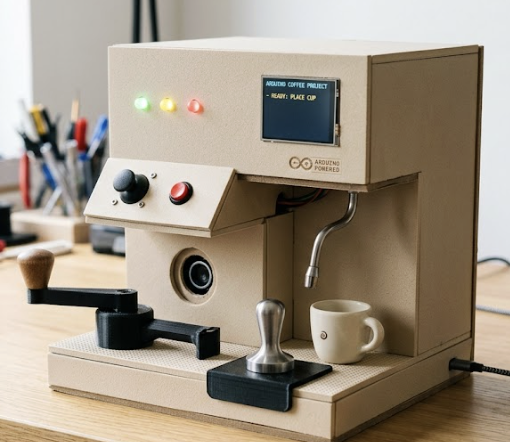
I will also use a push button for confirmation actions, such as starting the system, selecting steps, and moving to the next stage. A joystick module will be used to navigate between tools, where the Arduino reads its values to determine direction. For outputs, I will use three LEDs (red, yellow, and green) to provide feedback. Red indicates a step has not started, yellow shows the process is in progress, and green indicates completion.
The Arduino will send sensor values, joystick input, and button states to p5.js through serial communication. It will also receive information from p5.js about the current step, allowing it to correctly interpret inputs and control the LEDs.
Design and Description of P5:
The p5.js program will manage all visuals and the overall flow of the interaction. It will control the different screens, including the start screen, instructions page, and the main coffee-making interface, as well as display the navigation system using the joystick.
During each step, p5.js will use sprite sheets to display animations that represent the action being performed. These visuals will update in real time based on data received from the Arduino, especially the ultrasonic sensor, creating a direct connection between the user’s physical actions and the digital response.
The p5 program will receive sensor data, joystick movement, and button inputs from Arduino to update visuals and control progression. It will also send the current step information back to Arduino so it can adjust how inputs are interpreted and control the LED feedback.
Materials:
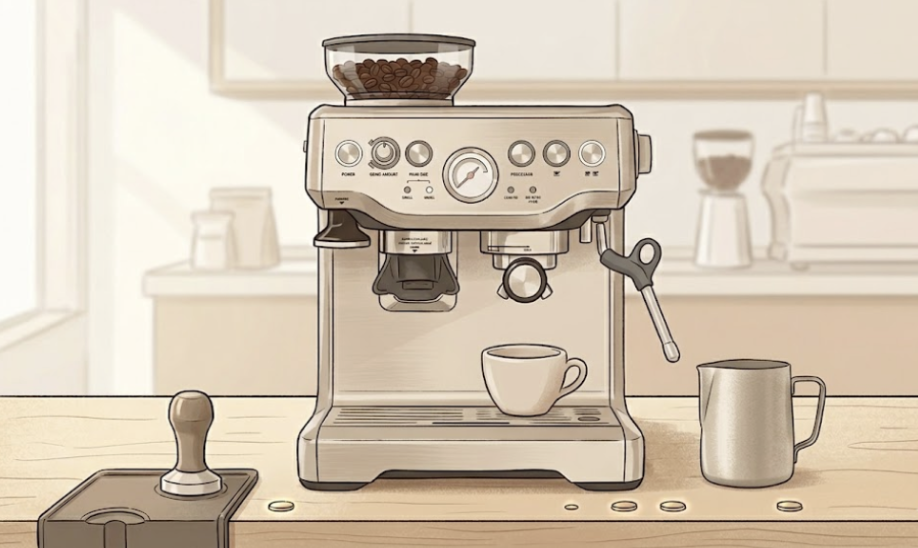
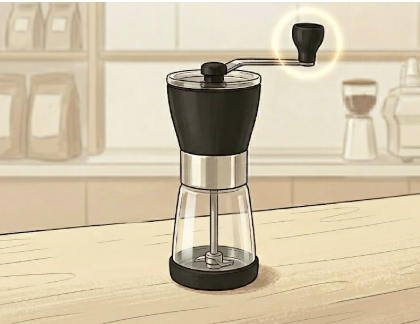
For my project, I will be using components from my Arduino kit, including the Arduino board, breadboard, and jumper wires to build the system. I will use an ultrasonic sensor as the main input to detect the user’s movements and gestures during the coffee-making process. A push button will be used for confirmation actions, such as starting the steps, and a joystick will allow the user to navigate between the different tools or stages. I will also include three LEDs (red, yellow, and green) to provide clear feedback, indicating when the system has not started, is in progress, and when a step is completed. I will be 3D printing or creating physical coffee-making tools such as a grinder, tamper, and cup to make the interaction more realistic. Using the stipend, I will purchase the joystick and build a simple coffee machine-style enclosure using materials like cardboard or foam board to organize the components and hide the wiring. This will improve the overall presentation and create a more immersive and polished experience.
Process:
So far, I have finalized my concept and organized all my ideas, along with doing some research to make sure everything can work the way I imagine it, especially using the ultrasonic sensor with movement and sprite sheet animations.
I have also started working on the visual side by creating images for the layout I plan to follow in p5.js. This includes the start page, the instruction guide, and the main setup with the first step of the process. In addition, I have begun creating the first sprite sheet for the initial movement so that the animation can respond to the user’s interaction.
I have also started preparing the structure of my p5 sketch to integrate these elements. My next step is to import these visuals into the p5 sketch and start coding them to work properly, making sure the interaction functions as expected. After that, I will continue adding the remaining steps using the same structure and process.
Images: