Reading Response- Week 10 reflection A Brief Rant

In reading A Brief Rant on the Future of Interaction Design, I liked the author’s argument that current “visions of the future” are not truly innovative but instead reinforces a limited interaction entered on “pictures under glass”. This challenged my previous assumption that modern touchscreens represent cutting-edge interaction design. I always thought sleek, minimal interfaces with progress, but the reading made me realize that these designs may actually ignore a fundamental aspect of human capability being our sense of touch. The passage describing how hands “feel things and manipulate things” (page 4) resonated with me because it reframed interaction not as something just purely visual, but as something deeply understood. Reflecting from my own experience especially using devices for creative work such as  music or design so I now notice how limited these interactions feel compared to real-world engagement. This raises an important question for me which is Why does mainstream design continue to prioritize visual aesthetics over sensory cues? Even when it contradicts how humans naturally interact with the world.

At the same time, this reading expanded my understanding of what “innovation” in interaction design actually means. The author highlights on human capabilities, rather than just needs or technology, shifted my perspective toward a more human-centered framework. I found the example of hands performing more complex, such as intuitively opening a jar or making a sandwich. This is powerful evidence because it illustrates how sophisticated human interaction already is without digital mediation (page 8). This connects to my own work in interactive media, where I often think about how to make projects more engaging, yet I realize I have mostly relied on screens and visual outputs. The reading makes me question whether I am unconsciously limiting my designs by staying within familiar digital conventions. It also challenges me to think more ambitious way. As the author argues, then designers like myself have a responsibility to explore interfaces that incorporate touch, movement, and the full body.

Sky Orachorn- Week 10 Reading Reflection A Brief Rant on the future

Response A brief Rant on the Future

Reading Responses: A Brief Rant on the Future of Interaction Design made me rethink that my initial interpretation of the original word rant stood out as I think the author’s deliberate refusal to provide a clear solution, emphasizing instead that identifying the problem is a necessary first step toward meaningful innovation. At first, I found this frustrating because I tend to expect readings especially in terms of design to propose directions. This discomfort actually revealed an assumption I hold which is that good design thinking must always be solution-oriented. As the author challenges this by suggesting that premature solutions can limit imagination and that real breakthroughs actually come from long-term research driven by awareness and curiosity. This made me question my own approach in interactive media projects, where I often rush to “make something” rather than sit with the problem deeply. It raises an important question for me whether am I prioritizing productivity over genuinely understanding the limitations of current interaction algorithms?

Another idea that sparked my interest was the critique of alternative interaction methods such as voice, gesture, and even brain interfaces. The author argues that many of these still fail to match the richness of embodied interaction, particularly the role of the hands in creating and understanding spatial systems (page 2). This resonates with my own experience using voice assistants or gesture-based controls which feels convenient but rarely intuitive for more complex tasks. I found the comparison between adult tools and children’s “toys” (page 3) especially provocative, as it suggests that simplifying interaction to a single finger may actually reduce human capability rather than enhance it  . This connects directly to my current practice in digital design, where I rely heavily on screens and touch inputs. The reading encourages me think more critically about whether my work reinforces this limitation or challenges it. Ultimately, I now see interaction design not just as making interfaces easier, but as expanding what humans can do and this shift in perspective feels both challenging and motivating.

Week 10 reading response: A Brief Rant on the Future of Interaction Design & it’s follow up

This was the first time I’d ever seen that Microsoft Productivity of Future vision video, and though I know it wasn’t their intention, it felt incredibly depressing and even somewhat dystopian to me. Something about a world so sanded down in its aesthetics and devoid of any rich sensory experiences – all in the name of efficiency.

It makes me think of the minimalism movement that’s been slowly eating away at our world for the past several decades. Creative shapes and textures and architecture have been replaced by simple, monotone geometric shapes and plain, shiny surfaces. You may have seen these a bunch of times already, but just take a look at what popular businesses like McDonald’s and Hot Topic used to look like a couple of decades ago or so:

And compare that to what they look like now.

It’s not just technology; everything is turning as flat and smooth and understimulating as possible. But why? I mean the answer is the same as it always is: money. It’s easier to sell blank slates, so it’s safer to keep your real estate as generic as you can get away with than to allow room for creativity and differentiation. And speaking of money, I think the reason technological advances are continuing to shift towards the “pictures under glass” format the author was talking about is probably, in part, due to the fact that it just sells better.

Humans are fundamentally lazy creatures, in an adaptive sense. We subconsciously try to spend fewer resources for the same results – and those resources includes mental and physical energy. It’s an evolutionary trait obviously, the more efficient we are the more resources and energy we have to shift focus to other things (the industrial revolution, for example). So it follows that the simplest, most brain-rotting designs that require the least amount of physical and mental effort will sell the best.

We’ve almost given up on the body already. We sit at a desk while working, and sit on a couch while playing, and even sit while transporting ourselves between the two. We’ve had to invent this peculiar concept of artificial “exercise” to keep our bodies from atrophying altogether.

It won’t be long before almost every one of our daily activities is mediated by a “computer” of some sort. If these computers are not part of the physical environment, if they bypass the body, then we’ve just created a future where people can and will spend their lives completely immobile.

This applies to you and me just as much as it does anyone else. We have to make an active effort not to get sucked in by the allure of algorithms that spoon-feed us simple mind-numbing social media content, (which, by the way, is associated with gray matter atrophy*). In a way, this instinct for efficiency is what keeps us advancing as a species. However, if left unchecked, we might end up giving up things we value about ourselves, our creativity and imaginations… or our ability to think critically.

Also, the author accidentally predicted AI slop:

Creating: I have a hard time imagining Monet saying to his canvas, “Give me some water lilies. Make ’em impressionistic.”


*Not to imply a causal relationship, there isn’t enough data to come to any severe conclusions.

Week 10 – Reading Report

A Brief Rant On The Future Of Interaction Design

I enjoyed this reading because what he described is something I have actually experienced first-hand with my younger brother, who had to start KG (kindergarten) online due to COVID. Multiple of children who started their developmental learning stage online lack certain motor skills  which definitely could have been better had they experienced their early learning stage physically.

Although I am not fully against the idea of technology, I do believe it can alter and impact development, especially for younger people; it inhibits your body and brain’s full capabilities. Which is something we can see happening more commonly nowadays, especially with the rise of AI, where people are becoming less capable of doing certain tasks in one sitting without reliance on AI models or taking interval breaks in between 15 minutes. To some extent this text made me reflect on my own usage of certain technologies and media platforms; they should be a supplement and influence and not a replacement to my own capabilities. The text allowed me to reflect on how I should be using the technologies at hand.

I think I particularly enjoyed the reading more because it was more casual than academic. I think when someone speaks from more experience, it becomes more relatable and understandable.

Responses: A Brief Rant on the Future of Interaction Design

I think the people who gave such responses to the post took it to heart a little too much. I’ve heard too many people nowadays who are given a pen and paper say that they haven’t written something by hand in so long. It would be too repetitive if the author gave solutions because then again, the author cannot control how the users use technologies; that’s up to them to decide.  The author should not have to answer every single detail and spoon-feed the readers how to act, which, come to think of it, is what the previous reading was discussing: giving users hints instead of direct instruction.

I don’t honestly believe the questions posed were even meaningful.

Assignment – Week 9

My concept: 

For this week’s assignment, I worked on a small circuit that uses a button and a potentiometer to control two LEDs. The button works as a digital input, so the LED connected to it only turns fully on or fully off. The potentiometer is an analog input, so it gives a range of values, and that lets the second LED fade smoothly instead of switching instantly. Seeing both of them together helped me understand the difference between digital and analog in a very clear way. One is fixed, and the other changes gradually.

Code Snippet I’m Proud Of:

int potValue = analogRead(potPin);
int brightness = potValue / 4;
analogWrite(fadeLed, brightness);

This part made the most sense to me once I understood what PWM actually does just like how i learned on the slides. The potentiometer gives a value from 0 to 1023, but the LED only uses 0 to 255.  When I saw the LED fade smoothly as I turned the knob, it finally clicked for me how analog control works.

Process

I started this assignment by deciding which inputs and outputs I wanted to use. Since the goal was to work with both analog and digital inputs, I chose a pushbutton for the digital part and a potentiometer for the analog part. I wanted each one to control a different LED so I could clearly see the difference between the two types of signals.

I began by setting up the breadboard and making sure it had power. I connected the 5V pin from the Arduino to the positive rail and the GND pin to the negative rail. After that, I wired the button to pin 2 and added the 10k resistor to ground so it could work as a pull‑down. Then I connected the potentiometer to A1 and made sure the middle pin was going to the analog input. Once both inputs were connected, I added the two LEDs with 330 resistors to protect them.

At first, I tried to test everything on the physical Arduino, but the board started acting in a way that it wasn’t working and connecting to the laptop and kept shutting down, the green light would blink for a second and then everything will go off, and I wasn’t able to find the cable option on the ports shown to connect the code with my arduino, so that’s why it wasn’t working. After a lot of troubleshooting, I realized the problem was not my code or my wiring. The board itself was not responding properly. Because of that, I moved the project to Tinkercad so I could finish the assignment without dealing with hardware issues I could not fix. In Tinkercad, the circuit worked the way it was supposed to, and it helped me understand the logic more clearly.

My tinkercad:

https://www.tinkercad.com/things/b5J0eHZInWx/editel?lessonid=EFU6PEHIXGFUR1J&projectid=OGK4Q7VL20FZRV9&collectionid=undefined&title=Editing%20Components&sharecode=UdELcMJJ9AZbknNHQbrLb1glfjri4FwRHka6vCkfr5U

Sketch:

My circuit:

My code:

int buttonPin = 2;     // the button
int ledPin = 13;       // the digital LED
int fadeLed = 11;      // the fading LED
int potPin = A1;       // the potentiometer

int buttonState = 0;   // to store what the button is reading
int potValue = 0;      // to store what the potentiometer is reading
int brightness = 0;    // to store LED brightness

// pinMode( tells the Arduino how each pin will be used)
void setup() {
  pinMode(buttonPin, INPUT); //the button is an INPUT because I’m reading from it
  pinMode(ledPin, OUTPUT); // the LEDs are OUTPUTS because the Arduino controls them
  pinMode(fadeLed, OUTPUT); //this runs once when the Arduino starts
}

void loop() {

  buttonState = digitalRead(buttonPin); // this checks if the button is pressed or not, t will be HIGH when pressed and LOW when not pressed


// if the button is pressed this means the LED on pin 13 turns on
// if the button is not pressed this means LED turns off

This is a simple if/else condition.
  if (buttonState == HIGH) {
    digitalWrite(ledPin, HIGH);
  } else {
    digitalWrite(ledPin, LOW);
  }

  // the pot gives a value between 0 and 1023
// this depends on how much I turn the knob

// I store it in potValue so I can use it for brightness
  potValue = analogRead(potPin);

  //analogWrite() only accepts values from 0 to 255 so dividing by 4 converts the 0–1023 range into 0–255
  brightness = potValue / 4;

//this sends a PWM signal to pin 11,the LED brightness changes smoothly based on the pot
// the higher pot value means brighter LED
  analogWrite(fadeLed, brightness);
}

Reflection / Future

This project helped me understand analog and digital inputs in a more real way. I already knew the definitions, but seeing how each LED reacted made it easier to get it. The digital input was very straightforward because the LED only turned on or off. The analog input felt more interesting because the brightness changed slowly when I turned the potentiometer. Using both at the same time made me feel more comfortable with how the Arduino reads different signals.

I also learned a lot about wiring and how small mistakes can mess up the whole circuit. I kept running into problems on the breadboard, and even when the wiring looked right, things still didn’t work. When the physical board stopped responding completely, I had to switch to Tinkercad. Even though that was frustrating, it helped me focus on the logic instead of fighting with hardware issues. It also showed me how important it is to check every connection carefully.

In the future, I want to try using more sensors and making the interactions more interesting. I also want to keep my wiring cleaner because it makes debugging so much easier. Now that I understand the basics better, I feel more ready to try bigger projects and see how these components can work together in different ways.

Week 8

The Concept:

Using three LED lights and an Ultrasonic sensor, I made a little traffic light thing that goes from green to yellow to red the closer you get to it.

Here’s the (crudely drawn) schematic sketch:

Unfortunately, I encountered an error trying to upload my sketch to the Arduino that persisted throughout every single troubleshooting method and fix I could find.

This means that, while I can show the physical Arduino wiring, I’ll have to use Tinkercad to demonstrate it in action.

Here’s the Arduino:

Here’s the video demonstrating Tinkercad circuit:

The code:

As for the code itself, I used a public domain tutorial for some help because I had no idea how to get the ping received from the sensor and convert it to centimeters.

Here’s the GitHub link.

int cm = 0;
int triggerPin = 7;    // TRIG pin
int echoPin = 6;
int red = 12;
int yellow = 11;
int green = 10;    // ECHO pin
int ping = 0;
int close = 50;
int far = 100;

void setup()
{
  pinMode(red, INPUT);
  pinMode(yellow, INPUT);
  pinMode(green, INPUT);
  pinMode(triggerPin, OUTPUT);
  pinMode(echoPin, INPUT);
  Serial.begin(9600);
}

void loop()
{
  digitalWrite(triggerPin, HIGH);
  delayMicroseconds(10);
  digitalWrite(triggerPin, LOW);

  // measure duration of pulse from ECHO pin
  ping = pulseIn(echoPin, HIGH);

  // calculate the distance
  cm = 0.017 * ping;
  // measure the ping time in cm
  Serial.print(cm);
  Serial.println("cm ");
  Serial.print(ping);
  Serial.println("ms");
  delay(100); // Wait for 100 millisecond(s)
  
  digitalWrite(green, LOW);
  digitalWrite(yellow, LOW);
  digitalWrite(red, LOW);

  
  if(cm < close){
    digitalWrite(red, HIGH);
  }
  if(cm < far && cm > close){
    digitalWrite(yellow, HIGH);
  }
  if(cm > far){
    digitalWrite(green, HIGH);
  }
  
  delay(100);
}

Week 9 – Reading Response

Tigoe’s “Greatest Hits” taxonomy is useful precisely because it reframes recurring project themes not as signs of creative exhaustion, but as flexible starting points. The most interesting tension in the piece is between projects that offer structured interaction — drum gloves, floor pads, tilty controllers — and those that are essentially aesthetic spectacles you wave at, like video mirrors and mechanical pixels. Tigoe is honest about this distinction without being dismissive, and that balance feels right. The example that stuck with me most is the Digital Wheel Art project, designed for a patient with limited mobility — it reframes a “body-as-cursor” trope into something genuinely purposeful, which suggests that what makes a recurring theme worth revisiting is often the specificity of the context, not novelty for its own sake. The piece raises a question though: if these themes keep recurring, is that because they represent something deeply natural about how humans want to interact with physical systems, or just because they’re the easiest things to build with the available tools?
“Set the Stage, Then Shut Up and Listen” makes a compelling case that interactive art is fundamentally a conversation, and that over-explaining your work is a way of refusing to have that conversation. The director analogy is apt — you can set conditions for an authentic response, but you can’t prescribe the response itself. That said, Tigoe’s argument assumes a fairly confident, well-resourced designer. In practice, people often over-explain their work not out of arrogance but out of anxiety that the interaction won’t be legible at all — a real concern, especially for newer designers. There’s a tension between “shut up and let the audience interpret” and “design clearly enough that people know how to engage.” The “Greatest Hits” piece is actually a useful companion here: it shows that certain gestures — tapping, tilting, waving — are already culturally legible, which makes it easier to step back. The question both readings leave open is how much context is enough, and how you know when you’ve crossed from helpful framing into over-interpretation.

Week 9 — Input Output

1. Repository

Repository

2. Overview

This project is an interactive color-matching game. A random RGB color is displayed on a target LED. The player uses a potentiometer to dial in their best guess across three channels — red, green, then blue — cycling between them with a button. A second RGB LED shows the guess in real time. When the player is satisfied, they press a lock button to submit their answer. The game scores the result based on how closely the guess matches the target across all three channels combined.

3. Concept

The idea came from thinking about how humans perceive color — we rarely see RGB values, we just see a color and react to it intuitively. The game puts that intuition to the test. By isolating each channel and forcing the player to set them one at a time, it makes visible a process that normally happens instantly in our brains. The constraint of the potentiometer (a single knob controlling one value at a time) creates a deliberate, almost meditative interaction. It’s also just a fun game to play, matching colors without needing to understand what’s happening electronically.

4. Process and Methods
    • The potentiometer is read every loop using analogRead, which returns a value from 0 to 1023. This is mapped to 0–255 using map() to match the range that analogWrite expects for PWM output.
    • A state machine (currentState) tracks which channel is active. Only the active channel updates when the pot is turned — the other two hold their last value. This lets the player build up the color incrementally without losing previous adjustments.
    • The Next button increments the state from Red to Green to Blue to Finished. If the player keeps pressing beyond Finished, the state wraps back to Red so they can refine any channel without restarting the round.
    • The Lock button only accepts input when currentState >= 3, preventing the player from accidentally locking in an incomplete guess.
    • randomSeed(analogRead(A5)) seeds the random number generator using electrical noise from an unconnected pin, ensuring a different target color every round.
5. Technical Details
    • Both buttons use INPUT_PULLUP mode — the pin is held HIGH internally and reads LOW when pressed. No external resistors are needed.
// Pin reads HIGH normally, LOW when pressed
pinMode(nextBtn, INPUT_PULLUP);
pinMode(lockBtn, INPUT_PULLUP);
    • The guess LED uses analogWrite (PWM) on pins 9, 10, 11 — this is the analog output requirement. The target LED uses the same approach on pins 5, 6, 7.
// analogWrite sends a PWM signal (0 = off, 255 = full brightness)
analogWrite(redG,   guessR);
analogWrite(greenG, guessG);
analogWrite(blueG,  guessB);
    • Scoring uses the sum of absolute differences across all three channels rather than a per-channel check. This gives a single number (0–765) representing total color distance, which maps naturally to a three-tier result.
// Total difference: sum of how far off each channel is (max possible = 765)
int diff = abs(targetR - guessR) + abs(targetG - guessG) + abs(targetB - guessB);
    • A simple delay(250) after each button press acts as debounce, preventing a single physical press from registering multiple times.
6. Reflection

This project was the most game-like thing I’ve built with the Arduino so far and it pushed me to think about user experience as much as electronics. The biggest design challenge was the state machine — figuring out how to let the player cycle back through channels to refine their guess without losing their previous values took a few iterations. I also underestimated how important the real-time feedback from the guess LED would be; watching the colour change as you turn the pot makes the whole interaction feel alive in a way that a number on a serial monitor never could. If I were to extend this, I would add a scoring history across multiple rounds and a visual indicator on the LED itself to show which channel is currently active (perhaps pulsing the active color) rather than relying entirely on the Serial Monitor for guidance.

7. Resources

Week 9 – Light Show Charging

Demo Below:

Concept:

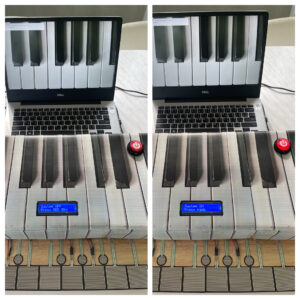
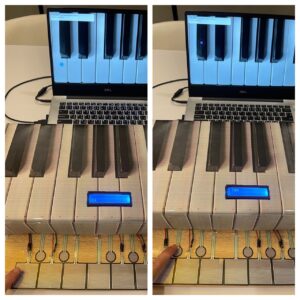
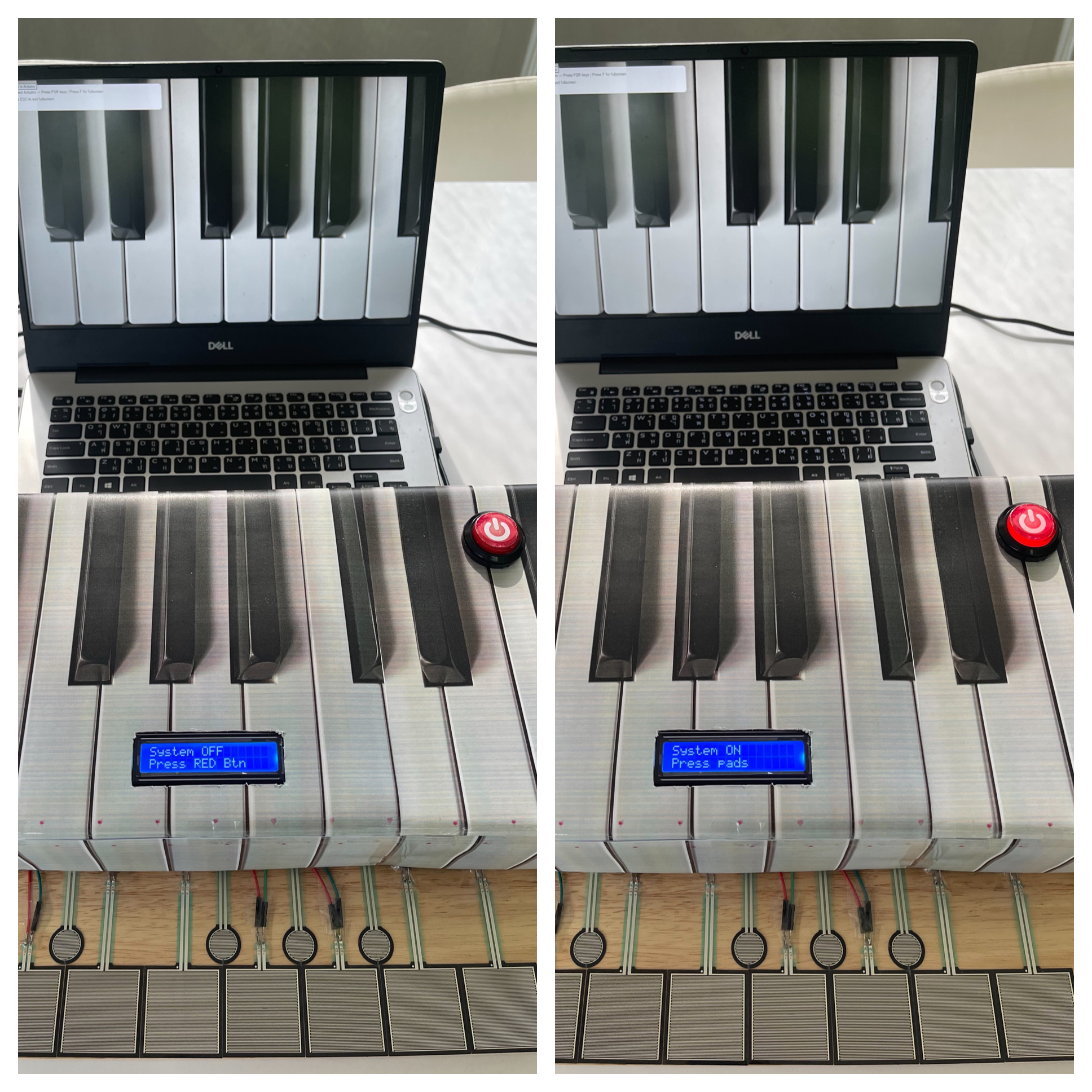
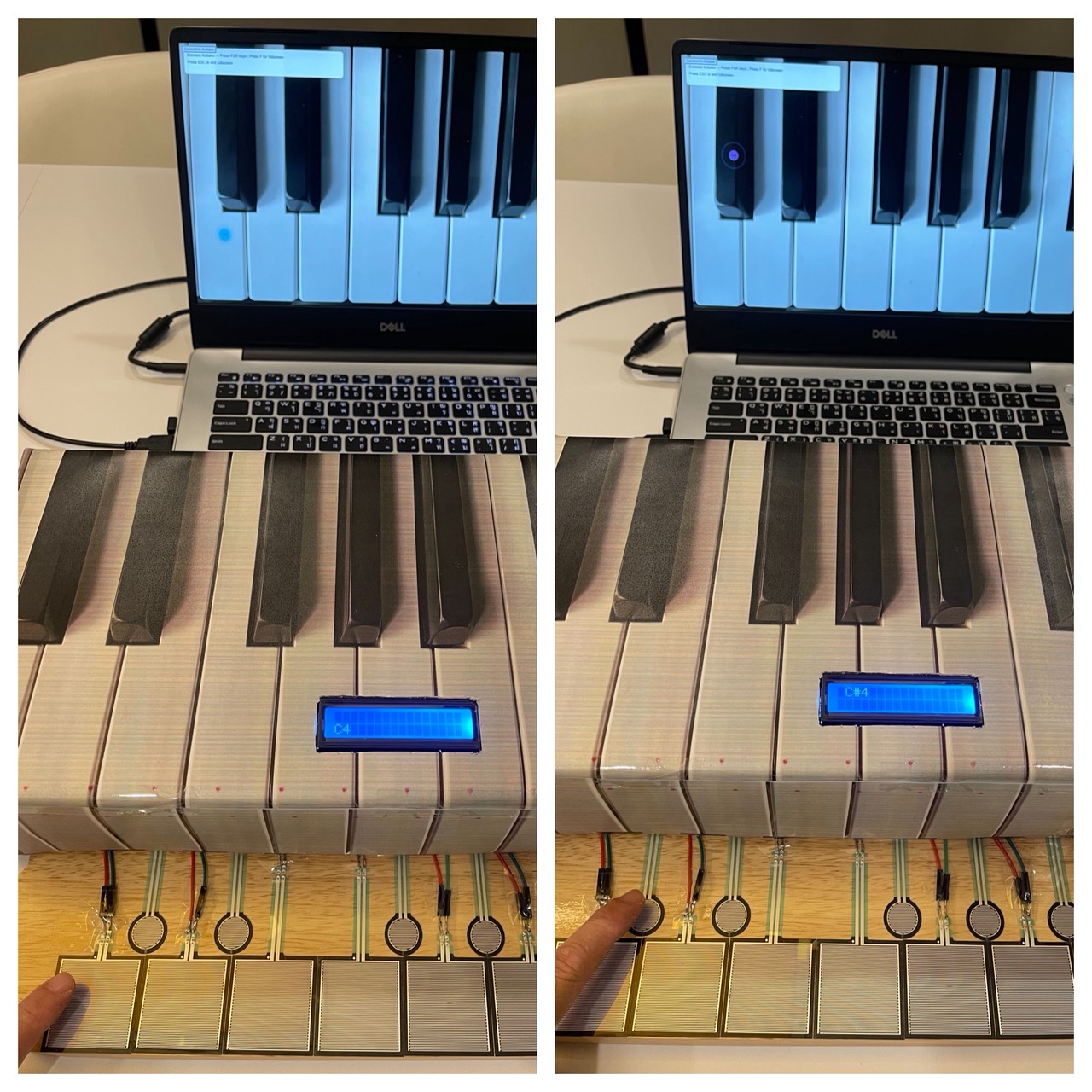
The idea of this is that, you “charge” up a light show by shining a really bright light on the photo resistor, once you charged it up for a good 10 seconds, a light show happens! A yellow RGB light slowly brightens up as the percentages reaches to a 100 while charging. I implemented a physical button that resets everything to stop the light show and so that you are able to charge it again.

Implementation:

Schematic:

The components used are RGB lights, a photo resistor, a 2×16 LCD and a potentiometer.

#include <LiquidCrystal.h>

// RS, E, D4, D5, D6, D7
LiquidCrystal lcd(12, 11, 5, 4, 3, 2);

const int ldrPin = A0;
const int btnPin = 7;     // Button
const int ledAnalog = 9;  // The fading LED
const int ledA = 13;      // Light show LED
const int ledB = 10;      // Light show LED
const int ledC = 8;       // Light show LED

int threshold = 600;
unsigned long startMs = 0;
bool charging = false;
bool done = false;

Here we initialize everything, since LCD has its own module and example code, I took the initialization and syntax from there, we assign pins, the threshold and set everything to false since the program just began.

// Reset logic
  if (digitalRead(btnPin) == LOW) {
    // Set variables to original values
    startMs = 0;
    charging = false;
    done = false;
    // Turn off everything
    digitalWrite(ledA, LOW);
    digitalWrite(ledB, LOW);
    digitalWrite(ledC, LOW);
    analogWrite(ledAnalog, 0);
    lcd.clear();
    lcd.print("System Reset");
    delay(500);
  }

This is the reset code for when the button is pressed, it just turns off everything, and sets charging and done false to enter the mode it originally started with and just reset everything to the origin.

if (!done) {
    // When light above threshold start counting
    if (light > threshold) {
      if (!charging) {
        startMs = millis();
        charging = true;
      } ...
  }
}

We have nested if statements here, to first check if the charging is done, if it isn’t we check if the light crosses the threshold, and if we aren’t already charging, we should start. If the light passes down the threshold, the charge goes to 0 and we restart.

  // Light show time
  lcd.setCursor(0, 0);
  lcd.print("FULLY CHARGED!  ");
  lcd.setCursor(0, 1);
  lcd.print("   100 PERCENT  ");
  
  // Blink Pattern
  digitalWrite(ledA, HIGH); delay(100);
  digitalWrite(ledB, HIGH); delay(100);
  digitalWrite(ledC, HIGH); delay(100);
  digitalWrite(ledA, LOW);  digitalWrite(ledB, LOW); digitalWrite(ledC, LOW);
  delay(100);
}

When it has charged for 10 seconds or more, we set done to true, which calls the else commands and starts the light show till stopped by the button or simply turned off.

Code here:
GitHub link

Reflection:

Some ways I thought of improving this is having a proper choreography of the lights that go along with some music, maybe manually do it or write up an algorithm that works for any song, either way I think that would improve this project. It was fun learning about the LCD however, and I am glad that I am able to use it now.

Week 9 Reading

I really liked the second reading, because I am always curious about movies that leave things to the audience to interpret and also poetry; how everyone have their own meaning of the same couplet. The fear of not being able to convey what I am trying to convey is something I notice everyday everywhere. The author touched on the opposite where we ignite a thought and let other people drive anywhere. Thou this is a scary idea at the beginning, it uncover so many new possibilities which I might to have never thought about before. I wonder if I can in corporate in the Arduino assignments.  In the P5, it was easy to let the audience contemplate but with this I think there it harder but can be done. And if done properly, it can have a far greater impact as we can have all the sensory inputs here.

On the other hand, the first reading highlighted something which I feel during every assignment, even thou room for creativity is infinite, one often feels limited with when working with primitive shapes or two LEDs. I understand it possible to create a mural out of primitive shapes but that also requires mastery in it. My take away from that reading is a quote by Martin Scorsese that is “The most creative is the most personal”