
Concept
The concept of this project comes purely from my desire to use a analog sensor that we have not used before. For this reason I wanted utilize the temperature sensor we have. For the ways which I could integrate the sensor first i though about a mechanism like alarm clock which would stop ringing if you placed your hand over it (due to immediate temperature difference) however since we had to use one digital sensor and 2LED s still, I had to choose another sensor. So I decided to switch that can be used to switch from an LED to another one.
Implementation
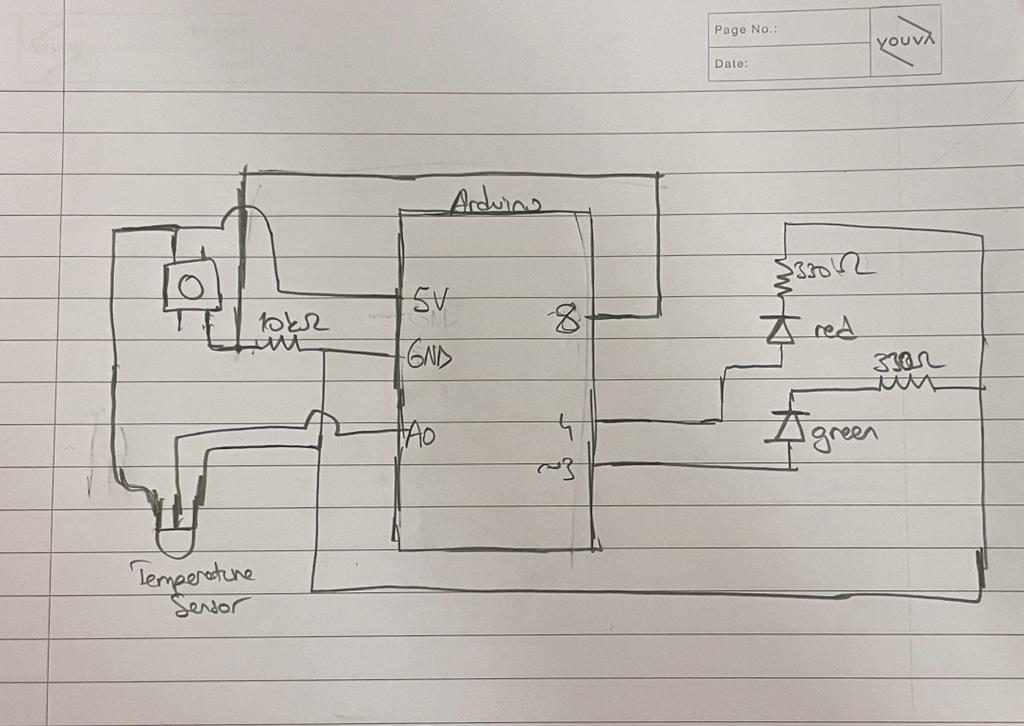
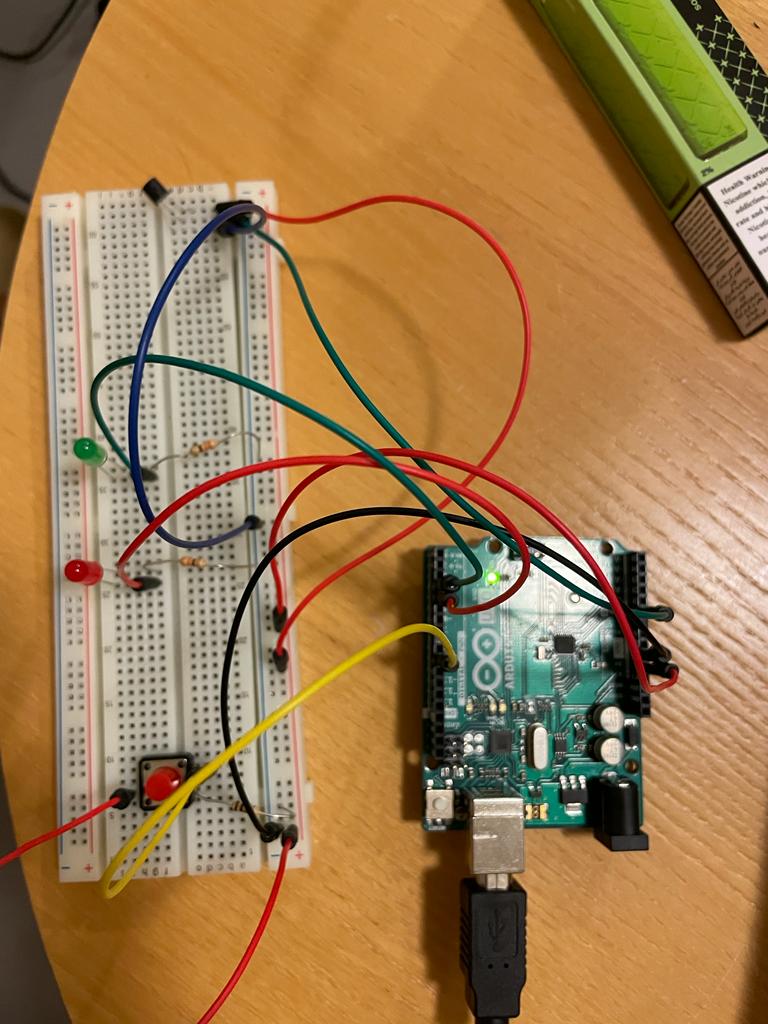
For this project, I first connected the temperature sensor. Since it takes time for the sensor to relay information on the temperature change I decided to put delay information. For the conversion of the read value from the sensor to the intelligible temperature value, this link can be used. When the jump level for the temperature is achieved, the red LED is turned on. On the other hand, when the switch is pushed the green LED is on until there is a significant drop on the temperature sensor again.
int tempPin = A0; //the temperature pin
int gLed = 3;
int rLed = 4;
int buttonPin = 8;
int ctr = 0;
int data1;
float temperature1;

void setup() {
  // Init serial at 9600 baud
  Serial.begin(9600);
}

void loop() {
  if (ctr == 0) {
    //initial temperature is recorded only once at the start and stored for use
    data1 = analogRead(tempPin);
    temperature1 =  100 * ((data1 * 5.0 / 1024.0) - 0.5);
    //the temperature recorded can be seen at the monitor
    Serial.print("Temperature: ");
    Serial.print(temperature1);
    Serial.println(" *C");
    ctr++;
  }

  //reads pure temp sensor data
  int data2 = analogRead(tempPin);
  // conversion to temperature from the data
  float temperature2 = 100 * ((data2 * 5.0 / 1024.0) - 0.5);;

  //the difference is recorded
  float difference = temperature2 - temperature1;

  //difference from the current to the initial temperature is mapped for the green LED
  analogWrite(gLed, map(difference, 0, 3, 0, 255));

  //red LEDis lit up according to the button pressed
  int buttonState = digitalRead(buttonPin);
  digitalWrite(rLed, buttonState);

  //difference pattern observed in the monitor
  Serial.print("Difference: ");
  Serial.print(difference);
  Serial.println(" *C");
  delay(800); // wait a second between readings
}
Schematic Diagram
Challenges
It was quite hard to do trial and error on the temperature data, as it was quite experimental. I had to watch through the relayed data some time to figure out which data cutoffs to use, as well as delay. It is still open to changes and the whole effect of the project would change according to these values that are arbitrarily determined. The project had similar challenges to plans that were not brought into reality before. Its in soul similar to Simone Giertz’s projects.
On the other hand, the mechanism of having it on my hand, and making sure that it didn’t move and was still usable was also very hard. I experimented with a couple of materials to make sure that the cables did not slip away, or the temperature sensor didn’t give faul values.
Reflections
This was a completely experimental project and even its purpose is questionable. I wanted to make a commentary on the social construct of what is a required amount to handshake and how we view it as weird if it is too long etc. I made the LEDs work in reverse, as red when you are waiting for it, and green if you handshake for too long (measured in temperature). It was quite fun and frankly purposeless and I feel like that’s why I enjoyed building this project.