
Schematics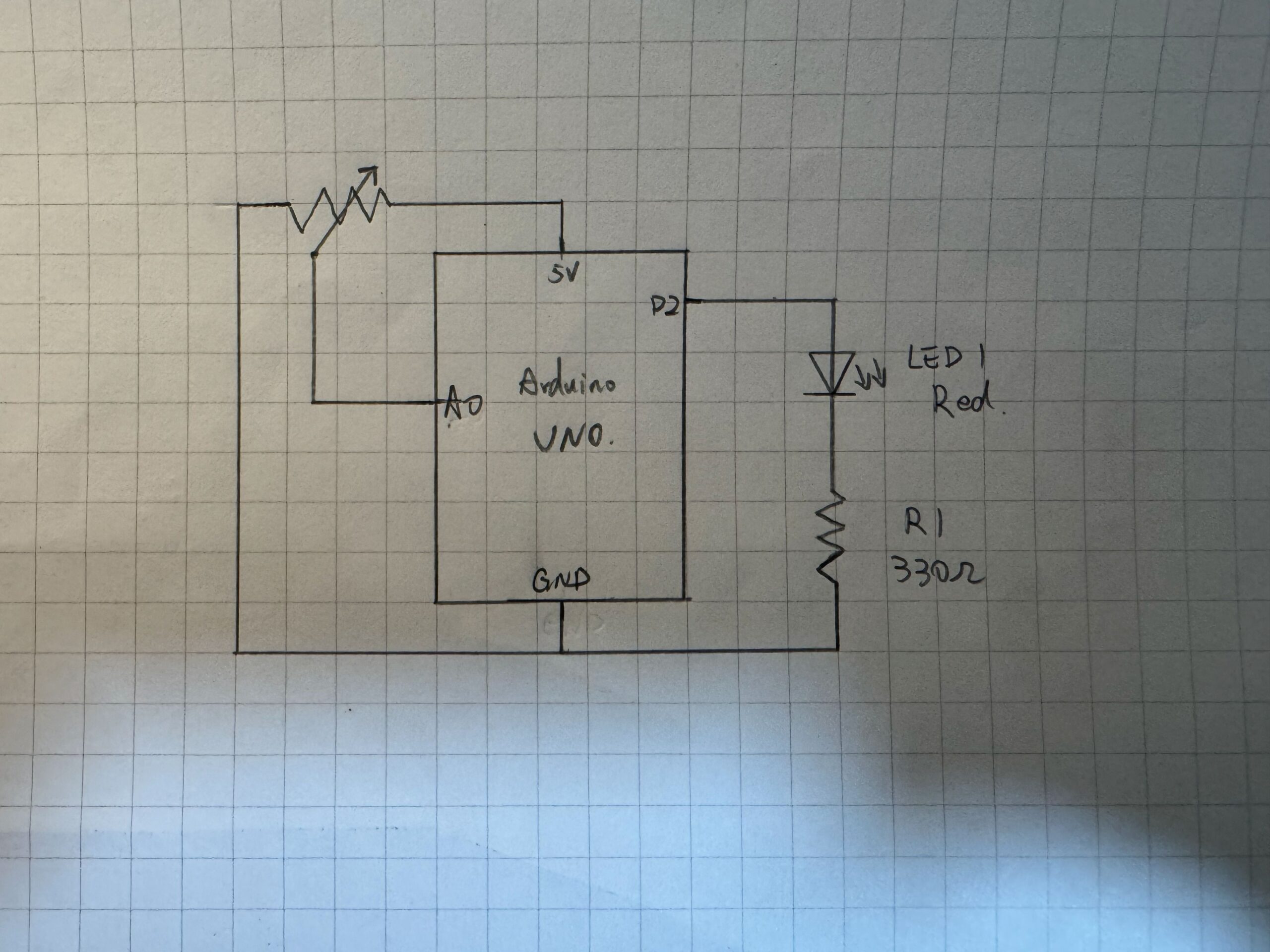
Video Demo
P5 code
https://editor.p5js.org/JingyiChen/sketches/8ggtbgHZV
I made changes to the code to include the serial communication components and also adjust the LED logic slightly so it would fit the bounce better. The code for serial communication was all adapted from the week 11 example 2 bidirectional communication example.
//original bounce code, but it doesnt work well if I put the ledState deciding if else in here.
if (position.y > height - mass / 2) {
  velocity.y *= -0.9; // A little dampening when hitting the bottom
  position.y = height - mass / 2;
}
//so I added another if statement to individually decide whether the LED should light up according to ball y position
//first line creats a 15 pixel range near the bottom line for the led to light up, to prevent the glitch like blinks that would happen with the original bounce code.
if (position.y > height - mass / 2 - 15) {
  // Use the absolute of the velosity so the ball triggers the LED on both the way down and up
  if (abs(velocity.y) > 2) {
    ledState = 1;
  } else {
    ledState = 0;
  }
} else {
  //if the ball is not within the 15 pixel range
  ledState = 0;
}
This code snippet is where I added some logic to make the LED poerform more in sync with the bounce. Originally I added the ledStae changee directly to if (position.y > height – mass / 2){}, which resulted in a bit of a glitchy looking blink, which I think might have to do with the very small time frame on the on signal and the time it takes for the information to be communicated between p5 and arduino. So I added another if statement to have the LED turn on when the ball is in a 15 pixel range above the bottom line, and also checked the velocity so the led does not stay on when the ball is barely bouncing or stationary. This make the led a lot more stable and light up correctly every bounce.
Arduino code
The arduino code is also adapted from the week 11 example 2 bidirectional communication example. I changes the code very slightly so it would reflect the wiring of having only one input from the potentialmeter.
Difficulties and areas for improvemment
The biggest difficulty was the glitchy blink when I added blink code to the original code. I spend some time trying to figure out why but because I couldnt find anything wrong with the p5 or arduino code I had to guess it was timing differences. It would have been better if I had been able to uncover the root cause of the problem and figured out how to solve it in the original code.