
“Turning on the light is easy if you know where the switch is” – Colin Wilson
Concept:
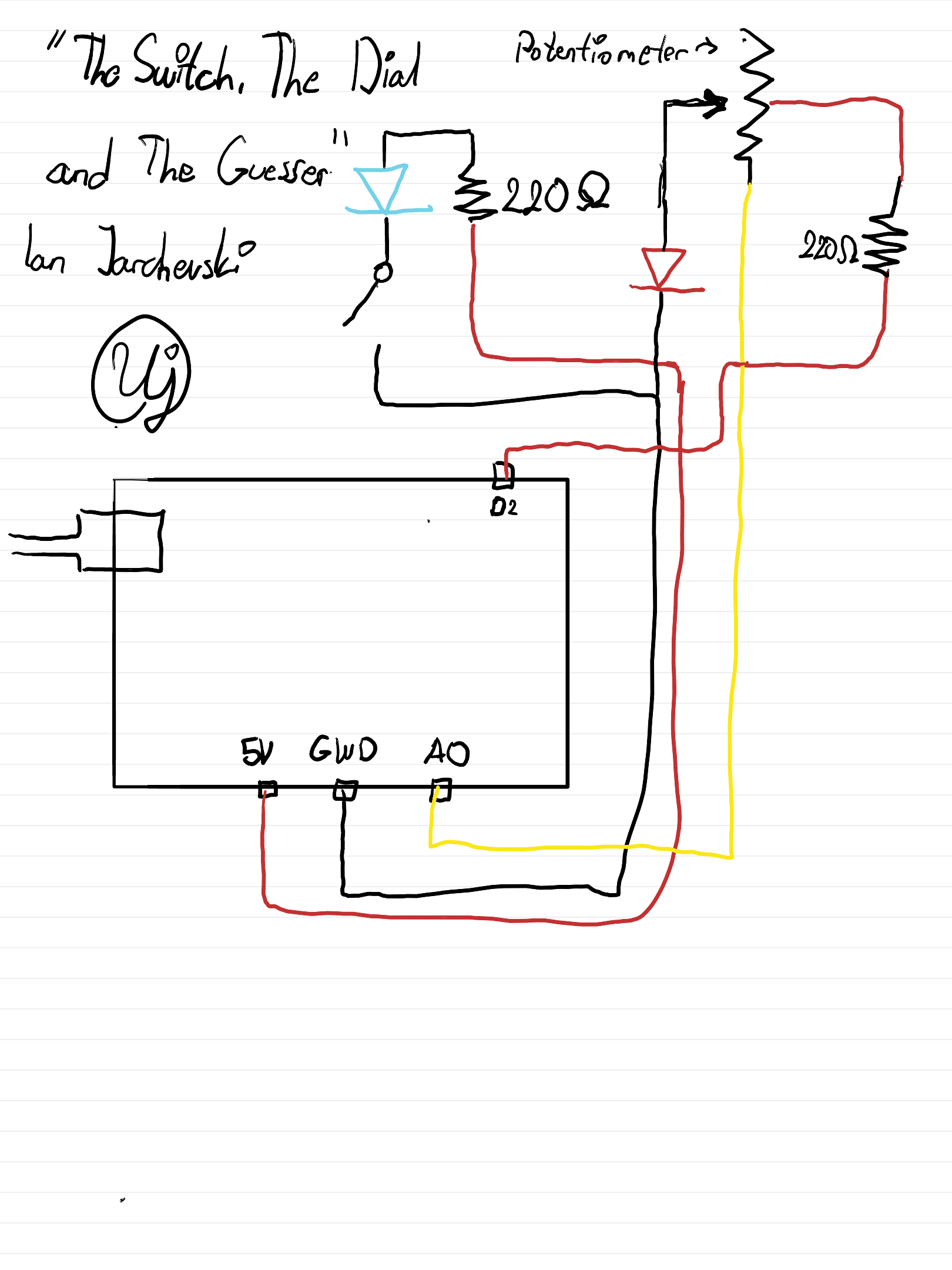
Finally we have reached the Arduino era of the class. So to start out, we were tasked to make a analog switch and a digital switch to turn on two LEDs in a digital and analog fashion. But as well, to add a bit of spice to it. Now being honest it took me some time to get my footing with Arduino as this is my first time using and tinkering with it. But I’ve managed to make something at least a bit fun. I’ve been fond of escape rooms and locks, and I thought, what if I make it so depending on where you twist the lock, the LED will shine.
Sketch:
Digital Circuit:
How it’s made:
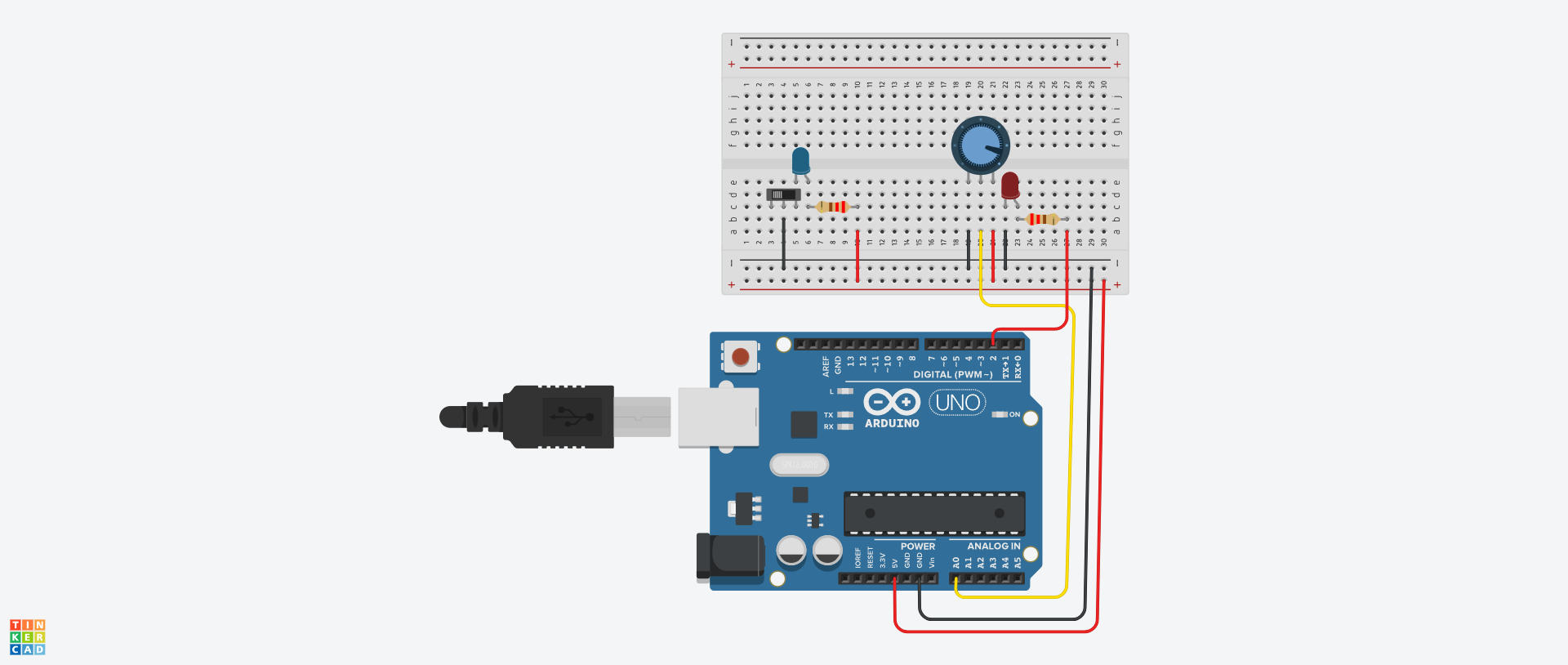
In terms of designing, the Blue LED is a simple circuit, featuring a resistor set at 220 olms, and wires connecting it to the Ground and Power. The key thing added is a simple switch that the user can interact with to turn the LED on or off.
However the Red LED has instead a potentiometer. I chose it as it’s use as a dial is going to be key to solving what random value the LED is in. Basically, I have a random function that generates a random value between the lowest and highest value of the potentiometer. Then we read the current value of the potentiometer which uses the function analogRead(). And finally we use a simple if else statement to check if the value is the same, and if so the LED will shine. I’ve added a buffer just so it’s not too difficult to guess.
Highlighted bit of Code I’m proud of:
Outside of the regular struggles with making the digital design, I struggled figuring it out why the random value wasn’t truly random. It was confusing as I assumed somehow it was reading the value of the potentiometer and using that variable as a constant. But that wasn’t the case, so I was a bit dumbfounded as the result variable in the code below isn’t tied to anything.
I did a bit of googling and found out that if I use the random function then it will give me a random number. But, it will repeat everytime, practically serving as a constant, and that wasn’t helpful everytime I would start the simulation. So apparently, you are supposed to add a seed to a code to make it unique and it must be on a unconnected pin as it picks up different static which determines the randomness. Really interesting honestly, but a pain to figure that quirk out.
randomSeed(analogRead(A0));
result = random(0, 1022);
Reflection
Overall I’m pleased with my tinkering for now. I feel like just making the digital design on tinkercad was an experience in itself but also trying to find some sort of creative spin for the LEDs. I think potentially I could add more to it, but I’m fine this being a simple game and hopefully as the weeks go, we can try out different things.
Full Code:
int inputPin = 0;
int outputPin = 2;
int result = 0;

void setup(){

  Serial.begin(9600);

  randomSeed(analogRead(A0));
  result = random(0, 1022);

  pinMode(outputPin, OUTPUT);

}

void loop(){

  int potentialVal = analogRead(0);
  Serial.println(potentialVal);
  Serial.println(result);

  if (potentialVal >= result - 20 && potentialVal <= result + 20){
    digitalWrite(outputPin, HIGH);
  }
  else{
  	digitalWrite(outputPin, LOW);
  }

}