
Embedded sketch:
Overall concept:
My goal with this midterm was to create a demo of a video game – one that I’m planning to expand on in a future opportunity. The concept I had in mind for this demo was a retro-style horror pixel game that takes place in a lab. The player will experience a cutscene and then be placed into an environment where they must interact with the setting in some way.
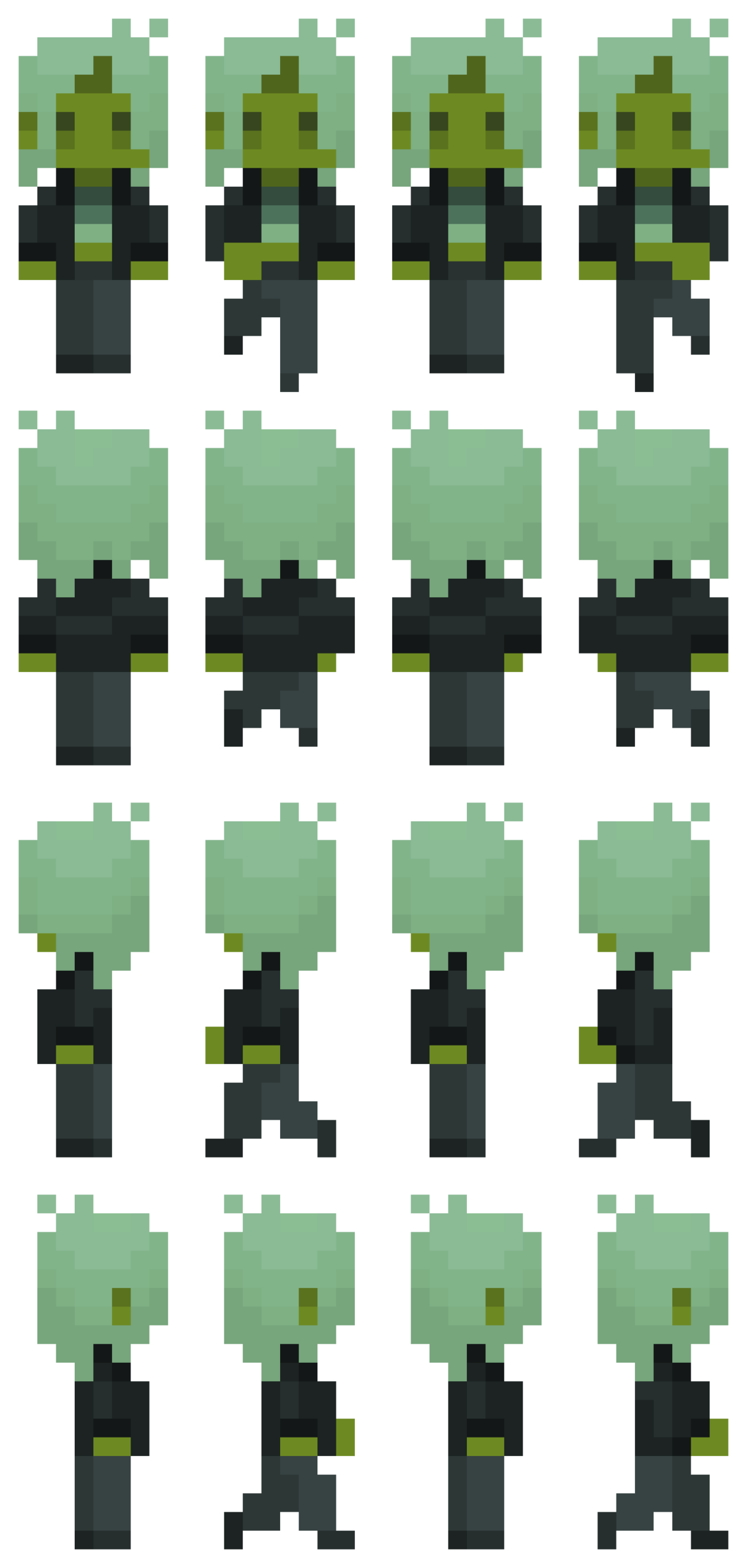
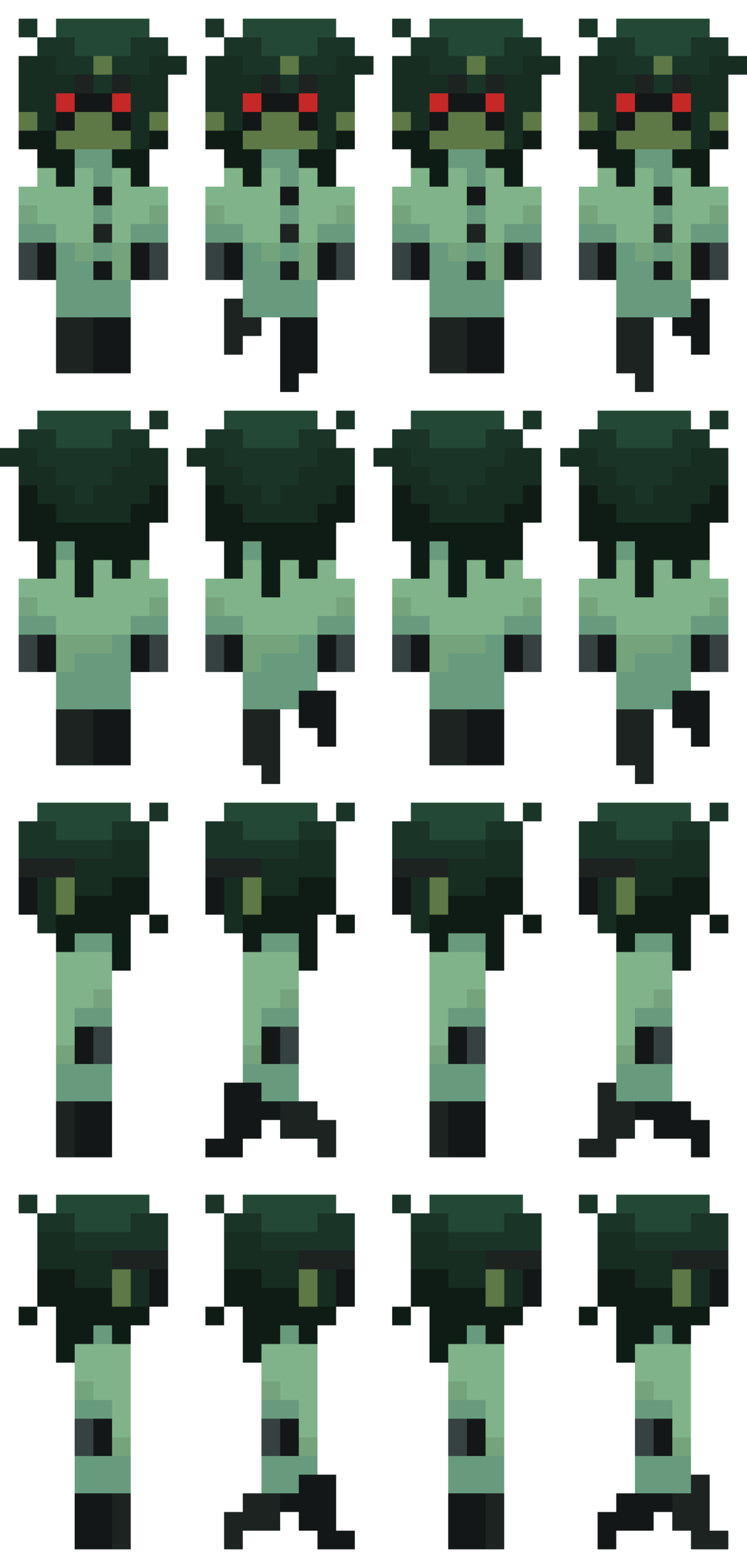
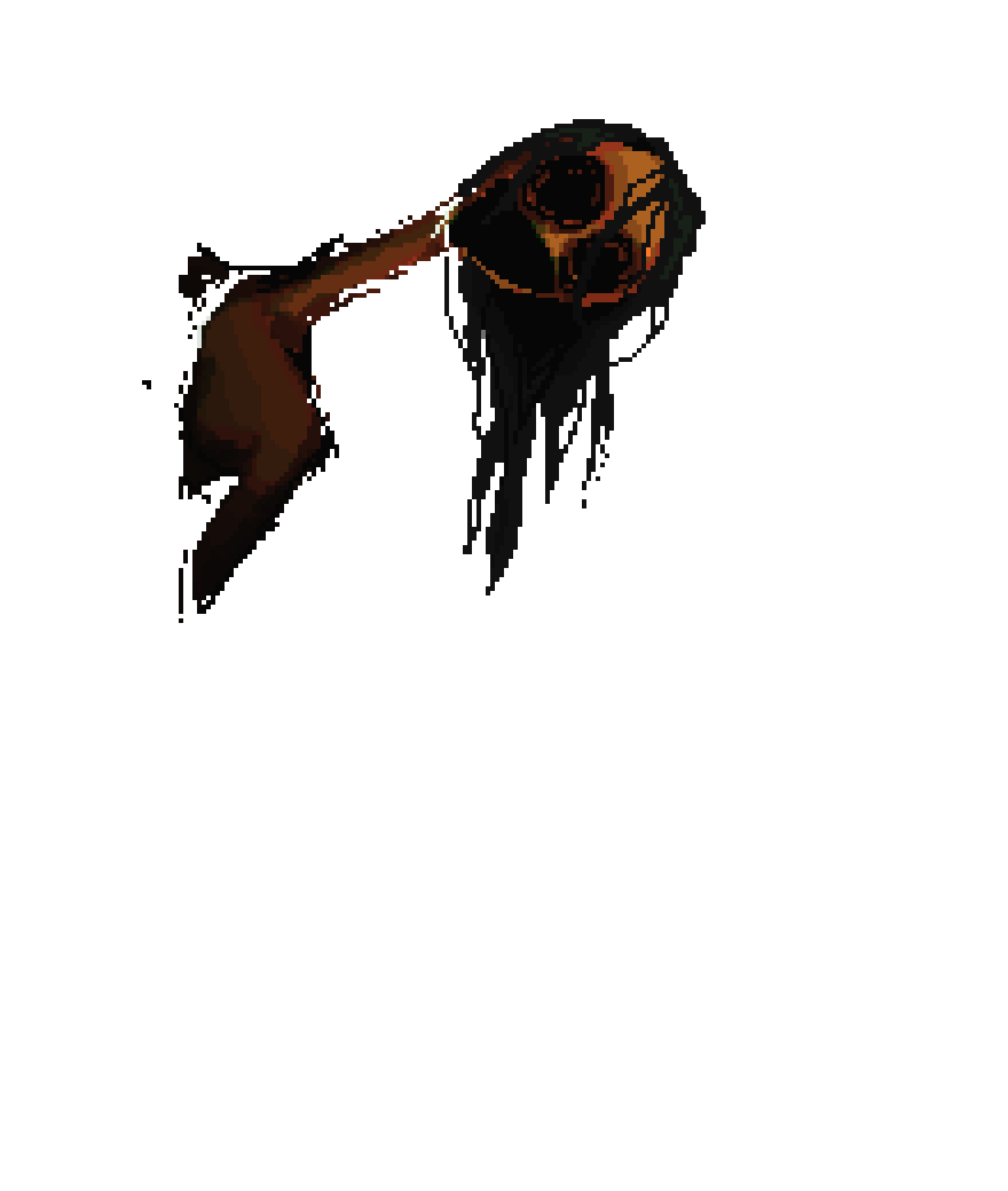
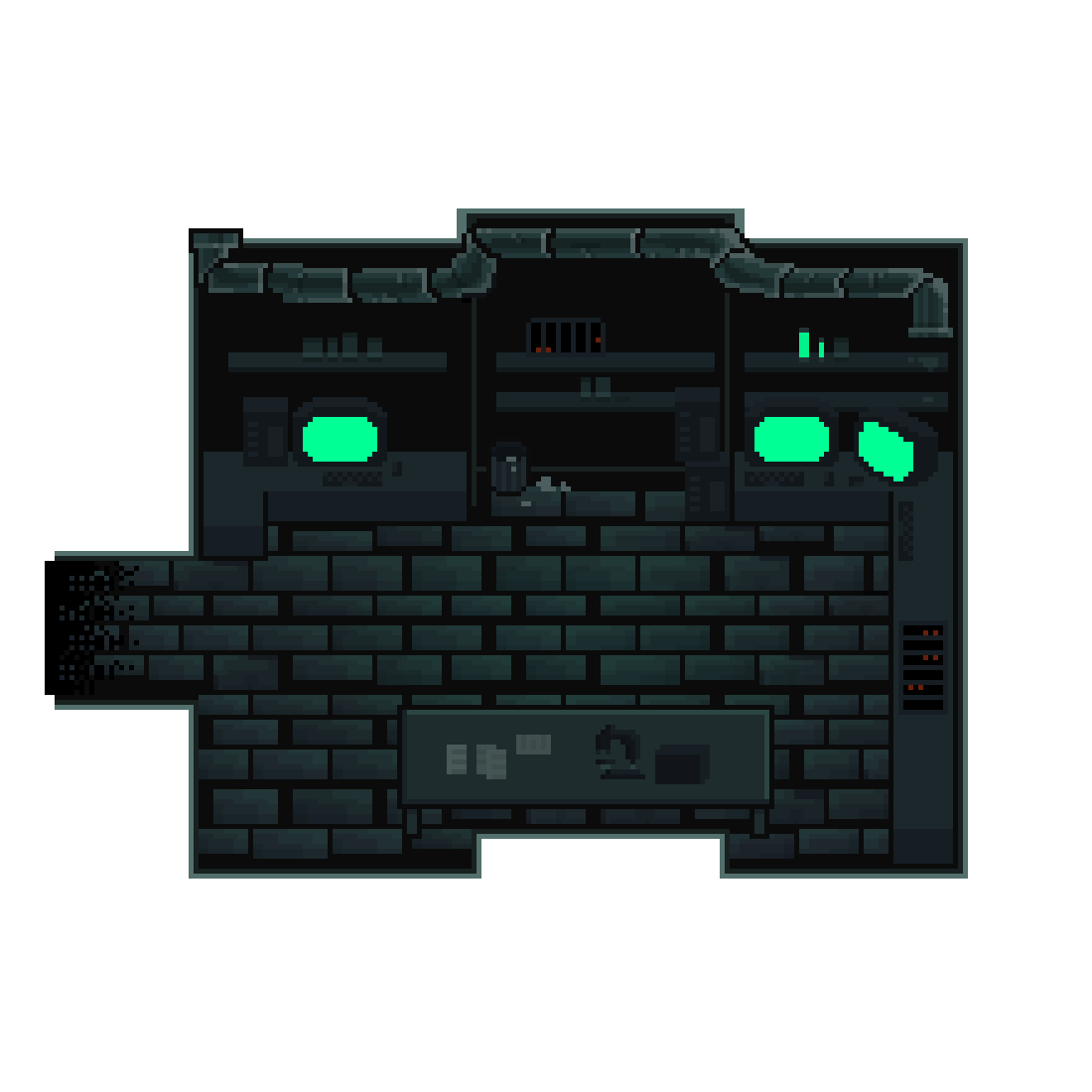
The story, which isn’t really relevant in the demo version, is supposed to follow a young woman (the player character) working a late-night shift in a laboratory, where she begins to see things in the dark. Below are some of the sprites and assets (used and unused) I created for this project.
player character sprite sheet
unused non-player character sprite sheet
cutscene art
laboratory background
How it works and what I’m proud of:
To start with the assets and how I obtained them: all visual elements were drawn by me using the online pixel-art program Pixilart.com. All the sound effects and background noise were downloaded and cut from copy-right free YouTube sounds.
As for the code, rest-assured there was absolutely no ChatGPT usage or any other form of ai-coding. I did attempt to go to two friends – one CS major senior and one graduated CS major – and they somehow only managed to make things worse. I figured everything out myself through either research or agonizing tear-inducing Vyvanse-fueled trial and error.
Below I’ll share and briefly describe snippets of code I’m proud of.
//item toggling; ensuring you need to be within a certain distance, facing the item to interact with it, and the item is still in its initial state
if (keyIsDown(ENTER)) {
  //pc1
  if (
    pc1Opacity == 0 &&
    x > midX - bgWH / 2 + 220 &&
    x < midX - bgWH / 2 + 300 &&
    y == midY - bgWH / 2 + 390 &&
    direction === 1
  ) {
    pc1Opacity = opaque;
    inRange = true;
    //pc2
  } else if (
    pc2Opacity == 0 &&
    x > midX + bgWH / 2 - 280 &&
    y == midY - bgWH / 2 + 390 &&
    direction === 1
  ) {
    inRange = true;
    pc2Opacity = opaque;
    //pc3
  } else if (
    pc3Opacity == 0 &&
    x > midX + bgWH / 2 - 280 &&
    y == midY - bgWH / 2 + 390 &&
    direction === 3
  ) {
    inRange = true;
    pc3Opacity = opaque;
    //trash
  } else if (
    trashCanOpacity == 0 &&
    x > midX + bgWH / 2 - 460 &&
    x < midX + bgWH / 2 - 440 &&
    y == midY - bgWH / 2 + 390 &&
    direction === 1
  ) {
    inRange = true;
    garbageOpacity = 0;
    trashCanOpacity = opaque;
  } else if (
    tableOpacity == 0 &&
    x < midX + bgWH / 2 - 290 &&
    x > midX - bgWH / 2 + 310 &&
    y == midY + bgWH / 2 - 320 &&
    direction === 0
  ) {
    inRange = true;
    tableOpacity = opaque;
  } else {
    inRange = false;
  }
  //playing the toggle sound every time all parameters are met
  if (inRange) {
    toggle.setVolume(0.1);
    toggle.play();
  }
}
Okay, so I won’t say I’m exactly too proud of this one because it’s really clunky and a bit repetitive, and I’m sure I would’ve found a much more efficient way to put it had I been more experienced. It does, however, do it’s job perfectly well, and for that I think it deserves a place here. It’s probably one of the parts I struggled with the least given how straightforward it is.
for (let j = 0; j < 4; j++) {
  sprites[j] = [];
  for (let i = 0; i < 4; i++) {
    sprites[j][i] = spritesheet.get(i * w, j * h, w, h);
  }
}

//cycling through sprite array and increments by the speed value when arrow keys are pressed. %4 resets it back to the first sprite in the row (0)
if (keyIsDown(DOWN_ARROW)) {
  direction = 0;
  y += speed;
  step = (step + 1) % 4;
} else if (keyIsDown(LEFT_ARROW)) {
  direction = 2;
  x -= speed;
  step = (step + 1) % 4;
} else if (keyIsDown(UP_ARROW)) {
  direction = 1;
  y -= speed;
  step = (step + 1) % 4;
} else if (keyIsDown(RIGHT_ARROW)) {
  direction = 3;
  x += speed;
  step = (step + 1) % 4;
  //when no key is being pressed, sprite goes back to the standing position (0,j)
} else {
  step = 0;
}

//keeping the sprite from walking out of bounds
if (y >= midY + bgWH / 2 - 320) {
  y = midY + bgWH / 2 - 320;
}
if (y <= midY - bgWH / 2 + 390) {
  y = midY - bgWH / 2 + 390;
}
if (x >= midX + bgWH / 2 - 180) {
  x = midX + bgWH / 2 - 180;
}
if (x <= midX - bgWH / 2 + 175) {
  x = midX - bgWH / 2 + 175;
}
I probably included this snippet in my progress post, since it’s the code I worked on before anything else. Everything else was kind of built around this. (keep in mind that in the actual sketch, the array is created in the setup function and the rest is in the draw function. I just combined them here for simplicity.)
function cutScene1() {
  background(0, 8, 9);
  jumpscare.setVolume(1);
  spookyNoise.setVolume(0.05);
  spookyNoise.play();

  //having the creature jitter randomly
  let y = randomGaussian(midY + 50, 0.4);
  let wh = bgWH;

  tint(255, doorwayOpacity);
  image(doorway, midX, midY + 55, wh, wh);
  noTint();

  //creature fading in
  if (a >= 0) {
    a += 0.5;
    tint(255, a);
    image(creature, midX, y, wh, wh);
    noTint();
  }

  // triggering jumspcare once opacity reaches a certain value
  if (a >= 50) {
    jumpscare.play();
  }

  //ending the function
  if (a > 54) {
    doorwayOpacity = 0;
    background(0);
    spookyNoise.stop();
    jumpscare.stop();
    START = false;
    WAKE = true;
  }
}
This is one of the last functions I worked on. I actually messed this one up quite a bit because my initial attempts really overcomplicated the animation process, and I didn’t know how to make sure the code executed in a certain order rather than at the same time. I tried using a for() loop for the creature fading in, and honestly I really hate for() and while() loops because they keep crashing for some goddamn reason and I kept losing so much progress. It didn’t occur to me at first that I could just… not use a for() loop to increment the opacity. It also took a few tries to get the timing right. One thing I’ll improve on here if I can is add a visual element to the jump scare. I’d probably have to draw another frame for that.
Another thing I’d improve on is adding some dialogue and text-narration to the sequence so that the player has a better idea of what’s going on. I was also planning on implementing some dialogue between the player character and the doctor right after the cutscene, though I unfortunately didn’t have the time for that.
Overall, I’m mostly proud of the visual elements (I’ll be honest, I spent MUCH more time on the visual elements and designing the assets over the rest), because I think I managed to make everything look balanced and consistent – integrating the sprite well with the environment, while having the interactions remain, as far as I’m aware, bug free.
