
1. Sketch and Code
2. Concept
I wanted to make something that felt more physical than most browser games. The idea was simple: instead of clicking a button and having a resource appear, you actually go and get it. You walk to the river to fill a bucket. You dig in the forest and carry the clay back. You hold your mouse on a pottery wheel until the shape changes. The whole game is built around making you move between spaces and handle things directly, rather than managing numbers in a menu.
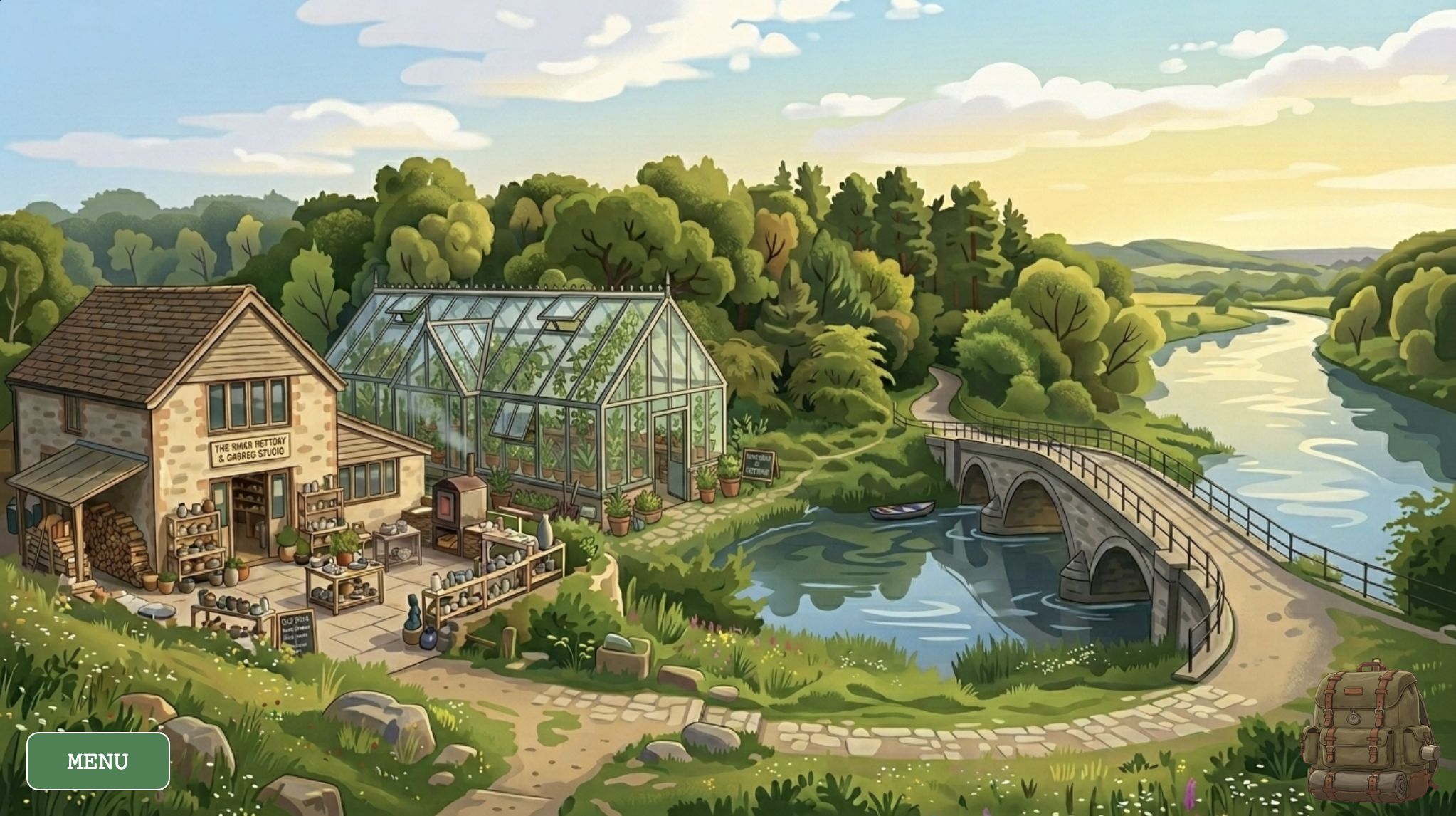
The game has five locations — a world map, a river, a forest, a pottery studio, and a greenhouse — each with its own interaction logic and its own music track. You start with five seeds and no other resources, and the loop is: collect clay and water, make a pot in the studio, bring it to the greenhouse with soil and a seed, and wait for the plant to grow. The cursor changes depending on where you are and what you’re carrying, so you can always tell what you’re holding without opening an inventory screen. The visual style came from wanting it to feel lo-fi and cozy, loosely inspired by games like Stardew Valley but much smaller in scope.
3. How it Works
The entire game runs on two parallel state variables stacked on top of each other. gameState controls the meta-level — which screen the player is on (title, instructions, gameplay, or pause). currentLayer controls the world-level — which physical location the player is standing in. Every frame, the draw() loop reads both and routes rendering and input accordingly. This separation means that pausing the game, for instance, simply renders the pause menu on top of an already-drawn scene without tearing anything down. A new layer can be added to the game without touching any existing screen logic.
Navigation between scenes is handled by a rectClick() helper that checks whether the mouse landed inside a manually defined pixel rectangle. The world map coordinates were discovered by logging mouseX and mouseY to the console while clicking over the background image — a reliable form of coordinate mapping. Two rectangles per scene allow irregular regions of the map to be approximated without any polygon math.
/*
 * Detects which map region was clicked and navigates to that layer.
 * Regions are defined as bounding rectangles over the map background art.
 */
function checkMapClick() {
    if (rectClick(0, 190, 260, 470) || rectClick(240, 330, 380, 430)) {
        currentLayer = "STUDIO";
    } else if (rectClick(240, 200, 500, 260) || rectClick(300, 260, 510, 360)) {
        currentLayer = "GREENHOUSE";
    } else if (rectClick(260, 110, 780, 200) || rectClick(520, 200, 780, 290)) {
        currentLayer = "FOREST";
    } else if (rectClick(525, 365, 840, 450) || rectClick(790, 215, 1025, 450)) {
        currentLayer = "RIVER";
    }
}
Plants must keep living regardless of which scene the player is viewing. They are stored in a global activePlants array and updated on every frame via updateGlobalPlants(), called unconditionally at the top of draw(). This means a seedling keeps aging while the player is away collecting water at the river. Growth is tracked using millis() rather than frameCount, making it completely frame-rate independent.
// Called every frame; promotes the stage when enough time has passed.
update() {
    let age = millis() - this.birthTime;
    if (age > this.growthDuration && this.stage < 2) {
        this.stage++;
        this.birthTime = millis();          // Reset timer for the next stage

        // Play the "fully grown" sound once
        if (this.stage === 2 && !this.hasPlayedGrowthSfx) {
            sfxGrowing.play();
            this.hasPlayedGrowthSfx = true;
        }
    }
}
4. Technical Decisions
The Pottery Wheel — Hold-to-Craft
The most deliberate design decision in the project was rejecting an instant “Make Pot” button in favor of a hold-to-craft interaction. The pottery wheel tracks how long the player’s mouse has been in contact with it and advances a shapingFrame counter every five seconds, visually pulling the clay through four distinct silhouettes. During contact, a looping wheel sound plays and the pot sprite is mirrored horizontally on alternating frames to suggest rotation. Release the mouse and the sound cuts immediately — the wheel stops the moment you lift your hand. The entire sequence takes fifteen seconds of sustained attention, which is long enough to feel like real effort and short enough not to become tedious.
// ── Pottery Wheel ──
if (wheelState !== 'EMPTY' && !isDraggingFromWheel) {
    let isTouching = mouseIsPressed && dist(mouseX, mouseY, wheelX, wheelY) < 70;

    if (wheelState === 'SHAPING') {
        if (isTouching) {
            // Keep wheel sound looping while the player holds the wheel
            if (!sfxWheel.isPlaying()) sfxWheel.loop();

            // Advance the pot shape frame every 5 seconds of contact
            if (millis() - shapingTimer > 5000) {
                shapingFrame = min(shapingFrame + 1, 3);
                shapingTimer = millis();
            }
        } else {
            sfxWheel.stop(); // Stop sound when mouse is lifted
        }

        // Once fully shaped, transition to draggable state
        if (shapingFrame === 3) {
            wheelState = 'READY_TO_DRAG';
            sfxWheel.stop();
        }
    }

    // Draw the pot on the wheel, mirroring every 10 frames to suggest spinning
    push();
    imageMode(CENTER);
    translate(wheelX, wheelY);
    if (wheelState === 'SHAPING' && isTouching && frameCount % 20 < 10) scale(-1, 1);
    drawPotFrame(0, 0, shapingFrame, 200, 200);
    pop();
}
The Furnace — Time as Stakes
Once a shaped pot is dragged into the furnace, a four-phase timer begins. There is a ten-second window to retrieve a perfect pot, then a five-second grace period where the pot is visibly burnt but still removable (though broken), then five more seconds before it crumbles to ash entirely. This makes the act of pot-making carry real risk: leave the studio to collect other resources and you may return to nothing. The time-management tension it creates between the furnace and the wider world loop was a late addition to the design, but it became one of the most important decisions in the whole game — it’s what makes the studio feel dangerous rather than merely mechanical.
// ── Furnace ──
if (furnaceState !== 'EMPTY' && !isDraggingFromFurnace) {
    let elapsed = (millis() - furnaceStartTime) / 1000; // Seconds since firing started

    if (elapsed < 10) {
        furnacePotFrame = 3;
        furnaceState = 'FIRING';
        if (!sfxFurnace.isPlaying()) sfxFurnace.loop();
    } else if (elapsed < 15) {
        furnacePotFrame = 4;
        furnaceState = 'READY_TO_DRAG'; // Pot is done — player can pick it up
        sfxFurnace.stop();
    } else if (elapsed < 20) {
        furnacePotFrame = 5;
        furnaceState = 'BURNT'; // Left too long — pot is cracked
    } else {
        furnacePotFrame = 6;
        furnaceState = 'ASH';  // Completely destroyed
        sfxFurnace.stop();
    }

    imageMode(CENTER);
    drawPotFrame(205, 237, furnacePotFrame, 70, 70);
}
The Cursor as a Physical Inventory
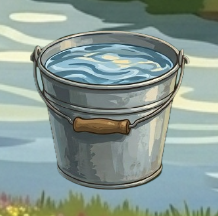
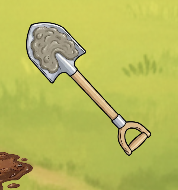
Rather than displaying abstract resource counts in a HUD panel, physical resources are communicated directly through the cursor. In the forest, the shovel sprite changes to show clay or soil clinging to the blade the moment something is dug up. At the river, the bucket visually fills. Resources are deposited by carrying them to the backpack icon in the corner — the act of storing something is the same gesture as moving it there.
5. Challenges
Double-Firing Buttons
The most persistent bug in the project was button clicks firing twice from a single physical interaction. p5.js triggers both mousePressed and mouseClicked in sequence for the same click event, and because several buttons triggered state changes or inventory mutations, the same action would execute twice — opening and immediately closing the inventory, or incrementing a counter twice in one tap. The fix was a lastMenuClickTime debounce guard: every button action stamps the current timestamp, and any input arriving within 250 milliseconds of that stamp is silently discarded. Setting mouseIsPressed = false inside the button handler also “eats” the event before any downstream listener can see it.
// Fire the action on click, preventing double-firing with a debounce timestamp
if (hover && mouseIsPressed) {
    sfxButton.play();
    lastMenuClickTime = millis();
    mouseIsPressed = false; // Consume the press so nothing else reacts to it
    action();
}
The Cursor Bleeding Over UI Buttons
A subtler issue emerged from the custom cursor system: the shovel and bucket sprites would remain active when hovering over the “Return to Map” and “Menu” buttons in the forest and river scenes. This made the buttons feel broken — the system’s hand cursor never appeared, and the sprite image obscured the button labels. The fix required duplicating the button bounding-box logic inside drawCustomCursor() and explicitly reverting to cursor(ARROW) whenever the mouse entered a UI button’s region. It’s not the most elegant solution, since the same coordinates appear in two places, but it is simple, clear, and reliable.
6. Areas for Improvement
The most obvious missing layer of feedback is what happens when a planting action fails. If the player clicks a greenhouse slot without the right resources, nothing happens. A brief wobble on the backpack icon or a soft error tone would communicate the missing ingredient without interrupting the lo-fi calm. The furnace has the same problem: because there is no visible countdown, the “BURNT” outcome surprises players on a first run through the studio. A subtle color shift on the furnace door as elapsed time crosses into the danger zone would be enough to telegraph urgency without resorting to a numerical timer on screen.
Structurally, the game currently has no win condition or narrative arc beyond the resource loop itself. A concrete goal — growing five plants to full harvest, for instance — would give the loop a sense of closure and make the opening seeds feel like the start of something rather than an arbitrary starting point. Beyond that, the pottery wheel’s hold-to-craft timer could become adaptive: longer contact for a more durable pot, shorter contact for a fragile one that breaks after a single use. That single change would introduce meaningful trade-offs to what is currently a single fixed path through the studio, without adding any new systems
On the technical side, every scene coordinate in the codebase is a hard-coded pixel value sniffed by hand from a 1024×576 canvas. If the canvas size ever changes, every boundary needs to be remapped manually. Normalizing all coordinates to proportions of width and height and then multiplying at render time would make every scene scale to any canvas size automatically — a straightforward refactor that would future-proof the entire coordinate system.
6. Resources
Inspiration
Some of the interaction design was also influenced by this p5.js sketch, which was linked as an example and I came across while exploring what direct, hands-on interaction could look like inside a browser canvas.
Libraries
-
- p5.js (v1.11.11) — core rendering, input handling, and sprite-sheet animation via image().
- p5.Sound — loadSound(), loop(), setVolume(), and isPlaying() for all BGM cross-fades and per-action sound effects.
Visual Assets
-
- All backgrounds, sprites, and sprite sheets were generated using Google Gemini and subsequently edited by hand — cropped, trimmed to transparency, and sliced into equal-width frames for use with p5’s source-rectangle API.
Audio
-
- All audio is managed through p5.Sound. BGM transitions are handled by manageBGM(), which compares a targetBGM reference against currentBGM each frame and only swaps when the target has changed — preventing the track from restarting on every draw call.
- Background Music — each location in the game has its own assigned instrumental track, chosen to match the mood of that space:
- Main Menu Supernatural NewJeans
- Instructions ASAP NewJeans
- Map The Chase Hearts2Hearts
- River Butterflies Hearts2Hearts
- Forest Ditto NewJeans
- Studio Right Now NewJeans
- Greenhouse OMG NewJeans
- Pause Menu Midnight Fiction ILLIT
-
- Sound Effects — all SFX (wheel spinning, bucket fill, shovel dig, furnace fire, etc.) were sourced from Pixabay and other royalty-free libraries.