
Here are pics and videos:
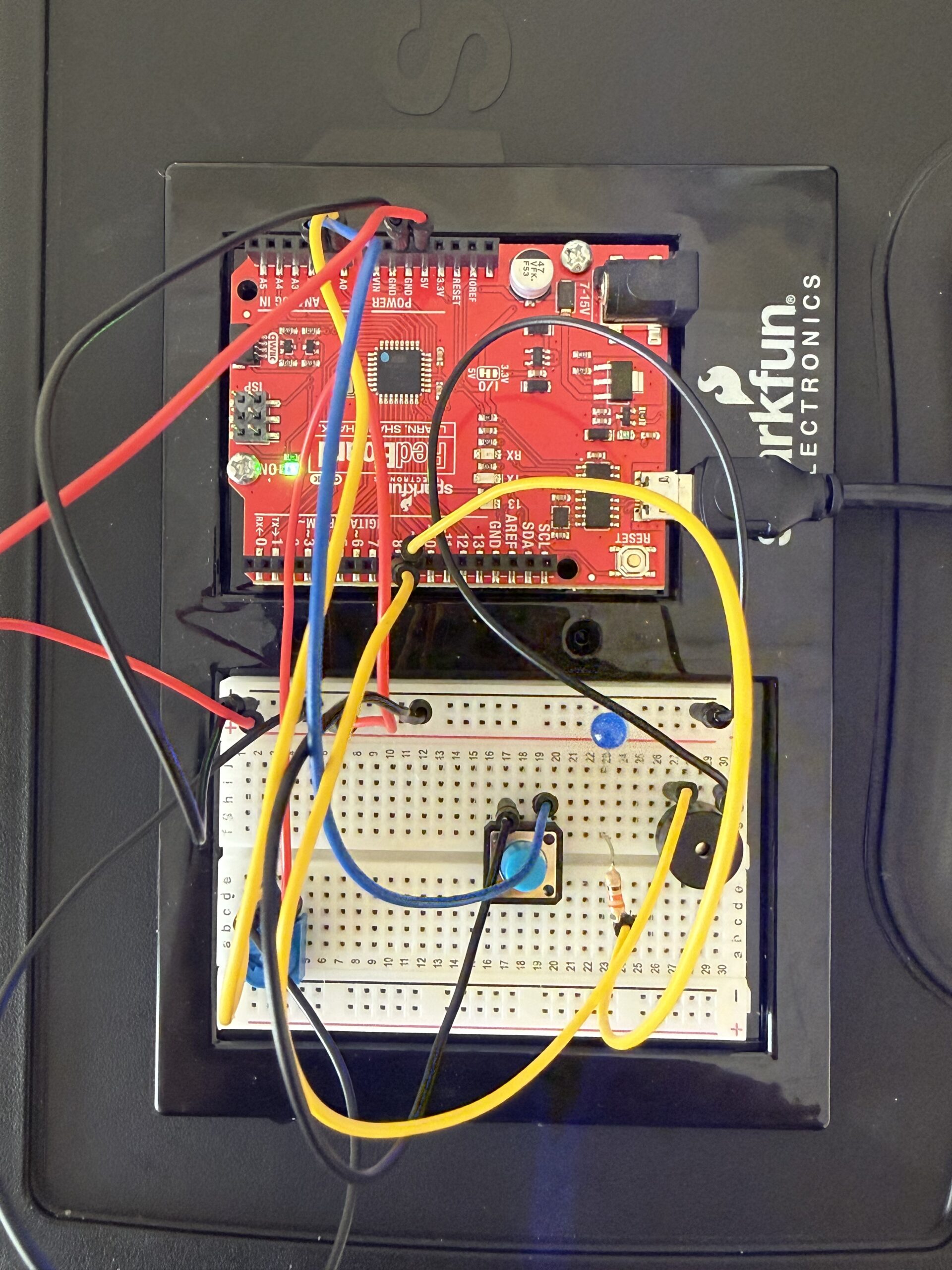
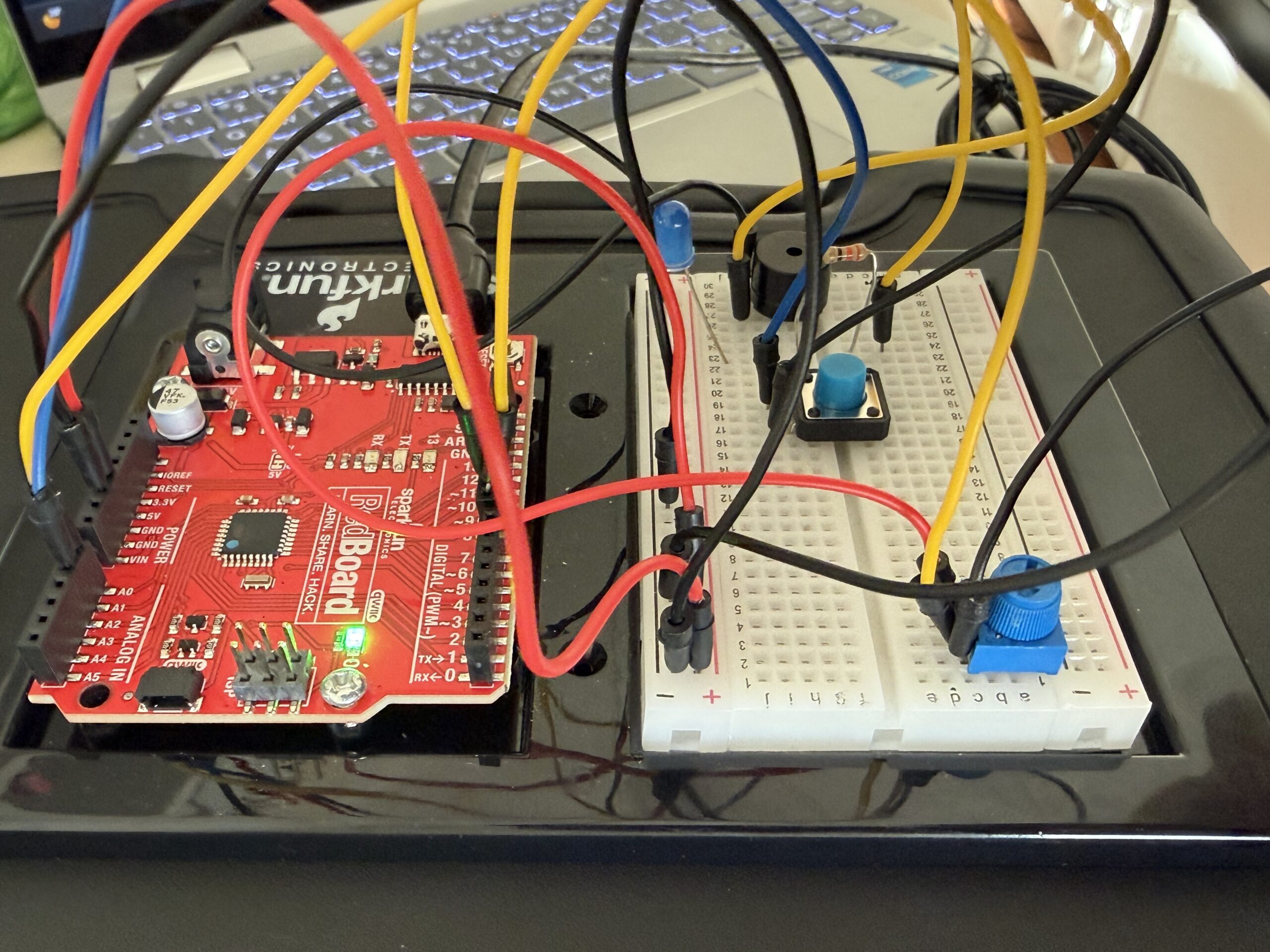
Video link if not working:
https://drive.google.com/file/d/1pQPYnyUyf5OOBwbfCVHiDrsOvqDn_P3d/view?usp=sharing
Here is my GitHub link:
https://github.com/farahshaer/Intro-to-IM/blob/4ff1ee52b33d4edf72a1f905fc3d014cd8dfadb6/sketch_apr14a.ino
Overall concept
So for this project, I built an interactive music system that plays two different songs (Jennifer’s Body by Ken Carson and Die with a Smile by Bruno Mars), and you can control the pitch of the melodies. I included a buzzer for the sound output, a button to switch between the songs, a potentiometer to change the pitch, and an LED that visually blinks along with the music. The main idea was to create something interactive where you can actually affect the sound while it is playing.
Code Highlight
One part of my code that I am particularly proud of is the if statements that switch between the two melodies and make the LED blink:
//mode 0 (melody 1)
  if (mode == 0) {

    int size1 = 15;                                      //number of notes in melody 1
    int noteDuration = 1000 / noteDurations1[thisNote];  //converts note type into time in milliseconds
    int finalPitch = melody1[thisNote] + pitch;          //combines the meoldy note and the knob turning (can adjust the note using the potentiometer)
    tone(buzzer, finalPitch, noteDuration);              //plays sound on buzzer
    digitalWrite(led, HIGH);                             //turns led on while the note is playing
    delay(noteDuration);                                 //waits for note to finish
    digitalWrite(led, LOW);                              //turns the led off between the notes and for blinking effect
    delay(noteDuration * 0.3);                           //short pause between the notes to make the melody clearer
    noTone(buzzer);                                      //stops sound before next note
    thisNote++;                                          //moves to next note in the melody
    if (thisNote >= size1) thisNote = 0;                 //if at the end of the melody go back to the start (loop song)
  }


  if (mode == 1) {
    int size2 = 23;                                      //number of notes in melody 2
    int noteDuration = 1000 / noteDurations2[thisNote];  //converts note into time (mill sec)
    int finalPitch = melody2[thisNote] + pitch;          //applys the pitch shift from the potentmeter
    tone(buzzer, finalPitch, noteDuration);              //plays sound
    digitalWrite(led, HIGH);                             //turns led on during the sound
    delay(noteDuration);                                 //wait for note
    digitalWrite(led, LOW);                              //led off
    delay(noteDuration * 0.3);                           //pause between notes
    noTone(buzzer);                                      //stops sound

    thisNote++;                           //go to the next note when done
    if (thisNote >= size2) thisNote = 0;  //loop back to start when song ends
  }
}
This is the core of my project because instead of playing an entire song at once, it processes one note at a time, which allows for real-time interaction through the button and the potentiometer. The code selects the current note, modifies pitch with the sensor input, and then outputs the sound plus the LED, while moving to the next state.
Reflection/future work
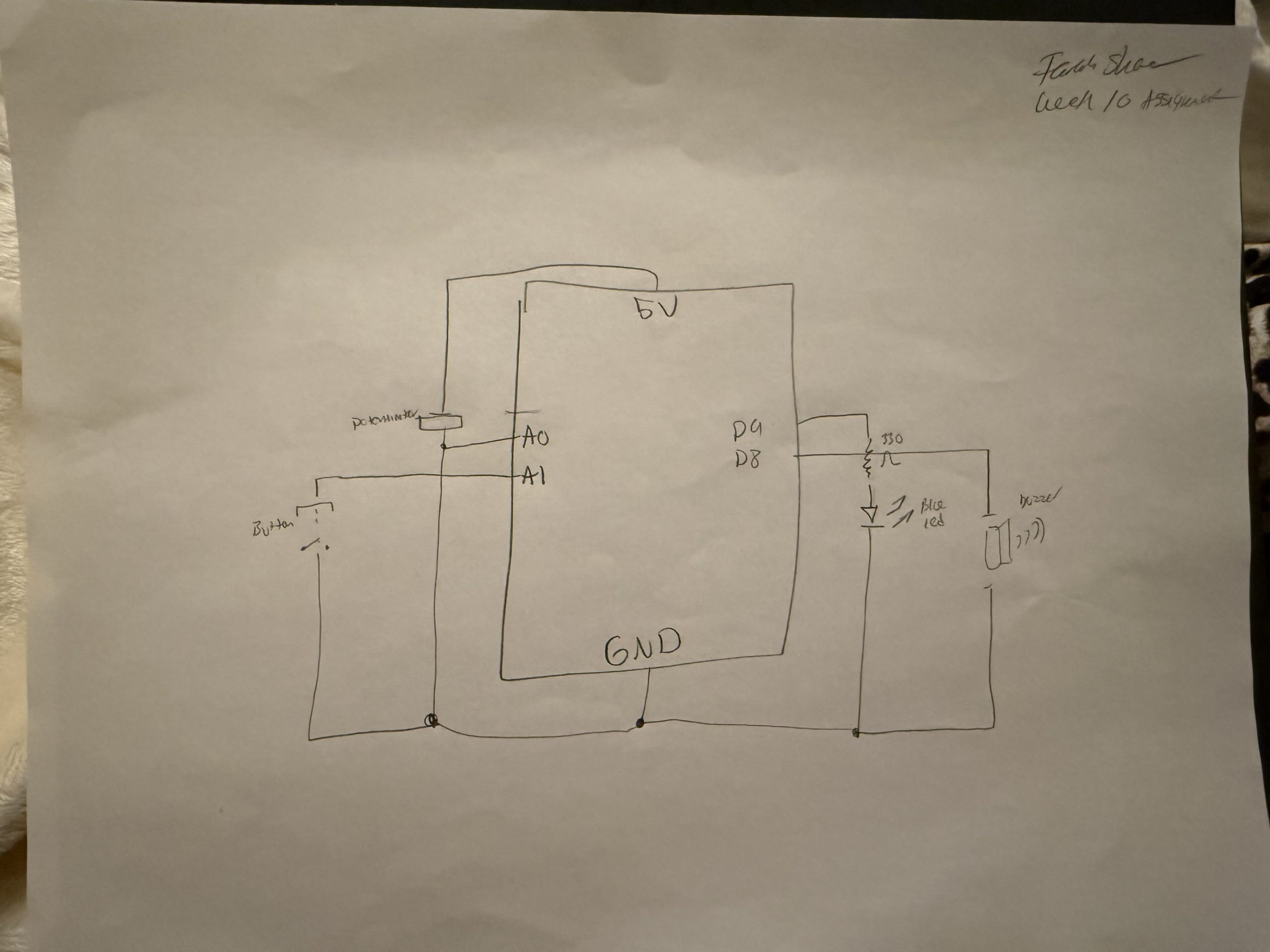
I cannot lie, I had trouble with the code, but the wiring was straightforward once I understood how each component connected to the Arduino. The buzzer is connected to digital pin 8, and outputs sound using the tone() function. The LED is connected to digital pin 9 with a resistor, and it provides visual feedback by blinking in sync with each note. The button is connected using INPUT_PULLUP, meaning it reads HIGH when not pressed and LOW when pressed, which required me to wire one side to ground so the logic would work correctly. The potentiometer is connected to analog pin A0, with one side connected to 5V, the other to ground, and the middle pin sending a variable signal that controls pitch in the code.
For the code, I used a variable called thisNote, which stores the current position in the melody array. Instead of using a for loop to play the entire song at once, the code plays one note per loop cycle, which allows for constant checking for input changes while the music is playing. At first, I used for loops, and it just was not working. The Arduino got stuck inside the loop, the button presses were ignored until the song finished, and the potentiometer did not update in real time, so switching to thisNote, it made the program run one note at a time inside the loop. So the Arduino can check the button constantly, and the song can change and pitch in real time.
I also had a problem with the button logic, because at first I wrote if (buttonState == LOW) and it caused it to continuously trigger while the button was held down, which made the song behave unpredictably. So I used chatgpt to debug and I learned to use lastButtonState with buttonState so the code only detects a transition from high to low (single press instead of holding), and because I used input_pullup, I also had to adjust my thinking since high is not pressed and low was pressed so it was confusing at first because it is the opposite of what I expected.
Overall, I learned that structure matters just as much as logic, especially when dealing with real-time input and output, because small details like button states and loop structure completely change how responsive the system feels. For future improvements, I would add more songs or more modes, and more LEDs or patterns to visualize the rhythm more creatively, and probably replace delay with millis for smoother control.
Here is my schematic:
References:
(I mainly used the lecture slides), but I also used these websites for a better understanding.
https://github.com/hibit-dev/buzzer/blob/e1442497e7c56cee0d5efe73304bdb922b3ab907/src/songs/ken_carson_jennifers_body/ken_carson_jennifers_body.ino
https://docs.arduino.cc/built-in-examples/digital/toneMelody/
https://docs.arduino.cc/built-in-examples/digital/InputPullupSerial/