
Concept
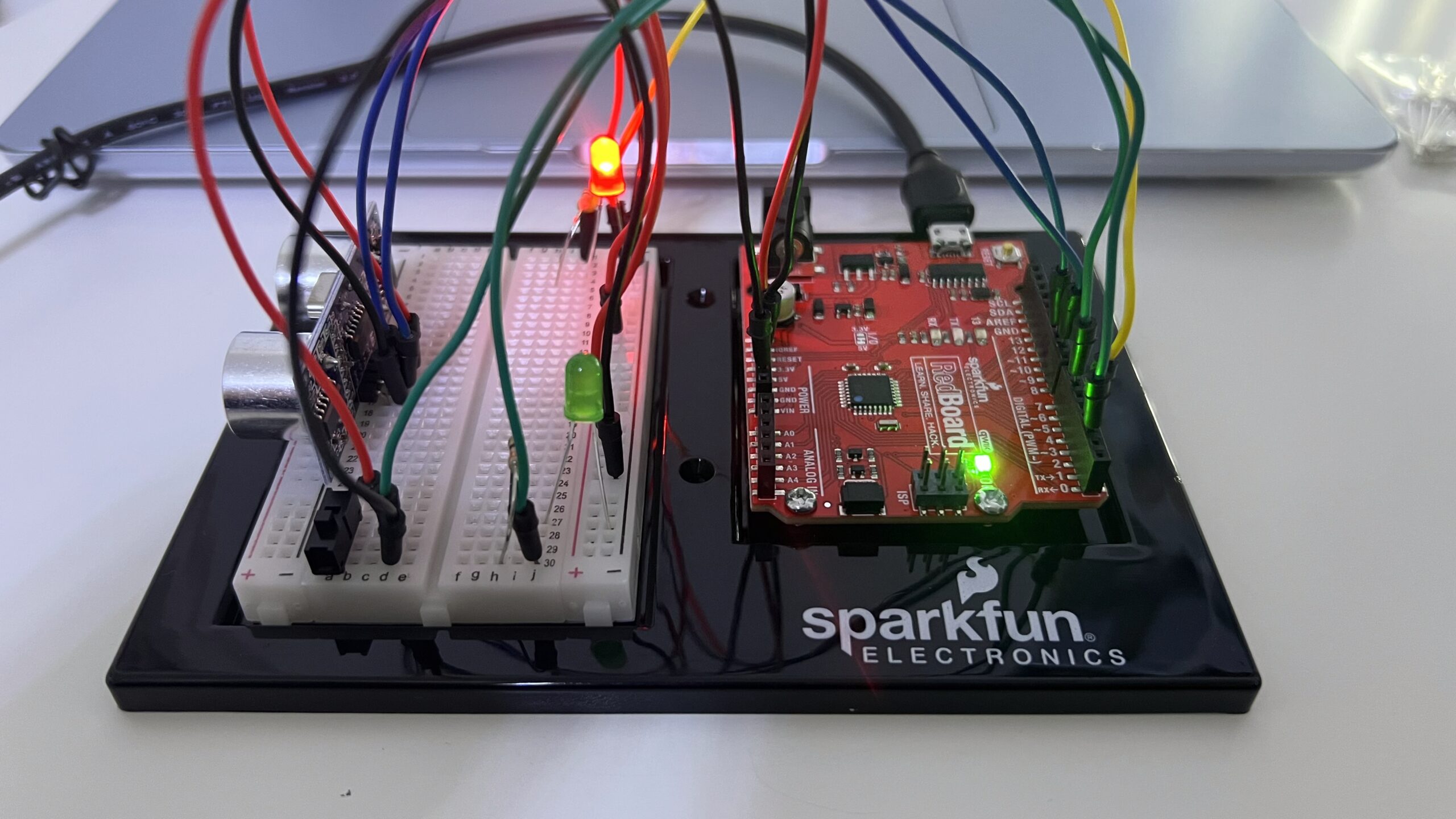
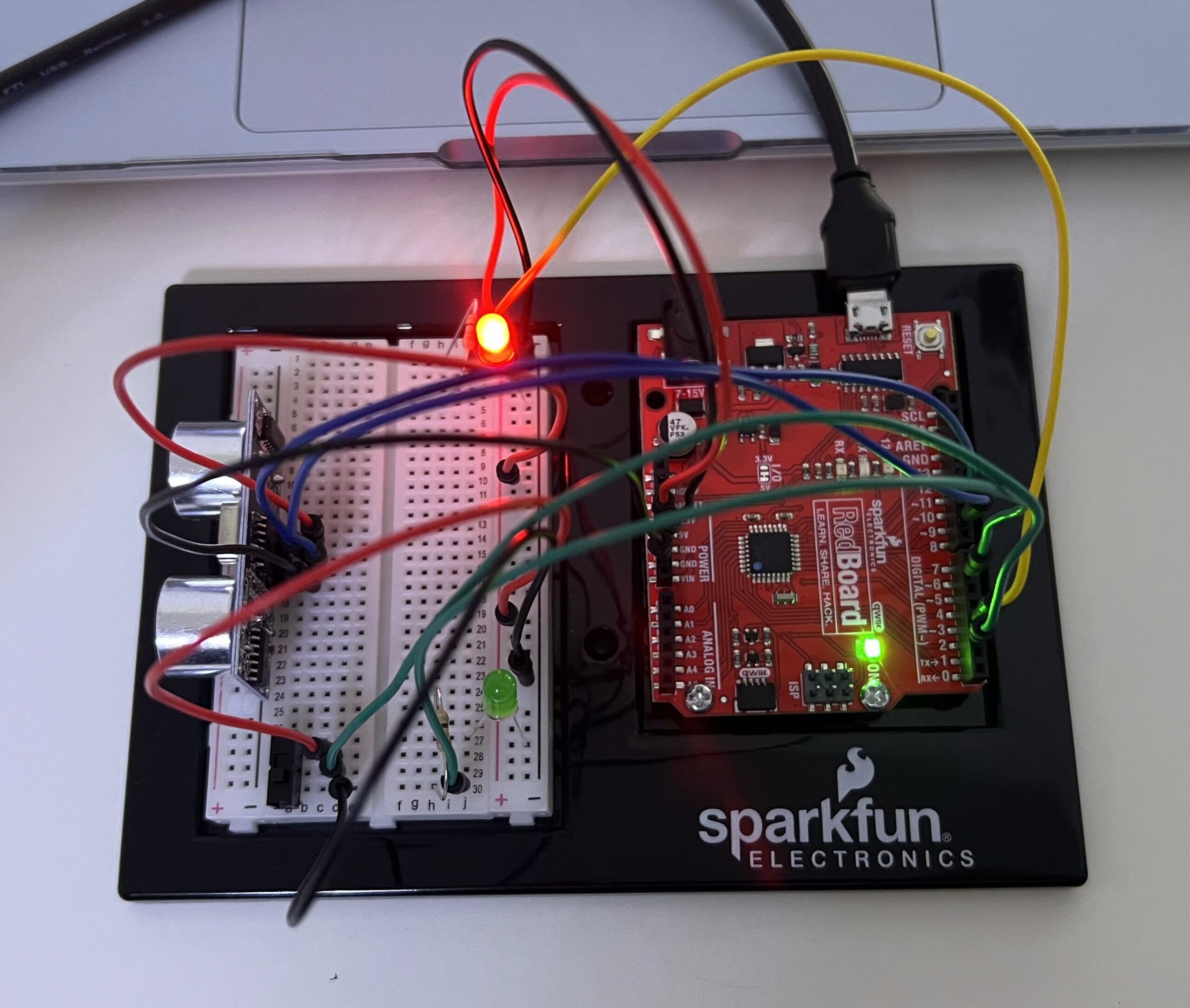
For this week’s assignment, I used an ultrasonic sensor as my analog input source to control the brightness of two LED lights, and then used a slide switch as my digital input source to toggle between the two LED lights.
The ultrasonic sensor works like a sonar and measures distance by emitting high-frequency sound waves and calculating the time it takes for the echo to return. I programmed the device so that as any object gets closer to the sensor, the LED light’s brightness decreases, and as the object moved further, the light’s brightness increases.
The switch is used to toggle between the two LED lights. So, when the switch is in the HIGH state, the sensor controls the red LED light, while the other light is completely off and vice-versa.
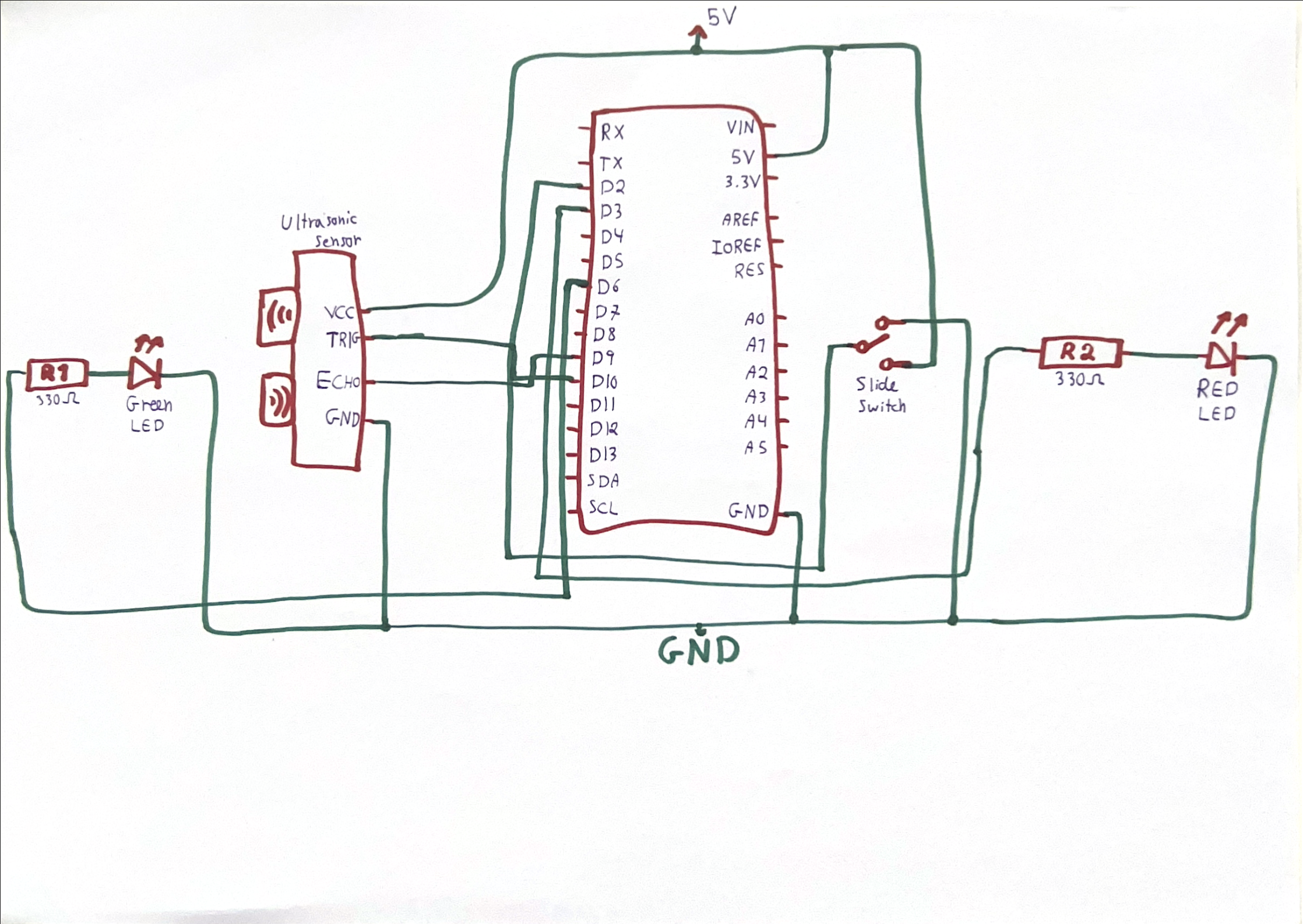
Final Design, Demo, and Schematic
Implementation
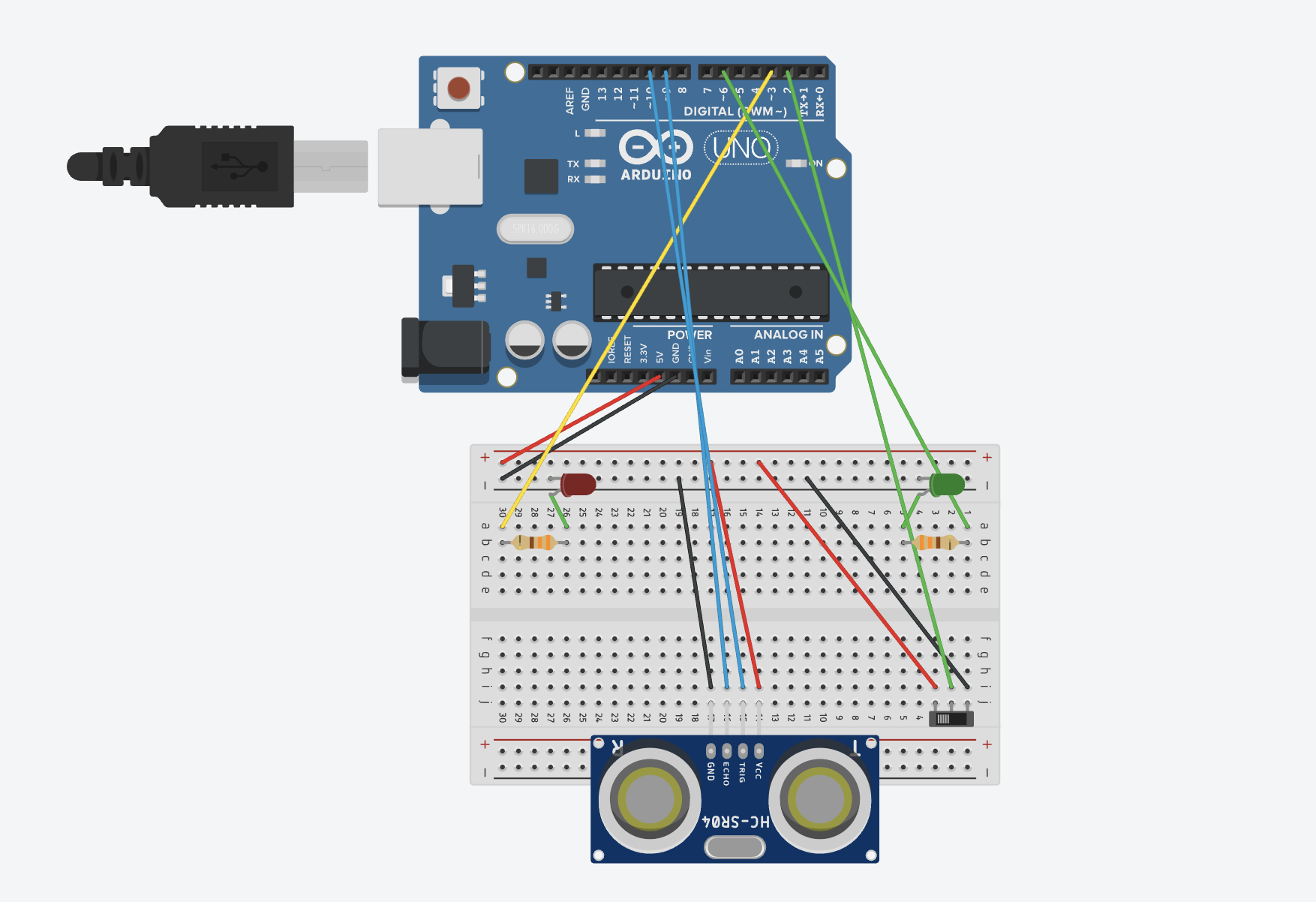
I began by creating my circuit and connecting everything together:
For the code, I used an online blog post giving a tutorial on using the ultrasonic sensor. I followed the tutorial to get the sensor initially running: sending a wave, receiving it, and converting it into distance.
void loop(){
//sends a 10 microsecond pulse
  digitalWrite(trigPin, HIGH);
  delayMicroseconds(10);
  digitalWrite(trigPin, LOW);

  //waits until the echo comes back and measures how long it took
  duration = pulseIn(echoPin, HIGH);

  //Sound travels at 0.034 cm per microsecond
  //Divide by 2 for the go and return trip = 0.017
  distanceCm = 0.017 * duration;

//rest of the code
}
Then I used what we learned in class last week to constrain the distance values. After testing, I found that the closest distance it can detect is ~3cm, and the furthest is ~210cm, so I set these as the constrain values. Then, I mapped them to the values 0-255, representing the brightness of the LED.
The next part was simple. First, I read the state of my slide switch. Then I wrote an if-else statement so when the switch is ON, the red light is controlled by the sensor readings, and when the switch is OFF, the green light is controlled.
void loop(){
//earlier code...

//if the switch is ON
  if (slideSwitchState == HIGH) {
    digitalWrite(greenLED, LOW);      //turn off the green LED
    analogWrite(redLED, brightness);  //control red LED's brightness
  } else {
    digitalWrite(redLED, LOW);          //turn off the red LED
    analogWrite(greenLED, brightness);  //control green LED's brightness
  }

//rest of the code...
}
Initially, I forgot to add the statements turning off the LED light not currently in use. Therefore, when I switched from one light to the other, the previous light remained stuck in the brightness that it was last at before switching control to the other LED. So, if the red light was on, and I switch to the green light, the red light will remain on until I switch back to it and dim it using the sensor until it turns off.
Reflection
I am extremely happy with my work overall. I felt like this project was one of the most that helped me deeply understand how to use Arduino as I felt I was still a little confused on how things connect and work.
For the future, I would like to expand the project by adding more LEDs of each color and aligning them in a straight line. As an object comes closer to the sensor, more LED’s light up, and the further away it is, the less the LED’s light up. So, it would look like a gradually lighting up strip of light.
References
- Tutorial on using ultrasonic sensor
- Slides from last Wednesday’s class