
CONCEPT
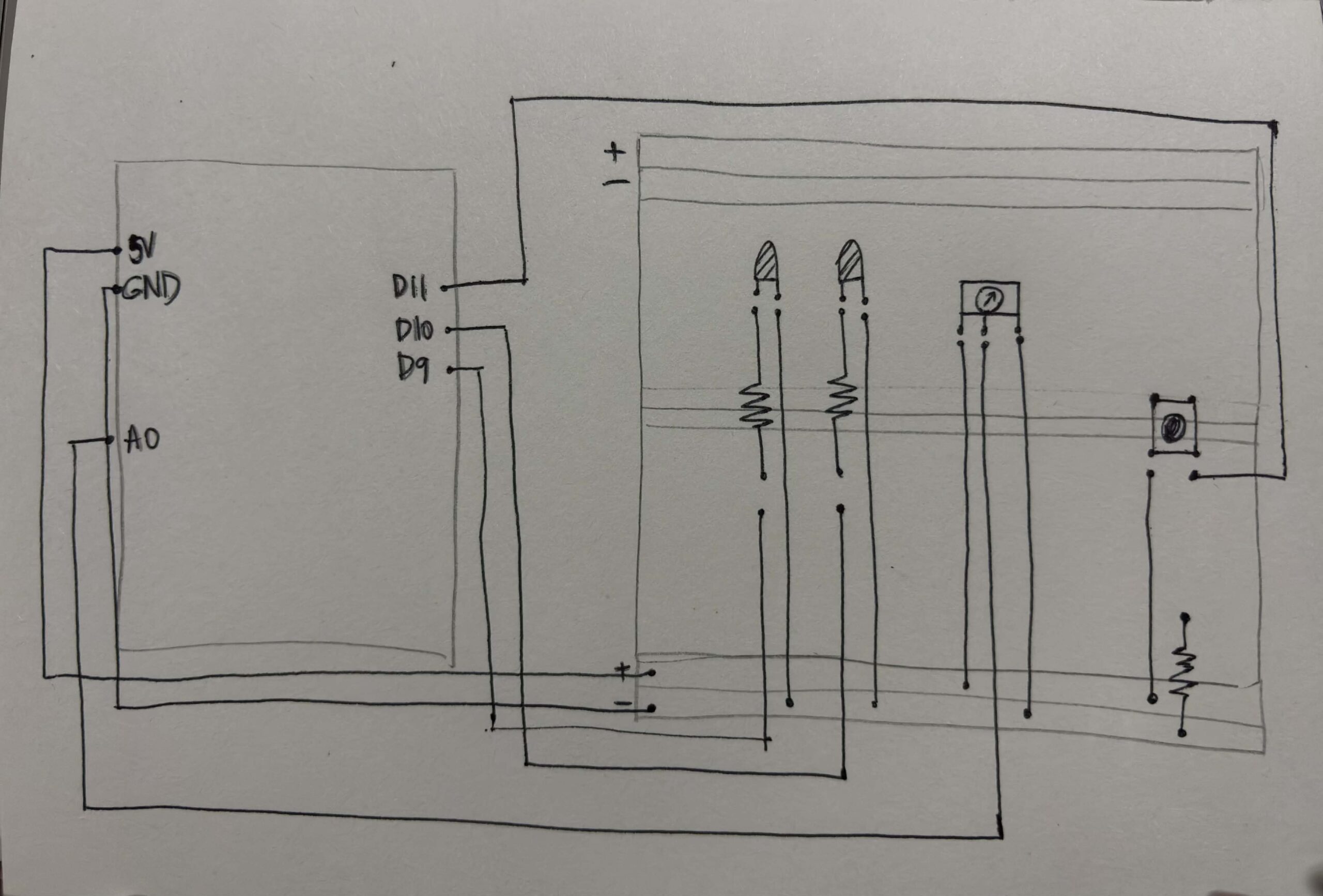
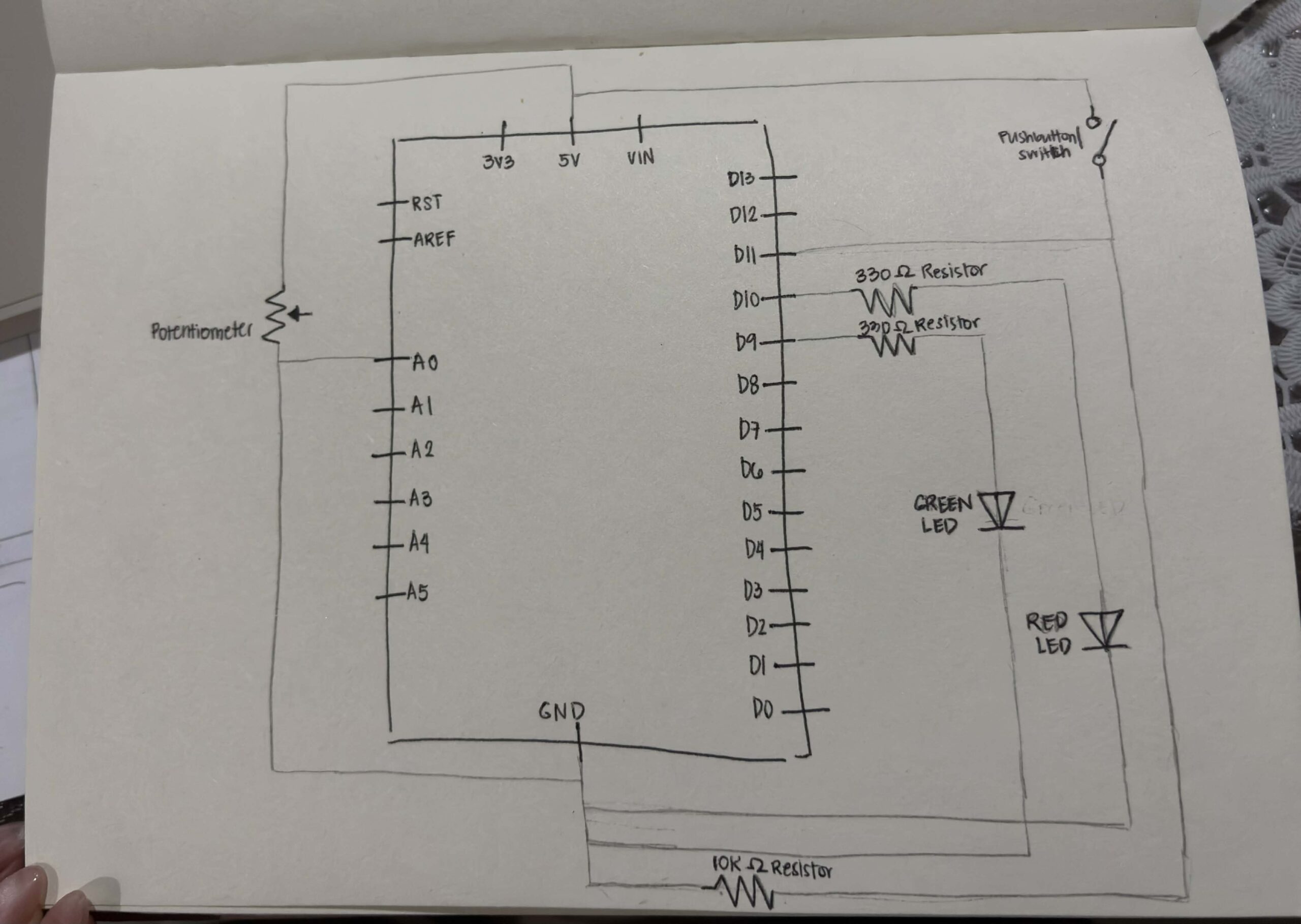
For my project this week, I wanted to create a “Luck Spectrum” using an analog sensor, two LEDs, and a digital sensor. The potentiometer acts as the analog input, where the player “chooses” their luck by twisting it. Before pressing the button, which will be my digital sensor, they can adjust the potentiometer as a way of testing or setting their luck. Once the button is pressed, a short suspense moment happens where the LEDs flicker first before showing their ‘luck.’ After that, the system reveals the result: if the LED turns green, it means the player is lucky, with the brightness showing how strong their luck is. If it turns red, then they’re not in luck, and again, the brightness reflects the intensity of that outcome.
CODE HIGHLIGHT
I used YouTube tutorials to help me set up my Arduino since I needed a refresher on the wiring. After that, I started working on the code itself. One part that I’m most proud of is how I used randomness to generate the “luck” result. The line below creates a random number, which I then use to decide if the result is lucky or unlucky.
int chance = random(0, 100); // generates a random number from 0-99, to decide whether it's green (lucky) or red (unlucky)
If the number is below 50, the green LED turns on (lucky). If not, the red LED turns on (unlucky). This is the core part of my project, as it represents whether someone is lucky enough to get a green light or ends up with a dim red one.
if (chance < 50) { // decides if lucky or unlucky, LEDs will not turn ON at the same time
     analogWrite(greenLed, brightness);
     analogWrite(redLed, 0);
   } else {
     analogWrite(redLed, brightness);
     analogWrite(greenLed, 0);
   }
PROBLEM I ENCOUNTERED
At first, I had a problem with the potentiometer. I wanted it to control both the “luck” and the brightness using it, but instead, it ended up directly controlling the brightness. So whenever I turned the knob, it didn’t really feel like it was affecting the ‘luck’, it just changed how bright the LED was. To fix this, I changed the system into three clear brightness levels: dim, bright, and very bright. This also made the brightness differences more obvious.
int potLevel = map(potValue, 0, 1023, 0, 2); // gives 3 brightness settings = 0,1,2
    int randomShift = random(0, 2); // randomizes the brightness setting
    int level = constrain(potLevel + randomShift, 0, 2); // brightness randomness, this keeps the brightness level between 0 (dim), 1 (bright), and 2 (very bright)

    int brightness;

    if (level == 0) { // levels of brightness
      brightness = 20;   // dim
    } else if (level == 1) {
      brightness = 140;  // bright
    } else {
      brightness = 255;  // very bright
    }
REFLECTION
After working on the midterm project, I realized that I enjoy creating small interactive experiences, especially ones that feel like a mini game where users are not just interacting but are actually engaged and curious about what will happen next. That realization led me to this idea. This “mini game” is not meant to measure or define someone’s real-life luck. Instead, it focuses on creating a moment of suspense and enjoyment, where the outcome feels exciting even if it is random.
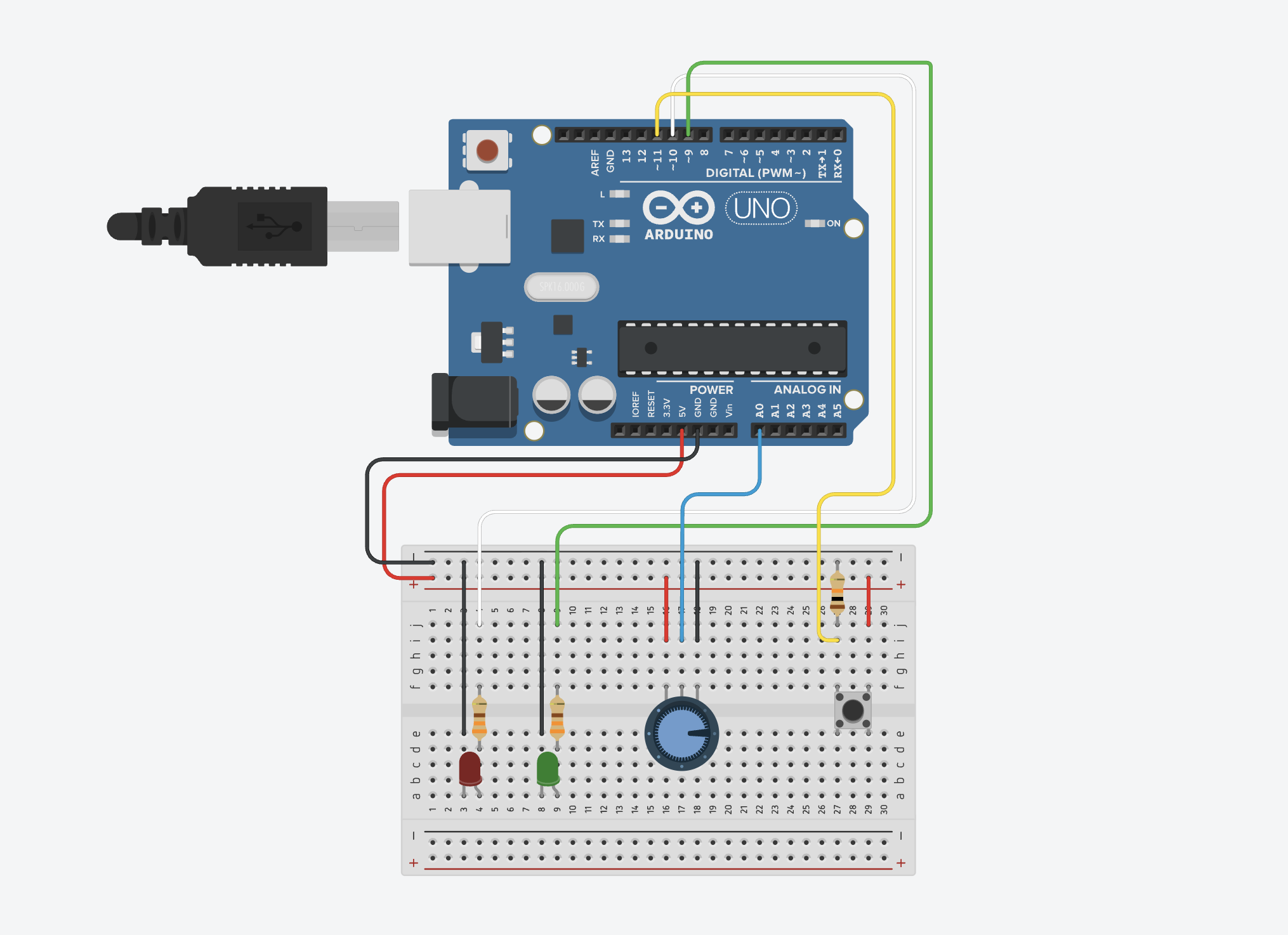
Overall, I really enjoyed the whole process and how everything turned out. I started by experimenting in Tinkercad since I didn’t have my Arduino kit with me at the time and was still figuring out what I wanted to do for the project. I actually found Tinkercad really helpful and more organized, especially when it came to wiring, which made it easier to test ideas without getting overwhelmed. Because of that, I think I’ll keep using it as a starting point for future projects before moving on to the actual board. If I had more time in the future, I would like to incorporate a buzzer to make the mini game more engaging and immersive.
GitHub Code | Demo | Try it on TinkerCad
REFERENCES
https://www.youtube.com/watch?v=yBgMJssXqHY
https://www.youtube.com/watch?v=DLCDGCe7FRA
https://docs.arduino.cc/tutorials/generic/digital-input-pullup/
USAGE OF AI
I used ChatGPT to help debug my code whenever I encountered errors or confusion. It assisted me in identifying issues such as missing semicolons, incorrect brackets, and inconsistencies in values, allowing me to fix problems more efficiently.