Reading Reflection – Week 2

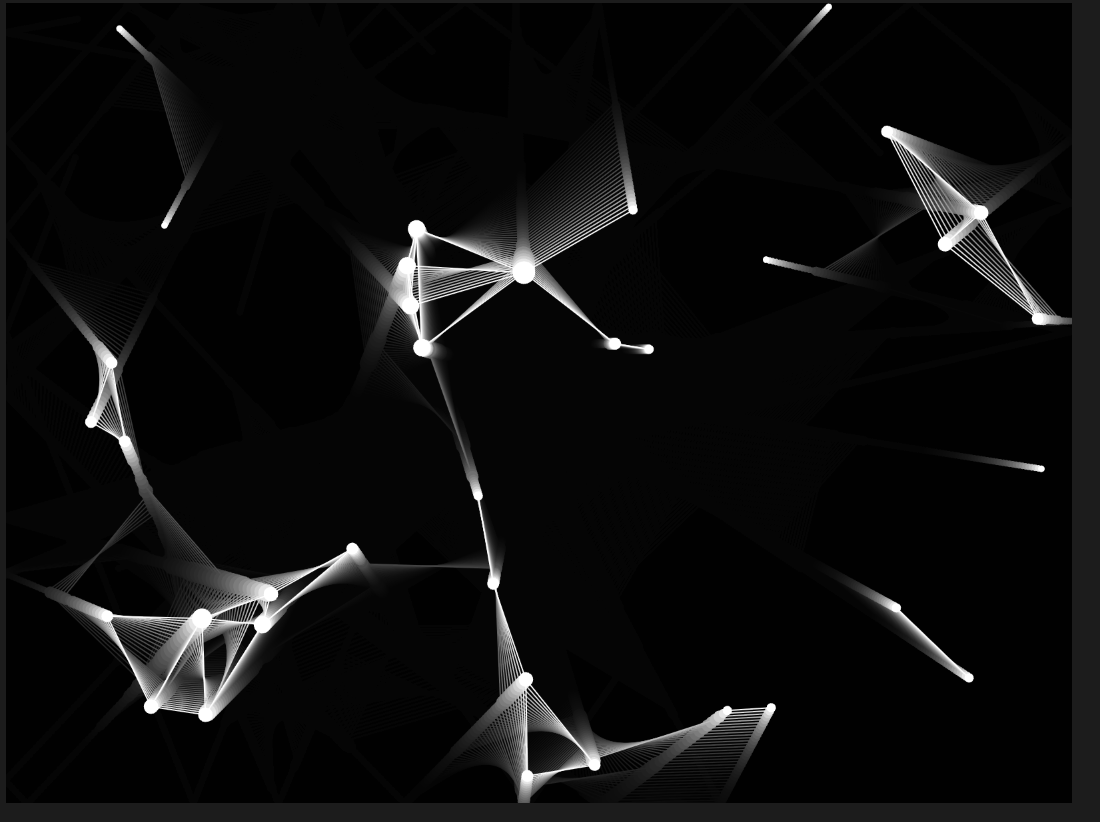
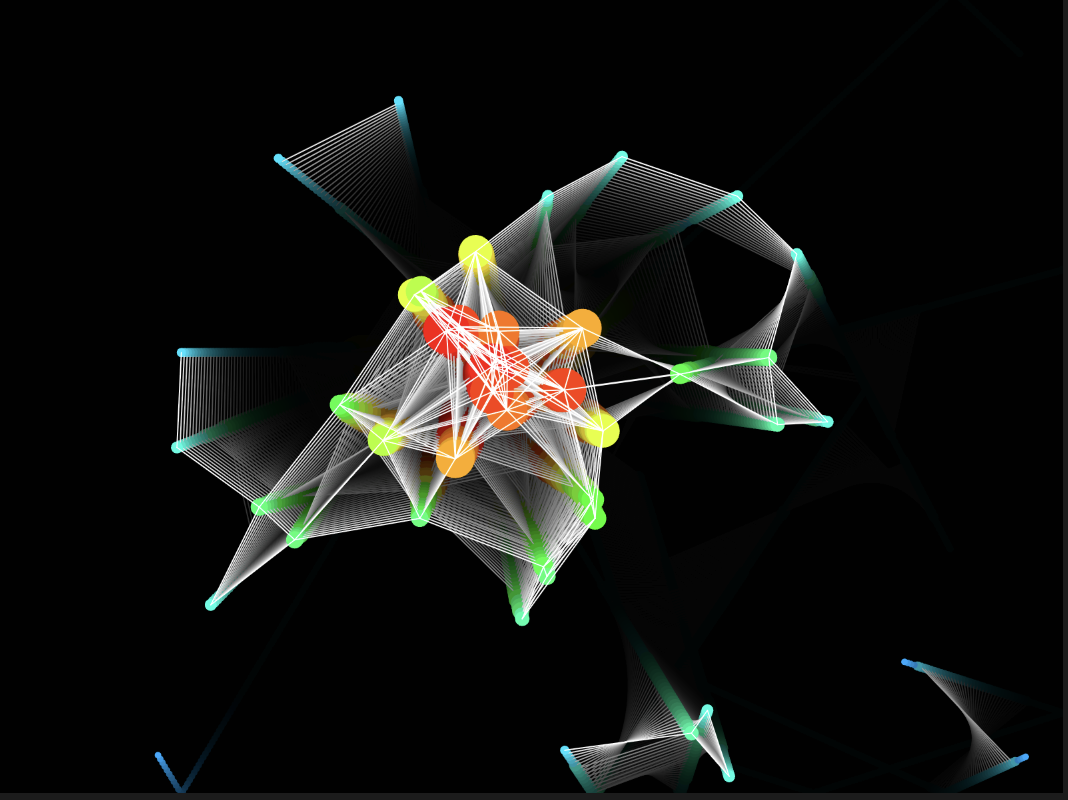
I was almost immediately confused as I started listening to Casey’s lecture. He mentioned that “order is what was brought by a God or Gods into the world.” I guess for a long time I assumed that humans were the ones trying to bring order into this chaotic world. But I just realized, it was only chaotic in our minds. All aspects of nature are, by themselves, so beautifully organized and fit together so perfectly; humans have only served to bring disorder. That’s also what makes this entire concept of “chance operations” interesting; if humans actually bring disorder to nature in the name of order, why are they trying to bring a sense of randomness into their art?

Looking at the various artworks Casey presented during his talk, I noticed that no artwork is truly completely random. Either they have some controlling criterion, for example, the artwork for which he stated, “putting the images wherever they wanted to be, with the constraint that they had to be at 90-degree angles”, or they appear to be random at the start and “order begins to emerge as they follow their behaviors”. That said, I don’t have a confident answer to what I feel is the optimum balance between total randomness and complete control, and I believe it’s a paradoxical statement for such artworks.

Casey provided the instructions for one of the pieces, which caught my eye:

Element 5

F2: Line

B1: Move in a straight line

B5: Enter from the opposite edge after moving off the surface

B6: Orient toward the direction of an Element that is touching

B7: Deviate from the current direction

I found it very interesting that it only took that one last step, and the ambiguity of the word ‘deviate’, to create the randomness in the artwork, because every other step is based on strict rules. 

In my work, I hope to incorporate random elements in the form of colors, shapes, and the way in which they interact with each other and the canvas. Particularly in this week’s assignment, I experimented with the randomness of colors. So while I did set my own array of colors that the program chooses from, the frequency with which the colors are chosen and where they are applied for each constituting element of the image are out of my control. For this artwork, I thought this was a nice balance between randomness and control, so that the final image still bears a certain resemblance to Van Gogh’s original piece, and yet comes out different every time.
Week 2 – reading response

This week we had to watch Casey Reas’s talk on randomness and computational art. One example that related to me most was his demonstration of controlled randomness as a new creative medium. His example of an 11×11 grid of dots demonstrated this perfectly as the dots moved with increasing random constraints, they transformed from orderly patterns into seemingly chaotic movement. This progression raised a question: at what point does controlled randomness become indistinguishable from chaos?
I don’t believe there’s a definitive answer to this question, which connects to broader philosophical debates about the nature of art itself. Can art truly be controlled, or does its essence lie in the unpredictable? This becomes even more interesting when considering symmetry in computational art. By introducing simple random elements, we often perceive meaningful shapes and patterns, even when those elements are generated through chance, like the pixel art example. This suggests that our interpretation and meaning, making as viewers is as crucial as the artist’s intention.
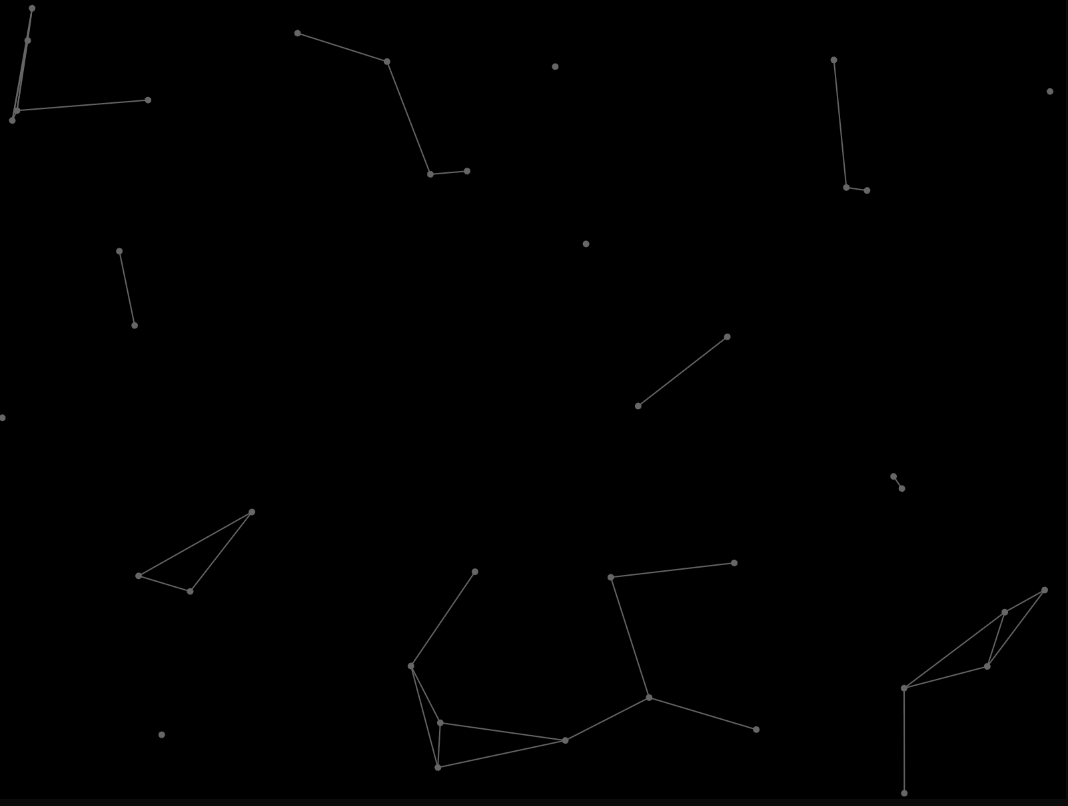
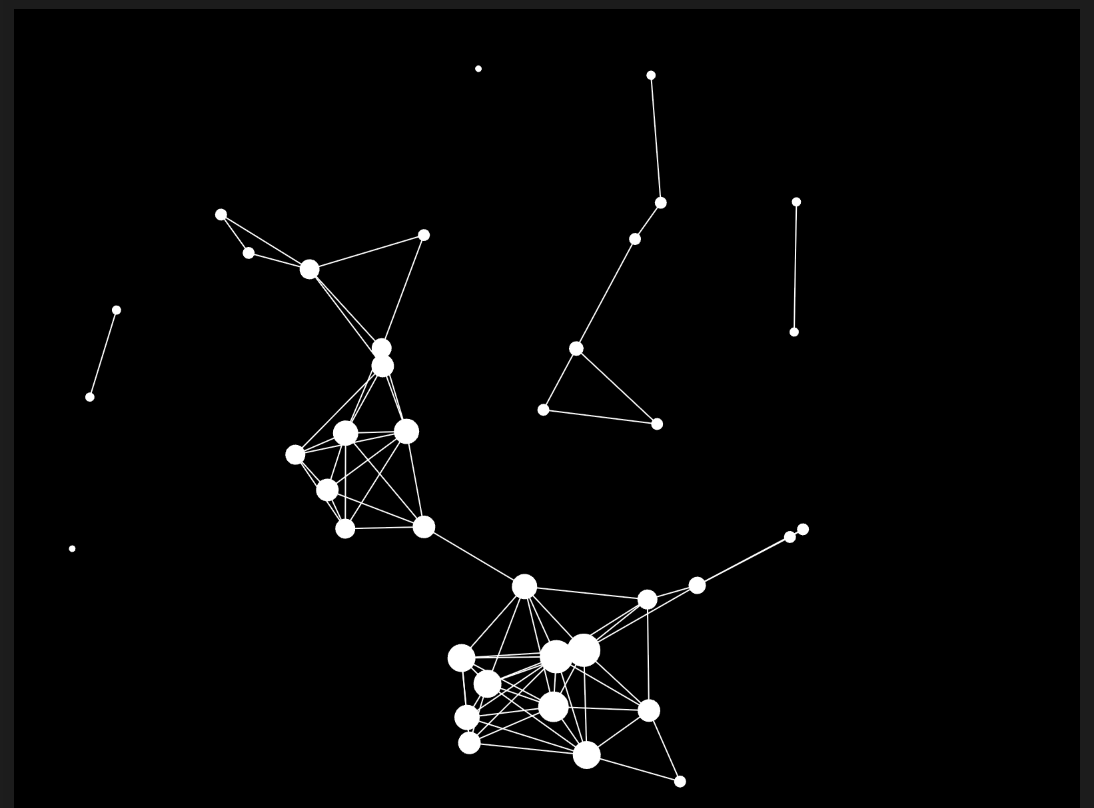
Reas’s point about how minor parameter adjustments can produce entirely new artistic outcomes resonated strongly with my own work. In this week’s assignment, I experimented with adjusting particle colours and sizes based on the number of connected particles, and witnessed how small changes created dramatically different visual results. This reinforces how computational art explores vast creative possibilities through systematic variation.
Finally, Reas’s discussion of exploiting machine systems and their unique characteristics highlighted an important aspect of digital art, the same foundational artistic concept can be expressed differently depending on the computational system used. To me, this shows how computational art differs to traditional art in the sense that once a piece of ‘traditional’ art has been created, it can’t be changed in its entirety. Whereas computational art can be changed depending on machine type, revealing another layer of computational art.

Week 2 – Reading Reflection

Many of the featured patterns and algorithms Casey Reas made are very elaborate and very satisfying to see the construction of. Some of them looked like something you might find in the default wallpaper collection you get from purchasing a new touchscreen device. From my perspective, a lot of these pieces could be implemented as a compliment to another primary work to elevate it. For instance with the colorful cancer cell visualization in the video– if I was a cancer cell researcher and I needed to present my research in a presentation I could use visualizations of my data as a design motif throughout my presentation template.

Halfway through the video he talks about chance in art and I was very surprised to see it appear as early as 1916. I think the most notable part of this section is Duchamp’s woodwork involving randomly dropping a piece of string to determine the line of hit cuts and ultimately the shape of the wooden planks.

I find it incredibly fascinating that before the random number game was an accessible computer-generated concept, it was first printed onto paper as a collection of deviatives. The fact that there was a whole book for random strands of numbers really changed my perspective on random numbers. Before watching this video, random numbers were entirely synonymous with random number generation(RNG) through computing. I think this is largely due to my exposure to RNG in video games, which can take many forms in video games from determining the chance of landing a critical hit on an enemy in an RPG to opening a fancy cosmetic in a live service first-person shooter.

Speaking of video games, I thought the featured example using “Fractal Invaders” was really cool and kinda shows how symmetry can turn nonsense into something that you would think had a deeper purpose. It looked like a really interesting idea with the mirroring so it made me wonder what results I could achieve if I did a similar coin toss black/white color decider for a 4×4 grid and mirrored it both vertically and horizontally. I imagine this would probably come up with some really interesting pixel art that could even inspire a more intricate hand drawn illustration based on that pattern.

Overall, I was really impressed with how people would obtain random numbers without computing them– from Duchamp dropping string to decide the line of his cuts to using a flipping through a page filled with random numbers. I think my perspective on chance operations has greatly broadened.

Week 2 – Khatira

For week 2, we needed to usr some loop to create some form of computational art. I decided to do some form of connecting particles and this was inspired from some work from my previous IM class. I know by altering some simple variables or having some simple visual changes, you can create something very different.

I had Dots placed randomly on the screen and gave each particle a velocity randomly assigned between -3 and 3.If the distance between points was less than 100 pixels, the line would be displayed.

I then wanted to add some more dimension, so I added a NUMBER OF CONNECTIONS variable to keep track of how many lines were coming out of each dot (incrementing by 1). The more connections, the bigger the dot.

// size of dot increases with number of connections
const size = this.baseSize + (this.connections * 2);


One very simple tool in p5.js that I love is the background alpha feature. When redrawing the background, you can add some opacity and you can see the cool trail effect it gives in the image below.

function draw() {
    // background(0, 0, 0);
    background(0, 0, 0, 25); // trail effect

Background – documentation

I wanted to add an additional dimension to the dots – the more connections, the more red, the less connections, the more blue. I used a map function to have the values be on a sort of scale, I needed to use HSB mode for this to work and then back to RGB for the background trial effect.
Blue -> red

display() {
    // colorr of dot changes with number of connections, more connections -> more red
    const hue = map(this.connections, 0, MAX_CONNECTIONS, 200, 0);
    // size of dot increases with number of connections
    const size = this.baseSize + (this.connections * 2);
    
    colorMode(HSB);
    fill(hue, 100, 100);
    //for trail effect - swithc back to rgb
    colorMode(RGB);      
    noStroke();
    ellipse(this.x, this.y, size);
}

I used for loops initalise the random dots, but to also go through each do to check the distance, number of connections, and ‘update’ them.

for (let i = 0; i < dots.length; i++) {
    for (let j = i + 1; j < dots.length; j++) {
        if (dist(dots[i].x, dots[i].y, dots[j].x, dots[j].y) < CONNECTION_DISTANCE) {
            // keep track of connections
            dots[i].connections++;
            dots[j].connections++;
            line(dots[i].x, dots[i].y, dots[j].x, dots[j].y);
        }
    }
}

For interactivity, the user can drag and hold the mouse across the screen to add more dots.

Week 2 – Reading Response

I think humans are really fascinating because we’re full of contradictions. We long for order; familiar, predictable, structured patterns in our lives. But at the same time, we crave chaos; the unfamiliar, the unexpected, the little bit of disruption that shakes us out of routine. A very obvious example is how much we rely on having a daily routine. Most of us feel disoriented without some kind of order: a set time to wake up, a rhythm to our workday, the same coffee order every morning. Especially now, when distractions are just a notification away, that structure is often the only thing that keeps us grounded. But then, almost paradoxically, there comes a point where too much order starts to feel suffocating, and we search for a dose of chaos. That’s why vacations, spontaneous trips, or even small detours from our daily habits feel so refreshing. What’s interesting is that this balance between order and chaos looks different depending on where you are in life. For instance, I’ve talked to people a few years out of college who told me that the desire to explore the unknown is strongest at my age. Later, they said, you find more comfort in the predictability of routine.

This makes me think about how randomness in art isn’t just a visual effect, but also a negotiation between control and surrender. From the artist’s perspective, it’s about deciding how much control to let go of : how far to allow chance to shape the outcome? As humans, we instinctively want to manage and predict everything, but there’s something powerful, even humbling, about letting unpredictability take over and seeing what emerges. From the viewer’s perspective, though, the experience is different: our brains are wired to search for patterns, even in what looks chaotic. That tension, between the artist releasing control and the viewer trying to find some meaning in the randomness, creates a space of curiosity and engagement.

Another thing I couldn’t help but think about was that the randomness in computer art isn’t truly random at all. It’s pseudo-random, generated by algorithms. Yet even though it’s artificial, it still produces the illusion of chaos. I find it interesting that machine-made randomness can still tap into the same feelings we get from natural chaos. To me, the perfect balance is when order provides familiarity but randomness introduces curiosity, surprise, and the possibility of discovery. That’s what makes a piece feel alive.

Week 2 – Shahram – The Interruption

One part of the video that really caught my attention was the phrase “natural unreasonable order.” It made me think that the more humans chase perfection and efficiency, the more our way of living starts becoming unsustainable. We often wonder how people managed without all the technology and advancements we have today, but the truth is life on earth has always sustained itself regardless of technology.

In my piece, I wanted to capture the balance by mixing randomness and structure. The randomness in how the grid gets colored helps keep the viewer’s attention, while my choice of squares over circles represents order versus chaos. Squares feel more rigid and structured, while circles feel looser and more chaotic. It takes a few seconds for the grid to gradually fill with color, almost like watching the slow formation of nature itself.

But here’s the twist: as long as you let the process run undisturbed, the artwork stays vibrant. The moment you interfere by clicking, the cells start turning white. If you keep interfering, the whole grid could eventually end up blank – an analogy to what happens when humanity disrupts nature’s delicate, chaotic order: color fades, and life disappears. I was debating whether or not to have a reset option, but ended up not having it, because life never gives us the chance to go back and fix our mistakes anyways. 

There’s also another layer to this idea. We usually celebrate curiosity, but there’s a point where too much curiosity can lead to destruction. Curiosity kills the cat, right?

Here’s the Interruption:


I like this code because it’s kind of the main part but it uses nested for loops to create a grid, where each cell has a random chance of being filled with a random color, unless it has been disabled by a click :

function draw() {
  for (let c = 0; c < cols; c++) {
    for (let r = 0; r < rows; r++) {
      if (!disabled[c][r] && random() > p) {
        fill(random(palette));
        rect(c * cell, r * cell, cell, cell);
      }
    }
  }
}

For improvements and future work, I would like to add a slow fade effect so that when a cell is clicked, instead of instantly going white, it gradually fades away, almost like nature decaying over time. It might also be interesting to add sound to the clicks, so that human interference is not only seen visually (through the white cells) but also felt in other ways.


The More I Smile, The Less I See – A Self Portrait

For my project, I decided to present myself from the perspectives of my closest friends. As in, I gathered all the descriptive words and little jokes they’re made about my appearance. Ever since I changed my hair and got bangs, I’ve been called “Dora The Explorer”, hence my avatar is inspired the character from the childhood show. Moreover, I can’t hide my expression, so if I’m feeling something, my whole face contorts to a completely different person, almost. I was told I “look a different race” when I laugh the hardest, with my eyes closed shut and teeth bared out, hence the title.

let currentView; 
//defining a variable, which is going to decide what is going to be displayed 

function setup() {
  createCanvas(570, 400); //making a landscape scene
  currentView = noLaugh(); //the initial view is set to my resting face, variable is defined to a value 

} 
                  
function mousePressed() //when the mouse is clicked 
{ 
  if (mouseX > 212 && mouseX < 350 && mouseY > 285 && mouseY < 400) //setting limits to where you can click to make the view change 
  { 
    currentView = meLaugh(); //initial view changes because the variable is defined to another value 
  }
} 
function mouseReleased() //when the mouse is released 
{ 
  currentView = noLaugh(); //view changes to initial setting 
}

In my work, the snippet that I found the hardest to figure out and code is the angle and rotation of “waves”, nose and basically all the features of my face. But a piece of code that I’m incredibly proud of is making my sketch somewhat dynamic. After watching some youtube videos, I had it down. Since I’m ticklish, I added that element into my avatar, where if you click the mouse in certain parts of my body, the display changes to me laughing, from the usual death stare.

Although creating this project was fairly simple, I’d like to work more on limiting the “mousePressed” coordinate to specific areas, using a nested function if possible, rather than just putting coordinates of a regular rectangle. I would also like to work more on making smoother shapes with shading, instead of blocks of shapes on top of the other.

Week 1 – Settling a Tree

My idea was to create a portrait that represents growth, experience, and the things that shape us. Instead of a face, I wanted to make my self-portrait a fluid, continuous scene, through which we see the diorama of a life being lived.

  • The Tree: Me. It starts as nothing and grows over time, with its branches reaching out in unique, unpredictable directions. Its placement on the field is random, symbolizing the random circumstances we’re all born into.
  • Yellow Lights: These are the fleeting, positive moments. They could be ideas, bursts of inspiration, happy memories, or moments of creativity. They fall gently, glow for a while, and then fade away, leaving a subtle impression but more deeply, imprints on the tree leaves that catch them.
  • Grey Stones: These represent the heavier, more permanent things in life. They could be foundational beliefs, significant life lessons, or more often than not, burdens and responsibilities. They fall with more weight, and once they hit the ground, they settle and become part of the landscape permanently. A sufficient number of stones would pave a road through the screen, from left to right.

The entire process is automated. I press play, and the code “paints” the portrait for a set amount of time before freezing, leaving a final, static image that is unique every time it’s run.

The choice of background was a key point of hesitation during the creative process. I first tried a pure black canvas, but the branches and their few leaves seemed too sparse and lonely. My next step was a semi-transparent black background, which created lovely trails but didn’t feel quite right visually. I finally settled on a semi-transparent dark grey, as it softened the high contrast while preserving the beautiful “ghosting” effect.

Below is the first version of the background.

One of my favorite tiny inventions for this project was a simple interactive feature that lets you control the flow of time: By simply holding down the mouse button, the entire animation slows to a crawl, creating a quiet but reflective moment on the scene as it unfolds. It doesn’t alter the final portrait, but it changes how you experience its creation.

// Mouse press animation, simple but I found quite effective
if (mouseIsPressed === true) {
  frameRate(10); // Slow down the animation
} else {
  frameRate(60); // Resume normal speed
}

Self portrait – Khatira

Assignment 1 – Self Portrait

For this weeks assignment, I wanted to create a simple image of myself but have the mood / expression and weather change depending on the user’s interactivity. As a hijabi, I like to change the colour of my hijab and so I wanted it be changeable by the user pressing the mouse. I also enjoy the city life so I wanted to replicate some sort of simple skyline.

Emotions

I decided to go with 4 different emotions inspired from the following emojis.

cheesing. I wanted this one to be me at my happiest with a simple rainbow in the background.

sad. I wanted it to rain in the background and have my facial expression be a simple upside down arc.

neutral. I wanted this one to be me just meh, with nothing interesting in the background.

happy. I wanted this one to be me just normally happy with the sun in the background.

Previous coding experience with p5.js

I took Decoding Nature with Aya so I have had exposure to replicating natural patterns in p5.js so I wanted to replicate the rain pouring down with my old skill set learnt from her class.

For the rain pouring down effect,  I wanted to have simple white lines

// Draw rain
stroke(255, 255, 255); // 'white' rain
strokeWeight(2);
for (let i = 0; i < 20; i++) {
  let x = random(0, 600);
  let y = random(0, 400);
  line(x, y, x + 1, y + 5); // rain drops
}

Here I am generating lines and having their starting (x,y) coordinates randomly generated from any x coordinate of the screen and y coordinates of 0 to 400. I then have the line stretched out a little to the x by one pixel to create a more angled look.

For the eyes, I wanted them to also be interactive so I made them follow the cursor of the user.

else {
      // normal eyes - white background and black pupils that follow cursor
      noStroke();
      
      // white eye 
      fill(255);
      ellipse(270, 180, 25, 25); 
      ellipse(330, 180, 25, 25); 
      
      // black pupils that follow mouse
      fill(0);
      
      // calculate pupil position based on mouse location
      let leftEyeX = 270;
      let leftEyeY = 180;
      let rightEyeX = 330;
      let rightEyeY = 180;
      
      // calculte teh angle from eye to mouse
      let leftAngle = atan2(mouseY - leftEyeY, mouseX - leftEyeX);
      let rightAngle = atan2(mouseY - rightEyeY, mouseX - rightEyeX);
      
      // LIMIT pupil movement within eye bounds
      let pupilDistance = 4;
      
      let leftPupilX = leftEyeX + cos(leftAngle) * pupilDistance;
      let leftPupilY = leftEyeY + sin(leftAngle) * pupilDistance;
      let rightPupilX = rightEyeX + cos(rightAngle) * pupilDistance;
      let rightPupilY = rightEyeY + sin(rightAngle) * pupilDistance;
      
      // drawing the pupils
      ellipse(leftPupilX, leftPupilY, 8, 8); 
      ellipse(rightPupilX, rightPupilY, 8, 8);

From decoding nature, we learnt how to have particles follow our cursor by making use of the mouseX, mouseY variables. I had the pupils initial X,Y coordinates be the same as the white circles and then limit their distance to 4 so that they don’t go out of bound of the white circles.

The use of atan2() is used to calculate the angle from each eye center to the mouse position and returns an angle in radians. It is then used in the sin and cos formulas with basic trigonometry to create a new X,Y coordinate. Because the value of sin and cos will always be between -1 and 1, when multiplied by our pupilDistance (constraint we implemented earlier)  it will never go out of bound of the white part of the eye.

Final solution