Week 3: Reading Response


During marhaba week I was being trained as a Weyak facilitator. The drill was simple: one person speaks, the other listens really listens and then reflects back what they understood. I tried using that outside the training too, with friends. I noticed something uncomfortable: I’m decent at the first two moves, listening and interpreting, but I stumble on the third one that is speaking back clearly and on time. Reading Crawford snapped that pattern into focus. His “listen, think, speak” cycle didn’t feel like theory only. 

Also, I don’t agree with everything. He says reading a book isn’t interactive. I get his point (a book can’t answer back), but as a reader I still feel a kind of inner talk with the text. For design work, his strict rule helps; for real life, it feels a bit narrow. Still, his main idea don’t confuse reaction with real back-and-forth was very useful.

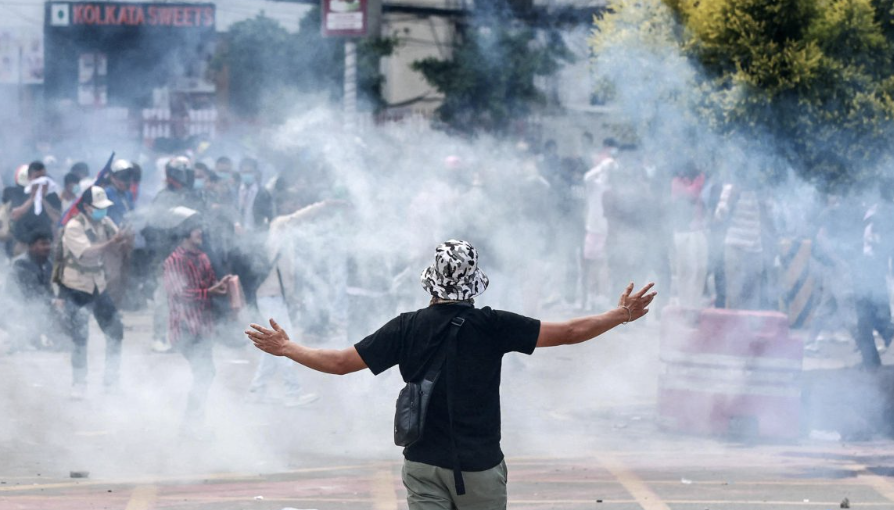
The book also made me think about control. Sometimes a system looks interactive, but the user is just pressing “next” while the program forces its path. That’s not a real conversation. It also somehow reminds me of home: there’s a lot of noise and movement during the protest against corruption, but the direction is being set by a few people with their own goals. Everyone is acting, but very few are actually listening. It’s busy, not interactive exactly the difference Crawford talks about.


While reflecting on all this, I realized something about my own art. The digital sketch I had been working on suddenly looked lifeless—beautiful in pieces but, to me, dead. It wasn’t listening to the user; it just sat there. That recognition pushed me to start over. I stripped out the old smoke elements and rebuilt the scene around the burning parliament building, designing an interaction where a single click can pause the fire and wash the frame in blue. In the process, Crawford’s idea of a true “listen–think–speak” loop came alive for me: my sketch now responds instead of merely flashing back.


Lastly, what I appreciated in the book is how stubbornly he refuses to call every flashy response “interactive.” He cares about the quality of the loop: how precisely the system listens, how intelligently it processes, and how meaningfully it responds.

Week 3: Assignment

My concept:

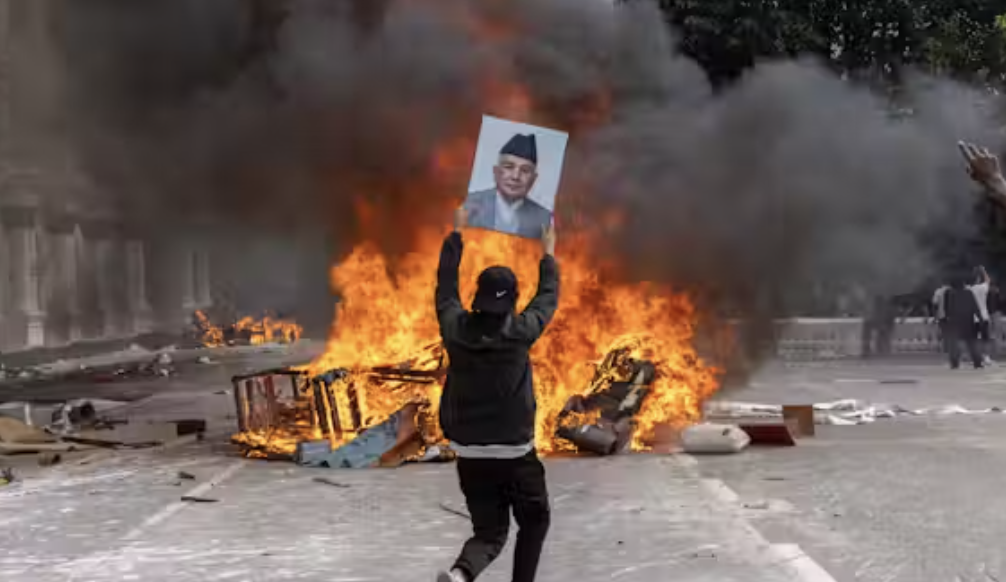
This week my mind has been heavy with news from home. There are protests happening in my country, and instead of bringing hope, some of them have turned destructive. Bad actors disguised as protesters are setting fire to public property, using a genuine Gen-Z movement against corruption as cover to erase their own crimes. Several police stations were burned, letting prisoners escape. Thousands of criminals are now roaming free, which makes me constantly worry about my family’s safety.

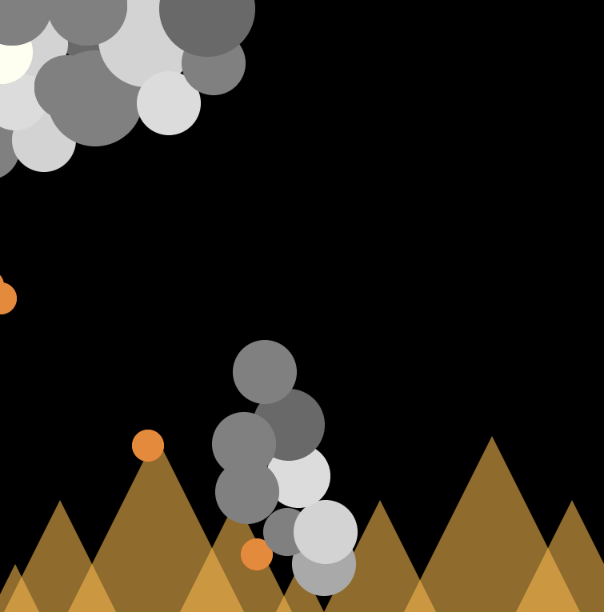
This piece of art is my response to that chaos. The base of the picture shows fire representing the burning buildings and the anger on the streets. Above it, thick smoke rises and spreads, like the dark energy that hangs over everything. In the middle there’s a shape that at first was meant to be drifting smoke, but as I worked, it began to look like a person. So later I decided to embrace that.

That smoky figure stands for the opportunists, the gangs, and the political players who twist the protest for their own gain. Just like smoke, their hearts are gray. They walk on fire because they don’t fear destruction; they only care about their own benefit, even as the country suffers.

Through this piece I wanted to capture both the physical reality of fires and smoke and the deeper feeling of a society clouded by selfishness and violence.

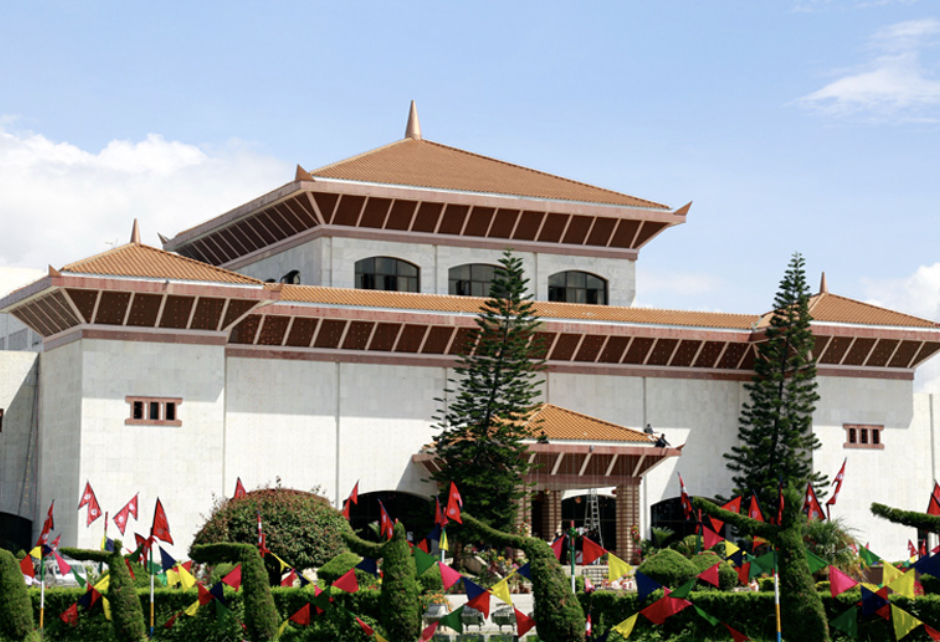
After I thought I was done with the art I started to read The Art of Interactive Design. This made me see that an earlier sketch I had made felt dull and not interactive at all. I removed the original smoke class and all its elements and began drawing the parliament building once Asia’s most luxurious and one of the largest palaces before it was destroyed by fire. I worked to mimic its structure and sweeping rooflines.

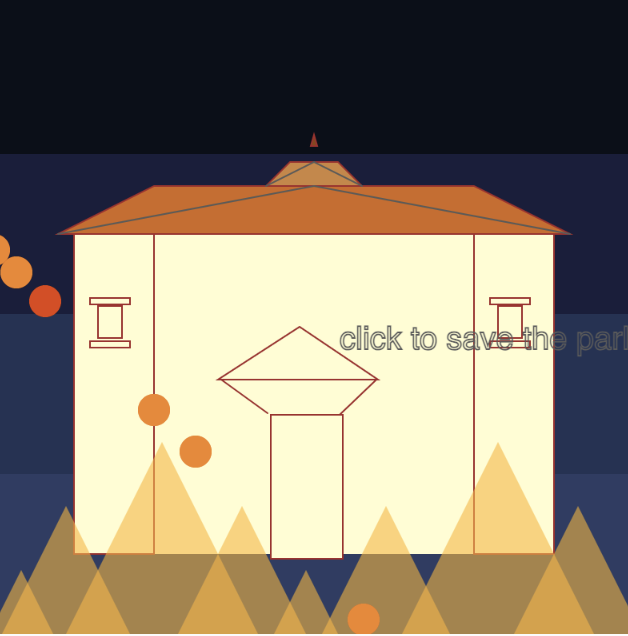
For the interactive element, when a viewer clicks on the building, the flames stop and a wash of blue appears, symbolizing calm and happiness. Releasing the click reignites the fire. Each time I clicked to halt the burning, I felt a rush of conflicting emotions an almost physical wish that I could do the same in real life, to save the parliament and, in some way, my country itself.

Process and Reflection:

When I first started this piece, I pictured thick smoke clouds spreading across the top of the canvas. I spent a long time trying to build that effect by dropping bubble after bubble, checking their spots with console.log(mouseX, mouseY), and trying to make the shapes feel alive. But after a while it turned into a slow, repetitive task. The more I worked, the less it looked like the smoky sky I had imagined.

In the middle of that frustration, something unexpected happened. One cluster of bubbles began to form a faint human shape. At first I thought it was just a glitch in my layout, but the longer I looked, the more it felt right. It reminded me of how, in real life, people with hidden motives were blending into the protests. That was the moment the “smoke man” was born.

The background went through a similar transformation. I had started with a grayish color to match the idea of smoke, but the fire didn’t stand out. On a whim I tried a deep black, and suddenly the flames glowed with an intensity that felt closer to the real scene. Black made the fire look alive, and it captured the mood of a night filled with tension and danger when prisoners were set free.

Looking back, the way this piece evolved feels close to the story I wanted to tell. Plans I was sure about like a full smoky sky kept falling apart, and new shapes kept appearing out of nowhere. The smoke man, which began as a small accident, became the heart of the artwork, just like how unexpected figures can change the course of a protest.

If I had more time, I would push the scene even further: let the smoke drift and curl like real fumes, add buildings, maybe even small moving figures to suggest the chaos on the ground. But even without those details, this process showed me how art sometimes leads rather than follows. What started as a careful plan turned into a piece shaped by chance, change, and the very uncertainty I was trying to capture.

My Sketch:

Week 3 – Reading Reflection

For me, a strongly interactive system is one that goes beyond just reacting. Crawford’s point about how books, movies, or even a refrigerator light don’t really “interact” stuck with me; true interactivity for me now, means both sides listen, think, and respond. It isn’t enough for a system to grab attention or look slick; it has to feel like a conversation. That’s why I think of interactivity less as a switch (on/off) and more as a spectrum. The strongest systems respect the user: they acknowledge input in meaningful ways, they adapt, and they make the user feel like their actions actually matter.

When I think about my own p5 sketches, I realize they often stop at reaction. They respond to a click or a key press but don’t really “listen” deeply. To push them toward stronger interactivity, I could design them to recognize patterns in user input, remember past actions, or even surprise the user with responses that aren’t strictly predictable (sort of something we did for the production in week 2; baby steps but still). For example, instead of a sketch where shapes simply follow the mouse, I could create one where the system builds a visual “memory” of how the user has drawn before and adapts its behavior over time. Though that sounds ambitious, it would turn it from a basic reaction into more of a dialogue.

Ultimately, I think the goal is to make my sketches less like a refrigerator light and more like a partner in conversation. The best interactive systems respect the user’s role, and if my work in p5js can manage to give users that sense of being heard, then I’ll know I’m moving in the right direction.

Week 3 – Moon Phase

Concept

I wanted to build something that felt alive but also structured, and the lunar cycle is a great mix of both. The project simulates the eight phases of the moon, from New Moon to Waning Crescent, with randomized textures (spots) and stars to make each redraw unique. The idea is that every click reveals a new “night sky,” giving the viewer a sense of time passing without relying on animation loops.

How It Works

  • Moon.js defines a Moon class. Each moon has a position, size, and current phase index. The phase controls how much of the circle is lit and how much is in shadow.

  • The surface spots are stored in an array of objects, each with its own position, size, and shade of gray. This randomness makes the moon look organic rather than like a flat white circle.

  • I also made sure spots only show up in the “visible” lit portion of the moon, so the shadows aren’t just cosmetic.

  • Sketch.js handles the overall scene: the canvas, the star field (also an array of little objects), and the interaction. Every mouse click moves the moon forward by one phase, regenerates its surface spots, and refreshes the stars.

What I’m Proud Of

The hardest and most satisfying part was getting crescents and gibbous phases to look right. p5.js doesn’t have a neat intersection() or shape-clipping tool for arcs, so I had to improvise using combinations of ellipses, arcs. It was like solving a puzzle with the wrong pieces, but in the end it worked.

Another “aha” moment came with the order of drawing. For example, if I drew the stars last, they’d sit awkwardly on top of the moon. If I drew spots before clipping, they’d spill into the shadows. It’s such a small detail, but the sequence of draw calls makes or breaks the illusion.

Aesthetic Choices

  • The moon is a soft gray (230) while shadows are much darker, to keep things simple but still distinguishable.

  • Stars are randomized each time you click, which makes the scene feel less static.

  • The phase name and “day” number are displayed in monospace above the moon to mimic an old-school astronomy chart.

Problems Along the Way

  • Figuring out crescents and gibbous shapes took the most trial-and-error. I tried a bunch of naive arc overlaps before landing on my ellipse-mask workaround.

  • Getting the spots to fit entirely inside the circle (without spilling over the edge) was trickier than expected; I had to add a distance check plus a little buffer zone.

Week 3 – reading assignment

  • What do you consider to be the characteristics of a strongly interactive system?

The author defines interactivity as a cyclic process where two actors listen, think, and speak, with the interaction’s quality depending on these three elements. While I initially agreed with this perspective, I began to question it as I read further.

I believe that while some forms of interactivity are more creative than others, this doesn’t invalidate simpler or “weaker” interactive experiences. For me, a system is interactive if my physical actions cause its output to change. For example, a traditional book isn’t interactive because flipping the pages doesn’t alter the story itself.

However, the perception of interactivity is highly subjective. A beginner in an IM course might find a simple mouse click that changes the canvas in p5.js to be incredibly interactive. In contrast, a more advanced student, familiar with more unique methods, might see it as basic. This relativity reminds me of the broader philosophical question, “What is Art?”

  • What ideas do you have for improving the degree of user interaction in your p5 sketches?

As someone with experience in p5.js, I want to explore more complex forms of interactivity. However, I think it’s important to balance visual complexity with interactive complexity. If a piece is already visually intricate, adding a highly complex interaction might overwhelm the user.

Therefore, I believe advanced interactive methods would be most effective in my more visually simple pieces. For these, using the computer’s camera or microphone could be a unique way to increase engagement. I previously used ML to detect faces in another class, and I am interested in incorporating that type of interactivity into my future work.

I could even approach more simpler methods such as drag bars.

Assignment 3 – Khatira

Inspiration

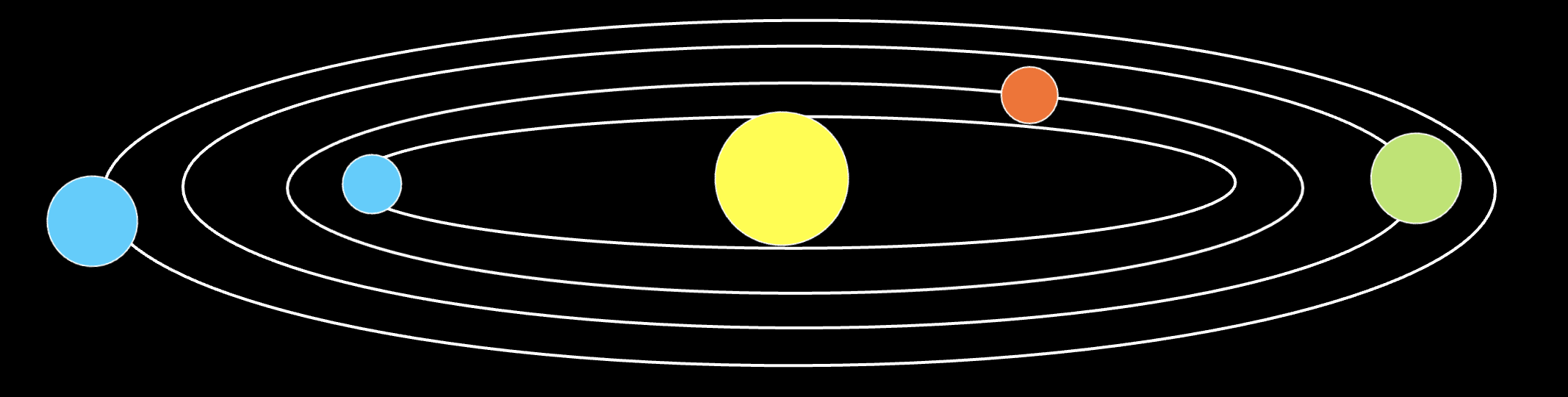
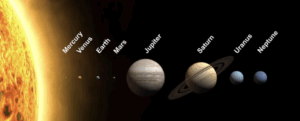
So I absolutely love space, I just think the science, visuals, and grandness of it is so crazy and something we will never be able to interpret properly. From music to visuals, I have always wanted to create some art related to space and so I decided to create some sort of simulation of our solar system in the 2D space of p5. However, I didn’t want circular rings, I wanted more elliptical rings to give it that 3d effect. 
Design

This is just a quick mockup of what I would want the sketch to look like, I will also have moons for some of the planets like Earth, Saturn, and Jupiter.
I need classes for the planets, moons, stars of the background.
For all 3 of these ‘Objects’ I will make a parent class called SpaceBody which will host some basic attributes, such as position (x,y) and size.
I will also host all these objects in a SolarSystem class for encapsulation.

Background

I wanted a deep-purple background with stars that grow a little then get smaller again, to give that illusion of glowing stars. I can do that by having the stars randomly drawn on the canvas and changing the alpha value change its ‘brightness’.

My ‘stars’ will have 4 attributes: x,y, size, twinkle. These will be js objects with x,y being random and the size being random between 1-3. Twinkle will be our variable that alters the alpha value. (quality of image isn’t the best, apologies)
SpaceBody

This will be my parent class and will host the basic attributes mentioned previously. I will also have a draw function here that will simply display circles. (Only Saturn will be a circle PLUS the ring).

class SpaceBody {
    constructor(x, y, size, color) {
        this.pos = createVector(x, y);
        this.size = size;
        this.color = color;
    }
    
    // display method - simple circle
    display() {
        push();
        translate(this.pos.x, this.pos.y);
        fill(this.color);
        noStroke();
        circle(0, 0, this.size);
        pop();
    }
}

Sun

Here I will have the Sun at the very centre. For my interactive element of this project, I will have the mouse position be the Sun’s location and the centre of the solar system essentially. I wanted the Sun to stand out compared to the other planets so I will have a few less opaque circles around it to give that ‘glow’ effect.

update() {
        // follow mouse - interactivity
        if (mouseX > 0 && mouseX < width && mouseY > 0 && mouseY < height) {
            this.pos.set(mouseX, mouseY);
        }
    }
    
    display() {
        push();
        translate(this.pos.x, this.pos.y);

        // the soft glow around the sun
        for (let r = this.size * 1.5; r > this.size; r -= 5) {
            let alpha = map(r, this.size, this.size * 1.5, 100, 0);
            fill(255, 200, 50, alpha);
            noStroke();
            circle(0, 0, r);
        }

        // main body of the sun
        fill(this.color);
        noStroke();
        circle(0, 0, this.size);

        pop();
    }

I overrode the display function here as I wanted to add the glow of the sun.
I also wanted the rings of the planets to be drawn here.

//  elliptical orbit rings around the sun
    drawOrbitRings() {
        push();
        translate(this.pos.x, this.pos.y);

        let orbitData = [
            {radius: 80, factor: 0.2},   // Mercury
            {radius: 110, factor: 0.25}, // Venus
            {radius: 140, factor: 0.3},  // Earth
            {radius: 180, factor: 0.35}, // Mars
            {radius: 250, factor: 0.4},  // Jupiter
            {radius: 320, factor: 0.45}, // Saturn
            {radius: 380, factor: 0.5},  // Uranus
            {radius: 420, factor: 0.55}  // Neptune
        ];

        // each orbit draw with faint blue
        for (let orbit of orbitData) {
            stroke(100, 100, 150, 80); 
            strokeWeight(1);
            noFill();
            ellipse(0, 0, orbit.radius * 2, orbit.radius * 2 * orbit.factor);
        }
        pop();
    }

Moon

When having my original code drafted, I was using the SpaceBody class as the base for both Moon and Planet. I then realised, I could use Moon as a child class of SpaceBody AND THEN use Planet as a child of Moon.

I did this because both Moon and Planet do some sort of orbiting, whether it be the Sun they orbit, or a planet. I would say this realisation / code was the part I was most impressed with.

class Moon extends SpaceBody {
    constructor(x, y, size, color, orbitRadius, orbitSpeed, parentBody) {
        super(x, y, size, color);
        this.orbitRadius = orbitRadius;
        this.orbitSpeed = orbitSpeed;
        this.angle = random(TWO_PI); // random starting position
        this.parentBody = parentBody; // the body this orbits around
        this.ellipticalFactor = 0.3; // 3D effect - stronger ellipses
    }
    
    update() {
        // elliptical orbit around the parent body for 3D effect
        this.angle += this.orbitSpeed;
        
        // elliptical orbit (wider than tall for 3D effect)
        let x = this.parentBody.pos.x + cos(this.angle) * this.orbitRadius;
        let y = this.parentBody.pos.y + sin(this.angle) * this.orbitRadius * this.ellipticalFactor;
        this.pos.set(x, y);
    }
}

Planet

For the planet class, I added some extra attributes to the Moon class such as hasRings ( Boolean for Saturn) and moons[] for planets with moons. Because Planet inherits the Moon class, there were fewer lines of code which was nice to have.

SolarSystem

This class was to hold all the objects (Sun, Moons, Planets).

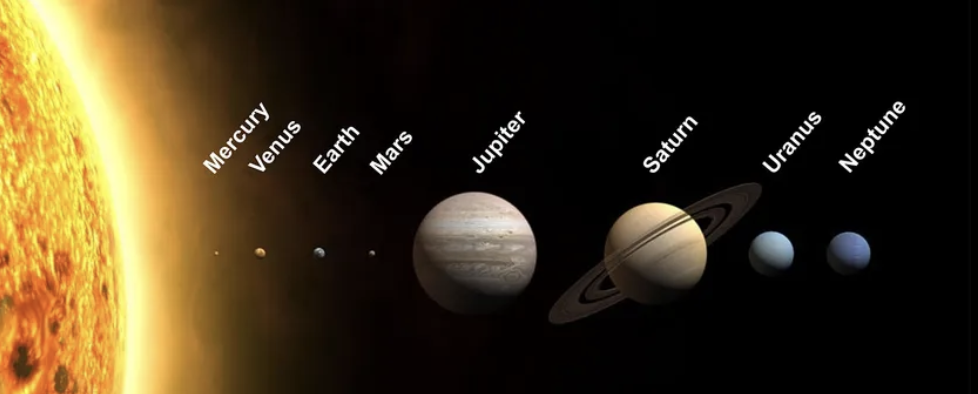
I used AI to help me with the creation of the planet objects by adjusting the size and moon knowledge. Example, Jupiter is the biggest planet so having that planet with the largest size.

let planetData = [
    [8, color(169, 169, 169), 80, 0.04, 0.2, false, []], // Mercury
    [12, color(255, 198, 73), 110, 0.03, 0.25, false, []], // Venus
    [14, color(100, 149, 237), 140, 0.025, 0.3, false, [[4, 25, 0.1, color(220, 220, 220)]]], // Earth
    [10, color(205, 92, 92), 180, 0.02, 0.35, false, []], // Mars
    [28, color(255, 140, 0), 250, 0.015, 0.4, false, [[6, 40, 0.08, color(255, 255, 224)], [4, 55, 0.06, color(139, 69, 19)], [5, 70, 0.04, color(176, 196, 222)]]], // Jupiter
    [24, color(255, 215, 0), 320, 0.012, 0.45, true, [[5, 45, 0.07, color(255, 255, 240)]]], // Saturn
    [18, color(64, 224, 208), 380, 0.008, 0.5, false, []], // Uranus
    [17, color(30, 144, 255), 420, 0.006, 0.55, false, []] // Neptune
];

Challenges

Honestly, as I was coding this, I kept on seeing more way to use OOP such as having Planet and Moon extend this new class I made. Originally I had them as children of SpaceBody and then the update function was a global helper function then it was part of my new class. There was a lot of restructuring so I wish I spent more time focusing on the structure of the classes.

Next Time

I added the mouse position as a part of the interactivity but I want to come up with something more creative next time. Maybe having the whole system be on an angle?

Final Product

Reading Reflection – Week#3 – Joy Zheng

I find the final review questions delightfully absurd, so I really want to start my reflection by pondering over them.

    1. Are rugs interactive?
      • Before I read Crawford’s clear division of interactivity, I had never really thought about this question before, and I probably would have said yes because of its interactive tactility. But by Crawford’s definition, no—rugs don’t “listen” or “think.” However, if we glue Arduino sensors to one, making it play synth sounds when stepped on, it becomes interactive. While his definition is useful, interactivity’s boundaries blur with creativity; anything has the possibility to be interactive when reimagined with tech. Socrates’ fear of silent text feels ironic in the age of AI. What if books “could” argue back? Maybe that’s the next Kindle update.
    2. My own damn definition of interactivity:

      • Interactivity is when a system not only reacts to me but also alters how I react the next time. It’s a loop of influence, not just a one-off cause and effect. If the system surprises me or teaches me something about myself, that’s when it’s truly interactive.
    3. Throw this book across the room. Measure the distance it traveled and the angle of impact:
      •  I didn’t actually throw the book (my roommate might object), but imagining it, I realize the question is poking fun at how we measure “outcomes.” Distance and angle are just the physical data. The real interaction is in the frustration, laughter, or satisfaction I’d feel when the book is thrown on the floor. 

When I think about the characteristics of a strongly interactive system, what strikes me most is not the sophistication of the technology but the reciprocity of the relationship. An interactive system is strong when it feels alive: it doesn’t just accept my input but adapts, resists, or even surprises me in return. Instead of a flat cause-and-effect chain, it’s more like a conversation with another mind. I see this quality echoed in the text’s emphasis on feedback loops—interactivity emerges from cycles of action and response rather than one-time events.

For my p5 sketches, I want to push beyond the “click to change color” type of interactions. One idea is to give the sketch a form of “mood” that evolves depending on how the user treats it. If the mouse lingers gently, shapes might bloom and expand; if the cursor jerks around aggressively, the system could retreat or glitch out. In other words, I’d like to design sketches that don’t just follow orders but perform a little interpretation of the user’s intent. This would make interaction less like pressing buttons and more like building an emotional relationship with the code.

Week 3 – OOP Array Production – Joy Zheng

Concept

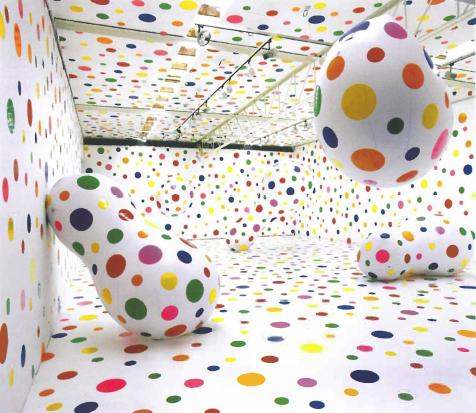
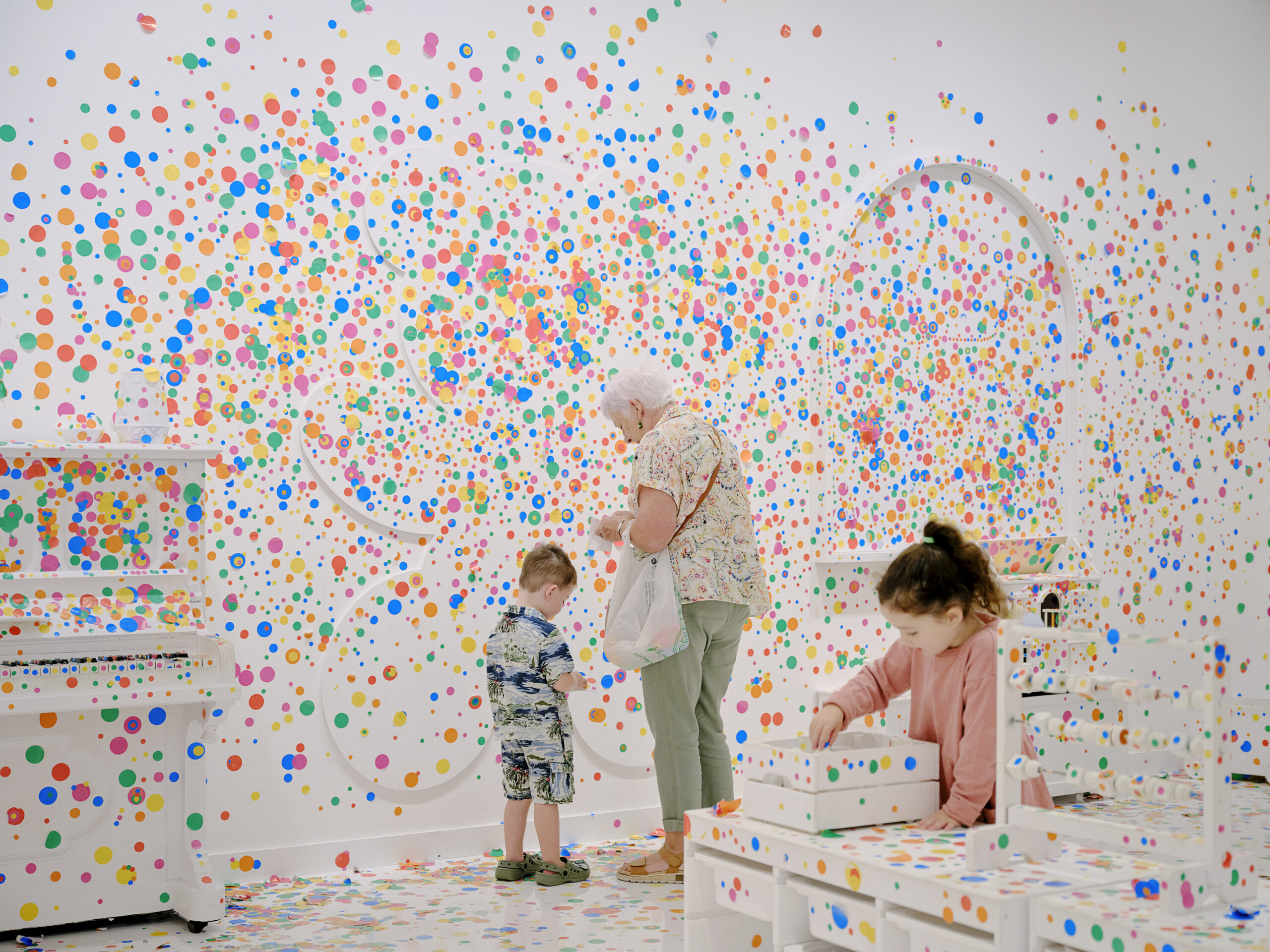
This project is inspired by Yayoi Kusama’s immersive polka-dot installations at the Queensland Gallery of Modern Art in Australia and her collaborations with Louis Vuitton. I’ve always admired how her work visualizes the flow of her inner world and allows viewers to enter an environment of rhythm and playfulness. My goal was to adapt this experience into a digital dot space, where users are also not only observers but active participants.

Yayoi Kusama’s Collab with Louis Vuitton

Yayoi Kusama’s Interactive Installation at the Queensland Gallery of Modern Art in Australia

Embedded Sketch

Highlighted Code

The part I am most proud of is the growth logic of my Dot:

function mouseDragged() {
//   let user to draw their own dots on top of the background
//   when mouse is pressed, add a new color dot
  let colorpick = random(colors);
  let d = random(5,20);
  let newDot = new Dot(mouseX, mouseY, d, colorpick);
  dots.push(newDot);
  
//   expand all nearby dots when dragged/clicked
  for (let i = 0; i <dots.length; i++) {
    if(dist(mouseX, mouseY, dots[i].xPos, dots[i].yPos) <= 10) {
      dots[i].grow();
    }
  }
  
}

This method became powerful when paired with mouse interactivity and repetition. In mouseDragged(), every time the mouse is close to a dot, that dot grows and creates a new one. By continuously dragging the mouse, viewers can continuously add new dots and expand them, creating a swirling, psychedelic canvas that evokes Kusama’s sense of infinity.

This small combination of object-oriented design created an effect where the user’s movement actively reshapes the artwork. It transformed the piece from a static background into a living, evolving canvas.

Reflection and Future Work 

Working with OOP in p5.js helped me think in a modular way. By separating Dot objects and their behaviors, I avoided repetitive code and could focus on experimenting with interactivity. One challenge was deciding which mouse functions to use: mousePressed() felt more like stamping stickers, while mouseDragged() created a more immersive, “infinite swirl” effect that matched Kusama’s style better.

For future work, I want to experiment with the analogical distribution of dots according to the real-life exhibit of the show. I’m also excited to explore Kusama’s “Infinity Nets” in a 3D or VR environment, where users could walk through an endless dot universe instead of only drawing on a flat canvas. I want to keep exploring how interactive code can reinterpret her immersive art (e.g., Pumpkin) in digital spaces.

Week 3 – Functions, Arrays, and Object-Oriented Programming

For this project, I started with the really basic car code that was shared with us as an example. I liked how simple and clear it was, so I decided to build on that idea. I kept the general structure and movement the same, but instead of a car, I turned it into a spider. That meant changing the shapes, adding legs, and making it look a little more alive.

One thing I found pretty challenging was getting the legs to wiggle naturally. At first, they either didn’t move at all or moved in a really awkward way. It took me some trial and error, especially using functions like sin() and playing around with timing, to get it just right. In the end, I was able to make the spider’s legs move in a subtle way, which makes it feel like it has a bit of personality as it crawls around the canvas.
// make legs wigle
  legWiggle(index) {
    const phase = index * 10;
    return sin((frameCount + phase) * 0.05) * (this.legLength * 0.15);
  }
This piece of code makes the spider’s legs wiggle a bit, and it was honestly the hardest part for me. I had to keep experimenting with the numbers until the movement looked smooth and natural instead of random or awkward.

Week 3 – Reading Reflection

I was very surprised by the opening sentence of this week’s reading as I had an Understanding IM class with Professor Shiloh just this Thursday discussing how the word “interactivity” loses so much meaning when applied to works that are at most immersive and not at all actually interactive.

“Here’s a key point about the interactive process: There are two actors, not one” was a quote from page 5 that I noted down. Some of my fellow classmates in UIM defended the popular claim that the Mona Lisa is interactive because her eyes “follow you” as you admire the artwork; they defended it because they themselves feel the magic of their favorite paintings. However, I think interactivity as a term often gets confused with “immersion” yet seems to almost be used interchangeably for so many people.

Another thing I noted down from the reading was “We tend to think of interactivity as a Boolean like virginity. But why not think of interactivity as a continuous variable with relative measures?” Although the phrasing of this comparison was a little bizarre on my first read, I actually found myself agreeing with it a lot. Crawford’s three emphasis on three characteristics of Listening, Thinking, and Speaking may naturally apply to human conversation more, but could apply to our artworks as well.

I really liked this next section on the thirteenth page– where Crawford essentially provokes the reader on the topic of books as an interactive medium. Crawford says that if you think books should be considered an interactive medium then say the word, although he’s possibly thousands of miles away and unable to ever perceive your opinion, oops! “…if you’re frustrated, you are welcome to throw this across the room, but even then, there still won’t be anybody listening to your frustrations or thinking about them.”

Overall, I thought Crawford had some good points with great ways of expressing how frustrating the nothingness burger the word “interactivity” has become and will become. And to answer his question listed at the end– “Are rugs interactive? Explain in your own words why or why not?” – I believe that rugs fall near low-interactivity at best on the interactivity spectrum. This is because some party games, such as twister, could use a rug with complex designs to form a set of rules and a gameplay loop.

In response to “What do you consider to be the characteristics of a strongly interactive system? What ideas do you have for improving the degree of user interaction in your p5 sketches?”, I think the strongest characteristic of an interactive system is a feedback loop that rewards curiosity and engagement. As for ideas for improving the degree of user interaction in my sketches, I believe variability is vitally important to the repeatability of an experience. 10 people could interact with the same interactive sketch and each of them would experience something noticeably different.