Week 8 – Reading Reflection

For Norman’s piece, I was very surprised to find it very relatable as I initially didn’t quite understand where he was going with his vast knowledge of teapots, but I later realized that he was talking about a feeling I actually had trouble verbalizing a few months ago. I had a conversation with some friends where I wanted to describe how much the visual design of a certain aspect of something I was trying to learn significantly affected how passionate I felt toward learning that ‘something.” While my friends wrote me off as just a little picky with my peripherals, Norman’s point on “aesthetic pleasure” improving perceived usability of something really made me feel validated. For example, just having a pretty bass guitar will make me feel more likely to pick it up to practice it seriously rather than just have it lying around.

The general idea of emotional design was very interesting, and it reminded me of the sound design of my midterm project. The sound design alone was motivating me through countless playtests against myself. It was because I designed the SFX to hit a certain metaphorical chord in my brain that I felt more passionate about the final result. It made me even happier to hear positive feedback on the SFX design from my fellow peers as it was honestly just designed in a way that was personally satisfying to me; other people enjoying it was definitely an unseen externality.

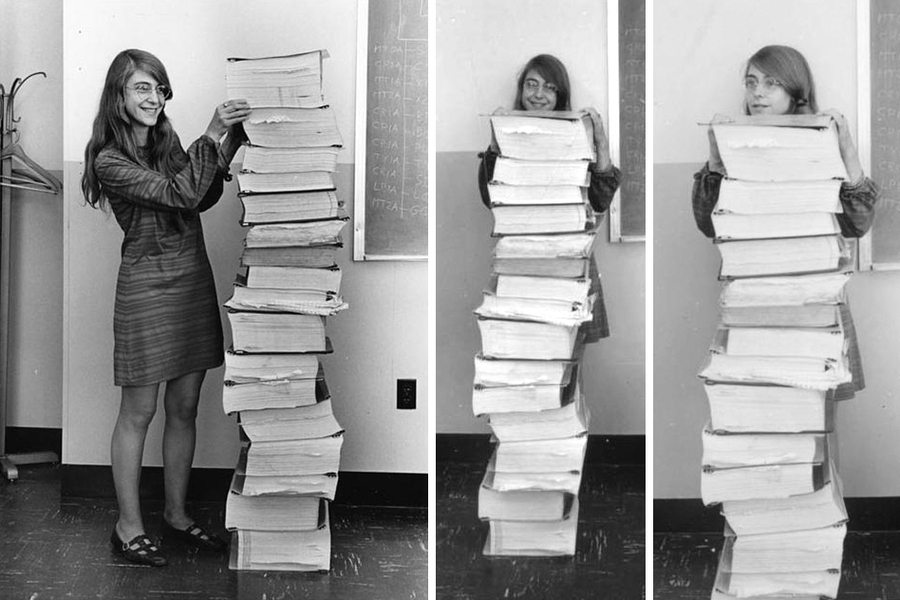
I had previously read about Margaret Hamilton’s story back in 2019 when we had the first visualization of an event horizon/black hole back. One of the parts that resonated with me most was that Hamilton ran to her computer after a late-night party to fix some faulty code she thought about at the party. I think this shows just how much pride Hamilton had in her role on the Apollo missions, and just how brilliant she was. Her quote, “I was always imagining headlines in the newspapers, and they would point back to how it happened, and it would point back to me” shows me a lot of her prideful but grounded nature that I found very inspiring.


Reading Reflection – Week 8

Her Code Got Humans on the Moon – And Invented Software Itself

I’ve known about Margaret Hamilton for quite some time. Her name was the one I would give out when people asked me who my favourite woman in STEM was, and the picture in the reading is the same one that went viral on social media a while ago. Nevertheless, I was mostly familiar with her accomplishments, and I was quite shocked to find out that she had a daughter at this time, over whom she would be criticized. It only makes me think even higher of her.

I really liked it when Hamilton said, “I was always imagining headlines in the newspapers, and they would point back to how it happened, and it would point back to me.” This shows that Hamilton was very well aware that the stakes of her work went far beyond code or computation. Also, I think her ability to think of potential failures before they happen is what made her so exceptional, and this is a skill that all programmers should try to build. Therefore, a certain attentiveness to detail and analysis of possible outcomes can help build stronger and more reliable programs.

My favorite quote of hers is, “When I first got into it, nobody knew what it was that we were doing. It was like the Wild West.”

Emotion & Design: Attractive things work better

This reading made me realize that emotion plays such a big role in the things we use. An example is Norman owning three teapots, which I found quite funny. He doesn’t really need 3 teapots, but it’s about the feeling that each one brings, and the fact that each teapot brings its own experience.

This idea also connects to what I’ve been learning in my Have a Seat class, where we design and build chairs. I’ve realized that a chair is never just a chair, it holds an emotional presence in a space. The curve of the backrest, the texture of the wood, even the way light hits it can make someone feel calm, inspired, or comforted. Just like in Norman’s article, emotion becomes part of usability. When people feel good around a design, they tend to engage with it more positively, and that’s when it truly “works better.”

I used to think that attractive designs were somehow less practical. Growing up, I often heard that bright or playful designs were less “serious.” But this article completely challenges that idea. Beauty can enhance function rather than distract from it. So I guess my main takeaway from this reading is that human beings are drawn to designs that are not just usable, but that bring pleasure, comfort, and meaning. 

Week 8 – Reading Response

What links Donald Norman’s “Emotion and Design” and Robert McMillan’s profile of Margaret Hamilton is that both quietly insist on humanizing it, instead of just dealing with design . Norman’s argument that beautiful design makes people feel more in control is not just about colors or curves. It’s about the psychology of trust. He claims that people “perform better when they feel better,” suggesting that aesthetics aren’t superficial, but functional. I find this somewhat persuasive, but also a little idealistic. There’s truth to it, I do feel calmer using Notion than some clunky university portal, but sometimes “pretty” products mask poor usability. Attractive things may appear to work better, but that illusion can also hide deeper flaws. Still, Norman’s point stands: emotion isn’t a side effect of design rather it’s part of the system itself.

Reading “Her Code Got Humans on the Moon” right after feels like the necessary reality check. Margaret Hamilton’s code didn’t have the luxury of being “attractive,” it just had to not crash on the Moon. Yet what she achieved was, in its own way, a kind of beauty: the beauty of precision, foresight, and calm under cosmic pressure. Her work (from inventing the concept of “software engineering” to preventing the Apollo 11 disaster) captures design stripped to its core: solving human problems with clarity and empathy. I love how she described her philosophy as “preparing for the unexpected.” That’s the emotional intelligence of a designer without ever calling it that

If Norman celebrates how design makes us feel, Hamilton reminds us what design must do: sustain life when it matters. My takeaway is that emotion in design isn’t always about pleasure; sometimes it’s about responsibility. The most beautiful designs are the ones that don’t panic when everything else does.

Week 8 Reading Response

What I immediately noticed in the readings is how both Don Norman and Robert McMillan challenge how we define functionality; Norman through the psychology of aesthetics, and McMillan through the ingenuity of software engineering. Reading “Emotion and Design: Attractive Things Work Better” made me question something simple yet profound: why do I find certain interfaces or objects “trustworthy”? Norman’s claim that “attractive things work better” stayed with me because it connects emotion to cognition, arguing that beauty is not decoration but an active force in usability. His description of positive affect broadening creative thought resonated with me, especially when I considered my own design projects in other Interactive Media courses I have taken. When a prototype looks cohesive and inviting, I find myself more patient while debugging it; frustration fades faster. Norman’s teapot metaphor illustrates this perfectly, the emotional experience of interacting with a design changes how we perceive its flaws.

In contrast, McMillan’s “Her Code Got Humans on the Moon” celebrates the emotional labor and intellectual rigor behind Margaret Hamilton’s software for Apollo 11. I was surprised by how Hamilton’s story complicates the idea that engineering is purely rational. Her insistence on accounting for human error, writing software that could correct an astronaut’s mistake, echoes Norman’s belief that design must accommodate emotion and imperfection. When Hamilton’s code prevented a lunar crash due to a data overload, it wasn’t just logic at work but empathy, the foresight to design for failure.

Together, these texts made me rethink the separation between “soft” and “hard” skills in design. Emotion and logic, art and code, are not opposites but co-creators of reliability. I’m left wondering: in a future dominated by AI systems, can machines be designed to “care” the way Hamilton’s software did, to anticipate human error with grace?

Week 8 – reading

Her Code Got Humans On The Earth

Margaret Hamilton’s story resonates with me as an aspiring software engineer, especially seeing how she navigated a world that wasn’t built for her. She was able to bring her daughter Lauren to the lab on weekends, letting her sleep on the floor while she coded into the night. That choice wasn’t just about balancing work and family, but showing both are achievable. This  actually saved a mission, when Lauren accidentally crashed the Apollo simulator by pressing P01 during flight, Hamilton saw the danger immediately and warned NASA. They brushed her off, insisting astronauts were too perfect to make mistakes and did not take her concern seriously. But during Apollo 8, astronaut Jim Lovell did exactly what Lauren had done, wiping out all the navigation data. Hamilton and her team spent nine hours finding a fix to bring them home. Hamilton wasn’t just writing code, she was inventing the entire idea of software engineering in real-time, creating the practices we still rely on today. Her work reminds me that the best engineers aren’t the ones who assume everything will go perfectly, but the ones who plan for when it doesn’t. Her thinking of all branches of an act is what makes her an incredible software engineer.

Attractive Things Work Better

As someone studying computer science, Norman’s argument that “attractive things work better” initially felt weird to hear, like permission to prioritise aesthetics over functionality. But it makes sense as good designs should balance both aesthetics and usability, creating experiences that are functional and resonant. What really resonated was his point about positive affect making us more tolerant of minor difficulties. When I’m working with tools that feel good to use, I don’t rage-quit when I hit a bug. But when I’m already stressed and the interface is terrible, every small friction angers me more. This is why critical systems, like hospital applications, should be completely simple and understandable, while something non-critical like a coffee ordering app can afford to prioritise delight over efficiency.

However, I’m uncertain whether beauty can truly compensate for poor usability. Norman says “when we feel good, we overlook design faults,” but this happens far too often with modern apps. Apple’s system apps, from the clock to the calculator, are aesthetically beautiful but frustratingly impractical for users who need advanced features.

Still, I agree with his main point, we’re not computers evaluating products on pure utility. We’re emotional beings, and our feelings genuinely affect our performance. As engineers, we should build things that not only work but also make people feel capable and confident.


Midterm Project – Hogwarts Experience

Concept

Hogwarts Experience is an interactive web experience inspired by the whimsical world of Hogwarts.
It blends a classic sorting quiz, a maze challenge, and wand selection into one compact game built entirely in JavaScript (using p5.js).

The idea was to explore how storytelling, visuals, and interactivity could merge to create something that feels alive; something more than just a quiz or a mini-game.

Inspiration

From my fascination of JK Rowling’s use of symbols (a hat, a house, wand) in Harry Potter explores identity and choice. I wanted to capture that feeling of “who am I?” in a lightweight browser experience.

Technically, this project was also a personal experiment:
how far can I go with only vanilla p5.js, with minimal frameworks and assets, what be drawn or generated?

Visual Elements

The visuals are all hand-coded with p5.js shapes and color palettes chosen to reflect the four houses:

  • Gryffindor: warm reds and golds, courage in motion
  • Ravenclaw: deep blues and calm precision
  • Hufflepuff: mellow yellows and earthy tones
  • Slytherin: sleek greens and silvers, a hint of ambition

[I got the color codes from codepen.io]

The wand selection features small glowing particle bursts when you find your correct match, a simplified particle system I built directly into the Wand class.
It’s minimal but expressive: circles of light that rise and fade like sparks from Ollivander’s wand shop.

Interaction & Controls

  • The quiz is fully clickable — each answer dynamically updates your house “weight.”
  • Once sorted, you navigate a small maze using arrow keys (or WASD).
  • You can activate your house ability with a single keypress (spacebar).
  • The wand test responds to clicks, showing visual feedback for correct or incorrect matches.

Each stage was designed to feel self-contained but connected, a simple rhythm of choice, discovery, and action.

Sound Design

Sound is subtle but intentional.
A soft background theme plays during the game, punctuated by short cues:

  • a shimmer when your wand responds,
  • a gentle whoosh for movement,
  • a celebratory chime when you win,
  • and scary dementor sound when you fail to exit the maze.

All sound events are managed with a simple sound registry that starts, stops, and restarts based on player state. I tried to get rid of any overlaps or chaos. I wanted it to add atmosphere without overwhelming the visuals.

Code Architecture

The game is built around a few modular classes:

  • Question → handles quiz text, answers, and house mapping
  • Player → manages movement, collision, and ability us
  • Enemy → manages the enemies in the maze
  • Wand → merges wand logic and particle effects for magical feedback
  • GameManager (lightweight) → controls flow between quiz, wand test, and maze

Each class does one job well.
The code favors clarity over complexity; the division into classes make it readable, flexible, and easily expandable.

Code Snippet to Highlight

test() {
    if (this.isCorrect) {
        this.glowing = true;
        for (let i = 0; i < 20; i++) {
            this.particles.push({
                x: this.x,
                y: this.y,
                vx: random(-3, 3),
                vy: random(-5, -1),
                life: 60,
                success: true
            });
        }
        return true;
    } else {
        for (let i = 0; i < 10; i++) {
            this.particles.push({
                x: this.x,
                y: this.y,
                vx: random(-3, 3),
                vy: random(-5, -1),
                life: 60,
                success: false
            });
        }
        return false;
    }
}

It’s small, but it brings the world to life, literally adding a sparkle of magic when you choose correctly.

Future Additions

  • Better sprites & art direction: hand-drawn assets for characters, wands, and the maze walls
  • Fullscreen adaptive display: scaling visuals gracefully across devices
  • House competition system: each player’s score stored via browser cookies or localStorage, allowing a shared “House Points” leaderboard
  • Integration with ml5.js: experimenting with emotion or gesture recognition to let your facial expression or hand movement influence sorting outcomes

Each of these is a small step toward a more responsive, immersive experience,  a bit closer to real enchantment.

generative text production – In Your Own Words

My project is a generative text artwork called “In Your Own Words.”
The sketch begins with a loose pile of glowing letters near the bottom of the screen. They feel a bit heavy and sleepy, just resting on a soft ground line. When you click on a letter in the pile, it jumps into the air. While it is in the air, you can click it again to “catch” it and turn it into a special fixed letter.
Fixed letters are brighter and calmer. They have a gentle glow and small sparkles when they appear. You can drag these fixed letters around and arrange them into words or phrases that matter to you.
The idea is simple. The sketch gives you a constant stream of random letters, but the meaning only appears when you interact with them. I wanted to apply this randomizing factor to highlight how randomness can have a beautiful meaning; when you choose when to make a letter rise, when to keep it, and where to place it. The artwork is about ownership of language, about turning noise into something that feels like your own voice.
The background slowly shifts in hue so the scene never feels frozen. Time moves, letters bounce, but the words you decide to build stay in place until you move them again.
How the sketch works
Here is a short overview of what happens in the code:

  • A pile of letters is created near the bottom center of the canvas.
  • Each letter has simple gravity and can bounce on the ground.
  • When you click a letter on the ground, it jumps.
  • When you click a letter in the air, it is “fixed” in place as a new type of glowing letter.
  • Fixed letters can be dragged around to form words.
  • A slow animated background adds a soft atmospheric feel.

The piece uses two main classes: Letter for the bouncing pile letters and FixedLetter for the letters that you have chosen and placed.

Code highlight: catching letters in the air
Most of the sketch logic takes place in the mousePressed function. It handles three important actions in a simple and readable way:

  • Start dragging a fixed letter if you click on it.
  • Make a pile letter jump if it is on the ground.
  • Turn a jumping letter into a fixed letter if you click it in the air.

Here is the core part of that logic:

function mousePressed() {
  // Check if clicking on fixed letters first (for dragging)
  for (let fixedLetter of fixedLetters) {
    let distance = dist(mouseX, mouseY, fixedLetter.x, fixedLetter.y);
    if (distance < fixedLetter.size/2 + 10) {
      draggedLetter = fixedLetter;
      dragOffset.x = mouseX - fixedLetter.x;
      dragOffset.y = mouseY - fixedLetter.y;
      return; // Exit early if we're dragging a fixed letter
    }
  }
  
  // Check if clicking on moving letters
  for (let i = letters.length - 1; i >= 0; i--) {
    let letter = letters[i];
    let distance = dist(mouseX, mouseY, letter.x, letter.y);
    
    if (distance < letter.size/2 + 15) { // Slightly larger hit area for pile
      if (letter.isInAir()) {
        // Fix the letter if clicked while in air
        fixedLetters.push(new FixedLetter(letter.char, mouseX, mouseY));
        letters.splice(i, 1);
        
        // Add a new random letter to the pile
        let newLetter = alphabet[floor(random(alphabet.length))];
        let centerX = width / 2;
        let angle = random(TWO_PI);
        let radius = random(0, 150);
        let newX = centerX + cos(angle) * radius;
        let newY = groundLevel - random(0, 60);
        letters.push(new Letter(newLetter, newX, newY));
      } else {
        // Make letter jump if clicked on ground/pile
        letter.jump();
      }
      break;
    }
  }
}

Why I like this section:
It keeps the interaction rules clear. You either drag, fix, or jump letters based on simple checks.
The isInAir() check gives a nice “skill moment” to the piece. You need to click at the right time to catch a letter.
When you fix a letter, the code immediately spawns a new random letter in the pile. This keeps the system open and ongoing. You can always build more.
This small block ties together the main feeling of the artwork: letters flowing, you reaching into that flow, and selecting what to keep.

Here is the full sketch for you guys to play a little and say something in your own words :))

Midterm – Pitchy Bird

following my initial progress on a backend-backed idea, I faced challenges managing the complexities of API usage and LM output, and thus switched to another idea briefly mentioned at the start of my last documentation.

Core Concept

For my midterm project, I wanted to explore how a fundamental change in user input could completely transform a familiar experience. Flappy Bird, known for its simple tap-based mechanics, was what I took to re-imagine with voice control. Instead of tapping a button, the player controls the bird’s height by changing the pitch of their voice. Singing a high note makes the bird fly high, and a low note brings it down.

The goal was to create something both intuitive and novel. Using voice as a controller is a personal and expressive form of interaction. I hoped this would turn the game from a test of reflexes into a more playful—and potentially, honestly, sillier challenge.

How It Works (and What I’m Proud Of)

The project uses the p5.js for all the visuals and game logic, combined with the ml5.js library to handle pitch detection. When the game starts, the browser’s microphone listens for my voice. The ml5.js pitchDetection model (surprisingly it’s lightweight) analyzes the audio stream in real-time and spits out a frequency value in Hertz. My code then takes that frequency and maps it to a vertical position on the game canvas. A higher frequency means a lower Y-coordinate, sending the bird soaring upwards.

click here to access the game as the embed is not functional.

I’m particularly proud of two key decisions I made that really improved the game feel.

First was the dynamic calibration for both noise and pitch. Before the game starts, it asks you to be quiet for a moment to measure the ambient background noise, which is measured set a volume threshold, so the game doesn’t react to the hum of a fan or distant chatter. Then, it has you sing your lowest and highest comfortable notes. This personalizes the control scheme for every player, adapting to their unique vocal range, which could be an important design choice for a voice-controlled game. I conseptualized this “calibration” idea and used AI to explore ways to implementation, finally coding up the components in the game.

setTimeout(() => {
  // Set noise threshold (average level + a buffer)
  noiseThreshold = mic.getLevel() * 1.5 + 0.01;
  console.log("Noise threshold set to: " + noiseThreshold);
  
  gameState = 'calibratePitch';
  isCalibratingLow = true;
  // Capture lowest pitch after a short delay
  setTimeout(() => {
    minPitch = smoothedFreq > 50 ? smoothedFreq : 100;
    console.log("Min pitch set to: " + minPitch);
    isCalibratingLow = false;
    isCalibratingHigh = true;
    // Capture highest pitch after another delay
    setTimeout(() => {
      maxPitch = smoothedFreq > minPitch ? smoothedFreq : minPitch + 400;
      console.log("Max pitch set to: " + maxPitch);
      isCalibratingHigh = false;
      // Ensure model is loaded before starting game loop with getPitch
      if (pitch) {
          gameState = 'playing';
      } else {
          console.log("Pitch model not ready, waiting...");
          // Add a fallback or wait mechanism if needed
      }
    }, 3000);
  }, 3000);
}, 2000); // 2 seconds for noise calibration

Another technical decision I’m happy with was implementing a smoothing algorithm for the pitch input. Early on, the bird was incredibly jittery because the pitch detection is so sensitive. To fix this, I stored the last five frequency readings in an array and used their average to position the bird. This filtered out the noise and made the bird’s movement feel much more fluid and intentional. Additionally, instead of making the bird fall like a rock when you stop singing, I gave it a gentle downward drift. This “breath break” mechanism hopefully makes the game feel like air.

Challenges and Future

My biggest technical obstacle was a recurring bug where the game would crash on replay. It took a lot of console-logging and head-scratching, but it ultimately turned out that stopping and restarting the microphone doesn’t work the way I’d thought. The audio stream becomes invalid after microphone stops, and I couldn’t reuse it. The solution was to completely discard the old microphone object and create a brand new one every time a new game starts.

In addition, there are definitely areas I’d love to improve. The calibration process, while functional, is still based on setTimeout, which can be sort of rigid. A more interactive approach, where the player clicks to confirm their high and low notes, would be an alternative user experience I could test and compare with. Additionally, the game currently only responds to pitch. It might be fascinating to incorporate volume as another control dimension—perhaps making the bird dash forward or shrink to fit through tight gaps if you sing louder. 

A more ambitious improvement would be to design the game in a way that encourages the player to sing unconsciously. Right now, the player is very aware that you’re just “controlling” the bird only. But what if the game’s pipe gaps prompt them to perform a simple melody? The pipes could be timed to appear at moments that correspond to the melody’s high and low notes. This might subtly prompt the player to hum along with the music, and in doing so, they would be controlling the bird without even thinking.

Week 6: Pong² (Midterm Project)

Overall Concept:

This is Pong². It’s called Pong² because this isn’t just a spiritual successor to the first ever video game, it’s a dimension beyond. If regular pong only moved you in one axis, it only has one dimension; this game lets you move left to right AND back and forth– creating a very amusing experience with much more depth than the original.

Pong² features two modes. Let’s start with Versus. Versus is a continuation of what I worked on all the way back in Week 3. In Versus, you and another player play a 1 v 1 duel of up to 9 rounds, best of 5. It’s the same win conditions as classic pong but with a lot more strategic depth. Moving your paddle in the opposite direction towards the ball will “smash” or “spike” it into your opponent’s side while moving in the same direction as you receive the ball will help you “control” or “trap” it. 

Pong²’s second mode is its best: co-op. In Co-Op mode, you and another player work together to guard the bottom goal against multiple balls that speed up with every return. You have 3 lives and each ball that slips past you takes a life from your shared life total. You have to coordinate with your teammate to make sure you keep a watch on every ball and not just respond as fast as you can to each one, because that’s only going to take you so far (my bet is on 50 seconds).


Feedback: Color Scheme Consistency

On our Monday checkup, Professor Ang told me to have consistent colors for highlighting the gameplay instructions; when I use different colors to highlight I risk player confusion. I also proceeded to keep the game mode colors consistent with the menu instead of having the menu remain exclusively white and purple.

CO-OP Mode Design

I originally planned to make a player vs AI mode but realized that I really didn’t know how to make it respond similarly to how a real player would move the paddle. I had received feedback from Professor Ang to make the concept more interesting than just the usual 1v1 pong, and that’s when it hit me: what if I made 2 Player survival pong?

I had a lot of fun designing the co-op mode on paper, but I made my code a huge mess by duplicating my versus game mode javascript file instead of working from scratch. I THOUGHT that would make the process faster since I would be working with my previous framework but I ended up having to modify so many things it ended up convoluting it.

I originally had the game start with just one ball and you wouldn’t get the second ball until the 15th hit on the top side; however,I realized I wanted players to naturally have the idea to coordinate with each other. For instance, player one might tell his teammate “I’ll take the red ball you take the blue one” to strategize. So what I decided was to make the 15th hit spawn the third ball and the 2nd  top bounce spawn the second ball which presents the challenge to players at a good pace.

I was very proud of this for loop I built to manage the many colorful balls that you had to defend against. Between this week and last week, I also had to add a canHitPaddle() method and timer to make sure you wouldn’t accidentally double hit the same ball as you tried to move in the same direction as it.

for (let b of coopBalls){ //runs thru all the balls stored in the array
    b.display();
    b.move();
    b.scoreDetection();
    
    if (coopBallCollidePaddle(b, player1paddle1, "Top")&& b.canHitPaddle()) {
      paddleBounceNeutralSFX.play();
      b.lastHitTime = millis() //records hit time using canHitPaddle()
      b.ballYspeed *= -1;
      b.yPos = player1paddle1.yPos - player1paddle1.paddleHeight / 2 - b.radius - 5;
      
      if (keyIsDown(83)) { // 'S'key 
        paddleBounceControlSFX.play();
        b.ballYspeed *= COOPbackControlFactor;
      } else {
        paddleBounceNeutralSFX.play();
      }
    }

    if (coopBallCollidePaddle(b, player2paddle1, "Top")&& b.canHitPaddle()) {
      paddleBounceNeutralSFX.play();
      b.lastHitTime = millis()//records hit time using canHitPaddle()
      b.ballYspeed *= -1; 
      b.yPos = player2paddle1.yPos - player2paddle1.paddleHeight / 2 - b.radius - 5; //the 5 helps make a microadjustment to prevent funky collisions
      
      if (keyIsDown(DOWN_ARROW) || keyIsDown(75)) { // '↓' or 'K' key 
        paddleBounceControlSFX.play();
        b.ballYspeed *= COOPbackControlFactor;
      } else {
        paddleBounceNeutralSFX.play();
      }
      
    }
    
  }//closes for b loop  

I think the co-op mode overall turned out very well. It was surprisingly challenging but also a good amount of fun for the friends that I asked to test it.


VERSUS Mode Improvements

I had the idea to add direction input with forward and backward velocity. Basically say you’re on the bottom side, if you receive the ball with “down arrow” then you slow it down because you pressed the same key the ball was headed, but if you received it with the “Up arrow” key you would add momentum to it.

I had so much fun implementing this layer of complexity to the game. A main criticism I received at first was that the extra dimension of movement for the paddles didn’t offer a significant difference to the usual pong gameplay loop. 

This was my response to that– adding a much needed strategic depth to the game. You weren’t just competing on who was better at defense now, you were seeing who had the better attack strategy.

In fact I originally didn’t plan to add this forward and backward velocity effect to the co-op mode but I loved how it felt so much that I knew I had to add it in some way. This posed a balancing challenge as well; if we were to keep the backControlFactor from the versus mode then it would prove far too easy. 


Sound Design

I originally wanted to implement the sounds into my versus mode but then I realized building the infrastructure for all the menus first would make my life a lot easier. So sound design ended up as the last thing on the to-do list.

I usually got sound effects from silly button websites when I needed to edit videos so I never knew where to get actual licensed SFX for indie games. I eventually found one called pixabay that had a good list of sound effects.

Most of the menu button SFX and game over SFX were pretty straightforward, but I really wanted the SFX for the gameplay loop itself to sound very satisfying. My favorite ones were definitely the ball control SFX and the countdown SFX. For the ball control SFX, I was inspired by the sound design in the Japanese anime Blue Lock– which has some incredible sound effects like the bass-y effect when one of the characters controls the ball midair. I found this super nice sounding bass sound and that’s how the idea of using acoustic instrument sounds stuck. The other two ended up being a snare and a kickdrum sound.


Difficulties Endured

The Great Screen Changing Mystery

There was this incredibly confusing bug that I never truly figured out but the gist was that it would randomly switch screens specifically to the versus game mode SOMETIMES when I clicked into Co-Op. 

I dug and I dug through the code endlessly until I saw that I left one of the screen-related if-statements to give an else-statement that defaulted the screen to versus. This was here for earlier tests but this seriously still doesn’t make any sense to me. There was never a call to the function that would switch to versus and there was nothing that would leave the screen state invalid for any of the available screens to take over.

This was a frustrating gap in my knowledge that I never fully understood, but I did fix it.


Hit “K” to Let the Ball Through (and look stupid)

For some reason, the bottom paddle kept letting the ball straight through whenever I blocked it while holding “K” or the down arrow. This took hours of looking for the problem, going “I’ll deal with that later” and then running into it again and wondering what the heck is causing this?

It was very specifically the bottom paddle and it HAD to be related to backward movement input detection. Then I realized that it was ONLY the bottom paddle because I had set the ball speed to minSpeed, which is always positive. So all I had to do was to convert it to a negative value equivalent to minSpeed.

if (keyIsDown(UP_ARROW) || keyIsDown(73)) { // '↑' or 'I' key 
  paddleBounceSmashSFX.play();
  ballforVS.ballYspeed *= fwdVelocityFactor;
} else if (keyIsDown(DOWN_ARROW) || keyIsDown(75)) { // '↓' or 'K' key 
  paddleBounceControlSFX.play();
  ballforVS.ballXspeed = minSpeed;
  ballforVS.ballYspeed = minSpeed;
} else {
  paddleBounceNeutralSFX.play();
}
Cursor Changing

When I was developing the buttons, I realized that they didn’t really feel clickable. So I wanted to add some code to change the cursor to the hand whenever it hovered over a button. This proved surprisingly complicated for what is seemingly an easy task. The most efficient way I found was to append all the buttons to an array for each menu and have it checked in a for loop everytime– then closing off with a simple if-statement.

function updateCursorFor(buttonArray) {
  let hovering = false;
  
  for (let btn of buttonArray) {
    if (btn.isHovered(mouseX, mouseY)){
      hovering = true;
    } 
  }
  if (hovering) {
    cursor(HAND);
  } else {
    cursor(ARROW);
  }
}
Conclusion & Areas for Improvement

As for areas of improvement, I would probably make the ball-paddle collision logic even more stable and consistent. It usually behaves predictably and as intended but it sometimes shows the way I coded it has a lot of flaws with colliding on non-intended surfaces.

However, despite all this, I am really proud of my project– both from the UI design standpoint and the replayability of the gameplay loop. Once my other friends are done with their midterms I’m gonna have a much better opportunity to see flaws in the design.



Midterm Project – Balloon Pop

Game link:

https://editor.p5js.org/mm13942/full/lU_ibrAn2

Concept

My project is a fun and lighthearted balloon survival game where the player controls a balloon flying through the sky. The goal is simple — avoid the falling bombs, collect hearts for extra points, and stay alive as long as possible. The balloon can only move left and right, while the background scrolls continuously to give the feeling of rising into the clouds. The moment the balloon hits a bomb or the timer bar runs out, it pops and game over.

Inspiration

I was inspired by classic arcade-style games where the goal is to survive for as long as possible while dodging obstacles. I wanted to make something cheerful and colorful but still challenging. The idea of having a balloon as the main character felt fitting because it’s fragile yet expressive, and visually, it works well with soft, moving clouds and bright skies.

Production and Main Features

Initially, I was planning to do the obstacles on the sides that appear randomly:

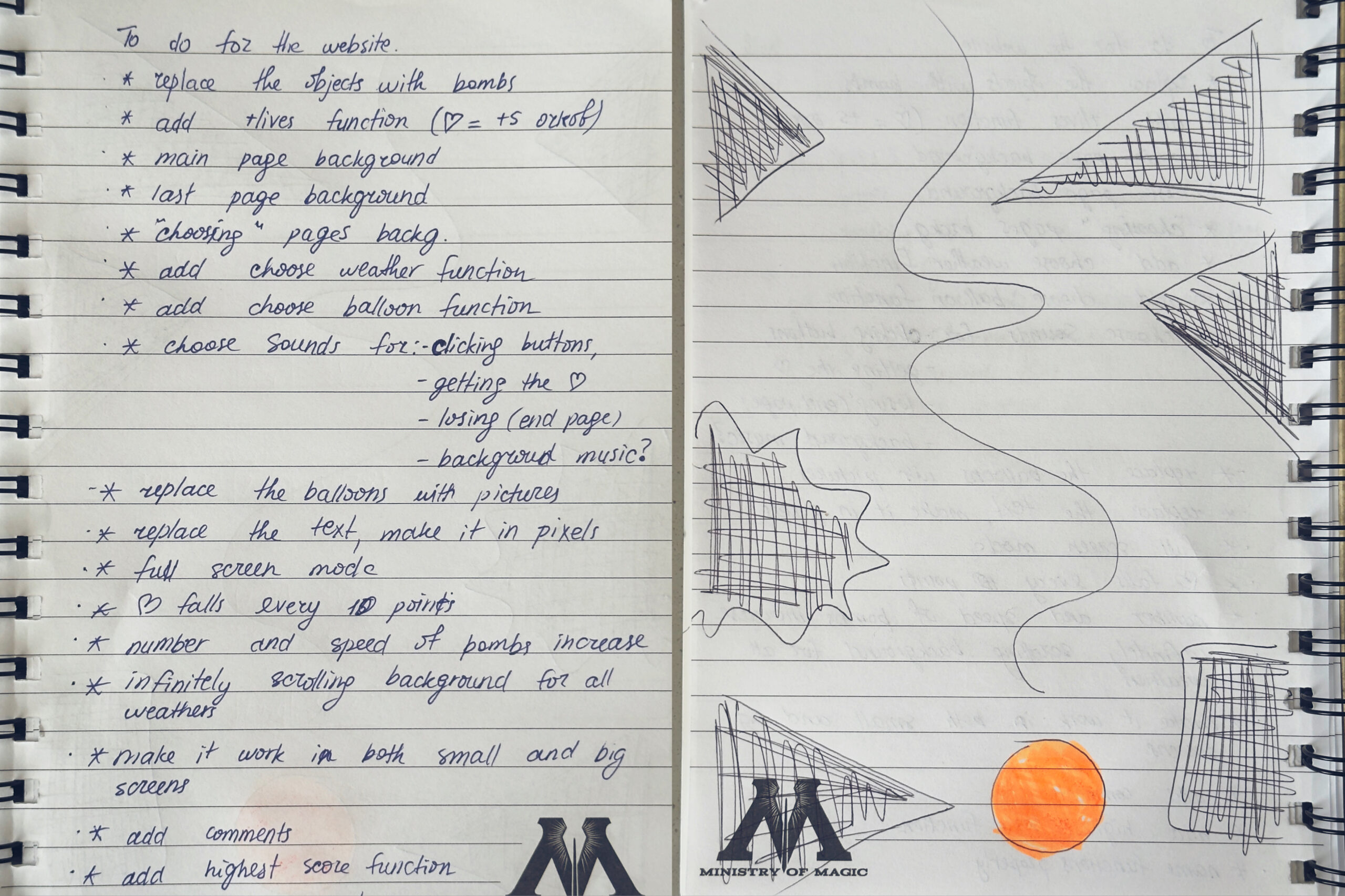
but then I understood that it wouldn’t be a great decision, considering the size of a laptop screen, so I decided to stick to my another idea with objects falling randomly from the sky. After creating the draft of the game, I wrote down everything that needed to be added to my work to complete the game.

Key Features:

  1. Object-Oriented Design – Classes for Balloon, Bomb, Heart, and Button
  2. Pages:
    • Main page with right-aligned buttons
    • Instructions page
    • Weather choice page (Rainy, Sunny, Snowy)
    • Skin choice page (Pink, Yellow, Orange balloons)
    • Game over page with left-aligned content
  3. Gameplay Mechanics:
    • Bombs spawn with increasing difficulty (max 7)
    • Hearts spawn every 8 points (+5 score bonus)
    • Hearts spawn away from bombs to avoid interference
    • Proper collision detection with circular hitboxes (no false collisions)
    • Infinitely scrolling backgrounds based on weather
    • Score tracking with high score display
  4. Controls:
    • Arrow keys or A/D to move
    • C key for fullscreen toggle
    • Mouse clicks for all buttons
  5. Audio Support – Sound functions
  6. Highlighted Buttons – Selected weather/skin buttons get highlighted
  7. Back Buttons – On every sub-page to return to main menu

Code I’m Proud Of

Part of the code that I’m really proud of might not seem too hard, but it was definitely the most time consuming one and took a lot of trial and error. it was removing the white background from the uploaded pictures. when it first worked out, I thought everything was good but turns out P5 was creating 60 frames per second of one single image and when I played for more that 10 seconds it kept shutting down. I had to do a lot of debugging to understand what the actual problem was and was finally able to make it work without lagging, which really made me happy

processedBombImg = removeWhiteBackground(bombImg);
  processedHeartImg = removeWhiteBackground(heartImg);
  processedPinkBalloonImg = removeWhiteBackground(pinkBalloonImg);
  processedYellowBalloonImg = removeWhiteBackground(yellowBalloonImg);
  processedOrangeBalloonImg = removeWhiteBackground(orangeBalloonImg);
  
  // Initialize player balloon
  player = new Balloon(width/2, height - 80 * scaleFactor);
  
  // Create all button objects with proper positions
  setupButtons();
  
  // Set the pixel font for all text
  textFont(pixelFont);
}


// remove White Background 
function removeWhiteBackground(img) {
  // Create a graphics buffer to manipulate pixels
  let pg = createGraphics(img.width, img.height);
  pg.image(img, 0, 0);
  pg.loadPixels();
  
  // Loop through all pixels and make white ones transparent
  for (let i = 0; i < pg.pixels.length; i += 4) {
    let r = pg.pixels[i];     // Red channel
    let g = pg.pixels[i + 1]; // Green channel
    let b = pg.pixels[i + 2]; // Blue channel
    
    // If pixel is mostly white (R, G, B all > 200), make it transparent
    if (r > 200 && g > 200 && b > 200) {
      pg.pixels[i + 3] = 0; // Set alpha to 0 (transparent)
    }
  }
  pg.updatePixels();
  return pg; // Return the processed image
}

I also really liked the energy bar idea. I was really struggling with coming up with ideas, and my friend Nigina gave some feedback on my game and suggested to add this feature, which prevents the players from skipping the hearts.

function drawEnergyBar() {
  // Position in top-right corner
  let barX = width - energyBarWidth * scaleFactor - 20 * scaleFactor;
  let barY = 20 * scaleFactor;
  let barW = energyBarWidth * scaleFactor;
  let barH = energyBarHeight * scaleFactor;
  
  // Draw outer frame 
  stroke(255); // White border
  strokeWeight(3 * scaleFactor);
  noFill();
  rect(barX, barY, barW, barH);
  
  // Calculate fill width based on current energy percentage
  let fillWidth = (energyBar / 100) * barW;
  
  // Determine fill color based on energy level
  let barColor;
  if (energyBar > 60) {
    barColor = color(0, 255, 0); // Green when high
  } else if (energyBar > 30) {
    barColor = color(255, 255, 0); // Yellow when medium
  } else {
    barColor = color(255, 0, 0); // Red when low 
  }
  
  // Draw filled portion of energy bar
  noStroke();
  fill(barColor);
  rect(barX, barY, fillWidth, barH);
  
  // Draw "ENERGY" label above bar
  fill(255);
  textAlign(CENTER, BOTTOM);
  textSize(16 * scaleFactor);
  text("ENERGY", barX + barW / 2, barY - 5 * scaleFactor);
}


Design

Visually, I wanted it to feel airy and positive, so I used soft pastel colors, smooth cloud movement, and rounded buttons. Each page has its own layout — right-aligned buttons on the main page and left-aligned elements on the Game Over screen — to make navigation easy.

Challenges

The hardest part of my code was definitely managing how all the game elements work together  (the bombs, hearts, clouds, timer bar, and different pages). Getting everything to appear, move, and disappear smoothly without glitches took a lot of trial and error.Sometimes bombs appeared too frequently or hearts overlapped with them. I fixed this by randomizing positions with distance checks.

if (bombs.length < maxBombs && frameCount % 50 === 0) { bombs.push(new Bomb(random(width), -20)); } if (score % 10 === 0 && !heartExists) { hearts.push(new Heart(random(width), -20)); heartExists = true; }

The collision detection between the balloon and falling bombs was tricky too, since I had to make sure it felt fair and accurate using circular hitboxes. Another challenging part was balancing the gameplay, making bombs fall fast enough to be fun but not impossible, while also keeping the hearts from overlapping with them. On top of that, managing all the page transitions (main menu, instructions, weather, skins, game over) and keeping the selected settings consistent made the logic even more complex. Overall, the hardest part was making everything work together in a way that felt natural and didn’t break the flow of the game.

Future Improvements

In the future, I’d like to make the game feel more complete by adding real background music and more sound effects for popping, collecting hearts, and clicking buttons. Another improvement would be to make the difficulty change as the score increases, for example, bombs could fall faster or spawn more frequently the longer you survive. I’m also thinking of adding new power-ups like shields or magnets to make the gameplay more interesting. On the design side, animated buttons and smoother page transitions could make the menus feel more polished. Eventually, I’d love to include a high score system to track progress and make players more competitive.