Week 3 Reading Reflection

Reading Chris Crawford’s first chapter on interactivity reshaped how I think about what makes a system truly interactive. At first I believed that something as simple as reacting to an input was enough. For example, when you open a refrigerator and the light turns on, I thought of that as interactivity. Crawford’s model of listening, thinking, and speaking challenged this assumption. He showed that real interactivity is more like a conversation, where input is not only noticed but also processed and answered in a meaningful way. This made me see that many things I used to count as interactive are really just reactive, because they skip the step of thinking.

This idea also helped me reflect on my own coding work. In my self portrait sketch, the eyes follow the mouse and the mouth curves up or down depending on mouseY. At first I was satisfied with these features because they give the impression of interaction, but after reading Crawford I realized that they are closer to one-way responses than to genuine dialogue. The system is listening and speaking, but it is not really thinking about how to respond. That missing step makes the interaction feel mechanical rather than conversational. I started to recognize that stronger interactivity requires the program to interpret or evaluate the input, not just mirror it back in a predictable way.

Looking ahead, I want to design sketches that create a deeper back-and-forth with the user. One improvement would be making more features react to user input. But, instead of only reacting in fixed ways, the program could process input in a way that gives the impression it has some awareness or personality. For example, rather than the mouth always curving in the same manner based on mouse position, the system could shape its response in ways that feel more expressive or varied, like how a person reacts differently in different contexts. This would give the user a sense that their actions are acknowledged in a meaningful way and make the interaction more engaging.

Assignment 3 –Generative Artwork Object-Oriented Programming

Concept + references

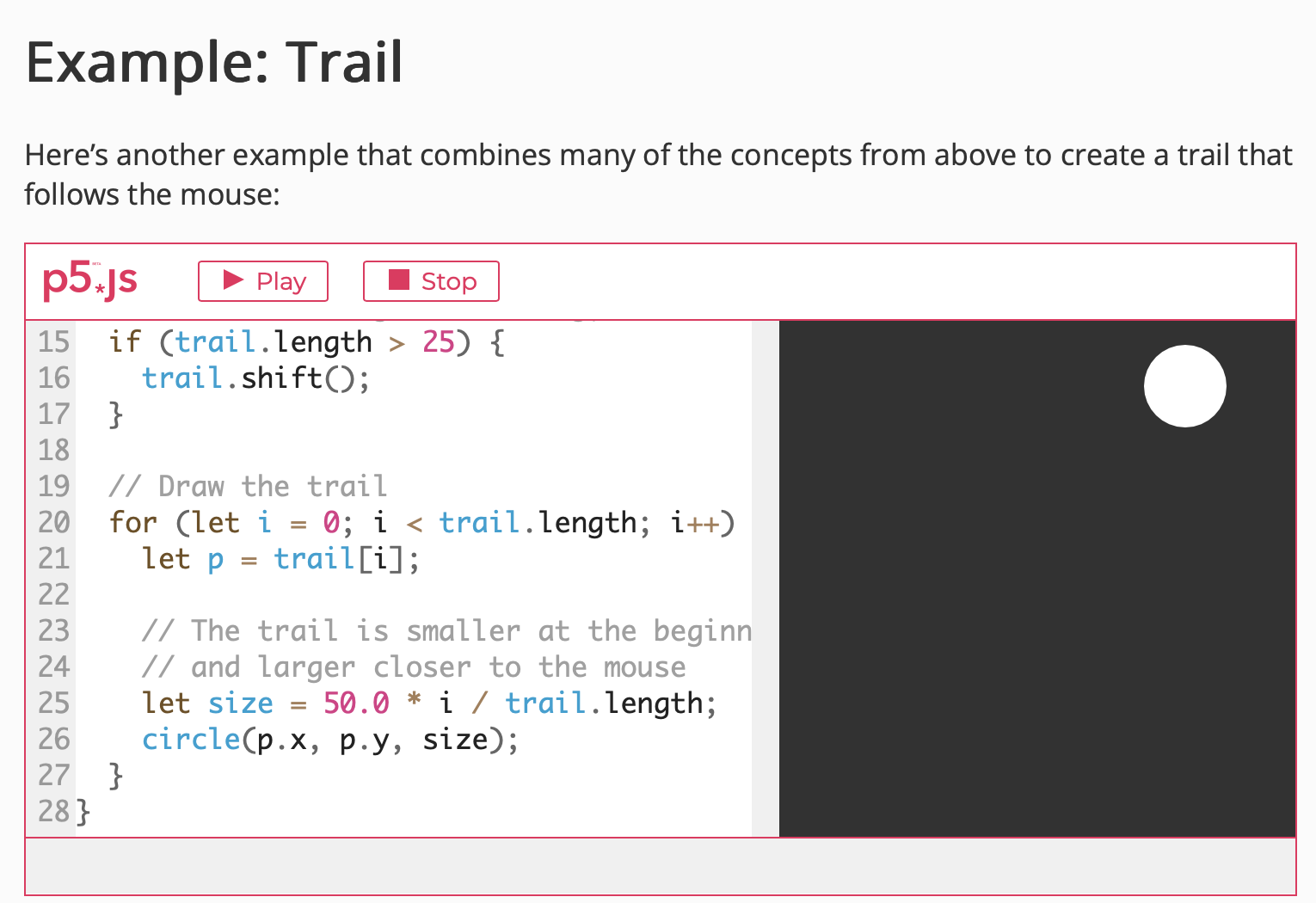
For this artwork, I was actually inspired by the composition of Still-life, a genre of art in which the artist focuses on applying an outstanding level of detail to an arrangement of everyday objects. One of the most popular choices for this genre are the paintings of fruit, which I decided to feature in my work. However, I decided to display these with their most fundamental structure, lacking any of the depth or level of detail found within the Still-life. After this, to exercise the use of the arrays, and object-oriented programming, using as inspiration one of the array functions I found in the section of Array Functions on p.5 j.s tutorials, I decided to create a trail for one of my favorite fruit, the watermelon.

Array functions

Highlight code

Although the watermelon trail is the most eye-catching, interactive, and unique code in this entire work, the code I am actually most proud of are the ones that make up the functions for my fruit. It was fun to create these functions and later simply add the berry(x coordinate, y coordinate) under the function draw() as well as for the apples, since not only did this process make it easier to make multiple copies, but it was nice to see objects of my own creation as part of the objects as if they were another primitive shape we can use whenever we want.

function apple(x,y){
  fill(200,40,50);
  ellipse(x,y,35,35);
  fill(0);
ellipse(x-1,y-10,10,8);
  //stem
  fill(50,190,40);
  rect(x-3,y-25,4,15);
 
}

function berry(x,y){
  fill(70,40,190);
  ellipse(x,y,15,15);
 
}


Embedded sketch


Reflection and ideas for future work or improvements

Although I am happy with the results, I wish I could understand more properly how the function of the trail works so I could make it smoother even if I move the mouse faster. Also, I would like to learn how to make more than one form of interactivity at a time, since I also wanted the rest of the fruit to fall down the canvas while the watermelon remained interactive for the viewers. Despite this, I learned the advantages of creating one’s own functions, how arrays can provide a a¿variety of  interactive outcomes, and how all of these elements compliment each other to make the final piece more engaging.

Week 3 – Reading Reflection

The Art of Interactive Design, Ch. 1 by  Chris Crawford

Throughout the text, Chris Crawford emphasizes that interactivity requires three essential components: listening, thinking, and speaking. He illustrates this by presenting multiple examples where these elements are absent, such as reading a book, dancing, or watching a movie. I find this argument compelling, and agree when he highlights that certain situations, subjects, or objects cannot be considered truly interactive. The three conditions and examples highlighted by Crawford also resemble my own experiences in conversation. Usually, a conversation doesn’t really feel like an interaction if both parties aren’t engaged and responding. In fact, if one of the “actors”, as Crawford describes both participants in a conversation, is not thinking, listening, or speaking in response to the dialogue started by the other person, this situation might as well be like the one with an individual reading a book, an inanimate object that in spite of all the knowledge or information it contains, does not reply back. 

This perspective becomes even clearer when I connect it to the coding concepts we have studied in class. A function not only interacts with variables and other elements of code to produce a visual animation or design, but each act of writing code itself is a form of interaction. In this case, the interaction arises from thinking and analyzing what is needed to structure the code, determining the requirements for it to function, and then writing it out. The system, in response, processes my input and responds to my actions, whether by successfully executing the program or by pointing out an error.


Although our current application of different technologies might be limited to a certain extent, Crawford’s argument has led me to wonder if there is a way to make non-interactive objects interactive. This draws my attention to the example of the book and makes me want to find a way in which a book can respond to our thoughts and opinions and response with enough intellectual and complexity to regard it as a form of interactivity. 

The Art of Interactive Design, Ch. 1

After reading “The Art of Interactive Design” by Chris Crawford, I found it really interesting how he critiques common ideas about interactivity, continuously giving examples while showing why something might initially seem interactive but then explaining why he disagrees. Each time he explains a concept, I think to myself, “Yes, I see this as interactive,” but then he challenges that assumption in a way that convinces me to see it differently. It made me wonder: is interactivity utterly subjective? Can something be called interactive if it only engages one age group, or does it have to be recognized as interactive by most people? Crawford suggests that we can think of interactivity as high, moderate, or low, rather than a simple yes-or-no quality. Interactivity, in his view, is about change, not stagnation; it’s about creating a system that can evolve and respond in better ways, rather than just maintaining the same thing. Like he said, “You can turn up the reaction volume as high as you want, but playing Beethoven’s Ninth Symphony at 20,000 watts does not make it a painting.”

I believe the characteristics of a strongly interactive system are when it is capable of change, not permanent or fixed, and when the person interacting with it can contribute their own personality to the process. I like how he breaks interactivity down into listening, thinking, and speaking; all three need to happen for it to feel real. If one of these is missing, it doesn’t work, just like a conversation falls apart if one person isn’t really listening. Movies, books, or even some games might seem interactive at first, but they fail because they mostly just speak; they don’t listen or think about the user’s input. For me, interactivity is about creating a space where the user can engage fully and shape their experience, making it personal and dynamic. The system isn’t just reacting; it’s part of a back-and-forth process, and that’s what makes it strong and meaningful.

To improve the degree of user interaction in my p5 sketches, I think the key is to make the sketches more responsive to the user’s actions and give them a sense of control over what happens.  For example, I could let users influence multiple aspects of the sketch at once, like color, shape, and movement, so their choices feel meaningful. I could also let the user control some actions from the sketch, like giving them options to choose whether they want one interactive response or another. Later on, when we learn how to include sound features, I could make sketches that track the mouse or input sound continuously and adapt dynamically, rather than only responding at specific moments—which I know might take a long while for me to figure out and really learn how to use.

Week 4 – OOP and Array

References and Inspiration

This project was inspired by sunsets, specifically their color transitions from yellow to orange and purple. These colors were used to design the gradient effect in the particle trails. The movement of the particles was influenced by the idea of natural flows and atmospheric motion. On the technical side, the code was built in p5.js using established techniques such as Perlin noise flow fields and particle systems, which were adapted to fit the chosen sunset theme.

Pink Sunset Color Scheme - Image Color Palettes - SchemeColor.com

Embedded Code

//this is our particle class responsible for each line of perlin noise
class Particle {
  constructor() {
    this.pos = createVector(random(width), random(height)); //randomly positioned
    this.vel = createVector(0, 0);
    this.acc = createVector(0, 0);
    this.maxSpeed = 2; //limit to how fast the particle moves
    this.prevPos = this.pos.copy(); //saves the previous/latest position of the trail 
  }

  update() {
    this.vel.add(this.acc); //alowing the vleocity to change based on the acceleration 
    this.vel.limit(this.maxSpeed); //limting the speed
    this.pos.add(this.vel); //change position based on the velocity 
    this.acc.mult(0); //reset accelration so it foes not increase infintely 
  }

  applyForce(force) {
    this.acc.add(force);
  }

  follow(vectors) {
    let x = floor(this.pos.x / scl); //getting the position of the particle x and y 
    let y = floor(this.pos.y / scl);
    let index = x + y * cols; //makingt he 2d grid into 1 d for indexing
    let force = vectors[index]; //access the vector at index
    this.applyForce(force); //apply the perlin noise
  }


  show() {
    // Sunset gradient colors
    let t = map(this.pos.y, 0, height, 0, 1);

    // Top → yellow, middle → orange/red, bottom → purple
    let topColor = color(255, 200, 50, 30);    // golden yellow
    let midColor = color(255, 100, 50, 30);    // deep orange/red
    let bottomColor = color(180, 60, 160, 30); // magenta/purple


    let c; // c is the chosen "sunset color"
    if (t < 0.5) { c = lerpColor(topColor, midColor, t * 2); } else { c = lerpColor(midColor, bottomColor, (t - 0.5) * 2); } stroke(c); strokeWeight(1.5); line(this.pos.x, this.pos.y, this.prevPos.x, this.prevPos.y); this.updatePrev(); } updatePrev() { //updating to make sure that the trail starts from the current positoin for the next/continued oaeticle this.prevPos.set(this.pos); } edges() { //limit particles ot stay within the frame if (this.pos.x > width) {
      this.pos.x = 0;
      this.updatePrev();
    }
    if (this.pos.x < 0) { this.pos.x = width; this.updatePrev(); } if (this.pos.y > height) {
      this.pos.y = 0;
      this.updatePrev();
    }
    if (this.pos.y < 0) {
      this.pos.y = height;
      this.updatePrev();
    }
  }
}

Concept:

In my p5.js sketch for this week, I mainly use a particle system where many small points move across the screen, each leaving a trail. Their movement is controlled by a flow field, which is simialr to an invisible grid of arrows that points the particles in the direction they should move in. The directions of these arrows are created with Perlin noise, which makes the movement look smooth and natural instead of random. Each particle updates its position based on the flow field and avoids the mouse when it gets too close, adding interactivity. To match the sunset theme, the particles are colored with a gradient that changes from yellow to orange to purple depending on their vertical position on the screen.

✨Sunset on the Beach ✨

Problems I Ran Into:

I had to review the previous Decoding Nature slides in order to refresh my memory on the concepts like flow field and perlin noise, and particles leaving a trail. So although it was not exactly a “problem” I had to readjust some parameters and play around with the values of certain parameters to remember what they were responsible for.

Embedded Skecth:

Reflection & Future Sketches:

I plan to incorporate more of the concepts taught in decoding nature to the weekly sketches.  I also want to focus on the creative elements and aspects of the sketches.Looking ahead, I want to experiment with making the particles react to more external inputs, such as sound or keyboard interaction, to create more dynamic sketches.


Reading Reflection:

When readings Crawfords piece I noticed that he mainly focused on three elements that make strong creativity: Listening, Thinking, and Speaking. By listening he means the system should be able to “capture” or “record”. Not only that but to accurately respond to certain triggers, whether it would be accurately through time, as in instant reaction, or accurately respond in an area specifically clicked on through the mouse.

After reading the piece, I have a few ideas for future sketches that will enhance the interactivity. For example, I want to start integrating all the Listening, Thinking, and Speaking elements cohesively so that the user does not have to be told that the piece is interactive- the piece speaks for itself. For instance, if my sketch has audio interaction or mouse interaction, I want the interactive element to shine through and to be the main focus rather than just an addition..

Creating Interactive Visuals with p5.js | Cratecode


Reading Reflection – Week 3

Chris Crawford compares interactivity to two people holding a conversation, where each listens and responds, and that back and forth creates something dynamic. Before reading this, I hadn’t really thought deeply about what makes a system truly interactive, and Crawford’s explanation really clarified it for me. I agree with him because a strongly interactive system is one where the user’s input can meaningfully change the outcome, rather than just triggering a predictable or surface-level reaction. That’s when interaction feels real.

For my own p5 sketches, I’ve thought about ways I could improve the interactivity in them. Instead of just clicking to trigger something to happen, the sketch could react differently depending on the type of input, like how long you hold a key or how fast your mouse is moving. This would make the artwork/program feel less like a machine following certain orders and more like an actual conversation between the user and the program.

Week 3 – Reading Reflection

Reading Chris Crawford’s chapter “What Exactly Is Interactivity?” made me rethink what I usually call “interactive.” Especially, now as I am taking 3 IM classes, and we often see the artworks and come to the term interactive, I have started to understand how truly important it is. After the reading, I realized that I often label something as interactive just because I can click or move something and it changes, but Crawford’s explanation made me see that real interactivity is much deeper than that. I really liked his comparison to conversation, it made sense that true interactivity should feel like a back-and-forth exchange where both sides “listen, think, and speak.” This idea made me reflect on my own p5 sketches and notice that, while they respond to user input, they do not necessarily feel like a conversation. They just react without much “thinking” or meaningful change based on the user’s action.

Speaking of 5p, the reading challenged me to think about how I can make my work more engaging and meaningful. I felt motivated to experiment more with giving my sketches some kind of “memory” or adaptive behavior so that the experience feels less mechanical and more like a dialogue. For me, a strongly interactive system is one where the user’s input actually matters and shapes the outcome in noticeable, sometimes unexpected ways. It should feel like the system is “paying attention” and changing its behavior based on what I do, rather than just executing a simple trigger. I think strong interaction also invites me to explore, experiment, and maybe even get surprised by the result.

After the reading, I had some ideas of how I can improve my interactivity of  p5 sketches. I could add elements that respond over time or evolve depending on how much and how often I interact. For example, instead of bubbles just appearing when I click (assignment 3 – OPP), I could make them “learn” from my clicks, maybe clustering in areas where I click often or changing colors based on patterns of interaction. I could also make my sketches remember past actions so that the experience feels continuous rather than resetting each time. I think, after this steps, it would move my work closer to what Crawford calls a real conversation between user and system.

Week 3: Generative Artwork

Concept

When I thought about what to do for this assignment, I started brainstorming and eventually decided to create a simple simulation of rainfall. I always found rain both calming and visually appealing, so I wanted to capture that feeling in my artwork.

Code I’m Proud Of

I’m proud of this code because I figured out how to make the raindrops disappear at the bottom of the canvas (when they reach the sea). At first, I used pop(), but it didn’t work the way I wanted it to: it would randomly delete all the droplets in the middle of the page. So I researched a bit and instead, used splice(), it deletes the droplets when they reach the bottom of the page and works perfectly!

//deletes raindrops after they reach the sea
if (raindrops[i].disappear()) {
  raindrops.splice(i,1);
  //splice removes/deletes the disappeared raindrops 
}

Here’s the artwork I created:

Reflection and Future Improvements

Overall, I’m happy with the way my rainfall artwork turned out. I especially liked learning how to use arrays with objects because it made me think more carefully about organization and how each part of the code connects.

If I were to improve this piece in the future, I’d probably add sound effects of rain falling, or even experiment with lightning and thunder for a more dramatic atmosphere. Another idea I had is to adapt the same logic to create snow instead, using different PNGs for different snowflake shapes. That way, the piece could feel more unique while still using the same object-oriented structure I implemented here.

Assignment 3 – Functions, Arrays, and Object-Oriented Programming

Concept:

For this project, I wanted to make something a bit more playful and fun. I took inspiration from the classic “Why did the chicken cross the road?” joke, but instead of just one answer, I made each chicken have its own punchline inside a speech bubble. This time I wanted to use a more creative inspiration and make it a little comedic by playing with humor and randomness.

I also challenged myself more with the coding. I didn’t just stick to what we already learned in class, but tried to experiment by looking things up, exploring, and figuring out how to make it work. For example, I had to learn how to make the speech bubble size change depending on the sentence length, and how to make sure each chicken gets a unique punchline. It was tricky, but I liked that I was able to understand and fix something new on my own.

So overall, this piece is both about the humor of random answers to the same old joke, and also about me pushing myself creatively and technically.

Highlight of a code i’m proud of:

One part of my code I’m really proud of is how I made sure each chicken gets a unique punchline. I used shuffle(punchlines, true) to mix up all the punchlines randomly so the order isn’t always the same. The true part is important because it tells the program to change the original punchlines array directly, instead of just making a shuffled copy. This way, when I assign punchlines to chickens, the original array is already randomized. Then, I looped through the array with for (let i = 0; i < punchlines.length; i++) to create a new chicken for each punchline using chickens.push(new Chicken(0, 50 + i * 40, punchlines[i]). The 0 makes each chicken start on the left side of the canvas, and 50 + i * 40 spaces them vertically so they don’t overlap. I like this part because it shows how I can combine arrays, loops, and objects to create multiple unique characters on the screen, and it really brings the sketch to life.

// shuffle punchlines so each chicken gets a unique one
  shuffle(punchlines, true); // randomize the order of punchlines in place

  // create one chicken for each punchline
  for (let i = 0; i < punchlines.length; i++) {
    // x = 0 so chicken starts on left
    // y = 50 + i*40 to space them vertically
    // punchlines[i] gives each chicken its own joke
    chickens.push(new Chicken(0, 50 + i * 40, punchlines[i]));
  }
}

Problems I Ran Into: 

   – Speech bubbles being too small
At first, the text didn’t fit inside the bubbles. I fixed this by using textWidth() to measure the punchline and then adding padding, so the bubble grows depending on how long the sentence is.

   – Same punchlines repeating
In the beginning, some chickens had the same joke. To fix this, I used shuffle(punchlines, true) so the punchlines get mixed up randomly, and each chicken gets its own unique one.

– Balancing simplicity and creativity
I didn’t want the code to be too complicated, but I still wanted it to be fun and creative. That’s why I kept the chicken shape simple (just ellipses for the body and a triangle for the beak) and focused more on the concept with the speech bubbles and punchlines.

Reflection and ideas for future work or improvements: 

I really enjoyed making this project because it let me experiment with coding in a creative way, using arrays, loops, and objects together. I learned a lot about how to structure a sketch, how to make multiple objects move independently. 

For future improvements, I’d love to make the sketch even more dynamic and interactive. For example, I could let the user click on a chicken to make it say a new punchline, or have the chickens move at different speeds across a more detailed road scene. I could also experiment with animations in the bubbles, like making them pop up.  Another idea is to add more randomness to the chicken shapes or colors to give each one even more personality. Overall, I’d like to keep exploring ways to make the sketch playful and visually fun while practicing more advanced coding techniques.

Assignment 3 – Object-Oriented Programming

Concept

When I started thinking about how I wanted to use Object-Oriented Programming (OOP) in my project, I imagined an underwater world. I wanted to make something calm and relaxing, so I created a digital aquarium. In this scene, bubbles float gently to the surface, colorful fish swim across the canvas, and seaweed sways back and forth at the bottom of the ocean.

Each time the sketch runs, the scene looks slightly different. The bubbles start at random positions and have different sizes and speeds. The fish are given random colors and swim in different directions, and even the seaweed moves with slightly different timing. This randomness makes the project feel alive,  it never looks exactly the same twice.

I also wanted the viewer to feel like they could interact with the piece. When you click anywhere on the canvas, new bubbles appear, as if you are adding more air into the water. I think this small interaction gives the viewer the feeling that they are part of the underwater world, and they can keep changing it over time

Code I am proud of

Since this was one of my first tries using OOP, I am proud of how I used classes and arrays to keep my code neat and reusable. Instead of writing separate code for every single bubble, fish, or piece of seaweed, I made classes for each one with their own properties and methods. Then I stored all the objects in arrays and used a simple loop to update and display them. It made my code much easier to read and change, if I want to add more bubbles or fish, I just push a new object into the array and everything works automatically.

function displayBubbles() {
  for (let b of bubbleArray) {
    b.update();
    b.show();
  }
}

Also, there was some difficulties, for example, all the bubbles were moving in perfectly straight lines, which looked too mechanical. To make them look more natural, I added a sin() wave offset and a slight random angular speed so they gently drift side to side as they rise

update() {
    // Move upward and slight sideways wiggle
    this.y -= this.speed;
    this.x += sin(this.angle) * 0.5;
    this.angle += this.angleSpeed;

    // reset bubble when it leaves canvas
    if (this.y < -this.size) {
      this.y = height + this.size;
      this.x = random(width);
    }
  }

Sketch:

Click the mouse to add more bubbles

Reflection

I am proud of how this project demonstrates the use of Object-Oriented Programming (OOP), arrays, and dynamic interactivity to create a visually engaging underwater scene. I was able to organize the code cleanly, avoid repetition, and make it scalable, while arrays allowed for easy iteration and animation

Yet, I think for the future development, I could increase interactivity by having fish respond to the mouse or implement bubble popping effects, introduce more dynamic visuals such as a gradient background, diverse sea creatures, and multi-layered seaweed for depth, and incorporate physics-based movement or sound interaction to create a more immersive experience. Overall,  for me this project combines programming, aesthetics, and interactivity that explores potential of generative digital art.