Week 5 – Midterm Progress and Reading Response

Initial Concept:

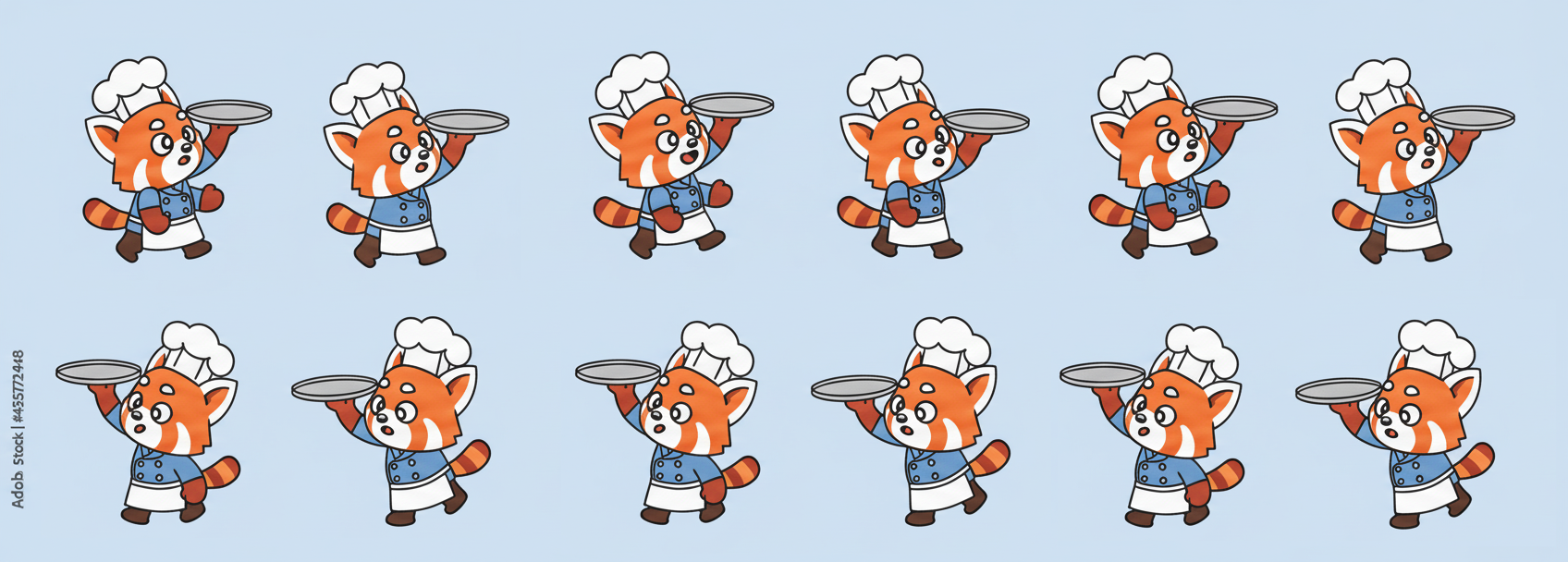
The core concept of my project is to create a game where a panda chef stacks pancakes on its tray while pancakes fall from random positions in the sky . The gameplay is intentionally simple—pancakes fall from the sky, and the player moves the panda left and right to catch them before they hit the ground. I wanted the concept to be both whimsical and approachable, something that could appeal to all ages while still having the potential for engaging mechanics like timers, scoring, and fun visuals.

Design

The panda sprite sheet is animated using a frame-based system that cycles through images depending on movement, while background elements like clouds and grass are generated with simple loops and p5 shapes for efficiency. Pancakes are handled as objects using a dedicated class, which keeps the code modular and easy to expand. I also separated core functions—like drawing the welcome screen, updating the game state, and spawning pancakes—so the program remains organized and readable. This approach makes the design not only playful on-screen but also manageable under the hood.
Potential Struggles:

The most frightening part of the project was integrating sounds into the game. I know that audio is essential to making the experience immersive, but I was unsure about the technical steps required to implement it smoothly, especially since I had issues in the past when it comes to overlapping sounds and starting and stopping it accurately. Questions like when to trigger sounds, how to loop background music, or how to balance audio levels without them being distracting added to the challenge.

How I Plan to Tackle:

To reduce this risk, I turned to existing resources and examples, especially by watching tutorials and breakdowns on YouTube. Seeing other creators demonstrate how to load and trigger sounds in p5.js gave me both practical code snippets and creative inspiration. By learning step by step through videos, I am hoping to be able to gradually integrate audio without it feeling overwhelming.

Embedded Skecth:

Reading Response:

Computer vision i would say is different from how humans see. We naturally understand depth, context, and meaning, but computers just see a grid of pixels with no built-in knowledge or ability to infer and make connections like humans do. They need strict rules, so even small changes in lighting or background can throw a computer off.

To help computers “see” better, we often set up the environment in their favor, meaning that we cater to their capabilities. Simple techniques like frame differencing (spotting motion), background subtraction (comparing to an empty scene), and brightness thresholding (using contrast) go a long way. Artists and designers also use tricks like infrared light, reflective markers, or special camera lenses to make tracking more reliable.

What’s interesting in art is how this power of tracking plays out. Some projects use computer vision to make playful, interactive experiences where people’s bodies become the controller. Others use it to critique surveillance, showing how uncomfortable or invasive constant tracking can be. So, in interactive art, computer vision can both entertain and provoke — it depends on how it’s used.

Week 5 Reading Reflection

When I think about how computer vision differs from human vision, what stands out most is how little meaning computers can extract on their own. To a human, even a blurry image is packed with context, emotion, and symbolism. To a computer, it’s just a grid of pixel values that need to be processed before anything useful can be recognized. This is why the article highlights techniques like frame differencing, background subtraction, and brightness thresholding, which are methods that help a computer separate what is important from what is in the background.

To make these systems work, we often need to modify the image so the computer can interpret it. That might mean fixing the lighting, using high-contrast markers, or limiting the scope of what the computer is supposed to track. In a way, we design the world to fit the algorithm rather than expecting the algorithm to fully match the complexity of the world.

In interactive media, I think this capacity to interpret and track movement opens up exciting new directions for creativity. Computer vision gives artists a way to design works that respond directly to a person’s gestures, which is actually something I used in a project for another IM course. It transforms the audience from passive viewers into active participants, making the artwork something dynamic and alive. By combining human imagination with the computer’s ability to detect patterns, interactive art can become more immersive and responsive than ever before.

Barbie’s Dream House – Midterm Progress

Concept + Interaction: 
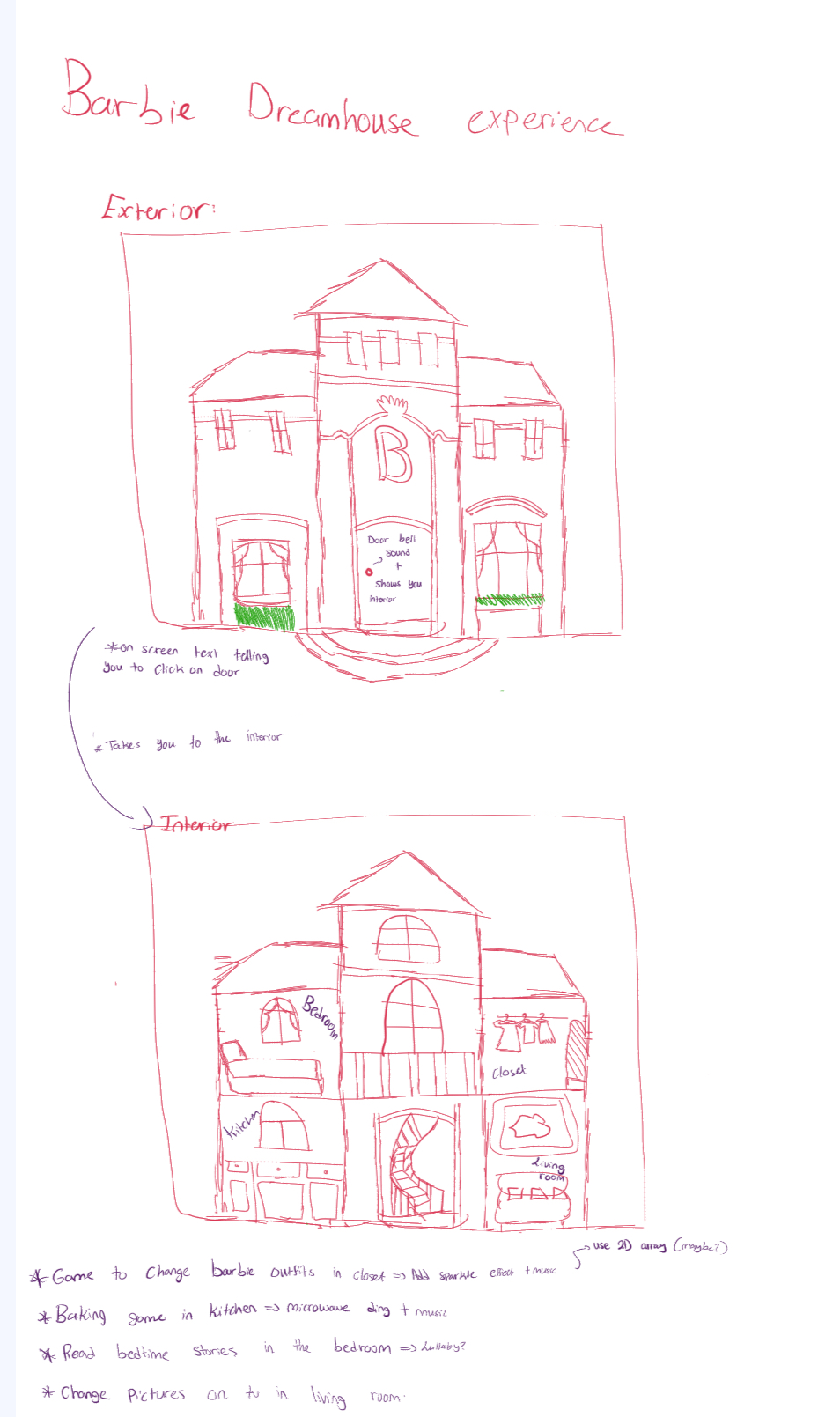
I’m making a small interactive Barbie Dream House experience with mini-games in each room. You start outside the house and it tells you to “click the door”. When you do a doorbell sound plays and you go inside. The interior is a divided view with hotspots for rooms: closet, kitchen, bedroom, and living room.
Each room has a tiny activity:
Closet: wardrobe selector (browse outfits with ← / → and hit ✓ to confirm).
Kitchen: cupcake maker (choose base, pick frosting color, “bake” in an oven).
Bedroom: open a book to see a short quote or page.
Living room: click the TV to change pictures (channel changer). 

Code design:
Each interactive room is its own class/file.
Main sketch holds a simple state machine: state = “outside” | “inside” | “closet” | “kitchen” | …. When state === “closet” the sketch delegates to wardrobe.draw() and forwards clicks to wardrobe.handleClick().

I made a Wardrobe class that:

  •  loads outfit sprite-pages and slices them into frames,
  • centers and scales the current outfit into a fixed box,
  • draws left/right arrow buttons and a confirm (✓) button,
  • exposes handleClick() for arrows, page switches, and confirm.

Other rooms (Kitchen, Bedroom, LivingRoom) follow the same class pattern so swapping and testing is easy.

Here is my current progress:

https://editor.p5js.org/rma9603/full/5s96PtOnM


Biggest risk & what I did about it:
The scariest part was making outfit switching reliable: slicing sprite-sheets, handling transparency, and aligning click hitboxes. If that failed the closet would be unusable.

How I reduced the risk:
I wrote a tiny test that loads one outfit sprite-page and uses page.get() to draw each frame side-by-side so I could verify cropping and transparency immediately. I exported/uploaded transparent PNGs (no white bg) and re-tested them.

centralized coordinates: arrows, confirm button, and hitboxes compute from the same this.box values so visuals and clicks always line up.

Result: the sprite-sheet method works, i can slice pages reliably and the outfit switching is stable, so i’m confident i can implement the cupcake and other rooms the same modular way.

Next steps:

  •  finish the kitchen cupcake game (choose base, frosting, bake timer).
  •  Create the bedroom interaction
  •  Create living room interaction
  • add start/instructions screen and a “new session” reset button so people can restart without refreshing.
  •  hover feedback + polish (shadows, small tweaks).
  • Make it full screen.

Week 5: Midterm Project’s Progress

Main Concept and User Interaction:

Super Mario has been the greatest game I’ve ever played, and I have so many good memories associated with it. I used to play it with my whole family after my dad came back from work. Since I was a child, I didn’t know how tired he was after finishing his job, but I kept begging him to play with me. Even though he was apparently exhausted, he always said yes to me, and I was absolutely happy and excited every night. Super Mario is thus a fundamental part of my childhood. For this midterm project, I wanted to bring back that childhood memory by making a simple version of Super Mario Bros 2, a Wii game I used to play with my family.


Most Uncertain Part of My Midterm Project:

The most uncertain part of my midterm project is how to actually make Super Mario run and jump using the sprite concepts that we learned in class. Since I had no experience making animations where a character responds to key presses, I started the project by completing this feature. I first went to a website called “The Spriters Resource” to get sprite images of Super Mario and then imported them into my project. But since the sprite images had a green background, I had to remove it using another website “Remove Background” and make the background transparent so that Mario matched the canvas background.


Code Snippet:

As you can see, this is the code I wrote to animate Mario running and jumping. I used the same logic that we discussed in class. If a user presses the right arrow, Mario runs to the right. If a user presses the up arrow, Mario jumps vertically. I used modulo to make sure the running animation loops back to the first frame and doesn’t go over the limit.

let isRunning = false;
  let isJumping = !onGround;

  //Make mario run towards right 
  if (keyIsDown(RIGHT_ARROW)) {
    x += speed;
    isRight = true;
    isRunning = true;
  }
  //Make mario run towards left
  if (keyIsDown(LEFT_ARROW)) {
    x -= speed;
    isRight = false;
    isRunning = true;
  }
  
  //make mario always stay inside the canvas 
  x = constrain(x, 0, width); 

  //animation for running
  if (isRunning && onGround) {
    //every 6 frame, move to the next sprite 
    if (frameCount % 6 === 0) {
      index = (index + 1) % sprites[1].length; //use modulo to loop through the same animation
    }
    drawMario(sprites[1][index]); //draw running Mario
  }
  
  //Animation for jumping 
  else if (isJumping) {
    drawMario(sprites[3][0]); //sprite for jumping
  }
  
  //sprite for idle 
  else {
    drawMario(sprites[0][0]);
  }


Sketch:


Reflections and Future Improvements:

It was relatively easier than I expected to implement the animation of Mario running and jumping because I only had to apply the concepts we learned in class, such as using nested arrays to store each sprite image and if-else statements to trigger certain actions when a certain key is pressed. However, I still need to fix one critical issue, which is when Mario runs too fast, the background image glitches. I am still not sure how to solve this issue, so I would like to ask my professor during the next class. To make it more like Super Mario Bros 2, I need to add some obstacles such as blocks, pitfalls, Koopa Paratroopas, Bullet Bills, and Goombas. I would also like to add a score tracking system where the longer you play, the higher your score gets. This is to make the game more interesting and fun.

Week 5 – Midterm Draft 1 Progress

Concept + Design

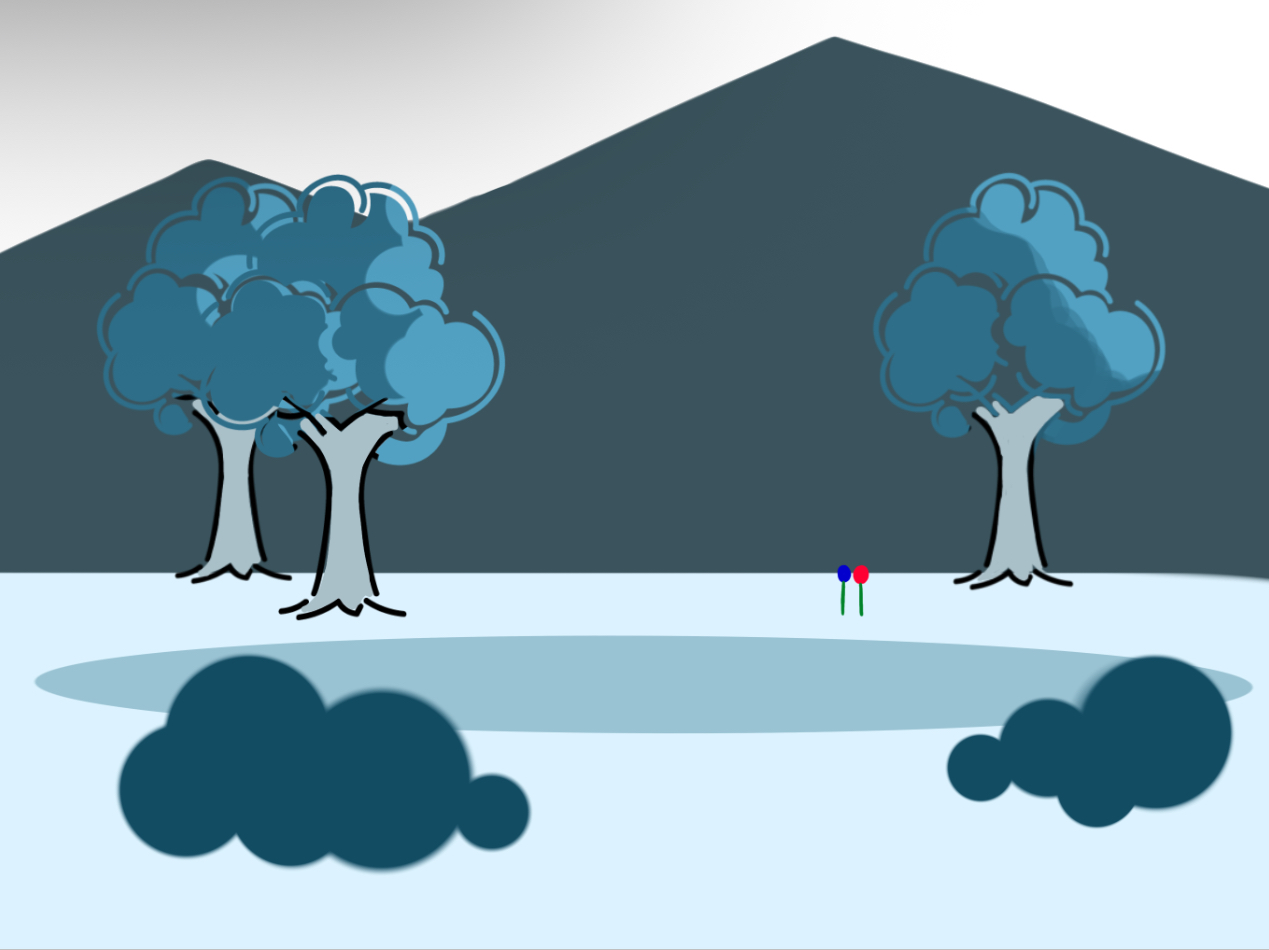
For this project, I wanted to go for something mystical yet down to earth. This is why I wanted to integrate “ordinary” objects such as trees, flowers, and combine them with magical designs, such as the fantasy-like structures on the background, and blue hues.

Although I am still in the process of deciding what the interaction will be for the viewers to engage with this project, I have narrowed my main ideas to two.

  1. The roses will display different colors and musical tracks whenever the viewer clicks on them. For example, one rose will show a different color after the viewer clicks on it. Another will change music every time it is clicked on it. And the third one might give an inspirational message after every click. This will allow an entertaining and colorful interaction to match the tone of the sketch.
  2. Another option, while less entertaining, will focus on the visual aesthetics, hence, the interaction will rely on a function that resembles a magnifying glass so viewers can take a closer look at all the objects displayed, and depending on where in the canvas they move the mouse, they will be able to listen to a different musical track.
Most Frightening/Complex Part

Although I haven’t written a code or program that can detect, prevent, or avoid specific problems or glitches, I one code I wrote to prevent the image in my canvas from having any issues is the preload function. This should allow the code to load properly before displaying the image.

// Edited Image PNG 
let palace;
function preload(){
   palace = loadImage('palace.PNG');
}

Another function I struggled to make but eventually led to a success was the custom shape, which initially was made in another sketch to define the shape of the tree. However, after I realized that I would need to move this shape in my final sketch, I introduced the translate code, along function “drawCustomShape” in order to execute the function for the custom shape and translate it in the canvas to my desired position.

function draw() {
  background(51);
  

 drawCustomShape(450, 230);
  drawCustomShape(-50, 230);

  
}


// function of custom shape (tree) + translation of position at x and y

function drawCustomShape(x, y) {
  push();

  translate(x, y);

  noStroke();
  fill("rgb(235,233,233)");
  beginShape();

  vertex(140, 95);
  vertex(140, 250);

  vertex(140, 250);
  vertex(100, 280);
  vertex(225, 280);
  vertex(225, 280);

  vertex(190, 250);

  vertex(190, 95);
  endShape(CLOSE);

  fill("rgb(32,32,228)");
  ellipse(120, 90, 170, 120);
  ellipse(180, 98, 130, 110);
  ellipse(150, 45, 140, 160);
  ellipse(200, 55, 150, 120);

  pop();
  // end of code for custom shape
}


Embedded sketch


Reflection and ideas for future work or improvements

My next steps are to find a way to display text to introduce the context and instructions for the interaction. I also plan to decide what said interaction will be based on the feedback and begin to write the codes necessary in a separate sketch before applying it to the final one. In the meantime, I will also search for the music pieces I will be using and edit them accordingly.

Furthermore, I need to plan how to include the option to start a new session without restarting the sketch. Any kind of feedback will be highly appreciated.

Week 5: Reading Response

I think both computer vision and human vision have benefits and downsides in terms of how they can comprehend the reality and meaning of the world. Computer vision simply relies on the quality of algorithms and environmental conditions, which often makes it fail to comprehend the meaning of videos. Human vision, on the other hand, allows us to instinctively comprehend everything in the world through our greatest tools called “eyes”. Furthermore, when it comes to emotions, computer vision is not able to fully understand human emotions. As mentioned in the reading, the emotion recognition system turns very subjective, complex, personal features, called emotions, into objective data, which I don’t think is ethically right, because we are essentially labeling people’s emotions in a way that does not perfectly depict them. However, computer vision can literally track everything in real time for as long as possible until the whole energy is consumed. We, as humans, cannot keep our eyes open and look at everything. But computer vision can stay active indefinitely, being able to record everything that is going on. Expanding on this, computer vision can depict the true reality of the world if all of the conditions are met and algorithms are implemented correctly. For example, Suicide Box was able to reveal the true reality of suicide that society was uncomfortable confronting. In this sense, computer vision is very effective in maintaining transparency. 


To enhance the quality of computer vision, we can control the environment of the physical world. For example, we can change the brightness and lighting of the background or change the color of objects so that the target is spotlighted, making it easier for computers to track.


In terms of the future of computer vision, I think more and more artists are going to incorporate computer vision into their interactive art as people are getting more interested in human and computer interaction, such as VR, AR, XR, and robotics. teamLab would be a great example. They exhibit artwork that allows people to interact with it. Specifically, in Sketch Aquarium, kids draw fish and then the fish appear on the screen so people can feed them or make them swim together. But I believe there are also ethical implications of using computer vision, such as tracking people’s personal data without consent and digital sexual harassment. Therefore, we should establish standards to make sure that computer vision tracking systems are used in appropriate ways.

Week 5: Reading Reflection

Our vision as people comes with a few prerequisites for creating a clear image in our mind, for example an object needs to be close enough with lighting that is sufficient for us to identify what it is. Computer vision is differentiated to our vision with the existence of a larger set of these prerequisites, the conditions need to be tuned to the abilities of the algorithm in place for accurate identification. With each system built for different purposes needing different unique conditions and pre-existing information to complete its purpose, while our vision is able to cover all ends such as motion detection and object detection without the need for different conditions. Which is why it might be a difficult task to integrate computer vision into interactive media, it is not only about picking the right system and mechanism, you need to set up the right circumstances for the system to successfully bring your vision to life.

However, even with the complication that come with it, the use of computer vision opens up a new realm of possibilities for interactive art. It takes the ability to interact with a user to another level with the possibility of now tracking tracking the movement of the user adding another layer to the ways the art can ‘listen, think and speak’ to the participant. This is especially true due to the increased accessibility to open source code and the technologies needed to navigate the world of computer vision, it is now easier than ever to utilize such technologies to explore themes more in depth. Though, this does raise the question that many of the works mentioned in the article tackle, which is surveillance. These technologies provide interactive art pieces with eyes, they are now partaking in the observing and tracking process of the work. This is more of a concern when it comes to those works installed in public spaces where the technology is used to detect the movement of people who did not choose to be part of the work. Which is why it is important to approach the use of such technologies with care to make the most of them in stepping up the level of interactivity in art works.

Week 5 Reading Reflection

When I compare computer vision to human vision, I realize how differently they work. For me, vision is immediate and layered with meaning, but for a computer, an image is nothing more than an array of numbers, vectors, and pixels. This reading reminded me of the summer I worked on an image understanding project with our faculty in the cybersecurity domain. I saw firsthand how computers don’t “see” an image the way I do. They only interpret numerical values and computations. Because of this, it’s even possible to generate two different sets of numbers that look the same to a computer, but when drawn out, they are hardly identical. That gap between what humans and computers perceive really fascinated me.

To help computers track what we want, techniques like frame differencing, background subtraction, and brightness thresholding come into play. Through this reading, I learned how important the setup is: lighting, camera placement, and reflective markers can make or break the system’s accuracy. It’s almost like computers need us to simplify reality so they can process it.

Where I feel conflicted is in the area of surveillance. In my cybersecurity project, I came to appreciate how powerful these systems can be, but also how much risk comes with that power. Since computers only “understand” numbers, they can be tricked, but they can also be used to monitor, record, and categorise people in ways that feel invasive. In interactive art, I see these tools as playful, engaging, and thought-provoking. But outside of art, they can become a threat. Surveillance powered by computer vision has the capacity to invade privacy, consolidate control, and even manipulate what we think of as reality. That tension makes me think harder about not just what computers can see, but what we allow them to see.

Week 5- Midterm Progress

Concept

For my midterm project, I wanted to build something interactive, competitive, and continuously evolving in difficulty. Inspired by the mechanics of hole.io, I decided to create a Blackhole game in p5 where the player controls a growing blackhole that consumes objects scattered across the canvas. The more the player consumes, the larger and stronger the blackhole becomes.

The concept behind this project is to give the user an engaging challenge: survive, grow, and adapt. I wanted to capture the thrill of growth mechanics where every interaction (consuming objects, avoiding hazards, gaining powerups) feels rewarding. Unlike my previous projects, this one leans toward a fast-paced arcade experience rather than something calm or exploratory.

To keep the game fun yet playable, I plan to design mechanics that gradually increase difficulty by reducing screen size. The goal is for the user to feel both challenged and accomplished as they make progress.

Design

The overall design will remain simple but dynamic, with a clear focus on gameplay elements. The blackhole will start small, almost unnoticeable, and will grow bigger as it absorbs objects.

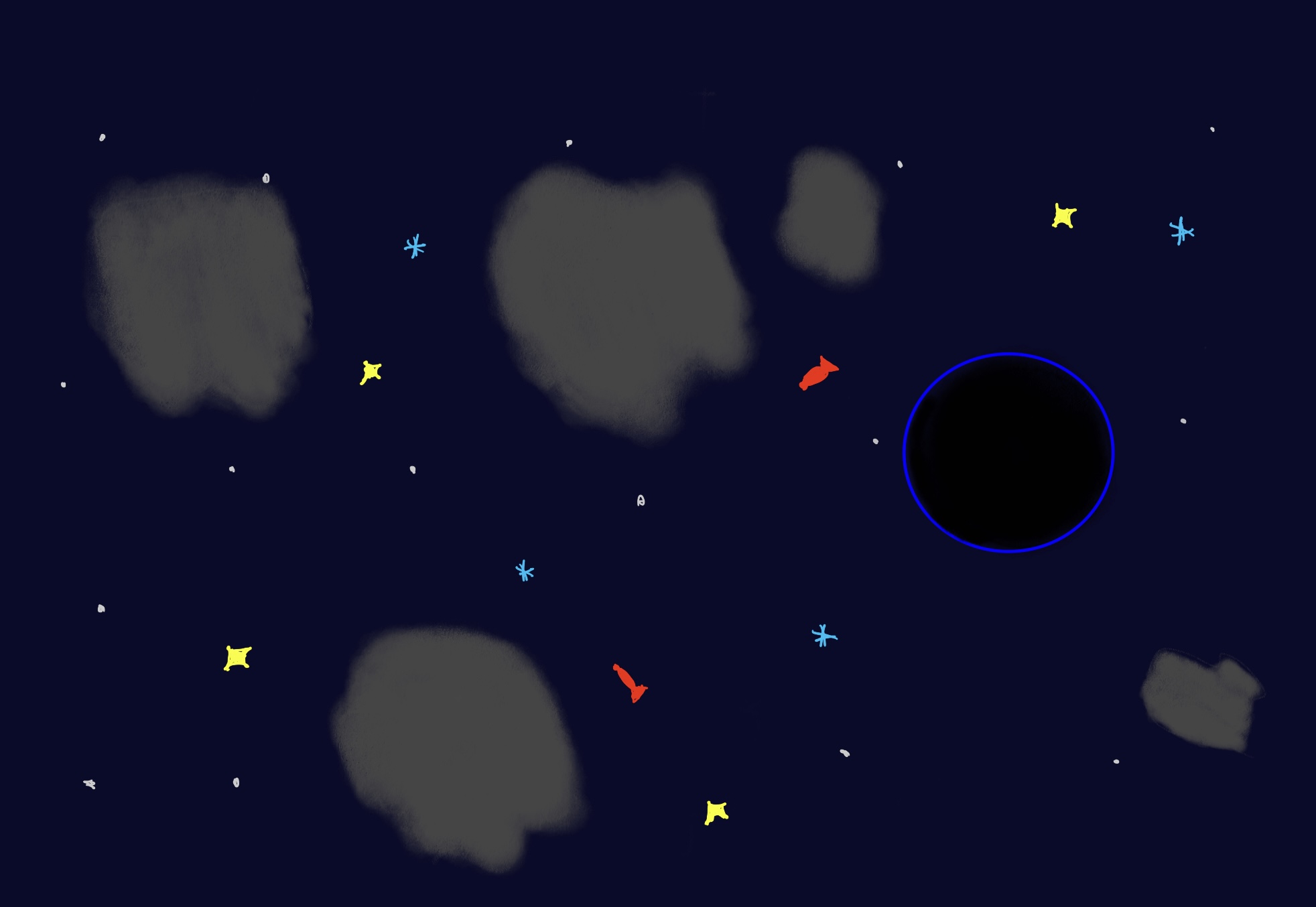
The background will replicate the feeling of outer space, dark and starry, while asteroids and floating debris will act as obstacles and targets. Power-ups will be distinguishable by their shapes and colors, with each type offering unique abilities: faster movement, temporary freezing of asteroids, shrinking/growing effects, or invincibility.

The controls will be intuitive: the blackhole follows the player’s movement across the canvas, keeping the learning curve minimal so the focus remains on reaction and survival.

Frightening / Challenging Aspects

  • Considering the extreme conditions: what if the blackhole becomes larger than the screen? At that point, gameplay might break or lose its intended challenge.
  • Object Spawn Locations: How do I make sure that newly spawned objects do not appear inside the blackhole space, where they would be instantly consumed without interaction?
  • Minimum Distance Between Objects: Ensuring that two spawned objects are not too close to each other, which would make the game feel cluttered and unrealistic.
  • Shrinking Screen Space: The problem arises when objects fall outside the shrinking boundaries, how should those be handled?


Risk Prevention

  • Extreme Growth Prevention: To prevent the blackhole from growing uncontrollably, I will implement a mechanic where the hole begins to shrink if it hasn’t consumed anything in the past few seconds (e.g., 5 seconds). This ensures balance and keeps the game playable even in longer sessions.
  • Object Spawn Locations: While spawning new objects, I will check their coordinates against the blackhole’s current position and radius. If an object is detected within the hole’s space, it will be re-spawned at another random location.
  • Minimum Distance Between Objects: I plan to use a distance check between all newly spawned objects, ensuring that each object maintains a minimum distance from others. This can be achieved with a simple loop comparing coordinates and re-spawning objects if they are too close.
  • Shrinking Screen Space: I am exploring the use of constraint and filter functions to dynamically remove or reposition any objects that fall outside the shrinking boundaries. This way, the playable area remains fair and uncluttered as it reduces in size.


Week 5 – Midterm Progress

Concept
I’m a huge football fan and also a huge supporter of Barcelona FC. I’ve always been fascinated by goalkeepers who do their best to save their team points. Those incredible moments of jumping their highest and catching the ball are something I would love to implement. I especially remember the incredible journey of Dibu Martínez (Argentina’s main goalkeeper) against France in the 2022 Qatar World Cup, where he saved two out of five crucial penalties, ultimately winning them the World Cup. So, I thought, why not step away a bit from my Dexter-inspired assignment and move into my other passions.

Highlight of the code

shoot(targetX, targetY) {
    this.totalSteps = random(20, 30); 

    let distX = targetX - this.x;
    let distY = targetY - this.y;

    this.dx = distX / this.totalSteps;
    this.dy = distY / this.totalSteps;

    this.isFlying = true;
    this.currentStep = 0;
}

The Ball class uses a simple, yet highly effective, trick to achieve smooth motion without needing complex physics calculations. For example, the shoot(targetX, targetY) method instead of calculating a constant velocity that needs to be constantly adjusted, the game calculates total movement distance and divides it by a random number of steps (this.totalSteps). Thus, giving the ball its speed.

Sketch

Uncertainties & Complexities
I didn’t use sounds for now and any kind of images or icons. So, I’m a bit concerned about that. Apart from that, I quite like the progress I’ve made, and I think I’m able to finish the project on time. But, if I do get to add those images and icons, and sound properly soon, I want to incorporate other essential stuff that would make the game a lot better. It took a while how do I ensure that the ball always hits the intended target, and I figured it could be easily done when the currentStep equals the totalSteps, so that’s how I keep track of whether ball should stop or not. Collision detection was a bit of struggle too, but I already did Intro to CS project, so I used as Professor suggested once to use circles to detect the collision by dist() between their radiuses.

Future improvements
I asked couple of my friends while I was in the library what do they think of the project, and some said that I could add different ball types like if you save a golden ball you get +3 points instead of +1, and if you don’t you lose -2 lives instead of -1. Also, I’m not quite sure how it works on p5js, but when we worked on Processing during my Intro to CS class, we were able to add CSV file to have a database of users, so we could keep track of best score across all users. Maybe, I will look into that and try to figure out how to add a database.