week 5 reading response

human vision and computer vision is actually quite similar in a way. humans are especially attuned to detect even the most subliminal changes in their physical environment, be it sound or light or movement etc.

to illustrate just how important change is for our “vision”, next time you’re in a very dark room (when you go to bed tonight), try and stare at the far corner without blinking or moving your eyes. you’ll begin to notice that, gradually, a darkness is creeping up from your peripherals and slowly makes it way towards the centerpoint of your vision. i thought this was so cool when i first discovered it, felt like i was falling into a void. this happens because the rods in your eyes (which are attuned to both light and movement) and the cones (which are attuned to color) are almost completely deprived of stimulation. your brain figures you dont need your vision if theres nothing to detect.

this is also the reason why we are constantly moving our eyes. ever notice the little micromovements your eyes are always making when your attention is focused externally? they need the movement to help keep them stimulated enough to see. and also, ever notice how, when theres a noise that’s been going on for a long time, you only notice it when it suddenly stops? the brain kind of filters out stimuli that are continuous and unchanging. it’s looking for change, just like computer vision does.

it’s important to realize how inseparable technology and art both are from human biology, it’s all modeled off of our understanding of ourselves. the farther we progress in the fields of biology, medicine, neuroscience, and psychology, the greater capacity we have for advancements and inspiration in ai, computers, architecture, and, by extension, interactive media art.

week 3

    • concept:

simple, i wanted to create a cute blinking birdie staring at some trippy stars and contemplating things. what on earth could he possibly be pondering about? i fear we will never know.

  • A highlight of some code that i’m particularly proud of:

i used while() and if() functions to make the background animation. it’s quite literally just a bunch of thin white concentric circle patterns bouncing off the edges of the canvas, overlapping with eachother and a static one in the middle. pretty neat.

//sky pattern
 rectMode(CENTER);
 strokeWeight(0.4);
 stroke(255);
 stroke("white");
 noFill();

 while (sky > 1 && sky < 900) {
   circle(200, 200, 1);
   circle(200, 200, sky);
   sky += 10;
 }

 stroke(0);

 //pattern 1
 Circle(10, x, y);
 if (y > 375 || y < 25) {
   speedY = speedY * -1;
 }
 if (x > 375 || x < 25) {
   speedX = speedX * -1;
 }
 x = x + speedX;
 y = y + speedY;

 // pattern 2
 Circle(10, a, b);

 if (b > 375 || b < 25) {
   speedB = speedB * -1;
 }
 if (a > 375 || a < 25) {
   speedA = speedA * -1;
 }
 a = a + speedA;
 b = b + speedB;

i also used a randomGaussian() function to have the birdie blink at random intervals.

function lilGuy(){
push();
let r = randomGaussian(50, 150);
stroke(0);
strokeWeight(1);
translate(90, 0);
fill(255);
arc(195, 355.5, 80, 160, 270, 0, PIE);
circle(195, 265, 39);
arc(194, 280, 55, 25, 180, 270, PIE);
strokeWeight(0);
arc(195.5, 360.5, 80, 170, 270, 0);
circle(195, 265, 38);
strokeWeight(1.5);
fill(255);
strokeWeight(1.5);
ellipse(192, 267, w, h);
if (r < 51 && r > 45) {
h = 1;
} else {
h = 17;
}
pop();
}
  • Reflection and ideas for future work or improvements:

if i had more time, i’d definitely add an interactive element, maybe some dialogue options so you can chat with the strange bird and get to the bottom of what he’s been musing about all mysteriously.

week 5 – midterm project

project concept:

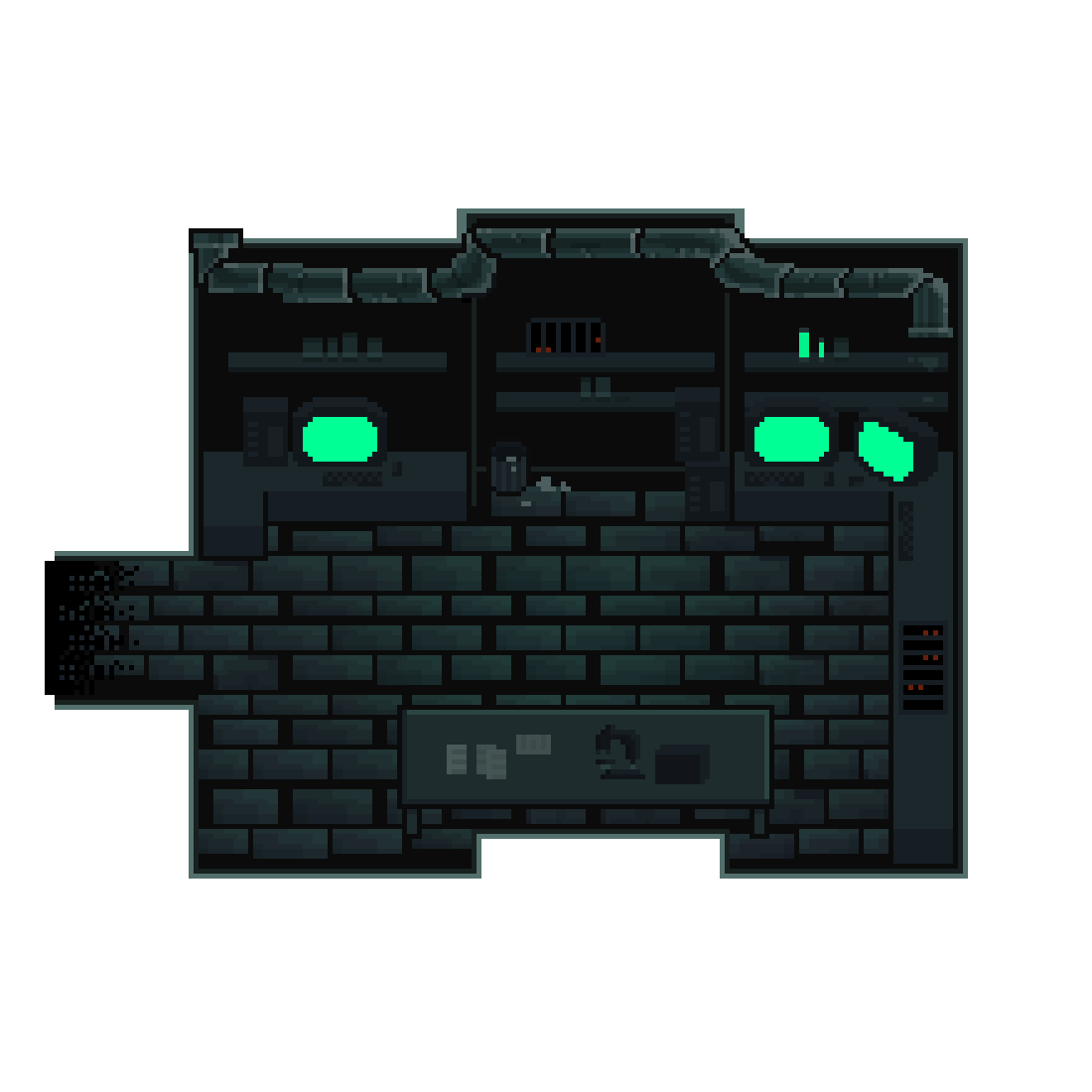
for my midterm project, i’m planning to create a simple pixel rpg-style demo. the demo will start with an interactive cutscene, then the player will be able to navigate a room / setting.  the details are very vague, but i’ll figure out what works as i make progress.

design:

my visual inspirations for this project are the games Undertale (particularly the way the sprites and backgrounds are designed), and Sally Face, which i’m using as a reference on how to visually incorporate the dialogue interactions as well as the vibe i’m going for.

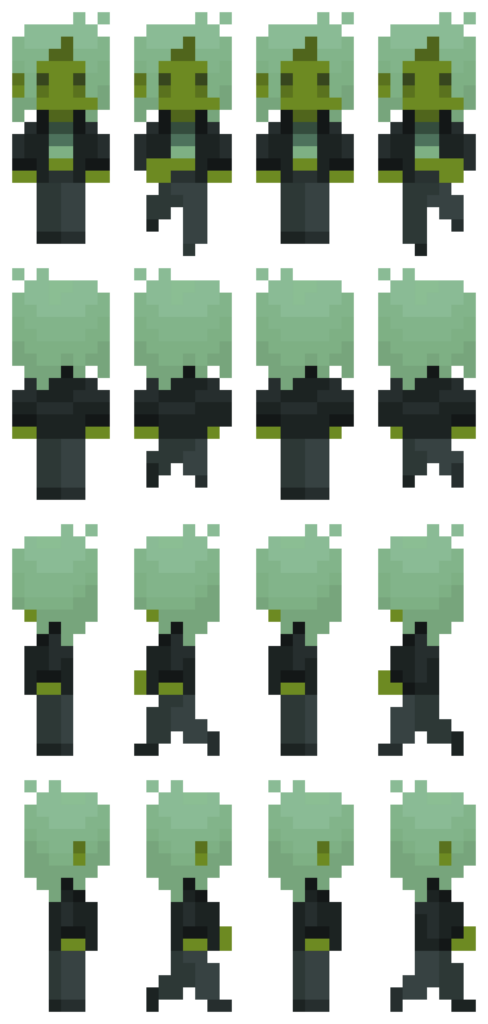
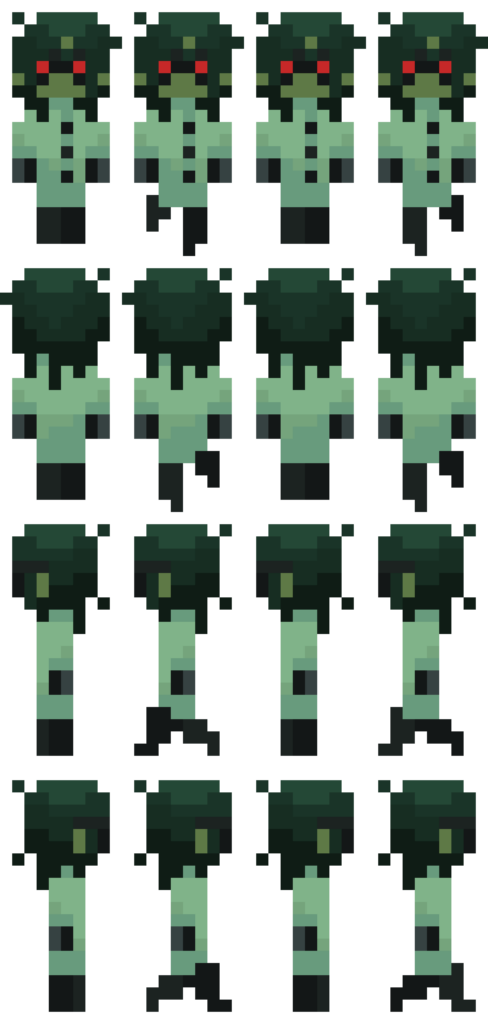
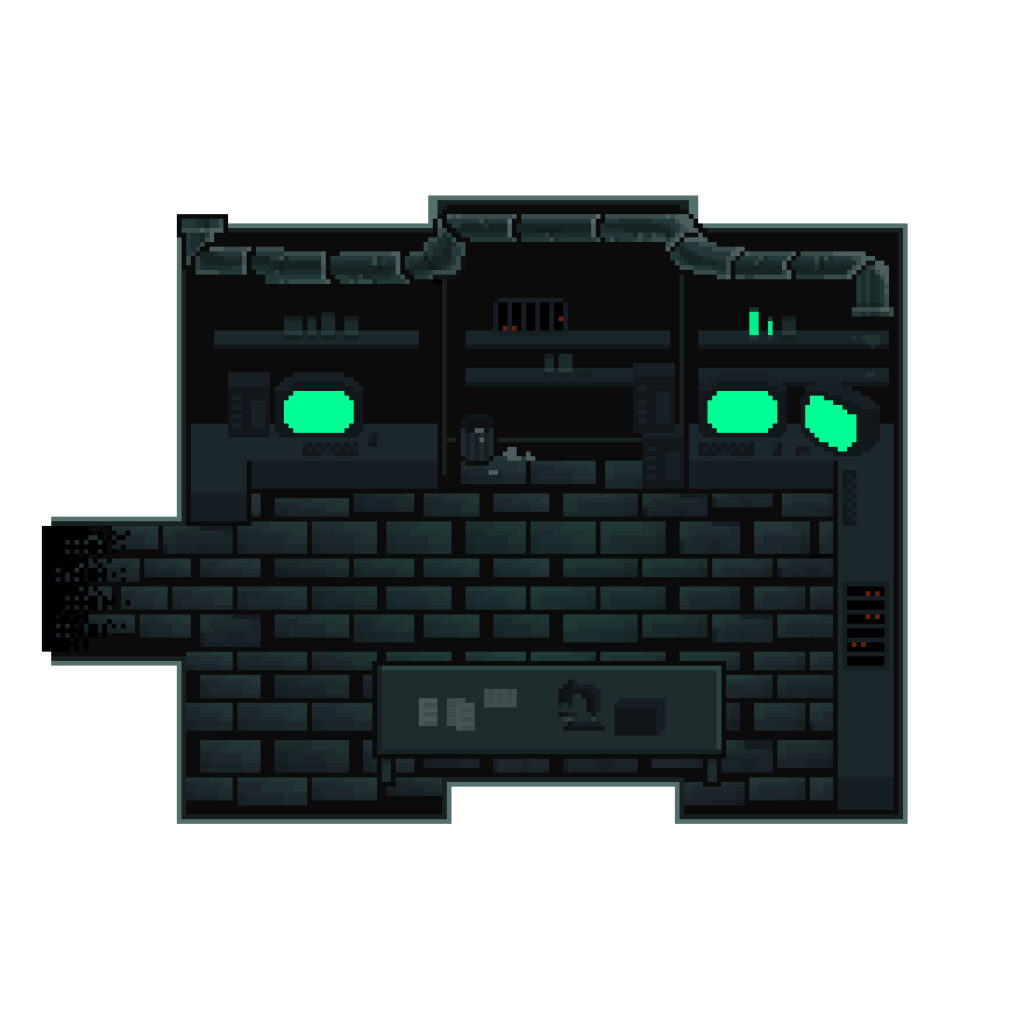
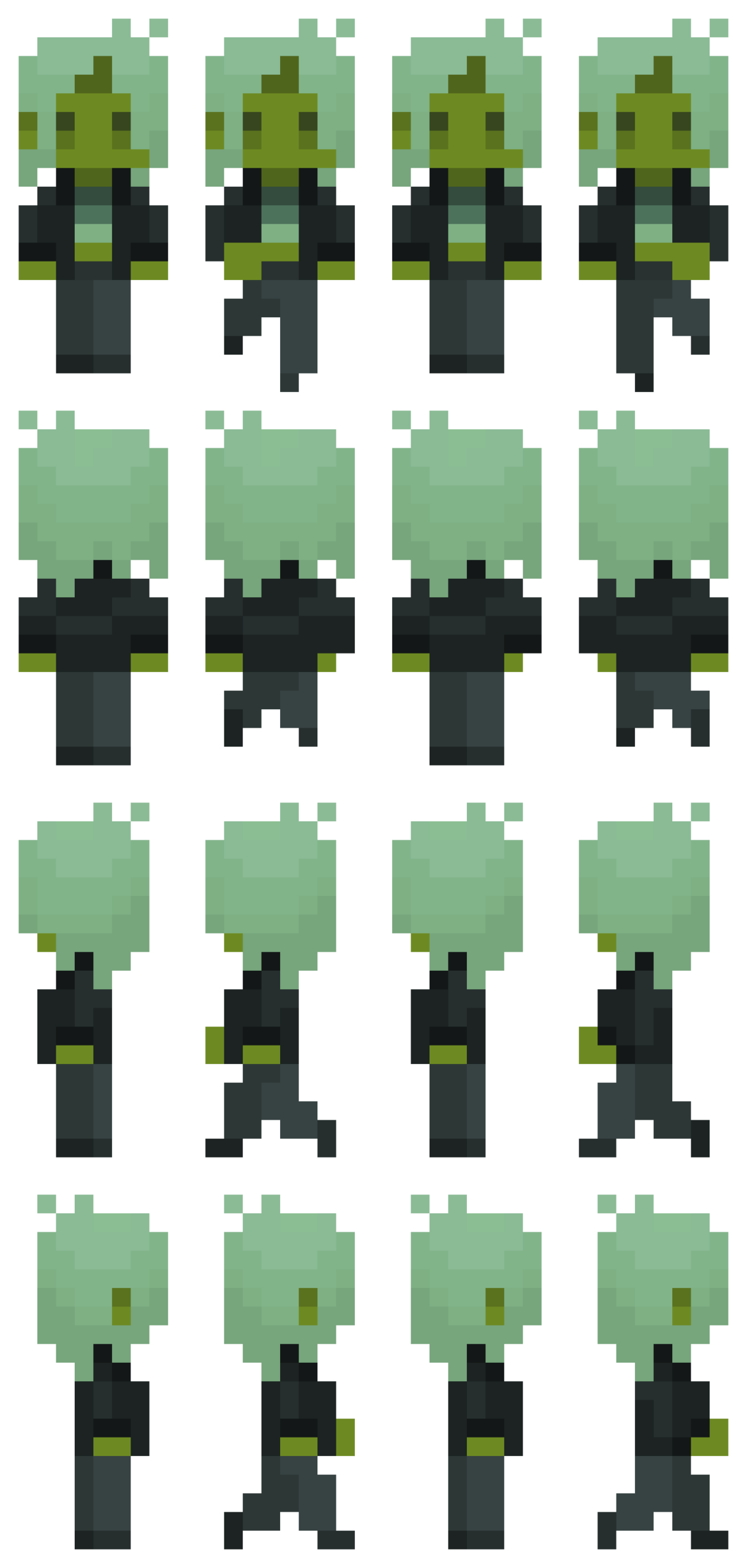
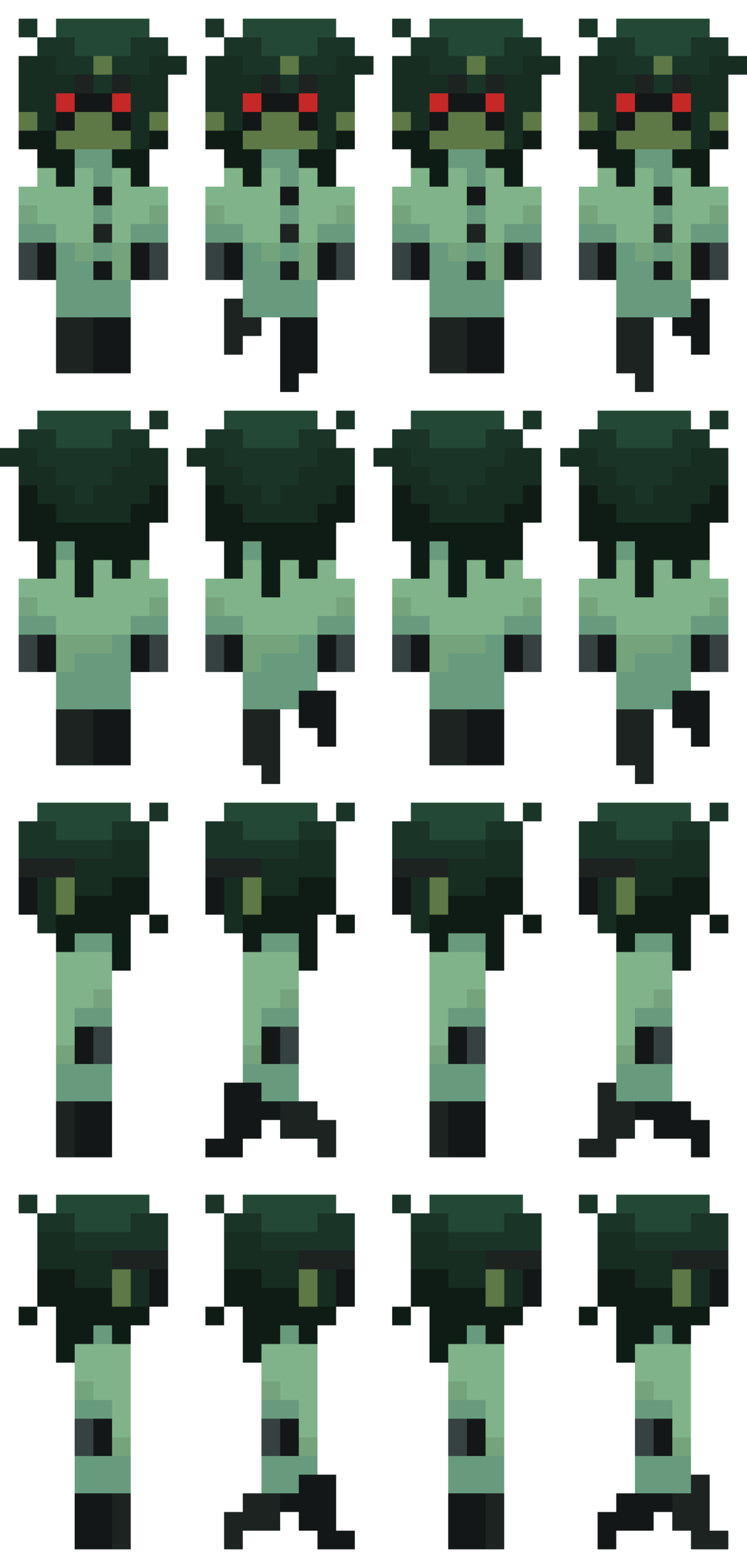
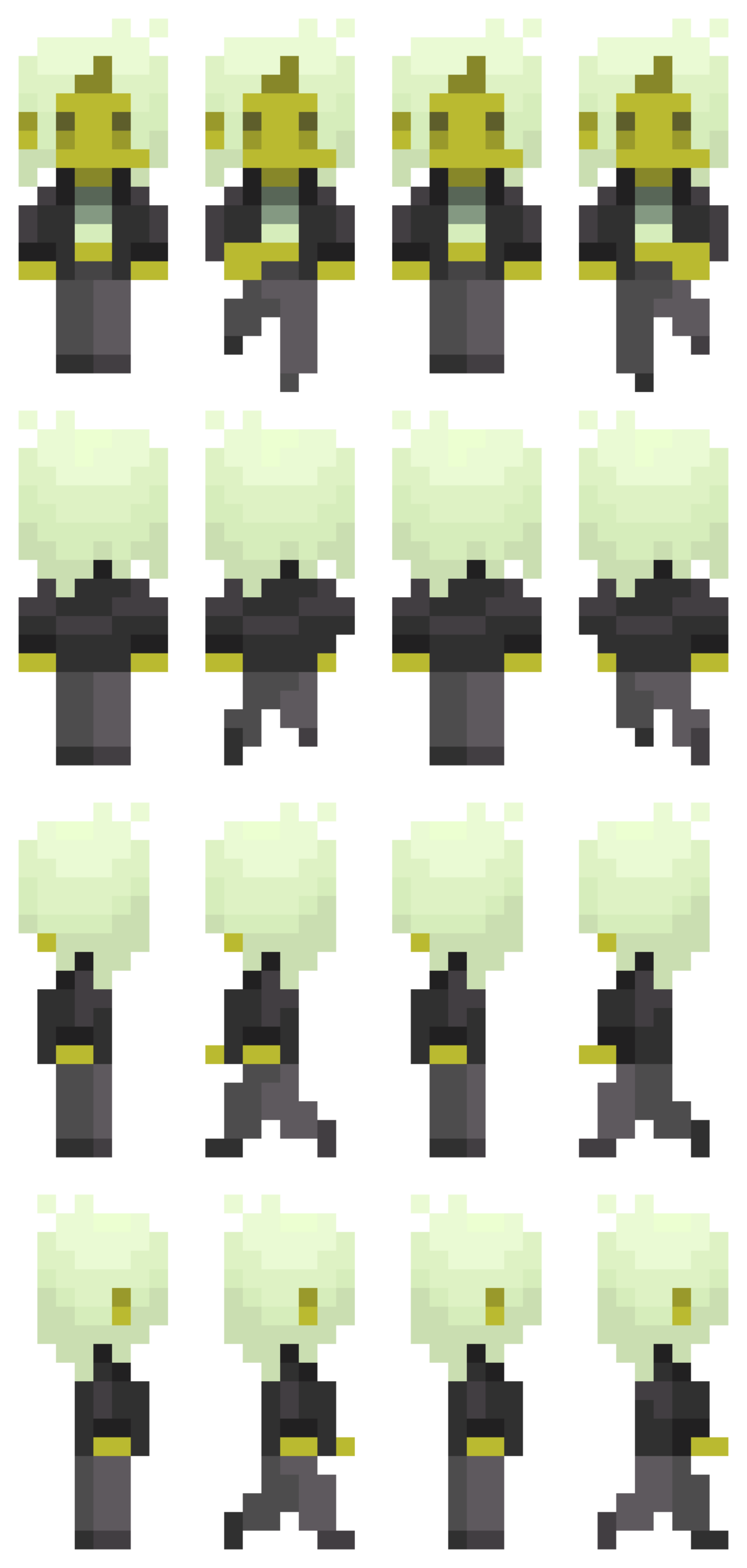
i drew the sprites via pixelart.com (honestly i spent more time on them than the coding itself…), and the background music is an 8-bit cover i found of a deftones song, which i thought sounded pretty awesome.  going forward, i intend to draw a pixel background with some interactive elements for the player to navigate. i want the overall experience to look eerie and sickly (which is why the sprite i made may seem a little jaundiced).

most frightening part and how i tackled it:

having to animate a sprite was definitely the most intimidating part for me. to start off, i reread the slides and really studied the examples provided.  problem was, i wanted my sprite to be able to move while the arrow keys are pressed, unlike the example in the slides where you have to spam the keys rapidly. to figure out how to achieve this, i did some googling and scrounged around for (mostly useless) advice on the internet (obviously including ai overview), and ultimately was referred back to the KeyIsDown() reference page on p5.js. however, in trying to incorporate what i was learning, the code got extremely messy and buggy. all sort of horrendous things happened to my little sprite – i cannot bear to speak of it. eventually, i figured things out myself through trial and error (like always), and, while heavily relied on my references to keep me on the right track, all the code is written by me. (i shall add comments later when i continue to work on the project.)

function draw() {
  background(0);
  if (keyIsDown(DOWN_ARROW)) {
    direction = 0;
    y += speed;
    step = (step + 1) % 4;
  } else if (keyIsDown(LEFT_ARROW)) {
    direction = 2;
    x -= speed;
    step = (step + 1) % 4;
  } else if (keyIsDown(UP_ARROW)) {
    direction = 1;
    y -= speed;
    step = (step + 1) % 4;
  } else if (keyIsDown(RIGHT_ARROW)) {
    direction = 3;
    x += speed;
    step = (step + 1) % 4;
  } else {
    step = 0;
  }
  if (y <= 0) {
    y = 0;
  }
  if (x <= 0) {
    x = 0;
  }
  if (y >= windowHeight - 126) {
    y = windowHeight - 126;
  }
  if (x >= windowWidth - 60) {
    x = windowWidth - 60;
  }
  image(sprites[direction][step], x, y, 70, 147);
}

references:

as mentioned earlier, ai was used in the sense that it popped up and tried to provide answers to the questions i googled. i used it as a tool to try and understand how KeyIsDown works when i was experiencing bugs and analyzed the (very simple) examples it provided, then tried to implement what i learned into my code. I did not ask it to fix my bugs or provide me with code.

https://p5js.org/reference/p5/keyIsDown/

https://drive.google.com/file/d/18ZMq9BB1l5XhMx5OfzNciU2OJQbUKvg3/view?usp=sharing

reading reflection, week 3

First of all, I really enjoyed the way this was written. ironically, I think it succeededs emulating  interactivity itself in a way – atleast to the highest extent a static piece of text is capable of.  There’s a clear pattern in the way he writes: he establishes a prospect, makes an attempt at predicting the reader’s reflections or reactions, and then responds accordingly.

He makes the argument that written words cannot be interactive, however, if we were to take his own definition of interactivity (having two parties who, in turn, listen, think, and respond to one another), and if we were to assume he is atleast somewhat correct in his estimations of the reader’s thoughts, there’s clearly an interaction going on between the author and reader. The author is performing an interaction – perhaps not one with any reader in particular, but is clearly making an attempt to reflect back on and respond to a hypothetical audience. At one point he says that “movies dont listen to their audience, nor do they think about what the audience may be saying,” and yet he manages to do exactly that through words alone.

I’m unsure of how intentional this was on the author’s part – I was inclined to give him all the credit, yet he makes abundantly clear his opinion on this matter. I do agree that it isn’t ‘real’ interaction in a traditional sense, but a deeply psychological form of interaction that i think should be appreciated more. I think we could all benifit from achieving this to some level in our own writings.


reading response, week 4

I hate Apple and their designs so much. it’s very intentional too, the way they make it such an inconvenience to deal with any non-Apple electronic device to the point where you feel compelled to buy more of their products just to accomodate your phone. The way they impose unnecessary updates so that you’re almost forced to upgrade to a newer model because now your phone is no longer compatible with even their own products. The way they make it such a hassle to transfer your photos and data to a non-Apple product, so the longer you have an iPhone the harder it is to switch to another brand. The way they insist upon automatically sharpening your photos for no reason and making your selfies look fried to tabsolute hell with no ability to disable it. (Still don’t understand that one, it’s just stupid design.) The way their products are so awfully flimsy that they just break for no goddamn reason and Oh no! looks like you need to upgrade to another stupid ass iPhone because all your photos are automatically uploaded to the iCloud and you had no warning or prep time to find a way to save everything to another cloud! pisses me off. someday i’ll free myself of this corporate curse…

anyways if there’s one lesson about design you can glean from this god awful mess of an evil corporation, it’s to not make your consumers hate you, i guess. put the people first. also Macbooks are so confusing to navigate i still refuse to use one.

homework week 4

i tried

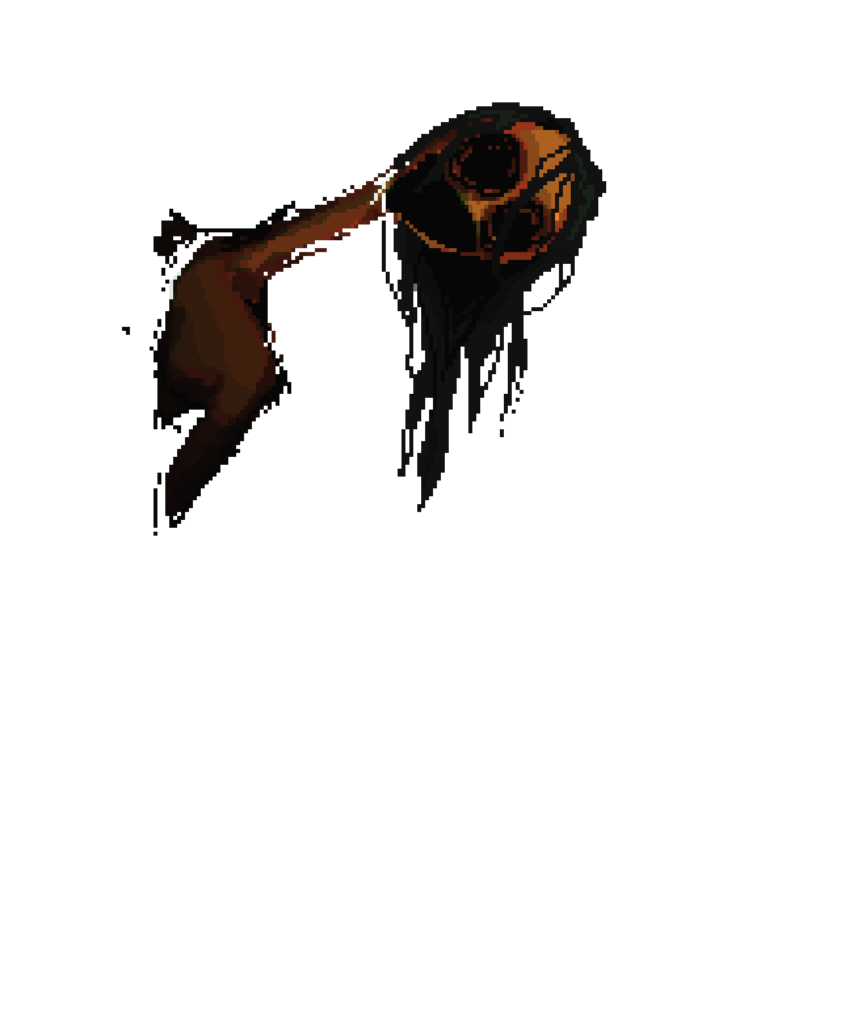
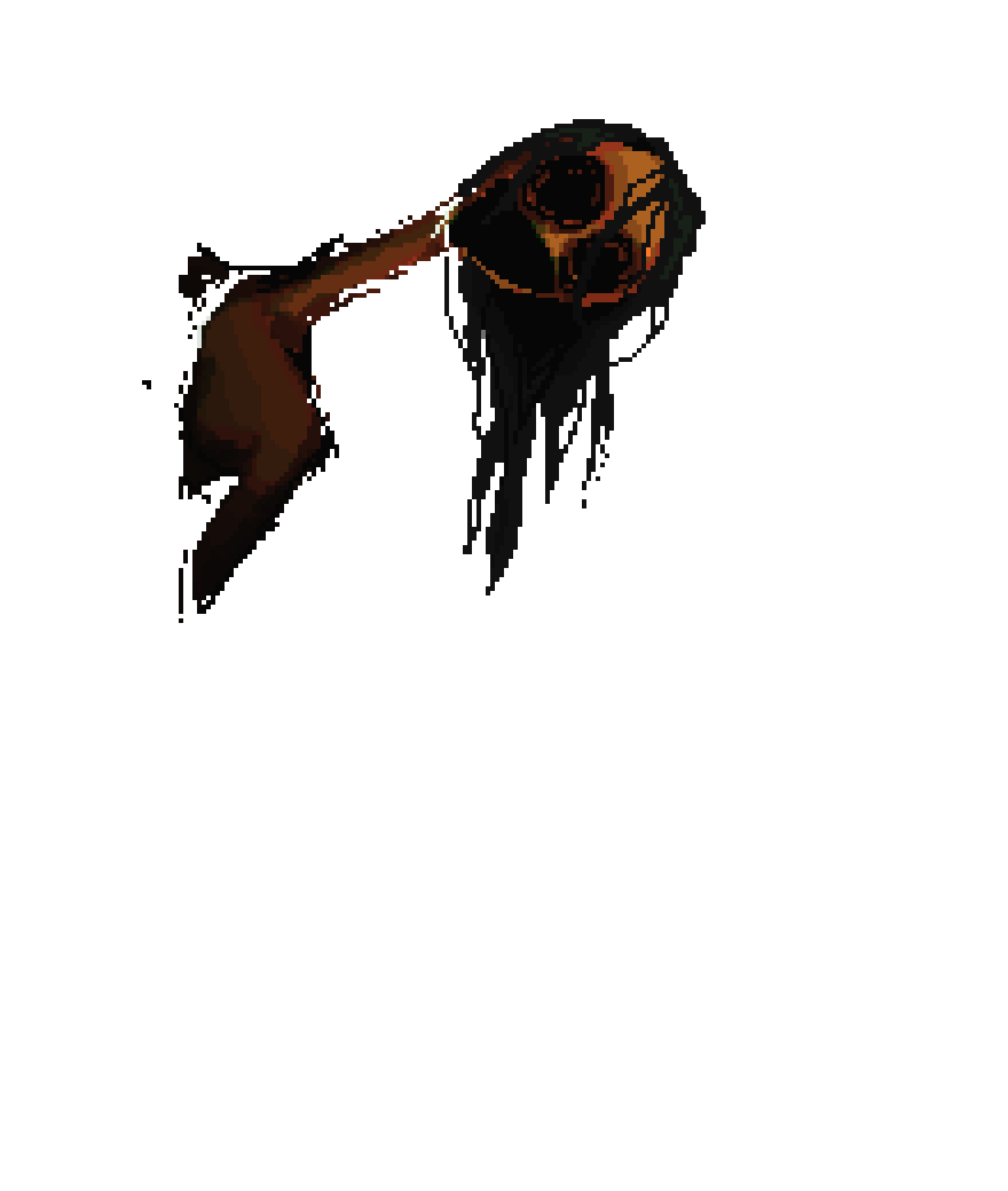
so for this one i ended up making this floating eyeball angel thing that generates some cryptic dialogue in a manner reminiscent of 2d indie game boss fight interactions. (click the screen).

the background is very similar to the one i made for my week 2 assignment, nothing special there. I used frameCount to animate the ominous red rays eminating from the eyeball. The slightly more tricky part was getting them to actually follow the eye as it oscillates, though it was pretty easy to figure out.

as for the eyeball itself, i implemented some rotation to give it some depth, and had it oscillate via a sin() function, for which i referred back to the slides and studied the example projects provided. i think he’s my favorite part since it turned out exactly as i intended.

//eyeball & bg animation settings
push();
let pos = 200 + sin(angle) * amp; //sin oscillation
angle += 1;
translate(100, 0);
strokeWeight(0.5);
stroke(0);
noFill();

let x = 300;
let y = pos;
let pattern = 10;

if (frameCount % 8 > 6) {
  pattern = 29;
} else if (frameCount % 8 > 4) {
  pattern = 24;
} else if (frameCount % 8 > 2) {
  pattern = 19;
} else {
  pattern = 17;
}
while (pattern > 1 && pattern < 1000) {
  strokeWeight(1);
  circle(x, y, pattern);
  pattern += 14;
}

//eyeball
strokeWeight(1);
stroke(255);
fill(0);
circle(300, pos, 95);
rotate(-5);
ellipse(262, pos + 27, 40, 55);
ellipse(265, pos + 27, 25, 35);
stroke(255);
strokeWeight(2);
fill(255, 0);
rotate(15);
ellipse(333, pos - 100, 120, 20);
pop();

the generated text was incredibly frustrating to figure out on a short notice, especially since i insisted upon having it animated in a typewriter style. I’ll be honest, I still don’t fully understand what I did, especially since I stayed up all night figuring it out after having deleted all my code by accident (would not recommend). Here I had a friend teach me some tricks, as well as ask AI mode on google to help explain how text generation works, however i did all the actual coding myself. My friend really saved my life, though.

i was thinking of adding some interactive dialogue options, but thats for another time perhaps.

im so tired bro

Reading Reflection – Week 2

“Controlled randomness” is, and I think most people would agree, an oxymoron. I agree that art is at its best when there’s a healthy mix of chaos and order, but is true randomness even possible? I think randomness is something that is inherently controlled to some extent, since there will always be certain parameters for everything we can conceive of. We are a species that operates on frameworks and pattern recognition, after all. I think we’ve coined the term “random” to describe outcomes for which we can’t see a clear logical process, and naturally, as the finer workings of the universe remain far out of our reach, most things in the world make little sense to us.

Talk to a quantum physics enthusiast and they might tell you that, on a quantum level, there exists some randomness in the way particles interact with one another. Likely, this is just a placeholder theory to explain away our confusion, but regardless, the universe seems to operate both on processes we can follow logically and processes that we can’t. In other words: chaos and order. Maybe that’s why people find so much beauty in “controlled randomness” – it mirrors the way we understand the world: nature, humanity, time, etc. Art mirrors life, after all.

Week 2 Animation, Conditionals, Loops

For this assignment I wanted to do something spiraley and trippy. Honestly, I didn’t have a particular vision for this one and figured it out as I went along.

First thing I did was the background. At first I had it be a bunch of overlapping shapes moving randomly accross the screen, but it was too jarring. I ended up simplifying it to what you can see above: an animated perpetual wave of thin white concentric circles over a black background.

if (frameCount % 8 > 6) {
  cc = 29;
} else if (frameCount % 8 > 4) {
  cc = 24;
} else if (frameCount % 8 > 2) {
  cc = 19;
} else {
  cc = 17;
}
while (cc > 1 && cc < 1000) {
  strokeWeight(0.5);
  circle(200, 200, cc);
  cc += 14;
}

As you can see, I used a boolean and frameCount to animate the circles, and a while() loop to draw them. I used the p5 reference library to remind me of how they work and get the finer details right, and I learned about frameCount by watching several youtube videos on animation.

Next I added the eye in the middle using a text box and orienting it so that it aligns with the centermost circle. Pretty simple and straightforward.

  strokeWeight(0);
  textSize(90);
  fill(250);
  textAlign(CENTER, CENTER);
  text("", 210.5, 174.5);

Finally (somehow this was the hardest part), I added the text in the middle and animated it to fade in and out.

 stroke(t);
 if (frameCount % 30 < 15) {
 t = t + 15;
} else if (frameCount % 30 < 30) {
 t = t - 15;
}

for (let x = 200; x < 400; x += 600) {
  for (let y = 20; y < 460; y += 30) {
    textSize(10);
    textFont("Courier New");
    strokeWeight(0.5);
    noFill();
    text(
      "it is only by dying to ourselves that we find life",
      x,
      y,
      [500],
      [10]
    );
  }
}

I used a for() loop to duplicate the text accross the y axis, and a boolean and frameCount to animate the fading. This one was a pain in the ass because I kept messing up the text’s orientation and it took a few tries to get the frame remainders right. I also think the first for() function where I duplicate it accross the x axis is extraneous, but the code messed up when I tried to get rid of it so I just left it in there.

One thing I could potentially add to this is a sound effect or some music to add to the aesthetic. I also feel like I should’ve added an interactive aspect to it; that completely skipped my mind. Otherwise, I’m happy with the final product. It’s nothing too impressive but I think it fits together nicely.

Self Portrait

For my self portrait I decided to draw a zombie because I like zombies. I wanted it to look like something I might’ve drawn in MS Paint, so I played around with shapes and colors until it felt and looked right.

The part I’m most proud of is the hair and bangs, since I had to align the points and angles perfectly to the pixel to make it one big coherent shape and honestly it was incredibly painful to do.

 //bangs
strokeWeight(0)
fill('black')
arc(300,225,320,200,PI,0)
triangle(300,220,100,350,150,200)
triangle(280,220,270,400,350,200)
triangle(340,220,500,400,460,220)
triangle(200,220,100,500,150,240)
triangle(80,100,500,300,300,105)
triangle(380,126,550,245,460,240)

I didn’t have any help with this aside from a few tips from the p5 reference page. I just kinda figured things out as I went along. Because of this, there are some aspects of the code that probably could’ve been done more efficiently, so I’ll carry what I learned through trial and error here and apply it to my next project. I’m also thinking of having the colors in her eyes shift so that it looks like it’s spiraling. That’d be pretty cool I think.