Week 2 Art

When given the chance to create geometric art, my mind immediately went back to a tradition from my childhood. Since I was ten years old, every Diwali, my family and I would gather outside our home to make rangoli: a colorful pattern made on the floor with powders, flowers, or rice. Diwali, the festival of lights, is celebrated in India with lamps, sweets, and vibrant designs meant to welcome prosperity and joy into the home. For me, rangoli has always been a way to blend creativity with culture. Alongside this, I also grew up enjoying drawing mandalas, which share the same symmetrical and intricate qualities. Together, these influences shaped my concept.  A digital reinterpretation of rangoli through geometric art.

For the scope of this assignment, I decided to use two shapes: circles and triangles. The circles form the core of the design, anchoring the artwork, while the triangles create a layered geometric background effect. This simple structure captures both the symmetry of mandalas and the festive layering of rangoli.

Rangoli:

DIY Rangoli Kit for Diwali Decorations

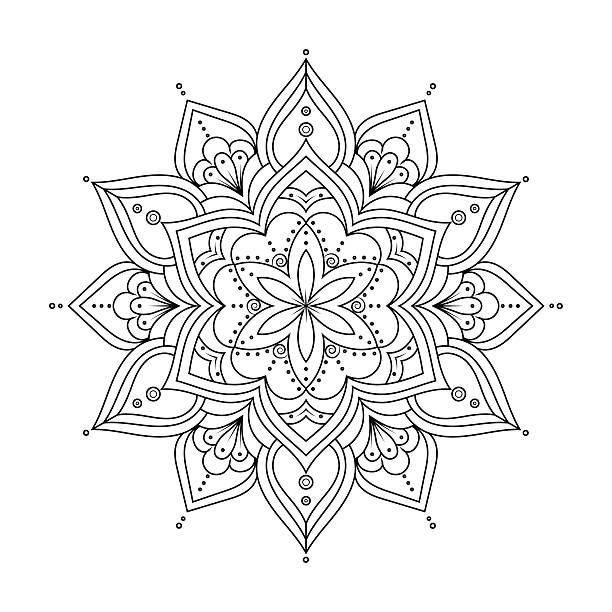
Mandala:

94,700+ Mandala Tattoo Stock Photos, Pictures & Royalty-Free Images -  iStock | Rose tattoo

One section of my code that I am particularly proud of is the logic behind alternating triangle shapes. I wanted two different kinds of triangles to appear in an alternating pattern. While drawing a single triangle was straightforward, alternating between two variations required more thought. After experimenting, I realized I could use an ‘if’ condition based on coordinate positions. The logic I arrived at was:

let step = 50;
  for (let x = 0; x < width; x += step) {
    for (let y = 0; y < height; y += step) {
      // pattern A
      if ((x / step + y / step) % 2 == 0) {
        fill("#800000");
        triangle(x, y, x + step, y, x, y + step);
        fill("#000080");
        triangle(x + step, y + step, x + step, y, x, y + step);
      }
      // pattern B
      else {
        fill("#000080");
        triangle(x, y, x + step, y + step, x, y + step);
        fill("#800000");
        triangle(x, y, x + step, y, x + step, y + step);
      }
    }
  }

This simple equation gave me an alternating algorithm, ensuring the triangles switched consistently across the canvas along with their colours.

In the future, I would like the artwork to become more dynamic and closer to an actual rangoli design. I imagine the outer circles slowly rotating, smaller circles filled with different colors, and more intricate shapes combining into floral or star-like motifs. Expanding beyond just circles and triangles would also bring the piece closer to the vibrancy of traditional rangoli while preserving its digital, algorithmic foundation.

This project allowed me to merge childhood memories, cultural traditions, and coding in a way that felt both nostalgic and innovative. Just as rangoli brings people together during Diwali, I hope this digital version shows how art and technology can come together to celebrate tradition in new ways.

Week 2 Reading Reflection

For me art and its beauty has always been defined in terms of structure, order ,and algorithmic precision. Coming from a computer science background, I recognized beauty in the patterns that nature presents, like the spirals of sunflowers reflect the Fibonacci sequence. Yet, watching Casey Reas’ Eyeo talk has broadened my perspective.

Reas’ idea of introducing chaos into order struck me as both unsettling and exciting. It reminded me of the games I have created so far, taking me back to the simple bouncing ball game. What if the ball bounces in the exact same way every time? After a few rounds, the game would become predictable and monotonous. What keeps me engaged, in games or in art, is that element of surprise, the small but meaningful ways randomness shifts the experience. Reas framed this randomness not as the enemy of structure, but as its partner, an insight that felt both intuitive and profound once I heard it. Maybe the most memorable experiences emerge when we loosen the grip of order. In fact, Reas’ examples like turning cancer cell reproduction data into patterns made me realize how randomness can still carry intent, even narrative. The rules guide the outcome, but the unpredictability breathes life into it.

In my future work, I aim to set clear rules or structural boundaries for my projects, but within those bounds, I’ll allow random processes to shape outcomes. For example, in an artwork, I might define the color palette and number of shapes, but let their positions, sizes, or interactions emerge randomly every time the code runs. 

Reflecting on Reas’s talk, I believe the optimal balance lies at 60-40: about 60% structure and 40% randomness. The structured part grounds the work, maintaining coherence and intent. The random component injects surprise, transforming an algorithmic process into something truly engaging. This approach enriches both my understanding of art and my development process. By integrating defined rules with elements of unpredictability, I hope to create work that is structured yet lively.

Self-portrait Prakrati

When I saw the examples in class, I knew I wanted my self-portrait to have an element of fun. A touch of movement to make it more interesting. So after brainstorming I decided to add a small cute wink in it. I didn’t have any answers to how to do it or when it would happen, but I knew starting was the best way to develop the idea.

I started by building the background. I chose a beach scene because it’s bright, fun, and resonates with my personality. Using just four rectangles, I created the sand, sky, and beach.

Next, I focused on the structure of my portrait. I used an ellipse for the face, and for the neck, I initially tried combining a circle and rectangle. After exploring the documentation, I realised a rounded rectangle could give the same effect with fewer shapes, so I went with that.

Then, the sweater collar was created using two triangles, traced easily with the print(mouseX, mouseY) trick taught in class. The body was a simple rounded rectangle to echo the shape of the shoulders. Once the structure was in place, I added details such as the nose, eyes, and sweater textures.

Finally, I added the wink. I wanted the portrait to respond to time or interaction. I decided that whenever the cursor moves to the right side of the canvas, the portrait would wink. Hence, I set the if condition that when position of mouseX is greater than 300 (middle of canvas) then draw a different shape. If condition made this simple because the eye now has two states: open or closed.

if (mouseX > 300) {
    stroke('black');
    strokeWeight(2);
    line(315, 190, 325, 190); // closed eye line
  } else {
    circle(320, 190, 10); // open eye
  }

The hardest part of this portrait was the hair. I initially considered straight hair, but that looked too robotic. After several iterations, I decided on curly hair with circles on the ends to give a flowing effect. By leaving one side slightly incomplete, it adds the sense of wind moving through my hair.

In the future, I’d like to make the portrait even more dynamic: perhaps animated clouds or waves in the background, and more detailed facial features. I also hard-coded most values, so I want to explore making my code more dynamic and flexible, so changes in one area automatically adjust related elements.