Week 4 – Generative Text

For this assignment I created a kinematic typography sketch using the word “MADINA.” I wanted the word to feel like it is in motion. My main inspiration was Patt Vira’s kinetic typography work, where letters shift in rhythm. I liked how those examples use simple motion to give a word a stronger presence, so I focused on one word and explored movement across time.

I used p5.js together with opentype.js and geomerative. First I loaded the font “BebasNeue-Regular.ttf” and converted the word “MA D I NA” into a vector path. Then I resampled the outlines into many points. In draw, I repeated those points multiple times in vertical layers. I applied a sine function to the x position and a gradual offset to the y position, so each layer moves like a wave. I kept the color palette minimal with a dark blue background, white strokes, and semi transparent blue fills. Patt Vira’s kinetic typography guided my decisions about rhythm and repetition.

I wrote the sketch in p5.js geomerative to work with vector text. In setup, I created the canvas, set angle mode to degrees, and loaded the font file “BebasNeue-Regular.ttf” with opentype.load. After the font loaded, I called font.getPath on the string “MA D I NA” with a large font size, then wrapped the commands in a geomerative Path object. I resampled this path by length so the letters turned into a dense list of points. I looped through the commands and, whenever I encountered a move command “M,” I started a new sub array in points. For each drawing command that was not “Z,” I pushed the x and y coordinates into the current sub array as p5 vectors.

In draw, I cleared the background to a dark blue color, set stroke weight and stroke color, and translated the origin so the word appears centered on the canvas. I used a nested loop. The outer loop moves through the number of layers, from num down to zero. The inner loop moves through each group of points for each letter. For some letter indices I used noFill to keep only outlines, and for others I used a semi transparent blue fill. Inside beginShape and endShape, I looped over the points and applied a sine based offset to the x coordinate with r * sin(angle + k * 20), and a vertical offset of k * 10 to the y coordinate. This creates layered copies of the word that shift in x and y as angle increases. At the end of draw, I incremented angle by 3 so the sine function changes over time and the typography keeps moving.

let font;
let msg = "MA D I NA"; let fontSize = 200; 
let fontPath; let path; let points = [];

let num = 20; let r = 30; let angle = 0;

function setup() {
  createCanvas(700, 400);
  angleMode(DEGREES);
  opentype.load("BebasNeue-Regular.ttf", function(err, f){
    if (err) {
      console.log(err);
    } else {
      font = f;
    }
    
    fontPath = font.getPath(msg, 0, 0, fontSize);
    path = new g.Path(fontPath.commands);
    path = g.resampleByLength(path, 1);
    
    for (let i=0; i<path.commands.length; i++) {
      if (path.commands[i].type == "M") {
        points.push([]);
      }
      
      if (path.commands[i].type != "Z") {
        points[points.length - 1].push(createVector(path.commands[i].x, path.commands[i].y));
      }
    }
    
    
  });
  
}

function draw() {
  background(0, 0, 139);
  strokeWeight(3);
  stroke(255);
  translate(40, 170);
  
  for (let k=num; k>0; k--) {
    for (let i=0; i<points.length; i++) {
      if(i == 1) {
        noFill();
      } else if (i == 3) {
        noFill();
      } else {
        fill(0, 0, 255, 100);
      }
    beginShape();
      for (let j=0; j<points[i].length; j++)      {
        vertex(points[i][j].x + r*sin(angle + k*20), points[i][j].y + k*10);
      }
      endShape(CLOSE);
    } 
  }
  angle +=3;
}


Week 4 – Reading Reflection

Thinking after Norman’s ideas, as a student two objects that annoy me is the the AC system in the Baraha common rooms and the tiny sinks. In Baraha, the AC is set around 21°C, and when I press the buttons to increase the temperature, the system promises a gradual change, but you have to wait for a long time and I do not feel that the temperature is increasing (and sometimes it is indeed is not), so the interface gives me an illusion of control instead of real control. The tiny sinks have the same problem in a physical way: For me the sinks we have in the dorms are small. The faucet sits so close to the basin that there is almost no space for my hands, and water splashes everywhere, even though the sink looks normal. Both cases show broken mapping: what I do and what actually happens do not match my expectations, and the design never clearly tells me what is really possible. To improve them, the AC interface should not take so long for temperature change and should show honest information about how the centralized system works, and the sinks should be redesigned with more vertical space for more comfortable hand-washing.

For interactive media, I apply Norman’s principles by treating mapping, and conceptual models as the core of how I design my p5 sketches. As an interactive media student, I know that users understand a piece through the system image in front of them, not through my code, so I need clear signifiers on the screen that show what can be clicked, spoken, or dragged. I design interactions so the layout of elements matches their effects, and I give immediate feedback when the user does something, instead of delaying them, like the AC does. When I build a sketch, I test whether someone new can guess what to do in the first few seconds and form a simple model of how the piece behaves, because for a user that understanding is key for deeper, more emotional experience rather than leaving them stuck in trial .

Week 3 – Flower Garden

My project is an interactive generative artwork featuring a digital garden where flowers bloom and fade over time while butterflies move toward them. The user can interact by clicking anywhere on the canvas to plant new flowers.

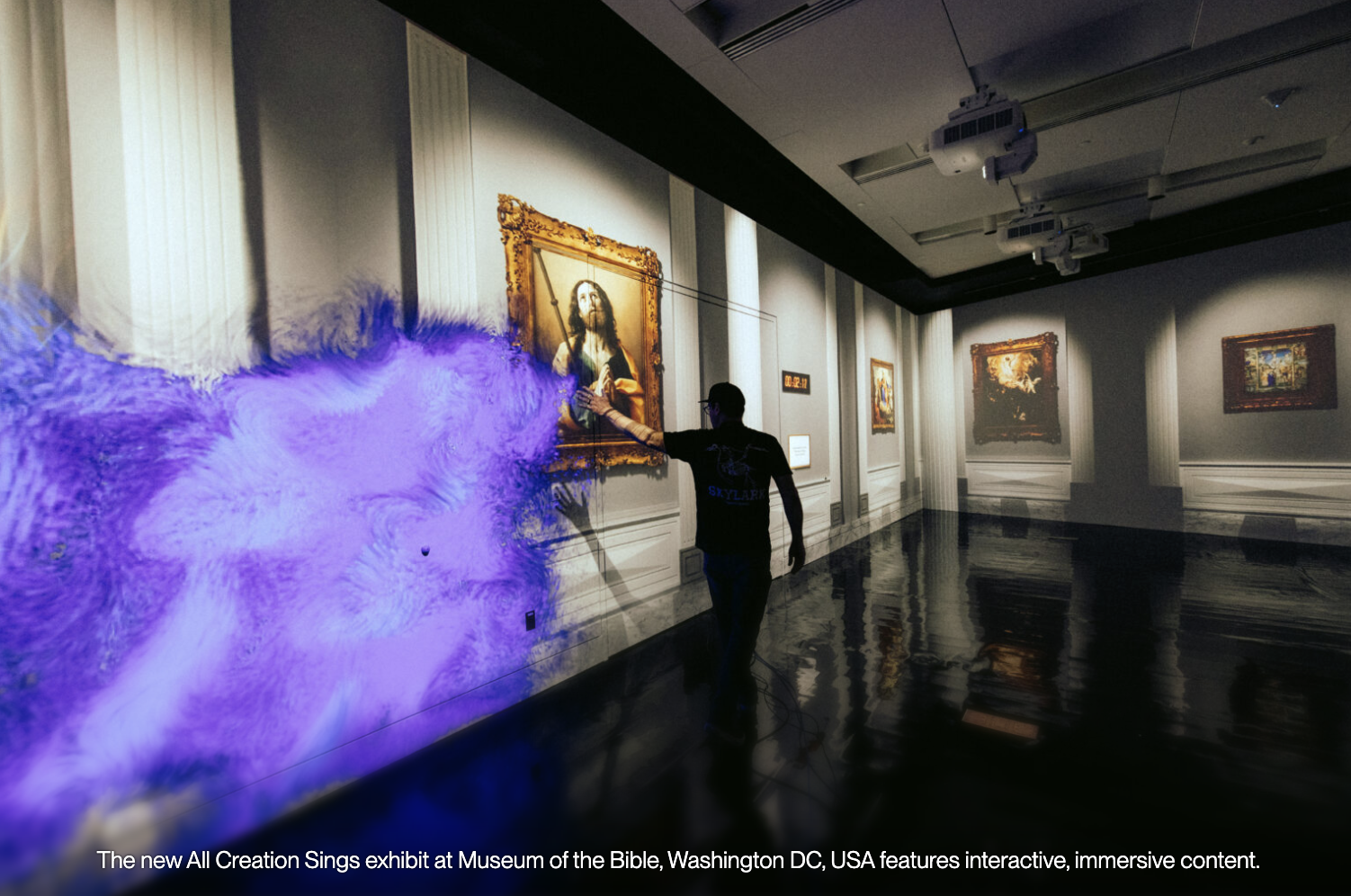
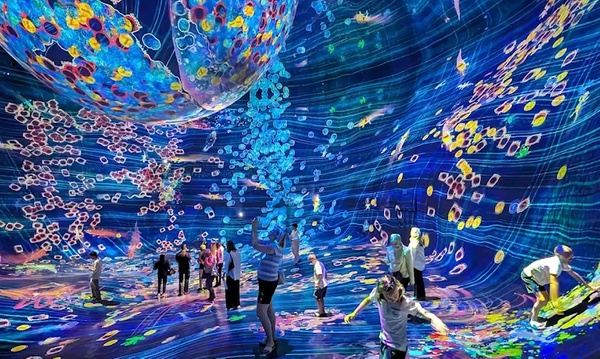
My inspiration came from teamLab Phenomena in Abu Dhabi I visited, where there was an immersive environment allowing people to draw butterflies, snakes, and other animals that then came to life in a shared space. That experience brought me back to childhood memories of imagination, and I wanted to capture a similar feeling through code. In future versions, I plan to expand this project by adding sound elements for the atmosphere to be richer and more immersive. I also hope to introduce more types of creatures and possibly explore touch or motion-based interaction.

Inside teamLab Phenomena Abu Dhabi | Condé Nast Traveller Middle East

Explore TeamLab Phenomena General Admission for Adults and Youths - Pt Tourism | Groupon

The program begins in the setup() function, which creates the canvas and spawns an initial set of flowers and butterflies in random positions across the screen. The draw() loop serves as the heartbeat of the sketch. It first draws a smooth vertical gradient sky using the lerpColor() function, transitioning from soft blue at the top to gentle green near the bottom. Then, it updates all active flowers, allowing each one to grow and eventually fade as time passes. Meanwhile, the butterflies search for nearby flowers, moving toward them. The sketch also displays basic information such as the number of flowers and user instructions on planting new ones.

// Arrays to store objects
let flowers = [];
let butterflies = [];

function setup() {
  createCanvas(700, 600);
  
  // start flowers
  for (let i = 0; i < 8; i++) {
    flowers.push(new Flower(random(width), random(height)));
  }
  
  // start butterflies
  for (let i = 0; i < 6; i++) {
    butterflies.push(new Butterfly(random(width), random(height)));
  }
}


function draw() {
  // Draw gradient sky background
  for (let y = 0; y < height; y++) {
    let c = lerpColor(color(135, 206, 235), color(180, 220, 160), y / height);
    stroke(c);
    line(0, y, width, y);
  }
  
  // Update and draw flowers
  for (let i = flowers.length - 1; i >= 0; i--) {
    flowers[i].grow();
    flowers[i].display();
    
    // Remove old flowers
    if (flowers[i].age > flowers[i].lifespan) {
      flowers.splice(i, 1);
    }
  }
  
  // Update and draw butterflies
  for (let butterfly of butterflies) {
    butterfly.moveTowardFlowers();
    butterfly.display();
  }
  
  // Instructions
  fill(255, 200);
  noStroke();
  fill(60);
  textSize(14);
  text("Click to plant flowers", 20, 30);
  text(`Flowers: ${flowers.length}`, 20, 45);
}

// mouse interaction

function mousePressed() {
  flowers.push(new Flower(mouseX, mouseY));
}

// flower class

class Flower {
  constructor(x, y) {
    // Position
    this.x = x;
    this.y = y;
    
    // Size (starts small, grows)
    this.size = 0;
    this.maxSize = random(30, 60);
    
    // colors (random pastels)
    this.petalColor = color(random(200, 255), random(100, 200), random(200, 255));
    this.centerColor = color(random(200, 255), random(180, 220), random(50, 100));
    
    // Life
    this.age = 0;
    this.lifespan = random(600, 1000);
    
    // Look
    this.petalCount = floor(random(5, 9));
    this.angle = random(TWO_PI);
  }
  
  // make flower grow each frame
  grow() {
    this.age++;
    if (this.size < this.maxSize) {
      this.size += 0.5;
    }
    this.angle += 0.005; // Slow rotation
  }
  
  // draw the flower
  display() {
    push();
    translate(this.x, this.y);
    rotate(this.angle);
    
    // Fade out when old
    let alpha = 255;
    if (this.age > this.lifespan * 0.7) {
      alpha = map(this.age, this.lifespan * 0.7, this.lifespan, 255, 0);
    }
    
    // draw petals
    fill(red(this.petalColor), green(this.petalColor), blue(this.petalColor), alpha);
    noStroke();
    for (let i = 0; i < this.petalCount; i++) {
      let angle = (TWO_PI / this.petalCount) * i;
      let px = cos(angle) * this.size * 0.4;
      let py = sin(angle) * this.size * 0.4;
      push();
      translate(px, py);
      rotate(angle);
      ellipse(0, 0, this.size * 0.6, this.size * 0.3);
      pop();
    }
    
    // draw center
    fill(red(this.centerColor), green(this.centerColor), blue(this.centerColor), alpha);
    ellipse(0, 0, this.size * 0.4);
    pop();
  }
}

// butterfly class

class Butterfly {
  constructor(x, y) {
    // Position
    this.x = x;
    this.y = y;
    
    // movement
    this.vx = random(-1, 1);
    this.vy = random(-1, 1);
    this.speed = 1.5;
    
    // wings
    this.wingAngle = 0;
    this.wingSize = random(15, 25);
    
    // colors (random)
    this.wingColor = color(random(150, 255), random(100, 200), random(150, 255));
  }
  
  // move toward nearest flower
  moveTowardFlowers() {
    // Find closest flower
    let closestFlower = null;
    let closestDist = 999999;
    
    for (let flower of flowers) {
      let d = dist(this.x, this.y, flower.x, flower.y);
      if (d < closestDist && flower.size > 20) {
        closestDist = d;
        closestFlower = flower;
      }
    }
    
    // move toward it if close enough
    if (closestFlower && closestDist < 200) {
      let dx = closestFlower.x - this.x;
      let dy = closestFlower.y - this.y;
      this.vx += dx * 0.0002;
      this.vy += dy * 0.0002;
    }
    
    // randomness
    this.vx += random(-0.1, 0.1);
    this.vy += random(-0.1, 0.1);
    
    // limit speed
    let currentSpeed = sqrt(this.vx * this.vx + this.vy * this.vy);
    if (currentSpeed > this.speed) {
      this.vx = (this.vx / currentSpeed) * this.speed;
      this.vy = (this.vy / currentSpeed) * this.speed;
    }
    
    // update position
    this.x += this.vx;
    this.y += this.vy;
    
    // wrap around edges
    if (this.x < 0) this.x = width;
    if (this.x > width) this.x = 0;
    if (this.y < 0) this.y = height;
    if (this.y > height) this.y = 0;
    
    // flap wings
    this.wingAngle += 0.2;
  }
  
  // draw the butterfly
  display() {
    push();
    translate(this.x, this.y);
    
    // point in direction of movement
    let angle = atan2(this.vy, this.vx);
    rotate(angle);
    
    // wing flapping (0 to 1)
    let flap = sin(this.wingAngle) * 0.5 + 0.5;
    let wingHeight = this.wingSize * (0.5 + flap * 0.5);
    
    // wings
    fill(this.wingColor);
    noStroke();
    ellipse(-5, -wingHeight, 12, wingHeight * 1.5);
    ellipse(-5, wingHeight, 12, wingHeight * 1.5);
    
    // body
    fill(40);
    ellipse(0, 0, 8, 15);
    
    pop();
  }
}


Every flower is represented by an instance of the Flower class. Each flower starts small and increases in size frame by frame until it reaches its maximum. Colors are chosen randomly from pastel ranges to keep the palette gentle. Each flower contains several petals arranged uniformly in a circle and slowly rotates over time. The petals fade as the flower ages. The Butterfly class handles behavior for each butterfly’s movement, which combines randomness with directed motion toward flowers.

One of the challenges I encountered was controlling butterfly motion. At first, they moved too chaotically. By adjusting acceleration toward flowers and capping their speed, I achieved a more graceful flying style. I also experimented with the fading  for flowers to make the transition from bright color to transparency appear gradual and organic.

Visually, the project is calm and immersive as I wanted it to be. The background gradient,  flower and butterflies all work together to create an environment that feels alive yet peaceful.

Week 3- Reading Response

A strongly interactive system listens carefully, thinks with some complexity, and responds in a clear way that affects what the user does next. It feels more like a back and forth conversation. I agree with Crawford that calling a shampoo bottle or a basic light switch “interactive” weakens the word, because those things only react in one fixed way. At the same time, his strict rejection of books, films, and performances as non interactive feels narrow to me, because people often respond to media through comments, edits, or shared viewing, which shapes the experience indirectly. Crawford seems biased toward systems that resemble one on one dialogue and software with explicit input and output, and less interested in social or cultural interaction around media. That bias is useful for learning to design, but it also raises concerns about how we value hybrid experiences like interactive films.

When I look at my p5 sketches through this lens, I see that they often stop at reaction instead of interaction. For example, a sketch that draws the same circle on every mouse press listens, thinks in a fixed way, and speaks with a single repeated output. I want to move toward voice based interaction, where the computer listens to the user’s voice through the microphone and transforms volume and rhythm into evolving line drawings, so the user’s sound shapes the image in a continuous back and forth. Practically, this means using microphone input, mapping volume to line thickness, length, and color based on the tone of the user, and storing recent sound levels so the drawing reflects how the voice changes over time. I am also interested in adding simple rules, such as a quiet period that slowly fades the image and bursts of loud sound that produce sharp strokes, because these choices ask the user to experiment with their voice instead of repeating a single gesture.

Week 2 – Generative ArtWork

For this assignment I wanted to create a small interactive starfield like looking at a moving night sky. Recently I have been very interested in space and how I can implement it in my works, so I used this sketch as a chance to try a simple space scene. My idea was to have many tiny stars drifting down the screen at different speeds, but also to make the scene respond to the viewer. When the mouse moves near a star, it reacts by changing color and size, so it feels like the user is activating and touching the star. I also added a speed mode that you can activate with the space bar, so that the whole field accelerates. The focus of the sketch is on motion and interaction.

Code highlight I am proud of

The part of the code I am most proud of is how I created multiple stars with random properties and then updated them in a loop. Instead of coding circles, I wrote a helper function that builds a star object with random position, size, brightness and speed, this is one of the ways I implemented randomness:

// randomness used, create a new star with random properties
function createStar() {
  let x = random(width);
  let y = random(-100, height);
  let size = random(1, 4);
  let brightness = random(150, 255);

  let xSpeed = random(-0.1, 0.1);
  let ySpeed = random(0.5, 1.2);

  return {
    x: x,
    y: y,
    size: size,
    brightness: brightness,
    xSpeed: xSpeed,
    ySpeed: ySpeed
  };
}

I like this part because I am generating many small data objects and storing them in an array. Each star gets slightly different random values, which makes the starfield look less repetitive. The cretestar() function also lets me recycle stars easily. When a star goes off‑screen, I just replace it with createstar() again, so there is a constant flow of new stars without writing another drawing code.

Another small piece I am happy with is the interaction that changes color and size when the mouse is close:

let distance = dist(mouseX, mouseY, star.x, star.y);

if (distance < 50) {
  // color and size change when mouse is close
  fill("magenta");
  ellipse(star.x, star.y, star.size * 2, star.size * 2);
} else {
  fill(255, star.brightness);
  ellipse(star.x, star.y, star.size, star.size);
}
}

Using dist() was also a new thing I learned in this sketch. In p5.js, dist( x1, y1; x2, y2) calculates the distance between two points, so I can easily measure how far the mouse is from each star. By checking if that distance is less than a certain value, I can define an interaction radius around every star. I think it makes the sketch feel more alive, because the stars react as soon as the cursor approaches them.

Embedded sketch:

I am happy with how this sketch turned out, especially because it let me bring a recent interest of mine, space, into my code. It is nice to see that something I am interested about visually can be translated into an artwork which is also interactive using programming. It boosts my confidence in connecting my personal themes and aesthetics with what I am learning in p5.js. In the future, I would like to move toward more advanced drawings and interactions. I want to explore new functions and techniques in the p5.js reference so I can build richer scenes, maybe with planets and nebulas. I am also interested in opening new things in code for myself as using voice and classes for my ease in code and so that each new sketch becomes a little step toward more expressive interactive artworks.

Reading Reflection – Week 2

In Casey Reas’s talk, what interested me most was the idea that randomness can be a deliberate creative tool, I have never thought of it in that way. I like that randomness can surprise me and generate results I wouldn’t have drawn by hand, but I also feel a strong need to keep a clear structure that reflects my own decisions. For example, recently I am very drawn to space and astronomy, so I imagine an immersive, interactive “space” piece – something a bit like teamLab’s environments (which very much inspired me when I attended one in Abu Dhabi),  where I design the overall universe, but let random values control details as the exact placement and number of stars at any moment. In that sense, I realized what controlled randomness is; it opened up a new way of thinking about how I can build systems that feel alive while still being rooted in my own vision.

At the same time, I don’t fully agree with how positively Reas seems to talk about randomness, as if more randomness is always good. From my perspective, too much randomness can quickly become visual noise, and I am not comfortable handing over that much authorship to code or AI tools. My personal “sweet spot” is closer to 70% control and 30% randomness: I want the system to add variation and surprise, but I still want to feel that most of the choices especially the concept and mood come from me. This makes me skeptical of the idea that designing the system alone automatically solves all questions of authorship, but his examples still show useful ways to set rules and then allow variation inside them. His talk makes me more open to try out this new techniques for me and experiment with random elements in my own sketches.

Madina – my first p5.js self portrait

For my first Intro to Interactive Media assignment, I created a simple self-portrait using p5.js and basic geometric 2D shapes. My goal was to capture a few key things about myself: my long brown hair, pale skin, brown eyes, and my favorite color. I chose soft colors and a minimal one-color background so the focus stays on the face and shoulders, which feel the most “me.” One of my favorite parts of the code is how I drew the shoulders and upper body using an arc() instead of a rectangle. The code looks like this:

 // shoulders/body
fill("pink"); 
arc(300, 600, 400, 260, PI, 0);

At first I was not sure how to draw the upper body in a way that looked rounded and soft instead of like a flat block. While exploring “The Coding Train” Youtube tutorial’s reference for shapes, I found the arc() function and realized I could use it as a big curved shape at the bottom of the screen to suggest shoulders. The last two numbers in arc() are angles in radians: I used PI as the start angle and 0 as the end angle to draw a half-circle shape for the shoulders. As i learned, in p5.js, PI is a built-in constant that represents the mathematical value of π (about 3.14159), which is the ratio of a circle’s circumference to its diameter. By using PI and 0,  the arc draws from the left side of the circle to the right side, creating a smooth curved top edge that looks like a rounded shoulder line. I like this part because it looks nicer than a rectangle,  also because I filled it with pink, which is my favorite color, so this area feels very personal and represents my personality as a light color lover.

Embedded Portrait:

I built the self-portrait with shapes 2D drawing functions in p5.js such as ellipse(), rect(), line(), arc(). The face and eyes are made from ellipses, the body and neck use rectangles and the pink arc for the shoulders, and the hair is constructed from overlapping rectangles and ellipses to suggest long brown hair. I also adjusted the fill () colors for the skin tone, hair, and clothing, somewhere I used colors just typing them, other ones such as the shoulders, skin and hair I  tested different RGB values until the skin looked pale, the hair read as brown, and the pink for the shoulders matched the color I had in mind.

For learning how to code the portrait, I mainly used the official p5.js tutorials and followed Youtube tutorials from “The Coding Train” channel to get more comfortable with the general structure of a p5.js sketch. This assignment helped me get more comfortable with thinking in coordinates and breaking down a portrait into geometric shapes. Discovering that I could use arc() and the PI constant to create a curved shoulder shape was a small but important moment, because it made me realize how much control I have over shapes. In the future, I would like to add small details like accessories or texture in the hair using more line () and ellipse() shapes, experiment with simple interactivity, changing background colors or facial expressions when the mouse is pressed. Overall, the portrait is still quite minimal, but I feel it already captures some of my identity through the color choices and the simplified representation of my face and shoulders.