Week5 Reading

I found the emphasis on accessibility compelling as it resonates with me that groundbreaking ideas often emerge when constraints like hardware, resources or expertise are lowered. Still I find it questionable that whether the tone of inevitability “recent improvements make artistic experimentation a reality” oversimplifies deeper tensions: access to hardware, funding for arts-tech projects, and the proliferation of open-source culture are not universally available. The example mentioned like Videoplace and Sorting Daemon foreground surveillance as a recurring motif in art. They hihglight a critical stance toward automated perception. This aligns with my belief that technology should be examined through ethical, social, and political lenses. However, I would like the authors to more explicitly address issues of consent, data provenance, and the potential for misrepresentation when computer vision projects interpret publics.

The reading has made me to rethink my own ideas about visibility and control in realm of interactive art. It argues how tracking and head or gesture-based interactions can produce intimate, embodied experiences, yet it also raises questions about privacy concerns like who is being watched and for what purpose. The use of surveillance-tinged artworks like Standards and Double Standards and Sorting Daemon highlights a paradox  that technology that augments artistic expression can simultaneously normalize and critique surveillance. I wonder how far artists should go in personalizing tracking. Are there boundaries that preserve participants’ agency without stifling experimentation? I want us to think: How do we balance artistic intent with privacy concerns in real-time, participatory installations? What concrete techniques feel most useful for a new programmer without compromising ethical considerations? And how mcomputer vision can be used to create more reflexive, consent-aware audience engagement rather than passive observation?

MidTerm

Concept

I have been looking at the portfolio websites for quite a while. All looked same to me box of texts heather and theather. I had this idea long before to create a a 3D version of it. Like a human figure represented in form a hollogram. It is 3D figure, rotating. The interaction is done basically by scrolling. if the mouse is over the body and we scroll up. It will zoom in the body. and the attributes will be start appearing on the periphery like neon signs.  This might not be a professional portfolio, but that was the idea I had.  The assumption about the experiance is to be tech savy, and futuristic. I would want to add more mini interactions into it.

Design

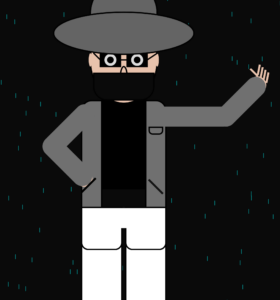
For the figure,  I wanted to replicate the self portrait. But the without any hardcoded values other than the scaling ones. Initially, I want to be able to put custom coridinates, so that I am able to draw it anywhere. But to make it rotate, I later used rotate(). By it I didn’t had ot worry about the overall mangment of the coridnates.

the sketch


The hardest part till this moment was cerating the curve of the the neck collar, It is not visible right now in the sketch as I made whole neck black. I wil extend from it when I will be adding more attributes towards the final product.

The part I am most proud of is the making it rotate while everything remains intact. Initialy I wanted the neck to stay connected but it during some hit and trial. I noticed it seems more lively if its a bit apart and kept it like that. To  my undrestanding the next challenging part will be the navigation form the whole sektch to the indvidual partsor it along with their attributes.

For the usage of AI, I used it draw the curve of the neck colar. I couldn’t understand the how control points work in the curve() function. It was hard from me to do all the calculation, when already don’t understand the parameters of the funcion. So I gave it to gpt to wrtie it form line by line and put comments for each.

    let collarY = neckY + neckLength;  // directly under neck

    curve(
        neckX - 20, collarY - 70,  // control point
        neckX+2, collarY-10,            // start
        neckX + neckWidth-2, collarY-10,// end
        neckX + neckWidth + 20, collarY - 70 // control point
    );
}


Reading week 4

While reading I was constantly thinking that the author is being too sensitive about the intricacies. “If I were at his place I would have Ignored and moved”. But after some giving it a thought later and looking at things around me. I kinda see the point. I would obviously appreciate if the the buttons on my headphones  were easily navigatable. I understand that there should be ease along side utility but that is kinda of contrary to modern development. Techonology wants to pack everything in a box and give it to humanity like a phone. Will it be easy to use? Probably not. Beacause of its range of functionalities. Lets take the example of the washing machine with all those buttons. Now what will be HDC?, all functions in one button or one button for each functions. It clicked me when the author said “accumulation of poorly designed interactions”. This is indeed evident in the realm of computer science. For example, I open chatgpt and it gives a list of model to choose from. It is marketed as choose the one based on your work. I believe it to be an inconvenicence as the engineers believe that I have and memorised the up to knowledge of Large Language Models.

This makes me question whether human-centered design is always about reducing complexity, or if it is more about organizing complexity in a way that makes sense. In interactive media especially, I think designers should focus less on adding features and more on clear mapping and feedback, so users understand what their actions are doing. The reading changed my perspective in a way that I have been noticing how often modern technology expects me to adapt to machines instead of machines adapting to me. At the same time, as an engineer I think, is bad design inevitable? or its just a result of race era we are in, in which we focus on developing, when we get to pause and we will start working on the design

Data in Graph

This weekend I was wokring on a replication study where I had to deal with data of mulitple repos. Somewhere in the process I encountered a csv which had two columns, release version and last pull request associated with that. I needed to figure out on average how many pull requests the repo used per release. When I sat of the IM assignment I thought by not display that csv on a graph using p5. This was the motivation for my work.

Initialy I wanted to make a tree on which branches represent the version number and the leaves represent the pull requests. But after some hassle I figured out that the data I have is not as hieracial and evenly distributed to create a presentable tree. After which I settled down on a graph represenation of the data.

First and the hardest part was to figure out how to represent it. cuz the amount of value was alot. I decided to group the major and minor version togather and make bins of the of the numbers of Pull requests. Even though it gave less information, the output was at least readable and understandable. In coding the grouping was the hardest part, because I had to read the array and keep track of the of what I have read and match it with the next coming value. and that is also the part I am most proud of figuring it out. The AI assitance for that is mentioned in the end.

// Loop through data row by row
  let lastGroup = "";   // keep track of the last major.minor group
  let y = paddingY;     // starting from Y position
  let groupCount = 0;   // how many PRs in the current group
  let maxBins = 0;      // track maximum number of bins for X-axis

  for (let r = 0; r < data.getRowCount(); r++) {
    let pr = int(data.getString(r, 0));
    let version = data.getString(r, 1);

    // Major.Minor for grouping
    let parts = version.replace("v", "").split(".");
    let group = `v${parts[0]}.${parts[1]}`;

    // New group  discovery
    if (group !== lastGroup) {
      y += yStep;
      groupCount = 0;
      lastGroup = group;

Sketch

AI Assistance

I asked for functions like replace() and split(), to manipulate the data values. I also asked AI to help me tidy up the code in terms of formating and variable names. The most major contribution which is not mine is the following line of code

// Update maxBins if needed
let bins = groupCount / binSize;
if (bins > maxBins) maxBins = bins;

this was didn’t change anything in the ouput but it is useful if the file size is increased significantly. I let it be there as I deem it “Nice to have” or “Good COding practice”.

Matrix

The inspiration for this is the cyber Matrix. It normally has green strings of number falling down. I wanted to use that concept and make circles of strings. and then have some thing that highlights if a certain number of digits get randomly aligned. I didn’t not think of any user interactivity in this. After mapping it out in terms of pseudocode, I decided on on squared path instead of a circular one.

I started of by making a class for the number trains. The creation of the trains was the easiest thing. I set a length attribute that decides what it will be each string will look like. It start with 2, and each string has a random pattern of this length numbers which repeats all the way. it leaves a trail equal to its each side of the squared path. it vanishes at the end of each side and creates a new one after. This was not the planned behavior but as the code treats each side a single unit, I was not able to make the trail of persistent between sides. One of the ways to achieve this was to make the trail vanish as the new one generates.

The hardest part to code was the movement and making sure it work in the right order at the right time. the first problem I encountered was off by one error. After a lot of hit and trial, I asked chatgpt to look at it. it suggested me to add a lastStop attribute. I used that to as the starting point for the next side. The down side for that was the corner overlapped. This visual change is not noticeable.

Here is how it looks,

The most fun part of the code was when I integrated functions of a class into my final function that controls the working of the code

  round(startx, starty) {
    let sideLen = (this.length ** 2) * this.charSize;
    let loopLen = sideLen * 4;

    let h = this.head % loopLen;

    if (h < sideLen) {
      this.movex(startx, starty, 1, h);
    } 
    else if (h < sideLen * 2) {
      this.movey(starty, startx + sideLen, 1, h - sideLen);
    } 
    else if (h < sideLen * 3) {
      this.movex(startx + sideLen, starty + sideLen, -1, h - sideLen * 2);
    } 
    else {
      this.movey(starty + sideLen, startx, -1, h - sideLen * 3);
    }

    this.head += this.speed;
  }
}

What I will add in this is to decrease the space between the strings and make it more chaotic.

Week3 Reading Response

Author’s framework for an interactive design, at its core is a system which takes in user input in great detail, comes up with something meaningful based on it, and delivers it in a effortlessly comprehensible fashion. For a strongly interactive system indeed all three make up the skeleton. That might be the reason, author didn’t mention anything about the aesthetics or visual elements of it. What comes up to my mind is Wikipedia, it does fulfill the above criteria, but is it really interactive. I’m not referring to the reading part of that website but the user experience. Obviously, its goal is productivity not interactivity. But it does highlight the of visual to beautify the skeleton. On the contrary, there is ilovepdf.com, its goal is productivity but it is a lot more  interactive.

For the sketches, I will want to highly focus on gathering user input data. Instead of getting a lot of different inputs, I want to choose a particular point, and get very detailed input on that part, and then create as much as processing and interaction from it. I remember a artwork by a student, it made birds move on the canvas, based on the people walking in front of it. It worked for multiple people independently. The amount of detail in it was amazing. For every action of user, like walking raising hands, jumping etc had somewhat interaction embedded, and it was not random. The focus on detail was prominent. That was I want my sketches to have, the scale is irrelevant. I want to keep them simple but sophisticated.

Reading Reflection

How long something can stay random, when we are always looking for patterns in things. Does it helps simplifying world around. Probably yes. Just now, in the week2 assignment what started as random colliding circles, if I grey them out, I just see two giant Xes. Also when we manipulate randomness is it still random, what the speaker called “Controlled randomness”. But what would be something truly random. A roll of a die, but it’s bound by 6 choices. That also is a form of controlled randomness. Given this all physical systems are bound by laws of physics. That make all random events not so random. If by random, we mean lack of knowledge about the outcome by that I mean the choice of the outcome not the outcome itself, then to increase randomness is to increase the available for the system to choose from.

For an artwork, My balancing point of chaos and control will the total number choice available at a moment. I see one element with 100 choices and 10 elements with 10 choice the same way. Surely, I can play around with by introducing biases and triggers to manipulate the balancing point, this will come at a cost of increasing complexity. And I need to look out for the chaos coming from this complexity. There is beauty in order and chaos both. But ordered beauty and chaotic beauty carry representation of complete opposite worlds which in its own is a spectrum and in that who lies where become their balancing point.

there are no perfect circles in nature

This assignment was non less than an endeavor in its own. All I had in mind was circles when I started. I thought of them as colliding an getting bigger or something like that. The hardest part was to come up with something which uses loops. Not from the coding end but from the creative one. The it suddenly hit me; draw in itself if a big while TRUE loop. Honestly I still didn’t know what to do about it, but at least I had starting point.
I wanted to add an interactive side to it as well, so the first thing I did was created pointer for the pointer, so that it has visible interactions. I borrowed the monitor frame from my self portrait to add somewhat character to the framing.

The moment I had two circles bouncing off each other. I noticed the the repeating motion. To observe it in detail I wanted to add the trail into it. I had some what trouble doing that because of the monitor underneath, the trail was hidden under it. I asked chatgpt about it. It made me realize that I don;t want my monitor to be draw again and again. So I just put it up in the setup. no I could see their movement.

The most interesting part about it was they never collided if left undisturbed. Because of the movement variables I set. But if it is disturbed by the mouse the kinda stuck in the loop. This discovery is what I am most proud of, I am not sure which part of the code represents it. It randomly reminded me of how it is necessary to go off road to meet people or places that quite possible create the biggest impact in our lives.
I used the https://p5js.org/reference/p5/text/ to write the text. It represents a vague idea I conclude from above about living

lastly the part of code I think is highlight is as follows

x += 1
  if (x % 220 == 0){
  c1 = random(0,255)
  c2 = random(0,255)
  c3 = random(0,255)
  fill(c1,c2,c3)
  
}

I like this because this where I manipulated the draw loop code to change the circle colors

The Sketch

What I can add to this is. I feel like this is very sketchy. To represent the, I would want to make more calm and smooth

Is it me?

After all the classes, that made me go by the golden rule “If it works don’t touch it”, it was hard to register that I am to create something that should be looking good. In the absence of a well documented passing rubric, every choice had to be questioned. But against what; The effort I put in, the creativity I come up with, or what my person sitting next to me thinks of it? I began on the rather escaping choice, a computer screen. Indeed a typical computer science student’s choice, how I think of it as an escape. Giving myself some time by spending that drawing the keyboard, and mouse. Well that was the moment I had the first thought shouting “It should look good to me”. The Buttons. So many buttons, (I did that before we studied for loops). Initially I planned 2 big white blocks to represent the buttons. When I went from 2 to 57, its hard to point out. My best guess is when I looked as my laptop’s keyboard and it had all the character to it and one I drew in P5 did not.
//keyboard
  line(250, 600, 200, 400)


  fill(0)
  rect(20, 500, 470,140)
  fill(220)
  rect(25, 510, 20,20)
  rect(45, 510, 20,20)
  rect(65, 510, 20,20)
  rect(85, 510, 20,20)
  rect(105, 510, 20,20)
  rect(125, 510, 20,20)
  rect(145, 510, 20,20)
  rect(165, 510, 20,20)
  rect(185, 510, 20,20)
  rect(205, 510, 20,20)
  rect(225, 510, 20,20)
  rect(245, 510, 20,20)
  rect(265, 510, 20,20)
  rect(285, 510, 20,20)
  rect(325, 510, 20,20)
  rect(345, 510, 20,20)
  rect(365, 510, 20,20)
  rect(405, 510, 20,20)
  rect(425, 510, 20,20)
  rect(445, 510, 20,20)
  rect(465, 510, 20,20)
  
  rect(25, 540, 20,20)
  rect(45, 540, 220,20)
  rect(265, 540, 40,20)


  rect(25, 560, 20,20)
  rect(45, 560, 240,20)
  rect(285, 560, 20,20)
  
  rect(25, 580, 20,20)
  rect(45, 580, 220,20)
  rect(265, 580, 40,20)
  
  rect(25, 600, 20,20)
  rect(45, 600, 40,20)
  rect(85, 600, 120,20)
  rect(205, 600, 20,20)
  rect(225, 600, 20,20);
  rect(245, 600, 20,20);
  rect(265, 600, 40,20)
  
  
  rect(325, 540, 20,20)
  rect(345, 540, 20,20)
  rect(365, 540, 20,20)
  
  rect(325, 600, 20,20)
  rect(345, 600, 20,20)
  rect(365, 600, 20,20)
  rect(345, 580, 20,20)


  rect(405, 540, 20,20)
  rect(425, 540, 20,20)
  rect(445, 540, 20,20)
  rect(465, 540, 20,20)
  
  
  rect(405, 560, 20,20)
  rect(425, 560, 20,20)
  rect(445, 560, 20,20)
  rect(465, 560, 20,20)
  
  
  rect(405, 580, 20,20)
  rect(425, 580, 20,20)
  rect(445, 580, 20,20)
  rect(465, 580, 20,40)


  rect(405, 600, 40,20)
  rect(445, 600, 20,20)


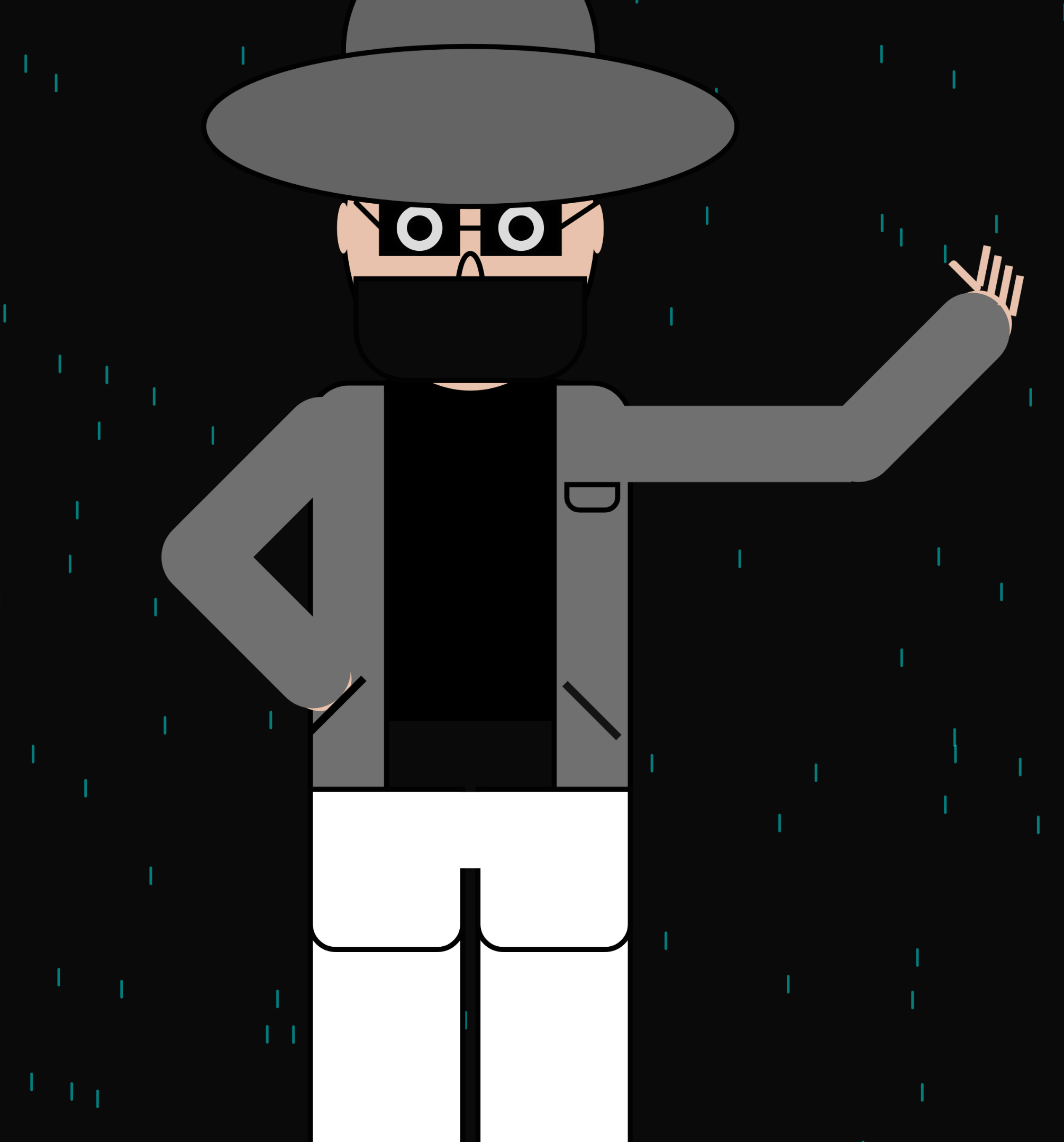
Then came the scary part, what to draw inside the screen frame. I had a lot of interest in cybersecurity or to honest in HACKING. It’s funny to me that my sketch looked more of like a imprisoned thief. Well this reminded me of an other golden rule form the high school i.e. “Don’t get caught” and I just kept going on with that. Lastly the glasses, they felt like a creating something from nothing. Even thou I did them in the loving memory of my classes I lost last semester, I was a happy experience. For future I want to add more colors, I did not add them this time because I wanted to very specific about each color I am adding and what it will represent. Did I not do it out of laziness or lack of understanding of relationships of colors with emotions? My answer to this question is biased but as the semester proceeds, it will probably hopefully go away. here is the website I used to read p5.js documentation; https://p5js.org/reference/ The sketch