Reading Reflection – Week 2

For me, the most significant takeaway from Casey Reas’ talk was the idea that chaos and order can coexist. Initially, I thought to myself, “This doesn’t make sense. How can two opposite ideas be used together to bring harmony and coordination? However, as I listened further to the point where he gave examples of pieces of art where randomness or chance was included to generate order and beautiful patterns in art, I was fully convinced.

Most importantly, Casey’s talk helped me realize that randomness doesn’t necessarily mean lack of control. I agree that it is essential to incorporate constraints to have control over randomness added to a piece of art. This is where I feel the optimum balance between total randomness and complete control can be achieved.  By using constraints, we can maintain intention but still have elements of unexpected and creative variations.

This understanding will be very useful to me as a learner. Although I’m not experienced in creative coding with p5.js, I plan to explore incorporating randomness into my works. For instance, I can use the random() function and set boundaries for positions and sizes so that my output is confined within a specific area, while having some variations in its properties.

Assignment 1: Self-Portrait using p5.js

Content:

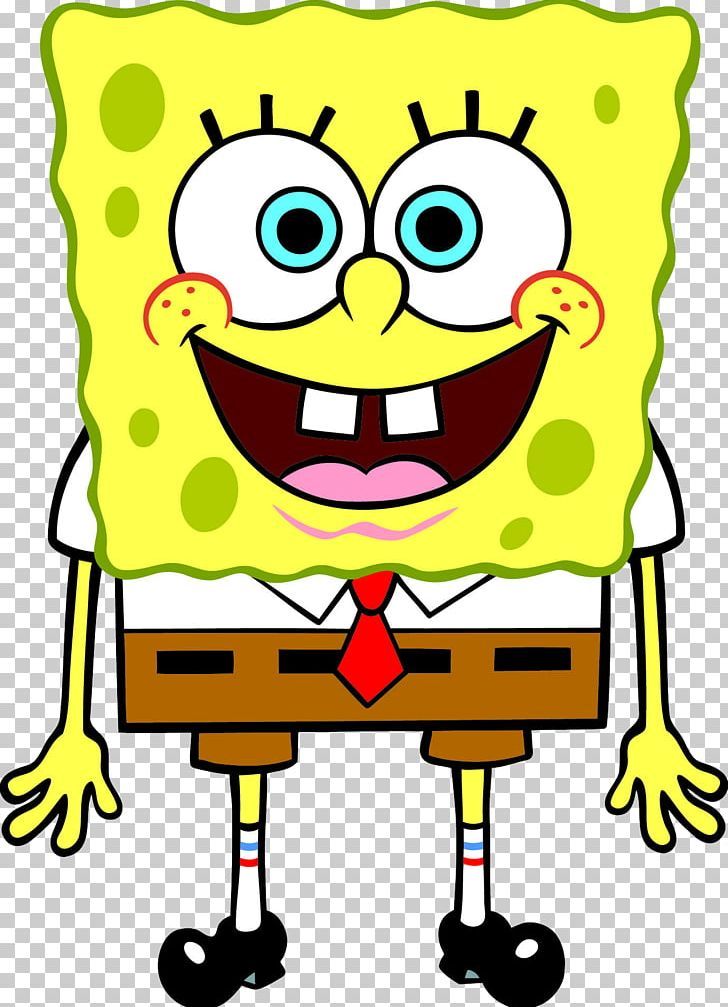
In this assignment, I wanted to create a close digital representation of my favorite childhood cartoon character, SpongeBob SquarePants, using p5.js. I broke down the somewhat complex inspiration image into a sketch of simple shapes and elements such as lines, arcs, circles, squares, and rectangles. I also utilised colors and visual proportions to increase the accuracy of my representation.

Here is my inspiration image for reference:

Code Highlight:

One part of my code I am proud of is how I created the eyes. It wasn’t too complex, but I like how it challenged me to think carefully about visual placements and proportions. I had to make sure that the radii of the inner and outer eyeballs were different and balanced, which helped me practice precision in design and calculation.

//-- Eyes --
fill('white');
noStroke()
ellipse(160, 210, 70, 70);
ellipse(230, 210, 70, 70);

fill('blue');
noStroke();
ellipse(167, 213, 30, 30);
ellipse(224, 213, 30, 30);

fill(0);
ellipse(169, 213, 15, 15);
ellipse(224, 213, 15, 15);

stroke(0)
line(136, 168, 143, 179);
line(153, 163, 153, 175);
line(169, 163, 164, 175);
line(210, 165, 218, 176);
line(228, 162, 228, 174);
line(243, 162, 238, 174);

Embedded Sketch:

Reflections & Future improvements:

This was my first time using p5.js, and since I joined the class late, I initially struggled to write clean code. However, after learning and experimenting with the different functions, I found it rather interesting how basic code could be used to create visually appealing designs. I love how the assignment encouraged me to think ahead about what my portrait should look like and make precise calculations to get the perfect body parts.

If I had more time and experience with p5.js, I would:

    • Create fingers using custom or complex shapes instead of using only a filled circle.
    • Use shadow effects to create a hollow-looking mouth and a custom shape to represent the tongue (I improvised to create a different representation of the mouth from the reference image)
    • Add sponge-like ridges along the body as seen in the reference image.
    • Incorporate animation, such as making the portrait smile and wave when the mouse hovers over the canvas, by using loops and/or conditionals.
    • Reduce repetition in my code by using conditionals and loops.