Week 2 – Writing Response

In his Eyeo talk, Casey Reas reflects on how randomness can bring life to a system. At one point, he explains that when there is no variation or unpredictability, everything begins to merge into sameness: “If these lines don’t have any bit of noise or jitter, they gradually tend towards one location. The system becomes homogeneous.” I found this idea so powerful because it mirrors real life. If everything was perfectly controlled, predictable, and identical, the world would feel lifeless. For example, if every tree on my walking path looked exactly the same, going on a walk would be dull and uninspiring. But because there’s always a little difference like a twisted branch, a bird flying by or sudden shift in light ,  my walk is always interesting and dynamic. Reas’ point about adding just a “slight bit of noise” to keep a system alive reminds me that unpredictability is what makes both art and life vibrant. I completely agree with his perspective that randomness doesn’t need to feel chaotic; instead, it can be a natural force that keeps things intriguing and gives them life, much like nature itself.

Reas also talks about the tension between chaos and order in art, saying that historically artists have been expected to impose structure and fight against disorder. His work flips that expectation, showing that embracing randomness doesn’t mean giving up control. He designs rules and systems but leaves certain spaces open for chance, allowing surprising outcomes to emerge. This balance really resonates with me. I’ve noticed in my own creative work that when I try to control every single detail, the result feels rigid and forced, it almost seems as if it traps my flow of creativity. On the other hand, if I let go completely, the work fully loses direction and structure. I think the “optimum balance,” as Reas demonstrates, is to create a strong foundation, like the rules of a game, and then allow randomness to bring it to life. This makes me rethink how I approach creativity. Rather than seeing unpredictability as a threat, I want to treat it as a collaborator, trusting that a little randomness will make my work interesting and lively, just as it makes the world around us more beautiful and alive.
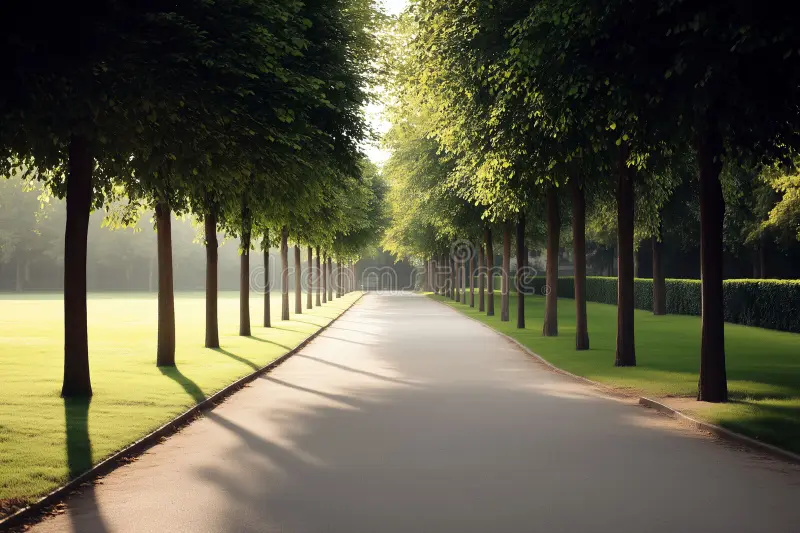
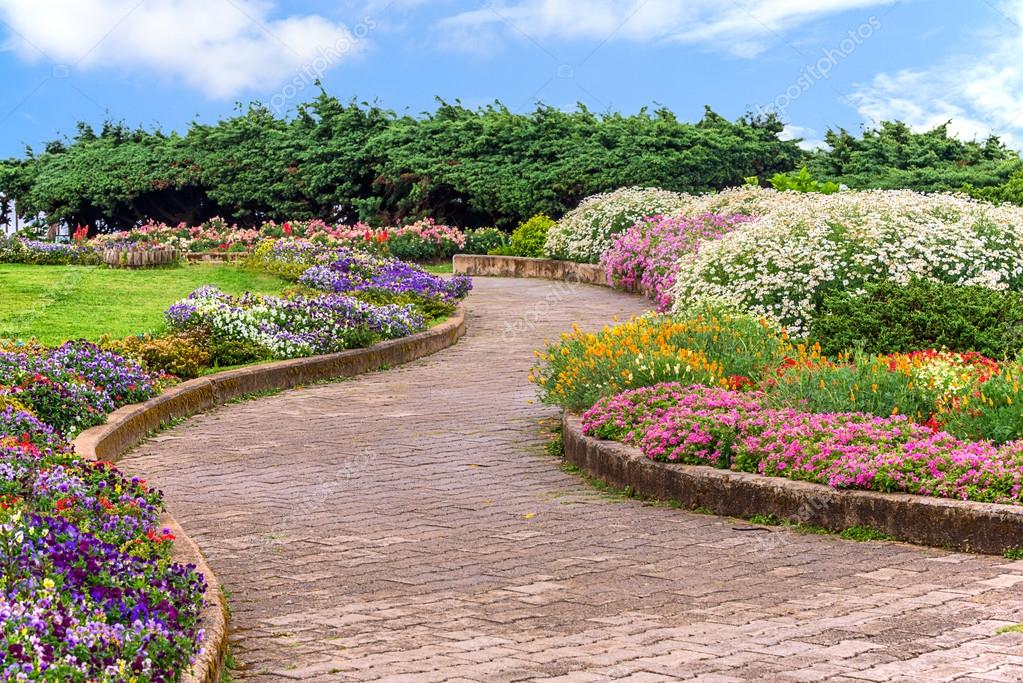
Casey Reas’ talk really resonated with me because I go on walks all the time, and I’ve noticed how much the environment affects how I feel. The first photo, with its perfectly symmetrical path and identical trees, reminds me of walking on a treadmill at the gym,  predictable and boring. But the second photo, with its uneven, colorful flowers and natural variety, captures what makes walking outside so special to me. The flowers aren’t perfectly placed, yet that imperfection gives the path life and personality. It doesn’t feel chaotic, just alive, and that’s what keeps my walks meaningful and exciting.

week 2 – patterns

Overview

At first, I wasn’t sure what to create for this project, so I decided to just start by making something simple: dots. My plan was to practice using loops by randomly placing dots on the screen. I used a while loop to create many dots, and once I saw them on the canvas, I realized they looked a lot like stars scattered across a dark night sky.

That gave me the idea to turn my project into a night sky scene. I kept the dots as stars, and then I wanted to make them feel more realistic. To do this, I decided to practice with a for loop to make the stars twinkle. By adjusting their brightness smoothly over time, the stars started to fade in and out, creating a gentle twinkling effect.

In the end, my project isn’t just a pattern of dots, it’s a simple, animated night sky that uses both while and for loops, and I really enjoyed the process of seeing it come to life step by step.

Highlight of code

One part of my code that I really enjoyed working on was where I used the while loop to create all of my stars. At first, I didn’t fully understand how a while loop worked, but through this project, I learned how it keeps running over and over until a certain condition is met.

let count = 0;
  while (count < 500) {  
    stars.push({
      x: random(width),
      y: random(height),
      size: random(1, 3),
      phase: random(TWO_PI) // different twinkle timing
    });
    count++; // increase count each time
  }

I used the while loop to generate 500 stars, each with a random position and size. What I liked about this was how simple it felt to control the number of stars, I just set a limit, and the loop kept creating stars until that limit was reached.

This helped me understand loops better because I could actually see the results on the screen. It also made me realize the difference between a while loop and a for loop. The while loop gave me more control over the setup process, and it was perfect for building the starting starfield for my night sky.

Self Portrait – Week 1

Overview

For this first assignment, this was actually my very first time coding. Because of that, I wanted to keep things simple, but also try something that I thought was cool and interesting. I decided to make a portrait in a scene that could change from day to night. The feature I liked the most was being able to switch the background from morning to night with a single click, it felt like a big achievement for me and made the project more fun. Overall, I kept the shapes and details simple, but I made sure that I could still change and experiment with the code.

https://editor.p5js.org/hajarr.alkhaja/full/

https://editor.p5js.org/hajarr.alkhaja/sketches/YawBFYuSj


Process

We started with a warm-up in class where we learned how to make a simple circle. That gave an idea on how to code for different shapes. We also learned how to make shapes change with a mouse click, and this inspired me to add the day and night feature. I watched the tutorial videos from YouTube, which helped me understand how to use shapes like ellipses, arcs, and triangles. From there, I built my project step by step, first the background, then the grass and sky, and finally the girl. I kept it simple, using a different shape and color for each feature, and added a night variable so everything could change between day and night.

Code Highlights

At first, I really struggled with the code because I didn’t fully understand how the night variable and the if (night) statements worked. It was confusing to me how to make something happen only in the day or only in the night. Slowly, I started to get the hang of it, and once I understood the logic, it became much easier. In the end, most of my code was just repeating the same pattern in different ways, for example, changing colors, showing the sun or the moon, or opening and closing the eyes. 

I found it really interesting how I defined the night variable once and then kept repeating the if/else code for each feature of my self-portrait. I slowly got the hang of it and it helped me understand how coding logic works.

// girl's dress (triangle body)
if (!night) {
  fill(255, 105, 180); // bright pink (day)
} else {
  fill(199, 21, 133);  // darker pink/purple (night)
}
triangle(
  width/2 - 25, height - 70,
  width/2 + 25, height - 70,
  width/2,      height - 190
);


Another challenge I faced was figuring out where to place each shape. I had to keep adjusting the positions, running the code, and moving things again until I found the right spots. This took a lot of trial and error, but it also helped me learn how the coordinate system works.

At one point my code even stopped working completely and gave me errors I didn’t understand. I couldn’t figure out why, so I used AI to help me find the mistake. Once I fixed it, everything started working again, and I was able to continue building my portrait. Overall, I feel like I learned a lot about both the logic of coding and the patience it takes to position and test shapes.