Concept:
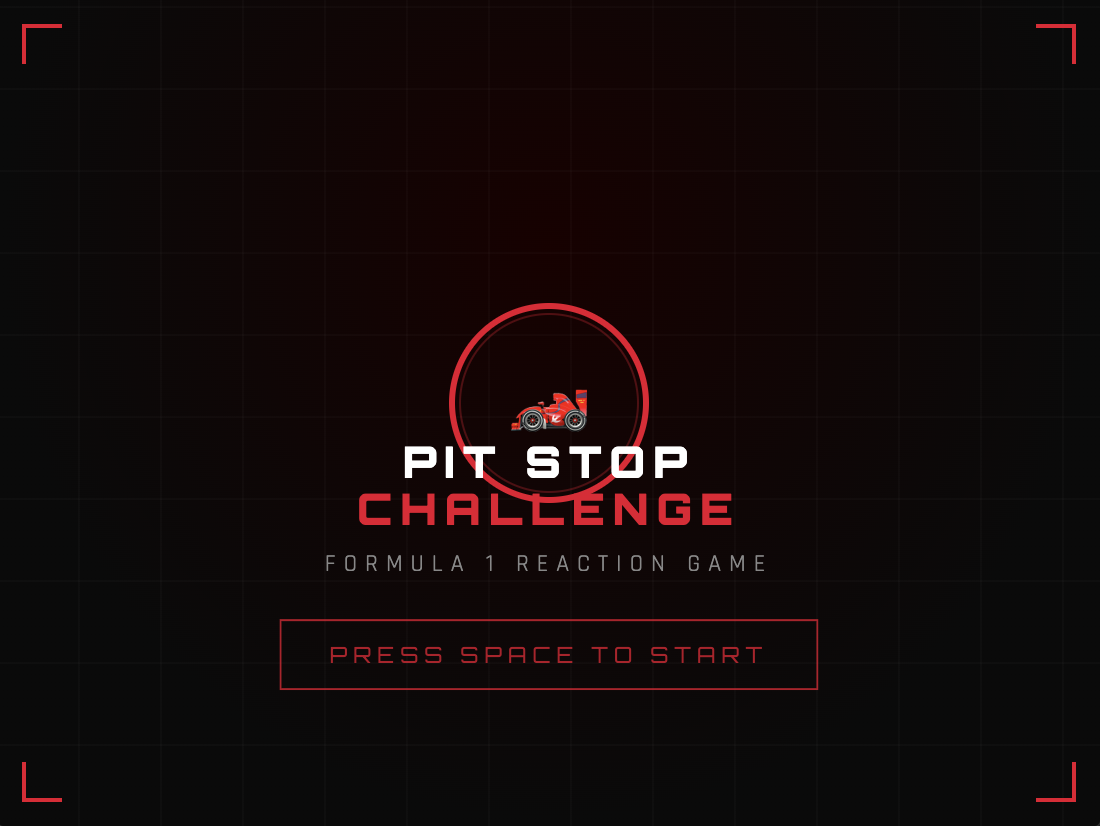
Inspired by pit stops in Formula 1, the goal of this game is to change tires in the correct order as quickly as possible.
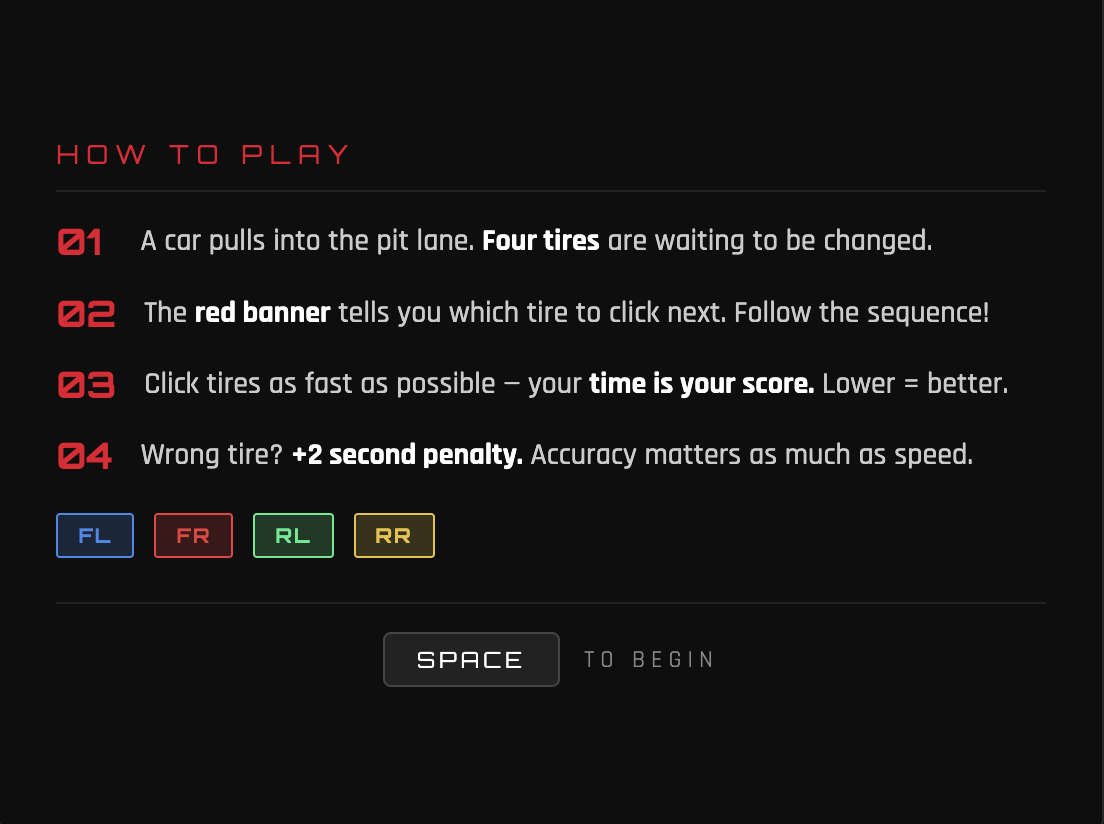
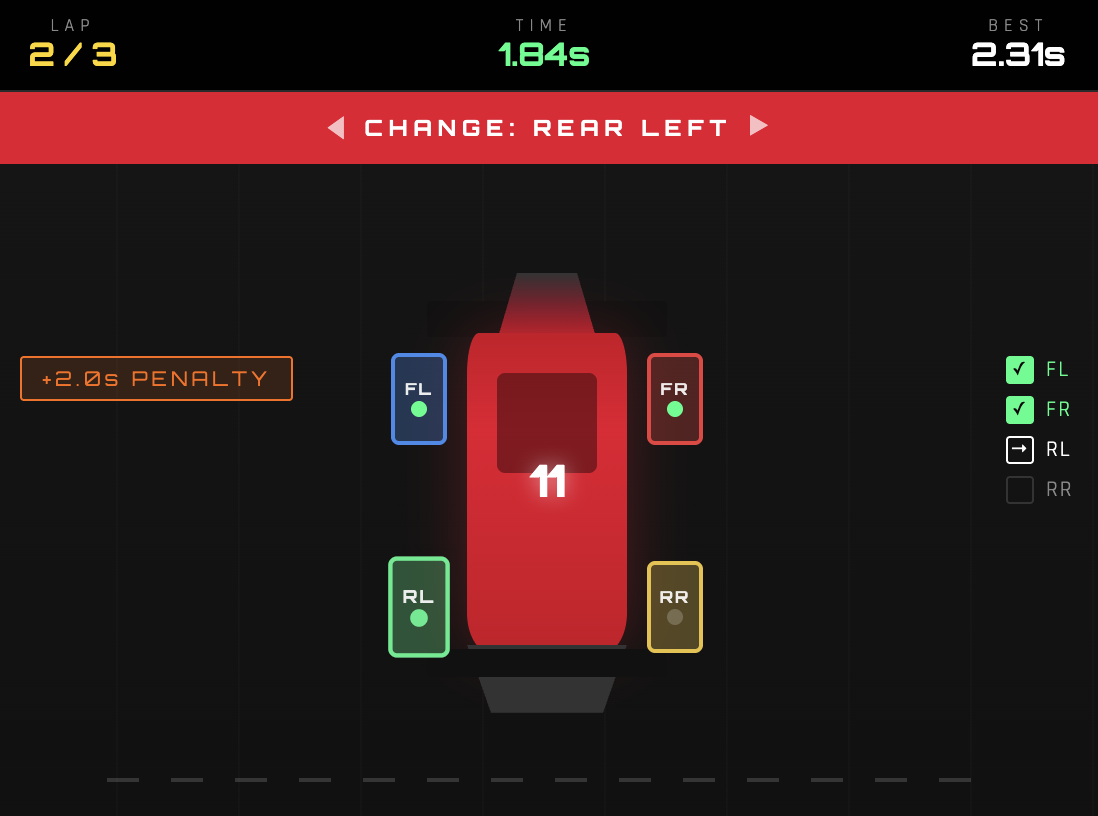
There are 3 rounds per game. In each round, the car enters your garage, and you are given a random order to change the tires. The order changes every round. At the top of the screen in the red banner, you see the tire you have to change. You must click that tire on the car to “change” it. The game not only requires speed but correctness. Each wrong tire you press costs you a 2-second penalty, adding to your total time at the end.
Once all 3 rounds are complete, you can see your final time and the time taken during each round. The game also tracks your high score, even when you restart the sketch, so you can come back to beat your high score at any time!
Final Game + Code:
*For the best experience, open the sketch in a new tab and play the game in full screen
Implementation:
I began by creating the audio files I needed for the game. I went to YouTube to find the F1 theme song to use on the start and results pages, and I also found a video demonstrating a real pit stop to use for the wheelgun and engine sounds. Then, I converted each video to an MP3 file, and I used an audio cutting website to cut the audio so I only took the wheelgun and engine sounds, and I had to shorten the F1 theme audio since it was too big to upload to the p5 editor.
Then, I gathered all my images. I asked ChatGPT to create a cartoon-ish pitlane image with arrows and lines to use in my game since I could not find the exact image I needed online. I also found a cartoon F1 car with a transparent background.
I also chose a font to use from Google Fonts and uploaded that as well.
Then, I researched different functions I knew I needed. First, as the professor suggested, I wanted to implement a high score tracking feature, where the user’s highest score is saved even when they restart the sketch. I found the function storeItem(), which does exactly that. I also needed a time tracking function for the timer, so I found the millis() function, which returns the number of milliseconds since the sketch started running. Finally, I needed a way to shuffle the order of the tires. My initial idea for implementing the shuffling was to randomly generate a number between 0 and 3, and each time the number is used, it cannot be used again. These numbers are then used to access the tire at that index in the array and is displayed to the player; however, I realized this would make it more complicated to track the tire and if the user clicked the correct one, and is also very inefficient. So, I referred to Google to find a function that shuffles items in an array and found the shuffle() function.
The game was built around 4 classes. First is the GameManager class which controls everything. It tracks which screen should currently be displayed from the 4 screens: start, instructions, playing, or results. It also manages the progression between the three rounds, calculates the total pit stop time, compares it against the stored high score, and handles the mute state for the background music in the main and results screens. The high score is stored using the storeItem() function, which stores a certain value with a label you give it in the browser’s localStorage. For retrieval, you use the getItem() function. Initially, I did not have a mute button, but after having my friends test my game, one of them suggested it due to the song’s loud volume and how it can become annoying after listening to it for a while.
The Car class handles how the car drives into and out of the pit box. It has three properties that control its movement: y which is its current position, targetY which is where it needs to stop, and two boolean flags called arrived and exiting that track what stage of the animation it is in. Every frame the update() method runs and uses
lerp(this.y, this.targetY, 0.04)
to move the car smoothly toward the center. lerp() works by taking 4% of the remaining distance each frame, which means the car moves fast at first and naturally slows down as it gets closer, creating a deceleration effect. I only used lerp() for the entrance of the car because logically when the car accelerates to the top of the screen it is leaving the garage to go back on track, so it must leave the screen quickly to give that effect. Once the difference between the current position and the target is less than 1 pixel, the car snaps exactly to the center and arrived is set to true. When the pit stop is complete, exiting is set to true and the car moves upward until it disappears off the top edge. To draw the car, I used imageMode(CENTER) with translate(), so the image is always perfectly centered on the car’s current coordinates.
The PitStop class controls the main gameplay logic. At the start of every round the start() method calls shuffle() on the array storing the tire labels to generate a random sequence, and the variable currentStep keeps track of which position in that sequence the player is currently on. The timer only starts counting when the car has fully arrived, using a boolean flag timerStarted so that millis() is only recorded as startTime the moment the banner appears. The elapsed time is calculated every frame as
(millis() - this.startTime) / 1000 + this.penalty
because dividing by 1000 converts milliseconds to seconds and penalty adds any two second penalties from wrong clicks. When a wrong tire is clicked, wrongFlash is set to true and wrongTimer records the exact millisecond it happened, then in update() the code checks if 500 milliseconds have passed since then and resets the flash.
The Tire class handles each of the four individual tires, and each tire is an instance of the Tire class. Each tire stores its position as offsetX and offsetY, which are fractions of the canvas size, and the actual pixel coordinates are calculated every frame using getX() which returns gameManager.car.x + this.offsetX * width and getY() which returns gameManager.car.y + this.offsetY * height. I created functions to calculate the tire’s X and Y positions rather than giving them a static value in the constructor so they can be resized with the car when the window size is changed. Each tire also has a state property that is set to either ‘waiting’, ‘active’, ‘done’, or ‘wrong’, and the draw() method uses these states to determine the color it should display each tire with. Click detection in isClicked() works by checking whether the mouse coordinates fall within the rectangle representing the tire.
Parts I am proud of:
The feature I am most proud of is definitely the high score. When I initially heard the idea, I didn’t think I would be able to implement it, assuming it might be too complicated. However, I am glad I found the storeItem() and getItem() functions and that they were extremely simple to use.
This is where the high score is retrieved in the reset()/constructor function of the GameManager.
//load the saved high score from browser storage
//if nothing has been saved yet, default to 0
this.highScore = getItem("pitStopHighScore") || 0;
And here, it checks whether the player achieved a new high score or not to update the variable. It also changes a boolean flag which helps determine if the player achieve a new high score to display a new high score message in the results screen.
//check if this is a new high score
          if (this.highScore == 0 || this.totalTime < this.highScore) {
            //new best. save it to browser storage
            this.highScore = this.totalTime;
            storeItem("pitStopHighScore", this.highScore);
            this.isNewBest = true;
          } else {
            this.isNewBest = false;
          }
I am also generally proud of the graphics and sounds used in the game. It ended up looking way better than I imagined I would be able to make it.
Challenges and Areas for Improvement:
One bug I ran into was that the timer was starting at around 2 seconds instead of 0 at the beginning of each round. I realized this was because I was starting the timer the moment the round began in startRound(), so it was not accounting for the fact that the car still needed to move in from the bottom of the screen before the player could actually do anything. So, by the time the tires appeared, the timer had already been counting for however long the entry animation took. I fixed this by adding a boolean flag called timerStarted to the PitStop class and a startTimer() method that only records the start time if the timer hasn’t begun yet. Instead of starting the timer in start(), I call startTimer() inside drawPlaying() in the GameManager, but only once car.arrived is true, so that the timer starts at exactly the same moment the banner and tires appear on screen.
For the future, I would like to add more complexity to the game, perhaps more rules or different game modes. I also thought of this later on, but a great feature to implement, which would’ve allowed players to score lower times would be to show the sequence of tires that they need to click for that round. This would allow players to anticipate the next tire they have to click and click it faster.
References:
Pitlane Background:
Audio:
Function References:
Font: