Week 9: Physical Computing’s Greatest Hits (and misses)

Reading Tom Igoe’s Physical Computing’s Greatest Hits (and Misses) made me think about how creative patterns tend to repeat, especially in hands-on, tech-driven projects. Igoe doesn’t frame repetition as a lack of originality, which I appreciated. Instead, he treats these recurring themes—like theremin-like instruments, drum gloves, or video mirrors—as open-ended ideas that people keep revisiting because they’re fun, expressive, and adaptable. I related to that idea a lot because I’ve definitely hesitated before, thinking something wasn’t worth doing since it had “been done before.” But the more I read, the more I agreed with his point that originality isn’t about inventing from scratch; it’s about finding your own way into an existing form. What stood out to me were the projects that relied on the body as the main input—like gloves that create rhythm through tapping or instruments that react to gestures. Those projects feel personal and direct, and I like how they blend instinct with technology. Igoe’s descriptions made me realize that the best physical computing ideas don’t just respond to touch or movement; they build a relationship with the person using them.

Some parts of the reading also made me laugh or nod along because I’ve seen those same trends pop up in classes or exhibits. The “video mirrors,” for instance, are always visually striking but usually shallow in interaction—you wave, something moves, and that’s it. Igoe’s critique there made sense. It reminded me that while technology can catch attention, meaning comes from how people connect to it, not just how it looks. I was also drawn to the more poetic examples like “Mechanical Pixels” or “Fields of Grass,” where simple mechanisms create quiet, almost meditative experiences. Those pieces blur the line between machine and nature, which I find really compelling. Even the sillier categories, like “Things You Yell At,” showed how emotional interaction can be when it’s physical and immediate. Overall, the article made me think about how I might approach projects differently: not trying to avoid what’s been done, but trying to make it feel a bit more like me.

Week 8 – Unusual Switch

Concept

I’ve been thinking a lot about how we usually interact with electronics. It’s almost always with our hands; pressing buttons, turning knobs, typing. So I’m glad we got to try something different. My idea for this project is to have a foot-activated Arduino switch made with nothing more than aluminum foil, tape, socks, and (curiosity).

The idea is simple. When your feet touch, they complete a circuit, and when they move apart, the circuit opens again. Your body becomes the bridge that carries a tiny signal. I wrapped strips of foil around my feet (over socks), taped them so they wouldn’t slip, and connected one to pin 2 on the Arduino and the other to ground. When the two foils touch, the Arduino reads a HIGH signal, meaning the circuit is complete.

Demonstration

IMG_5452

Code

int footSwitchPin = 2;   
int ledPin = 13;         

void setup() {
  pinMode(footSwitchPin, INPUT);
  pinMode(ledPin, OUTPUT);
}

void loop() {
  int footState = digitalRead(footSwitchPin);  //check if feet are touching

  if (footState == HIGH) {
    digitalWrite(ledPin, HIGH);   //feet together = LED ON
  } else {
    digitalWrite(ledPin, LOW);    //feet apart = LED OFF
  }
}

Challenges and Improvements 

The biggest challenge was stability. The foil sometimes slipped or wrinkled, breaking contact even when my feet were touching. The tape would loosen after a few tries, so I had to adjust it constantly.  On the creative side, it would be fun to connect it to a sound or visual program on a computer. For example, every time your feet meet, a sound plays or a color changes on screen. That could turn this tiny experiment into a music or art performance piece.

Week 8 Reading Reflection – Attractive Things Work Better

I didn’t expect to agree so much with Don Norman when I first read Attractive Things Work Better. The title itself almost sounds like clickbait; it feels like he’s just saying “make things pretty.” But as I went through the reading, I realized he wasn’t talking about surface-level beauty at all. He was talking about how our emotions actually change the way we think and interact with design. One thing that really stuck with me was his story about the three teapots. He describes one that’s intentionally unusable (the “coffeepot for masochists”), another that’s kind of ugly but works well, and a third that’s beautifully designed and practical at the same time. It sounds funny at first, but it captures something real about how we connect with the things we use.

Norman also connects emotion and cognition in a way that made a lot of sense. He explains how positive affect (basically being in a good mood) helps people think more creatively and handle problems better, while negative affect makes us focus and think more carefully but also more rigidly. I liked his point that when people are relaxed or happy, they become more flexible, patient, and open-minded; they’re even more forgiving of little design flaws. That feels true in life too. When I’m in a good mood, I don’t mind if my phone glitches or my m1 macbook gets loud; but, as you can imagine, when I’m stressed, every small thing feels like a disaster. When something looks and feels good to use, it changes our attitude toward it; we engage more willingly and think more clearly. I liked how Norman ended by saying that good design balances beauty and usability. A product shouldn’t be just functional or just nice to look at; it should feel right to use.

Week 8 Reading Reflection – Her Code Got Humans on the Moon

Well, that photo of Margaret Hamilton standing next to a pile of papers taller than she is has always amazed me as a kid. I remember seeing it everywhere online when I was younger; it circulated a lot in the Arab world, on Facebook and Tumblr especially. People shared it with captions about how her code took humans to the moon. Even before I knew who she was, I could feel that the image meant something special–this one person beside a literal mountain of her own work.

After reading Her Code Got Humans on the Moon, I finally understood why that picture had such an impact. Hamilton wasn’t just part of the Apollo program; she helped define what software engineering even was. Back in the 1960s, people didn’t really think of “software” as an important part of space missions; it wasn’t even included in NASA’s original budgets. But Hamilton and her team at MIT’s Instrumentation Lab changed that. They wrote the code that ran on the Apollo spacecraft, and their work made it possible for Neil Armstrong and Buzz Aldrin to land safely on the moon. What struck me most in the reading was how she handled the pressure. There’s a part where she talks about staying up late to fix a single line of code because she was afraid it could cause an error during a mission. And later, that actually happened—an error almost caused chaos during Apollo 11, but because of how Hamilton had designed the software to prioritize important tasks, the system recovered and saved the mission. That’s insane to think about; one person’s attention to detail made the difference between failure and success.

I also liked how the reading mentioned her bringing her daughter, Lauren, to the lab on weekends. It was such a human detail—this image of a mother working on code that would go to space while her kid slept next to her. People back then questioned her for it, asking how she could leave her daughter to work, but she just did what she believed in. That kind of dedication hit me.

Midterm Project; Operation: Campus Cat

Project Concept
Operation: Campus Cat is a fast-paced game inspired by the beloved community cats of NYU Abu Dhabi. Set against the backdrop of a stylized campus map, players must protect their food from a hungry, mischievous orange cat who roams freely and relentlessly across the scene. It’s a tongue-in-cheek interpretation of a very real situation many NYUAD students have experienced: trying to eat while a campus cat watches… and slowly approaches.

While planning this game, I intended to blend together light strategy, reflex-based mechanics, and playful visuals that are based on NYUAD’s. As you can see, he tone is humorous but is still grounded in campus life, and, quite frankly, don’t expec  a fantasy game about fighting cats, but rather a funny tribute to the cats who rule the Interactive Media garden and food court. Operation: Campus Cat aims to turn a slice of real NYUAD culture into an accessible, replayable p5.js browser game. So, if you happen to be one of our campus cats’ victims, if they stole your food, I hope this makes you feel better in some way!

How the Game Works
Well, the core loop is pretty simple: food spawns randomly on the screen every few seconds, and the player must reach the food before the cat reaches it. Each successful click earns 5 points. But if the cat eats a food item, the player loses 2 points and it adds to the “cat ate” counter. Once the cat eats 5 items in a round, or if the round timer hits 0, the player loses one of their 3 lives. Once all lives are gone, the game ends with a final score.

The cat’s movement isn’t passive; it actively chases the nearest food using simple vector math. It glides across the campus map toward its next target, making the player prioritize which items to save. Clicking on the cat itself instead of the food will make it temporarily disappear (a “Signal Lost” message appears in its place), but doing so costs 3 points. Imagine you’re using a satellite to track the cats’ movement. This is basically it! This mechanic creates a high-stakes trade-off: delay the cat briefly, or focus on clearing food? Rounds last 60 seconds, and the player must keep moving fast and making strategic decisions.

A full-screen responsive shows score, remaining lives (as hearts), the number of missed food items in the current round, and a countdown timer. The game also features a start screen, instruction screen, and a game over screen, with appropriate transitions and buttons to replay or restart the session.

 Code Snippet
Here’s the logic for the cat’s food-chasing behavior, which uses distance checks and angle math:

const angle = atan2(nearestFood.y - this.y, nearestFood.x - this.x);
this.x += cos(angle) * this.speed;
this.y += sin(angle) * this.speed;

The Food class includes a pulse animation using a sine wave to make items feel more alive and clickable:

const pulse = map(sin(frameCount * 0.1 + index), -1, 1, 0.85, 1.15);

The game is organized using object-oriented design. The core classes are:

  1. Game: Overall state manager (start, play, game over)
    2. Cat: Handles cat behavior, movement, hiding state
    3. Food: Controls food spawning, visuals, and interaction
    4. HUD: Manages the interface and gameplay data display
    5. Button: A reusable UI component for menus and controls

Assets like images and sound effects are loaded via the Assets object, with fallback logic in case of load failure (e.g., drawing simple shapes instead of broken images). This ensures that even with missing files, the game still runs and remains playable.

What I’m Proud Of

  1. Game’s background

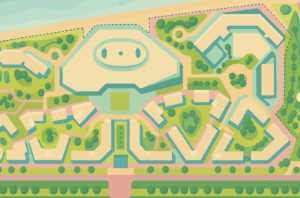
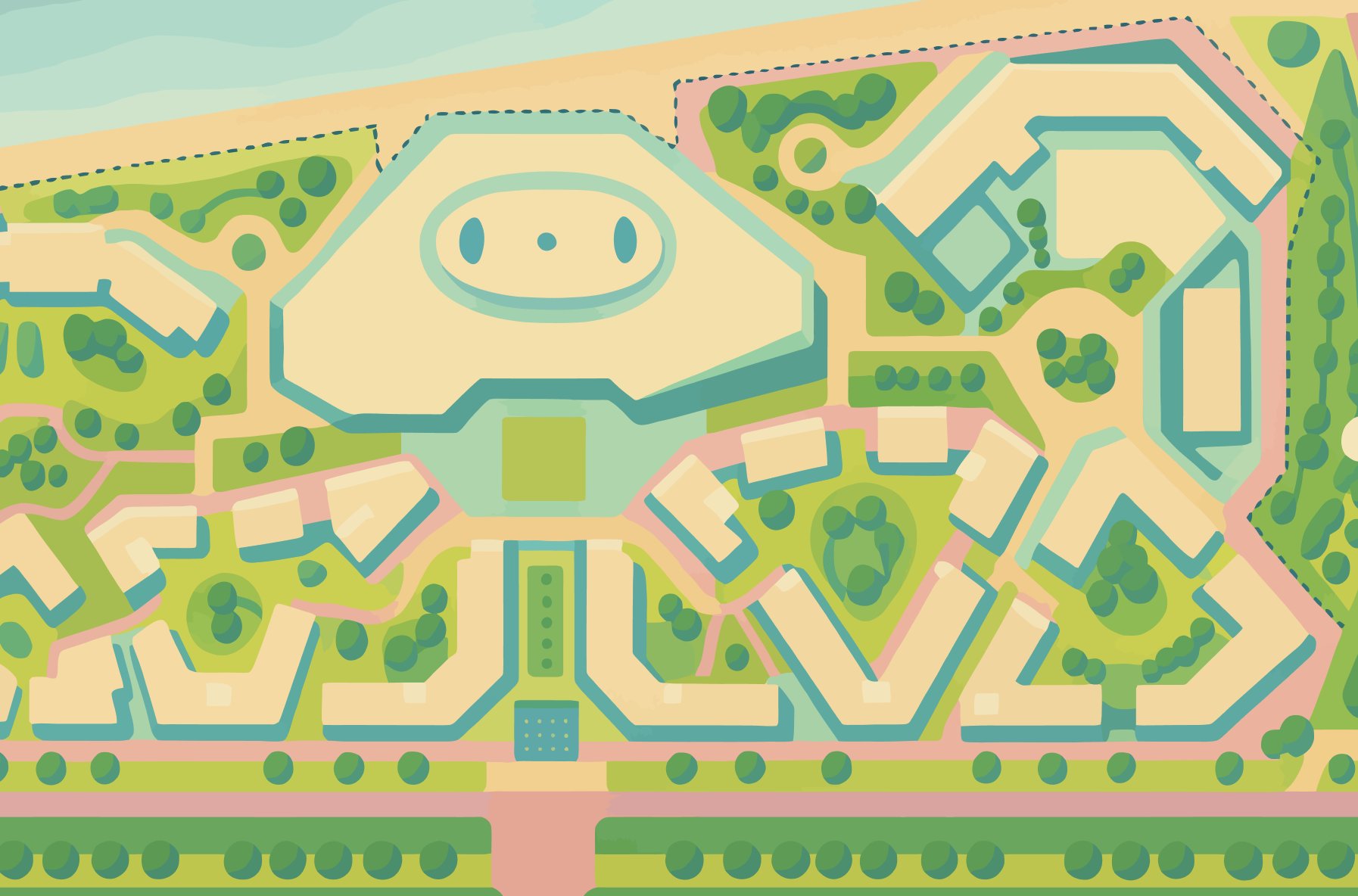
    I made this in freshman year while taking a core design class here at NYUAD. When I was looking for a drawing that shows our campus from above, this one worked perfectly! The only thing that was time consuming about it was finding the right palette that is both relatable and playful to suit the mood of the game. I decided to make it more green, make the top of campus center to resemble/imply the head of a cat (not sure if it shows). As I said, choosing the colors was challenging, and so ChatGPT helped me with the color choice as well.
  2. One section of the code I’m particularly proud of is the pulsing animation inside the Food class. It’s a small visual detail, but it adds a lot of liveliness to the screen. Each food item subtly “breathes” using a sine wave function, making it feel dynamic and easy to spot. This animation helps guide player attention and makes the gameplay feel more polished.

    // Inside Food.draw()
    const pulse = map(sin(frameCount * 0.1 + index), -1, 1, 0.85, 1.15);
    const img = Assets.img.food[this.imageKey];
    
    if (img && img.width > 0) {
      push();
      translate(this.x, this.y);
      scale(pulse);
      imageMode(CENTER);
      image(img, 0, 0, this.size * 2, this.size * 2);
      pop();
    }
    

    This little animation uses sin(frameCount * 0.1) to smoothly oscillate each food’s scale over time, creating a soft pulsing effect. I like this snippet because it shows how much visual impact can come from just a few lines of math and thoughtful timing, no extra assets or libraries needed. It makes the entire game feel more animated and alive without adding any performance cost.

    Challenges & Areas for Improvement

    One of the biggest challenges was cat movement; initially the cat was too fast or too slow, or would teleport unexpectedly. I had to tune the speed and collision radius multiple times to make it feel fair. Similarly, I ran into trouble with image preloading: sometimes food items or the campus map would fail to load. I added fallback logic so that the game shows a colored circle if images fail.

    In terms of gameplay, it currently doesn’t scale difficulty; every round is the same length, and the cat moves at a constant speed. In future updates, I’d like to introduce progressive rounds where spawn intervals shorten and the cat gets faster. Other ideas include adding multiple cats, special food items, or power-ups like “cat repellent” or “freeze time.”

    Lastly, while the game runs in fullscreen and resizes on window change, it’s not yet optimized for mobile/touch input, which would make it more accessible to a wider audience. Touch support and gesture input would be a major next step.

Reading Reflection – Week 5

I found the essay to be incredibly refreshing and insightful. I believe the distinction it draws between computer and human vision is a crucial one; it’s not simply that computers are a less sophisticated version of us, but that they perceive the world in a fundamentally different, more literal and mathematical way. It’s fascinating to think that a complex process like “seeing” can be broken down into these logical, computational steps. I liked the author’s emphasis on the idea that we don’t just need to write better code, but we also need to create environments that are conducive to how computers “see.” The practical advice about using controlled lighting to create high-contrast silhouettes or employing infrared light to track objects without visual distraction was really nice to learn about. It makes me think that the art of computer vision in an interactive setting is as much about stagecraft and environmental design as it is about programming, which is a perspective I hadn’t considered before.

The essay’s discussion on the role of tracking and surveillance in interactive art was, I think, the most thought-provoking part. It raises profound questions about the relationship between the observer and the observed, and how that dynamic shifts when the artwork itself is watching you. The concept of the “gaze” of the machine is something I find both compelling and a little unnerving, and the essay really delves into that duality. I liked that it pushed me to consider the ethical implications of these technologies in art. When an installation is collecting data on its viewers’ movements and interactions, it brings up important questions about privacy and how that data is used. The idea that surveillance technologies can be repurposed for play, self-discovery, and creating beautiful, emergent systems is a powerful counter-narrative to the more dystopian applications we often hear about.

Midterm Progress

Concept

Well, for my project, I have always been really inspired by the Japanese art of Kintsugi (金継ぎ). What I love about it is the philosophy of it that, instead of hiding the cracks in broken pottery, it highlights them with gold. It treats the breakage and repair as a beautiful part of the object’s history, and I find that to be incredibility interesting. This is why I want to bring that idea into a digital space.

For now, I think I’ll call my project the “Kintsugi Canvas.” I don’t intend it to be a typical drawing tool; I want to build an interactive artwork where your first action is to break something. You simply shatter a digital canvas with a click, and then watch as the program algorithmically mends the damage with simulated gold, creating a unique piece of art from the flaw you introduced. Of course, this is the base idea for now, but I’ve been thinking about the kind of object that I want to be fixed; is it a bowl that the user breaks and then repairs again? (as seen in the photo below). Well, I’m not decided yet, but pretty sure it’ll be among those lines. Of course, my goal is to make it like a game, so I want to fit all these elements together.

The Art of Kintsugi: “In the fractures, we find our light.” — Zen Art Gallery

Gameplay Loop

The core gameplay loop is a simple, two-step journey that puts the player in the role of both destroyer and observer.

*** Shatter: The player’s primary action. A single click on the blank canvas triggers a fracturing process. Cracks spread dynamically from the point of impact, breaking the canvas into unique polygonal shards.

*** Mend: The game’s generative response. Once shattered, the system automatically traces the new cracks with an animated golden seam, “healing” the canvas. The player watches as a beautiful, final artwork emerges from the damage they initiated.

For now, till I decide on the actual technicalities of the game, I’ve decided to keep controls are minimal and intuitive: click to start a new round, press ‘S‘ to save your creation, and ‘R‘ to reset the canvas. These, of course, will increase once I have decided on the idea completely.

So, to state it simply, the game will give the users places to go to and from there they can shatter or mend. For now, I’m planning on a museum, bedrooms, personal times, etc. Some examples I’m planning to incorporate as the base are:

Gen4 same art style, meusuem with paintings 2397059461.png

Gen4  a cozy dorm room with red recliner or comfortable share suitable for storytelling, no 16256789.png

Gen4 same art style, christmas tree and lights 4115991441.png

You simply choose an object, and you can shatter it, mend it, etc!

The Core Design Challenge

For the game to be compelling, the act of breaking the canvas has to feel satisfying and organic. The biggest technical and design challenge is probably generating crack patterns that look natural. A static or predictable pattern would make the core mechanic feel repetitive and robotic, ruining the player’s experience. The entire project hinged on making this moment of destruction feel alive.

The Solution

To brainstorm, I’m planning a concept focusing entirely on this procedural generation, a system of agents I call “growers.” Each grower is a point with a position and direction that carves a path. By giving these agents a simple set of rules—move, wander slightly, branch occasionally, and die on collision—complex, organic patterns emerge, which is totally needed for the project.


Week 4 Reading Reflection

Something that drives me crazy, and I noticed it a lot here during Professor Goffredo Puccetti’s wayfinding class, is when signs are misplaced or point the wrong way. We used to find arrows that looked like they were telling you to turn when you were actually supposed to keep going straight, or signs that were posted too early or too late to actually help. For some reason, it always felt like they were almost mocking us, because instead of guiding, they just created hesitation. I think the only real fix is testing them in the real moment. You can’t design a hallway sign by looking at a blueprint in an office. You have to walk that path, see where people naturally pause, and place the sign right where the choice needs to be made.

Norman’s ideas connect to this really well, and I think they translate to interactive media almost directly. A misplaced sign feels like a button on a website that looks clickable but isn’t, or a menu gesture that does something different than you expect. Norman talks about affordances and signifiers, and those matter so much online. Buttons should actually look tappable, gestures should be hinted at with little cues, and feedback should come right away. Even a tiny animation or sound can reassure someone that the system heard them, the same way a well-placed arrow reassures you that you’re still going the right way in a building.

For me, applying Norman’s principles to interactive media is really about remembering that people use things while distracted, busy, or in motion. Just like we tested signs while walking, I think apps and websites should be tested while people are juggling other tasks. Mapping should feel natural—swiping left should move left, clicking save should clearly save—and the system’s “model” should always be consistent. What I really took from both the chapter and that class is that when people get lost, whether in a hallway or an app, it’s almost never their fault. It’s the design that failed to guide them. That reminder makes me want to design things that feel clear, forgiving, and human.

Assignment 4 – Generative Text

Concept

Well, so I wanted to create something that would bring words to life based on their emotional weight. The idea came to me while I was writing an essay and then I was just thinking about how certain words just hit differently; like how “thunder” feels more intense than “whisper,” for example. So I built this visualization that reads emotion data from a CSV file and animates words according to their intensity levels. Each word gets its own personality through movement – high-intensity words explode across the screen in chaotic circles, medium-intensity ones flow like waves, and gentle words just float peacefully. The colors and sizes change too, so you can literally see and feel the emotion in each word. Every 3 seconds it switches to a new word automatically, but you can also hit the spacebar to jump ahead if you’re impatient (like me).

Highlight of the code I’m proud of

The part that really clicked for me was figuring out how to make each letter move independently while still keeping the word readable. At first, all my letters were just clumped together or flying off in random directions, but then I realized I needed to treat each letter as its own little character with its own animation offset.

// Animate each letter individually
for(let i = 0; i < word.length; i++) {
  let x, y, size;
  
  if(intensity >= 80) {
    // High energy - explosive circular movement
    let angle = time * speed + i * PI/3;
    let radius = sin(time * 6 + i) * intensity * 0.5;
    x = cos(angle) * radius * 0.4 + i * 40 - (word.length * 20);
    y = sin(angle) * radius * 0.3;
    size = 45 + sin(time * 8 + i) * energy * 15;
  }
  // ... more animation types
}

Using i * PI/3 and i * 0.6 as offsets made each letter follow the same pattern but at slightly different phases, so they stay connected as a word but each one has its own rhythm.

I’m also pretty happy with how I handled the CSV parsing. I decided to do it manually instead of using a library.

// Parse CSV manually - split into lines then extract values
const lines = csvText.trim().split('\n');
const headers = lines[0].split(',');

// Process each data row (skip header row)
for (let i = 1; i < lines.length; i++) {
  const values = lines[i].split(',');
  csvData.push({
    word: values[0],
    intensity: parseInt(values[1]),
    color: [
      parseInt(values[2]),  // red
      parseInt(values[3]),  // green
      parseInt(values[4])   // blue
    ]
  });
}

Sketch

The visualization cycles through emotional words automatically, or press spacebar to advance manually.


Future Improvements

There are definitely some things I want to tackle next. First, I’d love to add sound. Another idea is to let users upload their own word lists or even type in words manually to see how the system interprets them. Right now it’s limited to my CSV file, but it would be cool to make it more interactive. I also want to experiment with particle effects – maybe letters could leave trails or break apart into smaller pieces for really explosive words.

The color system could be smarter too. Right now I’m manually assigning colors, but it would be interesting to generate them automatically based on the word’s emotional category or intensity. Maybe cooler colors for calm words and warmer ones for energetic words, or even colors that shift gradually as the intensity changes.

Week 3 – Generative Artwork

Concept

For this project, I wanted to make something playful and a little alive. I imagined ordinary water bottles sitting on a table and thought about what it would look like if they could bounce around on their own. Well, needless to say, I have some funny stories with water bottle, and so I wanted to create this specifically. I wanted each bottle to feel different, with its own color, size, and movement.

To make this work efficiently, I used object-oriented programming. Each bottle is an instance of a WaterBottle class with its own properties like position, size, color, velocity, and gravity.

Part of the Code I’m Proud Of

One of the parts I like the most is ensuring each bottle had a unique color while keeping everything randomized. While it’s easy to do, I found it fun to experiment with colors.

let shuffledColors = shuffle(BOTTLE_COLORS).slice(0, NUM_BOTTLES);
for (let i = 0; i < NUM_BOTTLES; i++) {
  bottles.push(new WaterBottle(
    random(50, width - 50),
    height - TABLE_HEIGHT,
    random(30, 50),
    shuffledColors[i]
  ));
}

Here I shuffle the array of predefined colors and then slice the first few to assign one to each bottle. This guarantees uniqueness without hardcoding or risking duplicates. Then I loop through and create a new WaterBottle instance for each color, giving it a random size and horizontal position.

The class itself encapsulates the motion logic:

class WaterBottle {
  constructor(x, y, size, bottleColor) {
    this.x = x;
    this.y = y;
    this.size = size;
    this.baseY = y;
    this.velocity = random(-8, -5);
    this.gravity = 0.1;
    this.color = color(bottleColor);
  }

  update() {
    this.velocity += this.gravity;
    this.y += this.velocity;

    if (this.y > this.baseY) {
      this.y = this.baseY;
      this.velocity = random(-8, -5);
    }
  }

  display() {
    push();
    fill(this.color);
    noStroke();
    rectMode(CENTER);
    rect(this.x, this.y - this.size / 2, this.size / 2, this.size);
    fill(200);
    rect(this.x, this.y - this.size, this.size / 3, this.size / 7);
    pop();
  }
}

Challenges

At first, the motion felt mechanical. The bounce was either too uniform or too abrupt. I solved this by giving the bottle a randomized upward velocity every time it hits the table. That small change added unpredictability and made the motion feel more natural.

I also had to think about code structure. Without using classes, I would have had to manually update and draw each bottle, which would be messy and unscalable. Using arrays and a class keeps the logic modular and easy to extend.

Code


Reflection and Future Work

This project allowed me to combine visual creativity with programmatic thinking. I practiced designing independent objects, managing them in arrays, and applying simple physics in a clean, maintainable way.

For future improvements, I could: implement collisions so bottles interact with each other, add rotation or wobble for more lifelike motion, or let the user click a bottle to apply an impulse or change its colorOverall, the project demonstrates how small variations in physics and color, combined with object-oriented design, can turn a simple idea into a dynamic, generative animation.

Overall, it was incredibly fun!