
Concept Demo Below!
Sketch Below (Press mouse button for full screen)
Concept:
The name of the game right now is Cyberpunk Breach (tentative) and as you can see in the demo above I am doing for a cyberpunk theme game!
The game play is currently a work in progress, I have started on it but no character stripes implementation of yet. The concept is as such:
I took inspiration from a game called Magic Touch which is on the app store. The gist of the game is, you are a wizard, and you need to stop the robots from attacking you, the way you do that is pop the balloons that the robots are using, these balloons have specific glyph that you need to draw, if you draw them currently the balloon containing that glyph will pop.
Now I have added my own twist to this. I am making it cyberpunk themed, with drones rather, and the biggest change of functionality is the fact this entire game does not use your keyboard or mouse. It is entirely based on hand tracking, where you use your hand to navigate the menus, and play the game.
Now there are multiple issues with this that I have tackled or in the process of tackling.
The problem with hand tracking on browsers, is that they are really really REALLY latent and jittery. Latency would be a hard problem to fix since this is a browser issue, but jittery I can fix. This is where Kamlan filtering comes in play.
To explain the core concept:
The filtering has 3 steps:
– Predict
– Update
– Estimate
The Kalman filter works in a simple loop. First, it predicts what the system should look like next based on what it already knows. Then, it checks that prediction against a new (noisy) measurement and corrects itself.
Because of this, the Kalman filter has two main steps. The prediction step moves the current estimate forward in time and guesses how uncertain that estimate is. The correction step takes in a new measurement and uses it to adjust the prediction, giving a more accurate final estimate.
And finally, using a threshold, we can choose between using the estimated path, or the camera path.
Using this we can have pretty smooth hand tracking.
Now the issue of having recognized gestures, and even adding my own custom gestures, using a library called $1 Unistroke recognizer.
Alternate sketch just to test out the library:
The library has inbuilt strokes, so for example if we try to draw a triangle, the algorithm guesses your drawing with how confident it is:
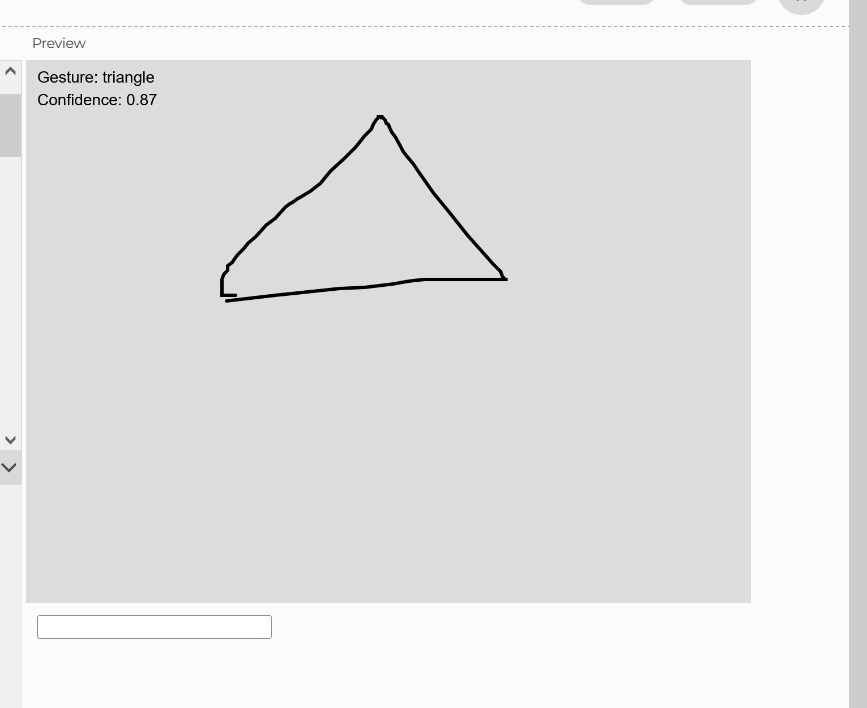
You can also add your own custom gestures: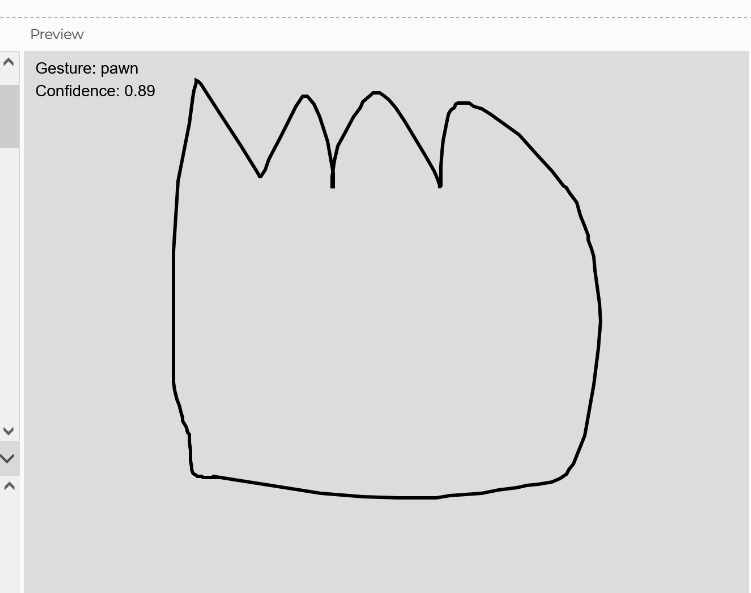
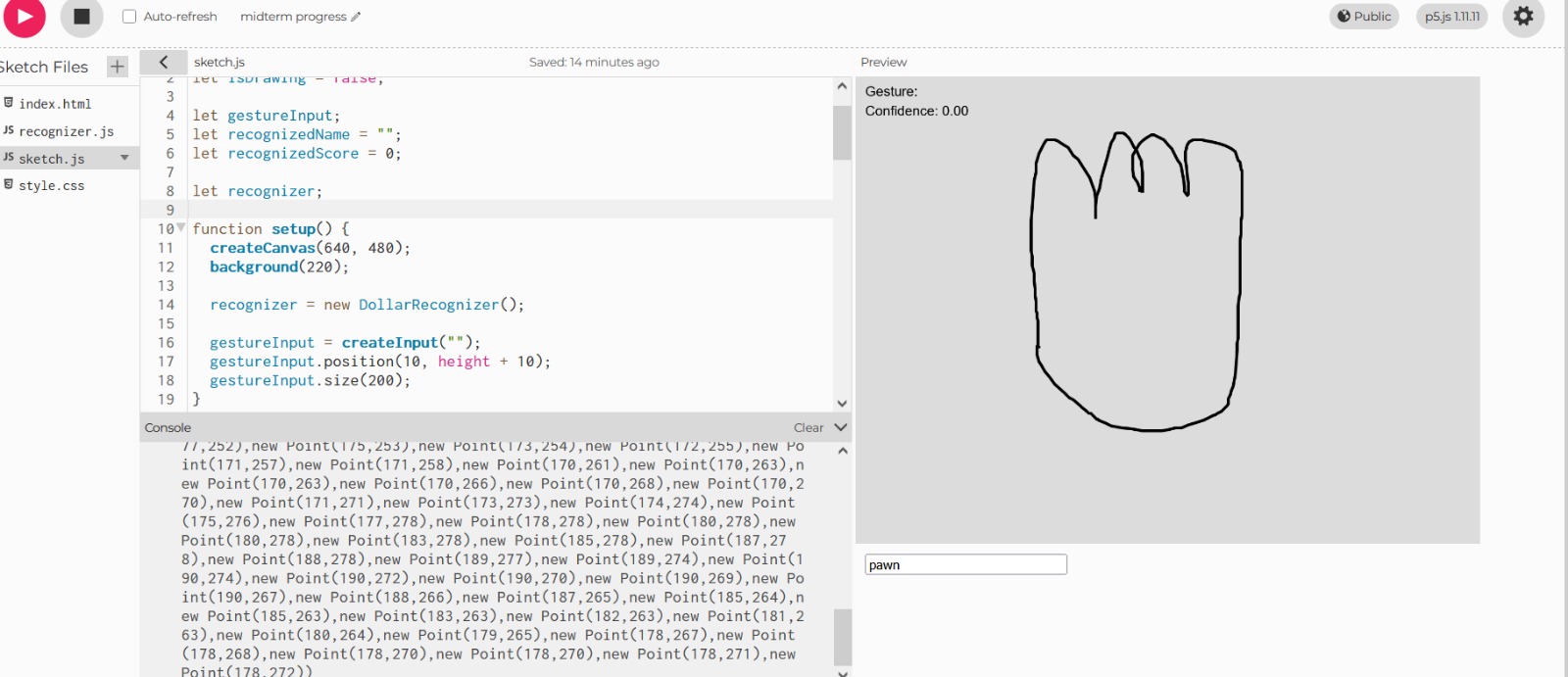
The tracking and the gesture recognition is what I was worried about before I got started on this project
For the final stages of the game:
I will need to work on the game-play itself and the process of implementing this into the game.