
Your concept:
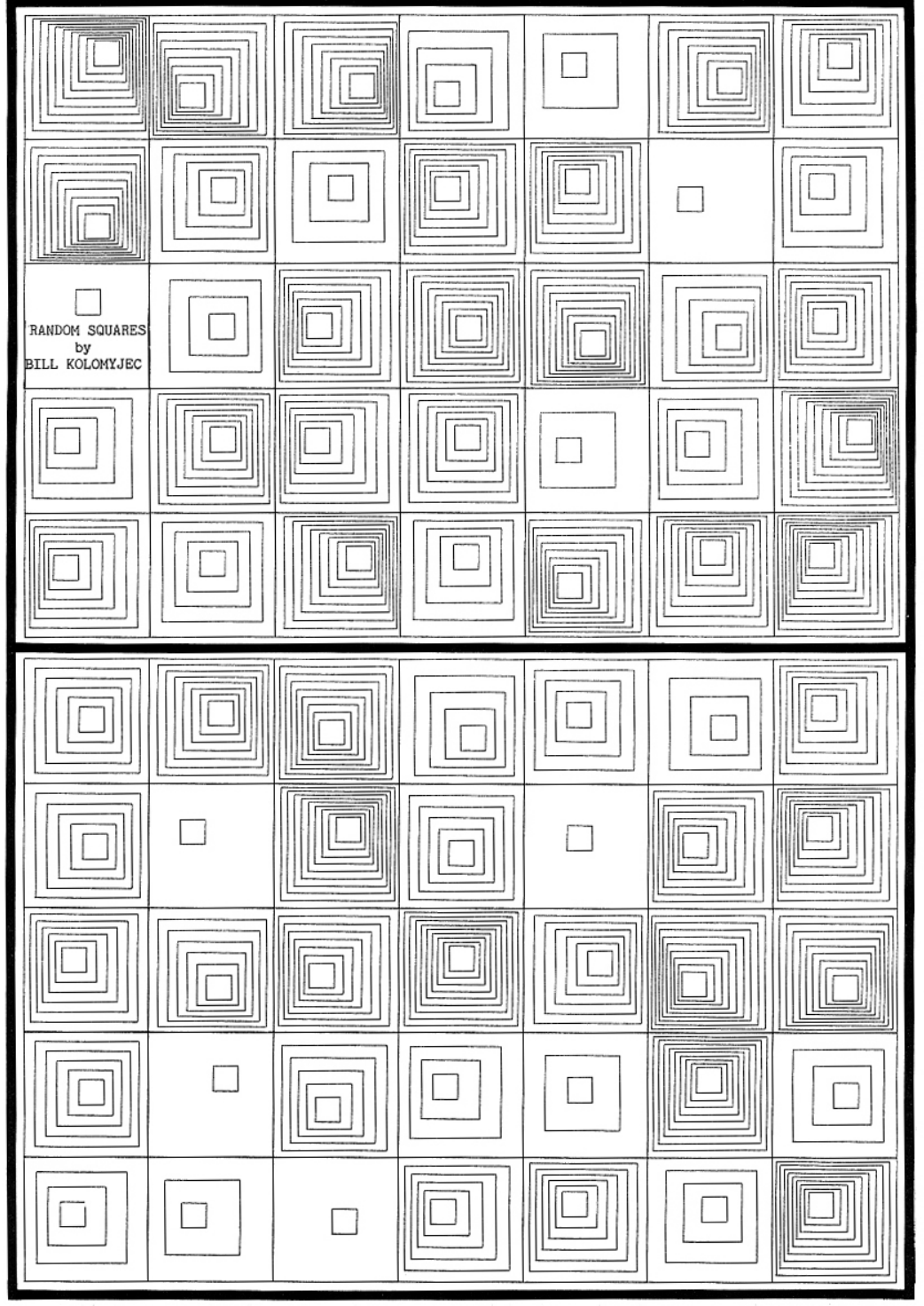
The concept of my drawing comes from the early generative art from the 1970s from the Computer Graphics magazine, specifically pages 14 and 30, which used simple geometric shapes and repetition. Something I liked specifically about this piece was how it used grids, and how I can envision myself using the grid coding we learned in class and apply it. I wanted to create a retro piece using the P5JS tool, focusing on grids, squares, and random variation. The artwork I created changes every 2 frames through random color, random line weight, and random square size, creating a glitch like pattern. I watched a youtube tutorial which helped me understand how the random() code works which allowed me to apply it to my piece. Instead of static shapes, I wanted the grid to feel unpredictable and constantly changing, but I didn’t want it to be overwhelming, so I set the frame rate to 2.
Another thing I wanted to do was set the background as black, so when you hover over the squares, depending on which square you hover over, it will become black and essentially give the effect of it disappearing. This is the small interactive element of mouse hover, which I adapted from our class code.
Page 14 from the magazine that inspired my work:
A highlight of some code that you’re particularly proud of:
//random square size+lineWidth from youtube video + color from p5.js example
       let squareSize= random(20,45);
       let lineWidth= random(1,4);
       strokeWeight(lineWidth);
       stroke(random(255),random(255),random(255));


       //When mouse hovers inside the square boundaries the stroke changes to black using the same condition we learned in class
       if(mouseX > x&& mouseX <x + 50 && mouseY > y && mouseY < y +50) {
         stroke (0);
       }

       //draw square the first square is the main one for this grid and the second square is smaller and centered within the first square using simple math and experimentation to find the correct placement of the second square
       rect(x,y,squareSize,squareSize);
       rect(x+10,y+10,squareSize-20,squareSize-20);
A part of the code I’m proud of specifically is how I was able to incorporate the random () effect, especially the part of the code where the squares have random size variation, as well as random stroke weight and color variation . All o these affects become more noticeable because my sketch runs at 2 frames per second.
I’m proud of this because I was able to learn the random size and line weight from a YouTube tutorial and successfully adapt it to my own square design. I used the random color idea from a p5.js example, but I changed it from fill() to stroke() to match my outline based work. By combining all three random elements size, line weight, and color the pattern becomes visually interesting, even though the grid structure stays the same. I’m proud of how I was able to mix what we learned in class with new techniques I found on my own. Im also proud of how I was able to adjust the square sizes using simple math adding to x/y and subtracting from some to create a clean square within square effect.
For the mouse hover condition I was able to adjust it to work inside the grid and change the stroke () to a fill(), as a beginner I was able to take a concept we learned in class and adapt I to my code. I referenced directly from what we coded during class but adjusted it to my code:
(Code in class)
if (mouseX > 50 && mouseX < 400 && mouseY > 100 && mouseY < 200) {
fill(‘pink’);
}
In my version I replaced the fixed numbers with the loop variables X and Y so the hover effect works for every square in the grid instead of just one rectangle
Embedded sketch:
Reflection and ideas for future work or improvements:
Working on the second P5JS assignment, I was able to understand how simple shapes can become interesting and how code can become more interesting when it is combined with randomness. Even though the grid I created is very structured, I think the addition of random size, color, and line weight makes every frame feel more unique. Through this assignment, I was able to mix different ideas from different places: inspiration from the 1977 Computer Graphics and Art magazine, the YouTube example, the p5.js example, and the hover condition from our class code. I was also able to acknowledge the importance of the draw loop. Because my sketch runs at two frames per second, I was able to clearly apply and see each new variation. An idea for a future improvement I can make is experimenting with different shapes or mixed geometry to see how randomness affects them. I could also try adding rotation or movement so the squares slowly shift or spin over time and experiment with more complex mathematical code. Another idea is adding more layers of shapes and seeing how I can adapt this style to more complex code.
References:
Inspiration from Graphic magazine:
COMPUTER GRAPHICS AND ART Aug1977 Page 14 and Page 30
Random Color from this example :
Random Line weight and shape size :