
Concept
This project is a small “ghost hunting” camera game inspired by Identity V. In Identity V, a detective enters a mysterious place and slowly discovers clues. I borrowed that detective-in-a-secret-castle feeling and turned it into an interactive p5.js experience. The player is a brave “ghost catcher” who explores an ancient castle at night, hears strange whispers, and tries to help the people living there by collecting evidence.
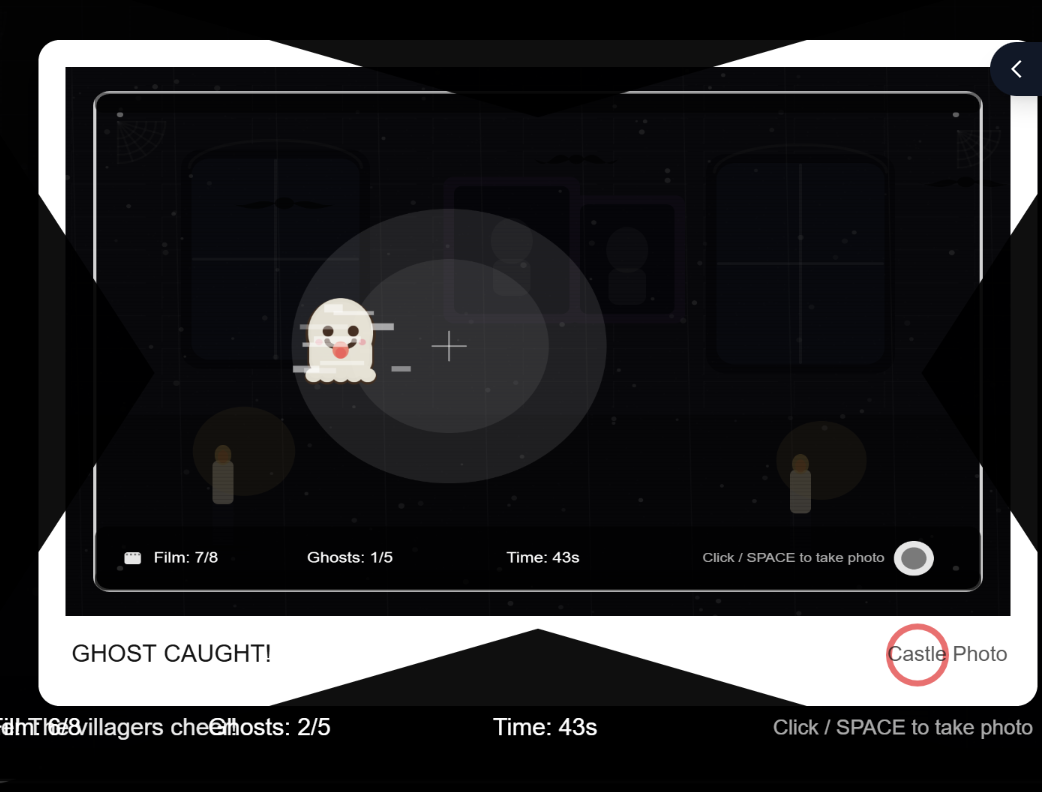
I also wanted to change the usual mood of ghosts. Ghosts don’t always have to be terrifying. In my game, the ghosts are faint and mysterious in the live scene, but when you successfully capture one in a photo, it becomes cute and playful (with a tongue-out expression). I like this because it matches how cameras work in real life: people often want to look “better” in front of the camera, and the photo becomes a different version of reality.
How the project works + what I’m proud of
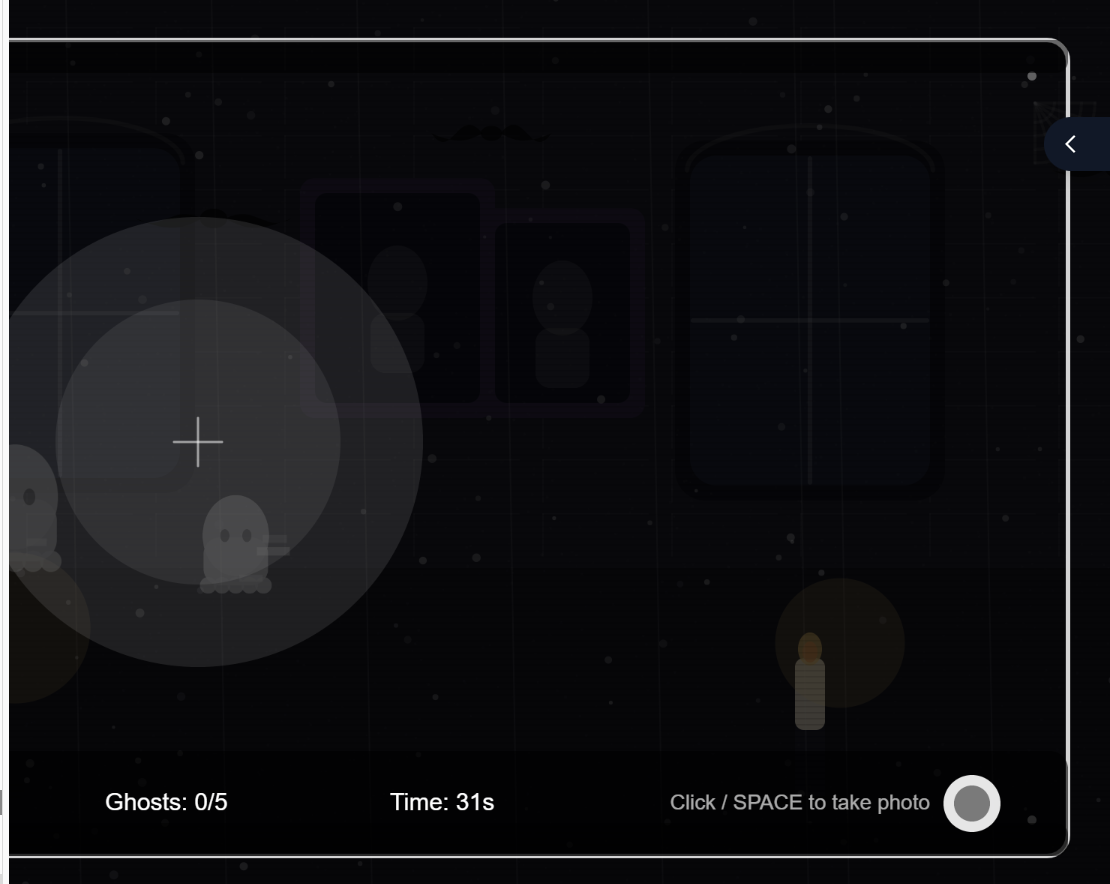
The game starts on an instruction screen with a short story setup, then waits for the player to press a key or click a start button. During gameplay, the mouse controls a flashlight that reveals the scene. Ghosts appear only sometimes, and they are only visible when they are inside the flashlight area. To “capture” a ghost, the player takes a photo (click or space) while a ghost is inside the light. The photo preview shows the captured frame like a polaroid, and if a ghost was caught, it displays a special “cute ghost” version. The game ends when the player captures enough ghosts, runs out of time, or runs out of film, and then it offers a restart without refreshing.
I separated “live view” from “photo view.” In the live scene, ghosts only count if they are currently visible AND inside the flashlight radius (so the player must aim and time it). Then, after a successful capture, I draw a special “tongue ghost” onto the captured image buffer (photoImage). This makes the camera feel meaningful: it doesn’t just add score, it changes the ghost’s personality in the “photo reality,” matching my concept that people want to look better on camera.
let capturedGhost = null;
for (let g of ghosts) {
  if (g.isVisibleNow() && g.isInsideFlashlight(mouseX, mouseY)) {
    capturedGhost = g;
    break;
  }
}
Then I did the important trick: I made a separate “photo layer” instead of drawing everything directly on the main screen. I create a new graphics canvas for the photo, and I copy the current screen into it. That’s what makes the photo feel like it’s frozen in time:
photoImage = createGraphics(width, height);
photoImage.image(get(), 0, 0);
After that, if I really did capture a ghost, I draw the cute tongue ghost onto the photo layer (not the live game). And I add to my capture count:
capturedGhost.drawTongueStrongOn(photoImage);
ghostsCaptured++;
Once I got this working, the whole game started to make sense. The live view stays spooky and subtle, but the photo becomes the “evidence,” and the ghost looks cuter in the picture—kind of like how people also want to look better when a camera points at them.
Areas for improvement + problems I ran into
One area to improve is balancing and clarity. Sometimes players may miss ghosts too easily, depending on timing and where the flashlight is. I want to tune the ghost visibility timing and the capture conditions so it feels fair but still challenging. I also want to add clearer feedback when a ghost is nearby so the player can learn the game faster.
Adding sound was harder than I expected because browsers don’t just let a game play audio whenever it wants. In p5.js, if you try to play sound automatically when the page loads, most browsers will block it. They only allow audio after a real user action, like a click or pressing a key. At first this felt confusing, because my code was “correct,” but nothing played. So the challenge wasn’t only choosing sounds—it was designing the game flow so sound is unlocked in a clean way.
To fix that, I made sure audio starts only after the player begins the game on purpose. When the player presses SPACE (or clicks START), I call my audio setup function ensureAudioStarted(). Inside that function I use userStartAudio() (from p5.sound) to unlock audio, then I start my sound sources (an oscillator and a noise generator) at zero volume so they’re ready but not making noise.