
For this assigment the most difficult part was figuring out, how to send a signal without hands, I tried to chatgpt this but most of the ways need a an aluminium foil to conducct electricity which i didn’t have. The next one was using my body as a conductor but I assume beacuase of the resistance it counldn’t. After that I looked in to the kit to find something that I can use. I found the ultrasonic sensor. I looked it up to see what it does exaclty. It seemed fairly simple so I decide to make a switch that turns once it detects something at a certain distance.
This where I got the most about it the sensor
https://projecthub.arduino.cc/Isaac100/getting-started-with-the-hc-sr04-ultrasonic-sensor-7cabe1
It had mulitple code sinipets about its usage, I put all of those to chatgpt and asked it explain each line by line in order to understand its basics. I got most of it except why we are using serial.begin(9600). I don’t get why we used this specific number. I kept it as it is(clarified in class).
Work
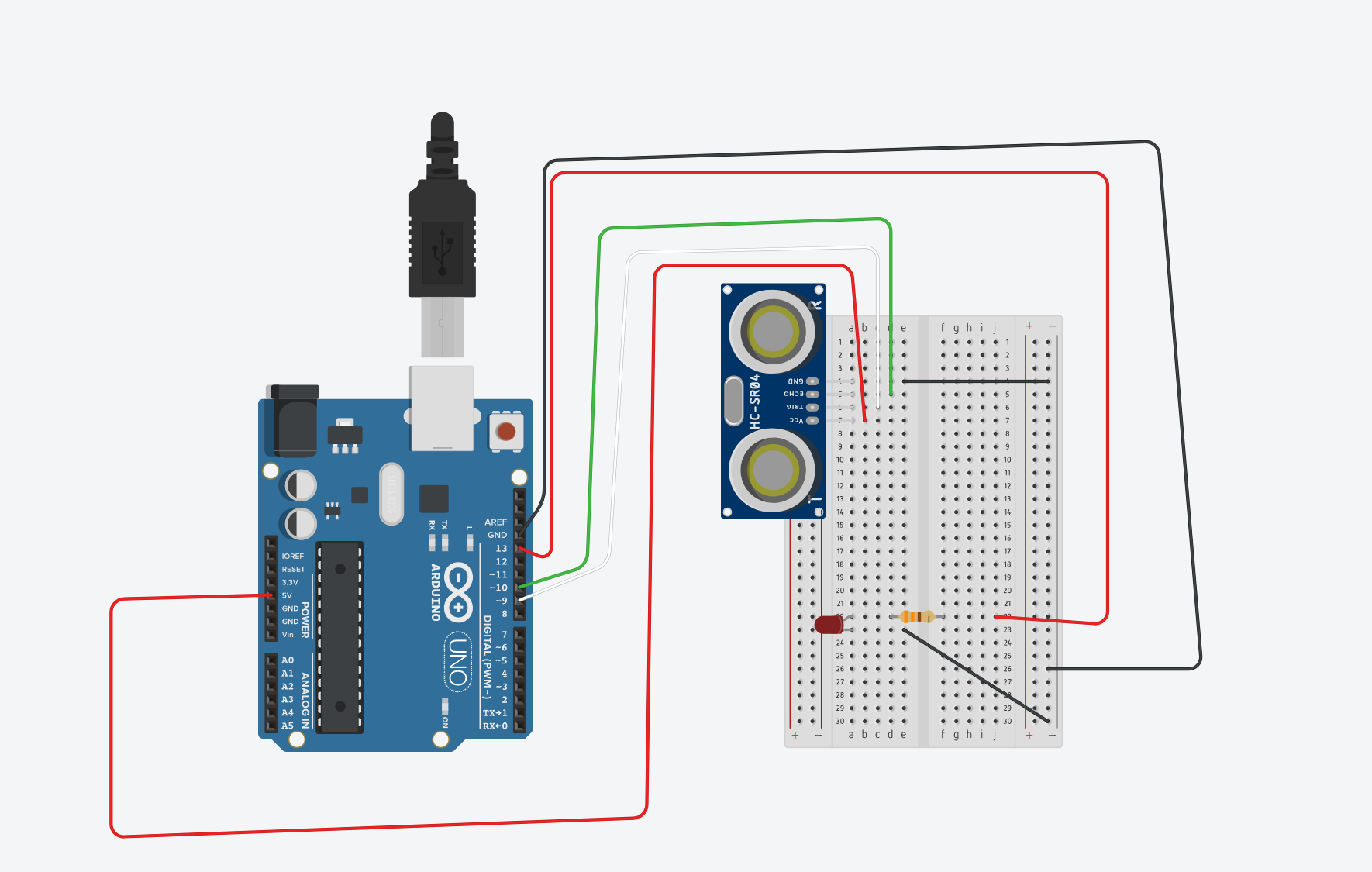
I kept the orginal from last class where we made the reverse swtich. The idea was as following; “I have the led asking for an input already in place, all I need to do is give a HIGH signal from somewhere”. Next I step the ultra sonice sensor, I tried to follow the semnitic from the above arduino project hub. In order to check if it is working properly I put the print statements to check which prints the distance
if (distance != -1) {
  Serial.print("Distance: ");
  Serial.print(distance);
  Serial.println(" cm");
Challenging and the part I am most proud of it
For this assignment coding was relatively easy. There wasn’t any challenging part specifically. I believe it because of the way I approched learning about of the new sensor. This is also the part Im most proud of because I didn’t have any difficulty while setting it up. I was also suprised by how straight forward it was. The whole thing took me 15 minutes to accomplish. later on I was just playing with distance and trying put as an intruder detector in my room.
here is the circuit sketch
One of the the ways I could use to detect how close Im to the screen, I set the distance to 70cm, and this is result