Week 3: Arrays and OOP

Concept

I was inspired by candy hearts (as seen below) during Valentine’s Day, which is coming up soon. I wanted to recreate the soft colors and heart shapes of the candy hearts while adding movement and interactivity. So, my final sketch has hearts float and bounce around the screen, and when you click, it changes colors (but still within the color palette I’ve chosen).

My Final Sketch!

Code that I’m Proud of

// hearts' colors selection
getRandomColor() {
  let colorChoice = int(random(4));
  
  if (colorChoice == 0) {
  return color(255, 200, 220);
} else if (colorChoice == 1) {
  return color(220, 200, 255);
} else if (colorChoice == 2) {
  return color(200, 230, 255);
} else {
  return color(200, 255, 220);
  }
}

changeColor() {
  this.col = this.getRandomColor();
}

I particularly liked how I structured the changeColor() method and the color selection system. I created dedicated method that randomly picks from my chosen pastel palette and learned how conditional statements work with color from Patt Vira’s tutorial on YouTube and w3schools’ Statement Reference page. Each time you click, all hearts get new random colors from this palette.

How this was made

I used Object-Oriented Programming with a Heart class in which, each heart object has properties like position, size, color, and movement. I also used an array called hearts[] to store and manage all the heart objects. In the setup() function, I create each heart with random positions and sizes using a for loop, then push them into the array. In the draw() function, I loop through the array to call move() and display() on each heart every frame, which creates the continuous animation. The move() function makes the hearts bounce around. It updates position by adding speed values to the coordinates. When a heart hits a canvas edge, the function reverses its direction by multiplying the speed by -1 and makes it bounce back. This keeps hearts moving continuously without leaving the screen. For the heart shape itself, I used a parametric equation I found from this YouTube tutorial. The equation uses sine and cosine functions to plot the mathematical curve of a heart shape.

Reflection and Future Improvements

I learned a lot about how objects and arrays work and for these elements, I honestly found YouTube tutorials, like The Coding Train and Patt Vira, more helpful than reference pages (though I still used them as a reference for this project), especially with getting used to OOP. Next time, I’d love to learn how to add text to the objects because for my project, the candy hearts I referenced has phrases on them (as seen above) that would’ve added a nice touch and more accuracy.

Week 3: Creative Reading

The words interaction, interactive, and interactivity have been used a lot and I’ve hear those words multiple times so what really does it mean? The word ‘Interactivity’ from the Oxford dictionary means “the process of two people or things working together and influencing each other.” But I dont think I’ve thought of the word in this way. Before reading this text, I mostly used these words without really questioning them or thinking deeply about qualities does something have to be in order to be labeled as interactive. When thinking about the major interactive media, quite frequently I would ask people like professors or students what it is and it seems to be hard to explain. What is interactive media? What does it mean to interact? This made me realize that interactivity is often treated as a vague label rather than a specific defined concept. So looking at this reading and thinking of interactivity I liked how Crawford explained it. He defined interactivity as a conversation when two actors are actively listening, thinking, and speaking which shows that in order to have or make something interactive, it must be able to be present and respond through interactions from both sides. This definition stood out to me because it made ‘interactivity’ feel more intentional instead of it being seen as automatic.

One thing he mentioned was books and movies, while I first believed that movies and books are interactive, I understand now why they aren’t categorized as interactive. They are just one-way monologues, no matter how emotionally involved I feel while reading or watching them. It makes me questions everything, not just books and movies but also the smallest things like the sensory doors for example or every day materials. This made me think about how often reaction is mistaken for interaction in design and media. Overall, the reading made me more critical of how I design, plan, and execute my ideas and projects. Instead of focusing only on visuals, I will start to think more carefully about whether a system can actually listen, think, and respond in a meaningful way.

Week 3 – OOP Assignment (Magic of Light)

Concept:

For this project, I created a generative artwork inspired by the idea of light and movement from a scene found in the movie Encanto. I asked my friends to tell me their favorite Disney movies, some mentioned Tangled, Moana, but one of them said Encanto. I started searching for movie clips to get inspiration from the scenes and movements but none of the Disney movies caught my attention until I looked at Encanto. While looking through images and clips from the film, I was drawn to the candle and flame that symbolized magic and hope. Looking at the circles and light around the candle made me wonder if I could also create the same scene through code which I titled Magic of Light.

Instead of creating the same exact image, I wanted to add my personal twists to create the feeling of movement and energy by making the flames move around a lot and also adding interactivity when clicking on the canvas.
Inspo: Encanto

Embedded sketch:

How the Artwork Was Made:
I first started by creating the base of my code, which to me is the background and candle. I then started creating the arrays and class for the lights and candlelight to start focusing closely on the code and specific movements of the balls which are the flames. I used a class to define each object that is moving included lots of codes and numbers so that the balls would bounce and move left/right or up/down in an array. Each object has its own position, speed, and behavior, which allows them to move independently across the canvas.

I organized my code using functions and clear variable names (light and candlelight) to keep it structured and smooth when I press play. I also added comments in the code (this is probably the best advice I got because when my code kept messing up and not working, I was easily able to look back and understand my thought process).

Resources:

Hardest Part of the Code (and the Part I’m Most Proud Of):
The hardest part of the code was figuring out how I wanted the objects to move and bounce around the canvas. I struggled at first because I didn’t fully understand how to use the array, loop, and class the same way we did in class but especially when trying to figure out how to make the balls bounce on from the edge using the reverse code.

move() {
    this.x += this.xspeed; //moves left/right
    this.y += this.yspeed; //moves up/down

    //using IF and || (OR) to make it bounce, when the ball hits the edge it is reversed by x-1
    if (this.x < 0 || this.x > width) this.xspeed *= -1;
    if (this.y < 0 || this.y > height) this.yspeed *= -1;
  }

I’m proud of this because it took me a while to fully understand what was happening instead of just copying the code. I went back to Professor Aya’s google slides and was able to follow exactly how to create the bounce but also looking at the Ball Class Example 1 helped me create the bounce. Once I understood how multiplying the speed by -1 reversed the direction, I was able to control the movement more intentionally.

Full Code:

let lights = []; //Creating my Array/list that will include all my candleLight

function setup() {
  createCanvas(400, 400);
  
  //Creating my loop for the balls/flames to fill the array with 150x objects (the circles)
  for (let i = 0; i < 250; i++) {
    let light = new candleLight(//candleLight is the new class I'm using for this section
      random(width), //Random x position
      random(height), //Random y position
      random(7, 13) //random size for the object
    );
    lights.push(light); } // To make the balls continue to come and move around the 'push' will push out a new object into the array
}

function draw() {
  background(0);

  // draw candle
  drawCandle();

  //The Loop through the list to update every ball of light
  for (let i = 0; i < lights.length; i++) {
    lights[i].move(); //updating position of ball
    lights[i].show(); //showing the ball
  }
}

function drawCandle() { //Creating the candle+flame
  fill("#E7BE42");
  rect(125, 200, 150, 200);

  fill("#E7BE42");
  ellipse(200, 200, 150, 50);

  fill("#FAF6D0");
  ellipse(200, 180, 20, 40);
}
//What each light will follow and be programmed as
class candleLight {
  constructor(x, y, size) {//everytime a new obkect is created
    this.x = x; //using this to give each ball its specific position
    this.y = y;
    this.size = size;
    
    //playing around with the speed
    this.xspeed = random(-1, 1); //left/right
    this.yspeed = random(-1, 1); //up/down
    
    //creating the array of 3 different color values    
    let colors = ["#FFD700", "#FF8C00", "#FAF6D0"];
    this.color = random(colors); 
  }

 move() {
    this.x += this.xspeed; //moves left/right
    this.y += this.yspeed; //moves up/down

    //using IF and || (OR) to make it bounce, when the ball hits the edge it is reversed by x-1
    if (this.x < 0 || this.x > width) this.xspeed *= -1;
    if (this.y < 0 || this.y > height) this.yspeed *= -1;
  }
  
  show() {
    noStroke();
    fill(this.color); //going back to the random colors above
    ellipse(this.x, this.y, this.size);
  }
}

function mousePressed() { //interactive aspect, when someone clicks on the sketch a new ball appears
  let newLight = new candleLight(
    mouseX,
    mouseY,
    random(5, 10)
  );
  lights.push(newLight); //add to the array
}


Problems I Ran Into:
One major issue I faced was constant errors in p5.js where the code would turn red, and I couldn’t figure out what was wrong. At one point, when I pressed play, the sketch would run but only show the black background with no objects. So I tried looking back from top to bottom and commenting again on the functions while also using // to remove the codes I assumed were causing the problem. I was the able to debug it and play it smoothly.

Final reflection:
I am proud of my final artwork because not only is this my first time writing a lot of code (lines 1–78), but I was also able to have fun with my friends throughout the process. Since we all have different majors, I usually show them what I’m learning and creating in Intro to IM. This time I asked them about their favorite movies and used that to create something that could connect us in a meaningful way.

I got my inspiration from the Disney movie Encanto and built my code around that idea. For future improvements, I want to create more realistic versions of my work because even though I’m proud of how far I’ve come and how I used the code, I know I can push myself further and make it look closer to the original inspiration.


Week 3 – Oops… cells!

Concept:

My mom is a Pathologist, and when I was younger, she was fascinated in showing me cells under a microscope from blogposts on Facebook (her feed was a very nice spectrum of plant care and medical studies). I never took biology in school (I’m more of a physics person), but I always found these images really fascinating. So, I thought I would try and recreate cells (very unrealistically) using Javascript. In middle school, when we were taught about cells, we saw cells as this blobby, almost round, jelly-looking circle with things inside of them. While I only remember a few organelles such as the mitochondria and the nucleus, I thought it would be interesting to include these when making the cells. These say skin cells but it’s the closest I can get to explaining what I have in mind:

Artwork:

(Click the screen to generate new cells!)

Process:

I experimented a lot this time, especially with the motion and shapes of the cells. I had two classes, one for the organelles and one for the cells themselves. This is the class code for the organelles:

class Organelle {
  constructor(type, relX, relY, hue) {
    this.type = type;
    this.relX = relX;
    this.relY = relY;
    this.hue = hue;
    this.angle = random(TWO_PI);
    this.spin = random(-0.02, 0.02);
  }

  display(px, py, radius) {
    push();
    translate(px, py);

    let floatX = this.relX + sin(frameCount * 0.02 + this.angle) * 5;
    let floatY = this.relY + cos(frameCount * 0.02 + this.angle) * 5;

    translate(floatX, floatY);
    rotate(frameCount * this.spin);
    noStroke();

    if (this.type === "nucleus") {
      // Hematoxylin stain: Deep purples/blues
      fill(280, 70, 40, 0.9);
      ellipse(0, 0, radius * 0.4);
      fill(280, 80, 20, 0.9);
      ellipse(0, 0, radius * 0.15);
    } else if (this.type === "mito") {
      // Eosin stain: Deeper pink
      fill(340, 60, 70, 0.8);
      ellipse(0, 0, 14, 8);
    } else if (this.type === "crystal") {
      // Hexagon shape in vibrant magenta
      fill(320, 80, 80, 0.7);
      beginShape();
      for (let a = 0; a < TWO_PI; a += PI / 3) {
        vertex(cos(a) * 8, sin(a) * 8);
      }
      endShape(CLOSE);
    } else if (this.type === "ring") {
      // Ring shape in light purple/pink
      noFill();
      stroke(300, 40, 60, 0.7);
      strokeWeight(2);
      circle(0, 0, 16);
    }
    pop();
  }
}

I used H&E staining as a reference for the color scheme to mimic cell scans. For this, there were multiple shapes I used:

  1. Nucleus (filled in circle at the center of the cell)
  2. Mitochondria (filled in ellipses)
  3. Rings and Hexagons for random organelles

These are then randomly generated in each cell.

This is the class code for the cells:

class Cell {
  constructor(x, y) {
    this.pos = createVector(x, y);
    this.baseRadius = random(40, 90);
    this.radius = this.baseRadius;
    
    // Constraint to Eosin spectrum (Pink/Magenta)
    this.hue = random(325, 350); 
    
    this.noiseOffset = random(1000);
    this.organelles = [];
    this.pulseSpeed = random(0.01, 0.03);
    this.rotation = random(TWO_PI);
    this.spin = random(-0.002, 0.002);

    this.organelles.push(new Organelle("nucleus", 0, 0, this.hue));

    let count = floor(random(3, 8));
    let types = ["mito", "crystal", "ring"];
    for (let i = 0; i < count; i++) {
      let angle = random(TWO_PI);
      let dist = random(this.baseRadius * 0.2, this.baseRadius * 0.7);
      let rx = cos(angle) * dist;
      let ry = sin(angle) * dist;
      this.organelles.push(new Organelle(random(types), rx, ry, this.hue));
    }
  }

  move() {
    this.pos.x += map(noise(this.noiseOffset), 0, 1, -0.8, 0.8);
    this.pos.y += map(noise(this.noiseOffset + 100), 0, 1, -0.8, 0.8);
    this.noiseOffset += 0.005;
    this.rotation += this.spin;

    // Breathing pulse
    this.radius = this.baseRadius + sin(frameCount * this.pulseSpeed) * this.baseRadius * 0.1;

    // Screen Wrap
    if (this.pos.x > width + this.radius) this.pos.x = -this.radius;
    if (this.pos.x < -this.radius) this.pos.x = width + this.radius;
    if (this.pos.y > height + this.radius) this.pos.y = -this.radius;
    if (this.pos.y < -this.radius) this.pos.y = height + this.radius;
  }

  display() {
    push();
    translate(this.pos.x, this.pos.y);
    rotate(this.rotation);

    // Soft Eosin cytoplasm layers
    for (let layer = 1.2; layer > 0.8; layer -= 0.1) {
      noStroke();
      fill(this.hue, 30, 95, 0.15); 
      beginShape();
      for (let a = 0; a < TWO_PI; a += 0.1) {
        let xoff = map(cos(a), -1, 1, 0, 1.5);
        let yoff = map(sin(a), -1, 1, 0, 1.5);
        let offset = map(noise(xoff, yoff, frameCount * 0.01), 0, 1, -10, 10);
        let r = (this.radius + offset) * layer;
        vertex(cos(a) * r, sin(a) * r);
      }
      endShape(CLOSE);
    }

    // Main Cell Membrane Outline
    noFill();
    stroke(this.hue, 50, 70, 0.6);
    strokeWeight(2);
    beginShape();
    for (let a = 0; a < TWO_PI; a += 0.1) {
      let xoff = map(cos(a), -1, 1, 0, 1.5);
      let yoff = map(sin(a), -1, 1, 0, 1.5);
      let offset = map(noise(xoff, yoff, frameCount * 0.01), 0, 1, -10, 10);
      let r = this.radius + offset;
      vertex(cos(a) * r, sin(a) * r);
    }
    endShape(CLOSE);
    pop();

    for (let o of this.organelles) {
      o.display(this.pos.x, this.pos.y, this.radius);
    }
  }
}

For the cells to breathe, move and change shape, I used Perlin Noise and sin() functions. I also included screen wrapping to make sure no cell would wander off screen. This part was difficult for me, so I did get some help from my friends. Making the constantly changing shape and boundary of the cell was also especially difficult for me but I’m glad it turned out the way it did.

Reflection:

I liked working with classes! It makes it much more organized (I think… as of now…) and I’m able to separate parts. It was definitely hard though, because I’m primarily a Python user so this threw me off, but it was a good challenge. I want to try and create more projects using OOP now, and try to link more of my interests to making projects like this. I did ask ask my mom for help with the colors and stains, so hopefully she approves of this! I want to experiment more with cell lifespans and cell shapes, maybe set a certain amount of time before a cell “dies” and disappears or set a condition to generate new cells every once in a while too.

Week 3 – Reading Response | THE ART OF INTERACTIVE DESIGN (Chris Crawford)

As a designer, there’s one phrase I find really funny that people ask me: “Can you make it more interactive?” This confuses me immensely. Do you want me to make it “pop” out more? More interactions on your social media posts? Are you expecting something else but you can’t think of the exact word to sum all your thoughts up so instead you tell me to make it more interactive? What do you mean? Thus, I 100% agree with all, if not most, statements that Chris Crawford makes in this reading. Interactivity is “overused and underunderstood.” Just like any other concept (think common internet words and phrases today like “hyperfixation” or “gaslight / gatekeep / girlboss”), interactivity is also one of those words that we didn’t originally know the importance of when it first came out, but now that we live in such a technologically advanced (and advancing) world, we see that word everywhere. And, if you asked someone to define what exactly interactivity is… well. You won’t receive the same definition twice.

I liked how he brought up the example of people using interactivity as a way to make things sound interesting. Interactive screen! Interactive book. Interactive art. Interactive clothes. Shoes. You see them in adverts all the time now. Interactive exhibitions. Interactive events. Washing machines with interactive interfaces. Are we using this term correctly? What is the actual definition of interactivity?  When thinking of defining interactivity, he states, “the joy of thinking comes from all of those fascinating nooks and crannies that lurk in nuance.” Could this not also be applied to defining art? There are so many flexibilities in defining what art exactly is, because we all have such varying definitions of what we determine is art or not. So, anything can be considered interactive, because everyone interacts with things differently… right? 

I also found his definition interesting, interaction as “a cyclic process in which two actors alternately listen, think and speak.” In Understanding Interactive Media, we discussed interactivity as feedback loops. I, the artist, act a certain way. My audience acts a certain way in response. Then, to their response, I change the way I act too. Even when artists study art, they create an artwork, they see how others react to it and act accordingly, some responses being an art teacher calling their work trash, or a person on the internet sending a comment of how much they like their artstyle. The Gomer and Fredegund example is similar to this. I also never really considered interaction existing in degrees, which surprised me. I liked the comparison of degrees of interaction to having two different conversations where you talk in one and the other person barely responds to you, and another conversation where you both flow really well. They both are interactive! They’re just different degrees of interactions.

In a strongly interactive system, I think the degree of interaction should be very high – there should be a very prominent feedback loop. For example, if an artwork starts off as the color green, and I don’t like that and I say I don’t like this color, it changes to orange. And, I can tell it again, and it can change if it can. However, even with this example, the artwork follows my instructions and doesn’t adapt. It is simply following my instructions and not actually responding. The system should be able to respond to the audience’s conversation. Regarding what ideas I have for improving the degree of user interaction in my P5 sketches, I think I’m yet to figure this out. I do feel like when I create a design, I don’t think too much about interaction and visuals separately. I unintentionally put them together and work with them together, because a good design should have both working collaboratively, not side by side. I’ll probably be more intentional when I design now, though.
Week 3 – OOP Generative Art

Concept

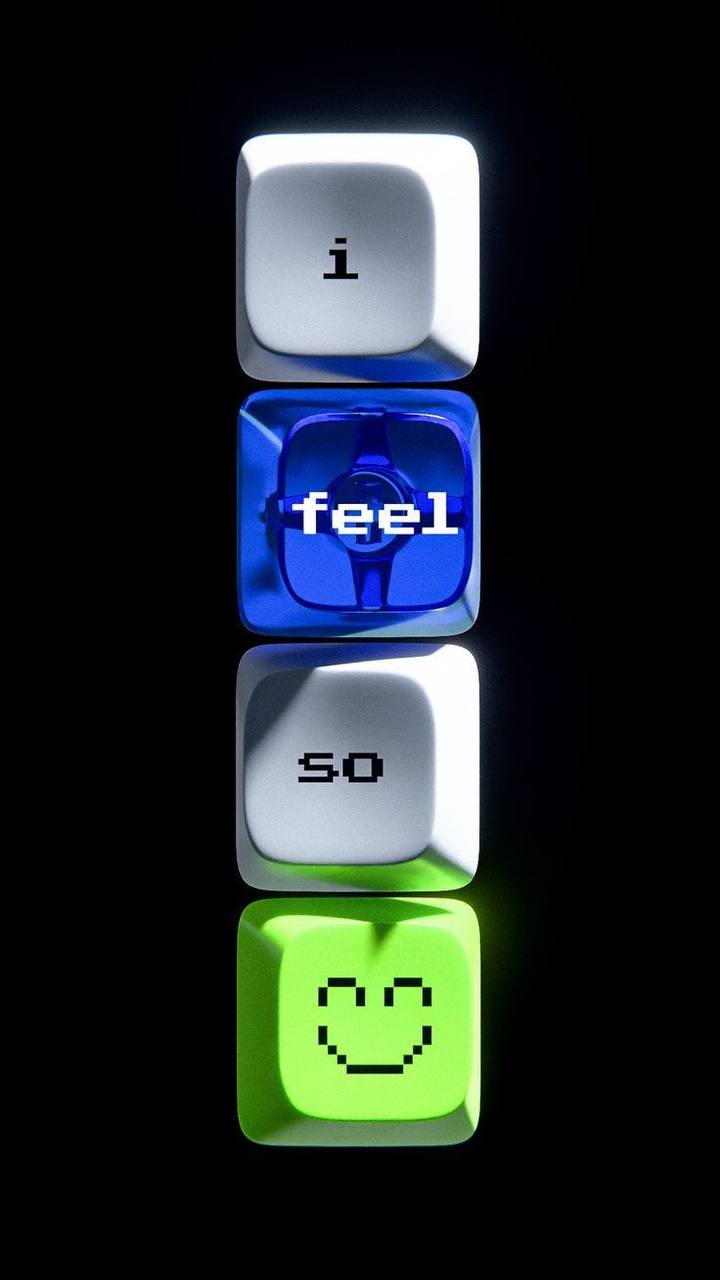
Once again, I was searching for inspiration in tech-aesthetic. I came across this photo on Pinterest, when the idea for my work sparked in my head:

I thought that it would be nice to create something that looks like keyboard but is less predictable (and less functional, apparently). Therefore, I created a small piece where keyboard tiles of random color appear all over the screen and stay for random time between 1 and 4 seconds, and, if being clicked, display a random emoji face from the list I provided.


Highlight code

Due to the lack of time, my code is pretty simple this time, but the part of implementing color scheme into the piece is something I struggled with for some time.

class Tile {
  constructor(x, y, size) {
    this.keyHue = random(0, 360);
    ...
  draw_tile() {
      ...
  
      // Lower tile
      fill(this.keyHue, 90, 80); 
      square(this.x, this.y, this.keySize, this.cornerRadius);

      // Upper tile
      let innerSize = this.keySize * 0.8;
      let offset = (this.keySize - innerSize) / 2;
      
      fill(this.keyHue, 60, 100);
      square(this.x + offset, this.y + offset - 3, innerSize, 8);

I switched to colorMode(HSB) which decodes as Hue, Saturation, Brightness. Basically, the computer randomly chooses only hue, and saturation and brightness settings persist in all tiles. This way, the lightness and the intensity of the color pigment stays the same, but the actual color changes depending on the value the computer chose. It made all the tiles look the same stylistically while being different color.

Overall, for this piece I created one class for each Tile, which had methods for activating it based on timer and then resetting it; checking if the mouse is in borders when it’s clicked, so it can display a random title; drawing the tile itself. I used for loops, and some built-in p5.js functions like mouseClicked() in this sketch. I also preloaded a pixel-like font from Google Fonts for text to match with the overall aesthetic.

Reflection

I find the way the sketch looks to be very colorful and have some tetris vibe, which I really like. I didn’t really have much time for this piece, otherwise I would like to come up with a unified color scheme to create something less colorful but more of one style.

Also, after the reading for today, I thought that it might be great to implement various ways of interaction. For instance, having a text line which will display the user’s entry and give some response to it, like emoji-reactions or some simple replies like “Yay!” and “Oh no”. I think this way the piece would turn out to be much more fun and way more interactive.

Assignment 3-The night

Concept:
I imagined a night view while making this piece. This weekend I went to teamLab, and some of the installations reminded me of the night scenery back in my hometown. The windows turning on and off represent the feeling of being in a moving car at night. When you look out from the car, the city lights seem to flicker and flash past, and the view is not always clear. That memory is what inspired the changing lights in my artwork.
How this is made:
I made this through p5.js. Firstly, I drew the background, including the sky and the stars, and also the ground. This part was not very challenging. I just used basic shapes like rectangles and circles. For the sky, I drew many thin rectangles to make a simple gradient. For the stars, I used random positions, so the stars look different each time.
After that, I started to create the city. I wanted the buildings to fill up the whole canvas, so I used a loop that keeps adding buildings until the x position reaches the right side of the screen. I also needed the buildings to be placed from left to right, and not overlap. For this part, I asked AI to give me an idea of how to organize the code.
Then I used Object-Oriented Programming to make the code cleaner. I made a Building class and a Window class. Each building is an object, and it contains an array of window objects. When a building is created, it automatically creates a grid of windows inside it. In the draw loop, every building updates its windows, and then displays itself. The windows turn on and off because each window has a small random chance to switch states each frame. This creates the flickering light effect, like windows flashing when you look at a city at night. I found this part challenging so I went through some YouTube video to deal with this.
Finally, I went back to the background details to make it feel more alive. The stars use randomness so their locations are not all the same, and the small twinkle effect makes the night view feel more natural. Overall, the main idea is a simple night skyline, but the random buildings and changing windows make each version look slightly different.

The part that I am proud of:
Actually I think I am proud of the whole project I’ve made. However, if I have to choose one of the part I love I will say it’s the most challenging part.

// building class
class Building {
  constructor(x, y, w, h) {
    this.x = x;
    this.y = y;
    this.w = w;
    this.h = h;

    // building color
    this.bodyColor = color(random(20, 60));

    // array of Window objects for this building
    this.windows = [];

    // decide window grid size based on building size
    this.makeWindows();
  }

  makeWindows() {
    this.windows = [];

    // window size and spacing (kept simple)
    let winW = 12;
    let winH = 16;
    let gapX = 8;
    let gapY = 10;

    // margins inside the building so windows don't touch edges
    let marginX = 10;
    let marginY = 14;

    // how many columns/rows fit?
    let cols = floor((this.w - marginX * 2 + gapX) / (winW + gapX));
    let rows = floor((this.h - marginY * 2 + gapY) / (winH + gapY));

    // create Window objects in a grid
    for (let r = 0; r < rows; r++) {
      for (let c = 0; c < cols; c++) {
        let wx = this.x + marginX + c * (winW + gapX);
        let wy = this.y + marginY + r * (winH + gapY);

        // store a Window object in the building’s windows array
        this.windows.push(new Window(wx, wy, winW, winH));
      }
    }
  }

  update() {
    // update each window (some will randomly toggle)
    for (let w of this.windows) {
      w.update();
    }
  }

  display() {
    // draw building body
    fill(this.bodyColor);
    rect(this.x, this.y, this.w, this.h, 3);

    // draw windows
    for (let w of this.windows) {
      w.display();
    }
  }
}

// window class
class Window {
  constructor(x, y, w, h) {
    this.x = x;
    this.y = y;
    this.w = w;
    this.h = h;

This part was killing me,  because before I went through the videos, I don’t know how can I write the coding for class of buildings and the lights. After I watched the video I have some ideas. But I still tried many times to figure out the exact number and place I wanted.

Reflection:

I think I am satisfied with the project this time. But if I have more time, I think I will and some more interactive things for example like having some shooting stars when ever the users clicked the screen.

Week 3 – Reading reflection

What do you consider to be the characteristics of a strongly interactive system?

After reading, I feel like the main and most important part of a strongly interactive system is thinking. As explained, there’re three steps of interaction, and while many objects can listen (register the action, like fridge opening) and speak (performing an action, like book telling a story), very few can actually think – analyze the action and then perform in response in accordance with it. Like in conversation, answer to one’s words can’t always be the same whatever someone says, the answer of a strongly interactive system should differ depending on the interaction made with it.

I stress the value of thinking in an interactive system because, as it was said in the writing, participation and reaction are not considered to be the same as interaction. Yes, the lamp turns on when you press the button – it reacts to the action, and yes, you participate in a dance with some music, but you don’t interact with them because 1) the interaction with them doesn’t consider any thinking, 2) no matter how you press the button or dance, music and lamp always will be the same and have the same response to your actions.


What ideas do you have for improving the degree of user interaction in your p5 sketches?

I understood that right now my sketches are not really interactive since they also don’t really consider thinking of the user. Clicks and mouse movement are probably not the best interactions since it’s very low-level interaction with really poor user action amalysis. I understood that in order to come up with something more interactive I have to consider what the user might think about doing with my sketches. For instance, if they see some object on the screen, what possibly they might do with it? If I come up with various answers, I would be able to make different responses of my system in accordance with user’s actions. This way, the system will adapt “thinking” that is so important when thinking about interactivity.

Assignment 3: Colorful Concoction of Color

“Colors, like features, follow the changes of the emotions.” — Pablo Picasso

Concept:

Recently, I watched Disney’s Pocahontas, and one of the songs that has been become quite a hit was “Colors of the Wind”. It is a beautiful and emotional song with a message about living in a more interconnected, diverse and colorful world. Which is what I wanted to represent with the use of colorful circles, moving around as if they were in the wind. And it is quite mesmerizing to look at the different circles in a wide range of color. To me, it gives a nice representation of how we look at ourselves in society, where we’re all different and unique, yet living side by side, we creating this enchanting community of diversity. Take a peak below, by clicking on it with your mouse (or tap if you’re on mobile).

How it’s made:

So for this assignment, I utilized OOP and arrays to generate the circles. I created a class where I defined the main variables within the constructor function, which is integral to the class. Then for the movement of the circles, I made a seperate function which manages the movement by increasing the direction vector of the circles by a random amount. Then I made a function to actually display the circles.

Now the way I went with generating multiple circles was using an array, and then a for loop to just append circles to it. And finally, another for loop so the balls are displayed and have movement. Now for the color factor, I went for a simple effect where if you click the canvas, the colors of the circles rapidly change. This did in turn create a sort of LSD effect so if you’re sensitive to epilepsy, I would not advise you holding down the mouse button.

Of course, there are probably much more efficient ways to create this same effect, but honestly, I just randomly stumbled upon it. I was just playing around with the size and color variables and in the end, this is what I produced. It looked quite satisfying so I decided to go along with it.

A highlighted bit of code I’m proud of:

This bit of code I’m quite proud of as I struggled with how to make the circles not leave the boundaries of the canvas. It was quite difficult intially as I just assumed that it was as simple as defining  specific parameters and that’s it. But then I thought more about it and wanted to make it dynamic, instead of static.

So I tried and eventually was able to make it so the circles sort of bounce off the walls and go back towards the center of the canvas. In this sense, they still won’t disappear off the canvas, and won’t be hindered in the velocity.

move() { //This function gives the balls vectors of directions
    this.x += this.dx;
    this.y += this.dy;

  //The if statements constrain the balls so they don't go off the canvas
    if (this.x < this.d / 2 || this.x > width - this.d / 2) {
      this.dx *= -1; 
    }
    if (this.y < this.d / 2 || this.y > height - this.d / 2) {
      this.dy *= -1; 
    }
  }

Reflection:

This was quite a fun project to make. It was interesting experimenting with classes and I can see why they are quite fundamental in not just efficinizing your code but also dynamically creating new objects and changing their variables. It is insanely useful to shorten the code used and to add as I would like to refer to them as characteristics to objects, through the use of functions.

And I think the artwork, while simple in nature, does have a good amount of deep meaning. If you click the mouse, you get a different color for each and every circle. And that to me just is a beautiful way to see the world, where each and every one of us are a different color, come in different shapes and sizes and go in random directions. When put together, we create a beautiful and colorful muse, a nice representation of our world.

Week 3 – Reading Response – Kamila Dautkhan

After reading this, I realized how important immediate and meaningful feedback is. Because a strong interactive system is not just one to a user’s input but one that feels like there’s an actual back and forth interaction between the user and the system. When the user takes an action the system has to respond right away so that it makes it clear what caused that response. I think that really gives a user a sense of control instead of confusion that might sometimes appear. Another concept that’s really important is agency because strong interactivity happens when users think that their choices actually matter. For example, if the system always reacts in the same repetitive way no matter what user inputs, it can feel very boring. Interactions become more engaging when different inputs lead to different outcomes and users can get the freedom to explore them and experiment. 

Now when I look at my own p5 works, I realize that the level could definitely be improved. As for now a lot of the interaction are basically rely on simple key presses. In my future work I’d like to use things like mouse movement, speed or direction to make visuals more dynamic and engaging. That’d definitely make my works feel more responsive to the user’s actions.  I’m also interested in trying state-based interactions, where the sketch remembers what the user did before and changes gradually instead of instantly resetting. Another thing I want to try is adding constraints or small goals, so the user feels like they’re interacting with a system rather than just watching an effect on the screen. Overall, my goal is for future p5 sketches to feel less like technical demonstrations and more like interactive experiences where the user’s actions shape the output.