
project concept:
for my midterm project, i’m planning to create a simple pixel rpg-style demo. the demo will start with an interactive cutscene, then the player will be able to navigate a room / setting. the details are very vague, but i’ll figure out what works as i make progress.
design:
my visual inspirations for this project are the games Undertale (particularly the way the sprites and backgrounds are designed), and Sally Face, which i’m using as a reference on how to visually incorporate the dialogue interactions as well as the vibe i’m going for.
i drew the sprites via pixelart.com (honestly i spent more time on them than the coding itself…), and the background music is an 8-bit cover i found of a deftones song, which i thought sounded pretty awesome. going forward, i intend to draw a pixel background with some interactive elements for the player to navigate. i want the overall experience to look eerie and sickly (which is why the sprite i made may seem a little jaundiced).
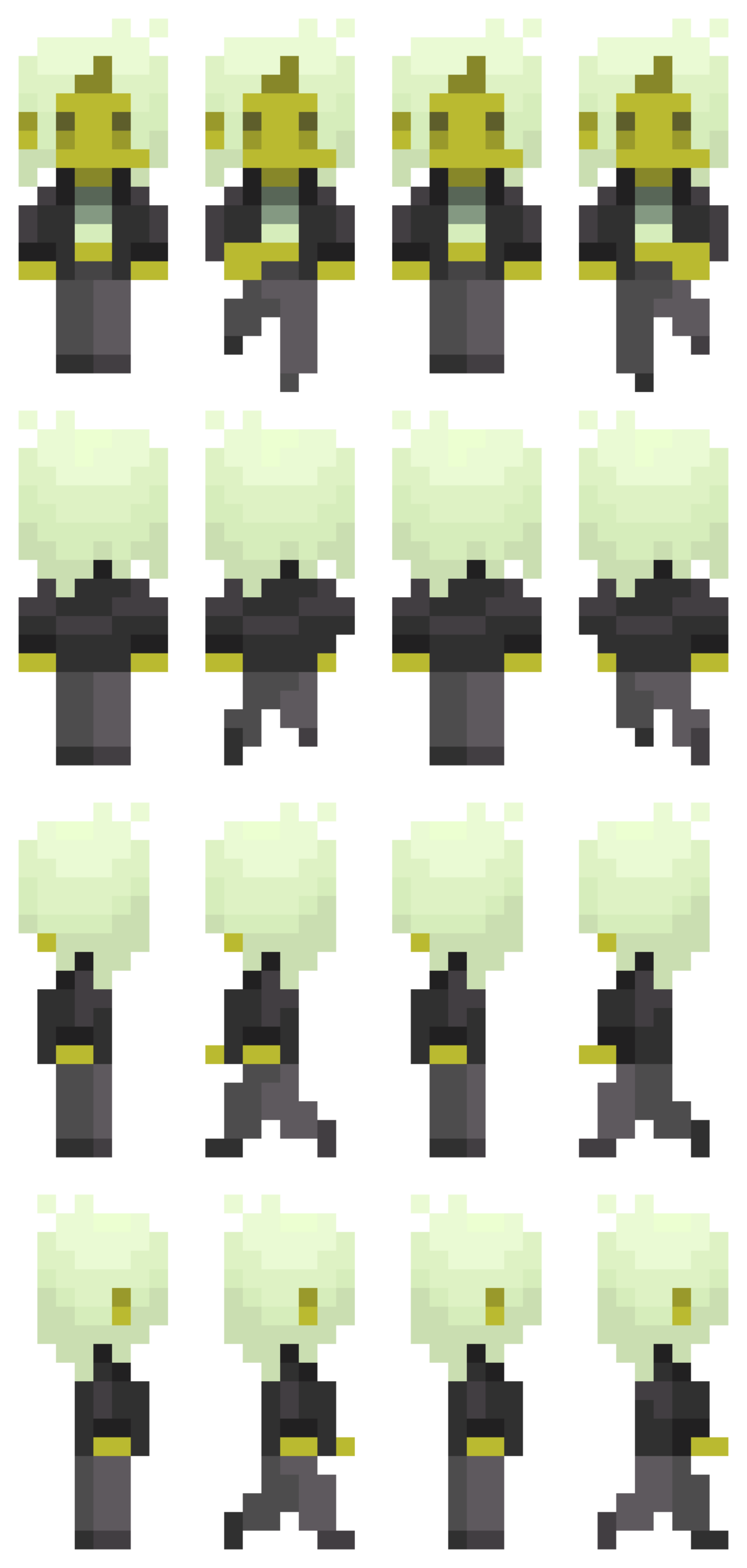
most frightening part and how i tackled it:
having to animate a sprite was definitely the most intimidating part for me. to start off, i reread the slides and really studied the examples provided. problem was, i wanted my sprite to be able to move while the arrow keys are pressed, unlike the example in the slides where you have to spam the keys rapidly. to figure out how to achieve this, i did some googling and scrounged around for (mostly useless) advice on the internet (obviously including ai overview), and ultimately was referred back to the KeyIsDown() reference page on p5.js. however, in trying to incorporate what i was learning, the code got extremely messy and buggy. all sort of horrendous things happened to my little sprite – i cannot bear to speak of it. eventually, i figured things out myself through trial and error (like always), and, while heavily relied on my references to keep me on the right track, all the code is written by me. (i shall add comments later when i continue to work on the project.)
function draw() {
  background(0);
  if (keyIsDown(DOWN_ARROW)) {
    direction = 0;
    y += speed;
    step = (step + 1) % 4;
  } else if (keyIsDown(LEFT_ARROW)) {
    direction = 2;
    x -= speed;
    step = (step + 1) % 4;
  } else if (keyIsDown(UP_ARROW)) {
    direction = 1;
    y -= speed;
    step = (step + 1) % 4;
  } else if (keyIsDown(RIGHT_ARROW)) {
    direction = 3;
    x += speed;
    step = (step + 1) % 4;
  } else {
    step = 0;
  }
  if (y <= 0) {
    y = 0;
  }
  if (x <= 0) {
    x = 0;
  }
  if (y >= windowHeight - 126) {
    y = windowHeight - 126;
  }
  if (x >= windowWidth - 60) {
    x = windowWidth - 60;
  }
  image(sprites[direction][step], x, y, 70, 147);
}
references:
as mentioned earlier, ai was used in the sense that it popped up and tried to provide answers to the questions i googled. i used it as a tool to try and understand how KeyIsDown works when i was experiencing bugs and analyzed the (very simple) examples it provided, then tried to implement what i learned into my code. I did not ask it to fix my bugs or provide me with code.
https://p5js.org/reference/p5/keyIsDown/
https://drive.google.com/file/d/18ZMq9BB1l5XhMx5OfzNciU2OJQbUKvg3/view?usp=sharing
