
Concept:
The idea behind my instrument was to create a simple, tactile musical device that translates deliberate physical control into sound. I wanted to explore a grounded interaction where turning a knob directly shapes pitch and pressing a button activates the sound. The instrument encourages slow, intentional exploration: rotating the potentiometer continuously changes the note, while the button acts as a gate that turns the sound on and off.
Method & Materials:
- Analog Sensor: 10k potentiometer used to control pitch
- Digital Switch: Tactile button used as an on/off trigger
- Output: Piezo buzzer to produce sound
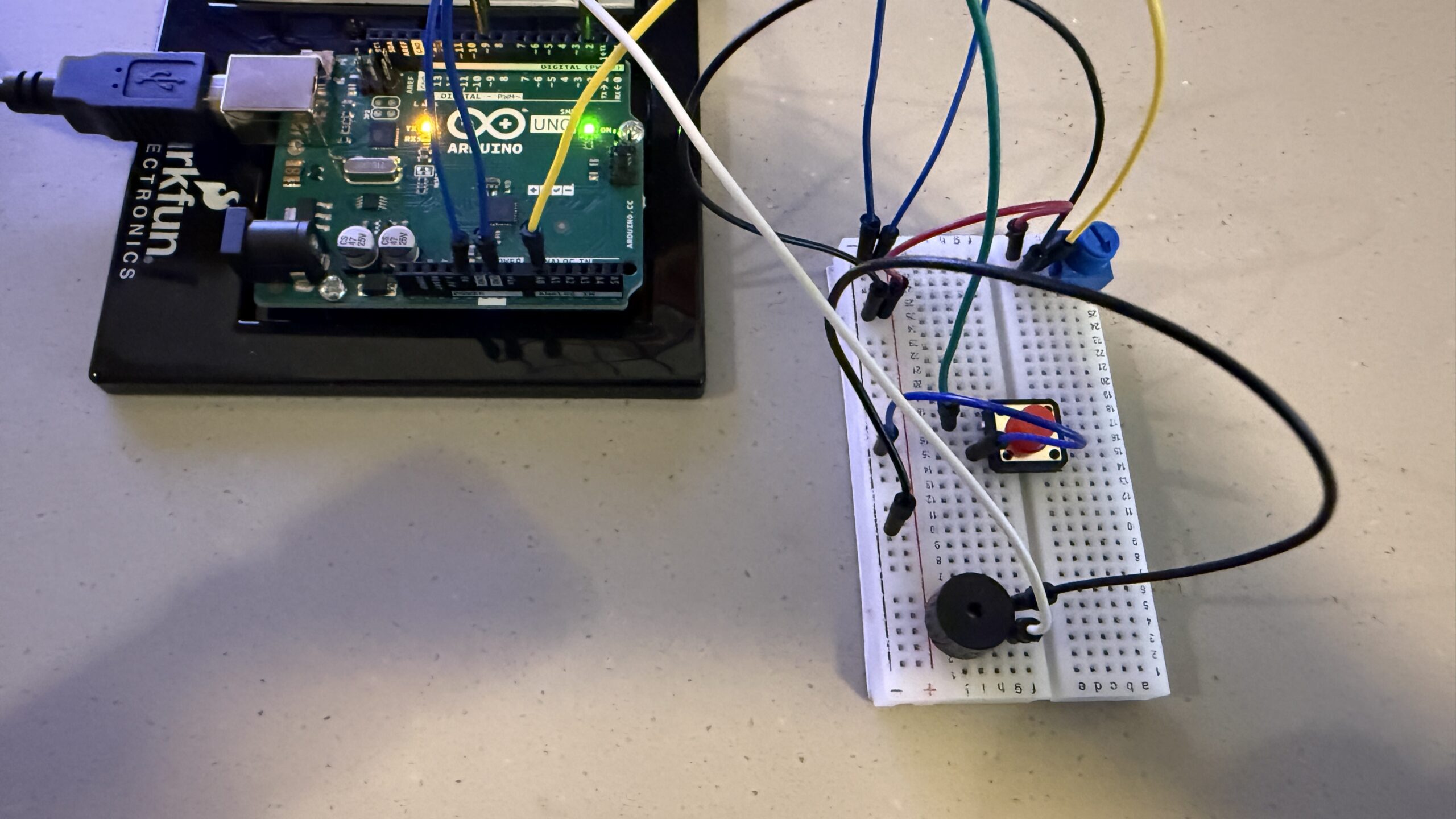
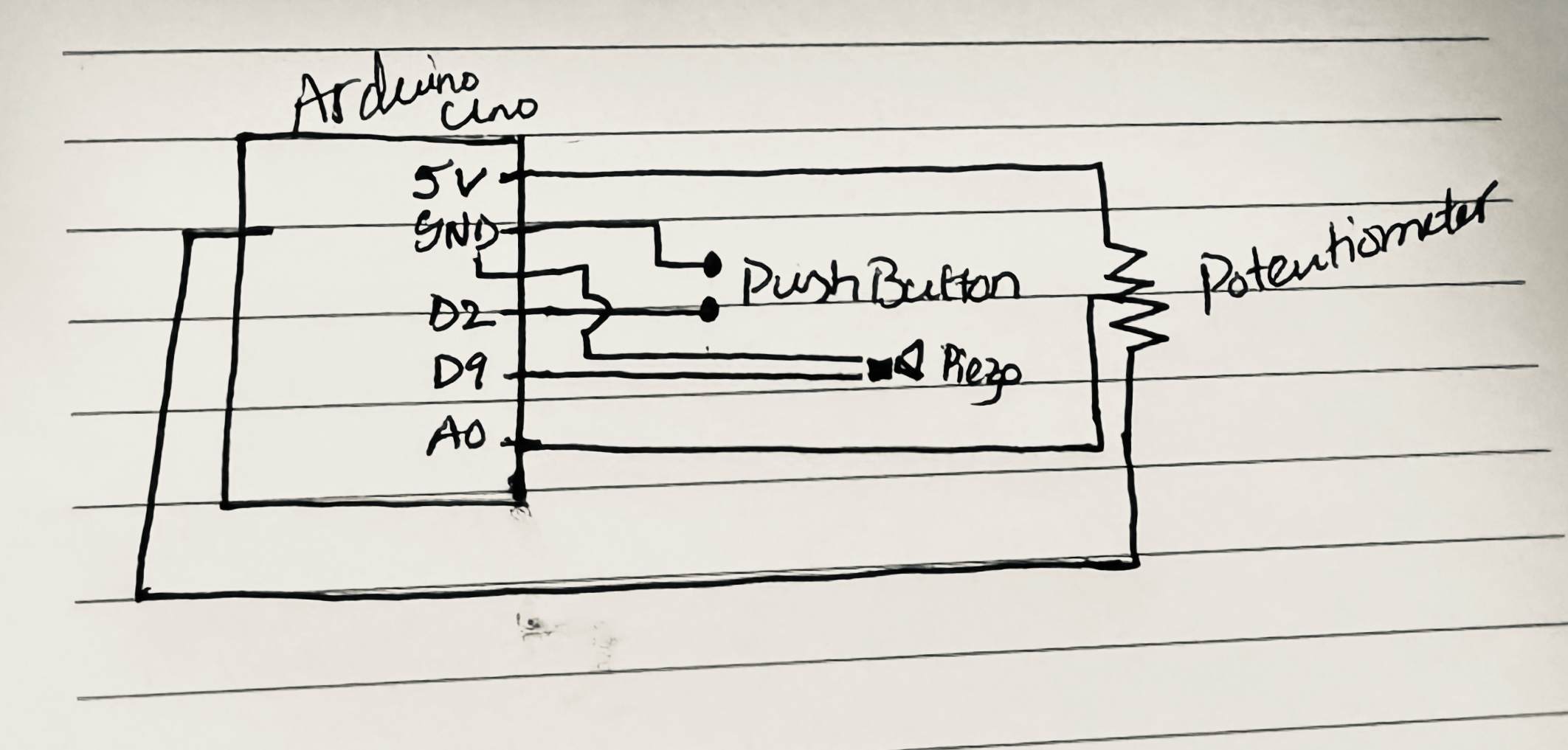
- The potentiometer was connected between 5V and GND, with its middle pin wired to analog pin A0. The button was connected to digital pin 2 and GND, using the Arduino’s internal pullup resistor. The piezo buzzer was connected to digital pin 9 and GND.
As the potentiometer is rotated, the Arduino reads a continuous range of values from 0 to 1023. These values are mapped to a frequency range that controls the pitch of the sound produced by the piezo buzzer.
Process:
The potentiometer provides a smooth range of values, while the button only has two states, pressed or not pressed. I experimented with reading both inputs simultaneously and learned how to use the map() function to translate raw sensor data into meaningful sound frequencies.
I also explored how using the internal pullup resistor simplifies wiring, reducing the number of external components needed. Testing different frequency ranges helped me find values that were audible without being too harsh.
Schematic:
(schematic drawing img)
The schematic shows the potentiometer wired as a voltage divider to analog pin A0, the button connected to digital pin 2 using INPUT_PULLUP, and the piezo buzzer connected to pin 9 as the sound output.
Code:
This project uses input from two sensors, a potentiometer and a button, to generate sound through a piezo buzzer. The potentiometer continuously controls pitch, while the button determines whether sound is produced. When the button is pressed, the Arduino reads the potentiometer value and maps it to a frequency range, producing a tone. When the button is released, the sound stops.
The part of the code I am most proud of is the line that maps the potentiometer’s analog values into a usable
Result:
The final prototype behaves like a simple knob-based synthesizer. Turning the potentiometer smoothly changes the pitch, while pressing the button activates the sound. The interaction feels direct and intentional, allowing the user to clearly hear the relationship between physical input and sound output.
In the demonstration video, the pitch responds immediately to changes in the knob position, showing how basic electronic components can be combined to form a functional musical interface.
Reflection:
This project helped me understand how sound, sensors, and code come together in interactive systems. Working with both analog and digital inputs clarified how different types of control shape user experience. Even with very few components, the instrument feels expressive and responsive. This exercise showed me how computational logic can be translated into sensory feedback, and how small design decisions, like mapping and thresholds, strongly influence interaction. It serves as a foundation for thinking about more complex computational instruments in the future.