All Posts

Prize Wheel

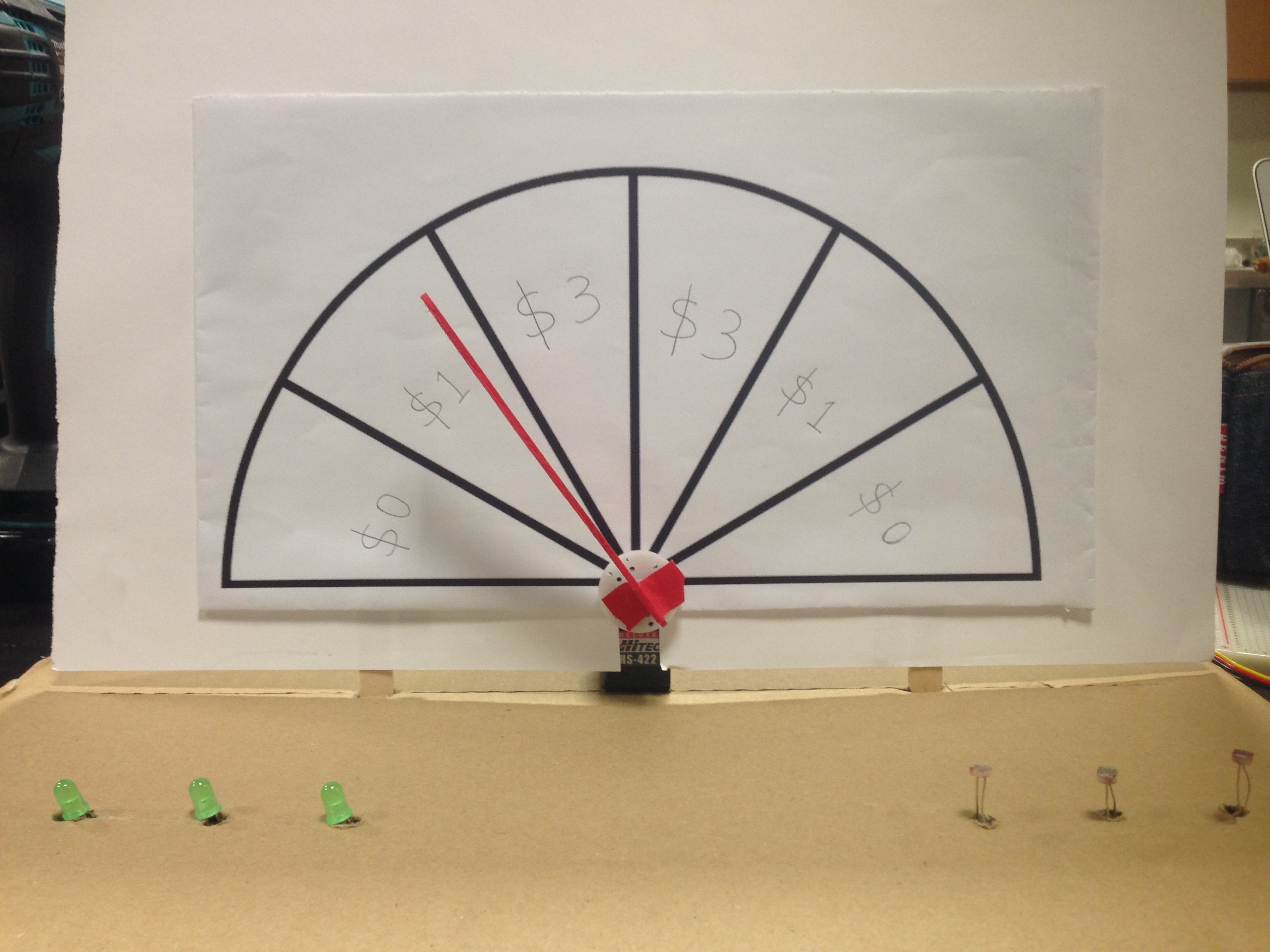
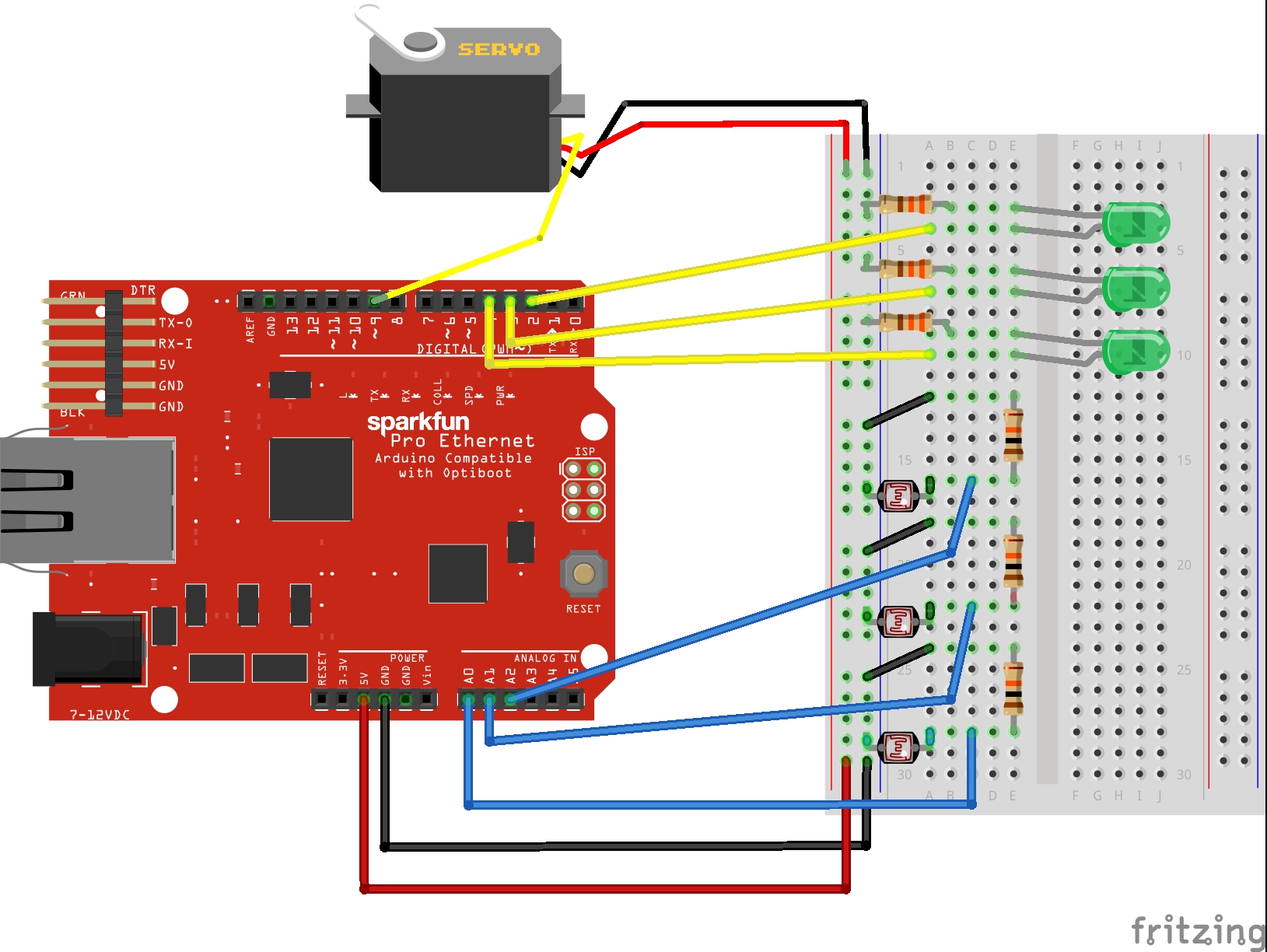
My stupid pet trick is similar to a prize wheel. The difference is that, instead of being a full circle, my prize wheel is a semi-circle, since the servo motor can spin for a maximum of 180 degrees. Depending on how much the user is willing to input, the speed of spinning and the time of spinning will be different. Here’s an illustration of my circuit for the prize wheel.

Stupid Pet Trick Illustration_bb      IMG_8738

Continue reading “Prize Wheel”

Love making machine

In my mind, love is just a matter of increasingly intense oscillatory motion until one reaches a breaking point. I don’t replicate the ‘increasingly intense’ part in my project, but I do try to replicate the oscillatory nature of love, and love making. If you can successfully make the sensor oscillate between two thresholds in a certain time, the lights will go off, providing that sweet sweet release we all lust for. If you can’t do it fast enough, a single light will flash suggestively. Rhythmic motion is the essence of love! I’ll post a video as soon as I get my phone in the IM lab.

The hardware part of this project was pretty simple to hook up, but figuring out the software side was a little trickier. My code is messy and not very impressive. I did use some arrays, and for loops to light up 4 lights, instead of doing each one individually. This is useful because I could put in more lights, and all I’d have to do is tell my script that I have more lights, and just throw the new pin number in an array. I wonder if I can iterate over arrays directly in Arduino, like in Python…

Fooling the Machines

Code from class

So far, we’ve managed to get the micro controller to read digital & analog inputs, ad set a variety of fancy LED effects. Now it’s time to make some even more fancy things happen.

The microcontroller has the ability to red variable voltages, but what about sending out a variable voltage? Unfortunately, unless we’re using a high end microcontroller with a built in DAC (digital to analog converter), there’s no way to get a true analog voltage out of the microcontroller. However, we can fake it with a technique called Pulse Width Modification (PWM).

Continue reading “Fooling the Machines”

gravity snake game/live arduino plotting using matplotlib

A video showing my project in action can be found here. This week I spent more time developing the software behind my project than the hardware. On the hardware side things are pretty simple. I took the basic Arduino we made in lab on Wednesday, plugged in a pressure sensor I found lying around, and wrote the value of the analog port to the serial monitor. I even disabled the light. I discovered that Python has two interesting characteristics that allow one to interact with an Arduino. One, it has a library, pyserial, which allows one to read values coming in from a USB port, much like the serial monitor built into the Arduino software. Two, one can plot data in real time via matplotlibContinue reading “gravity snake game/live arduino plotting using matplotlib”

Potentiometer controls LED lights

This project is about potentiometer and LED lights. When you press the certain parts of potentiometer, the matched LEDs will be on. In this circuit, I divided the potentiometer into three parts according its shape are the top, middle and bottom.

Potentiometer Controls LED Lights

Continue reading “Potentiometer controls LED lights”

LightPulb

I spent a while refreshing on the coding we learned the other day, and found the part that involves sensors most intriguing. I tried analog input with the potentiometer, flex sensor, and photocell. I also asked Scott about the RGB LED and tried it with switches on my board. But all this review work didn’t really give me an idea what to do for the assignment. So I looked closely at the shelf full of electric parts, and found this magic stuff:

Continue reading “LightPulb”