All Posts

Assignment 3- Generative Arts OOP


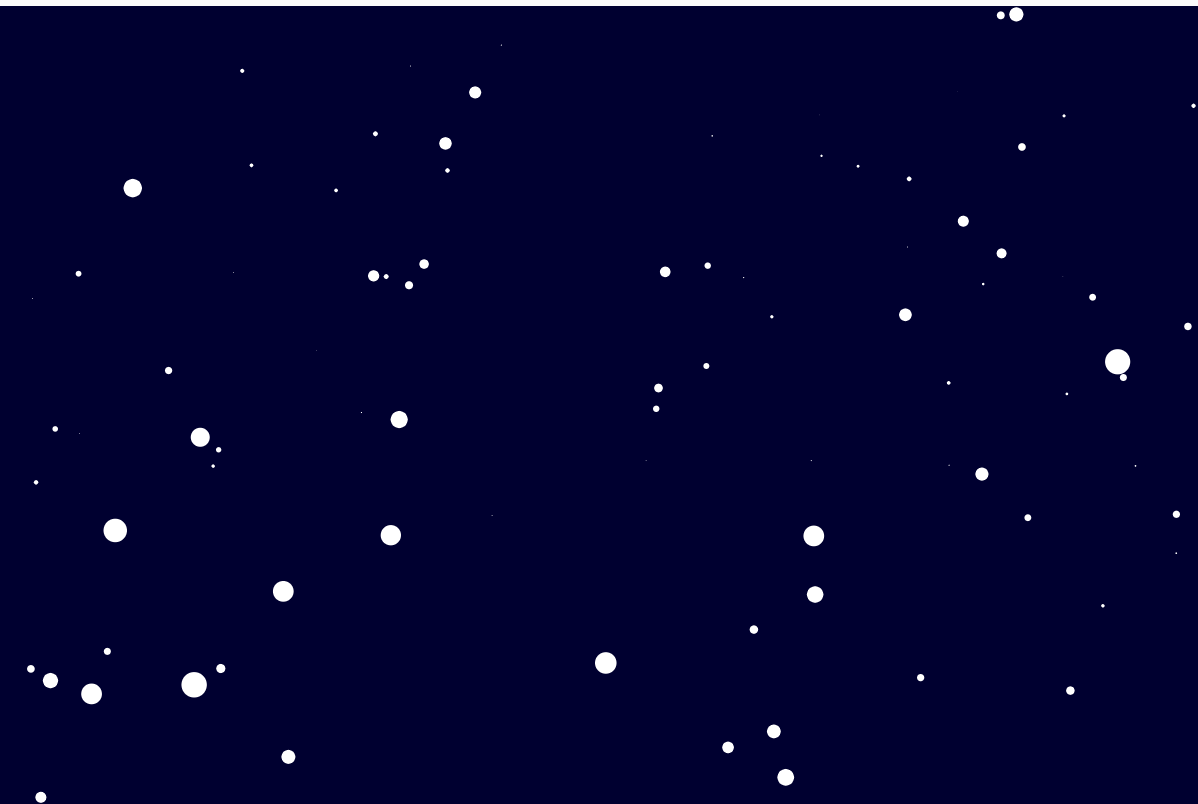
In this third assignment, we were to Create a generative artwork using Object-Oriented Programming. Starting with the assignment, I struggled to find a source of inspiration. The artworks I came across that I could use as my inspiration were very difficult to create( at least to my liking ). I finally decided to create something off the ball example we saw in class; I could only think of a snowy scene(something more like a winter period scene).

PROCESS

My implementation basically makes use of shapes(ellipse), sound and an image. As required by the assignment, I used functions, classes, and arrays. I created a Snowflake class that represents a single snowflake. Each Snowflake object has an x and y position, a radius, and a speed that determines how fast it falls down the screen. In the setup() function, I create an array of 100 Snowflake objects with random positions, radii, and speeds. In the draw() function, I update and draw each Snowflake object by calling its move() and draw() methods. The move() method moves the snowflake down the screen and wraps it around to the top if it goes off the bottom. The draw() method simply draws the snowflake as an ellipse on the canvas. I also used the preload function to load a vector image as the background which I downloaded from “deposit photos” and included a piece of royalty-free background music which I downloaded from YouTube.

EMBEDDED CODE

FUTURE IMPROVEMENTS

In a future version I hope to be able to include wind and its effect on the direction of the snowflakes. I also hope to add some clouds and other features to make the whole simulation resemble a real snowstorm.

Generative Artwork Bifrost

Concept and Inspiration

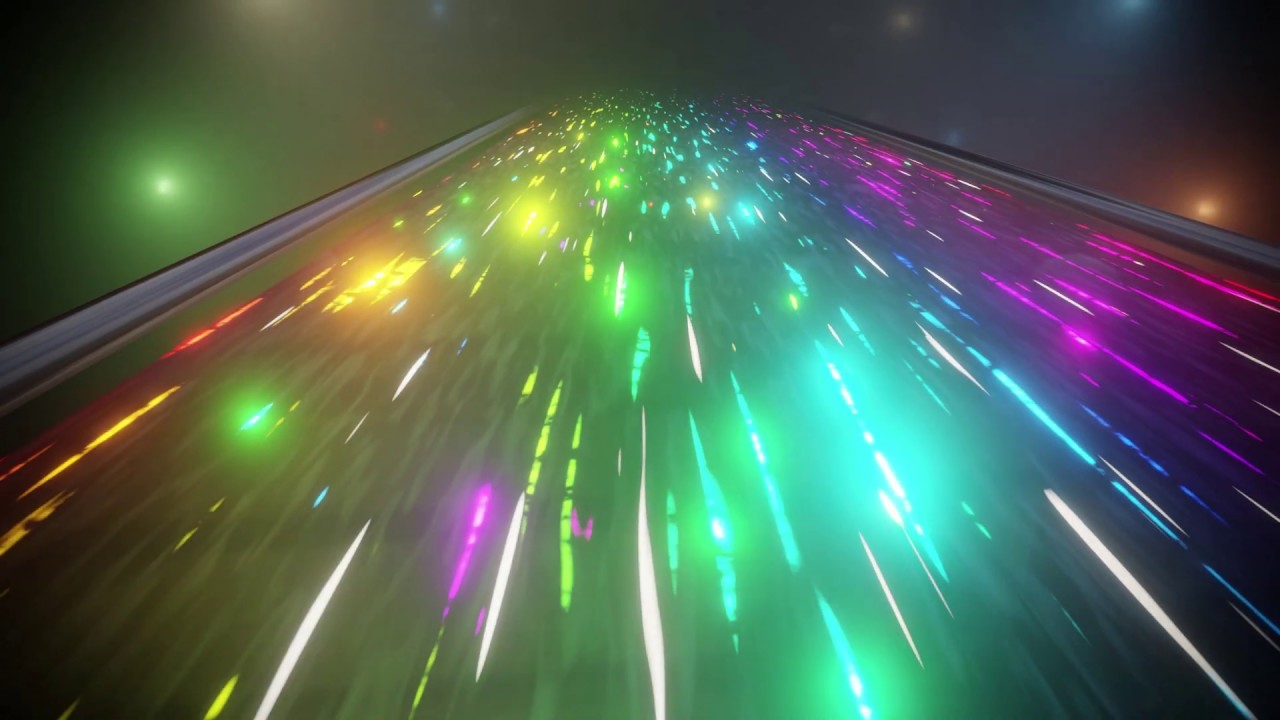
In this assignment we had to create a generative artwork using Object-Oriented Programming elements such as arrays and objects. In this project I tried to recreate the mythological rainbow bridge Bifrost.  In Norse mythology, the Bifröst (also known as the Bifrost Bridge or the Rainbow Bridge) is a bridge that connects the realm of the gods Asgard to the mortal world Midgard. The Bifröst is depicted as a rainbow bridge that shimmers and changes colors. The concept of the Bifröst has been influential in works of fiction, inspiring elements of magic and fantasy in various forms of media. I tried to create an immersive experience of traveling using this Bifröst bridge, and tried to depict how it would look like from inside.

Draft 1

First I created a white stars on black background with an immersive movement. After testing out various angles and parameters for speed and size I integrated rainbow background change and increased the speed.

Final Version

In this assignment I paid extra attention to the structure, clarity, and organization of my program. I made use of functions as needed to organize structure of my program and tried to assign meaningful names for variables.

Code of Project

var star = []; // array to store all the stars
var numOfStars = 200; // number of stars to be displayed
var speed = 8; // speed at which stars move
var backgroundHue = 0; // hue value for the background color

// the setup function is called once when the program starts
function setup() {
  createCanvas(600, 400); 
  for (var i = 0; i < numOfStars; i++) {
    star[i] = new Star(); // creates new instances of the Star object and adds them to the star array
  }
}

// the draw function is called repeatedly until the program is stopped
function draw() {
  backgroundHue = (backgroundHue + 1) % 360; // updates the hue value for the background color
  colorMode(HSB); 
  background(backgroundHue, 100, 100); 
  for (var i = 0; i < numOfStars; i++) {
    star[i].update(); // updates the position of each star
    star[i].show(); // displays each star
  }
}

// the Star object constructor
function Star() {
  this.x = random(0, width); 
  this.y = random(0, height); 
  this.z = random(0, width); // z-coordinate for the star (used for the 3D effect)
  this.h = random(0, 360); // hue value for the star color

  // updates the position of the star
  this.update = function () {
    this.z = this.z - speed; // reduces the z-coordinate to move the star towards the viewer
    if (this.z < 1) {
      this.z = width; // if the star goes off the screen, it reappears at the back
      this.x = random(0, width); // new x-coordinate
      this.y = random(0, height); // new y-coordinate
      this.h = random(0, 360); // new hue value
    }
  };

  // displays the star
  this.show = function () {
    noStroke(); // removes the stroke around the star
    colorMode(HSB); 
    fill(this.h, 100, 100); 

    // calculates the x-coordinate and y-coordinate of the star on the screen
    var sx = map(this.x / this.z, 0, 1, 0, width);
    var sy = map(this.y / this.z, 0, 1, 0, height);

    // calculates the size of the star based on its z-coordinate
    var r = map(this.z, 0, width, 32, 0);
    ellipse(sx, sy, r, r); // draws the star as an ellipse
  };
}

Challenges and Improvements

Creating a believable rainbow effect for the stars and the background can be challenging. It requires careful use of color gradients and blending modes to produce the desired visual effect. Another improvement can be made to star movement. Implementing realistic star movement can be difficult, especially when it comes to creating a 3D illusion on a 2D canvas. It’s important to carefully consider the equations used to move the stars, as well as the way they are drawn on the canvas

Assignment 3: The Sea

Inspiration:

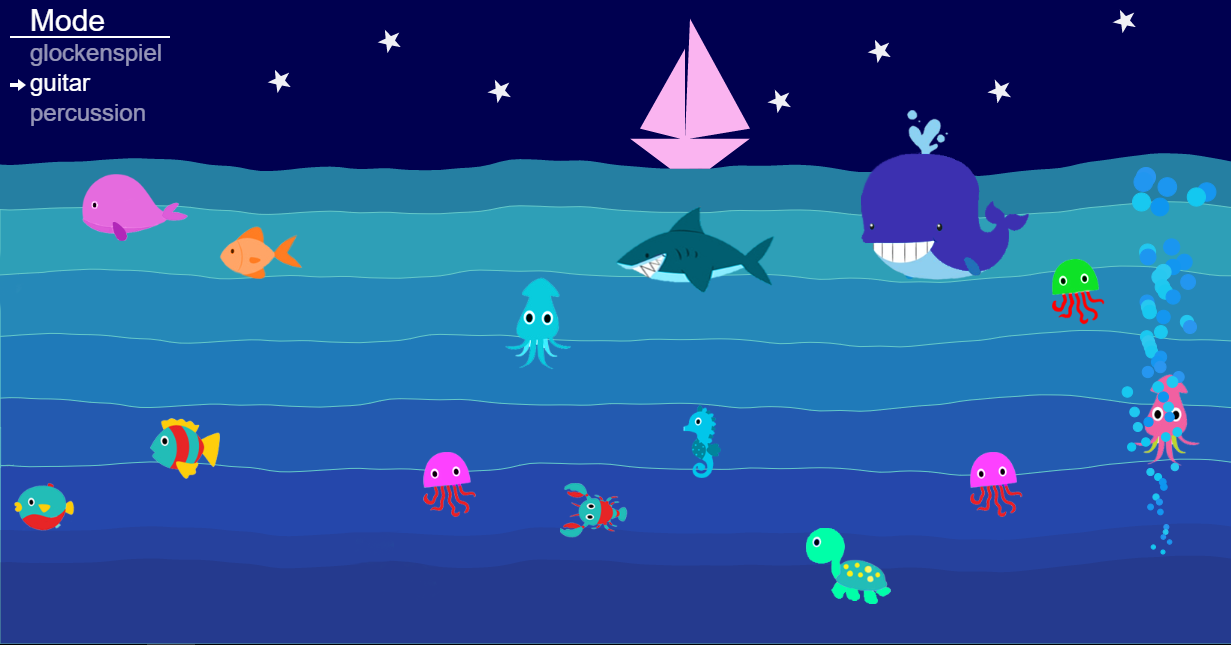
Reference: “Seascales — Catherine Jou”. 2023. Catherine Jou. http://www.catherinejou.com/p5-piano

Initially, I planned to implement Object-Oriented Programming (OOP) with moving insects like butterflies in a forest setting, but it proved to be too complex, so I decided to save that idea for later. Instead, I resorted to the underwater world and created a basic animation of elliptical fish swimming across the screen. The picture I got inspired by is attached above. I added water waves to the scene and kept the sea monotone. However, I only used fish in this project and this is one area where I realized that I could improve my assignment by adding a variety of organisms.

Process:

I used two classes in my code, one for the waves and the other for the fish. For the wave class I learned about new functions in p5.js using sine to make waves. A few of these functions are the vertex(), beginShape(), endShape(). 

While trying to make a few waves move in the right direction and a few in the left direction I accidentally made them vibrate to and fro which resulted in a better and more realistic vibratory motion for the water waves. Therefore, unlike fish which intentionally move from one direction to another, the water waves follow a different movement. 

I used the same idea of wrapping that we learned in class for the fish and made sure they reappeared when they left the canvas or in other words went offscreen(). I also watched a youtube video which mentioned ‘drawingContext.shadowBlur’ to give a glow effect to the objects drawn and I used it in my draw() function to give more definition to the sketch. Other than that I made a basic ship using quad() and triangle() functions. The starry effect on the night sky is also an output of a basic for loop and the random() function together. 

Final Output:

Week 3 – Generative Art with OOP

Concept

As we talked about chaos and order in class, I felt inspired to incorporate these themes in my next art piece. I was also inspired by the rotating hypercubes we looked at in class and wanted to add cubes to my art. Combining these elements, I came up with a streak of cubes exuding from a sphere. An array of cube objects are created and they are translated along the canvas. My love for randomness really influenced this project as this streak of cubes randomly moved around with the sphere while each individual cube rotated as well. Also, the cubes and the sphere are assigned random colors. These rotations and the translations, have a certain order to them, but when the mouse is pressed, the canvas becomes more chaotic! The translations are random within a range of values allowing for a very random and pretty streak of cubes that rotate and rapidly change positions on the screen. There is also a random shooting star that appears and floats on the screen when the mouse is pressed. Also, pressing the mouse also changes the stroke colors and shape colors to shades of grey further enhancing a chaotic effect – it gives a warping effect such as that when space or time is warped by a black hole.

Art and Code

Here is the artwork:

Here is my code:

//define some global variables
gnumOfCubes=80;
gboxWidth = 10; 
gboxHeight = 10;
gboxDepth= 10;
tx=20; //translation along x axis
ty=10; //translation along y axis

//to draw a bunch of cubes
let gCubeArray =[];

function setup() {
  createCanvas(400, 400, WEBGL);
  background(20);
}
function rotateElement()
{
  rotateX(frameCount * 0.01);
  rotateY(frameCount * 0.01);
}
function draw() {
  
  //refresh background so that previously drawn cubes disappear
  background(20);
  
  //for rotation of the elements
  rotateElement();
  
  //when mouse pressed
  if (mouseIsPressed) {
    // a star appears and randomly moves across the screen 
    star = new shootingStar(mouseX,mouseY,50,50,4,7);
    star.update();
    star.display();
    
    //also, color and stroke should become shades of grey when mouse pressed
    fill(random(255));
    stroke(random(255));
  }
  else
    {
      //if not pressed, keep all colors and stroke is black
      stroke(0);
      fill(random(255),random(255),random(255));
    }
  
  //draw a sphere in the center
  sphere(30);
  
  //draw cubes that exude out of the center of the canvas and from a streak by repeatedly translating them 
  drawCubes(gCubeArray,-tx,-ty);
  
  //if mouse is pressed, choose random values for translation along x and y to create a chaotic effect and then draw cubes
 if (mouseIsPressed)
   {
     tx=random(-10,10);
     ty=random(-10,10);
     drawCubes(gCubeArray,-tx,-ty);
   }
  
  //draw a circle to accompany the tip of the streak of cubes
  fill('white');
  ellipse(0,0,50,50);
}

//class for cubes
class Cube{
   constructor(width, height, depth, size){
     this.width = width;
     this.height = height;
     this.depth = depth;
     this.size = size;
   }
  display(){
    rotateElement();
    if (mouseIsPressed)
    {
      fill(random(255));
    }
    else
    {
      fill(random(255),random(255),random(255));
    }
    //use box from WEBGL mode to create the cubes
    box(this.width, this.height, this.depth, this.size);
  }
}

//a shooting star that appears when mouse is pressed and randomly moves around
class shootingStar{
  constructor(x,y, width,height, xSpeed, ySpeed){
    this.x=x;
    this.y=y;
    this.width=width;
    this.height =height; 
    this.xSpeed=xSpeed;
    this.ySpeed=ySpeed;
  }
  
  display(){
    fill('white');
    ellipse(this.x, this.y, this.width,this.height);
  }
  //update position of the store to create motion
  update(){
    this.x += this.xSpeed;
    this.y += this.ySpeed;
  }
}

//function to draw the streak of cubes by pushing cubes onto the cube array and translating them
function drawCubes(gCubeArray,tx,ty)
{
   for (let i=0; i < gnumOfCubes; i++){
    gCubeArray.push(
    new Cube(gboxWidth,gboxHeight,gboxDepth,4)
    )
    gCubeArray[i].display();
    translate(tx,ty);
  }  
}

I used functions, arrays, and object-oriented programming to create this artwork.

Reflection and future improvements

I immensely enjoyed making this art piece. While I had the purpose of creating cubes and having them rotate, I experimented with the transformations and the WebGL mode to finally come up with this work. It was after a lot of experimentation that this work was created and this is the most exciting part of this course – forming a new, different creative piece that you might not have envisioned in the beginning.

In the future, I want to use more classes and functions to further enhance this piece or other works. For example, an entire galaxy of stars could be created in the backdrop while I only created one so that can be added. Moreover, music can be added as well and I also want to experiment with sine and cosine functions in the future.

HW Week 3 – OOP Art in p5js

Inspiration

I had quite an intensive day and one of the fun parts of it was actually solving puzzles and playing games in a pair for one of the student capstone experiments I participated in. One of the games resembled tic-tac-toe for me and I used to love playing it. With the homework assignment based on the use of classes and arrays, I tried to recreate the game in a basic setting using p5js.

The product

I am overall satisfied with the technical aspect of the code but I as look closer at the visual implementation I think it needs a strong improvement here to be somewhat ‘artsy’ at least to a minimal extent. I want to develop it a bit further playing with design and making it more interactive.

Since I thought that just X and O were completely boring, I decided to switch them simply to IM and CS to draw a winner in this friendly ‘competition’ between majors.

Challenges

For me, it was getting used to the implementation of how to apply a function for each cell in p5js. It was a bit confusing since I am more used to retrieving code functions into separate blocks, yet this implementation looks tidier.

this.cells.forEach(function (cell) {
  if (cell.r == r && cell.c == c && 0 == cell.v) {
    cell.t = t;
    if (turn == "IM") {
      cell.v = 1;
    } else {
      cell.v = -1;
    }
  }
});

Summary

I have used 2 classes for the Tic-Tac-Toe game: Board and Player, and I believe this assignment was useful to me in regards to practising OOP code writing. It was also quite a while since my last game implementation, even a basic one like this. The aspect that I think I really need to work on more is the visual representation of the game and making it more creative in the sense of design. Yet, this was a fun and useful experience of implementing.

Generative Art_Aaron

class generativeArt { //class to generate art on canvas
  constructor() {
    this.move_art = -200;
    this.xRot = 0.01; //rotation speed about the x-axis
    this.yRot = 0.01;//rotation speed about the y-axis
    this.drawBox();//
  }

  drawBox() { //function to draw rotating intertwined boxes 
    push();//give the box the below properties till it meets pop
    rotateX(frameCount * this.xRot); //rotate about x-axis
    rotateY(frameCount * this.yRot); //rotate about y-axis
    stroke(0);
    noFill();
    box(3, 3, 30); //draw box
    //second box
    rotateX(frameCount * this.xRot);
    rotateY(frameCount * this.yRot);
    stroke(255, 255, 255);
    noFill();
    box(3, 3, 30);
    pop(); //resets the box properties to its original properties
  }

  art() { //function to create rotating boxes at different locations on the canvas
    for (let i = 10; i < 1000; i += 50) {
      for (let j = 20; j < 1000; j += 100) { 
        push();
        translate(j - i, i); //translate the box to different positions determined by i and j
        this.drawBox();
        pop();
      }
    }
    
    for (let i = 10; i < 1000; i += 50) {
      for (let j = 20; j < 1000; j += 100) {
        push();
        translate(i, j - i); //translate the box to different positions determined by i and j
        this.drawBox();
        pop();
      }
    }
    for (let a = -350; a < 350; a += 30) {
      push();
      translate(a + 10, (this.move_art+= 0.001)); //translate the box to different positions determined by a but moves the boxes down the y axis
      this.drawBox(20, 50, 10);
      pop();
    }
  }


}

function setup() {
  createCanvas(700, 400, WEBGL);
  background(220);
  my_art = new generativeArt();
}

function draw() {
  my_art.drawBox();
  my_art.art();
}

//inspiration

//from the previous homework created using boxes in 3D.

//challenges faced:

//I had a difficulty in navigating the 3D space difficulty in resetting the movement from the top of the canvas.
//Also, it was a hustle figuring out how to make sure the boxes stay in a fixed position

Week 3: Fireworks

Overview:

For this assignment, I tried to utilize the concepts of object-oriented programming (such as classes and arrays) to create a generative artwork with an element of randomness and interactivity.

Concept:

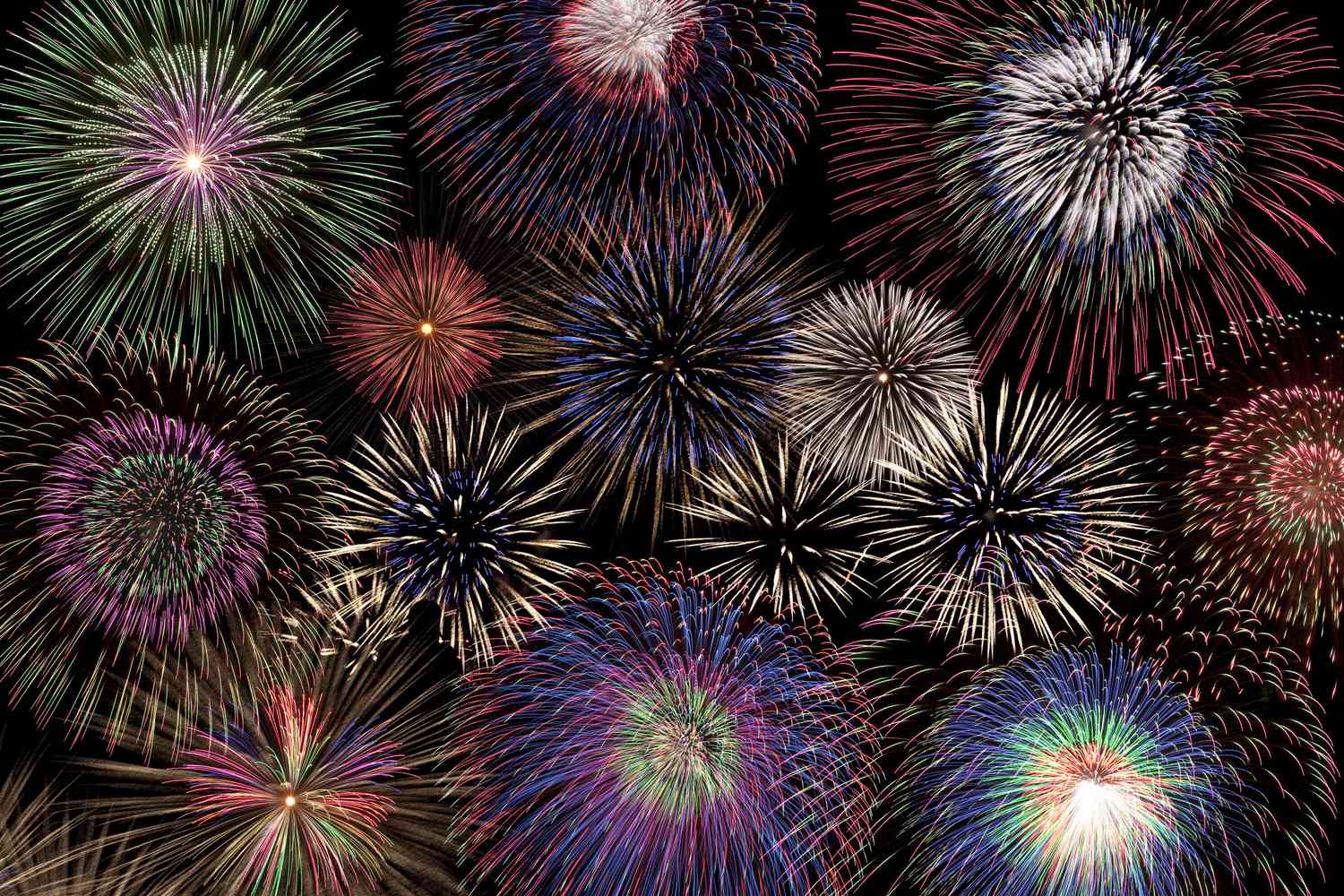
I was looking at different forms of generative examples on the Internet and got inspired by this generative art created on processing. So, I decided to imitate fireworks by programming the instances of objects (in my case, circles) to follow a specific movement aimed at creation an effect of explosion and dispersion as in the below photo.

I tried to choose bright range of colors to fit the concept of fireworks, and I  also added the trail at the end of the particles to create a slow dispersion effect. For this, I manipulated to opacity of the background, setting it to 90. The user can also interact with it by choosing the origin of the fireworks, which, in turn, changes the background color to different dark shades of red and green.

Code:

Even though this animation may not be that realistic because the particles were following a symmetrical path, I am still proud of how the explosion effect at he beginning and a random dispersion that follows turned out to be. The part of the code that is responsible for these is the update() function that calculates the movement of particles and adds and element of randomness.

Here’s the code for the reference:

//function to calculate the lcoation and movement of circles
 update(){
  
   //after the circles reach the pre-defined boundaries i.e. after the first explosion occurs
   if(this.x>this.xMax || this.y>this.yMax || this.x<this.xMin || this.y<this.yMin){
     
     //user can change the origin of the salute by clicking on the screen
     if(mouseIsPressed == true){
       
       this.x=mouseX
       this.y=mouseY 
       
       //when they click the screen, the background color will also change to random shades of red and green to resemble the sky during the fireworks show
     background(random(0,100),random(0,100),random(0,100),opacity);
     }
     
     //in times when the user doesn't click on the scree, the origin of fireworks will be determined by the randomn() function
     else {
       this.x=random(0,400)
       this.y=random(0,400) 
     }
     
   } 
   
   //make the circles move on a specific manner
   this.x+=this.xspeed;
   this.y+=this.yspeed;   
 }

Future Improvements:

As I’ve mentioned above, one of the improvements for this code to create a more realistic firework imitation would be to make the particles follow not such a strict symmetric path. Also, instead of making them move in the straight line, it would be a good idea to make them move on an arc, accelerate when falling and decelerate when exploding. I tried to incorporate these concepts to this code as well, however I faced few challenges during the process, especially when making the particles fall to the ground imitating an arc-like movement.


Week 3 – Art with Classes

After going through a creative block, I finally managed to create this:

Below is the code for the project:

let stars =[];
let rockets=[];


function setup() {
  createCanvas(600, 700);

  for (let i = 0; i < 100; i++) {
    stars[i] = new Star(random(width), random(height), random(1, 5));
  }
  
  rocket = new Rocket(width / 2, height, 5);
  moon = new Moon(500,100,50);
  
  // Add mouse click event listener
  mouseClicked = function() {
    let x = mouseX;
    let y = mouseY;
    let rocket = new Rocket(x, y, 5);
    rockets.push(rocket);
  }
}

function draw() {
  background(1,22,64);
  
  //Drawing the stars
   for (let star of stars) {
    star.show();
   }
  //Drawing the moon
  moon.show();
  
  //Drawing the rockets
  for (let i = 0; i < rockets.length; i++) {
    rockets[i].update();
    rockets[i].show();
  }
}

//Class making the randomized stars in the background
class Star {
  constructor(x, y, size) {
    this.x = x;
    this.y = y;
    this.size = size;
  }

  //Drawing the stars
  show() {
    stroke(255);
    strokeWeight(this.size);
    point(this.x, this.y);
  }
}

//Making the moon
class Moon {
  constructor(x, y, diameter) {
    this.x = x;
    this.y = y;
    this.diameter = diameter;
  }

  show() {
    //The main body
    noStroke()
    fill(254, 252, 215);
    ellipse(this.x, this.y, this.diameter, this.diameter);
    
    // Adding shadows
    fill(234, 232, 185);
    ellipse(this.x + this.diameter / 4, this.y, this.diameter / 2, this.diameter / 2);
    ellipse(this.x+5 - this.diameter / 4, this.y + this.diameter / 4, this.diameter / 2, this.diameter / 4);
  }
}


//Class making the rocket
class Rocket {
  constructor(x, y, velocity) {
    this.x = x;
    this.y = y;
    this.velocity = velocity;
  }

  update() {
    this.y -= this.velocity;
  }

  //Body of rocket
  show() {
    
    //Flames
    noStroke()
    fill(255,185,0)
    ellipse(this.x,this.y+35,20,60)
    
    //Side fins
    fill(30,144,255);
    arc(this.x,this.y + 36,40,40,PI,0,CHORD)
    
    // Body
    fill(255,0,0)
    ellipse(this.x,this.y,30,80)
    
    //Windows
    fill(255);
    ellipse(this.x,this.y-12.15,15)
    fill(255);
    ellipse(this.x,this.y+6.15,15)
    
    //Front fin
    fill(30,144,255);
    ellipse(this.x,this.y+32,5,30)
    
  }
}


I went through a creator’s block for a couple of days meaning I could not think what I should make for a project. Then one morning, during my CSO class, we watched a case study on a rocket ship: the Ariane 5. This gave me the idea of creating a rocket taking off into space as my project.

I’m especially proud of how my stars and rocket turned out. I always enjoyed looking at the night sky due to the presence of stars above and wanted to make sure the stars in my project would look at least somewhat pretty and I am quite happy with how they turned out. the rocket ship took some experimenting, but I finally settled on this design which gives a more cartoonish look, but I believe was the best one I made.

In the future, I can definitely add more by animating the flames in order to breath more life into the rocket. I also wanted to add sound effects, but I could not find any suitable sound effect for my rocket so ended up scrapping that idea though I am more than happy to revisit that in the future.

Assignment 3: OOP Generative Art

Concept:

I was very intrigued with our discussion last on chaotic pieces of art and as I walked around campus for inspiration for this assignment, I noticed that a lot of things in nature are quite chaotic. For instance, tree branches sprout in no particular order or even cobwebs have no particular pattern to them. I wanted to mimic my work through replicating these chaotic traits in nature.

Usually, I go over the top and add some cool interactivity or motion in my assignments, but this time I wanted to keep it simple and draw a still portrait so the viewer can take their time and digest the piece of art.

Thought Process and Code

For this assignment, I decided to draw a chaotic cobweb. I found the shape at which webs were made quite random and intriguing, hence the reason why. Most of the time, spiders tend to make ordered shapes but sometimes it gets chaotic and completely random. I wanted to mimic that randomness.

My initial instinct was to simply draw a bunch of random lines all over each other and that each line would have a random length and random angle of rotation on the cavas when I draw them.

class Web { 
  constructor() {
    this.string_len = random(init_length/2, init_length);
    this.string_ang = random(init_angle/2, init_angle);
  }
  
  drawLines() {
    line(0, 0, 0, this.string_len);
    translate(0, this.string_len);
  }
}

Hence, I drew this, but the preview that came out was essentially just the screen covered. You couldn’t see any lines all you could see was a blank screen and even when I tried using the noLoop() function, it wouldn’t pause it at the correct frame.

Hence, I thought maybe I should add some initial structure to it, hence I created an InitializeWeb() function which would take in the initial number of lines, length of the lines and angle of the lines (all of which are global variables to which the user can change). This function essentially starts to create a bunch of “string” objects from the Web class to create the overall Web structure.

Like all cobwebs, there’s a focal point, so I translated to the center of the canvas and planned to draw an initial set of lines from the center (at random angles). I would do this by creating new objects called “string” of type Web which would have its length and angle parameters as per the constructor.

function setup() {
    createCanvas(600, 600);
    angleMode(DEGREES);
    noLoop();
}

function draw() {
    background(0, 0, 40);
    translate(width/2, height/2);
    InitializeWeb(init_length, init_num, init_angle);
}

function InitializeWeb(length, num, angle) {
    stroke(255, 80, 80);

    for (let i = 0; i < num; i++) {
      push();
      rotate(random(0, 360));    
      string = new Web(length, angle);
      Spread(string, length, angle);
      pop();
    }
}

Then I would draw the lines using the Spread() function where I continue to spread out lines throughout the canvas.

Ideally, I wanted this function to be inside the class as the variables and manipulations inside the function are to deal with the string object. However, it seems that p5js does not support recursion of functions within class definitions. Hence, I just created this function outside of the class.

Post Edit: I did not realize you could call the functions within a class through the “this” keyword, hence yes, you can use recursion of functions within classes. I was just unaware. In this case, I would use this.spread() as a function within the class rather than just another regular function.

function Spread(string, len, ang) {
  string.drawLines();
  
  len *= shrink_factor;
  ang = random(ang-30, ang+20);
  
  if (len > webbyness) {
        push();
        rotate(ang);
        Spread(string, len, ang);
        pop();

        push();
        rotate(-ang);
        Spread(string, len, ang);
        pop();
    }
}

The idea of Spread() is to recursively draw the lines and i’d continuously shrink the length of the lines by some factor. While the length isn’t bigger than a variable I like to call “webbyness” which is kind of like how thick the web structure is, then it will keep printing lines. Eventually, the canvas would be filled with a web like structure which is what I wanted to achieve.

Final Piece:

Concluding Thoughts and Improvements:

Overall, I think the piece looks very chaotic and like I lot of emotion and things are going on in it. It replicates that cobweb like structure and evokes some strange emotion to it even though it’s a still image which actually makes me pretty happy.

I feel that perhaps the density of the webbyness could’ve been evenly distributed throughout the canvas as an improvement.

Also to add some sense of movement if I wanted to, perhaps add some blinking or glistening/fading effects to enhance the emotion and mystery that comes out of my piece.

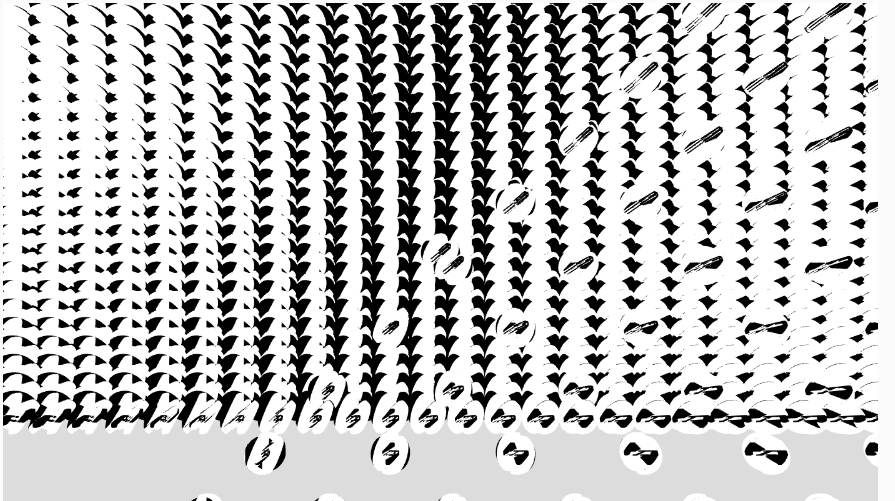
HW3: Generative Art Using OOPs and Perlin Noise

Inspiration

This code is inspired by a video from “The Coding Train” channel on YouTube. The video shows how to create a flow field simulation using particles that follow the flow of a vector field.  It uses Object-Oriented Programming, arrays, and Perlin noise to create flow field particles that look very aesthetically pleasing.

Concept

The concept behind the flow field simulation is that particles move according to a vector field, which defines the direction and magnitude of the flow. The vector field is generated using noise, so that the flow is not predictable and creates a natural, organic look. The particles follow the flow field by calculating the angle of the vector at their current position, and adjusting their velocity and position accordingly.

Implementation

The implementation of the code involves creating a Particle class to represent each particle in the system. This class contains a number of methods to control the particle’s motion. The update() method updates the velocity and position of the particle based on its acceleration. The follow() method uses the particle’s current position to find the corresponding vector in the flow field and apply it as a force to the particle. The display() method draws a line from the particle’s current position to its previous position, and the updatePrev() method updates the previous position to be the current position. The resetParticles() method checks if the particle has gone out of bounds and wraps it back to the other side of the canvas if it has.

The main setup function generates the flow field and creates the particles. The flow field is generated by dividing the canvas into a grid of cells, and then generating a random vector for each cell. The number of columns and rows in the grid is calculated based on the size of the canvas and the scale factor, s. The setup() function also creates the particles by creating new instances of the Particle class and adding them to the particles array.

The draw() function updates the flow field and the particles. First, it updates the noise offset to create a smoothly changing flow field. Then, it loops through the grid and calculates a new angle for each cell based on the noise function. This angle is converted into a vector, which is stored in the flowfield array. Next, the function loops through the particles, and for each particle, it calls the follow() method to apply the corresponding flow field vector to the particle. Then, the update() method is called to update the particle’s velocity and position based on its acceleration. Finally, the display() method is called to draw the particle and the resetParticles() method is called to wrap the particle back to the other side of the canvas if it has gone out of bounds.

// Class for a particle that moves based on a perlin noise flow field
class Particle {
  constructor() {
    // Initial position of the particle at a random point on the canvas
    this.pos = createVector(random(width), random(height));
    // Initial velocity set to (0, 0)
    this.vel = createVector(0, 0);
    // Initial acceleration set to (0, 0)
    this.accel = createVector(0, 0);
    // Maximum speed that the particle can move
    this.maxV = 4;
    // Store the previous position of the particle
    this.prevPos = this.pos.copy();
  }

  // Follow the flow field vectors
  follow(vectors) {
    // Calculate the grid position of the particle
    let x = floor(this.pos.x / s);
    let y = floor(this.pos.y / s);
    let index = x + y * cols;
    // Get the force vector at that grid position
    let force = vectors[index];
    // Apply a force to the particle's acceleration
    this.accel.add(force);
  }
  
  // Update the position of the particle based on its velocity and acceleration
  update() {
    // Add the acceleration to the velocity
    this.vel.add(this.accel);
    // Limit the velocity to the maxV
    this.vel.limit(this.maxV);
    // Add the velocity to the position
    this.pos.add(this.vel);
    // Reset the acceleration to (0, 0)
    this.accel.mult(0);
  }

  // Display the particle as a line connecting its current and previous position
  display() {
    stroke(220);
    strokeWeight(1);
    line(this.pos.x, this.pos.y, this.prevPos.x, this.prevPos.y);
    this.updatePrev();
  }

  // Update the previous position of the particle
  updatePrev() {
    this.prevPos.x = this.pos.x;
    this.prevPos.y = this.pos.y;
  }

  // Check if the particle has gone outside the canvas and wrap it around if necessary
  particleReset() {
    if (this.pos.x > width) {
      this.pos.x = 0;
      this.updatePrev();
    }
    if (this.pos.x < 0) {
      this.pos.x = width;
      this.updatePrev();
    }
    if (this.pos.y > height) {
      this.pos.y = 0;
      this.updatePrev();
    }
    if (this.pos.y < 0) {
      this.pos.y = height;
      this.updatePrev();
    }
  }
}

Challenges

One of the challenges in this project was figuring out how to create a smooth flow field that changes over time. This was achieved by using the noise function to generate random values for each cell in the grid. By updating the noise offset in the draw() function, the flow field smoothly changes over time, creating a dynamic and interesting visual.

Another challenge was figuring out how to apply the flow field vectors to the particles in a way that creates a believable and visually appealing motion. This was achieved by dividing the canvas into a grid of cells and using the particle’s position to find the corresponding flow field vector. The particle’s velocity is then updated based on this vector, creating a believable motion that follows the flow of the flow field.

Reflection

This project was a fun and interesting exploration of particle systems and flow fields. By creating a simple system of particles that follow a flow field, it is possible to create a wide variety of dynamic and visually appealing patterns. The use of the noise function to generate the flow field allows for a high degree of control over the motion of the particles and the overall visual appearance of the system. This project was a valuable learning experience, and it has given me a deeper appreciation for the potential of particle systems and flow fields for creating dynamic, organic and engaging visuals using object-oriented programming, arrays, and Perlin noise.

Reference

Sketch Link: https://editor.p5js.org/swostikpati/full/-KXM2Ag3s